Domain SearchInstantly check and register your preferred domain name
 Web Hosting
 cPanel HostingHosting powered by cPanel (Most user friendly)
 WordPress HostingHost your WordPress website with fast, secure, and affordable WordPress hosting in Kenya.
 KE Domains
 Reseller HostingStart your own hosting business without tech hustles
 Windows HostingOptimized for Windows-based applications and sites.
 Free Domain
 Affiliate ProgramEarn commissions by referring customers to our platforms
 Free HostingTest our SSD Hosting for free, for life (1GB storage)
 Domain TransferMove your domain to us with zero downtime and full control
 All DomainsBrowse and register domain extensions from around the world
 .Com Domain
 WhoisLook up domain ownership, expiry dates, and registrar information
 VPS Hosting
 Managed VPSNon techy? Opt for fully managed VPS server
 Dedicated ServersEnjoy unmatched power and control with your own physical server.
 Website Builder
 Online Store BuilderLaunch a professional e-commerce store without writing code.
 Web Design ServiceGet a custom-designed website tailored to your brand and goals. From just KES 15,600
 BlogRead our guides on web hosting, online business, digital marketing, and more
 SupportOur support guides cover everything you need to know about our services
 ContactContact us via chat or email
The question many people ask when they hear we include cPanel in hosting plans is, “What is cPanel used for?” The simple answer is that it is a control panel that makes everyday website tasks easy to handle from your browser.
Truth is, most of the daily work can be handled from a simple dashboard without any technical setup.
And cPanel is designed as a hosting control panel that replaces those technical server commands with a visual interface you can click through.
Instead of working with complex scripts or terminal commands, everything is arranged in menus and icons that make website management simpler.
So, finally, beginners, small business owners, bloggers, and eCommerce entrepreneurs can run their websites without unnecessary complications or extra costs.
Plus, it gives you the ability to manage everything in one place.
Now, it’s only fair that our Truehost hosting plans include cPanel by default. That means you don’t pay extra for the control panel; you simply log in and start managing your website immediately through your browser.
In this guide, I’ll take you through what cPanel is used for and the key functions that make website management easier on a day-to-day basis.
Essential Functions of cPanel for Website Management
cPanel brings several everyday website tasks into one place, making it easier to run and maintain a site without technical back-and-forth.
This is how it helps in practice:
1) Website File Management
Most website updates involve working with files, and cPanel makes this simple through the built-in File Manager that runs directly in your browser. There is literally no need for separate FTP software.
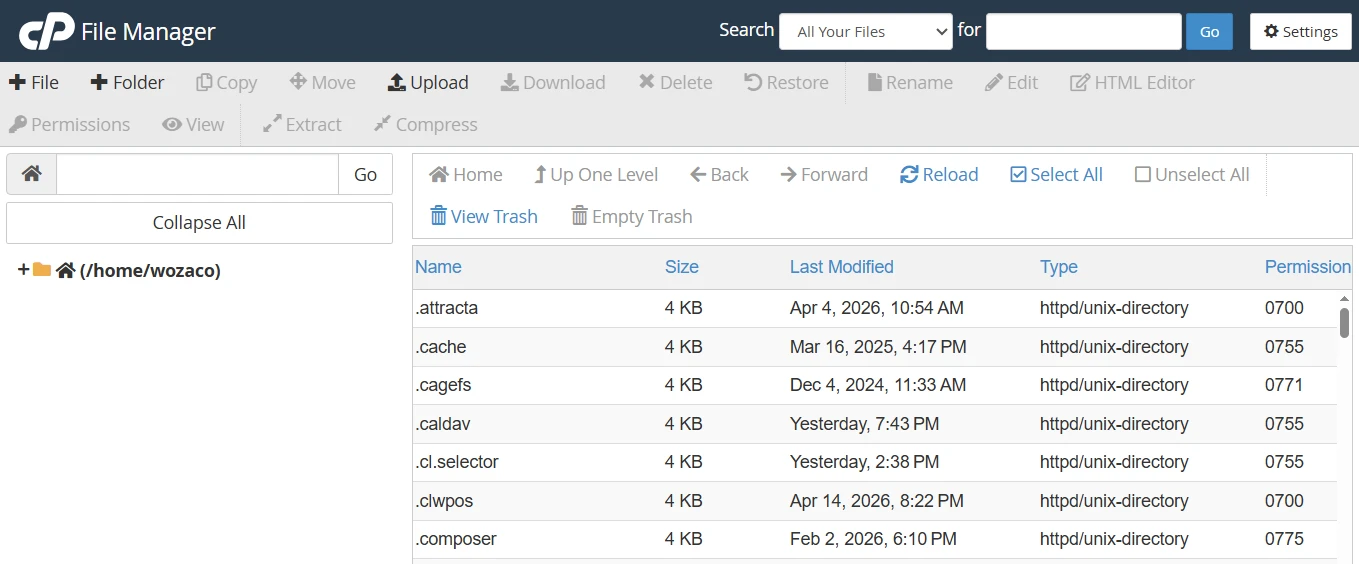
From this section, you can upload and download files such as images, themes, and backups.
It also allows you to edit key configuration files like .htaccess or wp-config.php when adjustments are needed.
Beyond uploads and edits, you can organize your website structure by creating folders, moving files around, and managing permissions such as 644 or 755.
These settings help control how your files are accessed and used on the server.
This setup keeps routine updates fast and simple, especially when making small changes to your website.
2) Domain Name and Subdomain Management
cPanel also handles everything related to how your website is accessed online.
You can connect multiple websites to a single hosting account by adding add-on domains, which is useful if you manage more than one project.
It also allows the creation of subdomains like blog.yourdomain.com or shop.yourdomain.com, giving different sections of your site their own identity and structure.
You can set up redirects as well, either permanent (301) or temporary (302), depending on how you want visitors directed between pages or domains.
For deeper control, the DNS Zone Editor lets you manage records such as A, CNAME, and MX. These settings ensure your domain connects properly to your hosting server and services like email.
This level of control helps keep everything organized and flexible as the website grows.
3) Database Management
Most websites built today, especially WordPress sites and other content management systems, rely on a database to store everything from blog posts and product details to user information.
cPanel provides a simple way to handle this through a database wizard.
This tool walks you through creating a database and assigning a user step by step, without needing to know any database commands.
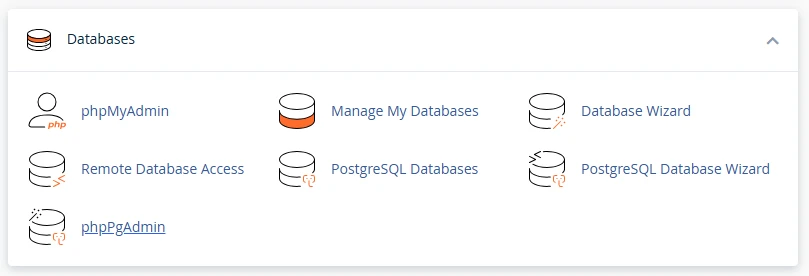
For more control, phpMyAdmin is also included. It gives you a visual interface where you can view your tables, make edits, import data, or export backups whenever needed.
Everything is handled through a browser, which removes the complexity that usually comes with database work.
4) Email Account Management
Having a professional email address that matches your domain builds credibility with customers and clients.
Instead of using generic email services, cPanel allows you to create addresses like [email protected] or [email protected] in just a few steps.
Once created, you can access your emails through webmail tools such as Roundcube directly from your browser. There is no need to install extra software to stay connected.
You also get built-in features that help keep your inbox clean, including spam filtering through SpamAssassin.
If you need emails to go to multiple inboxes, forwarders make it easy to redirect messages automatically.
For many users on Truehost hosting, this becomes a practical way to manage unlimited professional emails without extra cost, especially when working with local clients who expect branded communication.
5) Software Installation and Updates
Setting up a website no longer requires manual installation of files or database configuration.
cPanel includes a one-click installer, commonly known as Softaculous, which simplifies the process of installing platforms like WordPress, Joomla, or Drupal.
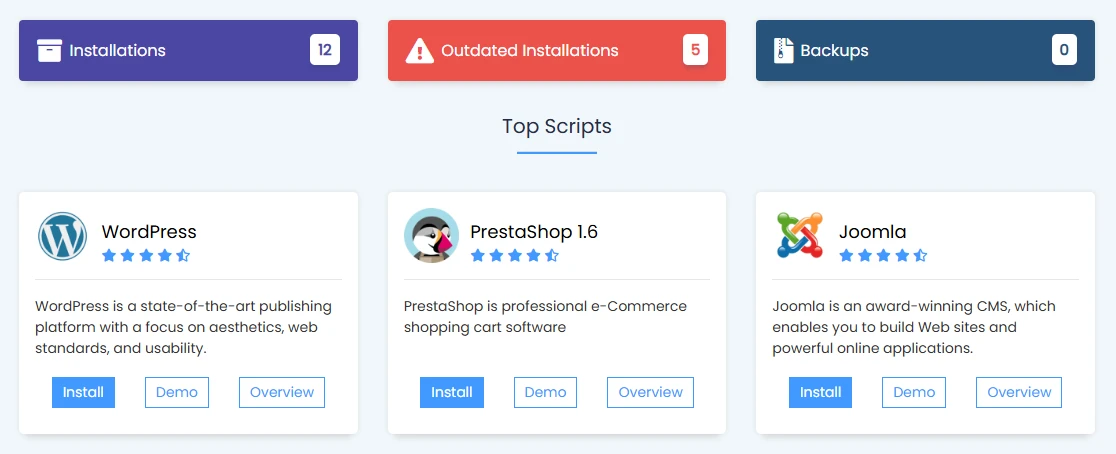
With just a few clicks, the system handles the setup for you, allowing you to get a working website without dealing with technical steps.
After installation, you can manage updates, create backups, or even clone your website directly from the same panel. This becomes especially useful when testing changes or launching new projects quickly without disrupting your main site.
For anyone looking to get a website online fast, this feature removes much of the technical setup that used to take hours or even days.
6) Website Security
Keeping a website safe is part of running it properly, and cPanel includes several tools that help with this.
You can activate SSL certificates through Let’s Encrypt to enable HTTPS, which encrypts data between your site and visitors. There is also an IP blocker that lets you restrict access from specific addresses if needed.
Hotlink Protection helps prevent other websites from directly using your images and consuming your bandwidth.
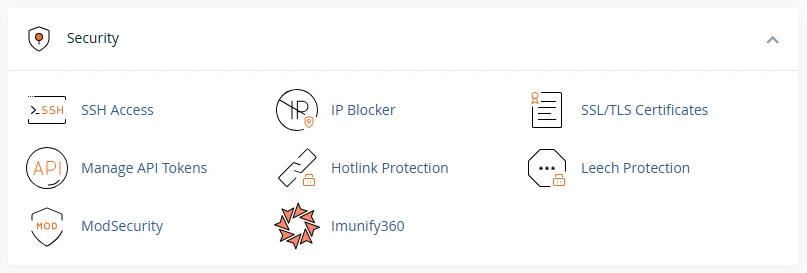
For account security, Two-Factor Authentication (2FA) adds an extra layer during login, making it harder for unauthorized access.
With Truehost hosting, SSL is automatically included and activated for free on all plans, so your site is protected from the start.
7) Backups and Recovery
Website issues can happen unexpectedly, like an update might break something, a plugin could cause conflicts, or files might get deleted by mistake.
cPanel provides a Backup Wizard that helps you stay prepared for situations like these.
You can create full or partial backups of your website files, databases, and email accounts in just a few steps. These backups can be downloaded and stored safely on your computer or restored whenever needed.
This gives you control over your data and reduces the stress that comes with unexpected changes or errors on your site.
8) Performance Monitoring and Analytics
Running a website also means keeping track of how it performs over time. cPanel includes tools that help you monitor activity and resource usage without needing external analytics tools.
AWStats provides detailed reports showing visitor numbers, traffic sources, and how people interact with your site.
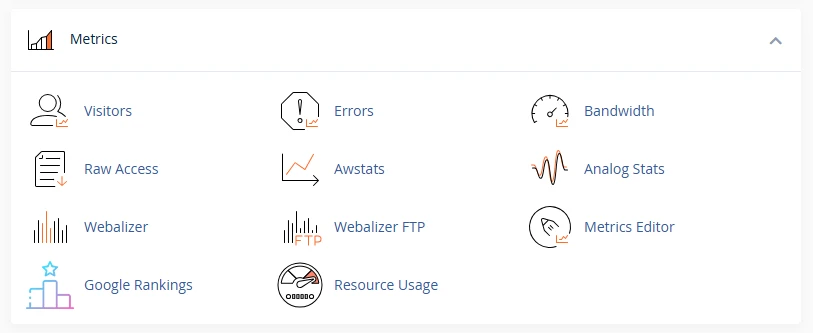
This helps you see what is working and what is not.
There is also a resource usage section that shows how much CPU, memory, and bandwidth your site is using.
This helps you stay within your hosting limits and spot performance issues early before they affect visitors or slow down your website.
Key Benefits of Using cPanel for Website Management
1. User-friendly interface
cPanel brings everything into one place in a way that feels easy to work with from the first login. The layout is simple, and both beginners and experienced users can get things done without confusion.
2. It saves time
Tasks like installing WordPress, creating databases, setting up emails, or managing files no longer take long steps or technical setup. Most of these actions take only a few clicks.
3. Consistency
cPanel is widely used across the hosting industry, so the skills you build here are useful even if you change hosting providers later. It also works across different hosting environments, from shared hosting to VPS and dedicated servers.
Manage Your Website Easily on a Single Dashboard
cPanel brings all essential website tools into one control panel, so everything stays organized and easy to reach whenever needed.
It gives you a practical way to handle website management, saving time on everyday tasks, and works across different hosting environments while staying beginner-friendly.
With Truehost hosting, all of this is already included in affordable plans, making it easier to start and manage a website.
Now the best thing that you can do is get started with a hosting plan that includes cPanel to keep things simple from day one.
Visit our hosting page and choose a plan that fits your needs. cPanel access is included at no extra cost, along with tools that help you manage your website with less effort.