 VPS Hosting
 Managed VPSNon techy? Opt for fully managed VPS server
 Dedicated ServersEnjoy unmatched power and control with your own physical server.
 Website Builder
 Online Store BuilderLaunch a professional e-commerce store without writing code.
 Web Design ServiceGet a custom-designed website tailored to your brand and goals. From just KES 15,600
 BlogRead our guides on web hosting, online business, digital marketing, and more
 SupportOur support guides cover everything you need to know about our services
 ContactContact us via chat or email
Every connection starts with a name.
example.com
Your main website
shop.example.com
Your online storefront
example.net
Your second domain
Choose a certificate that covers the names your visitors actually use.
 Domain SearchInstantly check and register your preferred domain name
 Web HostingCheapest shared hosting plans from KES 2,500 per year
 cPanel HostingHosting powered by cPanel (Most user friendly)
 WordPress HostingHost your WordPress website with fast, secure, and affordable WordPress hosting in Kenya.
 KE DomainsRegister your .CO.KE domain
 Reseller HostingStart your own hosting business without tech hustles
 Windows HostingOptimized for Windows-based applications and sites.
 Free DomainGet a free domain name with select hosting plans
 Affiliate ProgramEarn commissions by referring customers to our platforms
 Free HostingTest our SSD Hosting for free, for life (1GB storage)Domain SearchFind and register available domain names in seconds
 Domain TransferMove your domain to us with zero downtime and full controlKE DomainsBuy trusted .Ke domains tailored for Kenyan businesses and individuals.
 All DomainsBrowse and register domain extensions from around the world
 .Com DomainSecure the most recognized domain for global credibility.
 WhoisLook up domain ownership, expiry dates, and registrar information
Give visitors an encrypted connection to your website. Choose SSL for one site, your subdomains or several domains—with the validation your project needs.
Start with AskSSL™ Starter
Billed yearly · Kshs 750 recurring total
example.com
Your main website
shop.example.com
Your online storefront
example.net
Your second domain
Choose a certificate that covers the names your visitors actually use.
Search every plan by brand, product name, coverage or validation level.
A starting shortlist for one website, subdomains, multiple domains or business identity checks. Explore the other tabs for every available plan.
Showing 4 certificates
AskSSL
Single-domain · DV
Kshs 750
Full billing-term price.
Choose certificate: AskSSL™ Starter →AskSSL
Wildcard · DV
Kshs 12,000
Full billing-term price.
Choose certificate: AskSSL™ Wildcard SSL →AskSSL
Multi-domain · DV
Kshs 2,999
Full billing-term price; extra names may cost more.
Choose certificate: AskSSL™ MultiDomain SSL →Sectigo
Single-domain · OV
Kshs 4,968
Full billing-term price.
Choose certificate: Sectigo InstantSSL →No certificates match these filters. Try another combination or reset the filters.
DV checks domain control. OV also verifies your organisation. EV adds more extensive identity checks. Compare validation levels.
Showing 21 certificates
AskSSL
Single-domain · DV
Kshs 750
Full billing-term price.
Choose certificate: AskSSL™ Starter →Sectigo
Single-domain · DV
Kshs 1,500
Full billing-term price.
Choose certificate: Sectigo PositiveSSL →RapidSSL
Single-domain · DV
Kshs 2,700
Full billing-term price.
Choose certificate: RapidSSL Certificate →Sectigo
Single-domain · DV
Kshs 7,344
Full billing-term price.
Choose certificate: Sectigo SSL Certificate →Sectigo
Single-domain · EV
Kshs 16,632
Full billing-term price.
Choose certificate: Sectigo PositiveSSL EV →Sectigo
Single-domain · OV
Kshs 4,968
Full billing-term price.
Choose certificate: Sectigo InstantSSL →Sectigo
Single-domain · OV
Kshs 7,776
Full billing-term price.
Choose certificate: Sectigo InstantSSL Premium →GeoTrust
Single-domain · DV
Kshs 9,072
Full billing-term price.
Choose certificate: GeoTrust QuickSSL Premium - Flex →GeoTrust
Single-domain · OV
Kshs 13,913
Full billing-term price.
Choose certificate: GeoTrust TrueBusinessID - Flex →GeoTrust
Single-domain · EV
Kshs 32,573
Full billing-term price.
Choose certificate: GeoTrust TrueBusinessID EV →DigiCert
Single-domain · EV
Kshs 215,040
Full billing-term price.
Choose certificate: DigiCert Secure Site EV →DigiCert
Single-domain · EV
Kshs 327,520
Full billing-term price.
Choose certificate: DigiCert Secure Site Pro EV →Thawte
Single-domain · EV
Kshs 32,072
Full billing-term price.
Choose certificate: Thawte Web Server EV →Thawte
Single-domain · OV
Kshs 11,716
Full billing-term price.
Choose certificate: Thawte Web Server SSL →Sectigo
Single-domain · OV
Kshs 6,912
Full billing-term price.
Choose certificate: Sectigo InstantSSL Pro →Sectigo
Single-domain · OV
Kshs 46,440
Full billing-term price.
Choose certificate: Sectigo EnterpriseSSL →Sectigo
Single-domain · EV
Kshs 18,792
Full billing-term price.
Choose certificate: Sectigo EV SSL →Sectigo
Single-domain · EV
Kshs 168,480
Full billing-term price.
Choose certificate: Sectigo EnterpriseSSL Pro EV →Sectigo
Single-domain · DV
Kshs 1,728
Full billing-term price.
Choose certificate: Sectigo Essential SSL →Sectigo
Single-domain · EV
Kshs 125,280
Full billing-term price.
Choose certificate: Sectigo EnterpriseSSL Pro →Sectigo
Single-domain · OV
Kshs 6,912
Full billing-term price.
Choose certificate: Sectigo InstantSSL Pro →No certificates match these filters. Try another combination or reset the filters.
DV checks domain control. OV also verifies your organisation. EV adds more extensive identity checks. Compare validation levels.
Showing 18 certificates
AskSSL
Wildcard · DV
Kshs 12,000
Full billing-term price.
Choose certificate: AskSSL™ Wildcard SSL →Sectigo
Wildcard · DV
Kshs 15,075
Full billing-term price.
Choose certificate: Sectigo PositiveSSL Wildcard →RapidSSL
Wildcard · DV
Kshs 21,900
Full billing-term price.
Choose certificate: RapidSSL Wildcard Certificate →Sectigo
Wildcard · DV
Kshs 28,080
Full billing-term price.
Choose certificate: Sectigo SSL Wildcard →Sectigo
Wildcard · DV
Kshs 24,480
Full billing-term price.
Choose certificate: Sectigo Essential Wildcard SSL →Other
Multi-domain + Wildcard · DV
Kshs 40,387
Full billing-term price; extra names may cost more.
Choose certificate: PositiveSSL Multi-Domain Wildcard Certificate →Other
Wildcard · DV
Kshs 15,075
Full billing-term price.
Choose certificate: Comodo PositiveSSL Wildcard Certificate →Sectigo
Multi-domain + Wildcard · DV
Kshs 50,760
Full billing-term price; extra names may cost more.
Choose certificate: Sectigo PositiveSSL Multi-Domain Wildcard →GeoTrust
Wildcard · DV
Kshs 36,288
Full billing-term price.
Choose certificate: Geotrust QuickSSL Premium Wildcard →GeoTrust
Wildcard · OV
Kshs 65,318.40
Full billing-term price.
Choose certificate: GeoTrust TrueBusinessID Wildcard →GeoTrust
Multi-domain + Wildcard · OV
Kshs 114,696
Full billing-term price; extra names may cost more.
Choose certificate: GeoTrust TrueBusinessID SAN Wildcard - Flex →DigiCert
Wildcard · OV
Kshs 1,397,760
Full billing-term price.
Choose certificate: DigiCert Secure Site Pro Wildcard →DigiCert
Wildcard · OV
Kshs 198,720
Full billing-term price.
Choose certificate: DigiCert Wildcard SSL →Sectigo
Multi-domain + Wildcard · OV
Kshs 84,600
Full billing-term price; extra names may cost more.
Choose certificate: Sectigo Multi-Domain Wildcard SSL →Sectigo
Wildcard · OV
Kshs 237,600
Full billing-term price.
Choose certificate: Sectigo EnterpriseSSL Pro Wildcard →Thawte
Wildcard · DV
Kshs 35,640
Full billing-term price.
Choose certificate: Thawte SSL 123 Wildcard →Thawte
Multi-domain + Wildcard · OV
Kshs 111,057
Full billing-term price; extra names may cost more.
Choose certificate: Thawte SSL Web Server Multi-Domain Wildcard →Thawte
Wildcard · OV
Kshs 59,020
Full billing-term price.
Choose certificate: Thawte Wildcard SSL Certificate →No certificates match these filters. Try another combination or reset the filters.
DV checks domain control. OV also verifies your organisation. EV adds more extensive identity checks. Compare validation levels.
Showing 17 certificates
Sectigo
Multi-domain · OV
Kshs 13,392
Full billing-term price; extra names may cost more.
Choose certificate: Sectigo Multi-Domain SSL →AskSSL
Multi-domain · DV
Kshs 2,999
Full billing-term price; extra names may cost more.
Choose certificate: AskSSL™ MultiDomain SSL →Other
Multi-domain + Wildcard · DV
Kshs 40,387
Full billing-term price; extra names may cost more.
Choose certificate: PositiveSSL Multi-Domain Wildcard Certificate →Sectigo
Multi-domain + Wildcard · DV
Kshs 50,760
Full billing-term price; extra names may cost more.
Choose certificate: Sectigo PositiveSSL Multi-Domain Wildcard →GeoTrust
Multi-domain · DV
Kshs 19,008
Full billing-term price; extra names may cost more.
Choose certificate: Geotrust QuickSSL Premium SAN - Flex →GeoTrust
Multi-domain · EV
Kshs 55,123
Full billing-term price; extra names may cost more.
Choose certificate: Geotrust True BusinessID SAN EV - Flex →GeoTrust
Multi-domain + Wildcard · OV
Kshs 114,696
Full billing-term price; extra names may cost more.
Choose certificate: GeoTrust TrueBusinessID SAN Wildcard - Flex →DigiCert
Multi-domain · OV
Kshs 90,400
Full billing-term price; extra names may cost more.
Choose certificate: DigiCert Secure Site - Flex →DigiCert
Multi-domain · OV
Kshs 207,680
Full billing-term price; extra names may cost more.
Choose certificate: DigiCert Secure Site Pro - Flex →DigiCert
Multi-domain · EV
Kshs 189,312
Full billing-term price; extra names may cost more.
Choose certificate: DigiCert EV Multi-Domain →Sectigo
Multi-domain + Wildcard · OV
Kshs 84,600
Full billing-term price; extra names may cost more.
Choose certificate: Sectigo Multi-Domain Wildcard SSL →DigiCert
Multi-domain · OV
Kshs 126,560
Full billing-term price; extra names may cost more.
Choose certificate: DigiCert Multi-Domain SSL →Thawte
Multi-domain · DV
Kshs 5,184
Full billing-term price; extra names may cost more.
Choose certificate: Thawte SSL 123 - Flex →Thawte
Multi-domain + Wildcard · OV
Kshs 111,057
Full billing-term price; extra names may cost more.
Choose certificate: Thawte SSL Web Server Multi-Domain Wildcard →Sectigo
Multi-domain · EV
Kshs 38,880
Full billing-term price; extra names may cost more.
Choose certificate: Sectigo Multi-Domain EV SSL →Sectigo
Multi-domain · DV
Kshs 3,024
Full billing-term price; extra names may cost more.
Choose certificate: Sectigo PositiveSSL Multi-Domain FLEX →Sectigo
Multi-domain · OV
Kshs 13,392
Full billing-term price; extra names may cost more.
Choose certificate: Sectigo Multi-Domain SSL →No certificates match these filters. Try another combination or reset the filters.
Showing 53 certificates
AskSSL
Single-domain · DV
Kshs 750
Full billing-term price.
Choose certificate: AskSSL™ Starter →Sectigo
Single-domain · DV
Kshs 1,500
Full billing-term price.
Choose certificate: Sectigo PositiveSSL →RapidSSL
Single-domain · DV
Kshs 2,700
Full billing-term price.
Choose certificate: RapidSSL Certificate →AskSSL
Wildcard · DV
Kshs 12,000
Full billing-term price.
Choose certificate: AskSSL™ Wildcard SSL →Sectigo
Wildcard · DV
Kshs 15,075
Full billing-term price.
Choose certificate: Sectigo PositiveSSL Wildcard →RapidSSL
Wildcard · DV
Kshs 21,900
Full billing-term price.
Choose certificate: RapidSSL Wildcard Certificate →Sectigo
Wildcard · DV
Kshs 28,080
Full billing-term price.
Choose certificate: Sectigo SSL Wildcard →Sectigo
Wildcard · DV
Kshs 24,480
Full billing-term price.
Choose certificate: Sectigo Essential Wildcard SSL →Sectigo
Single-domain · DV
Kshs 7,344
Full billing-term price.
Choose certificate: Sectigo SSL Certificate →Sectigo
Multi-domain · OV
Kshs 13,392
Full billing-term price; extra names may cost more.
Choose certificate: Sectigo Multi-Domain SSL →AskSSL
Multi-domain · DV
Kshs 2,999
Full billing-term price; extra names may cost more.
Choose certificate: AskSSL™ MultiDomain SSL →Other
Multi-domain + Wildcard · DV
Kshs 40,387
Full billing-term price; extra names may cost more.
Choose certificate: PositiveSSL Multi-Domain Wildcard Certificate →Sectigo
Single-domain · EV
Kshs 16,632
Full billing-term price.
Choose certificate: Sectigo PositiveSSL EV →Thawte
Not specified · DV
Kshs 2,880
Full billing-term price.
Choose certificate: Thawte SSL123 Certificates →Other
Wildcard · DV
Kshs 15,075
Full billing-term price.
Choose certificate: Comodo PositiveSSL Wildcard Certificate →Sectigo
Multi-domain + Wildcard · DV
Kshs 50,760
Full billing-term price; extra names may cost more.
Choose certificate: Sectigo PositiveSSL Multi-Domain Wildcard →DigiCert
Not specified · Not specified
Kshs 65,088
Full billing-term price.
Choose certificate: DigiCert Basic OV (FLEX) →Sectigo
Single-domain · OV
Kshs 4,968
Full billing-term price.
Choose certificate: Sectigo InstantSSL →Sectigo
Single-domain · OV
Kshs 7,776
Full billing-term price.
Choose certificate: Sectigo InstantSSL Premium →GeoTrust
Single-domain · DV
Kshs 9,072
Full billing-term price.
Choose certificate: GeoTrust QuickSSL Premium - Flex →GeoTrust
Multi-domain · DV
Kshs 19,008
Full billing-term price; extra names may cost more.
Choose certificate: Geotrust QuickSSL Premium SAN - Flex →GeoTrust
Wildcard · DV
Kshs 36,288
Full billing-term price.
Choose certificate: Geotrust QuickSSL Premium Wildcard →GeoTrust
Single-domain · OV
Kshs 13,913
Full billing-term price.
Choose certificate: GeoTrust TrueBusinessID - Flex →GeoTrust
Multi-domain · EV
Kshs 55,123
Full billing-term price; extra names may cost more.
Choose certificate: Geotrust True BusinessID SAN EV - Flex →GeoTrust
Wildcard · OV
Kshs 65,318.40
Full billing-term price.
Choose certificate: GeoTrust TrueBusinessID Wildcard →GeoTrust
Multi-domain + Wildcard · OV
Kshs 114,696
Full billing-term price; extra names may cost more.
Choose certificate: GeoTrust TrueBusinessID SAN Wildcard - Flex →GeoTrust
Single-domain · EV
Kshs 32,573
Full billing-term price.
Choose certificate: GeoTrust TrueBusinessID EV →DigiCert
Multi-domain · OV
Kshs 90,400
Full billing-term price; extra names may cost more.
Choose certificate: DigiCert Secure Site - Flex →DigiCert
Single-domain · EV
Kshs 215,040
Full billing-term price.
Choose certificate: DigiCert Secure Site EV →DigiCert
Multi-domain · OV
Kshs 207,680
Full billing-term price; extra names may cost more.
Choose certificate: DigiCert Secure Site Pro - Flex →DigiCert
Single-domain · EV
Kshs 327,520
Full billing-term price.
Choose certificate: DigiCert Secure Site Pro EV →DigiCert
Wildcard · OV
Kshs 1,397,760
Full billing-term price.
Choose certificate: DigiCert Secure Site Pro Wildcard →DigiCert
Wildcard · OV
Kshs 198,720
Full billing-term price.
Choose certificate: DigiCert Wildcard SSL →DigiCert
Multi-domain · EV
Kshs 189,312
Full billing-term price; extra names may cost more.
Choose certificate: DigiCert EV Multi-Domain →Sectigo
Multi-domain + Wildcard · OV
Kshs 84,600
Full billing-term price; extra names may cost more.
Choose certificate: Sectigo Multi-Domain Wildcard SSL →DigiCert
Multi-domain · OV
Kshs 126,560
Full billing-term price; extra names may cost more.
Choose certificate: DigiCert Multi-Domain SSL →Thawte
Multi-domain · DV
Kshs 5,184
Full billing-term price; extra names may cost more.
Choose certificate: Thawte SSL 123 - Flex →Sectigo
Wildcard · OV
Kshs 237,600
Full billing-term price.
Choose certificate: Sectigo EnterpriseSSL Pro Wildcard →Thawte
Wildcard · DV
Kshs 35,640
Full billing-term price.
Choose certificate: Thawte SSL 123 Wildcard →Thawte
Multi-domain + Wildcard · OV
Kshs 111,057
Full billing-term price; extra names may cost more.
Choose certificate: Thawte SSL Web Server Multi-Domain Wildcard →Thawte
Single-domain · EV
Kshs 32,072
Full billing-term price.
Choose certificate: Thawte Web Server EV →Thawte
Single-domain · OV
Kshs 11,716
Full billing-term price.
Choose certificate: Thawte Web Server SSL →Thawte
Wildcard · OV
Kshs 59,020
Full billing-term price.
Choose certificate: Thawte Wildcard SSL Certificate →Sectigo
Single-domain · OV
Kshs 6,912
Full billing-term price.
Choose certificate: Sectigo InstantSSL Pro →Sectigo
Single-domain · OV
Kshs 46,440
Full billing-term price.
Choose certificate: Sectigo EnterpriseSSL →Sectigo
Multi-domain · EV
Kshs 38,880
Full billing-term price; extra names may cost more.
Choose certificate: Sectigo Multi-Domain EV SSL →Sectigo
Single-domain · EV
Kshs 18,792
Full billing-term price.
Choose certificate: Sectigo EV SSL →Sectigo
Single-domain · EV
Kshs 168,480
Full billing-term price.
Choose certificate: Sectigo EnterpriseSSL Pro EV →Sectigo
Single-domain · DV
Kshs 1,728
Full billing-term price.
Choose certificate: Sectigo Essential SSL →Sectigo
Multi-domain · DV
Kshs 3,024
Full billing-term price; extra names may cost more.
Choose certificate: Sectigo PositiveSSL Multi-Domain FLEX →Sectigo
Single-domain · EV
Kshs 125,280
Full billing-term price.
Choose certificate: Sectigo EnterpriseSSL Pro →Sectigo
Single-domain · OV
Kshs 6,912
Full billing-term price.
Choose certificate: Sectigo InstantSSL Pro →Sectigo
Multi-domain · OV
Kshs 13,392
Full billing-term price; extra names may cost more.
Choose certificate: Sectigo Multi-Domain SSL →No certificates match these filters. Try another combination or reset the filters.
Choose by coverage
Coverage and validation are separate choices. List your domains and subdomains first.
Cover the website name listed on your certificate. Check whether both example.com and www.example.com are included before ordering.
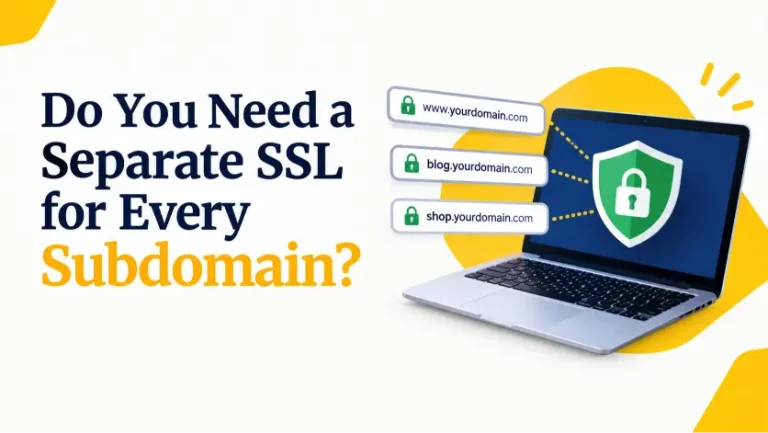
Use *.example.com for same-level subdomains such as shop.example.com and mail.example.com. Deeper names need their own coverage.
List separate domains or hostnames on one certificate. Check the included name allowance and the cost of extra names.
SSL for your next step
From one website to a growing portfolio, choose the coverage, validation level and certificate brand that fit your project. Compare plans for your current setup and the services you plan to add.
Build your SSL shortlist
Coverage
Match the certificate to your domain names.
Identity
Add organisation validation when required.
Compatibility
Check custom SSL installation on your host.
Choose by validation
All three options support encrypted HTTPS. The difference is the identity information checked before issuance.
DV checks that you control the requested domain. It is a practical choice when you need HTTPS without organisation identity checks.
OV checks domain control and organisation details. Choose it when your project needs verified business information in the certificate.
EV uses additional organisation checks. Choose it for an identity-verification requirement, not a promise of stronger encryption or a green browser bar.
Compare SSL brands
Shop AskSSL, GeoTrust, Sectigo, RapidSSL, Thawte and DigiCert certificates in Kenya. Compare the coverage, identity checks and current price of the exact product you need.
AskSSL Starter covers one website and is our entry SSL offer.
AskSSL Wildcard SSL covers same-level subdomains. Multi-Domain SSL covers separate domain names.
GeoTrust options include QuickSSL Premium, TrueBusinessID and True BusinessID with EV.
Wildcard plans are also available. Choose the coverage and validation level that match your websites.
Sectigo offers PositiveSSL, Essential SSL, InstantSSL and EnterpriseSSL.
The range includes single-domain, wildcard and multi-domain certificates, with validation levels suited to different business needs.
RapidSSL Certificate covers a single website. RapidSSL WildcardSSL covers same-level subdomains.
Compare these options by the website names you need to protect and your preferred billing term.
Thawte offers Web Server SSL and Web Server EV for different identity-verification needs.
SSL 123 Wildcard and Web Server Multi-Domain Wildcard provide options for subdomains and broader coverage.
DigiCert options include Secure Site and Secure Site Pro, alongside wildcard, multi-domain and EV products.
Choose the specific plan by its included hostnames and validation requirements.
From purchase to HTTPS
Buying a certificate is the first step. Your website needs the certificate installed and renewed on time.
Complete the domain validation requested for your order. Supply organisation documents if your selected certificate requires them.
Install the certificate with its intermediate chain on the correct server. Keep the matching private key secure and enable HTTPS.
Open the site over HTTPS, resolve mixed content, and test redirects and forms. Track expiry and plan the next reissuance.
Choose the names you need to cover first, then the identity checks you need. These are two separate decisions.
Use the group tabs above, then narrow the results by coverage, validation level and brand. Compare SSL certificates.
Our current entry offer is AskSSL™ Starter: Kshs 750 — Billed yearly. The price shown on each certificate card is the full charge for its selected billing term.
Choose an available billing term on the card to update the price and order link together.
Not necessarily. Our web hosting plans include free automated SSL. If it covers your site and renews correctly, it may already meet your HTTPS needs.
A separate certificate can be useful when you need:
Check your current certificate and hosting settings before buying another. Explore our web hosting plans or ask us which option fits.
SSL is the familiar product name; modern HTTPS connections use TLS. You will often see the terms used together as SSL/TLS.
A certificate protects the connection. It does not remove malware, fix vulnerable plugins or replace website backups.
No. A wildcard covers subdomains at one level of a particular domain. For example, *.example.com can cover:
It does not cover example.net or a deeper name such as app.shop.example.com. Check that example.com itself is also included in the certificate’s names.
If you need several different domains as well as wildcard coverage, compare the multi-domain wildcard products.
These are validation levels: they describe what the issuing authority checks before issuing a certificate.
They are not three grades of encryption. Choose OV or EV when your project requires verified organisation information, and allow time for the additional checks.
No certificate should be chosen on a promise of a green address bar. Browser interfaces have changed, and the indicators vary between browsers and devices.
OV and EV certificates carry verified organisation information in the certificate details. That is separate from how the browser chooses to display connection information.
Choose your certificate for its coverage and validation requirements. After installation, check that the site opens over HTTPS without certificate errors.
Prepare the covered names and access needed for validation before you order.
Once issued, install the certificate and intermediate chain on your server. Contact us if you need help with your setup.
Issuance depends on successful validation, not just payment. Domain-validated certificates can be issued quickly once the checks pass; OV and EV involve additional organisation checks.
To avoid preventable delays:
We do not promise a fixed issuance time for every order. Issuance and installation are separate steps.
No. Your paid subscription term and the expiry date of an issued certificate are different. Public TLS certificates have shorter validity periods, so reissuance may be needed during your paid term.
Monitor the installed certificate’s expiry date. Do not assume paying a renewal invoice installs a replacement certificate automatically. Read Sectigo’s current validity guidance.
Yes, provided your hosting service supports installing a compatible custom certificate. You do not have to move your domain registration simply to use a certificate.
Before ordering, confirm:
Some managed platforms control SSL themselves. Check with that platform before buying a separate certificate.
Start with the exact warning: certificate errors and mixed-content issues need different fixes.
Send our team the affected URL and exact warning so we can help identify the next step.
Guides
Practical guides to installation, HTTPS and certificate renewal.
Choose the right coverage, then get your certificate in place.