 VPS Hosting
 Managed VPSNon techy? Opt for fully managed VPS server
 Dedicated ServersEnjoy unmatched power and control with your own physical server.
 Website Builder
 Online Store BuilderLaunch a professional e-commerce store without writing code.
 Web Design ServiceGet a custom-designed website tailored to your brand and goals. From just KES 15,600
 BlogRead our guides on web hosting, online business, digital marketing, and more
 SupportOur support guides cover everything you need to know about our services
 ContactContact us via chat or email
WebHosting Starter
Kshs 188/mo
Kshs 6,768 billed every 3 yearsSave KES 732
Renews at Kshs 188/month
- Hosts 10 Websites
- ~25 000 visits monthly
- 30 GiB SSD Storage
- Free Daily backups
Terms: 3 years2 yearsYearly
 Domain SearchInstantly check and register your preferred domain name
 Web HostingCheapest shared hosting plans from KES 2,500 per year
 cPanel HostingHosting powered by cPanel (Most user friendly)
 WordPress HostingHost your WordPress website with fast, secure, and affordable WordPress hosting in Kenya.
 KE DomainsRegister your .CO.KE domain
 Reseller HostingStart your own hosting business without tech hustles
 Windows HostingOptimized for Windows-based applications and sites.
 Free DomainGet a free domain name with select hosting plans
 Affiliate ProgramEarn commissions by referring customers to our platforms
 Free HostingTest our SSD Hosting for free, for life (1GB storage)Domain SearchFind and register available domain names in seconds
 Domain TransferMove your domain to us with zero downtime and full controlKE DomainsBuy trusted .Ke domains tailored for Kenyan businesses and individuals.
 All DomainsBrowse and register domain extensions from around the world
 .Com DomainSecure the most recognized domain for global credibility.
 WhoisLook up domain ownership, expiry dates, and registrar information
cPanel hosting in Kenya
Host your business website or WordPress site with cPanel included. Upload files, create business mailboxes and manage your domain settings from your browser.
Start with WebHosting Starter
Billed every 3 years · Kshs 6,768 recurring total
Best value compares each plan's lowest monthly equivalent; contract lengths can differ.
Swipe sideways to compare all 4 plans
Kshs 188/mo
Kshs 6,768 billed every 3 yearsSave KES 732
Renews at Kshs 188/month
Terms: 3 years2 yearsYearly
Kshs 371.75/mo
Kshs 13,383 billed every 3 yearsSave KES 16,857
Renews at Kshs 371.75/month
Terms: 3 years2 yearsYearly6 monthsQuarterlyMonthly
Kshs 1,632/mo
Kshs 58,752 billed every 3 yearsSave KES 66,528
Renews at Kshs 1,632/month
Terms: 3 years2 yearsYearly6 monthsQuarterlyMonthly
Kshs 188/mo
Kshs 6,768 billed every 3 yearsSave KES 11,232
Renews at Kshs 188/month
Terms: 3 years2 yearsYearly6 monthsQuarterlyMonthly
Already a Truehost customer?
Sign in to your Truehost client area, open your active hosting service and select the cPanel login button. This opens the dashboard for that service without a separate cPanel sign-in.
More included from the start
Our plans include cPanel access, email accounts, automated SSL and an application installer to help you set up and manage your website.
Add domains to your hosting account and manage their website folders. Use the DNS tools available in cPanel to point records to the services your business uses.
See login steps →Bring your existing website to Truehost with one free eligible migration under our migration policy.
See how migration works →Manage files, databases and email, and install supported apps from one control panel.
See cPanel tasks →Create addresses such as [email protected] for customer enquiries. Set up mailboxes in cPanel, then read messages through webmail or your preferred email app.
Create your first business website without coding. Add your services, pages and contact details.
Use automated SSL to enable HTTPS once your domain points to the account. Check certificate status in cPanel and make sure your website uses secure links.
Build around your website
Add the services your website needs as your business grows.
Keep your website online with hosting for your business pages, blog or online store.
From Kshs 188 / monthWebHosting Starter · Kshs 6,768 every 36 monthsExplore Web Hosting →Send and receive business messages from a professional inbox that uses your own domain.
From Kshs 56 / monthWorkplace Starter · Kshs 672 every 12 monthsExplore Business Email →Run websites and applications with dedicated resources and control over your server setup.
From Kshs 579.64 / monthCloud VPS Elite · Kshs 20,867 every 36 monthsExplore VPS Hosting →Secure connections to your website with an SSL certificate for your domain.
From Kshs 62.50 / monthAskSSL™ Starter · Kshs 750 every 12 monthsExplore SSL Certificates →Get a server dedicated to your business for demanding websites, applications and workloads.
From Kshs 11,680 / monthH1 Dedicated Server · Kshs 420,480 every 36 monthsExplore Dedicated Servers →Find and register a domain that gives your business a memorable address online.
From Kshs 40.name.ng · first-year registrationExplore Domains →Build with software you know
Use cPanel to look after the hosting behind your website. Use WordPress, Joomla or another supported application to create the pages visitors see.
Install WordPress through the application installer, create a database for an existing site, or upload files through File Manager. Your website editor and cPanel each have their own login and purpose.
Choose cPanel hosting →Turn WordPress into a shop, with products, a basket and checkout.
Organise articles, menus and access for a content-rich site.
Build structured content and publishing workflows.
Choose application versions supported by your hosting environment.
Our cPanel hosting gives you website storage, email accounts, automated SSL and backups in one paid plan. Start with WebHosting Starter at Kshs 2,500 per year, with cPanel access included.
Choose the website allowance and storage your business needs, then compare the full billing total. You can put your budget towards your website and business instead of paying separately for a control panel.
Compare hosting plans →Our hosting includes automated SSL to encrypt connections between your visitors and your website, plus backups to help you recover website data. Your cPanel account lets you manage mailbox passwords, website files and the access details you share with your team.
Use strong, unique passwords and keep WordPress, themes and plugins up to date. For help with account access or a suspected security problem, contact our support team with your domain and what you noticed.
Read security answers →Stay connected
Our plans include backups for recovering website data. Open the backup tools available with your account to review restore points, then choose the files or databases you need to recover.
For a store or a site receiving enquiries, check what changed after the backup date before restoring. Contact support if you need help choosing a restore point.
Explore hosting FAQs →A smoother experience
Our hosting uses LiteSpeed to serve your website and SSD storage for its files. Choose a plan with enough space for your pages, images, databases and email.
Keep images light and configure caching to get more from your setup.
Free website migration
Move from another provider with one free migration per eligible service, within our policy’s limits.
Request free migration →Read the migration policy →Share your current host, software and any email you need moved.
Review the copied pages, forms and email before changing DNS.
Keep the old account active while the change takes effect.
Choose a plan for the websites you run
Match your web hosting package to the websites you run. Compare website limits, storage and the full billing term.
For a business website or portfolio, choose enough storage for your pages, images and email. Check the website allowance if you plan to add another site.
Host several business websites or projects in one cPanel account. Compare the website allowance and storage because the sites share the same hosting resources.
Find your next domain →Allow for product images, orders and the plugins your WooCommerce shop uses.
Compare the total charge for the billing period you choose, then check the renewal price. A monthly equivalent on an annual or three-year offer is paid upfront for the full term.
A hand when you need it
Contact our support team for help with account access, website setup or a migration. Include your domain and the task you need help with.
More control as you grow
Explore VPS hosting for root access and custom services.
Your questions, answered
Direct answers about prices, account access and everyday website tasks.
cPanel hosting is a web hosting service that includes cPanel, a dashboard for managing your hosting account. You use it to look after the files, email, domains and databases behind your website without running server commands.
Your website editor handles the content visitors see. cPanel handles the hosting account that supports it.
Our WebHosting Starter plan costs Kshs 2,500 per year. Its three-year option costs Kshs 6,768 upfront, equivalent to Kshs 188 per month.
cPanel access is included in the hosting price. Compare plans and select a billing period to see its current total.
Log in to your Truehost client area, select your active hosting service and choose its cPanel login button.
This route opens the control panel for the selected service, so it is useful when you have several hosting accounts.
No. The client area manages your Truehost services and billing; cPanel manages one hosting account.
Opening cPanel through the client area saves you from entering a separate control-panel password.
Yes. Use the cPanel address supplied with your hosting details. A common secure address is https://yourdomain.com:2083, where you replace the example with your own domain.
Your domain needs to point to the hosting server for domain-based access to work. If it does not, use the server hostname provided with your account or open cPanel through our client area.
First check that you are using the correct login for the account you want to open. A client-area email login is different from a direct cPanel username.
For a forgotten client-area password, use the password-recovery link on the login page. Do not send your password to support.
Yes, cPanel access is included in our paid cPanel hosting plans at no separate licence charge for your shared account. You pay for the hosting plan and use the control panel supplied with it.
cPanel software itself requires a licence. If you install it on your own VPS or dedicated server, you need a suitable server licence, with the price depending on the licence tier and account allowance.
cPanel offers an eligible new server installation a 15-day trial. This is a software trial for your server, rather than a free Truehost hosting account.
Yes. We offer a Webhosting Starter Monthly product for monthly hosting. Choose its monthly billing option in the plan table to see the current charge.
A price labelled “per month” on an annual or three-year offer is a monthly equivalent. The full selected term is billed upfront. Check the billing line beneath the price before ordering.
Our WebHosting Starter plan supports ten websites, Pro supports thirty, and Unlimited offers an unlimited website allowance. Compare the storage and other resources alongside the website count.
Several websites share the resources of the same hosting account. If clients need separate accounts, compare our reseller hosting.
Yes. Our hosting includes a one-click installer for WordPress and other supported applications.
Check the installation location carefully so you do not replace an existing website.
Open File Manager in cPanel and select the folder used by your website. The main domain commonly uses public_html; check the document root for an additional domain before making changes.
Keep a copy before replacing files. Uploading an existing WordPress site also requires its database and configuration, so files alone are not a complete migration.
Yes. Our cPanel hosting plans include email accounts, automated SSL and backups. Starter and Pro include unlimited email accounts and daily backups.
Mailbox data uses hosting storage, so allow space for email as well as your website. Review available restore points before restoring a backup, especially for a site receiving orders or enquiries.
Yes. You can keep your domain at another registrar and point it to our hosting. Use the nameservers or DNS records supplied with your hosting account.
If email stays with another provider, preserve its mail records when making DNS changes. A domain registration and a hosting account are separate services.
Yes. We offer one free eligible website migration per service under our migration policy. Share the platform, size and account details needed for the transfer with our support team through the appropriate support channel.
Keep the old hosting active until the copied website has been checked. Review pages, email, forms and any checkout before changing DNS and closing the old account.
cPanel manages an individual hosting account; WHM manages hosting accounts and server-level settings.
Shared hosting suits your own websites. Choose reseller hosting when you need to manage separate client accounts.
Yes, you need a domain for customers to reach your website at your chosen address. Hosting stores your website files; the domain points visitors to that hosting account.
You can register a domain with us or use one you already own. Domain inclusion depends on the hosting plan and billing term: our Unlimited plan includes a .co.ke domain on its annual option. Compare domain prices if you need a separate registration.
Open Email Accounts in cPanel, choose your domain and create a mailbox with its own password. You can then use webmail or connect the mailbox to an email application.
If your email is hosted elsewhere, keep its existing mail records when connecting your website to our hosting.
cPanel manages your hosting account; WordPress manages your website content. They work together when you install WordPress on your cPanel hosting.
Your WordPress administrator details are separate from your cPanel and client-area credentials.
Yes, you can restore from the backup points available for your hosting account. Review the backup date and choose whether you need website files, a database or a wider account restore.
Keep a separate copy before major updates so you also have a recent recovery point for your own changes.
Upload your website into its document root using File Manager, or transfer it with an FTP client using the connection details supplied for your account. For the main domain, the folder is commonly public_html.
For WordPress or another database-driven site, also import the database and update the application’s database settings. Point your domain to the hosting account, then test the site over HTTPS.
You can use cPanel to manage the hosting services behind your website from your browser. The tools available depend on your hosting package.
For editing your website’s pages and design, use the editor supplied by your website application.
Yes, a cPanel account can be compromised if someone obtains its credentials or exploits vulnerable software associated with the account. No control panel can guarantee protection from every attack.
If you suspect unauthorised access, contact our support team promptly with your domain and the changes you observed. Change affected passwords from a trusted device.
Yes, cPanel is a practical choice when you want to manage website files, email and databases through a browser dashboard. It works with business websites, blogs and supported applications such as WordPress and WooCommerce.
The control panel does not determine the hosting capacity you need. Compare storage, website allowances and the demands of your application before choosing a plan. For custom server software or root access, compare our VPS hosting options.
Choose a cPanel hosting plan, connect your domain, then install your website application or upload your existing site. Complete the setup by checking HTTPS and testing the website.
A new WordPress installation creates its own database through the installer. An existing site migration needs both its files and its database.
Guides
Practical guides for account access and website management.
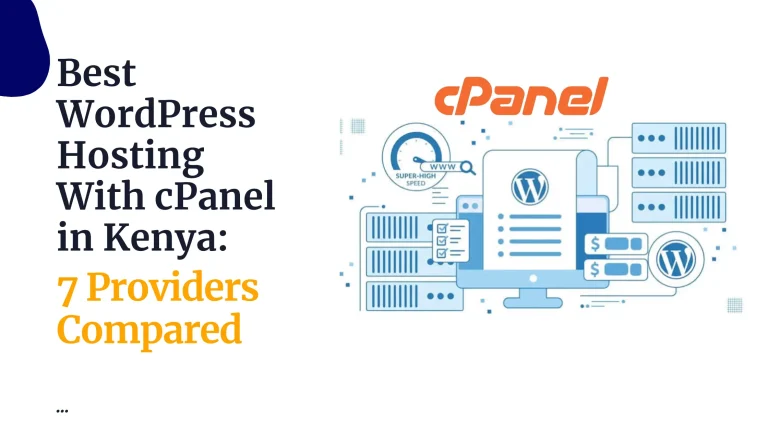

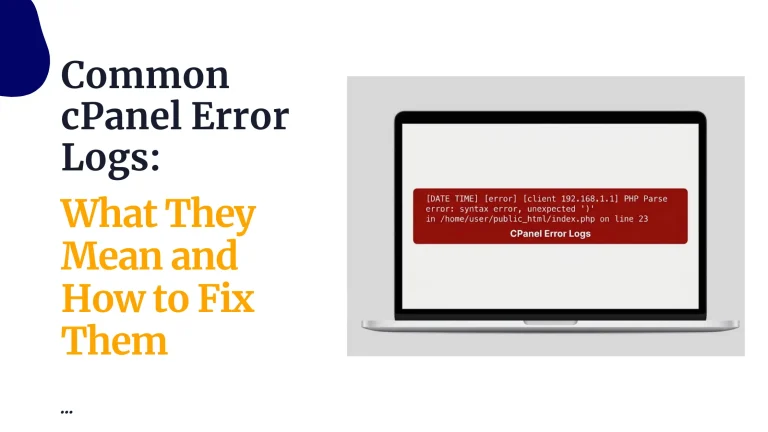
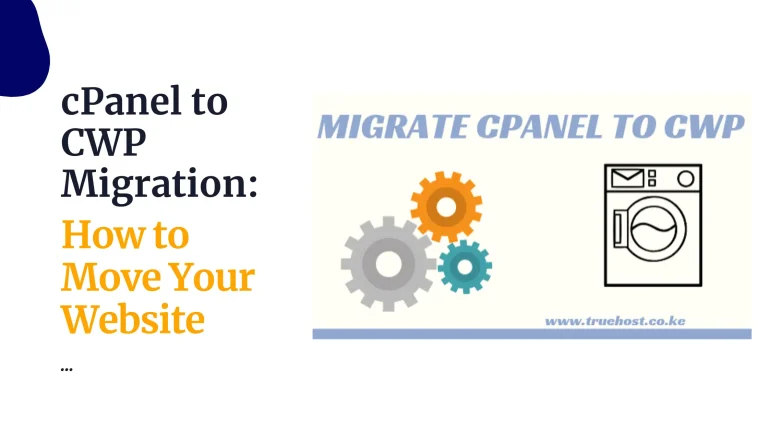
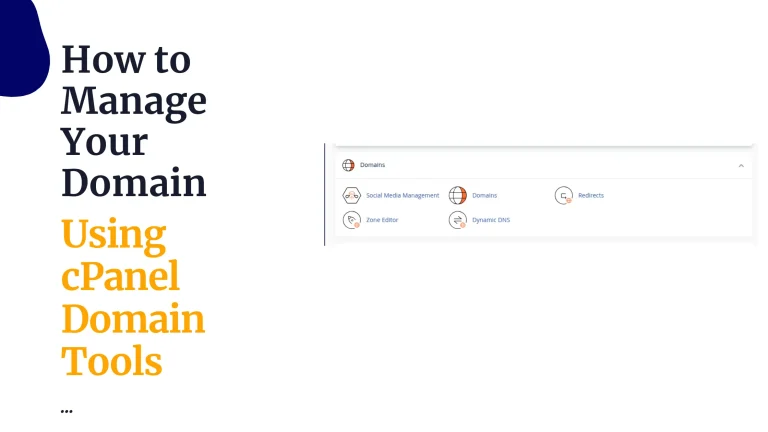

Compare website limits, storage and billing terms, then choose a plan. cPanel access is included so you can manage your website, email and databases from one account.
Power your website with the world’s #1 hosting control panel — now optimized for Kenyan users.
WordPress, Litespeed, Emails, SSD
WebHosting Starter
Ksh 188/mo when billed triennially.
WebHosting Pro
Ksh 371.75/mo when billed triennially.
WebHosting Unlimited
Ksh 1632/mo when billed triennially.
Webhosting Starter Monthly
Ksh 188/mo when billed triennially.
Entrepreneurs & startups
Launch your website fast and scale easily
Web developers & freelancers
Manage multiple projects and client sites from one dashboard
Digital agencies
Host unlimited domains with sub-accounts for every client
eCommerce stores
Secure, scalable hosting that supports payments, SSL, and speed
Bloggers & influencers
Get online fast with WordPress and grow your brand
I can’t believe it’s been six years since I first signed up for web hosting with Truehost. They have been nothing but reliable, and the customer service is impeccable. I have had a few times where my site went down for an extended period of time, and each time Truehost was quick to respond and helped me get back up and running again.

I am not a tech expert, but I know a thing or two about hosting providers and what they should offer. I wanted to try out Truehost and see if they were worth their praises so I signed up for one of their plans. And boy, did they deliver! The customer service was top notch and the features that came with my plan allowed me to customize my site

Whether you’re running a small business, launching a portfolio, or building an eCommerce site, our cPanel hosting is built for Kenya’s digital ecosystem.
?? Locally hosted servers for ultra-fast access across Kenya
? 24/7 support from real experts (no bots!)
? Transparent pricing with no hidden fees
What is cPanel?
cPanel is the world’s most trusted web hosting control panel.
You can easily:
No coding needed. No tech headaches. Just results.
Our friendly, experienced team is available 24/7 to assist you with anything related to your hosting — from setup to troubleshooting. We’re always just a call, chat, or email away.
We take your privacy seriously. With advanced infrastructure safeguards and strict data protection protocols, your website and information stay private, secure, and protected at all times.
Truehost offers Kenya’s most affordable web hosting, trusted by thousands and backed by over 50% market share. Get premium performance at unbeatable prices.
Local hosting. Lightning-fast access.
With servers right here in Kenya (VPS Plans), your website loads faster, performs better, and stays online 99.99% of the time. Built for Kenyan businesses.
cPanel is a web hosting control panel that lets you manage every part of your website from a single dashboard — no coding needed.
You can upload files, create emails, install apps like WordPress, manage backups, and monitor traffic.
It simplifies web hosting for beginners and gives full control to advanced users.
There are two main ways to upload your site to cPanel:
a) File Manager (easiest):
public_html folder b)FTP (File Transfer Protocol)
public_html directory.Once uploaded, your site will be live at your domain.
For individual users, cPanel is usually included in your cPanelhosting plan (sharedhosting) at no extra charge.
If you’re a server admin or reseller, standalone cPanel licenses start from $27/month and vary based on the number of accounts.
But for most shared hosting users, you won’t pay anything extra.
cPanel itself is not free and requires a paid license, with costs depending on factors like the number of accounts or server type (e.g., VPS or dedicated).
However, there are ways to access it without additional cost.
Yes — like any software, cPanel can be hacked if not secured properly.
But with basic security practices, you can protect your cPanel account:
Reputable hosts like Truehost also have firewalls and malware scanning in place to keep your site safe.
That’s like comparing a car to a garage.
You use cPanel to install and manage WordPress. So, they work together, not against each other. If you’re building a blog or site, you’ll likely install WordPress inside cPanel.
Absolutely.
cPanel is one of the most reliable, beginner-friendly control panels in the world.
It’s used by millions globally because it’s:
If you’re hosting a personal blog, eCommerce store, or business site in Kenya, cPanel is one of the best choices.
Here’s how to get your website live using cPanel:
public_html via File Manager or FTPYour site should now be live!