Domain SearchInstantly check and register your preferred domain name
 Web Hosting
 cPanel HostingHosting powered by cPanel (Most user friendly)
 WordPress HostingHost your WordPress website with fast, secure, and affordable WordPress hosting in Kenya.
 KE Domains
 Reseller HostingStart your own hosting business without tech hustles
 Windows HostingOptimized for Windows-based applications and sites.
 Free Domain
 Affiliate ProgramEarn commissions by referring customers to our platforms
 Free HostingTest our SSD Hosting for free, for life (1GB storage)
 Domain TransferMove your domain to us with zero downtime and full control
 All DomainsBrowse and register domain extensions from around the world
 .Com Domain
 WhoisLook up domain ownership, expiry dates, and registrar information
 VPS Hosting
 Managed VPSNon techy? Opt for fully managed VPS server
 Dedicated ServersEnjoy unmatched power and control with your own physical server.
 Website Builder
 Online Store BuilderLaunch a professional e-commerce store without writing code.
 Web Design ServiceGet a custom-designed website tailored to your brand and goals. From just KES 15,600
 BlogRead our guides on web hosting, online business, digital marketing, and more
 SupportOur support guides cover everything you need to know about our services
 ContactContact us via chat or email
With AI becoming part of everyday conversations, it is easy to assume that every AI tool does the same thing. Names like OpenClaw and ChatGPT often get grouped together simply because they both fall under the AI category.
But that is where much of the confusion begins and why we need this OpenClaw vs ChatGPT clarification.
The reality is that OpenClaw and ChatGPT are built for completely different purposes.
One is designed to interact with you through conversation, helping answer questions, generate content, and assist with problem-solving. The other is designed to take action on your behalf, handling tasks, automating workflows, and working behind the scenes with minimal input.
Because of this, the question is not which platform is better. The better question is, do you need an AI that answers you or one that works for you?
Now, the answer depends on your goals, your workflow, and the kind of support you expect from AI.
If you’re in Kenya, Truehost makes OpenClaw accessible locally, making it easier to deploy and manage AI-powered automation.
Plus, you don’t need to choose one over the other, as you could use both OpenClaw and ChatGPT together and even integrate them to create a more complete AI experience.
Openclaw vs ChatGPT comparison table
| OpenClaw | ChatGPT | |
|---|---|---|
| Hosting | Open-source, self-hosted on your VPS or machine | Subscription-based, cloud-hosted by OpenAI |
| Setup | Requires configuration | Zero setup needed |
| Data ownership | Fully yours | Stored with OpenAI |
| Works autonomously | Yes, acts without prompting | No, responds only when asked |
| WhatsApp / Telegram / Slack | Native integration | Not supported |
| File & database access | Direct local access | Not available |
| AI model choice | GPT-4, Claude, Llama, Mistral | OpenAI models only |
| Best for | Automation, workflows, privacy | Writing, research, Q&A |
Features and Capabilities: A Closer Look
Setup and Ease of Use
If you want something simple, ChatGPT has a clear advantage.
Getting started takes only a few minutes. You create an account, open the chat, and start typing. There is nothing to install, no server to provision, no configuration file to touch.
That ease of access is one of the reasons ChatGPT has become so popular among students, professionals, business owners, and everyday users. You can start benefiting from AI immediately without needing any technical background.
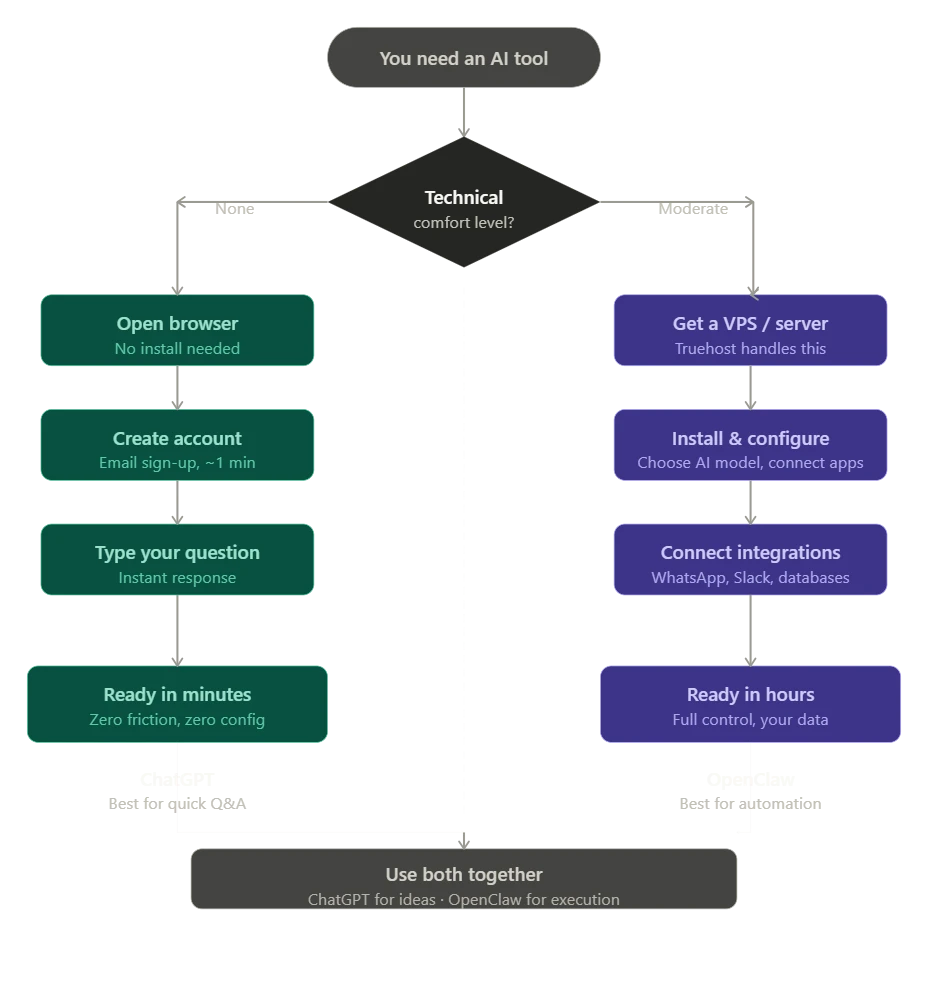
OpenClaw is a different story. Deploying it means setting up a server and connecting it to the tools, services, or apps you want it to work with. Depending on your goals, this may include configuring AI models, setting up workflows, and defining automation rules.
While the setup process requires more effort at the beginning, the trade-off is greater flexibility and control.
It is absolutely doable, and Truehost simplifies it significantly for Kenyan users, making it easier to launch OpenClaw without managing every technical detail yourself.
In short, ChatGPT is designed for immediate use, while OpenClaw requires some initial setup before delivering its full value.
Core Strengths
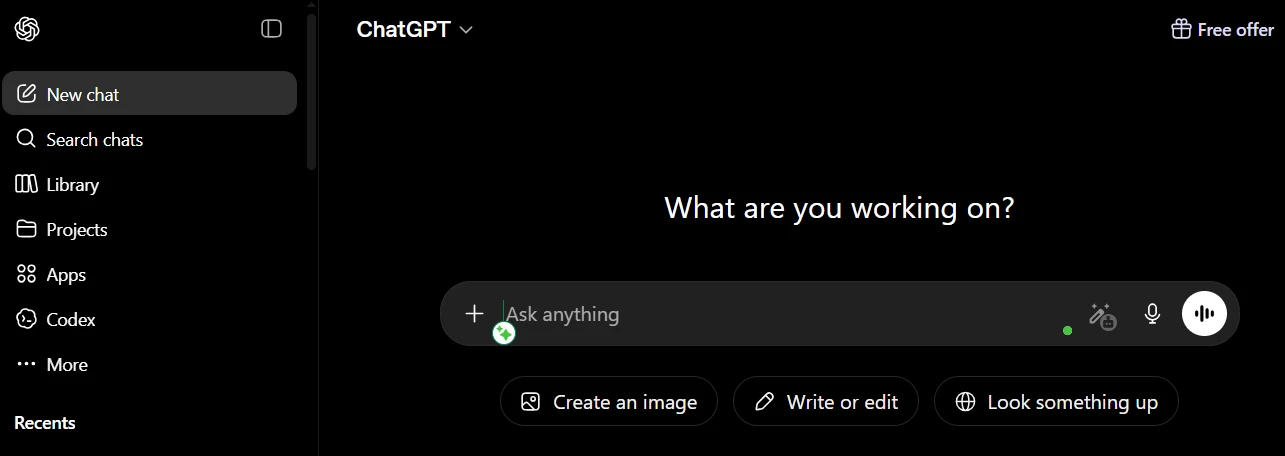
ChatGPT is brilliant at rapid, conversational responses. You ask a question, you get a thoughtful answer.
It handles creative writing with ease, drafts emails quickly, explains technical concepts accessibly, and brainstorms ideas at a pace that genuinely surprises people.
It is the tool you reach for when you need a fast, intelligent response.
OpenClaw plays an entirely different game. Its strength is autonomous execution, since it does not wait for you to ask.
You can set it up to monitor competitors, generate daily reports, update files, or respond to incoming messages, and it will do those things on schedule, in the background, without you hovering over a chat window.
This makes OpenClaw particularly useful for businesses and teams that want AI to handle ongoing operational work behind the scenes.
A simple way to view the difference is this: ChatGPT helps you complete tasks through conversation, while OpenClaw helps complete tasks through automation.
One provides answers when you ask. The other continues working even when you are busy doing something else.
Integration with Messaging Apps
This is one of OpenClaw’s most practical advantages, especially in a market like Kenya, where platforms like WhatsApp and Telegram often serve as the primary channel for customer interactions, team communication, and day-to-day operations.
OpenClaw can connect with messaging platforms such as WhatsApp, Slack, and Telegram, allowing you to interact with automated workflows through a simple message.
Instead of logging into multiple systems, you can send a request through your preferred messaging app and receive the results within the same conversation.
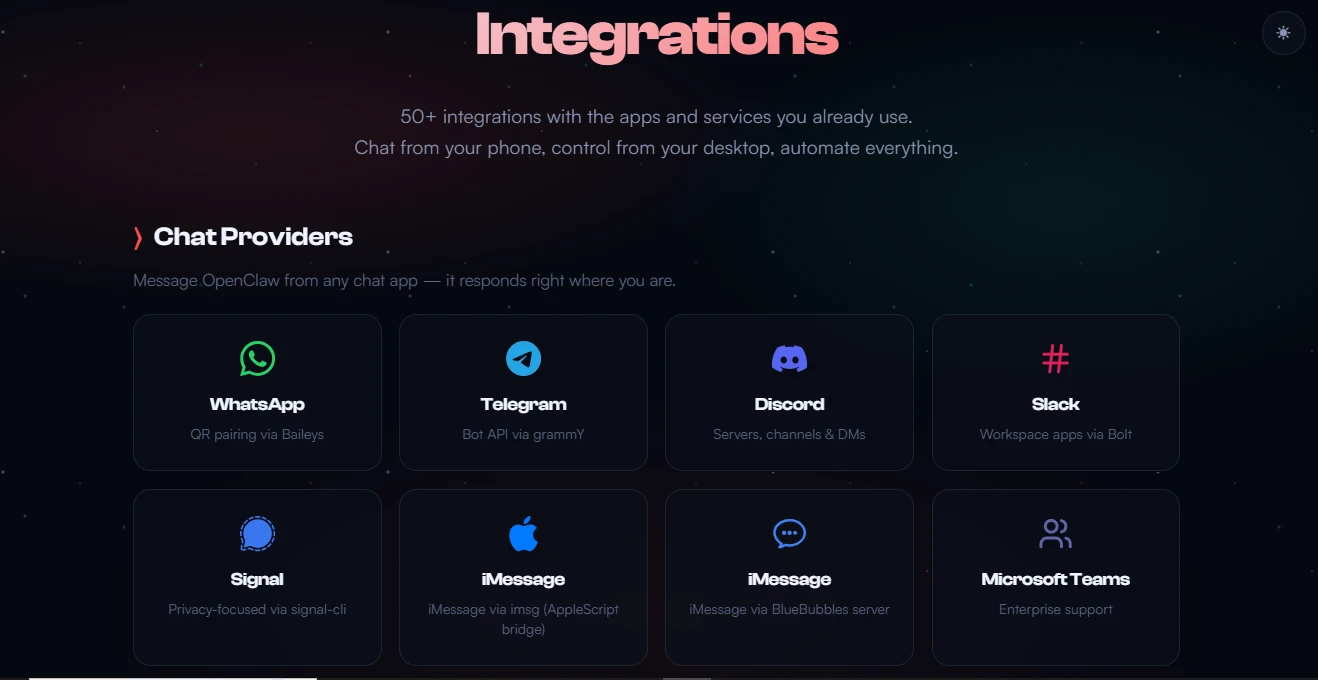
For example, you can send it a message on WhatsApp, and it will carry out a task, like checking a file, running a workflow, or pulling a report, and reply back. For many businesses, this makes it feel like a real team member, not just a chat tool.
ChatGPT, on the other hand, is primarily designed to operate through its own interface.
While integrations are possible through APIs and third-party tools, they are not part of the standard experience. As a result, ChatGPT typically functions as a destination you visit rather than a system embedded throughout your workflow.
System Access and Automation
The difference between these platforms becomes even clearer when you look at what they can access and control.
OpenClaw can reach directly into your local files, databases, applications, APIs, and internal business systems.
Once configured, it can run background tasks on a schedule, respond to triggers, and execute multi-step workflows without human input at each stage.
This opens the door to a wide range of business automations, making it genuinely useful for operations work across different systems, like:
- Onboarding processes
- Competitor monitoring
- Inventory updates
- Client reporting
- Processing customer requests
- Coordinating multi-step processes
Instead of simply providing recommendations, it can carry out the work itself.
ChatGPT does not have access to your local systems. Everything happens within the chat interface. It can help you plan workflows, write code for them, explain automation concepts, and troubleshoot technical processes, but it cannot run those workflows on your behalf.
In practical terms, ChatGPT can tell you how to automate a process, while OpenClaw can be configured to run that process on an ongoing basis.
Privacy and Data Control
Now, if your Kenyan business is handling customer data, this section deserves your undivided attention.
When you use ChatGPT, your conversations and data go through OpenAI’s servers. OpenAI has privacy policies and handles that data responsibly, but the data is not in your hands, since the processing environment remains outside your direct control.
With OpenClaw running on your own server, your data stays on your infrastructure. You decide where data is stored, who can access it, and how long it is retained.
This provides a higher level of control over business information and internal processes.
For industries with compliance requirements like healthcare, finance, and legal services, this is very essential. And for any business that takes client confidentiality seriously, self-hosting is a meaningful advantage.
Cost Model
ChatGPT operates on a per-user subscription.
Each person on a team typically pays for their own access, which makes budgeting simple and predictable. For individuals and small teams, this structure works well because costs are easy to track and there are no hidden variables.
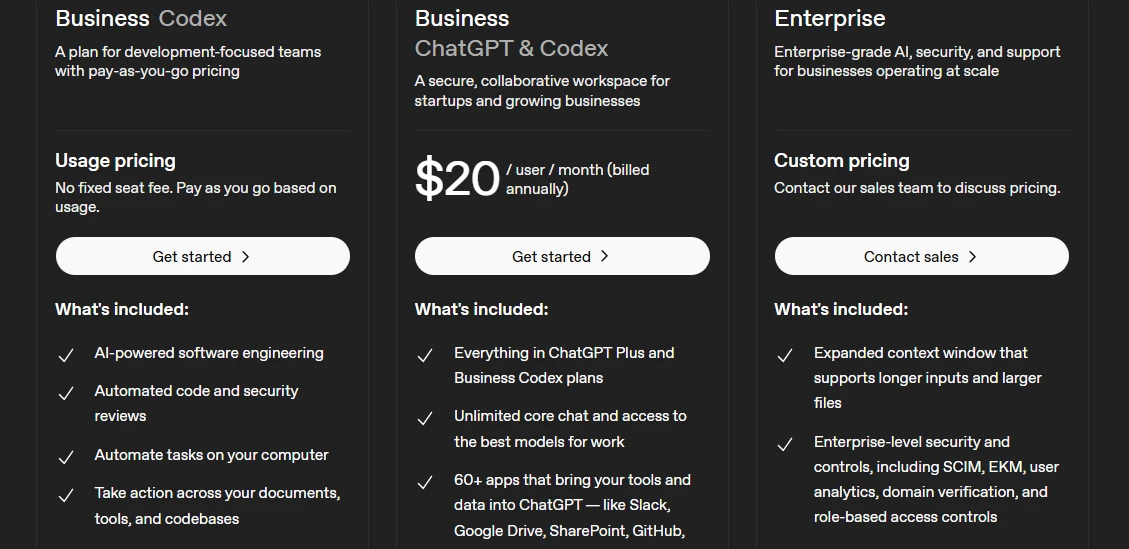
As teams grow, however, that same structure scales linearly. More users means more subscriptions, and costs increase in direct proportion to headcount.
OpenClaw runs on your server, so you pay for the server and for API usage based on what you actually use. This means costs are tied more closely to workload rather than the number of people using the system.
At scale, this difference becomes significant.
For example, a team of 20 using OpenClaw on a single VPS may incur a much lower total cost compared to 20 separate ChatGPT subscriptions.
The larger and more automation-heavy the operation becomes, the more efficient this model tends to be.
Technical Skill Required
ChatGPT is designed for immediate use with no technical setup.
There is no configuration required, no server management, and no background knowledge needed. Anyone can open it and start using it within minutes, regardless of technical experience.
OpenClaw requires a higher level of comfort with technical environments.
Setup involves working with servers, configuration settings, and occasional troubleshooting. This makes it more suitable for users who are comfortable handling basic infrastructure tasks or working with technical support.
That said, platforms like Truehost reduce much of the complexity by offering preconfigured hosting environments.
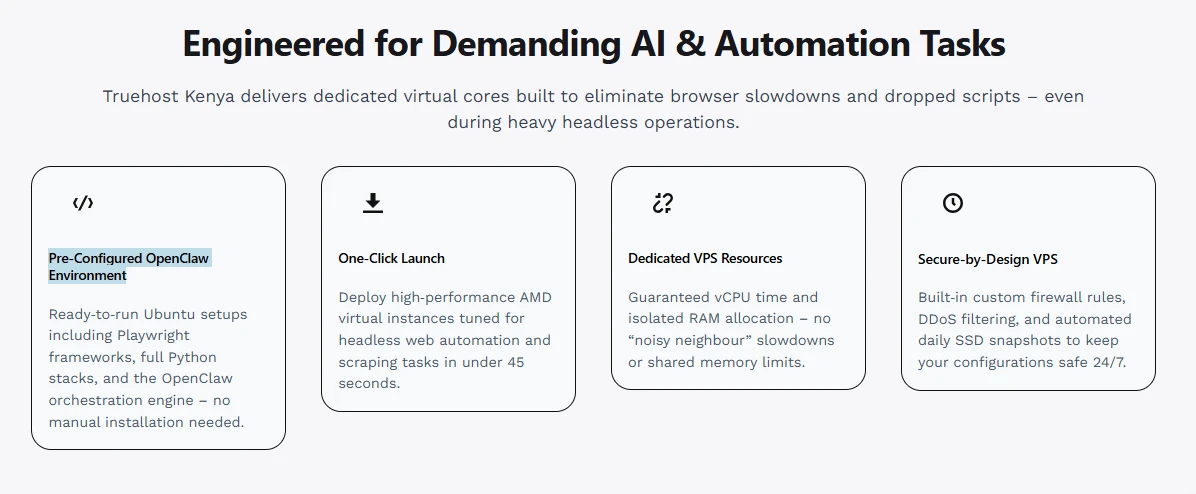
This lowers the barrier to entry, although it does not remove the need for some technical understanding entirely.
Essentially, ChatGPT removes the technical layer completely, while OpenClaw introduces it in exchange for greater control and flexibility.
Choose ChatGPT If…
- You want zero setup: open the browser, type, get an answer
- Your work is mostly conversational: drafting, research, brainstorming, explaining
- You do not need background automation or scheduled tasks
- You are comfortable with OpenAI managing your data on their infrastructure
- You are a freelancer, student, or small team testing AI for the first time
ChatGPT is an excellent entry point. The quality of its responses is genuinely impressive, and the friction to start is almost nonexistent.
Choose OpenClaw If…
- You need proactive, background automation, monitoring competitors, generating daily reports, updating files on a schedule
- Privacy and data sovereignty are important to your business
- You want your AI accessible through WhatsApp, Telegram, or Slack, tools your team already uses
- You need AI connected directly to your files, databases, or internal scripts
- You or someone on your team has basic technical comfort, and you want long-term ownership of your AI infrastructure
- You are scaling a team and want to avoid per-seat SaaS pricing (self-hosting on Truehost means one server cost, not per-person subscription fees).
The Hybrid Approach: Using Both
These tools are not mutually exclusive. A growing number of Kenyan teams use them together, and it works well.
The typical split: ChatGPT handles day-to-day Q&A, content drafting, and quick thinking. OpenClaw handles automated, repeatable workflows, that is, the tasks that need to happen whether or not someone is sitting at a computer.
There is also a direct integration option worth knowing, where you can connect your OpenAI subscription to OpenClaw.
That means OpenClaw can use GPT-4 as its underlying model while still running autonomously on your own server.
You get the intelligence of OpenAI’s models with the autonomy and privacy of self-hosting.
The Verdict: Which AI Is Right for You?
Non-technical users and knowledge workers like writers, consultants, freelancers, and researchers will find ChatGPT to be the most immediately useful tool.
It is ready the moment you open it, and it handles a wide range of tasks competently.
Developers, business owners automating workflows, and privacy-conscious teams will get more long-term value from OpenClaw.
The initial setup investment pays back quickly when your AI is running reports, handling integrations, and managing tasks while you focus on higher-value work.
If you are leaning toward OpenClaw but the setup feels daunting, at Truehost we offer preconfigured OpenClaw application hosting in Kenya.
You can deploy in minutes without building from scratch. Plans are flexible, payments are local, and support is available if you get stuck.
Ready to try it out? Check out our OpenClaw Hosting and see which plan fits your workflow. Or reach out to our competent support team; we are happy to help you figure out the right setup.