Domain SearchInstantly check and register your preferred domain name
 Web Hosting
 cPanel HostingHosting powered by cPanel (Most user friendly)
 WordPress HostingHost your WordPress website with fast, secure, and affordable WordPress hosting in Kenya.
 KE Domains
 Reseller HostingStart your own hosting business without tech hustles
 Windows HostingOptimized for Windows-based applications and sites.
 Free Domain
 Affiliate ProgramEarn commissions by referring customers to our platforms
 Free HostingTest our SSD Hosting for free, for life (1GB storage)
 Domain TransferMove your domain to us with zero downtime and full control
 All DomainsBrowse and register domain extensions from around the world
 .Com Domain
 WhoisLook up domain ownership, expiry dates, and registrar information
 VPS Hosting
 Managed VPSNon techy? Opt for fully managed VPS server
 Dedicated ServersEnjoy unmatched power and control with your own physical server.
 Website Builder
 Online Store BuilderLaunch a professional e-commerce store without writing code.
 Web Design ServiceGet a custom-designed website tailored to your brand and goals. From just KES 15,600
 BlogRead our guides on web hosting, online business, digital marketing, and more
 SupportOur support guides cover everything you need to know about our services
 ContactContact us via chat or email
You’ve probably heard the pitch for running Openclaw at home: it’s free, it’s private, you’re in full control. And honestly? That’s not wrong.
Local hosting gives you something most SaaS tools never will: complete ownership of your data, zero monthly fees for the platform itself, and the freedom to tinker with every layer of the stack.
This is the same reason thousands of developers and power users started their Openclaw journey on a laptop or a spare Linux box.
But one thing you are never told is that local hosting is a great starting point, not a reliable production environment.
Openclaw has multiple deployment paths ranging from local installs to containerised or cloud-hosted setups.
The moment you start expecting it to handle real automations, monitoring your inbox, scheduling, and running WhatsApp responses the cracks in a local setup start to show.
This article breaks down the practical limitations of local hosting for Openclaw, so you can make a smarter decision for your setup.
7 Limitations of Local Hosting for Openclaw
1) Uptime and Availability Issues
Openclaw’s most powerful feature is its ‘heartbeat‘ it can proactively monitor your digital life, manage your calendar, and communicate with you through familiar interfaces like Telegram or WhatsApp.
That only works if your agent is always on.
Your laptop is not always on. It sleeps. It restarts after OS updates. Your internet cuts out during a Safaricom outage. Your power goes out when KPLC decides it’s load-shedding time.
Any of those events kills your agent mid-task, mid-automation, mid-conversation.
For casual testing, that’s fine. But if you’ve set up Openclaw to triage your inbox every morning, send a daily brief to your Telegram, or monitor a GitHub repo missed windows mean missed work. And your users (or you) will notice.
Impact: Missed automations, delayed responses, and frustrated users. Reddit users frequently report agents going offline overnight or during power cuts common in some areas.
2) Hardware Resource Constraints
A 2 vCPU, 4 GB RAM setup is the minimum recommended for Openclaw with cloud API keys; if you want to run local models with Ollama, you’ll need significantly more.
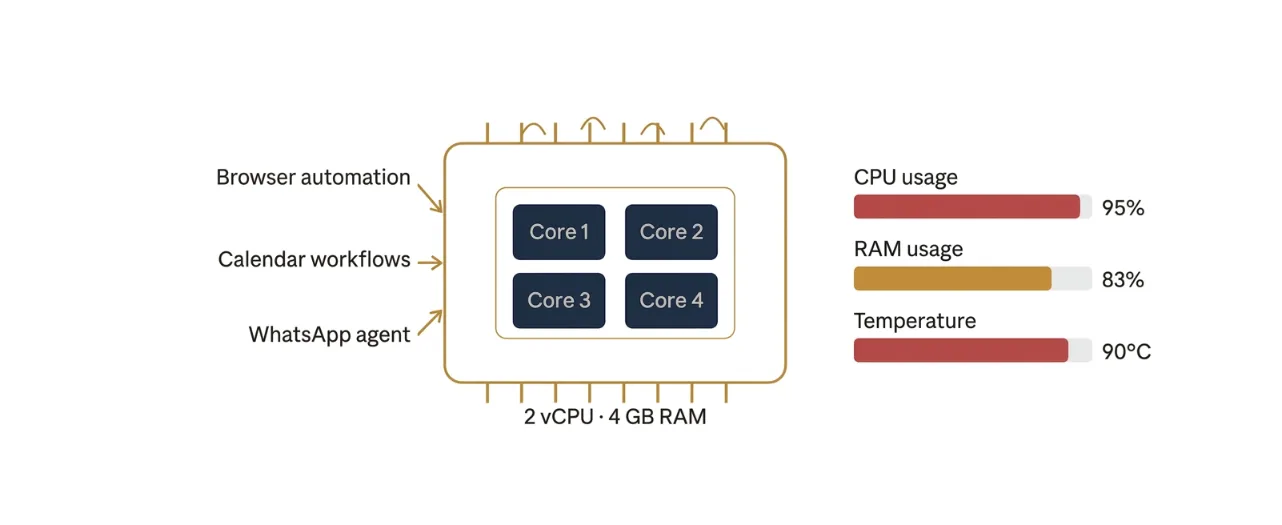
Most home laptops and desktops can handle a basic Openclaw install. But the moment you start adding skills browser automation, file management, and multi-step calendar workflows your machine starts to feel it.
Consumer hardware wasn’t designed to run persistent background agents while you’re also working. Expect:
- Thermal throttling on sustained tasks
- Fan noise and heat during heavy automations
- Higher electricity bills (a machine running 24/7 draws real power)
- Performance degradation when you’re using the same machine for other work
This isn’t theoretical. Many freelancers, small business owners, and professionals who tried self-hosting ran into a wall even the WhatsApp integration alone requires configuration steps that trip up even technical users. And that’s before hardware pressure enters the picture.
3) Maintenance and Technical Overhead
Self-hosting means you are the sysadmin. Every update, every broken dependency, every config change that’s on you.
A proper self-hosted Openclaw setup requires Docker and Docker Compose installation, API key management from multiple providers, environment variable configuration, network setup for external access, and ongoing maintenance and security updates.
That list sounds manageable at first. After a few weeks, it starts to accumulate.
Node.js updates break things. A new Openclaw version ships, and your Docker Compose config needs tweaking.
A dependency in a community skill gets deprecated. Before you know it, you’ve spent a Saturday afternoon debugging a setup that used to work fine.
Non-sysadmins feel this the most. If your expertise is marketing, writing, business development, or design, not DevOps, every hour you spend troubleshooting your agent is an hour stolen from your actual work.
4) Network and Accessibility Problems
Here’s a scenario many local hosts hit hard: you’re away from home at a café, in a meeting, travelling upcountry, and you want to access your Openclaw dashboard or check if an automation ran.
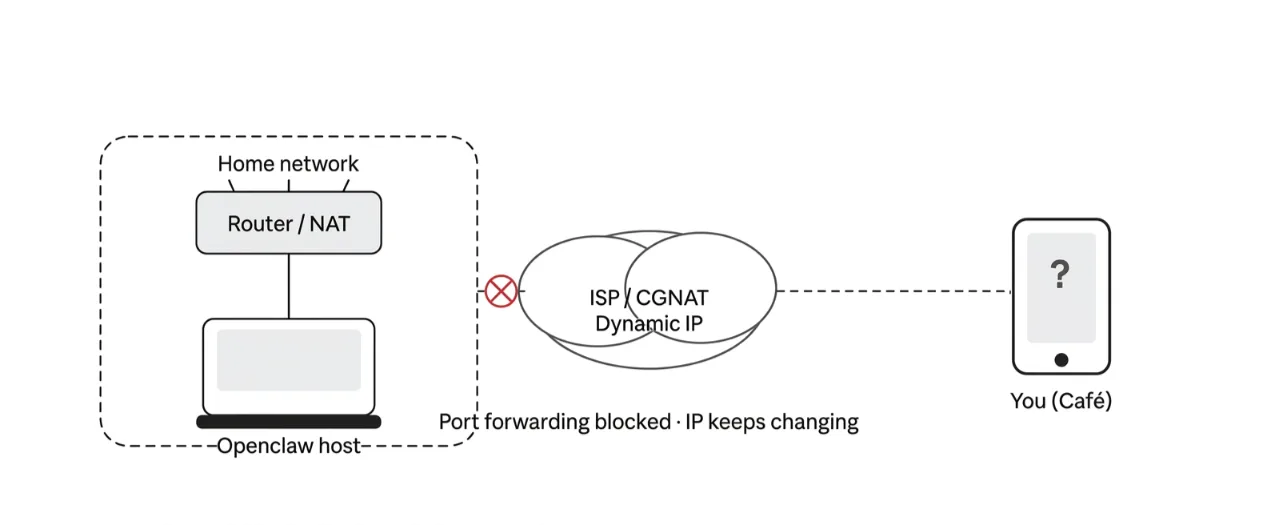
You can’t. Not easily, anyway.
Local setups run on your home network. To access them remotely, you need to deal with:
- Dynamic IP addresses: your ISP reassigns your home IP regularly, breaking external access
- Port forwarding: exposing ports like 18789 or 8000 through your router, which adds both complexity and security risk
- NAT issues: carrier-grade NAT (common with mobile internet providers in Kenya) makes it nearly impossible to forward ports at all
- High latency: home internet upload speeds in Kenya average around 10–20 Mbps, which causes sluggish response times if you’re running browser automation or serving a webhook
The result? Your agent is physically tethered to one location. That’s a serious limitation for anyone who works on the move.
5) Security Risks
This is where local hosting gets genuinely concerning especially as Openclaw grows in adoption.
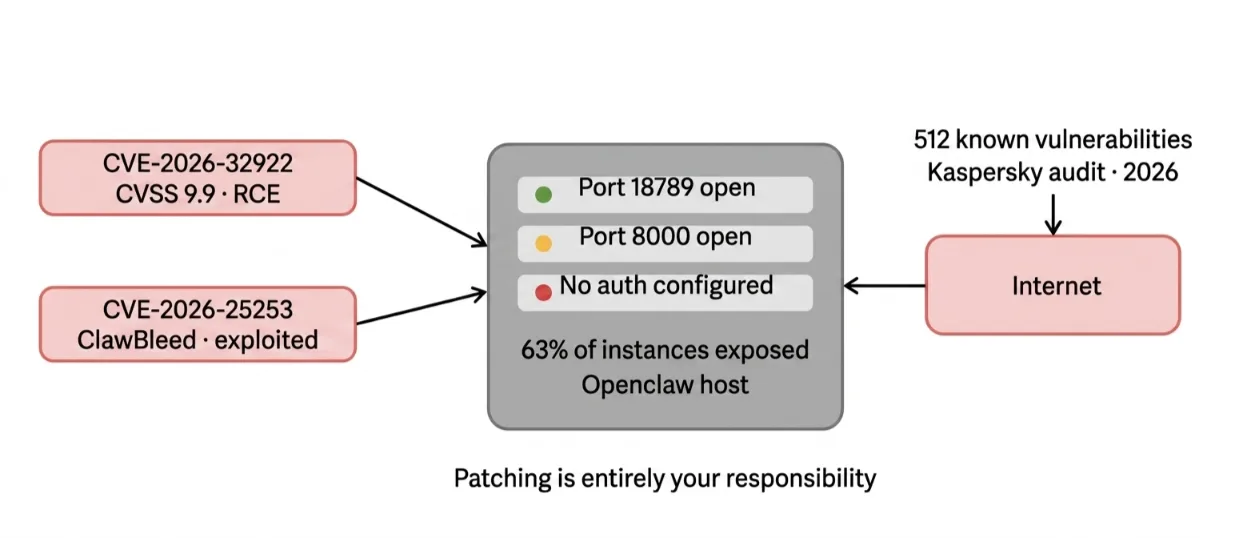
Openclaw integrates with email, calendars, file systems, and cloud services, which expands the trust boundary dramatically.
A single compromised skill or malicious prompt doesn’t just leak data it can execute arbitrary code with full user credentials.
The CVE record for Openclaw in early 2026 makes for uncomfortable reading.
Between February and April 2026, security researchers logged 137 documented security advisories for Openclaw, including 5 formal CVEs and a major supply chain attack.
The most critical vulnerability is CVE-2026-32922. It has a CVSS 3.1 score of 9.9. The flaw allows any paired device to gain full administrator access.
It can also enable remote code execution with a single API call.
Another vulnerability is CVE-2026-25253, also known as ClawBleed. Security researchers have confirmed that attackers are actively exploiting it in the wild.
Notably, 63% of exposed Openclaw instances are running without authentication almost entirely self-hosted deployments where the operator never configured the auth layer.
When you run Openclaw locally and expose it to the internet (for remote access or webhooks), the entire burden of security falls on you.
Patching immediately. Auditing skills. Configuring firewalls. Binding the gateway to localhost.
Most home users don’t do all of this, and Kaspersky’s first formal audit of Openclaw found 512 total vulnerabilities, with Microsoft advising against running Openclaw on work machines.
This doesn’t mean local hosting is unsafe by definition. But it does mean it demands a level of security hygiene that most casual users simply won’t maintain.
6) Scalability and Performance Limits
What happens when your Openclaw setup grows?
You start with one agent for personal tasks. Then you add a second for a client project. Then a third for monitoring.
Then you want concurrent automations running at the same time.
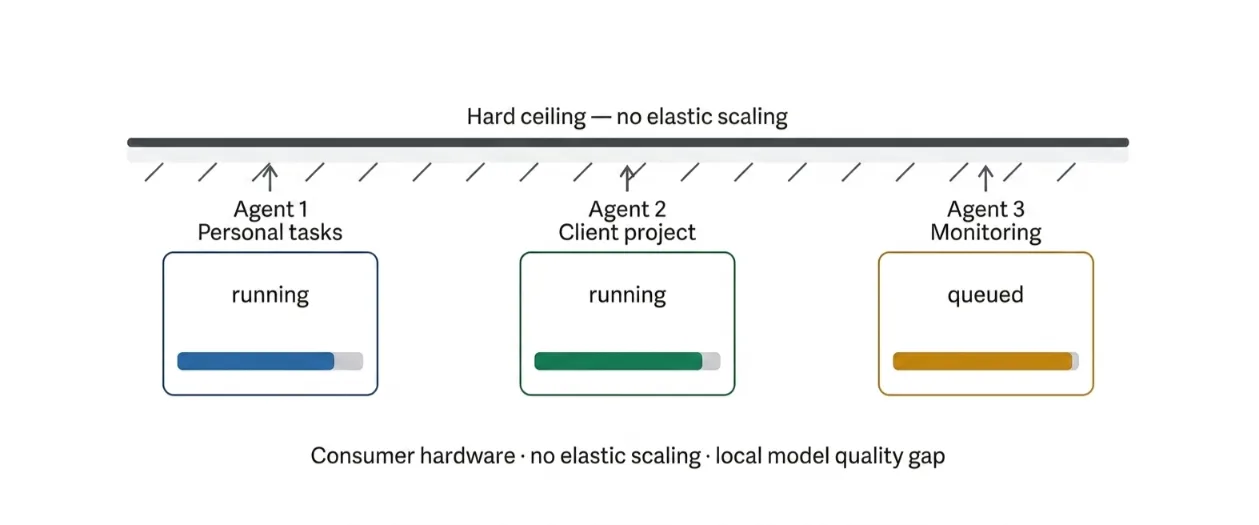
Local hardware hits a ceiling fast. There’s no elastic scaling. You can’t add a CPU core when demand spikes.
And if you’re running a local LLM via Ollama instead of a cloud model, the quality ceiling is significantly lower than what you get from Claude or GPT-4.
API cost monitoring also becomes harder without proper tooling.
You bring your own LLM API key and install once but managing that usage and preventing runaway costs requires monitoring that home setups rarely have built in.
On a VPS with a managed environment, you get dashboards, alerts, and guardrails. At home, you’re eyeballing it.
7) Backup and Disaster Recovery
You’ve spent hours configuring Openclaw. You’ve tuned your agent’s memory, built out custom skills, and wired up your messaging integrations. It’s finally running the way you want.
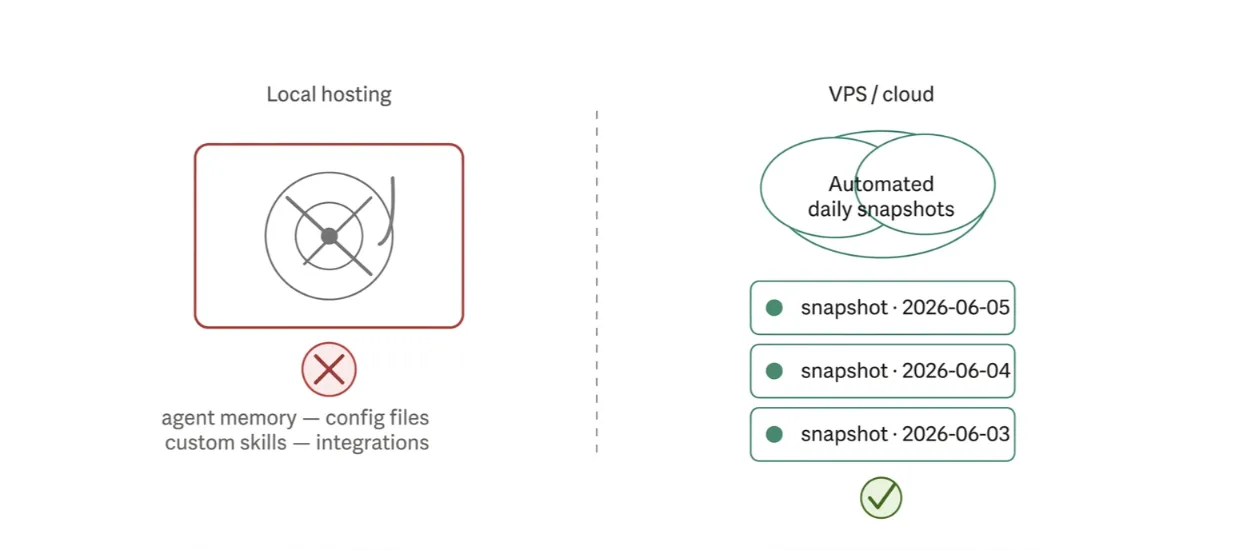
Then your hard drive fails.
Or you accidentally run rm -rf in the wrong directory.
Or your laptop gets stolen.
On a local setup, backups are entirely manual. Most users never set them up consistently, and when something goes wrong, they lose everything: configuration files, agent memory, custom skill data, and integration settings.
A best-practice approach requires weekly backups of state and workspace directories at minimum.
Doing this consistently, reliably, and automatically on a home machine is harder than it sounds. On a VPS with automated daily snapshots, it’s handled for you.
Check our guide on how to install and configure Openclaw on Debian
Local Hosting vs VPS/Cloud Hosting for Openclaw
Here’s the honest comparison:
| Aspect | Local Hosting | Truehost VPS (Openclaw Optimised) |
| Uptime | Unreliable depends on your hardware and power | 99.99% guaranteed SLA |
| Setup Time | Hours to days (Docker, config, network) | Under 60 seconds |
| Management | Home has only limited remote access | One-click + optional managed support |
| Location | The home has only limited remote access | Kenya VPS for low latency + EU/US options |
| Security | Entirely your responsibility | Hardened environment + free SSL + firewall |
| Cost | Hardware + electricity + your time | From KES 1,990–2,699/mo |
| Scalability | Hard ceiling on consumer hardware | Easy resource upgrades as you grow |
The cost comparison is worth examining. At first glance, ‘free’ local hosting looks like the winner.
But when you factor in the electricity bill of running a machine 24/7 (a mid-range laptop draws 30–60W continuously), the hardware wear, and the hours you’ll spend on maintenance, the economics shift quickly.
When to Choose Local Hosting
Local hosting isn’t wrong. It’s just right for specific situations. It genuinely makes sense if:
- You’re testing or experimenting: spin it up on your machine, break things, learn the stack
- You have extreme privacy requirements: air-gapped environments where nothing touches the internet
- You’re a sysadmin or DevOps engineer who enjoys managing infrastructure and treats it as a learning project
- You want to prototype before committing to a cloud environment
The healthy transition path for most people: start local to get comfortable with Openclaw, then move to a VPS when you’re ready to run it properly.
That moment usually comes fast often after the first time your automation breaks because your laptop went to sleep.
The Better Alternative: Deploy Openclaw on Truehost
When you’re ready for Openclaw to work reliably, securely, without babysitting we at Truehost have built the right environment for it.
Here’s why our Openclaw hosting works for Kenyan businesses and developers specifically:
- Kenya-based VPS offers lower latency for your WhatsApp, Telegram, and web-based integrations
- One-click deployment, Openclaw spins up in under 60 seconds with SSL already active
- Your keys, your data, you bring your own LLM API key; nothing is locked in our infrastructure
- Free SSL + daily snapshots, security, and backups handled automatically
- 24/7 support in KES, for the Kenyan market
- Managed or unmanaged pick based on your technical comfort level
- Pricing in KES from KES 1,990/mo, no currency conversion headaches
How to Get Started
Moving from local to a proper cloud environment is simpler than you think. Here’s how to do it with us:
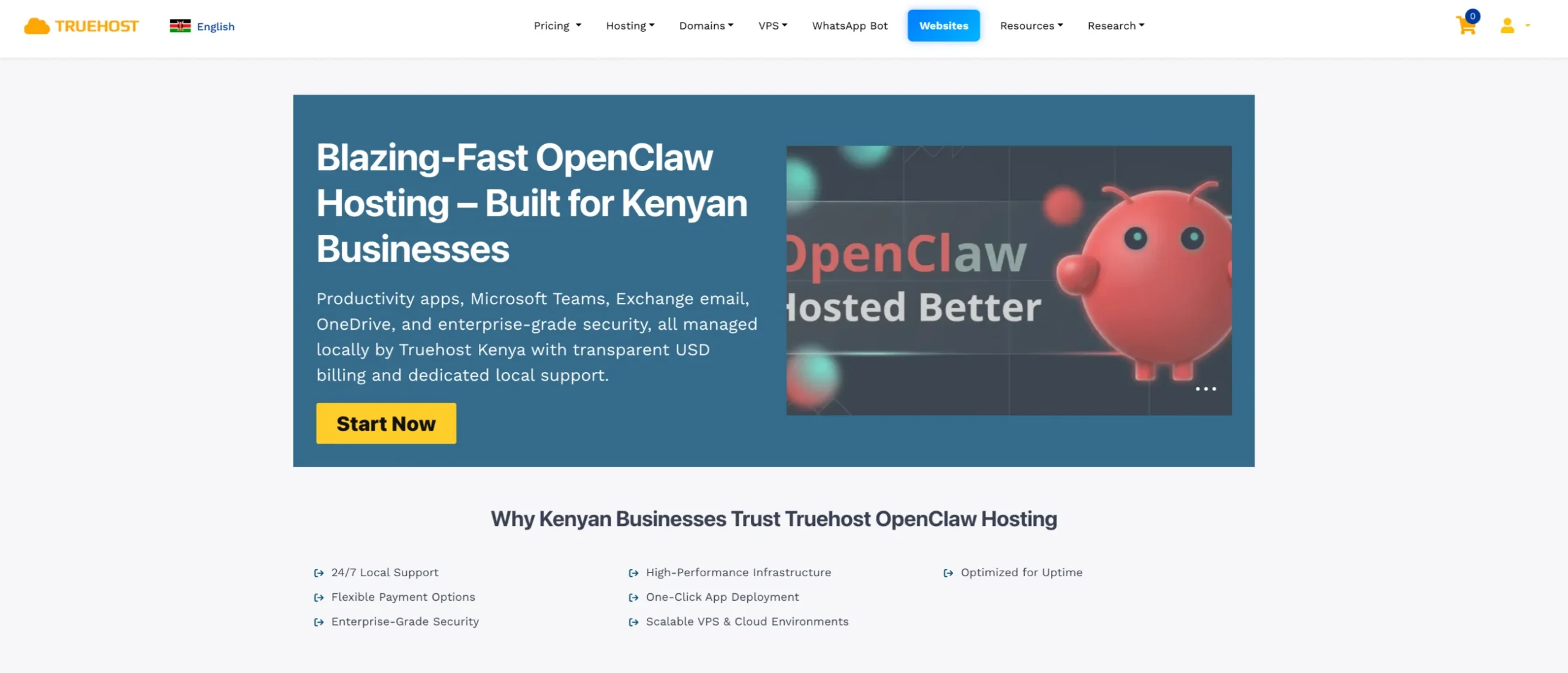
- Choose your plan: Head to truehost.co.ke/openclaw and pick the Managed plan if you want a hands-off experience, or the Kenya VPS plan if you want full root access and maximum control.
- Click deploy: Openclaw spins up in under 60 seconds. SSL is already active. No Docker configuration needed.
- Add your LLM key and domain: Paste your Anthropic, OpenAI, or other API key, then point your .co.ke domain to your new instance.
- Connect your messaging apps: Plug in WhatsApp, Telegram, Slack, or whichever channel your workflows run on and go live.
That’s it. Your agent is online, always-on, and hardened against the security risks that plague self-managed local setups.