Domain SearchInstantly check and register your preferred domain name
 Web Hosting
 cPanel HostingHosting powered by cPanel (Most user friendly)
 WordPress HostingHost your WordPress website with fast, secure, and affordable WordPress hosting in Kenya.
 KE Domains
 Reseller HostingStart your own hosting business without tech hustles
 Windows HostingOptimized for Windows-based applications and sites.
 Free Domain
 Affiliate ProgramEarn commissions by referring customers to our platforms
 Free HostingTest our SSD Hosting for free, for life (1GB storage)
 Domain TransferMove your domain to us with zero downtime and full control
 All DomainsBrowse and register domain extensions from around the world
 .Com Domain
 WhoisLook up domain ownership, expiry dates, and registrar information
 VPS Hosting
 Managed VPSNon techy? Opt for fully managed VPS server
 Dedicated ServersEnjoy unmatched power and control with your own physical server.
 Website Builder
 Online Store BuilderLaunch a professional e-commerce store without writing code.
 Web Design ServiceGet a custom-designed website tailored to your brand and goals. From just KES 15,600
 BlogRead our guides on web hosting, online business, digital marketing, and more
 SupportOur support guides cover everything you need to know about our services
 ContactContact us via chat or email
A single AI assistant works fine for simple questions. But when you ask it to manage projects, write code, test, deploy, and handle customer support, it can struggle.
So, one assistant cannot be an expert in everything. Using OpenClaw to set up a team of assistants solves this. Instead of one generalist, you get multiple specialists.
Each handles a specific role: coding, testing, research, or coordination. They work together like a real team.
Openclaw’s multi-agent system creates this team of digital workers. Each agent focuses on a single task and coordinates to complete complex workflows.
Meaning, you have an orchestrator that assigns tasks, a coder that writes code, and a QA agent that tests it.
They communicate, pass work back and forth, and share files to stay aligned to deliver more reliable output, faster execution, and the ability to handle much larger projects.
Do This Before You Begin the Setup
Before You Begin
- Restrict who can message each agent: Decide which users or channels each agent can talk to. For example, your QA agent should only respond in your testing channel. In Telegram, set
requireMention: trueso it only replies when mentioned with@. - Use separate phone numbers or bot accounts per agent: This is mandatory. Each agent needs its own Telegram bot token from
@BotFather. Never share one bot token across agents; it won’t work. - Disable filesystem access and heartbeats initially: Restrict each agent to its own workspace folder to prevent accidental file overwrites. Also, turn off
heartbeat.everyin youropenclaw.jsonfor now. You can enable it later after testing. - Grant minimal permissions: Your coder needs write access to files and permission to run scripts. Your orchestrator might only need to send messages. Control this through tools and skill definitions in
openclaw.jsonand each agent’sSOUL.mdfile.
Set Up a Team of Assistants In 10 Steps
1) Install, Onboard, and Plan
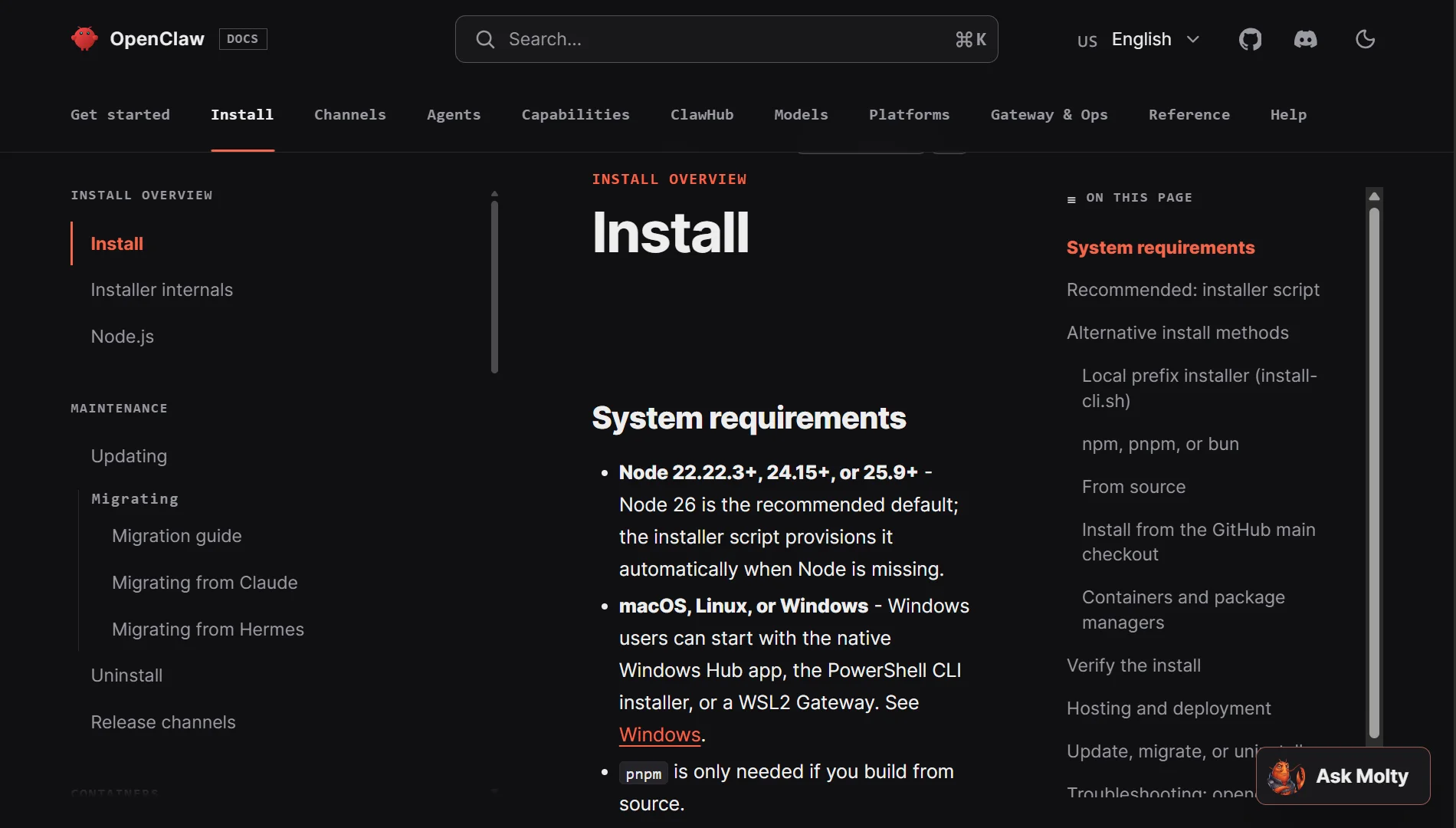
First, install Openclaw. Then run the onboard command to get started. This sets up your base configuration and workspace.
While that is running, start planning your team.
You need to decide what roles you need. The minimum viable team consists of an Orchestrator and one specialist, such as a Coder.
A recommended starter team is Orchestrator, Coder, and QA. There are many roles you can choose from depending on your needs.
Some standard roles you can plan for include:
- Orchestrator: Coordinates all agents and delegates tasks.
- Coder: Writes, debugs, and architects code.
- QA: Tests and validates builds.
- DevOps: Deploys and manages infrastructure.
- Researcher: Does market research and competitive intelligence.
- Growth: Handles analytics and funnel optimization.
- Content: Creates social media posts.
- Community: Manages community engagement.
- Lead Gen: Does prospect research and scoring.
- Ops: Handles email triage, calendar, and data management.
Decide which roles you need and write down a name for each one.
Create Agents with the CLI
Once you have your plan, use the Openclaw CLI to create each agent. The command is:
bash
openclaw agents add <name>
You will run this for each agent you planned. For example, if you planned a coder and a qa agent, you would run:
bash
openclaw agents add coder
openclaw agents add qa
This command creates the workspace directory and the initial files for the agent.
If you are creating many agents at once, you might prefer to edit the openclaw.json file directly and add them to the agents.list array in bulk.
3) Write Agent Personas (SOUL.md)
Each agent has a SOUL.md file in its workspace. This file defines the agent’s personality, tone, and boundaries.
You need to edit this file for each agent.
What should you include in a good SOUL.md file?
- Basic Information: The agent’s name, role, and a short tagline.
- Core Responsibilities: A clear list of what the agent is supposed to do.
- Team Information: A list of the other agents it works with and what each one does. This prevents the agent from making up teammates or not knowing who to talk to.
- Communication Rules: How it should talk to other agents. This often means using the
sessions_sendtool in a specific format. You might include a template for the message so the agent uses the same format every time. - Tools: A clear list of what tools the agent is allowed to use and which ones are forbidden from using. For example, you might allow
file_readandfile_writebut forbidshell_execfor all agents except the coder
4) Write Agent Instructions (AGENTS.md)
The AGENTS.md file provides each agent with its specific operating instructions, rules, and priorities.
This is different from the SOUL.md file. The SOUL.md is about personality. The AGENTS.md is about how to do the job.
For a coder, this might include:
- The preferred programming languages.
- The style guide to follow.
- How to run tests.
- How to use version control.
For a QA agent, this might include:
- What test suites to run.
- How to report bugs.
- What the criteria are for a pass or fail.
5) Configure Routing (openclaw.json)
You need to configure the openclaw.json file to route messages to the correct agent. This is done using the bindings array.
You need to map each agent’s communication account to its internal agent ID.
For Telegram, this might look like this:
{
  "bindings": [
    {
      "agentId": "coder",
      "match": {
        "channel": "telegram",
        "accountId": "coder"
      }
    },
    {
      "agentId": "qa",
      "match": {
        "channel": "telegram",
        "accountId": "qa"
      }
    }
  ]
}
You will also need to configure the channels.telegram.accounts section.
Here, you add each agent’s bot token and configure which groups and topics they can respond to.
If you are using topic-based routing, you can set agentId on specific topics to route messages to different internal agents.
6) Configure Session Isolation (openclaw.json)
You want to keep conversations private. You do not want a user’s conversation with the orchestrator to be visible to a different user.
To do this, you set session.dmScope: "per-channel-peer" in your openclaw.json file.
This ensures that each conversation between a specific user and a specific channel is isolated.
If Alice and Bob message the orchestrator, they are completely separate sessions.
7) Secure Your Gateway
Security is important from the start. Openclaw has tools to help you secure your gateway.
First, use allowFrom lists. This is a list of usernames or user IDs that are allowed to send messages.
You can set this in the openclaw.json file for your channels. Anyone not on the list is ignored.
Second, run the built-in security audit tool:
bash
openclaw security audit
This command will check your configuration and warn you about insecure settings. You should fix any issues it points out.
8) Enable Heartbeats (openclaw.json)
Heartbeats allow agents to run on a schedule. They can be proactive instead of just reactive.
To enable heartbeats, you configure the heartbeat.every setting in your openclaw.json file. You can set different schedules for different agents.
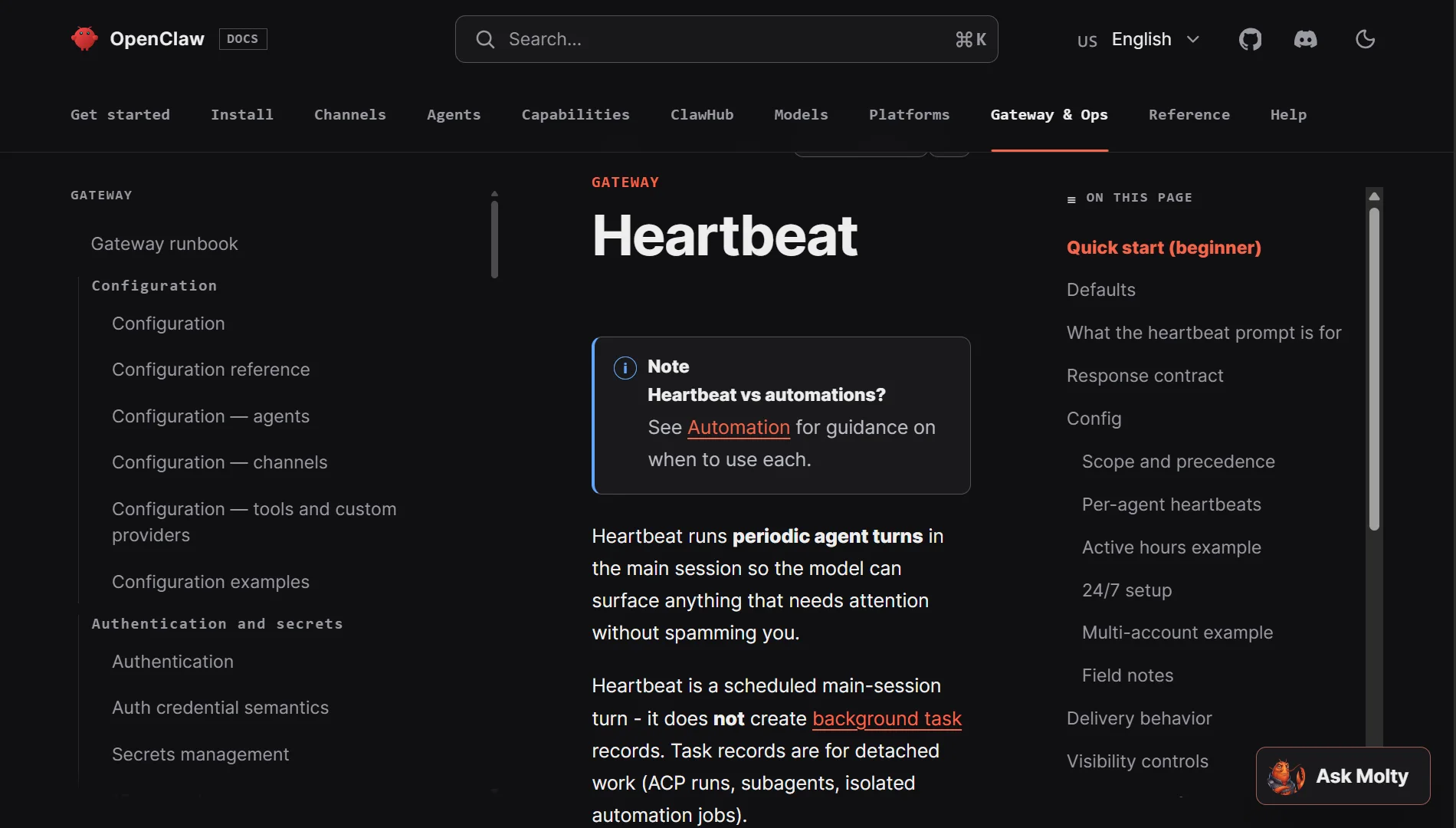
You also need to create a HEARTBEAT.md file in each agent’s workspace that has heartbeats enabled. This file contains the instructions for the agent’s scheduled task.
For example, a daily assistant might have a HEARTBEAT.md file that says “Generate a daily report of all tasks completed yesterday and send it to the orchestrator.”
9) Test the Team
Now it is time to test.
Send a message to your orchestrator. Ask it to do something that requires help from the coding agent.
For example, ask it to “write a Python script that sorts a list of numbers.”
Watch what happens; the orchestrator should receive the message, break down the task, and use sessions_send to trigger the coder agent.
You can test their collaboration by having them mention each other directly.
In Telegram, you can use @agent-name in a message to get a specific agent’s attention.
This is a good way to test if your requireMention settings are working correctly
10) Monitor and Iterate
Setting up a team of assistants is not a one-time task. You need to monitor their performance and iterate on their configurations.
Watch the Openclaw logs to see what the agents are doing. Look for errors, confusion, or bottlenecks.
Review their performance over time. Is the coder agent producing good code? Is the orchestrator assigning tasks correctly?
Use what you learn to refine the SOUL.md and AGENTS.md files. The FEEDBACK-LOG.md file in your shared context is a great place to track lessons learned and style corrections.
How to Troubleshoot Issues When Setting Up
Deploy Your Team on Reliable Openclaw Hosting
Setting up assistants is only half the work. You need a reliable place to run them.
Your agents need to stay online 24/7, respond instantly, and run complex scripts without crashing.
We provide dedicated VPS servers pre-configured with Openclaw. There is no technical setup required, no hours spent on dependencies or firewalls.
Also, our servers use high-performance AMD cores and NVMe storage with guaranteed CPU and RAM. No slowdowns.
So, why choose Truehost?
- 24/7 local support
- Flexible payment options
- Enterprise security with daily backups
- One-click Openclaw deployment
- Scalable plans as you grow
And, you only need three steps to get started:
- Pick your package – Starter from Ksh 788/month, Pro, or Business
- Automatic setup – Ready in under 45 seconds
- Connect and run – Paste your keys and start