Domain SearchInstantly check and register your preferred domain name
 Web Hosting
 cPanel HostingHosting powered by cPanel (Most user friendly)
 WordPress HostingHost your WordPress website with fast, secure, and affordable WordPress hosting in Kenya.
 KE Domains
 Reseller HostingStart your own hosting business without tech hustles
 Windows HostingOptimized for Windows-based applications and sites.
 Free Domain
 Affiliate ProgramEarn commissions by referring customers to our platforms
 Free HostingTest our SSD Hosting for free, for life (1GB storage)
 Domain TransferMove your domain to us with zero downtime and full control
 All DomainsBrowse and register domain extensions from around the world
 .Com Domain
 WhoisLook up domain ownership, expiry dates, and registrar information
 VPS Hosting
 Managed VPSNon techy? Opt for fully managed VPS server
 Dedicated ServersEnjoy unmatched power and control with your own physical server.
 Website Builder
 Online Store BuilderLaunch a professional e-commerce store without writing code.
 Web Design ServiceGet a custom-designed website tailored to your brand and goals. From just KES 15,600
 BlogRead our guides on web hosting, online business, digital marketing, and more
 SupportOur support guides cover everything you need to know about our services
 ContactContact us via chat or email
A 70% discount sounds like a 70% saving. It rarely works out that way.
Black Friday VPS deals advertise the deepest cuts of the year. Yet most of those cuts apply only to the first billing term. Then the price returns to the list, and the savings shrink.
So, is a VPS worth buying during Black Friday? Yes, but only if you pass three tests. You need the server now. You can manage it, or pay someone who will. And the plan must still make sense at the renewal price.
This guide walks through each test with real numbers. By the end, you can score your own situation in two minutes.
The Short Answer: When a Black Friday VPS Is Worth It (and When It Isn’t)
Black Friday is a good time to buy a VPS. Many hosts cut prices harder than at any other point in the year. Some also sell Black Friday-only bundles, so you can’t always compare them with regular plans.
A deal is worth it when all of these statements hold:
- You already hit shared hosting limits, such as slow pages or resource errors.
- You can commit to at least 12 months.
- The renewal price still fits your budget.
- You know who will manage the server.
Pause, or skip the deal, in these situations:
- Your site is small and runs fine on shared hosting today.
- You’re buying only for the discount.
- You don’t know what resources your site uses now.
- The provider hides the renewal price.
If a skip item sounds familiar, a cheaper shared or cloud plan may serve you better. You can still use the Black Friday sale for that plan. The next sections show how to check each point.
How Much Does a Black Friday VPS Really Save? The First-Year vs Renewal Math
Start with the pattern. Hosts deeply discount the first term, then bill the list price at renewal. One 2026 hosting cost review found a promo VPS at roughly $78 in year one. The same plan costs about $144 a year after renewal.
Now run a sample comparison. These figures are illustrative; replace them with the real prices from your provider.
Say Provider A runs a Black Friday deal. It cuts a $20 monthly plan by 70%. You pay $6 per month for the first 12 months, then the plan renews at $20 per month. Provider B skips the sale and charges a flat $14 a month, with no renewal jump.
| Months | Provider A (Black Friday deal) | Provider B (flat $14) | Cheaper choice |
|---|---|---|---|
| 12 | $72 | $168 | A, by $96 |
| 24 | $312 | $336 | A, by $24 |
| 28 | $392 | $392 | Even |
| 36 | $552 | $504 | B, by $48 |
Provider A wins the first two years. Then the lines cross at month 28. By month 36, Provider B costs $48 less.
Term length changes the result. Suppose Provider A offers the same $6 rate on a 36-month term. You then pay $216 for three years, against $504 for Provider B. That gap is real money.
So check the term before the percentage. A deeper discount on a shorter term can cost more than a smaller discount on a longer one.
Use one formula for every deal. Divide the total cost over the full term by the number of months. Then compare that figure with the renewal price.
Finally, write the renewal date and price in your calendar on the day you buy. The step-up arrives months later, when nobody is watching.
Do You Actually Need a VPS? Signs You’ve Outgrown Shared Hosting
A VPS gives you a fixed share of CPU, RAM, and storage. Other customers can’t take it from you. That makes performance steadier than on shared hosting.
Look for these signs:
- Resource errors. Your host throttles your site or shows limit errors, such as 508 errors.
- Slow pages despite tuning. Caching, a CDN, and image compression are in place, yet pages still lag. Some hosts treat load times above three seconds as a warning sign.
- Traffic growth. Some hosts cite about 50,000 monthly visitors as a rough upgrade threshold. Treat that as a guide, not a rule.
- Store demands. Online stores with large catalogues and live stock updates need steady resources.
- Custom needs. You need root access, custom PHP extensions, or specific software on the server.
Check your current usage before you buy. Open your hosting panel and note your CPU, RAM, and bandwidth peaks. Then compare those peaks with the plan on offer.
If you hit none of these signs, skip the VPS. A Black Friday shared, or cloud plan, may cost less and still do the job.
Managed vs Unmanaged VPS on Black Friday: The Cost You Don’t See
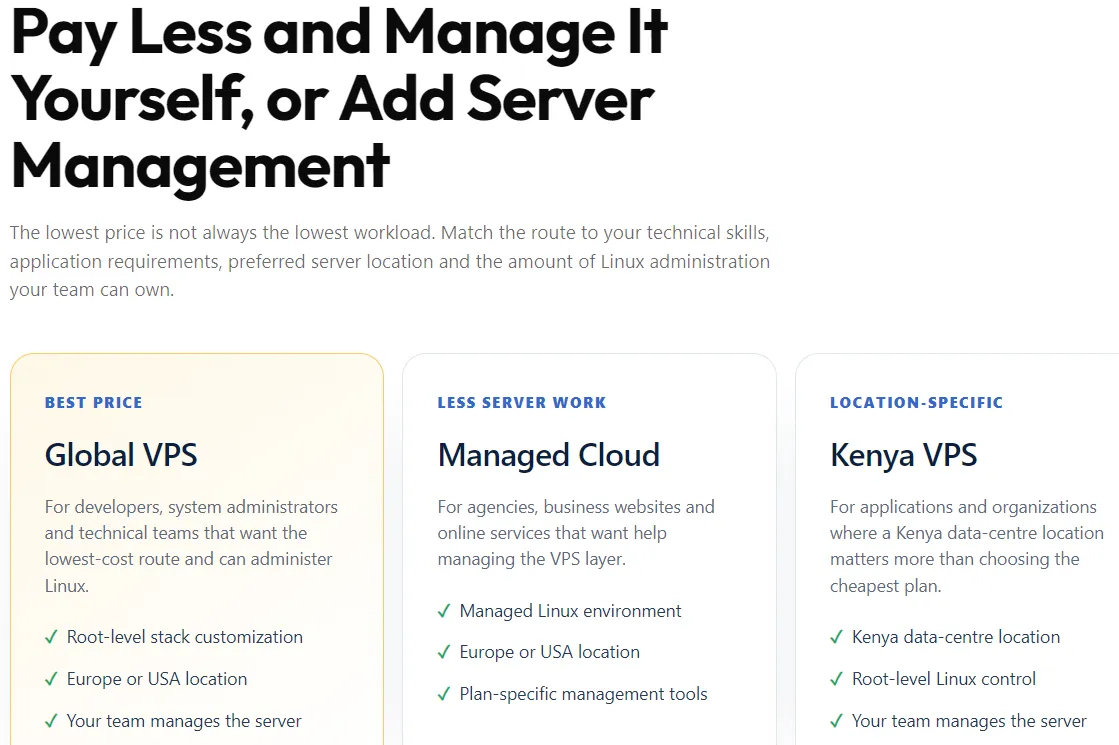
An unmanaged VPS gives you a server and root access. You install, secure, and update everything yourself. A managed VPS hands those tasks to the host.
Unmanaged deals look cheaper. But the missing cost is your time, plus the risk of a mistake. One missed security patch can wipe out the discount you won.
If nobody on your team knows Linux, pick managed. Then check what the plan includes:
- Security patches and software updates.
- Monitoring and basic hardening.
- Control panel licences. Some hosts bill the panel separately, and one 2026 review put a cPanel licence at around $30 a month.
- Migration help and free site transfers.
- Support hours and response times.
Ask what costs extra before you pay. Managed support sometimes sits in a higher tier, and that can erase the sale price.
What to Check Before You Buy a Black Friday VPS
Run every deal through the checks below. Each one takes a minute or two, so a full review takes about ten minutes per provider.
- Renewal price and billing term. Find both on the plan page. Some hosts print the renewal price under each plan, so look there first.
- Real resources. Confirm CPU cores, RAM, storage type, and bandwidth. NVMe storage usually beats older SSDs. Also, check how the host allocates CPU.
- Support quality. Promo tiers may offer slower support. Test the live chat before you buy.
- Migration and exit costs. Ask about free transfers and downtime. Poor tooling can cost you more time than the discount saves.
- Refund window. Find the number of days, and check whether the sale plans are excluded.
- Upgrade rules. Ask if a mid-term upgrade keeps your promo rate. Some hosts reset it to the list price.
How Much Does a Black Friday VPS Cost?
Prices vary by size and management level. Last year, one major managed host cut a $66 plan to about $15. It also cut a $111 plan to about $26. Treat those as 2025 examples, and check 2026 prices on the day you buy.
Expect unmanaged plans to cost less than managed ones of the same size. Still, the cheaper plan only wins if you can run it safely.
Should You Pick a 1-Year or 3-Year Plan?
Use certainty as your rule. Pick three years if the server size fits and the host has a record of steady service. Pick one year if you may outgrow the plan or switch providers. A long-term lock-in locks in the sale price. It also locks you in.
Black Friday vs Year-Round VPS Prices: Is Waiting Ever Smarter?
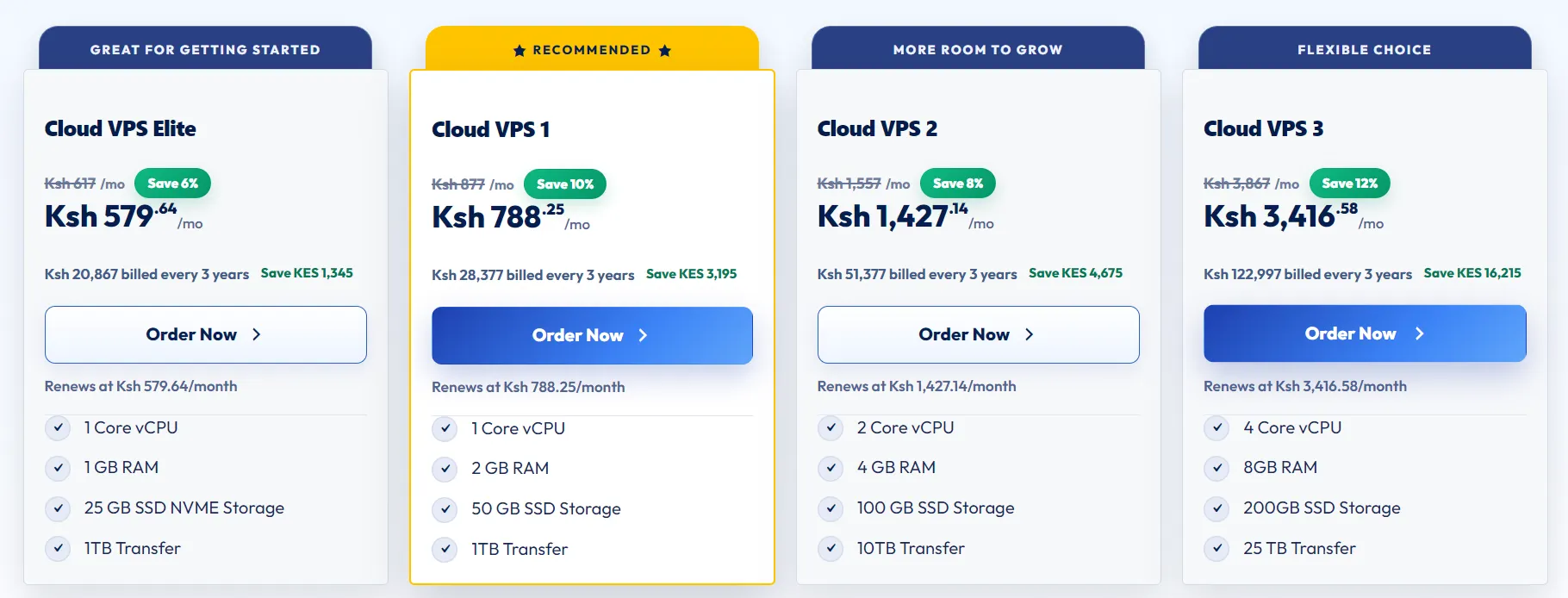
Compare the Black Friday price with the host’s normal sale price, not only the list price. The real extra discount is often smaller than the banner suggests. One 2026 analysis even argues that a deeper cut on a shorter term can lead to an ordinary sale.
Timing helps too. Some hosts launch early deals in October or early November. Cyber Monday offers sometimes rival Black Friday ones, so don’t buy on day one out of panic.
Use this rule of thumb:
- Buy early if the term is long and the host clearly states the renewal price.
- Wait through Cyber Monday if you can compare two or three offers.
- Skip the wait if your site is already slowing down.
Red Flags in Black Friday VPS Deals
Watch for these warning signs:
- A renewal price that hides in the terms.
- Set up fees, migration charges, or forced add-ons.
- A bigger discount comes with a shorter term.
- A brand you can’t verify, with prices far below the market.
- Support that slows or vanishes during the sale rush.
Legitimate hosts state renewal prices and terms clearly. If you can’t find them in two minutes, move on.
Is a Cheap Black Friday VPS Good Enough for WordPress or an Online Store?
Often, yes, if you size it right. For a small WordPress site, start with 2 vCPUs, 2-4 GB of RAM, and NVMe storage. For a store, start with at least 4 GB of RAM. These are starting points, not guarantees.
Then watch the first 30 days. Track page load times, CPU and RAM spikes, and backup runs. If peaks hit your limit, upgrade early.
Skip the cheapest tier if you expect growth within the term. A later upgrade may cost you the promo rate.
FAQs
Can I upgrade my VPS without losing the Black Friday price?
It depends on the provider. Some hosts keep your promo rate on the old plan and bill the upgrade at list price. Others reset the whole account. Ask for support in writing before you pay.
Can I get a refund if the VPS doesn’t work out?
Many hosts offer a refund window, but sale plans sometimes carry exceptions. Read the refund terms before checkout. Then test the server hard inside the window. Move your site, run a load test, and check how quickly support replies.
Is a VPS quicker than shared hosting for a small site?
Usually, yes. A VPS isolates your resources, so neighbours can’t slow you down. But a tiny site with light traffic may not notice the difference. In that case, shared hosting costs less.
How do I move my site to a new VPS without downtime?
Build and test the site on the new server first. Next, lower your DNS TTL and switch the records. Keep the old host live for a few days as a safety net. Managed plans often include migration help. For step-by-step instructions, read our migration guide.
Buy for the Renewal Price, Not the Sale Price
The best Black Friday VPS is one you’d happily pay for in year two. Run every deal through three tests before you click buy.
- Need: Do you hit shared hosting limits today?
- Management: Who runs the server, you or the host?
- Renewal: Can you afford the list price when the promo ends?
Answer yes to all three, and you should buy. Answer no to any, and you should wait or pick a smaller plan.
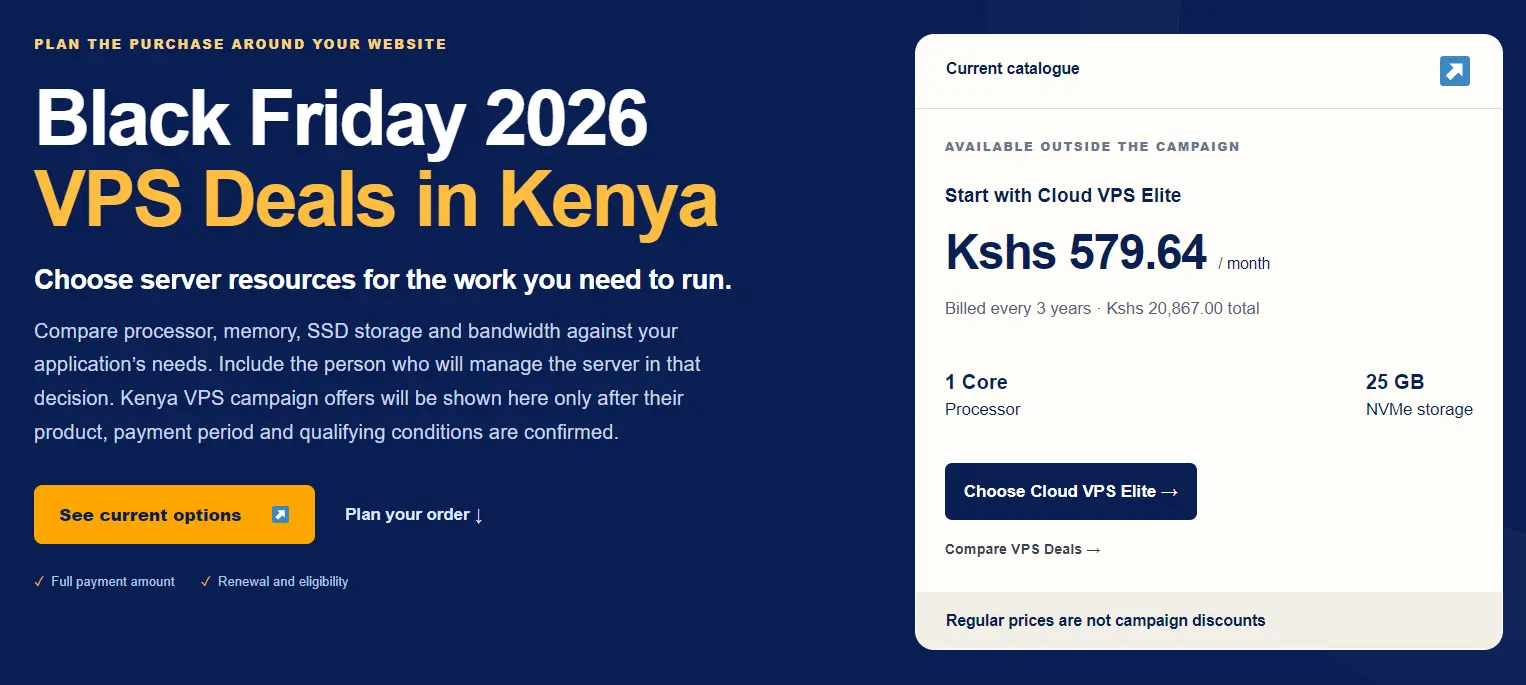
Ready to run the numbers? Compare our current Black Friday VPS plans on the Truehost VPS Black Friday page. Check the renewal price and refund window first. Then use the formula above to find the true monthly cost.