Domain SearchInstantly check and register your preferred domain name
 Web Hosting
 cPanel HostingHosting powered by cPanel (Most user friendly)
 WordPress HostingHost your WordPress website with fast, secure, and affordable WordPress hosting in Kenya.
 KE Domains
 Reseller HostingStart your own hosting business without tech hustles
 Windows HostingOptimized for Windows-based applications and sites.
 Free Domain
 Affiliate ProgramEarn commissions by referring customers to our platforms
 Free HostingTest our SSD Hosting for free, for life (1GB storage)
 Domain TransferMove your domain to us with zero downtime and full control
 All DomainsBrowse and register domain extensions from around the world
 .Com Domain
 WhoisLook up domain ownership, expiry dates, and registrar information
 VPS Hosting
 Managed VPSNon techy? Opt for fully managed VPS server
 Dedicated ServersEnjoy unmatched power and control with your own physical server.
 Website Builder
 Online Store BuilderLaunch a professional e-commerce store without writing code.
 Web Design ServiceGet a custom-designed website tailored to your brand and goals. From just KES 15,600
 BlogRead our guides on web hosting, online business, digital marketing, and more
 SupportOur support guides cover everything you need to know about our services
 ContactContact us via chat or email
You have a VPS and need a control panel to manage your websites. Maybe you’re torn between CyberPanel vs. cPanel.
Lemme simplify it for you. The key difference is that cPanel costs money and works with different web servers. CyberPanel is free but only works with OpenLiteSpeed.
People pick cPanel when they want something reliable that just works.
On the other hand, CyberPanel is ideal for those who want to save money and get faster site speeds.
cPanel charges you per account every month. If you host many sites, that adds up. CyberPanel is completely free, regardless of how many sites you add.
By the end of this article, you will know all the main differences between the control panels and the different features to help you figure out which panel is right for you.
CyberPanel vs cPanel: Key Feature Comparison
A quick look at the differences:
| Features | cPanel | Cyberpanel |
| Web Server | Apache, NGINX, LiteSpeed (paid add-on) | OpenLiteSpeed only |
| Cost | Paid monthly per account | Free |
| User Interface | Grid of icons, dense, dated | Modern dark theme, React-based |
| Learning Curve | Easier for beginners | Steeper initial curve |
| Speed | Good; matches CyberPanel only with paid LiteSpeed add-on | Very fast |
| Security | Longer track record, regular updates | Newer, requires regular patching |
| Community and Support | Official support, massive community | Community forums and GitHub |
Now, let’s see how they differ in detail.
1) Web Server
cPanel traditionally used Apache. Over time, it added support for NGINX as a reverse proxy and included integration for LiteSpeed (via an add-on). You get flexibility here.
You can switch between servers or run combinations, such as Apache with NGINX in front.
CyberPanel works only with OpenLiteSpeed. That is it.
You cannot install Apache or standard NGINX on a CyberPanel server. OpenLiteSpeed is great for handling high traffic and includes server-level caching.
2) Cost

cPanel is a bit pricey. You pay per account per month. The pricing changed a few years ago to a per-user model, which increased bills for many hosting providers.
So, a server with 100 cPanel accounts now costs significantly more than before. Price ranges from $29.99/month, depending on the account.
CyberPanel is completely free. No monthly fees per account. No hidden add-on charges make it very attractive for agencies and developers managing many small sites on a budget.
You only pay for your server or VPS.
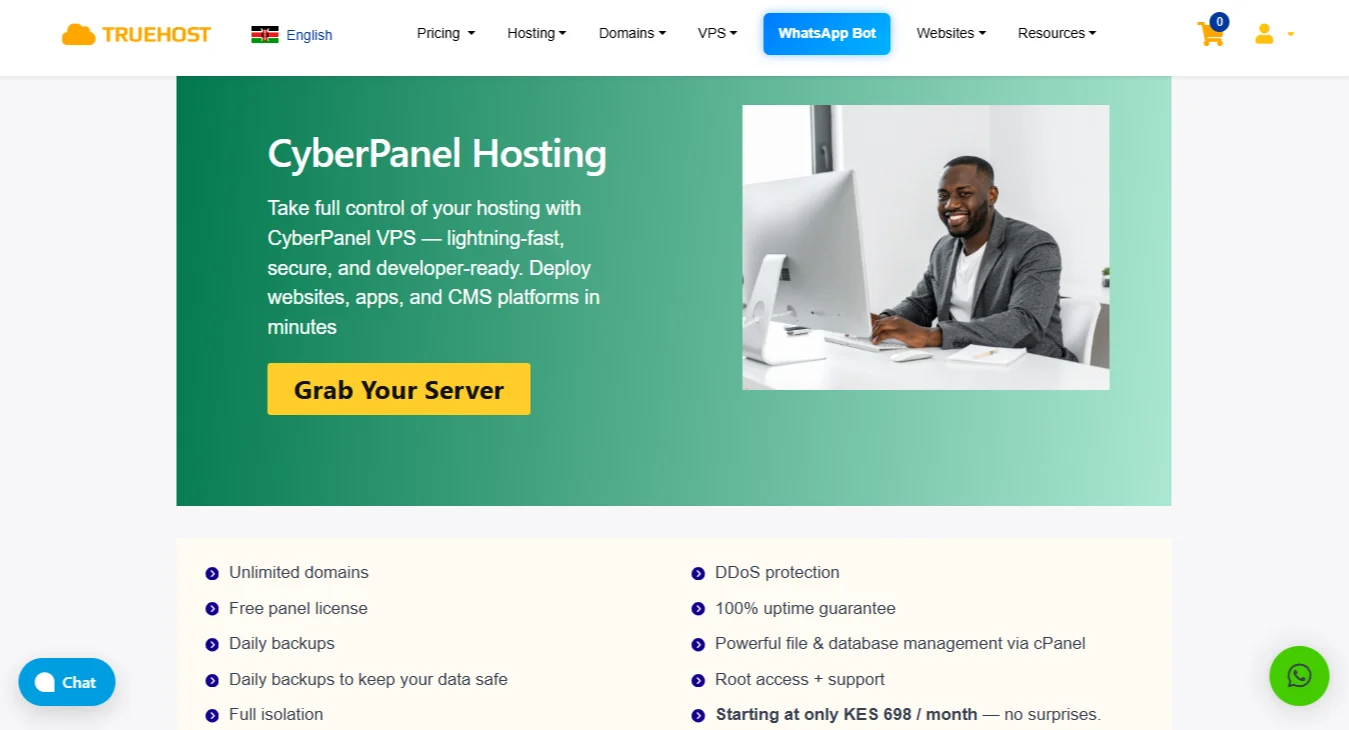
At Truehost, VPS costs as low as KSh 560/month. And if you need more vCPUs, RAM, or storage, you can always opt for a higher plan, like our cloud VPS 3, which costs KSh 2800/month.
3) User Interface
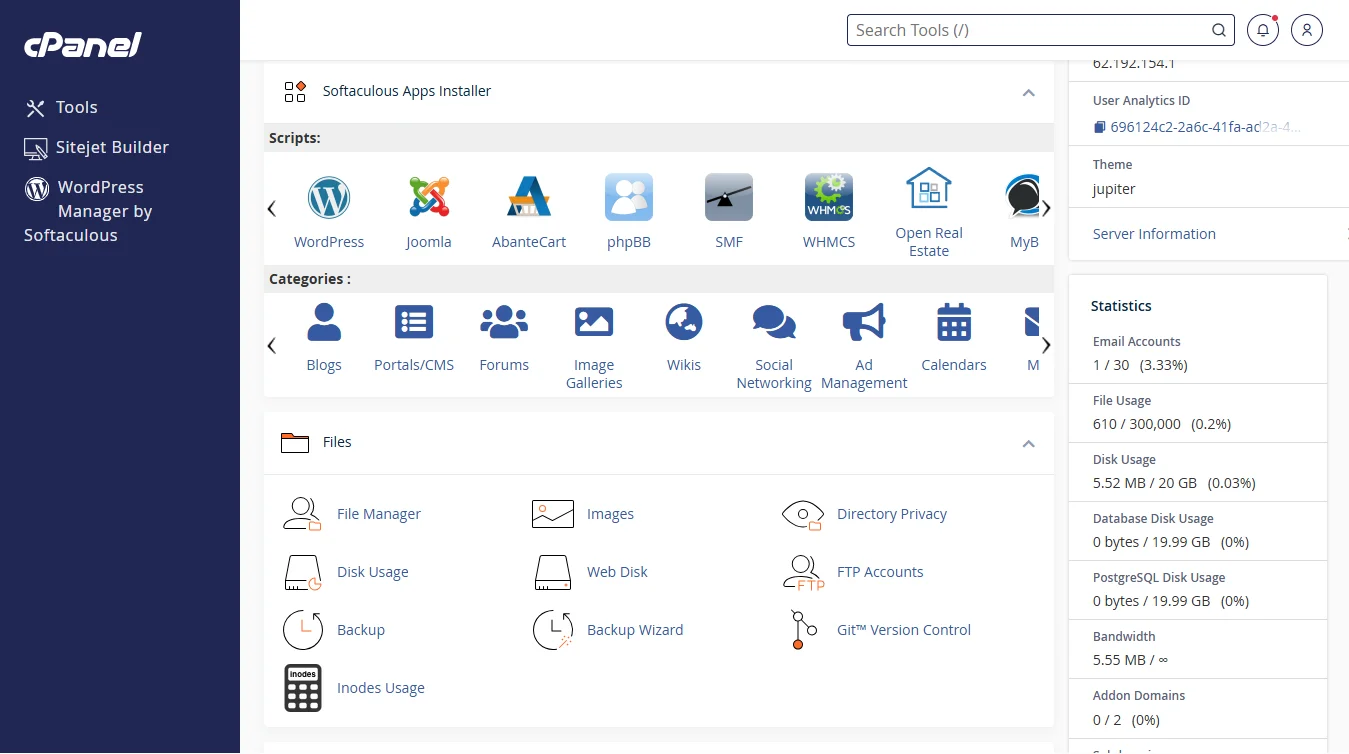
cPanel uses a grid of icons organized into sections such as Files, Databases, and Domains. So everything is exactly where you expect it and easy to find.
However, the interface is dense. You might need to click through to find advanced settings.
CyberPanel has a modern, dark-themed interface with a sidebar menu. It feels faster because the backend is built with React.
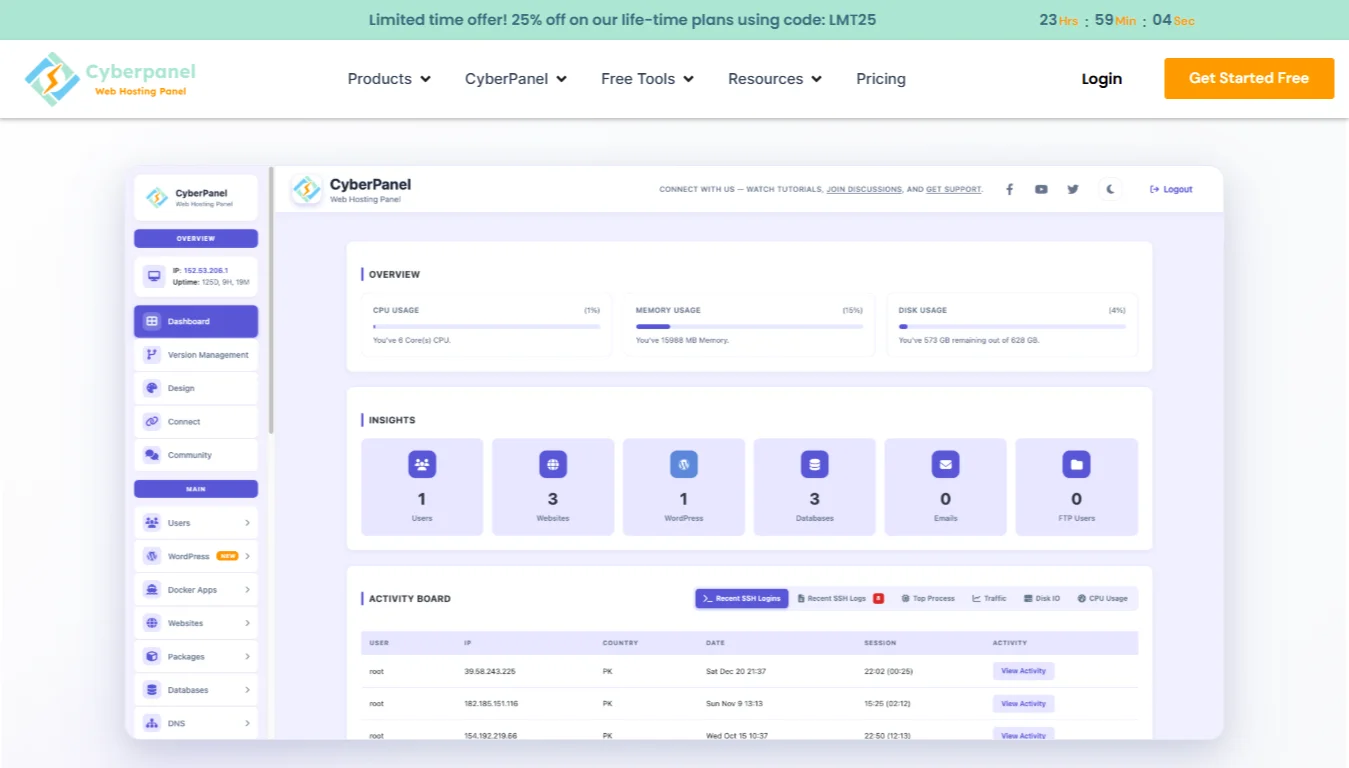
The dashboard shows server stats, service statuses, and key metrics right on the home screen.
However, some features are hidden under less obvious labels. New users sometimes struggle to find basic things like adding a domain.
4) Learning Curve
cPanel is easier for beginners. Also, most people have used a cPanel-based hosting account at some point.
The terminology is standard: addon domain, subdomain, FTP account. And there are so many tutorials available for almost any task.
On the other hand, CyberPanel has a steeper initial curve. OpenLiteSpeed uses a different file structure for virtual hosts.
The panel also expects you to understand concepts like listener configuration and external app setup.
If you only ever used cPanel, CyberPanel may confuse you for the first few days. But once it clicks, the workflow feels more logical.
5) Speed
CyberPanel is faster out of the box. OpenLiteSpeed handles PHP through its own LSAPI, which processes requests more efficiently than Apache’s mod_php or PHP-FPM.
Combined with built-in caching (LSCache), a default WordPress site on CyberPanel loads faster than the same site on a standard cPanel Apache server.
cPanel can be just as fast, but you have to pay extra for LiteSpeed Enterprise or manually tune it.
With Apache and NGINX, you need to configure caching plugins and PHP handlers carefully to match OpenLiteSpeed’s baseline performance.
6) Control
cPanel gives you a lot of power through WHM.
You can set different PHP versions per domain, schedule cron jobs easily, configure email routing, manage DNS zones, and install SSL certificates from multiple providers. The panel does not restrict you.
CyberPanel gives you good control but within a narrower scope.
You can change PHP settings per website, set up Redis or Memcached, and auto-install free Let’s Encrypt SSL. The weak spot is email. The built-in tools are basic.
That is why many CyberPanel users offload email to a separate service, such as Google Workspace or MXroute.
7) Security
cPanel has been around for a long time. The company responds to security issues quickly and pushes regular updates.
Also, cPanel includes ModSecurity by default, and the rule management interface is easy to use.
You can also add commercial tools like Imunify360 for extra protection.
CyberPanel is secure enough for normal use.
It is newer, so it does not have the same decades of testing. The security vulnerability on unpatched servers a few years ago has been fixed.
The main thing to remember is that regular updates are essential. As long as you keep your CyberPanel server up to date, you should be fine.
8) Community and Support
cPanel gives you official support. You pay for the license, and you can open a ticket with the company.
On top of that, there are system administrators who hang out on Reddit, Stack Overflow, and hosting forums. If you run into a problem, you will find a solution in minutes.
CyberPanel does not have official support. No tickets, no phone calls. You rely on community forums, GitHub issue threads, and a few YouTube channels.
There are contractors you can pay separately for help, but nothing directly from the panel makers. The community is smaller, though it is growing.
Most common issues already have fixes posted somewhere. If you run into something strange, you might need to dig through GitHub discussions to find an answer.
When to Use cPanel
Choose cPanel if:
- You manage client hosting accounts, and each client expects a control panel they already know.
- You run a hosting business where reliability and predictable support matter more than saving a few dollars per account.
- You need advanced email features, such as built-in spam filtering and Roundcube webmail.
- Your server runs multiple web servers or legacy applications that do not work well with OpenLiteSpeed.
When to use CyberPanel
Get CyberPanel if:
- You host your own WordPress sites or manage a small agency portfolio.
- Server cost is a primary concern, and you want to avoid monthly per-account fees.
- Speed is your top priority, and you do not need complex email hosting on the same server.
- You are comfortable with the command line and do not mind reading documentation to solve occasional issues.
Cyberpanel vs cPanel FAQs
Which control panel uses fewer resources?
CyberPanel uses fewer resources. OpenLiteSpeed and the panel’s React-based interface consume less RAM and CPU than cPanel with Apache.
A CyberPanel server can run comfortably on 1GB or 2GB of RAM. cPanel usually needs at least 2-4GB for basic operations.
Is CyberPanel faster than cPanel?
Yes, for PHP-based sites like WordPress, CyberPanel is faster than a default cPanel Apache setup.
But if you add LiteSpeed Enterprise to cPanel, the speed difference disappears. The advantage comes from OpenLiteSpeed’s architecture, not the panel itself.
Can I easily migrate from cPanel to CyberPanel?
Yes, if you are using CyberPanel version 1.8.5 or above. The panel includes a built-in tool that automatically imports cPanel accounts.
You upload your cPanel backups to a folder, run one command, and the tool restores everything. If something fails, the log file tells you what went wrong.
Which is better for WordPress, CyberPanel, or cPanel?
CyberPanel is better for pure WordPress performance without spending extra money. cPanel requires you to buy the LiteSpeed Enterprise license to get the same level of WordPress optimization.
Is cPanel more secure than CyberPanel?
cPanel has a longer history and more frequent security audits, so many hosting professionals trust it more. That said, a properly maintained CyberPanel server with regular updates is not inherently insecure.
Final Take on Cyberpanel vs cPanel
Winding up, these are the points to note:
- cPanel is flexible but costs money
- CyberPanel is free, but locks you into OpenLiteSpeed
- cPanel is easier to learn and better for email
- CyberPanel is faster out of the box
- Use cPanel for client hosting
- Use CyberPanel for your own sites when speed and budget matter.
If you run a hosting business with paying clients, stick with cPanel. The cost is worth the simplicity it guarantees.
If you host your own projects or a handful of client sites, switch to CyberPanel. You save money and get better speed right away. Just remember, you lose advanced email features and lock yourself into OpenLiteSpeed.
Pick the panel that matches your actual workflow, not features you will never use.
Need a VPS for CyberPanel? We at Truehost offer plans starting at KES 560/month with a free CyberPanel license.