Domain SearchInstantly check and register your preferred domain name
 Web Hosting
 cPanel HostingHosting powered by cPanel (Most user friendly)
 WordPress HostingHost your WordPress website with fast, secure, and affordable WordPress hosting in Kenya.
 KE Domains
 Reseller HostingStart your own hosting business without tech hustles
 Windows HostingOptimized for Windows-based applications and sites.
 Free Domain
 Affiliate ProgramEarn commissions by referring customers to our platforms
 Free HostingTest our SSD Hosting for free, for life (1GB storage)
 Domain TransferMove your domain to us with zero downtime and full control
 All DomainsBrowse and register domain extensions from around the world
 .Com Domain
 WhoisLook up domain ownership, expiry dates, and registrar information
 VPS Hosting
 Managed VPSNon techy? Opt for fully managed VPS server
 Dedicated ServersEnjoy unmatched power and control with your own physical server.
 Website Builder
 Online Store BuilderLaunch a professional e-commerce store without writing code.
 Web Design ServiceGet a custom-designed website tailored to your brand and goals. From just KES 15,600
 BlogRead our guides on web hosting, online business, digital marketing, and more
 SupportOur support guides cover everything you need to know about our services
 ContactContact us via chat or email
So your website is growing, and you are getting more visitors than before. Maybe you want to add another website or two.
Or perhaps you have simply run out of storage space.
Whatever the reason, upgrading your hosting plan is a good idea when your current plan no longer fits your needs.
Upgrading is not complicated. You just need to know where to click and what to expect. That said, the exact process may vary depending on your hosting provider.
Providers like Truehost make it very easy. Others can have confusing menus. But the basic steps are mostly the same.
This guide shows you exactly how to upgrade a hosting plan in a simple and doable way.
We will go through each step using Truehost, so you can follow along and get your upgrade done without any stress.
Steps to Upgrade a Hosting Plan
These are the simple steps to upgrade a hosting plan with Truehost:
Step 1: Log in to the Client Area
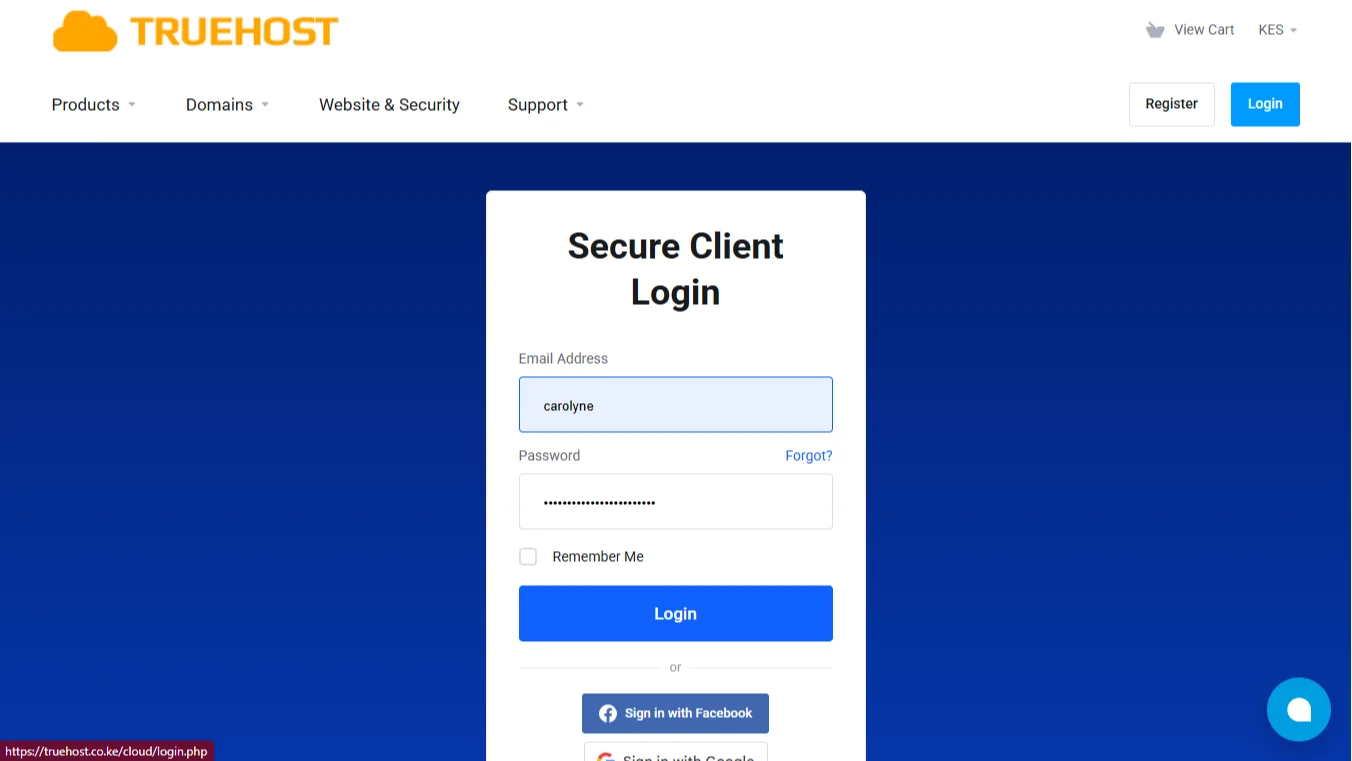
Since you are already on the Truehost website, click the login button on the top right of the page.
Enter your email and password to access your client area. If you have forgotten your login details, use our chat feature to request a password reset from Zola.
Step 2: Go to Your Active Products/Services
Once you’re successfully logged in, look for a menu option labeled My Services, or Products/Services. Click that.
You will see a list of everything you have bought from us. This includes domain names, hosting packages, and any add-ons.
Step 3: Select the Hosting Service, then click Upgrade/downgrade
On the left-hand side of the screen, look for the overview menu. You might need to scroll down a little. Inside that menu, click on the “Upgrade/Downgrade” option.
Step 4: Choose Your Preferred New Package
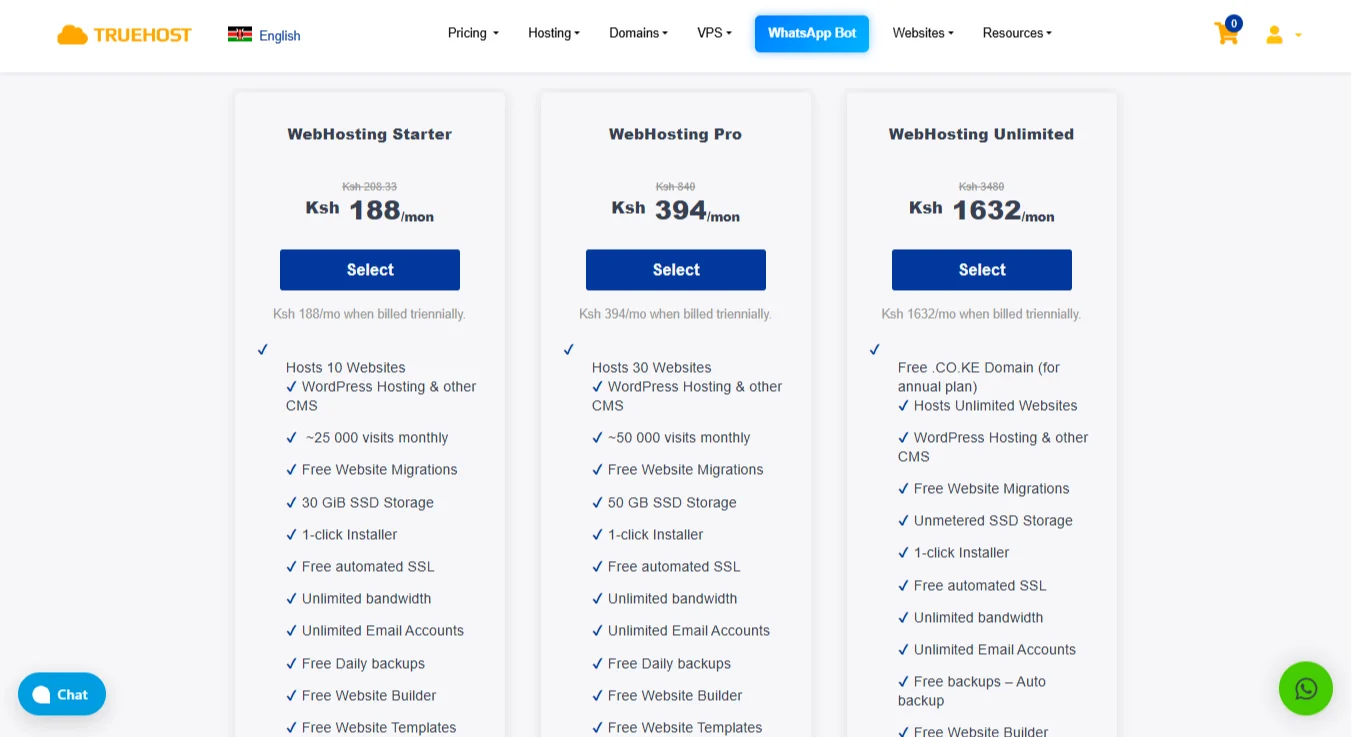
You will now see a list of available packages.
Pick the new plan based on what resources you need: CPU, RAM, storage space, and the number of visitors you expect.
After selecting your preferred package, click the choose product button.
Step 5: Complete Payment and Wait for Migration
Now choose your billing cycle and proceed to checkout to complete your payment. Once the payment is processed, the upgrade is activated on your account.
If you are moving to a different platform, such as going from a shared plan to a VPS, there may be a short migration step.
Don’t stress, the support team will guide you through that process when needed.
Step 6: Verify the Upgrade Worked
After everything is live, test your website and your email accounts. Also, confirm that your SSL certificate is still working properly so your site remains secure.
How to Upgrade Hosting Plan FAQs
Can a web hosting starter pack be upgraded?
Yes. Starter packs are designed to be upgradable. You can upgrade to a pro or unlimited plan anytime you need more resources by following the steps above.
How long does upgrading a hosting plan take to take effect?
For same-type upgrades, it usually takes a few minutes. For cross-platform upgrades, such as moving from shared to VPS, it can take a few hours because files need to be moved.
Your provider will tell you the expected time.
Can upgrading my hosting plan cause downtime?
On good providers like Truehost, no. A same-type upgrade happens with zero or near-zero downtime.
Cross-platform upgrades might cause a short interruption while your DNS updates, but resume once done.
How much does a hosting plan cost?
It depends on the provider and the resources. At Truehost, the Starter plan is Ksh 188 per month when billed triannually.
Pro plans with more features cost more. Always check the long-term pricing, not just the first month.
What happens when your hosting expires?
Your website goes offline. Most providers give you a few days’ grace period to renew. After that, your files may be deleted. Always renew before the expiration date.
How easy is it to switch web hosting?
Switching providers takes more work than upgrading within the same provider. You need to move your files, databases, and email settings. Many providers offer free website migrations to help with this.
Wanna migrate to Truehost?
Ready to Upgrade Hosting Plan? (CTA)
If you are looking for a hosting provider that makes upgrades simple, Truehost is a solid choice.
- Experienced Customer Support
- Available 24/7
- Free Control Panels
- Free Automated SSL Certificates
- cPanel Access
- Loyalty Credits to lower your next spend
It’s so easy to upgrade a plan when you follow the six steps. And don’t worry if you are stuck somewhere, our team is available to guide you through.
We even offer a free hosting package if you just want to test our services or run a simple website. It is a good way to get started before you decide to upgrade.
Need more storage or more visitor capacity? Just want a host that works reliably? We have you covered.
Our web hosting services include 99.97% uptime tracking, strong privacy and security measures, and affordable pricing that won’t break the bank.