Domain SearchInstantly check and register your preferred domain name
 Web Hosting
 cPanel HostingHosting powered by cPanel (Most user friendly)
 WordPress HostingHost your WordPress website with fast, secure, and affordable WordPress hosting in Kenya.
 KE Domains
 Reseller HostingStart your own hosting business without tech hustles
 Windows HostingOptimized for Windows-based applications and sites.
 Free Domain
 Affiliate ProgramEarn commissions by referring customers to our platforms
 Free HostingTest our SSD Hosting for free, for life (1GB storage)
 Domain TransferMove your domain to us with zero downtime and full control
 All DomainsBrowse and register domain extensions from around the world
 .Com Domain
 WhoisLook up domain ownership, expiry dates, and registrar information
 VPS Hosting
 Managed VPSNon techy? Opt for fully managed VPS server
 Dedicated ServersEnjoy unmatched power and control with your own physical server.
 Website Builder
 Online Store BuilderLaunch a professional e-commerce store without writing code.
 Web Design ServiceGet a custom-designed website tailored to your brand and goals. From just KES 15,600
 BlogRead our guides on web hosting, online business, digital marketing, and more
 SupportOur support guides cover everything you need to know about our services
 ContactContact us via chat or email
I will help you learn how to host multiple websites with CyberPanel without running into slow speeds, failed installs, or maxed-out resources.
But before we get to it there are things i need you to keep in mind. Not every server type works with CyberPanel.
Shared hosting is out entirely; you need root access, and shared environments don’t give you that.
A VPS is your best starting point, since it gives you dedicated resources and full control.
If you’re running many high-traffic sites, a dedicated server takes it further.
On minimum specs, CyberPanel needs at least 1GB RAM, 10GB storage, and 1 vCPU, but 2GB RAM and 2 vCPUs is the smarter baseline when hosting multiple sites.
Server speed also ties directly to SEO; Google factors in page load times, so a slow server quietly hurts your rankings.
For the operating system, CyberPanel runs on Linux only Ubuntu 18.04/20.04/22.04, AlmaLinux 8 or 9, or CloudLinux 8. Windows is not supported.
Get this right, then everything else clicks into place. So let’s get you the help you need.
Step 1: Install CyberPanel on Your Server
Installation is straightforward and takes 10–20 minutes.
- Connect to your server via SSH as root (or use sudo).
- Update your system packages first: For Ubuntu:
sudo apt update && sudo apt upgrade -y- Run the official installation command:
sh <(curl https://cyberpanel.net/install.sh || wget -O - https://cyberpanel.net/install.sh)- Follow the on-screen prompts. Choose OpenLiteSpeed (recommended for most users), decide on add-ons like PowerDNS or Postfix, and set your admin password.
After installation, access CyberPanel at https://your-server-ip:8090. Log in with admin and the password you set.
Always use a fresh server. Installing on an existing setup with other software can cause conflicts.
We at Truehost offer optimized CyberPanel hosting plans that come pre-configured and ready for multiple websites.
Step 2: To Add a Domain
First, make sure your domain’s A record points to your server’s IP address. This is essential.
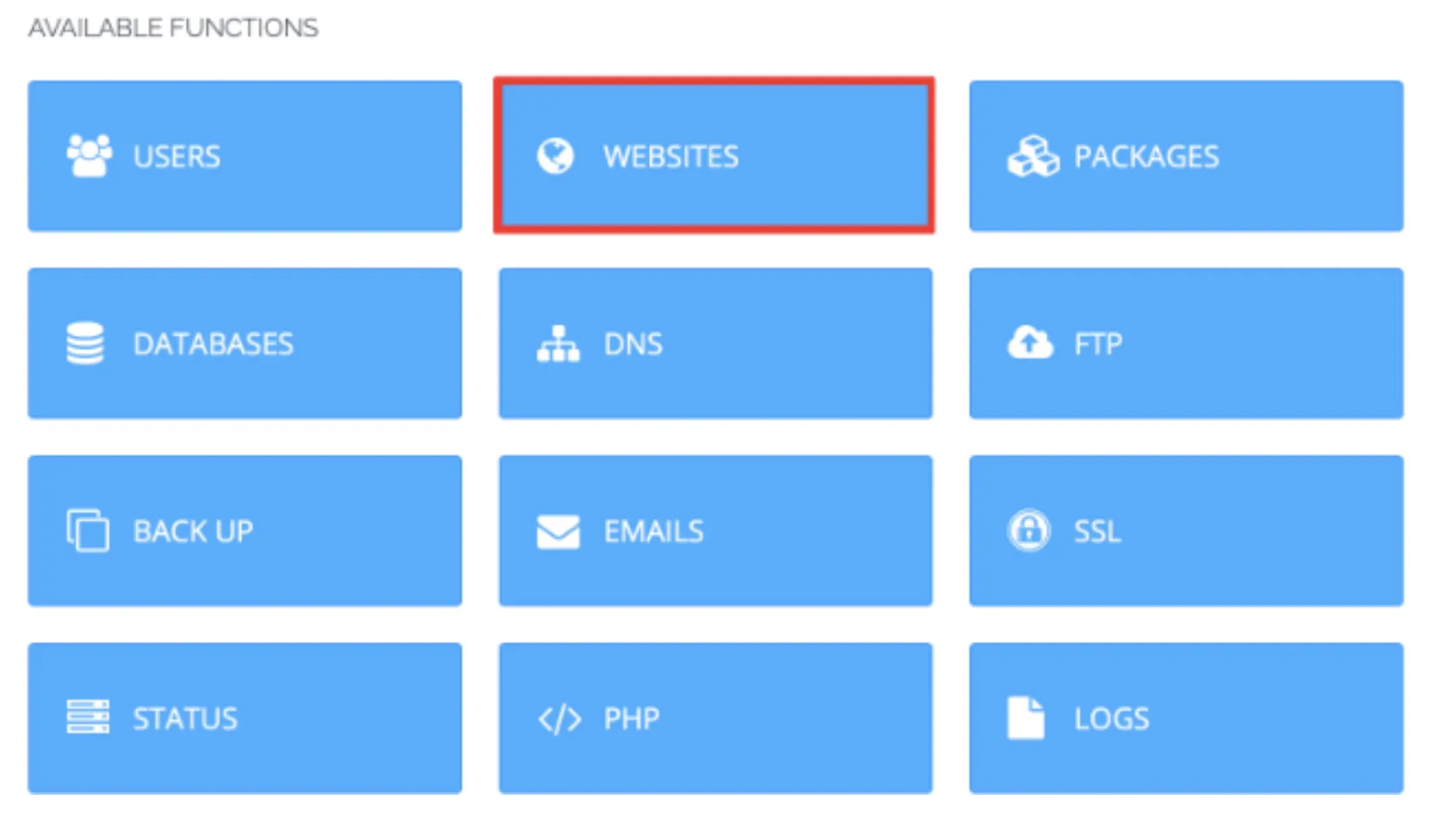
In CyberPanel, go to the Websites section in the main dashboard. This is your central hub for managing all sites.
Related: CyberPanel vs cPanel: A Detailed Comparison of Features
Step 3: Choose ‘Create Website’
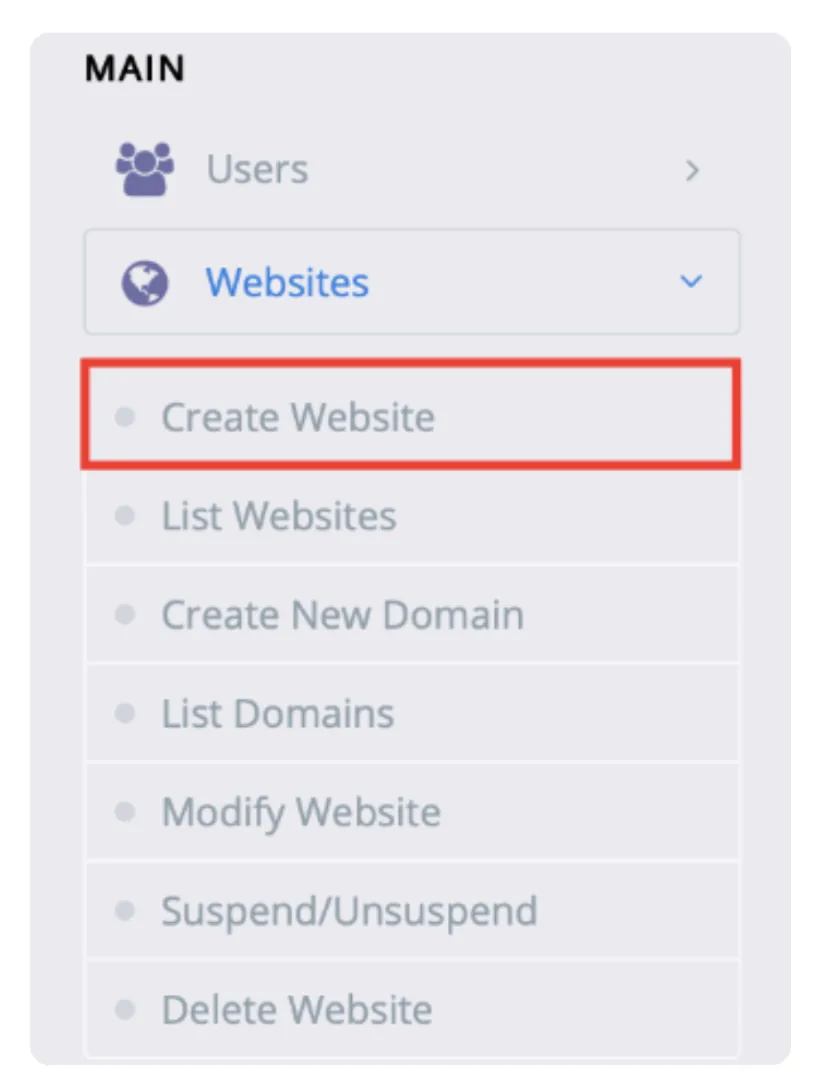
Once you’ve clicked on Websites, you’ll see a dropdown or submenu with several options.
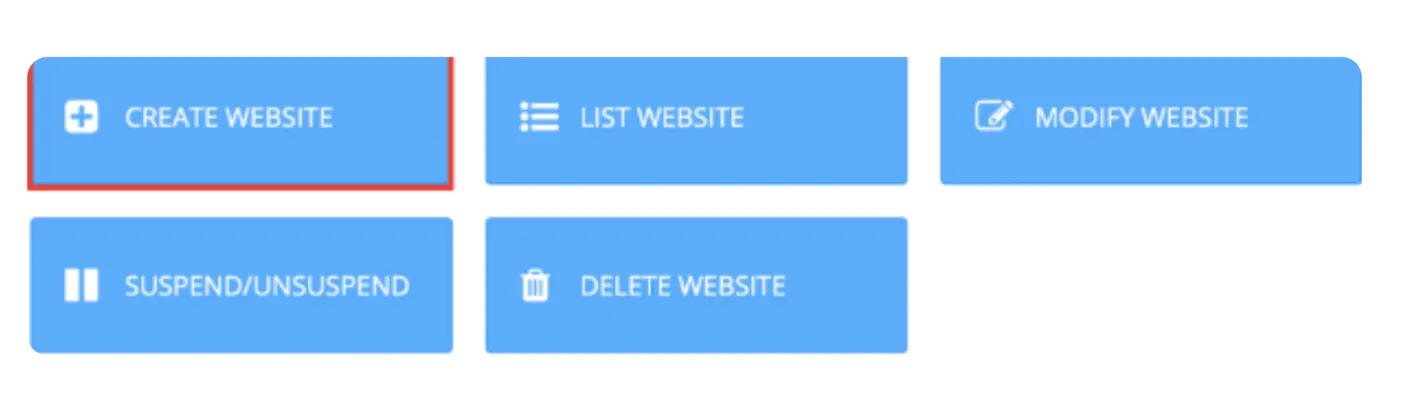
Select ‘Create Website’ from the left-side panel menu.
A quick note here: every domain you want to host on CyberPanel needs to go through this process individually.
The good news is that it only takes about two minutes per domain. You can host as many websites as your server resources allow.
CyberPanel’s free version with OpenLiteSpeed sets no limit on the number of domains.
Step 4: Add Website Details and Create
Fill in the form with these details:
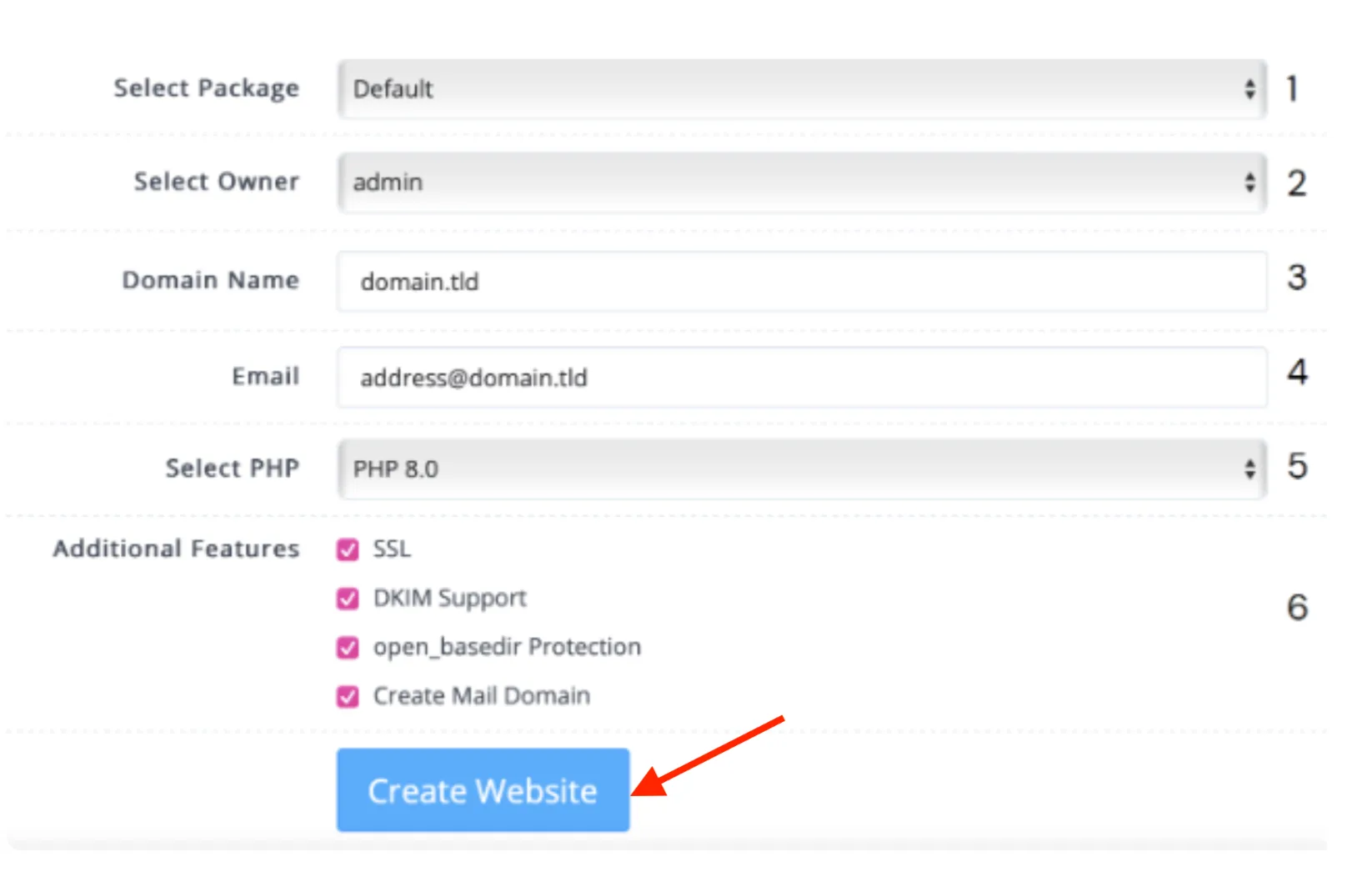
- Package: Select ‘Default’ if you haven’t created custom packages yet.
- Owner: Usually the ‘admin’ user.
- Domain Name: Enter your full domain (e.g.,
example.co.ke). Skip the ‘www’ — CyberPanel handles it. - Email: Add your contact email.
- PHP Version: Choose the version that suits your site (you can switch later).
- Additional Features: Enable Let’s Encrypt SSL for free HTTPS.
Click Create Website. CyberPanel will set up the files, databases, and SSL automatically.
Adding ‘
mybusiness.co.ke’ gives you an immediate document root folder where you can upload your files via File Manager or FTP.
Repeat this process for every new site you want to host.
Read also: How to Migrate a Website to CyberPanel
Step 5: Find the Website List
Go to Websites > List Websites to view all your sites in one table.
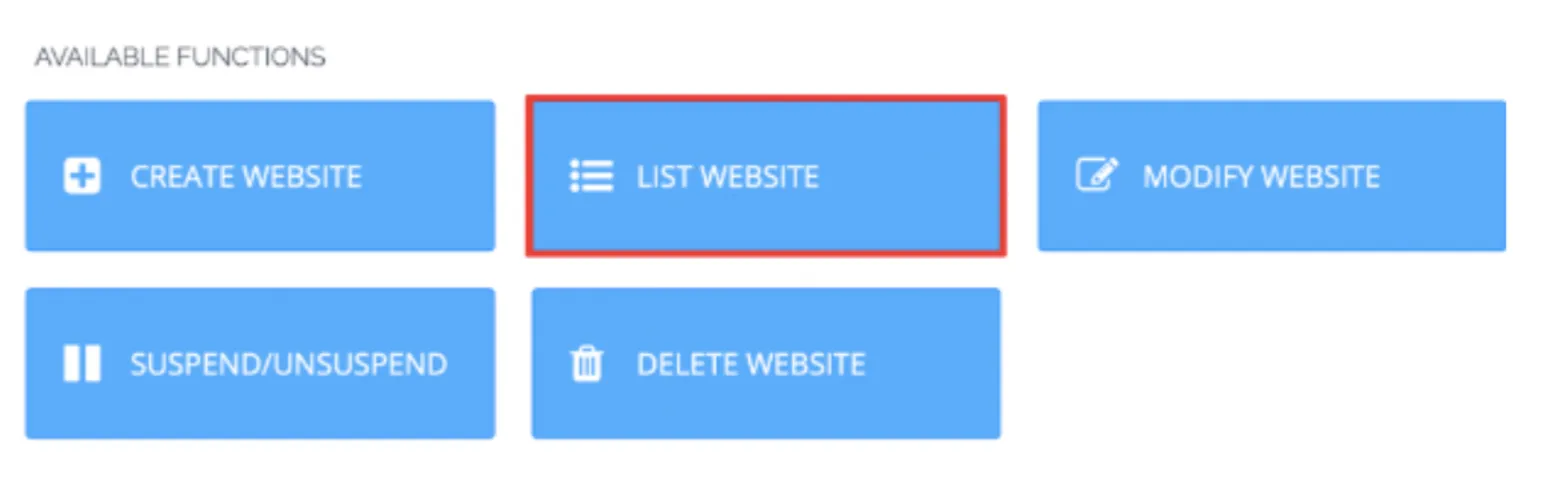
From here, you can easily manage, edit, suspend, or check resource usage for each website.
This centralized view makes handling multiple sites simple and efficient.
Check out the difference between CyberPanel and DirectAdmin
Is Hosting Multiple Websites with CyberPanel a Smart Move?
Yes, in most cases, but it depends on your situation. Let’s break it down.
Key Benefits:
- Cost savings: Pay for one strong server instead of multiple hosting plans. Unlimited websites on the free CyberPanel version.
- Centralized management: Control everything (files, emails, databases, backups) from one dashboard.
- Performance: LiteSpeed web server is fast. Your sites load quicker than on typical shared hosting.
- Flexibility: Easy PHP version switching, one-click SSL, built-in DNS, and email.
- Scalability: Upgrade server resources as you grow without moving sites.
What are the Potential Drawbacks and Risks?
- One server failure affects all sites. Good backups are essential.
- Resource contention: A traffic spike on one site can slow others if you don’t monitor usage.
- You handle security and updates yourself (or via your host).
- Learning curve if you’re new to servers.
When it makes sense: You run 3–20+ sites, want better performance than shared hosting, and are comfortable with basic server management (or use a managed plan).
When to avoid it: You have only one simple site, or you prefer zero server responsibility.
Overall, for most developers, freelancers, and small agencies in Kenya and beyond, hosting multiple websites with CyberPanel is smart and economical, especially on a solid VPS.
Host Multiple Websites with CyberPanel Today
You now know how to host multiple websites with CyberPanel. From proper server setup to adding domains and managing everything centrally, the process puts you in full control.
Start small, monitor your resources, and take regular backups. As your projects grow, you’ll appreciate the flexibility this setup gives you.
We at Truehost provide reliable CyberPanel-optimized hosting with great support for Kenyan users (M-PESA payments and local speeds).