Domain SearchInstantly check and register your preferred domain name
 Web Hosting
 cPanel HostingHosting powered by cPanel (Most user friendly)
 WordPress HostingHost your WordPress website with fast, secure, and affordable WordPress hosting in Kenya.
 KE Domains
 Reseller HostingStart your own hosting business without tech hustles
 Windows HostingOptimized for Windows-based applications and sites.
 Free Domain
 Affiliate ProgramEarn commissions by referring customers to our platforms
 Free HostingTest our SSD Hosting for free, for life (1GB storage)
 Domain TransferMove your domain to us with zero downtime and full control
 All DomainsBrowse and register domain extensions from around the world
 .Com Domain
 WhoisLook up domain ownership, expiry dates, and registrar information
 VPS Hosting
 Managed VPSNon techy? Opt for fully managed VPS server
 Dedicated ServersEnjoy unmatched power and control with your own physical server.
 Website Builder
 Online Store BuilderLaunch a professional e-commerce store without writing code.
 Web Design ServiceGet a custom-designed website tailored to your brand and goals. From just KES 15,600
 BlogRead our guides on web hosting, online business, digital marketing, and more
 SupportOur support guides cover everything you need to know about our services
 ContactContact us via chat or email
If you have spent any time looking into web hosting, you have probably come across the names WHM and cPanel. It’s easy to confuse the two terms and assume they are competing products.
So let us start with the basics. cPanel is a control panel that lets you manage a single website hosting account. You use it to add email addresses, upload files, and install WordPress.
WHM stands for WebHost Manager. It is a control panel for managing an entire server.
You use it to create multiple hosting accounts, set server-wide security rules, and control resource limits.
The main point you need to remember: WHM and cPanel are not competitors. They are two different tools built to work as one system.
One handles the server. The other handles the individual website.
And together, they get the job done.
Difference Between cPanel and WHM
The core difference is simple: one is for the server owner, and the other is for the website owner.
WHM is the administrative dashboard. From here, you control the server’s settings, create new hosting accounts, set resource limits, and install software like PHP or Apache.
You would never give a regular website owner access to WHM.
cPanel is the user dashboard where the website owner builds and manages their site. You go to cPanel to create email addresses, upload files, manage databases, or check website statistics.
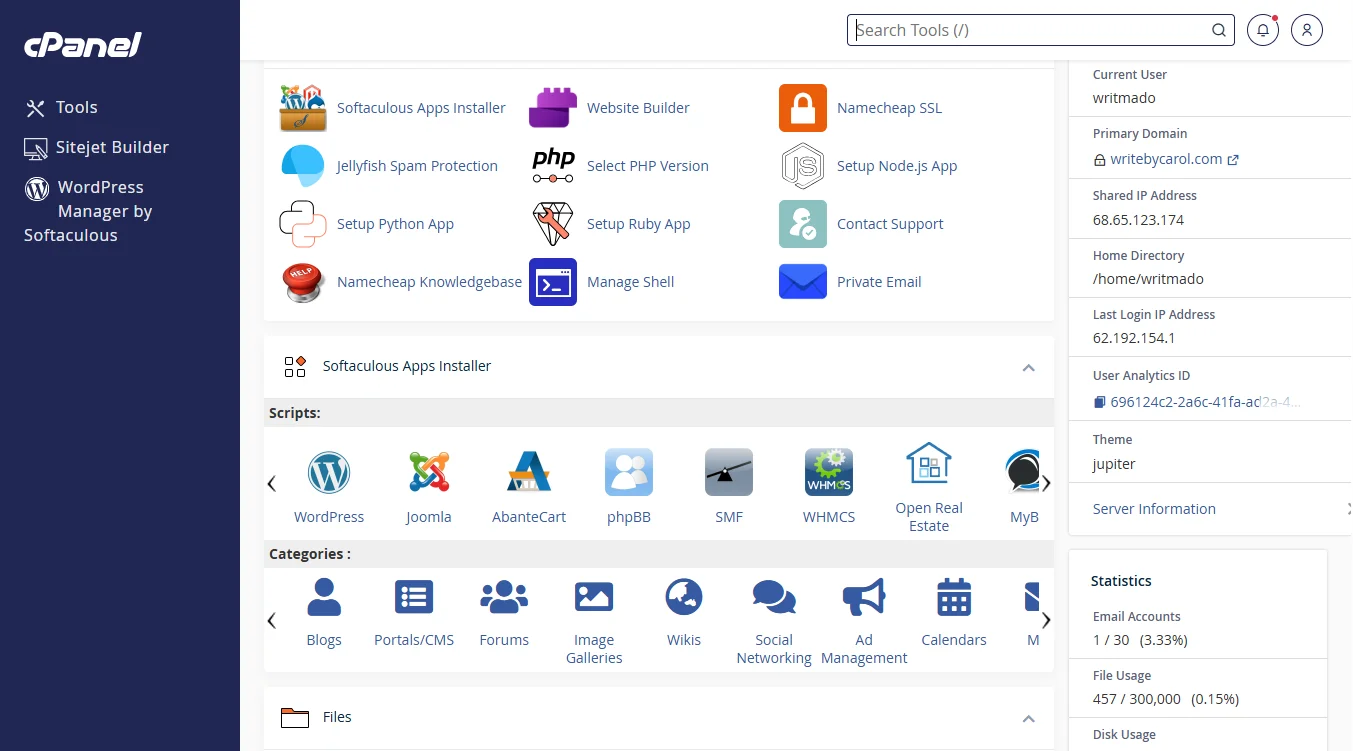
Both panels handle different jobs. But again, they do not fight over these jobs. They split them up so the server admin and the website owner each get exactly what they need.
A quick look at who does what:
| Feature | WHM (Server Admin) | cPanel (Website Owner) |
| Create new hosting accounts | Yes | No |
| Set server-wide security rules | Yes | No |
| Manage email accounts | No | Yes |
| Upload website files | No | Yes |
| Install WordPress | No | Yes |
| Reboot the server | Yes | No |
| Manage database | No | Yes |
| Suspend a customer’s account | Yes | No |
How Do WHM and cPanel Work Together?
When a server administrator creates a new account in WHM, the system automatically builds a fresh cPanel for that account.
The administrator uses WHM to set the limits, like how much disk space and bandwidth the account can use. Then the customer gets their own login for cPanel.
Once inside cPanel, the customer can build their website, create email addresses, and manage everything freely.
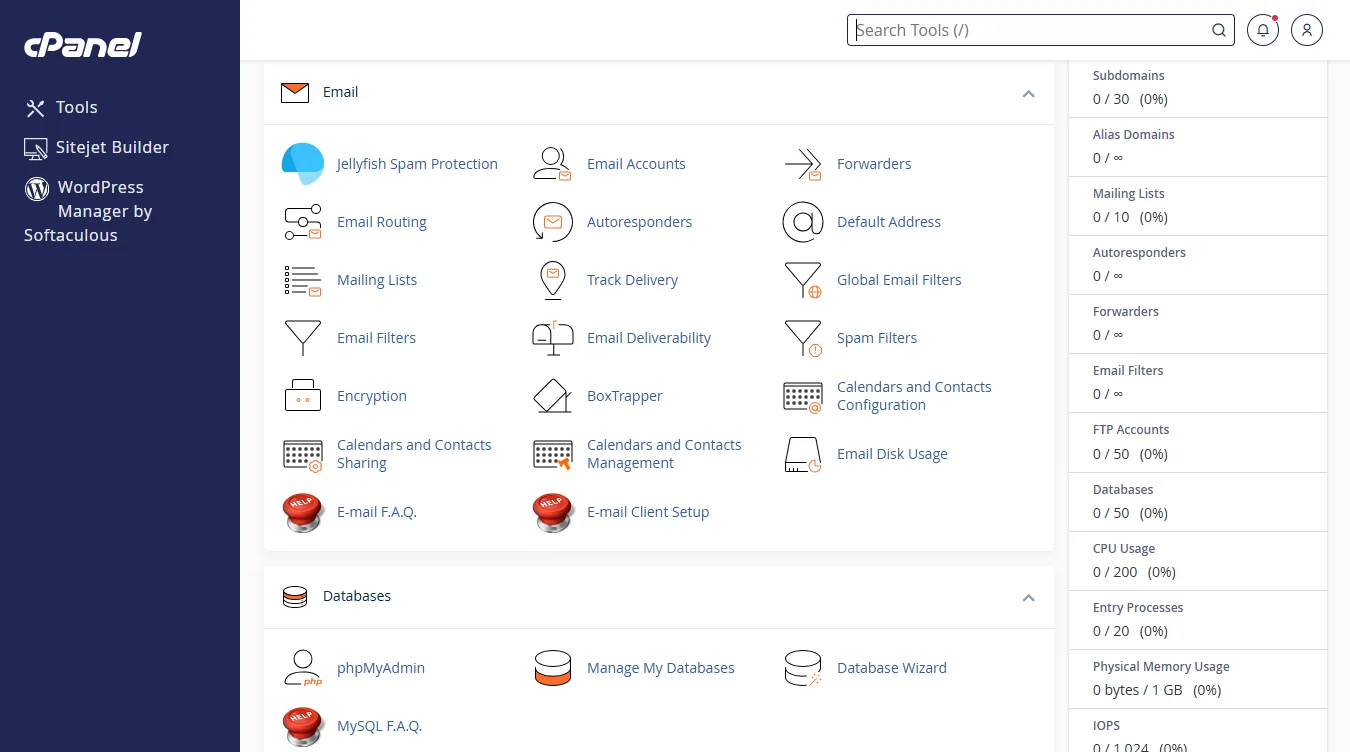
But they can only use what the administrator gave them. If the limit is 5 GB of space, they cannot go over that.
Now, WHM keeps watching the server from behind the scenes. If one cPanel account starts using too many resources, WHM notices it.
That way, one busy website does not slow down the other websites on the same server.
If a customer needs more space or a higher limit, they simply ask the administrator. The administrator logs into WHM, increases the limit in a few clicks, and the customer keeps working.
Who Should Use WHM and Who Should Use cPanel?
If you have a single website and you rent a shared hosting plan, you only need cPanel. Your hosting provider, like Truheost, already manages WHM for you.
You will not log into WHM, and you do not need to. You just need your cPanel to build and run your site.
If you run a web hosting business or manage a server with multiple websites, you need WHM. You also need cPanel for your own websites, but WHM is your primary tool. You use WHM to create and manage accounts for all your clients.
If you are a developer managing a handful of client sites on a small server, you should use both together.
WHM gives you a central place to create each client’s account, and each client gets their own cPanel to log into.
WHM vs cPanel: Common Misconceptions
Let’s demystify some WHM vs cPanel misconceptions:
They are the same
WHM and cPanel are two separate interfaces with completely different purposes. One manages the server. The other manages a single website account.
WHM and cPanel are competing products
They do not compete. They are designed to be used alongside each other. A server without WHM cannot easily manage multiple cPanel accounts.
A cPanel without WHM on the backend would have no one to set the server rules.
You need both to host a website
No, you don’t. As a regular website owner, you only need cPanel. Your hosting provider uses WHM on their end. You never touch it.
The only time you need both is when you own or manage the server itself.
WHM vs cPanel FAQs
Is WHM the same as cPanel?
They are not the same. WHM is for server administration. cPanel is for website management.
Is cPanel a WHM?
No. cPanel is the user’s dashboard. WHM is the admin’s dashboard.
How do I go from WHM to cPanel?
In WHM, go to List Accounts. Find the account you want. Click the cPanel button next to it. That takes you directly to that account’s cPanel.
What are the benefits of using WHM?
You can create and manage unlimited hosting accounts from one place. You set resource limits, monitor server health, install security software, and reboot services. It gives you full control over your server.
How do I get to WHM from cPanel?
You cannot. A regular cPanel user does not have access to WHM. Only the server admin has the WHM URL and password.
If you need WHM, ask your hosting provider or log into your server’s WHM directly using https://your-server-ip:2087.
Get WHM or cPanel with Truehost
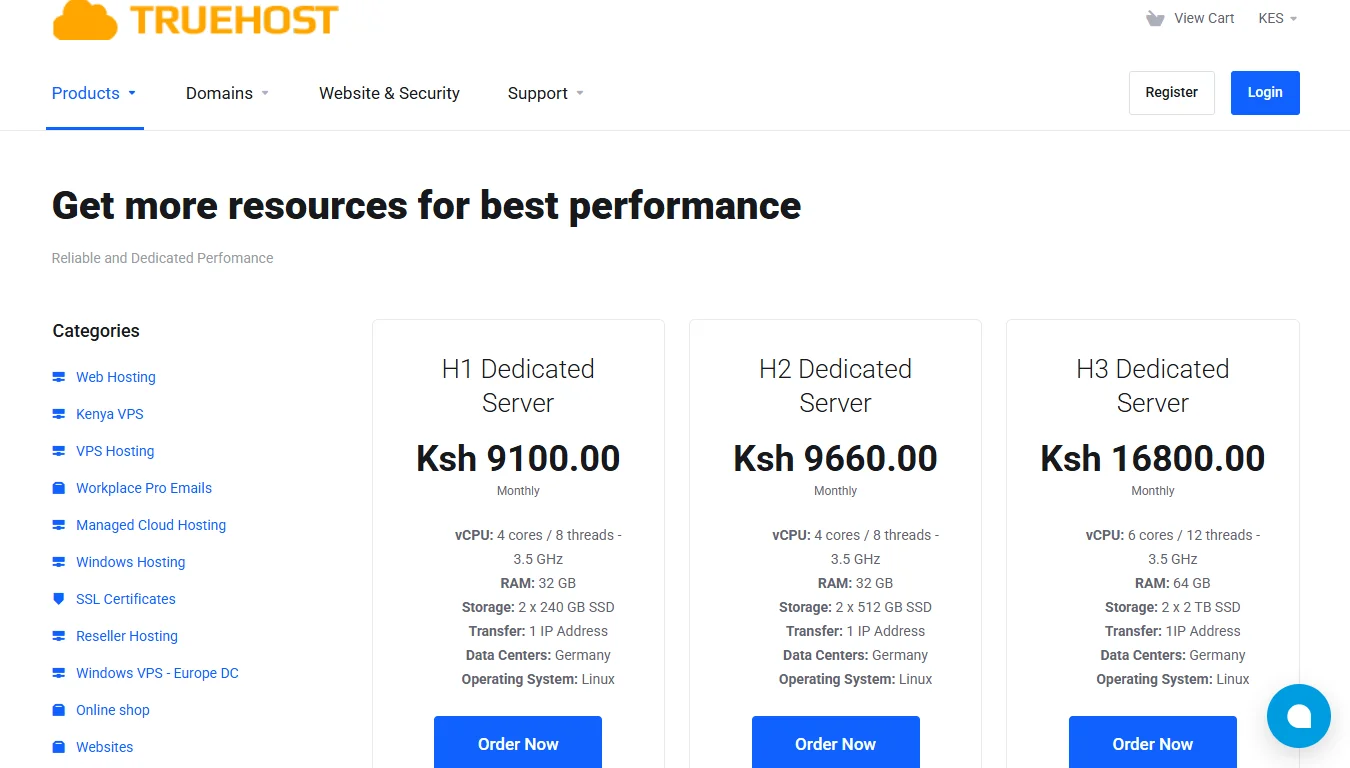
WHM is available on our VPS and Dedicated Servers. Since these are unmanaged services, you get to install any control panel you prefer, including WHM/cPanel. You are in full control.
For those just starting out, our Cloud VPS 2 plan is a strong choice. You get 2 vCPU cores, 4 GB RAM, and 100 GB SSD storage for only Ksh 1,260 per month.
But if you only need cPanel, not the full server, we have shared hosting plans that already include it. Our offers are:
- WebHosting Starter at Ksh 188/month: Hosts 10 websites, 30 GiB SSD, free SSL, unlimited email accounts, and daily backups.
- WebHosting Pro at Ksh 394/month: Hosts 30 websites, 50 GB SSD, and supports higher traffic of about 50,000 visits monthly.
- WebHosting Unlimited at Ksh 1,632/month: Hosts unlimited websites, unmetered SSD storage, and includes a free .CO.KE domain on annual plans.
WebHosting Starter Monthly at Ksh 188/month is perfect if you want a lower upfront cost.
All our web hosting plans are powered by cPanel. You get the tools you need, without the server management headaches. You just pick one that suits you, and we’ll take care of getting you online.