Domain SearchInstantly check and register your preferred domain name
 Web Hosting
 cPanel HostingHosting powered by cPanel (Most user friendly)
 WordPress HostingHost your WordPress website with fast, secure, and affordable WordPress hosting in Kenya.
 KE Domains
 Reseller HostingStart your own hosting business without tech hustles
 Windows HostingOptimized for Windows-based applications and sites.
 Free Domain
 Affiliate ProgramEarn commissions by referring customers to our platforms
 Free HostingTest our SSD Hosting for free, for life (1GB storage)
 Domain TransferMove your domain to us with zero downtime and full control
 All DomainsBrowse and register domain extensions from around the world
 .Com Domain
 WhoisLook up domain ownership, expiry dates, and registrar information
 VPS Hosting
 Managed VPSNon techy? Opt for fully managed VPS server
 Dedicated ServersEnjoy unmatched power and control with your own physical server.
 Website Builder
 Online Store BuilderLaunch a professional e-commerce store without writing code.
 Web Design ServiceGet a custom-designed website tailored to your brand and goals. From just KES 15,600
 BlogRead our guides on web hosting, online business, digital marketing, and more
 SupportOur support guides cover everything you need to know about our services
 ContactContact us via chat or email
WordPress may be the most popular tool for building websites. But that doesn’t mean it’s best for every project.
While it offers flexibility and control, you do need to:
- Find the right plugins and manage them
- Manage hosting, if you’re using self-hosted WP
- Deal with regular updates
- And also deal with a short learning curve
WordPress’s dashboard is user-friendly, but it’s not the most intuitive we’ve seen in the market. It doesn’t have a steep learning curve, and you should figure your way around it after a few tries, but some WordPress alternatives do it better.
For enterprise users, WordPress’s simplicity might be a problem rather than an upside, but what’s the alternative?
This guide explores some of the best WordPress alternatives including Olitt, Squarespace, and more
But, just in case you’re satisfied with WordPress, check out how you can speed things up with these Top WordPress AI website builders.
Best WordPress Alternatives to Try
1) Truehost Website Builder (Olitt)
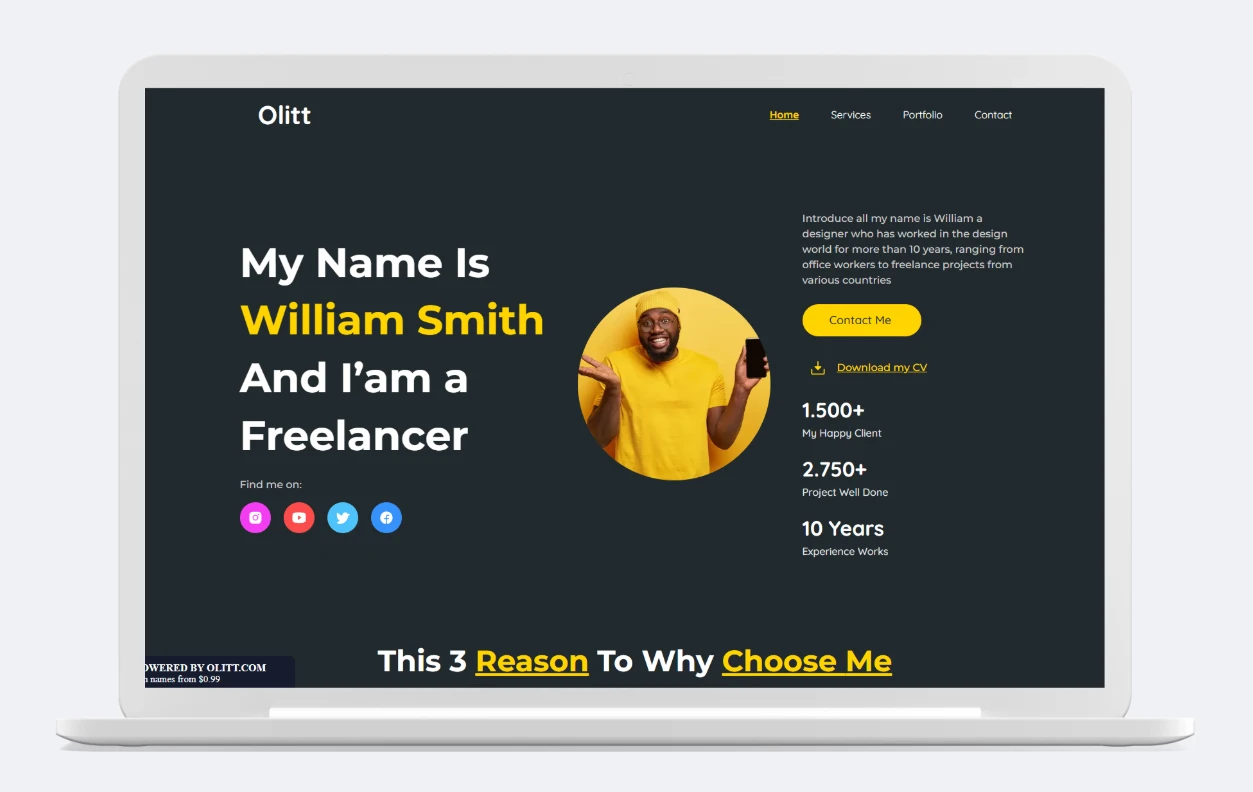
Looking for a platform that makes building and launching your website ridiculously easy?
Truehost Website Builder puts power and simplicity in your hands — no coding, no plugins, and zero hosting headaches.
What makes Olitt stand out?
- Instant, no-code website creation: Use the drag-and-drop editor to build any kind of site—personal, business, e-commerce, landing pages, and more.
- 200+ modern templates: Pick from a wide range of fully customizable, mobile-ready designs.
- All-in-one solution: Hosting, free SSL, global CDN, daily backups, and DNS management are included out of the box.
- E-commerce made simple: Open your online shop with integrated payments, inventory, shipping, and local options like M-Pesa and Airtel Money.
- Built-in integrations: Connect with Mailchimp, Google Analytics, Tag Manager, Hotjar, and more—directly from your dashboard.
- Own your domain: Use your own domain or register a new one with a few clicks.
- Transparent, affordable pricing: Plans from $4/month.
Who should use Olitt?
Entrepreneurs, startups, agencies, freelancers, and anyone needing a beautiful site or online store — live in minutes, not days.
2) Wix: Best for Quick Launch & All-in-One Simplicity
If you want a truly “set-it-and-forget-it” approach to building websites, Wix is the tool for you.
Wix removes the technical barriers of web design with its simple-to-use editor, self-hosted solution, and AI builder.
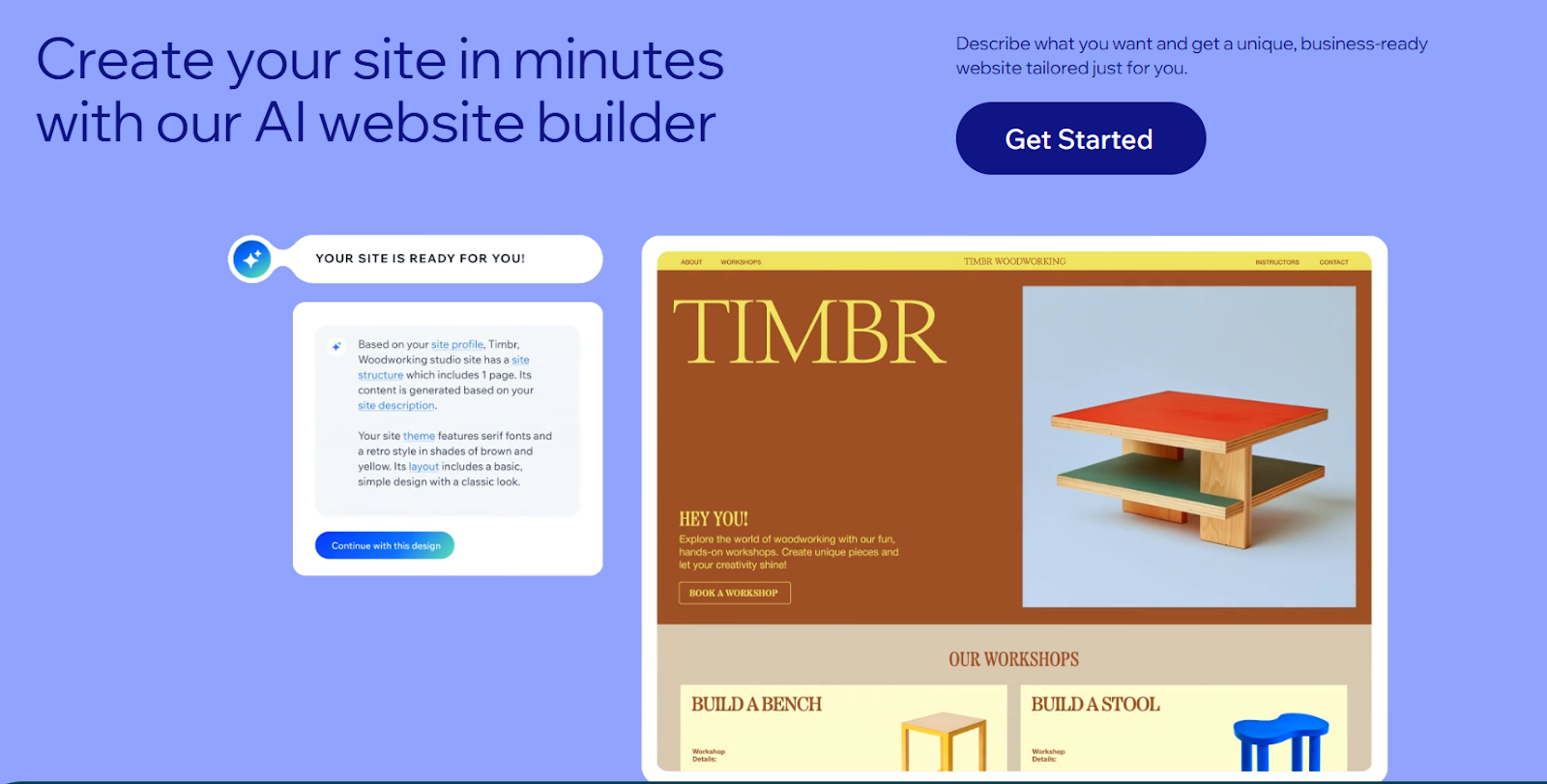
Although its drag-and-drop editor is more limited in customization than WP’s block editor, it contributes a lot to Wix’s simplicity, limiting its learning curve and speeding up website set up.
Wix is also a fully hosted solution and handles all updates automatically. So you can set it up and forget about it.
By comparison, WordPress requires setup, theme hunting, plugin configuration, and sometimes custom development. You also need to self-host WordPress and actively manage updates and backups, making Wix a better alternative to use.
Wix Features & Benefits
- Wix’s WYSIWYG interface allows users to visually arrange content with no HTML or CSS needed. Everything is visually editable.
- Wix AI-powered design assistant that creates a personalized website based on a few answers about your business and goals.
- You can extend your site’s functionality with 300+ apps for bookings, reviews, live chat, social media, and more.
- Built-in SEO Tools such as metadata editing, URL customization, and keyword optimization
- Sites are hosted on Wix’s secure cloud infrastructure, which guarantees 99.9% uptime, comes with a free SSL, and includes automatic backups
- Advanced store tools like product variants, abandoned cart recovery, multichannel selling, and custom shipping rules to support eCommerce
- 800+ pre-designed and mobile-responsive templates categorized by industry.
- Integrated tools to handle email marketing, capture leads, and run social
Wix is best for you if:
If you prioritize convenience over customizability or want to launch a site quickly without any technical effort.
Wix Pricing:
Paid plans start at $17/month. Free plan but with Wix ads
3) Webflow – Best for Full Design Freedom & Clean Code
If you want a builder that combines the ease of the drag and drop editor and the power and flexibility of coding, consider choosing Webflow over WordPress.
True, you can build any type of website with WordPress. But if your focus is on how you build rather than what you build, you’re likely to enjoy using Webflow more. For example, for agencies or users building multiple websites for their clients, Webflow makes it easy to manage all projects from one platform.
Webflow also provides a lot of design freedom. It comes with a lot of design elements for websites, such as animations, interactions, galleries, sliders, etc., that you won’t find in WordPress or even Wix and Squarespace.
You can see some of those design elements on Websites like Rolex’s or Audi’s that need to showcase their products in visually attractive ways.

Unlike WordPress, Webflow doesn’t rely on plugins or themes. While there are downsides to having fewer plugins, the upside is that as a Webflow user, you don’t have to worry about plugin overload, broken websites, or security breaches from failed plugin updates.
Webflow Features & Benefits:
- Visual CSS and layout tools let you build responsive sites using flexbox and CSS Grid without writing code
- Built-in cms for creating dynamic content (e.g., blogs, portfolios, directories) with flexible collections
- You can generate and export HTML, CSS, and JavaScript code to host elsewhere, or host with Webflow’s high-speed servers
- Custom interactions & animations add advanced effects like parallax, reveals, and transitions
- Staging & collaboration tools for teams and agencies
- Seo & schema control: define meta tags, alt attributes, and structured data visually
- Visual cms editor: design and manage content dynamically using a real-time visual interface.
- Customize elements at a granular level, including typography, spacing, animation, and interactions
- Built-in CDN, SSL, backups, and version history
- Client billing & permissions for user roles
Webflow is good for you if:
You’re an agency, freelancer, UI/UX designer, or company that wants custom websites without WordPress plugin complexity.
Webflow Pricing:
Site plans start at $18/month (Free plan available); e-commerce plans from $42/month.
4) Squarespace – Best for Creatives, Portfolios & Visual Brands
Squarespace is known for its sleek, modern, and cutting-edge designs. It has a wide template range for a wide range of use cases, from businesses to online stores, blogs, and portfolios. All the templates support high-res images, ensuring quality, professional-looking websites. What’s more, all Squarespace themes are free.
WordPress relies on themes, which take time to customize. The best-looking themes are also paid, adding more to the cost of building and launching your website. Its themes do, however, come with more options to expand in the future.
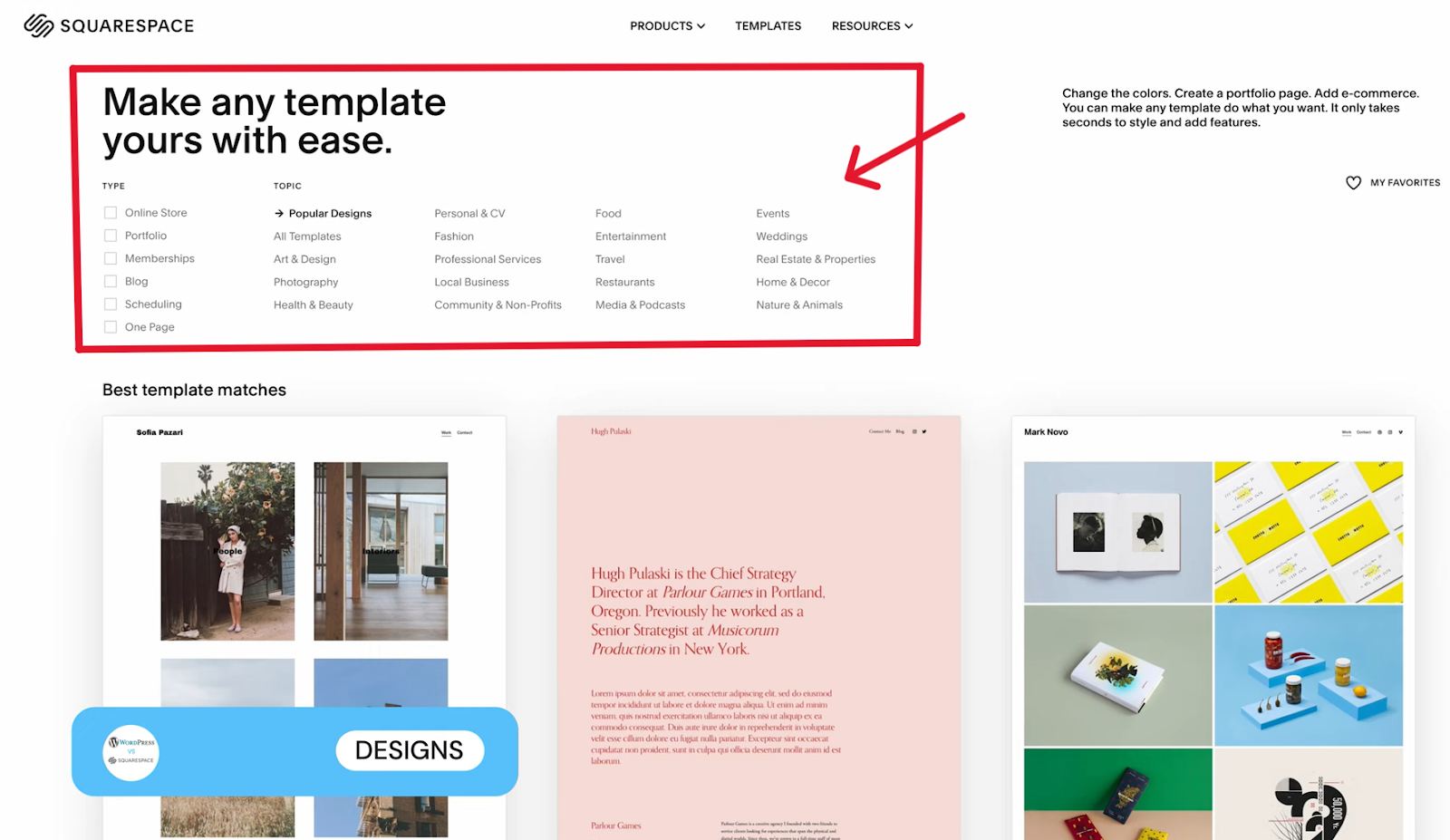
WordPress and Squarespace utilize block editors. While both editors are easy to use, overall, WordPress is a more complex platform to master.
If you want to sell goods online, you can do so on Squarespace. But Squarespace is a better platform for selling digital products as it offers limited shipping, payment, and fulfillment options to support physical products.
Squarespace’s built-in SEO tools make ranking on Google super easy without needing to do any extra work.
In WordPress, you have to set up SEO titles, descriptions, and tags. But on Squarespace, all these optimizations are done for you. Even site maps are pre-done, so you don’t have to create one.
Squarespace Features
- It has a simple navigation menu.
- A wide template range for photographers, designers, and businesses who care about branding. High-quality, responsive designs support visual storytelling.
- A flexible block editor that lets users drag and drop content blocks within a grid system.
- Integrated eCommerce for selling physical or digital products, managing inventory, and accepting payments without third-party plugins.
- Built-in campaigns, analytics, and customizable metadata.
- Squarespace’s integrated email platform lets you design and send branded campaigns.
- All templates are mobile responsive by default and are optimized for fast loading.
- A detailed analytics dashboard for detailed traffic insights and conversion metrics.
- Built-In blogging tools that include categories, tags, RSS feeds, commenting, and multiple contributors.
- Integrated scheduling & events tools for appointments, bookings, and event management.
Best For:
Photographers, designers, consultants, authors, and creatives who prioritize aesthetics and usability.
Pricing:
Starts at $16/month; eCommerce from $27/month.
5) Ghost – Best for Blogging, Publishing & Memberships
If you run a blog, newsletter, or paid subscription site and don’t want the clutter that comes with a complex CMS tool, you’ll find Ghost cleaner, faster, and easier to manage.
Ghost is an open-source content management system (CMS) focused on publishing. Unlike WordPress, which started as a blogging tool but evolved into a general CMS, Ghost remains focused on content creators who prioritize speed, clean design, and monetization through memberships.
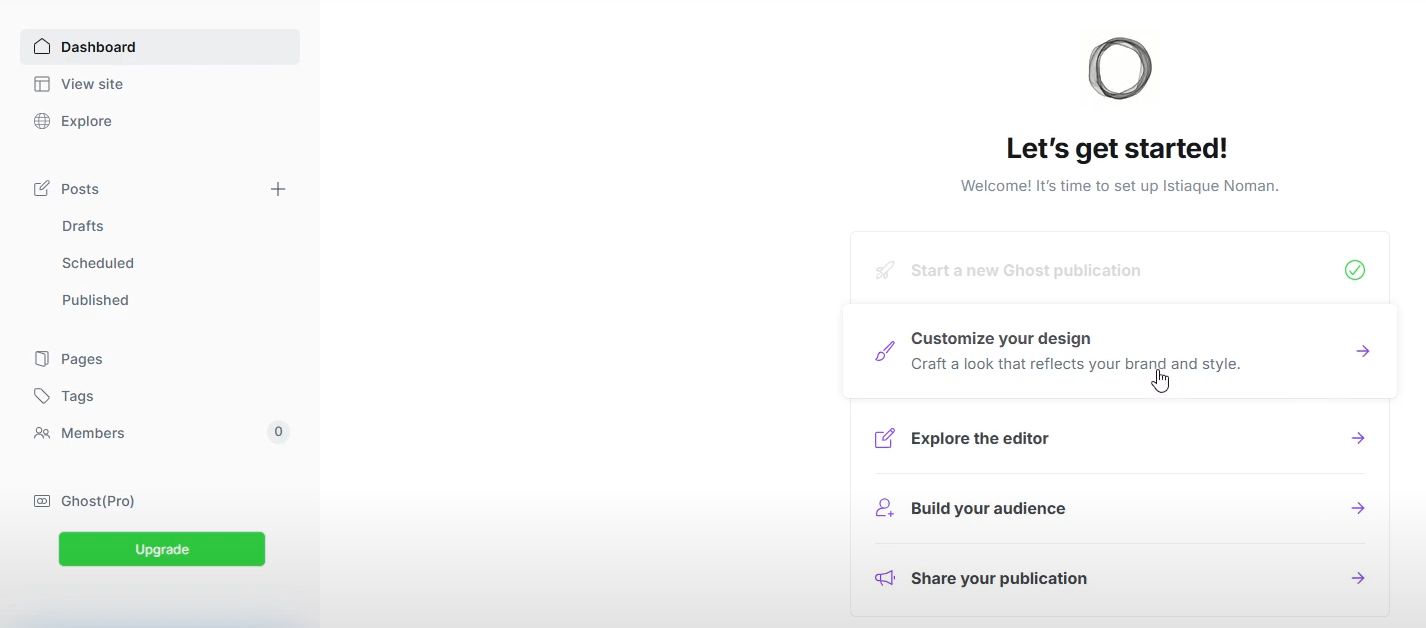
Its pages and posts are simplistic and require code to bring them up to par with WordPress pages and posts, which are pretty customizable with the Block editor. But, if you want simple blog pages and posts, Ghost can let you achieve this without using any code.
Like WordPress, Ghost is theme-based and has free and paid themes. Customization on both platforms varies by theme, but it’s generally faster and easier to change fonts, colors, and logos in Ghost.
Ghost provides its hosting, and also allows you to use other hosting services.
One thing to note about Ghost is that it will serve you better if you’re not specific about the hosting service you use.
Since Ghost is built on Node.js, it might be tricky finding third-party hosting for it because traditional hosting sites mostly cater to Linux, Apache, MySQL, and PHP-based websites. But, if you’re tech-savvy and want to go the Ghost route, you can set up third-party hosting for it.
Ghost Features
- It’s built on Node.js, a newer, more advanced language that is optimized for speed and performance.
- Clean markdown editor provides a distraction-free experience perfect for writers
- Built-in email & membership so you can create newsletters, accept subscriptions, and build your list without third-party tools.
- You can choose between open-source & self-hosted options
- Offers a plug-in-free experience. SEO & social integrations are built into the core
- Who it’s best for: Independent writers, publishers, and content creators who want a fast, modern platform to grow an audience.
Pricing:
Self-hosted version is free. Ghost(Pro) starts at $9/month.
6) Shopify
Shopify is built specifically for online stores.
Unlike WordPress, where you need to install WooCommerce, payment plugins, and SSL certificates, Shopify is ready for selling the moment you sign up. It comes optimized for inventory, payments, tax compliance, and conversion out of the box.
Shopify is also PCI compliant, keeping all your financial transactions secure without needing any more work from you.
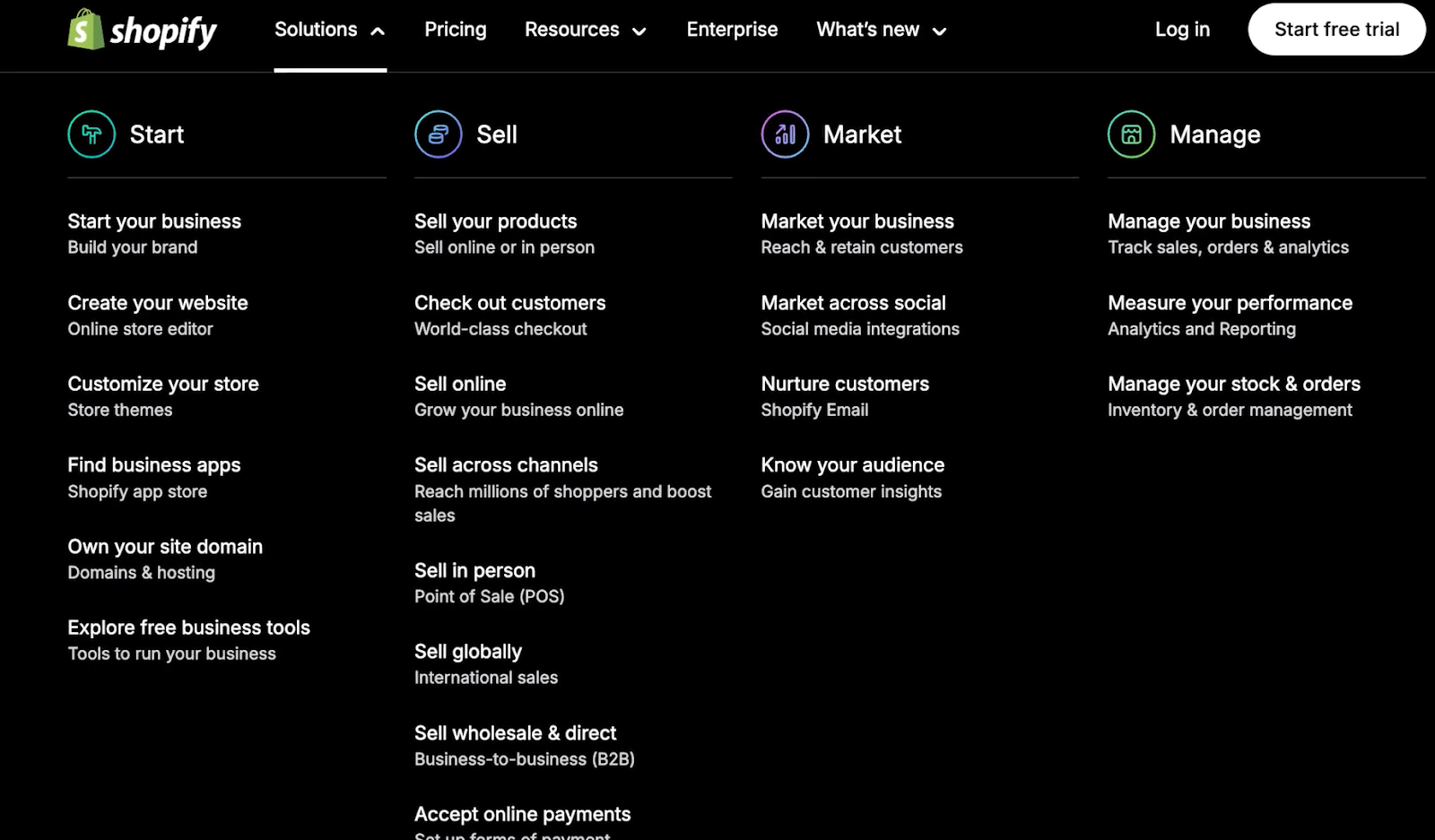
One of Shopify’s most useful tools is Shopify email, which allows you to send up to 10,0000 emails per month for free, directly from the platform.
This makes Shopify a powerful marketing tool for nurturing leads and growing your store. If you need to send more emails, you can do so at a very reasonable cost of $1 per 1000 emails.
Shopify also offers inbuilt hosting, security, support, and updates, ensuring you conduct business uninterrupted. Their 24/7 support, including live chat, ensures your queries are resolved speedily.
In addition, Shopify has an AI assistant that works straight inside your admin interface, helping you with store set up and research. If you set up self-hosted WordPress, you may not have this type of support.
Shopify and WordPress both use themes, but Shopify’s themes are more intuitive and easier to configure. That said, Shopify has very few free themes and only a handful of paid themes as compared to WordPress’s vast directory of themes, which numbers in the thousands.
Furthermore, Shopify doesn’t have plugins, but it allows you to extend its functionality with apps available on its app store. You can get by with just the free plugins, but if you need more advanced features, you’ll have to pay for apps, most of which are costly. In addition, the apps on Shopify are quite few compared to WordPress’s plugins.
In addition, you can add blogging functionality to your store with Shopify, but it’s not as sophisticated as WordPress’s blogging tool. But, if your goal is to use content to support your store, Shopify’s blogging tool will get the job done.
Shopify Features
- Advanced product management options let you add unlimited SKUs, variations, and inventory with bulk tools.
- Pre-integrated multiple payment gateways, including Shopify Payments, Stripe, PayPal, and 100+ other providers
- Cart abandonment to capture lost revenue with automated emails.
- Built-in multichannel sales so you can sell on Facebook, Instagram, Amazon, and in-store (POS) by simply connecting to those tools
- Real-time shipping rates and international tax handling.
- An extensive app ecosystem of 8,000+ apps to enhance marketing, accounting, and more.
Who should use Shopify?
E-Commerce & product-based businesses. With Shopify, you don’t have a lot of control over every aspect of the website because most technical aspects of the shop are set up for you. But, if you don’t need control, are okay with what comes inbuilt into Shopify, don’t need many plugins, are okay with a basic blogging tool, then Shopify would be more suitable for your needs.
Pricing:
Starts at $29/month; advanced plans available for scaling businesses.
7) HubSpot CMS
HubSpot CMS is built for marketers and businesses that want their website tightly integrated with their CRM, marketing, and automation tools. While WordPress can replicate this experience with plugins, HubSpot gives you everything in one ecosystem, helping you convert visitors into leads and customers, and storing everything in one place.
Hubspot has a clean blogging interface that allows you to design and optimize blogs with its available set of features such as SEO tools, mobile optimization, calendars, content collaboration, call-to-action builders and analytics.
WordPress also has a clean blogging interface and makes use of the blog editor to craft attractive blog posts. Its downside, however is that most of the things HubSpot does intuitively require plugins.
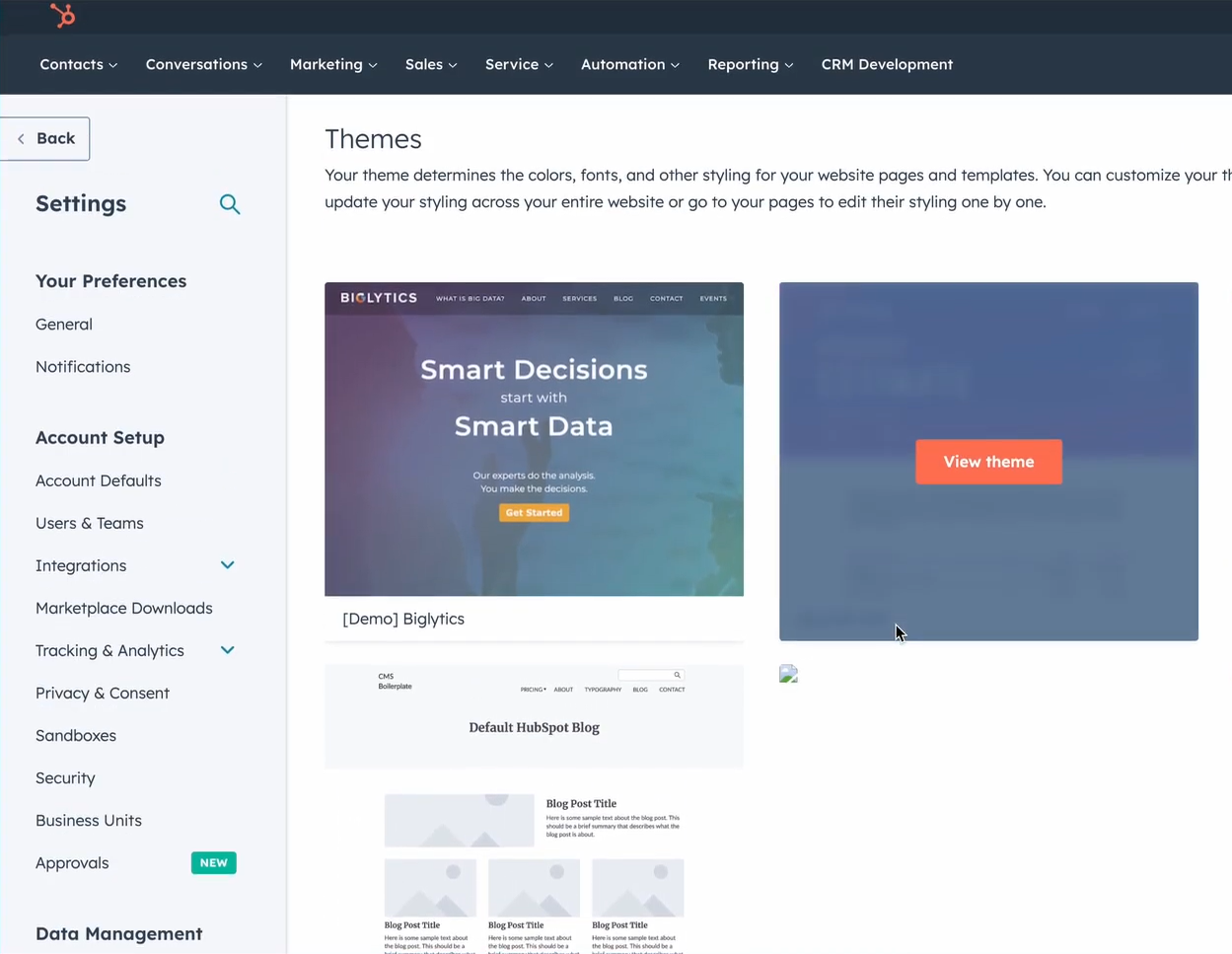
Another key reason you might choose HubSpot over WordPress is its advanced SEO features like Google Search Console integration, page analytics, competitor tracking, and inbound link tracking. Such features only come with third-party plugins in WordPress, adding to your site’s complexity.
In addition, like other features, social media management is also built into Hubspot, allowing you to share your messaging from your platform and also monitor performance easily. WordPress relies on third-party plugins, and in the majority of cases, you can only analyze performance by logging into those plugins, creating extra work for you, and a more complicated workflow.
Lastly, if your work relies heavily on landing pages, you’ll find HubSpot more cost-effective and streamlined because landing pages are built into the platform.
Hubspot Features:
- CRM-powered personalization allows you to show content dynamically based on visitor behavior and lead stage. You can track leads, automate follow-ups, and manage your pipeline.
- Built-in seo suggestions in real-time suggestions as you build your website
- Easily create landing pages, blogs, and forms with an easy-to-use drag-and-drop editor
- A/B test every aspect of your page for better performance
- Fully hosted & secured. No third-party security needed.
- Analytics & attribution reporting
- Build forms and popups tied directly to your sales funnel
HubSpot is best for:
B2B companies, SaaS businesses, and marketers who want a CMS that actively supports lead generation.
Pricing:
Free version available. CMS Starter starts at $15/month; Professional plan from $400/month.
8) Drupal – Best for Complex, Scalable, & Secure Websites
WordPress might be more complex than most of the tools discussed on this list, but there are instances when it’s too simple. Like when you need to build a website for large organizations, educational institutions, or governments.
That’s where Drupal comes in. Drupal is an open-source, developer-friendly, and secure CMS with native multilingual support, role-based access, and custom content types. And by developer-friendly, we mean it’s highly flexible and can adapt to different custom content types.
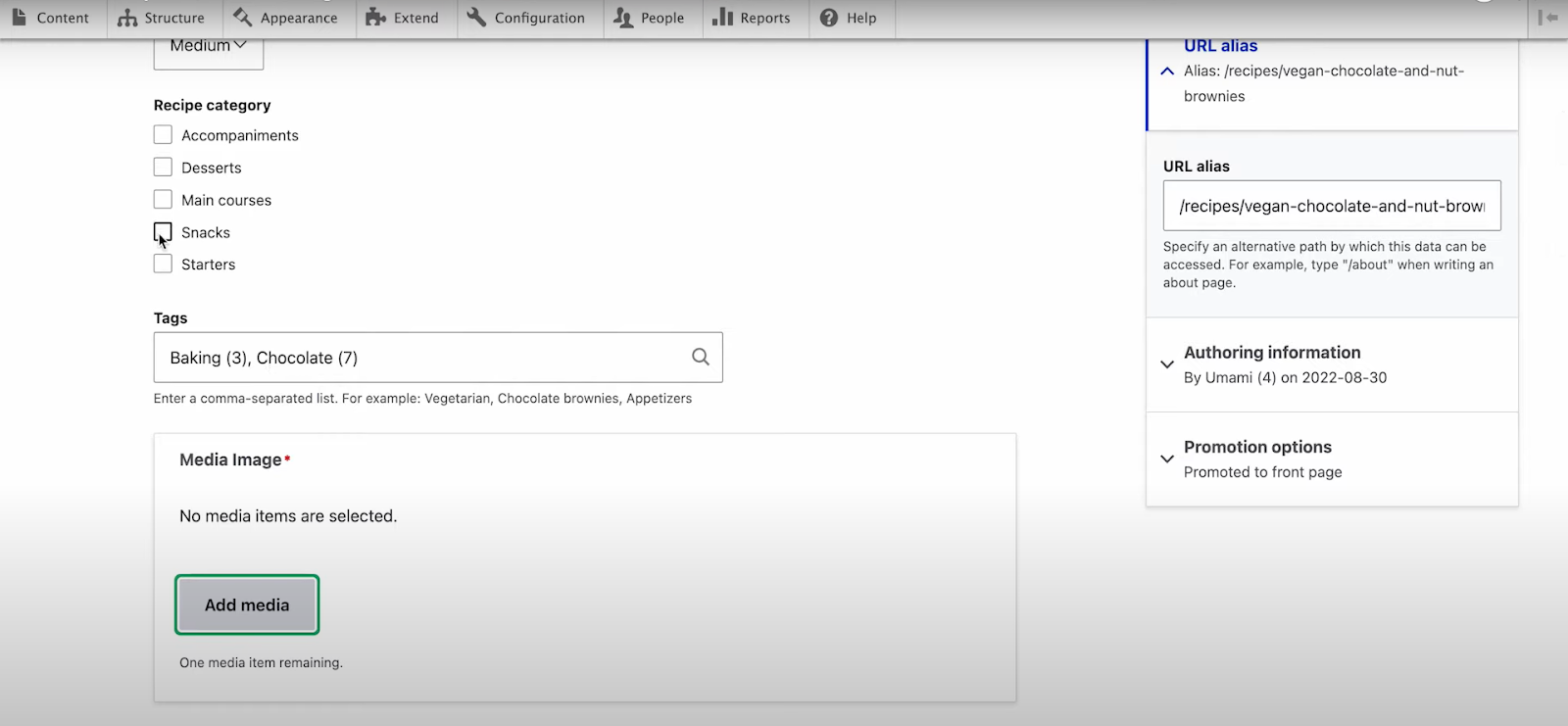
Achieving this level of customization with WordPress would mean installing multiple plugins or developing custom ones.
Drupal features
- Granular permissions for user roles to control who can see, edit, or publish content
- Custom content types & taxonomy allow you to build any type of content structure
- Scalable architecture ensures good performance under heavy traffic. Handles millions of pages and thousands of users without slowing down.
- Multilingual by default. You can translate every part of your site, including admin screens.
- Enterprise-grade security, perfect for governments and Fortune 500 companies
- API-first approach makes it great for deploying a wide range of applications and CMS
Who Should Use Drupal:
Drupal isn’t the most popular CMS out there, but with good reason. It’s complex and has a steep learning curve. But as we’ve demonstrated, there are times when you need to use it. As long as you’re building a complex website or a website that needs lots of customization and enterprise-grade security, Drupal is a more ideal tool to use.
Pricing:
Drupal is open-source and free to use, but often requires developer support. Price will vary depending on your choice of hosting and developer.
Final Thoughts: Choosing the Right WordPress Alternative
Choosing the right platform isn’t about finding the “best” tool in general—it’s about choosing the best tool for your specific needs. WordPress may be the most popular CMS, but that doesn’t make it ideal for every project.
If you’re building a:
- Portfolio or visual brand site, try Squarespace or Wix
- Custom, pixel-perfect design, go with Webflow
- Blog or newsletter-first platform, we recommend Ghost
- Online store, go with Shopify
- Marketing-driven site, choose HubSpot CMS
Each alternative above solves a specific pain point that WordPress doesn’t address natively.
After you choose your platform, explore self-hosting packages from TrueHost for more control.