Domain SearchInstantly check and register your preferred domain name
 Web Hosting
 cPanel HostingHosting powered by cPanel (Most user friendly)
 WordPress HostingHost your WordPress website with fast, secure, and affordable WordPress hosting in Kenya.
 KE Domains
 Reseller HostingStart your own hosting business without tech hustles
 Windows HostingOptimized for Windows-based applications and sites.
 Free Domain
 Affiliate ProgramEarn commissions by referring customers to our platforms
 Free HostingTest our SSD Hosting for free, for life (1GB storage)
 Domain TransferMove your domain to us with zero downtime and full control
 All DomainsBrowse and register domain extensions from around the world
 .Com Domain
 WhoisLook up domain ownership, expiry dates, and registrar information
 VPS Hosting
 Managed VPSNon techy? Opt for fully managed VPS server
 Dedicated ServersEnjoy unmatched power and control with your own physical server.
 Website Builder
 Online Store BuilderLaunch a professional e-commerce store without writing code.
 Web Design ServiceGet a custom-designed website tailored to your brand and goals. From just KES 15,600
 BlogRead our guides on web hosting, online business, digital marketing, and more
 SupportOur support guides cover everything you need to know about our services
 ContactContact us via chat or email
AI isn’t just a buzzword anymore. It’s now a part of everything we do, particularly how we build and manage our online spaces, especially with WordPress.
When building a website, using AI means building better, faster, and more effective websites.
This guide discusses the best WordPress AI website builders out there.
We’re talking tools that practically take simple instructions to help you design beautiful websites, populate them with content, and even optimize for SEO.
Whether you’re a small business looking to expand online or a seasoned developer aiming for cutting-edge solutions, we have an AI website builder here that will make your work a whole lot easier.
How AI is Redefining WordPress Websites
Before AI, building a website was a complex and time-consuming process requiring a degree in computer science or programming.
You had to have coding knowledge, and since very few people did (or do), you needed to pay thousands of shillings to build a website.
But now, with AI, you can build a website with a few clicks. And we aren’t just talking about automating repetitive tasks.
No. We’re talking about complex tasks like:
- Building a full site layout from a simple text prompt,
- Having AI write compelling marketing copy, and
- Optimizing your entire site for SEO
With AI, you can make website building faster, get better design ideas, and build better-performing websites.
What Makes a Good WordPress AI Website Builder
Before we look at the best AI website creators, you should ask yourself these questions to find the best one:
Can the AI site-building tool generate an entire website?
Look for an AI tool that can take a brief business description or business type and generate a complete website layout, including page structures, sections, and even placeholder content.
This will dramatically reduce the time it takes to set up your website from days to minutes, letting you focus on creating content and growing your business instead of wasting time on initial design.
Can the AI website builder create and optimize content?
A great website-building AI tool should write or rewrite text, create headlines, meta descriptions, calls-to-action, and even full blog posts, and it should be able to optimize all content for SEO.
Unless you are a content writer, you may find it difficult to create content regularly because the process is time-consuming and requires expertise in areas such as SEO. And if your business isn’t posting content regularly, this could keep you from growing traffic.
With AI, you can produce content regularly, optimize it for search engines, and boost traffic. You can also focus your extra time on developing your business.
Can the AI generate and edit images?
Check if the AI can create unique images or improve existing images by removing backgrounds or restyling them to match your brand.
This quality is so important because without it, you’ll need to search for stock photos or take photos to use on your website.
You’d also have to edit images manually, which takes time to do, and you may not be good at it.
You can rely on AI to quickly search for images that represent your brand more accurately to ensure your brand looks polished and consistent.
AI also saves you time.
Can the AI website creator generate code?
Some AI tools can generate custom HTML, CSS, JavaScript, or even PHP snippets, and those are good if you want to customize code on your website.
This is good because you can write code and customize your site without needing a developer. And if you are a developer, you will write code faster and reduce errors.
Does the WordPress AI website builder have an intuitive interface?
Ensure to choose a user-friendly builder.
A builder with a drag-and-drop feature, for instance, lets you build pages by dragging blocks onto a page.
Those blocks (e.g, categories, text, images, videos) then come together to make an interactive page.
Does the AI website builder have advanced SEO optimization?
Look for an AI builder that can conduct keyword research, perform on-page optimization, generate schema markup, create internal linking strategies, and score content.
With SEO optimization, your site will be designed to rank high and attract customers right from the start. And you don’t need to be an SEO expert.
Can the WordPress site AI builder embed e-commerce capabilities?
This feature is important if you want to start an online store.
Look for an AI tool that will help you automate product listings, optimize product descriptions for SEO, and personalize product recommendations.
Better product pages and better SEO optimization will lead to more visitors and sales.
Can the AI handle performance analytics?
You want an AI-driven tool that can analyze and suggest how to improve page loading time by, for instance, optimizing images or code.
Pages that load slowly experience higher bounce rates, so insist on this feature to retain visitors longer on your website.
Can the AI builder scale with your site?
Your website’s needs will change as your business grows, so choose a website builder that can adapt to those changing needs.
Finally, ensure that the AI website builder can work with WordPress plugins, themes, and the WP core.
The Top 6 WordPress AI Website Builders of 2025
That said, here’s my curated list of the leading WordPress AI website builders that are truly shaping the digital landscape in 2025.
1) ZipWP
ZipWP was developed by the team that built two popular WordPress themes (Astra and Spectra), so it works well with WordPress and is a great choice for WordPress users.
It has the following features:
- Build a WordPress website in minutes: With a simple prompt, build a complete WordPress website, including sample content, images, and pages.
- Smart Layouts: It intelligently picks layouts and design elements that match your business type.
- Content kickstart: Gives you a starting point for all your website’s text, so you can quickly get your website online.
To get started with ZipWP’s AI webstie builder, you’ll need to provide the AI with details such as name and purpose of the website, describe the website (you can use AI to generate this text), select images (which it autogenerates based on the description), and then finally choose your desired format.
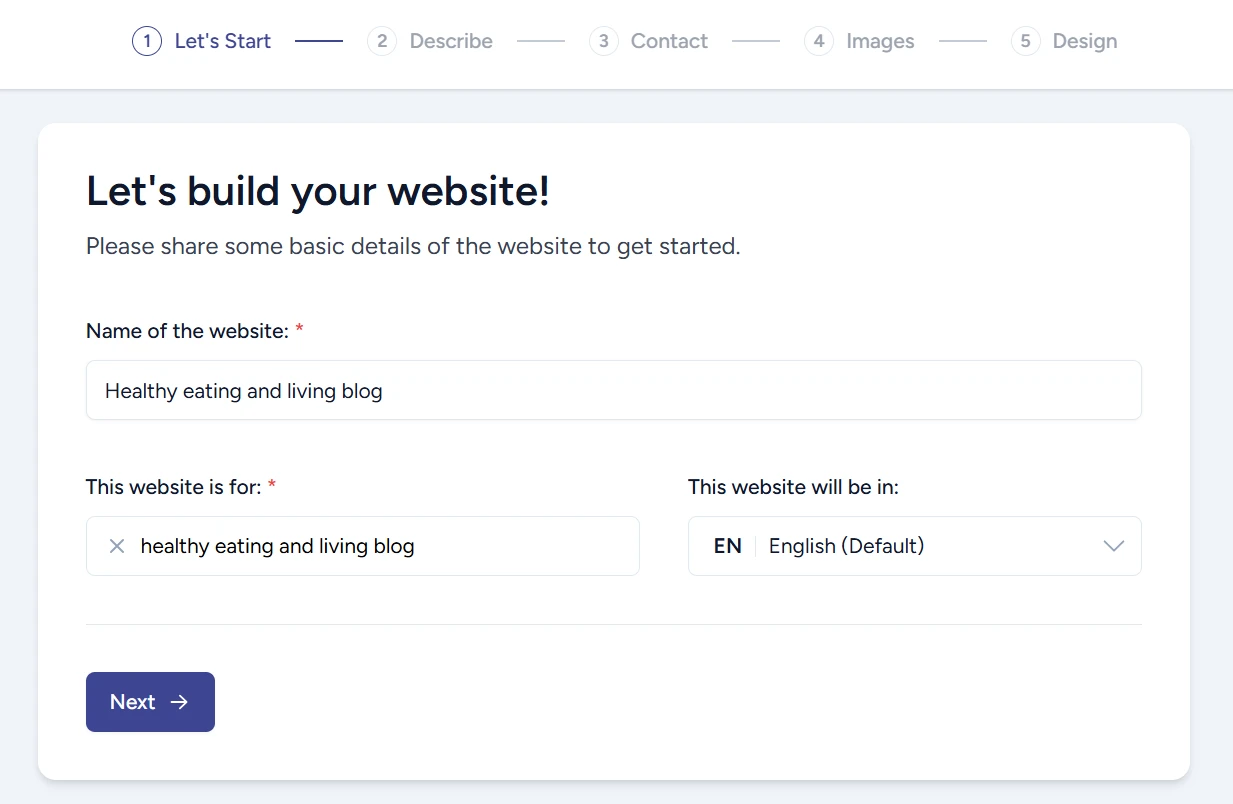
ZipWP AI generated over 50 design options based on my description. These are just 4 of them:
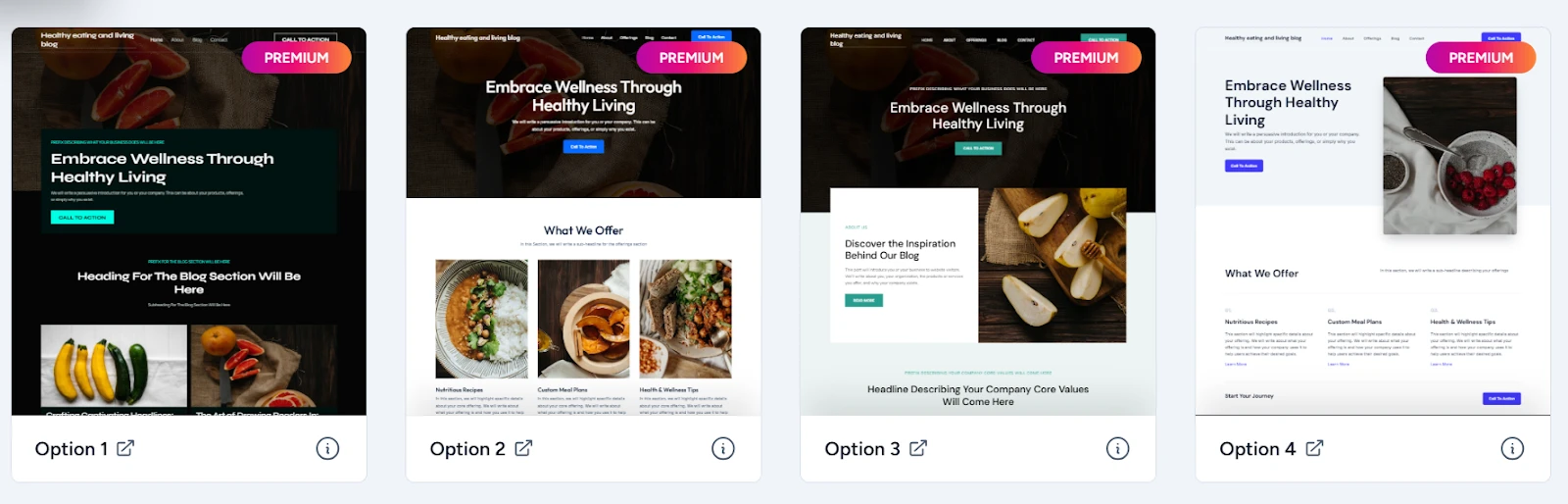
Each design looks better than the previous. The great thing about these multiple options is that you’re bound to find a design that you feel fits your needs.
Why ZipWP stands out:
- With a simple description, you can generate a stunning website that is on-brand
- You can choose from hundreds of designs, all generated with one prompt
- It reduces website creation time from days or weeks to mere minutes, and is great for urgent projects or if you need to create a prototype quickly.
- It saves you initial capital and time by minimizing the need for extensive upfront design and content creation.
Choose ZipWP if: You are a freelancer or small business owner without coding knowledge, but want results fast.
2) Divi AI (by Elegant Themes)
Divi is one of the most popular themes among WordPress users, and now with the addition of Divi AI, this intuitive visual page builder is even more powerful. It helps you with everything from writing copy to creating stunning images and even creating custom code.
Divi has the following AI features:
- Contextual text generation: This means that Divi AI senses where you are on a page and creates content for that specific element. For example, if you’re working on a heading, it will generate a new headline. If you need a full paragraph, it will generate one.
- Amazing image creation: with a simple description, Divi can generate unique images, enhance existing images, or even remove backgrounds.
- AI code assistant: Even if you’re not a coding guru, you can generate custom code with Divi AI.
- It lets you set design elements beforehand: You can tell Divi AI which colors and fonts to use even before it starts designing. This ensures you get what you want.
Divi AI builder is a bit more complex than the other builders on this list. It requires a bit more time to set up everything. There are multiple tabs for working on page layout and layers, and there are multiple levels under each.
But if you’re patient enough to learn it, the payoff is a great-looking site.
That said, if you’re not into flexing your designing muscles, just click on the + sign on the top left of the builder and choose Build with AI.
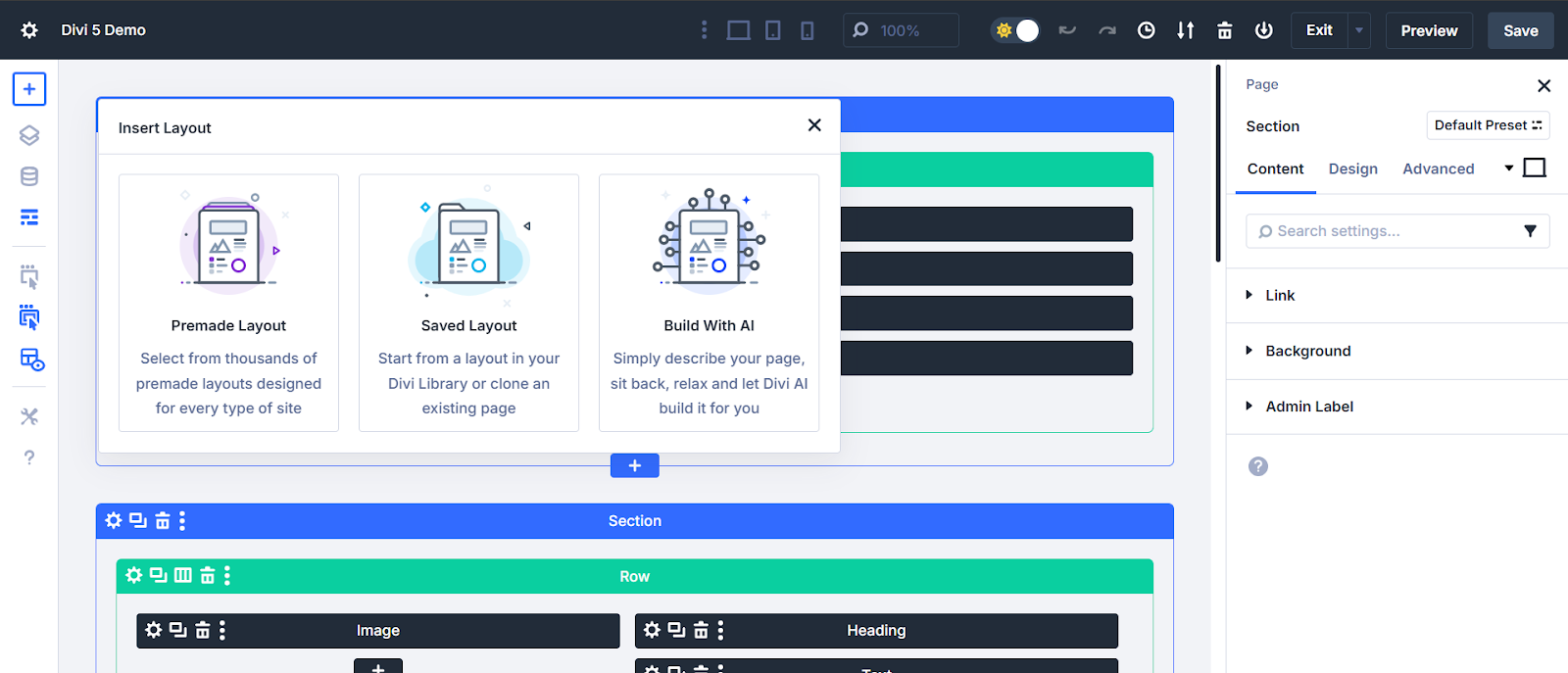
The AI will generate a layout that looks something like this:
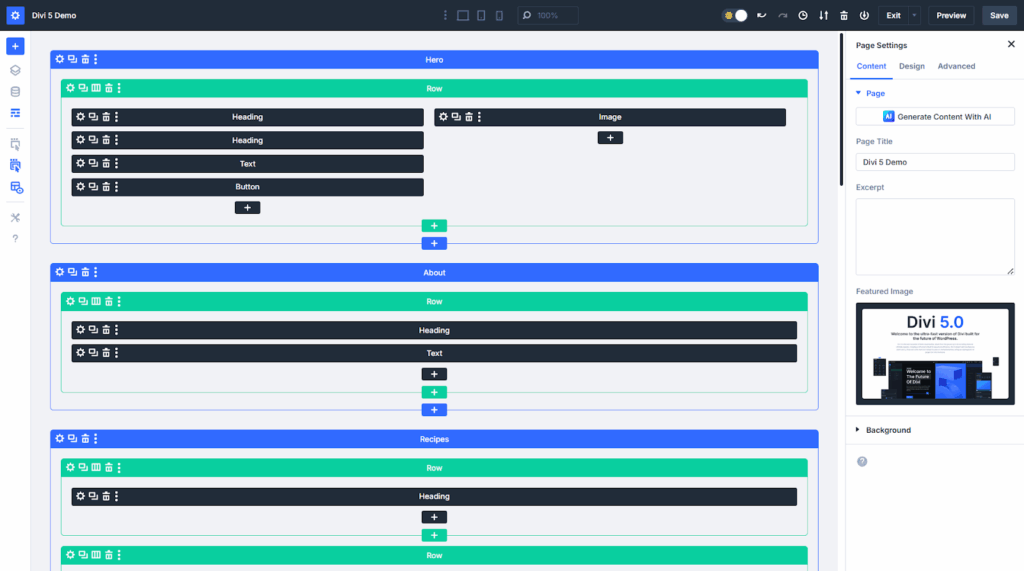
You might wonder where the content is when you see this layout.
It’s not immediately obvious, but if you click on each header, image, or text column, the content generated by Divi will show up on the left side of the screen. It’s placeholder content, and you might need to edit it.
Why Divi AI stands out
- The image builder is powerful enough to build realistic images of products and people. With high-quality images, you give your brand a professional look and enhance brand storytelling.
- Applying design elements such as structure, colours, and fonts at the start reduces the work you need to do on your website after creating it.
- Code customization powers up your website with unique features, helping you serve your audience better.
Choose Divi if: Divi is a detailed tool that may take a bit to master. However, if you want hyper-realistic images and great text, we’d recommend this as one of the best website AI-building tools.
3) 10Web AI Builder
If you want a WordPress website, domain name, and hosting, all from one platform, 10Web AI Builder is your tool.
10Web does the following:
- Builds a new website from scratch, using Elementor. This includes text, images, and layout. Elementor is one of the easiest builders to master, and adding AI only increases its ease of use.
- AI website recreation. This is its standout feature. You can give it the URL of any existing website, and 10Web will rebuild it for you on WordPress, complete with managed hosting and SEO optimization.
- Automigrates a WordPress site to 10web hosting. Simplifies the process of moving existing sites to WordPress. Provides hosting. You can get a free domain and host it on Google Cloud.
- Uses AI Co-Pilot for editing: Co-Pilot is a chat-based assistant within the editor. You can use it to instruct the AI to make design or content changes.
- Simplifies website management. You can update WordPress, manage plugins, and install WooCommerce, all from one dashboard.
To build a website, 10Web generates a structure based on a short description, then lets you edit that structure by adding or removing pages and menu items.
In the example below, I prompted it with a short description, “a website about healthy eating and living,” and clicked “generate your website”. It immediately came up with the structure below. Surprisingly, it also generated a website name that I can register as a domain.
You can even choose colors and fonts, and if you want to add pages or sections, just click on the plus sign.
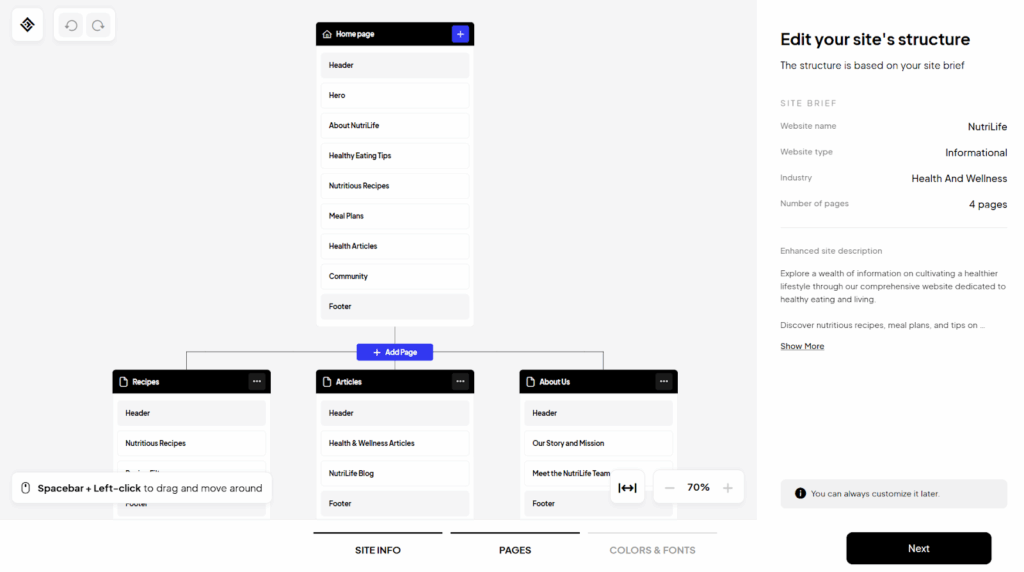
The results were stunning! I got a launch-ready website complete with realistic images, even those of people:


Why 10Web Stands out:
- Super easy to use with literally no learning curve
- Effortless migrations & redesigns
- The AI Co-Pilot makes complex changes straightforward
- Guaranteed Performance (99% uptime and 90% page speed)
- Flexibility to edit website structure before the AI designs the final look (see image below)
Choose 10Web AI Builder if: You want an easy-to-use WordPress building tool that gives you creative control right from the start. Note however, that when you use 10web, you’ll have to host your site with them.
4) Elementor AI
Along with Divi, Elementor is one of the most popular WordPress page builders. It’s got an easy-to-use drag-and-drop interface, and now it has the power of AI (Elementor AI) added on.
This makes designing and creating content even faster and more intuitive with the help of these features:
- An AI text assistant that generates and refines text content, be it headlines or full sections.
- A creative image generator that creates new images, or helps you to restyle your existing ones.
- A code generator in case you need a specific HTML or CSS snippet. The AI can help you write code based on your prompt.
With these features, you can produce stunning, high-quality websites efficiently, especially if visuals are key to your project.
Elementor doesn’t offer a free trial for its AI tool. To use this tool, you can either buy it and launch a new website, or update an existing Elementor website to version 3.13 or up to use the AI for free.
Although there is a money-back guarantee, this arrangement may not suit you if you’re not ready to commit to the AI builder.
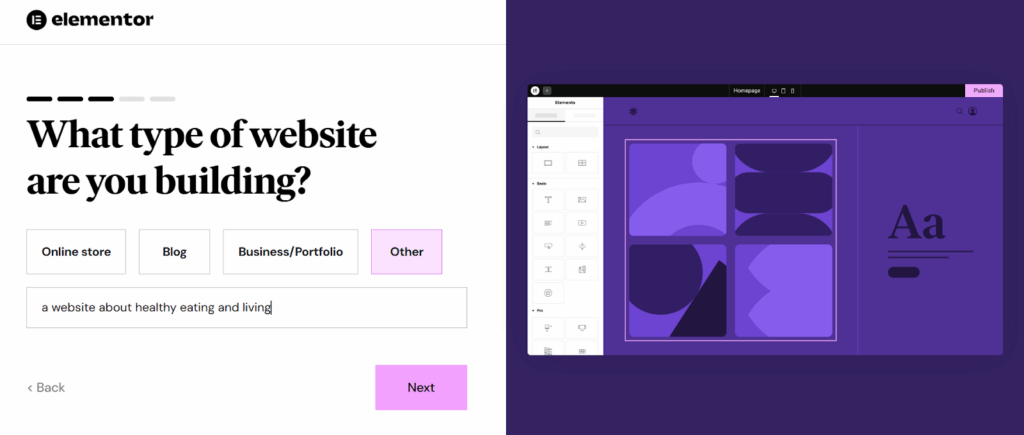
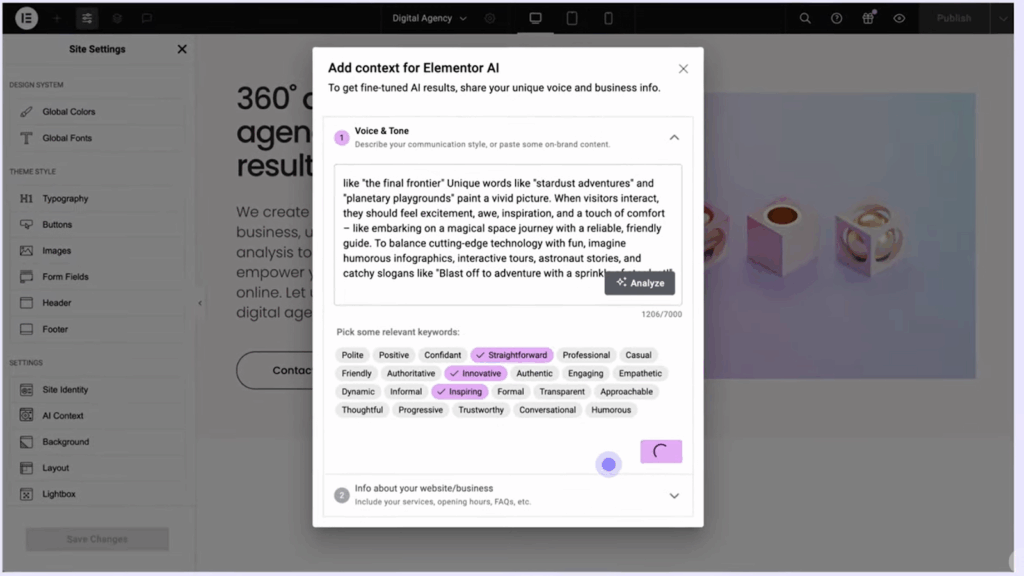
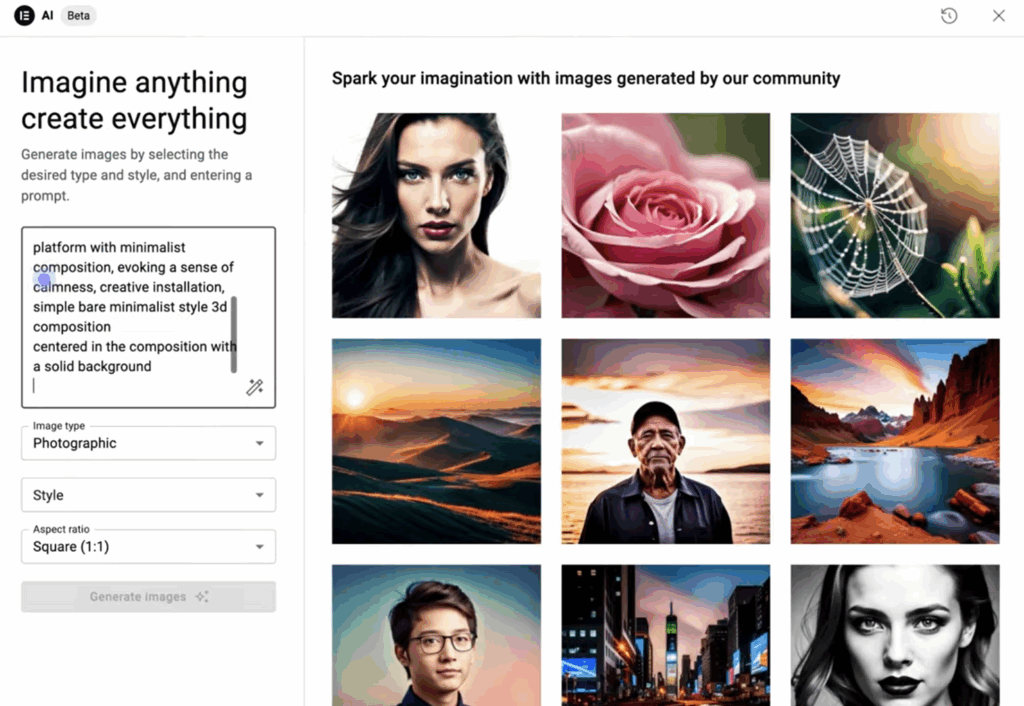
That said, the website builder is quite easy to use. It relies on AI Co-pilot to generate everything from images to text, and even designs sections (containers) with text prompts.
Why Elementor AI stands out:
- Elementor is widely used, and you can get access to a huge community and tutorials in case you’re stuck.
- Elementor provides hosting, but unlike 10Web, it doesn’t lock you in. So you can choose to use Elementor’s hosting or use another hosting provider like Truehost.
- With AI Copilot, all you need is type in your instructions and the AI does the rest.
It generates realistic images, also with prompts. Select an image style, and the AI will recreate a similar image.
Choose Elementor AI Builder if: You want to build an Elementor website, or you already have an Elementor website.
5) WonderSuite (Bluehost AI Builder)
Bluehost is another AI website builder for WordPress. It uses Wondersuite to help you make a great website, even if you don’t know how to code.
The WonderSuite platform handles the setup of WordPress for you. With its simple drag-and-drop system, you can move sections and content around without any coding.
- Site building begins in WonderStart, a tool that asks answer a few questions and begins to shape your site
- Then there’s WonderTheme, which helps you pick your favorite website style.
- WonderTheme generates webpage examples using the fonts and colors you chose in WonderStart, making it simple to pick the design you like best. Wondertheme ensures your site has a professional and consistent look from the start.
- In case you want to change themes or page layouts, you can do so with WonderBlocks until you find a layout that matches your style.
To use Wondersuite, start by describing your business.
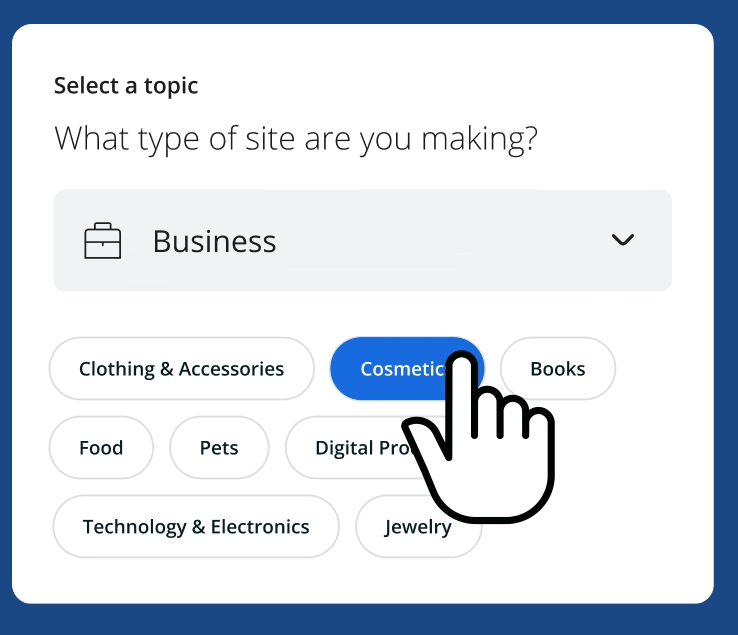
Then pick a template style that suits your business, pick your brand color palette, and watch your website come to life.

Why WonderSuite AI stands out
- Its suite of design tools work together to give you a polished website
- Besides designing a website, Bluehost AI focusses on improved website performance and security.
- If you’re running an online shop, you can run promotions with WonderCart to boost sales
Choose WonderSuite if: You want to host your WordPress site with Bluehost while taking advantage of an all-in-one builder like WonderSuite.
6) CodeWP
CodeWP is a bit different because it’s not a full website builder but it’s an absolute lifesaver for anyone working with WordPress. It’s specifically designed to generate code snippets (PHP, JavaScript, CSS, or even WooCommerce-specific code) from simple English descriptions.
It’s a great AI tool for developers or agencies that work with an in-house development team. Code WP has important features such as:
- Code editor. Need a custom function, theme, plugin, or code snippet? Just type what you want, and it generates the code. The code editor automates repetitive processes and also allows developers to collaborate on tasks.
- CodeWP Assistant. This is the AI chat function. It answers all questions related to WordPress. It also generates code.
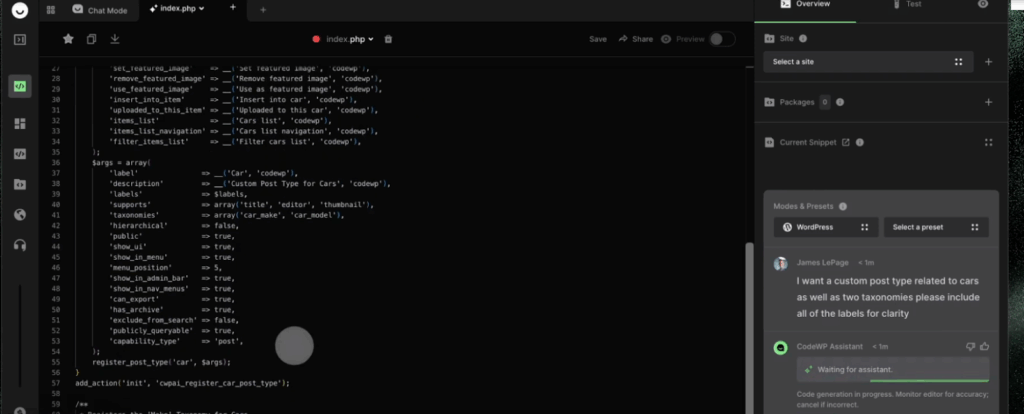
The example below shows CodeWP generating code (on the left screen) based on the prompt in the panel on the right side of the screen.
Why CodeWP stands out:
- It’s a powerful tool for agencies and developers (even non-techies who like to DIY) to easily enhance their websites with code.
- It improves productivity by cutting down on development time. It also helps you tackle tricky coding tasks with confidence.
- CodeWP has a community where members can discuss WP-related issues, including AI use in WordPress.
- The CodeWP team is constantly improving the tool with additional features. For instance, at the moment, they are working on adding security and troubleshooting features.
Get CodeWP if: You are a developer, agency, or designer who needs to build custom code for WordPress sites.
Final Word: Build Your Website with AI Today
The WordPress Website builders we’ve talked about, ZipWP, Divi AI, 10Web, Elementor AI, CodeWP, and WonderSuite, are truly revolutionizing how we approach WordPress website creation.
For business owners all over the world, these tools aren’t just about building a site; they’re about opening doors to new digital growth, expanding our reach, and fostering innovation.
I hope this guide helps you choose the perfect WordPress AI builder for your next WordPress project!