Domain SearchInstantly check and register your preferred domain name
 Web Hosting
 cPanel HostingHosting powered by cPanel (Most user friendly)
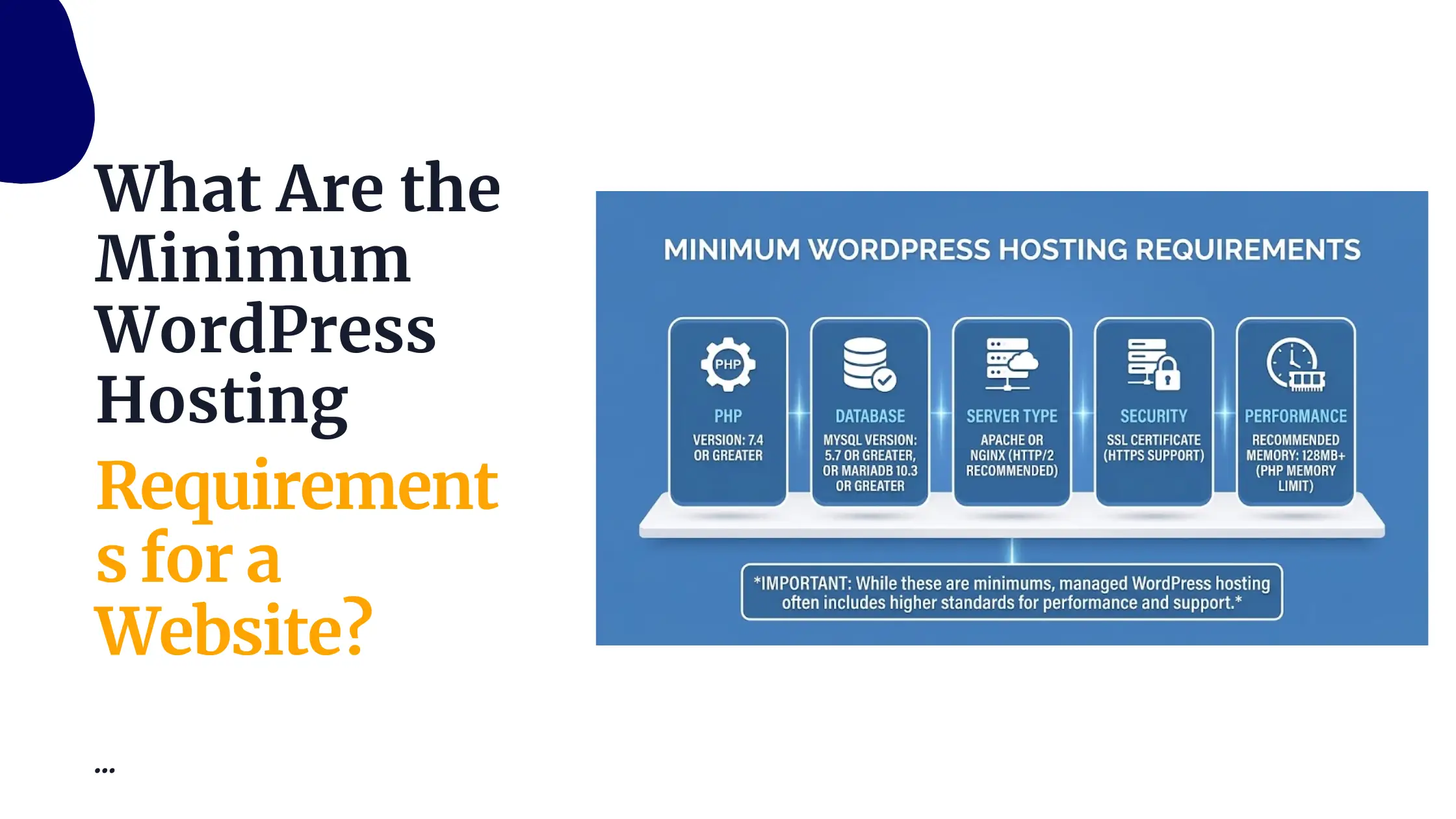
 WordPress HostingHost your WordPress website with fast, secure, and affordable WordPress hosting in Kenya.
 KE Domains
 Reseller HostingStart your own hosting business without tech hustles
 Windows HostingOptimized for Windows-based applications and sites.
 Free Domain
 Affiliate ProgramEarn commissions by referring customers to our platforms
 Free HostingTest our SSD Hosting for free, for life (1GB storage)
 Domain TransferMove your domain to us with zero downtime and full control
 All DomainsBrowse and register domain extensions from around the world
 .Com Domain
 WhoisLook up domain ownership, expiry dates, and registrar information
 VPS Hosting
 Managed VPSNon techy? Opt for fully managed VPS server
 Dedicated ServersEnjoy unmatched power and control with your own physical server.
 Website Builder
 Online Store BuilderLaunch a professional e-commerce store without writing code.
 Web Design ServiceGet a custom-designed website tailored to your brand and goals. From just KES 15,600
 BlogRead our guides on web hosting, online business, digital marketing, and more
 SupportOur support guides cover everything you need to know about our services
 ContactContact us via chat or email
If you’re researching web hosting for beginners, here’s the short version.
Web hosting is the service that stores your website’s files on a server and makes them available to anyone who visits your site.
Every website needs it, there’s no way around that part, since your files have to physically live somewhere with a connection fast and reliable enough to serve visitors around the clock.
Your domain name and your hosting work as a pair.
The domain is the address people type in, like yourbusiness.com. Hosting is where the actual site lives.
They’re connected through DNS settings, which we’ll walk through later in this guide.
There are a few main types of hosting, shared, VPS, cloud, dedicated, WordPress, and reseller, and pricing varies quite a bit depending on which one fits your situation.
Here’s a rough snapshot to start with, using Truehost pricing as a reference point.
| Hosting Type | Typical Starting Price |
|---|---|
| Shared hosting | From around KSh 188/month on longer billing terms |
| WordPress hosting | From around KSh 390-840/month |
| VPS hosting | From around KSh 560-800/month (international servers), higher for Nairobi-based VPS |
This guide walks through all of it in plain language, so you can go from knowing nothing about hosting to having a live website by the end.
How Does Web Hosting Work?
The process is more straightforward than it sounds once you see it laid out step by step.
You create or register a domain name.
Your website files, whether that’s a WordPress install, HTML pages, or an app, get uploaded to your hosting server.
The domain is then connected to that hosting account through DNS settings.
From there, when a visitor types your domain into their browser, DNS directs their request toward the correct server.
That server then sends your website’s files back to the visitor’s browser, and the page loads.
That’s the whole chain.
Domain points to server, server holds files, server delivers files on request.
Everything else in hosting is really just variations on how that server is set up and shared.
Types of Web Hosting Explained
1) Shared Hosting
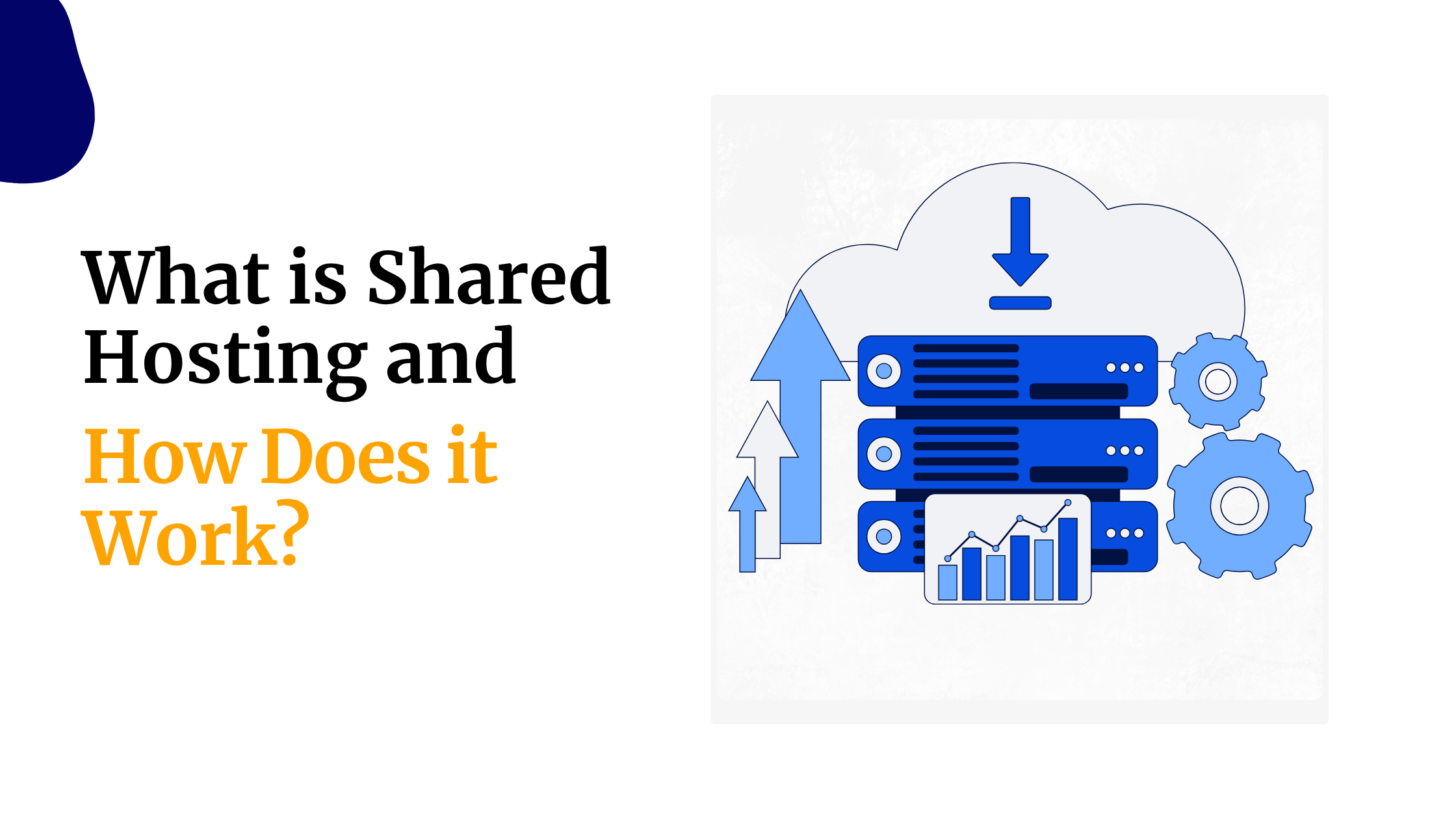
Shared hosting means multiple websites live on the same server and share its resources, CPU, RAM, and storage all split among everyone on that machine.
It’s usually the most affordable option available, and it’s genuinely easy for beginners to set up and manage.
For most small websites, blogs, portfolios, local business sites, shared hosting handles the job perfectly well.
2) VPS Hosting
VPS, or virtual private server, hosting gives you a dedicated slice of a server’s resources rather than sharing everything openly with other accounts.
That means greater control over your environment and better performance as your site grows.
It suits websites that have outgrown shared hosting’s limits, though it does require more technical comfort than a beginner-friendly shared plan.
3) Cloud Hosting
Cloud hosting draws resources from a network of connected servers rather than a single physical machine.
It’s built for flexibility and scalability, so if your site experiences unpredictable traffic spikes or growing resource needs, cloud hosting can adjust more fluidly than a fixed shared or VPS plan.
4) Dedicated Hosting
Dedicated hosting means an entire physical server is reserved for one customer.
It gives you maximum control and resources, but it comes at a considerably higher price point.
For a beginner just launching a first website, dedicated hosting is generally overkill, it’s built for large, high-traffic operations rather than a starting point.
5) WordPress Hosting
WordPress hosting is hosting optimized or packaged specifically around running WordPress efficiently.
It often simplifies setup, with WordPress pre-installed and configurations tuned for it. It’s worth knowing this isn’t necessarily a completely separate infrastructure category, it’s frequently shared or VPS hosting underneath, just configured and marketed specifically for WordPress users.
6) Reseller Hosting
Reseller hosting is built for people who want to sell hosting to their own customers, essentially buying server resources in bulk and repackaging them.
It’s not really relevant if you’re simply launching your first personal or business website.
Which Type of Web Hosting Is Best for Beginners?
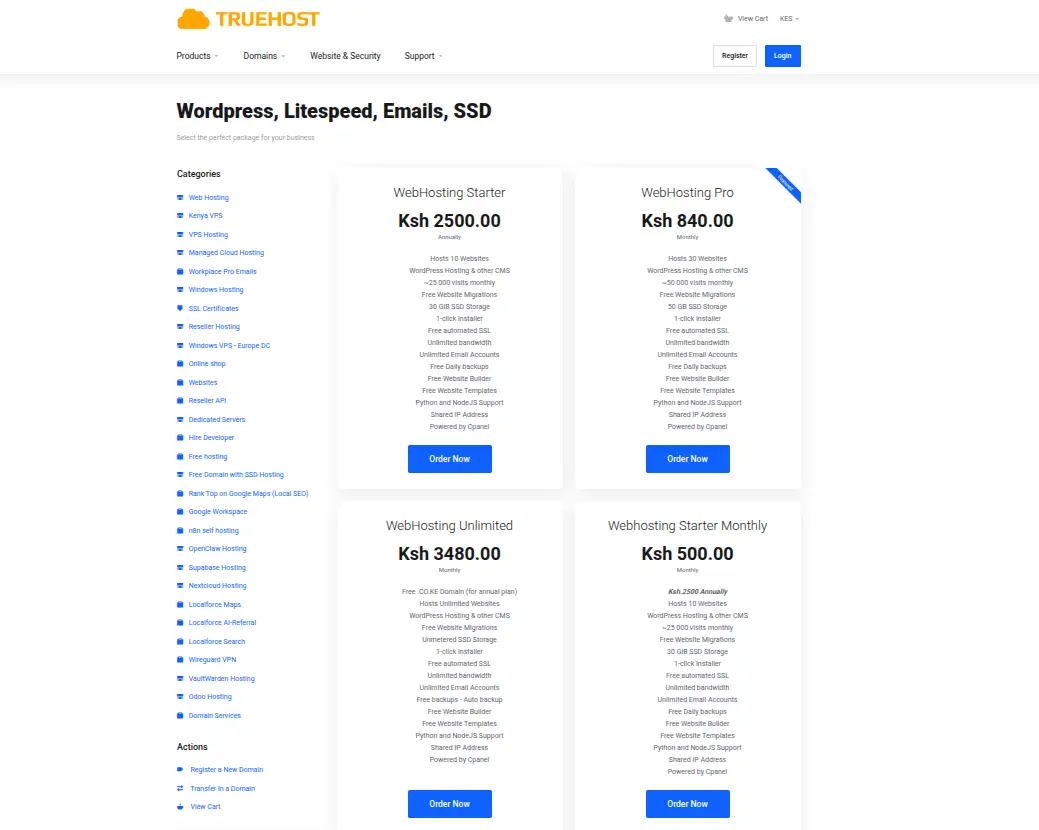
For most people just starting out, shared hosting is the right answer.
a) Shared Hosting for First-Time Website Owners
Shared hosting is usually the easiest starting point because it’s affordable, comes with beginner-friendly tools like cPanel, and doesn’t require any server management knowledge.
You install your site, and the provider handles the technical maintenance behind the scenes.
b) WordPress Hosting for WordPress Beginners
If you already know you’ll be building your site on WordPress specifically, WordPress hosting can make more sense from the start.
It often comes with WordPress pre-installed, along with caching and security settings already tuned for it, which removes a few setup steps compared to installing WordPress manually on generic shared hosting.
c) When Should a Beginner Consider VPS Hosting?
VPS hosting isn’t something every beginner needs, but a few circumstances point toward it. Growing traffic that’s starting to slow your site down on shared hosting is one signal.
So is needing more resources than a shared plan allows, wanting greater control over your server environment, running applications beyond a standard website, or simply having enough technical comfort to manage a more hands-on setup.
Here’s a simple way to match your website to a starting point.
| Your Website | Good Starting Point |
|---|---|
| Personal blog | Shared hosting |
| Portfolio | Shared hosting |
| Small business site | Shared hosting |
| WordPress blog | Shared/WordPress hosting |
| Small online store | Shared/WordPress hosting |
| Growing ecommerce site | VPS/cloud |
| Web application | VPS/cloud |
What Should Beginners Look for in Web Hosting?
Once you know which type of hosting fits, here’s what actually separates a good plan from a mediocre one.
- Storage should be SSD or NVMe rather than older spinning-disk drives, since SSD storage loads noticeably faster. Most beginner sites don’t need much, a personal blog or small business site can run comfortably on a modest allocation, and buying far more than you’ll use just wastes money without improving performance.
- Bandwidth refers to how much data your site transfers to visitors. You’ll see plans advertised as unlimited or unmetered, and while the two terms aren’t identical in strict definition, both generally mean no fixed transfer cap for normal use. It’s worth knowing that bandwidth isn’t the same thing as website speed, a generous bandwidth allowance won’t make your site load faster on its own.
- SSL certificates are essential because they enable HTTPS, the padlock icon browsers show for secure sites. Without it, browsers actively flag your site as not secure, which damages trust and can affect search visibility. Most decent hosting plans include a free SSL certificate now.
- Control panels, cPanel being the most common, give you a visual dashboard for managing files, databases, and email without touching the command line. For beginners, a familiar, well-documented control panel makes day-to-day management far less intimidating.
- Backups protect you if something goes wrong. Check how often backups run, how long they’re retained, and whether restoring from one is actually included or sold as a separate paid add-on.
- Email hosting lets you set up a professional address tied to your domain, something like [email protected], rather than relying on a generic free email provider, which looks considerably more credible for a business.
- WordPress support is worth checking if that’s your platform of choice, look for one-click installers and WordPress-specific optimizations if you’re planning to build there.
- Website migration is worth checking if you already have a site elsewhere. Some providers include free migration assistance, which saves a genuinely frustrating manual transfer process.
- Customer support deserves real attention as a beginner specifically. Check whether live chat, ticket support, and phone support are actually available around the clock, and whether there’s a solid knowledge base for self-service troubleshooting when you hit a snag outside business hours.
- Scalability rounds this out. Make sure your provider offers a straightforward upgrade path, so if your site outgrows its starting plan, you can move up without migrating to an entirely different company.
How Much Does Web Hosting Cost in Kenya?
Pricing in Kenya varies based on hosting type, storage allocation, number of websites supported, overall resources, billing period, included features, and critically, the gap between promotional pricing and renewal pricing.
i) Shared Hosting Costs
Shared hosting in Kenya generally starts from around KSh 188 per month when billed on a triennial term, working out to roughly KSh 2,500 for the entry-level plan’s first year.
Mid-tier shared plans with more storage and website capacity run higher, commonly in the KSh 390-840 per month range depending on the billing term chosen.
ii) WordPress Hosting Costs
WordPress-specific hosting in Kenya generally sits close to standard shared hosting pricing, sometimes slightly higher for plans bundling additional WordPress-focused performance tools like LiteSpeed caching.
iii) VPS Hosting Costs
VPS hosting in Kenya starts considerably higher than shared plans, from around KSh 560-800 per month on promotional international server pricing.
With locally-based Nairobi VPS servers and higher-resource tiers climbing into the KSh 3,900-11,700 range depending on RAM, CPU, and management level.
It’s worth being direct about something beginners often miss: the introductory price advertised isn’t always what you’ll pay at renewal.
A shared plan advertised from KSh 188 a month on a three-year term can renew at a meaningfully higher monthly rate once that term ends.
Always check the renewal price before committing, not just the number on the homepage.
Free Hosting vs Paid Web Hosting for Beginners
Free hosting plans typically include a small amount of storage, a basic control panel, and just enough functionality to get a simple site online at no cost.
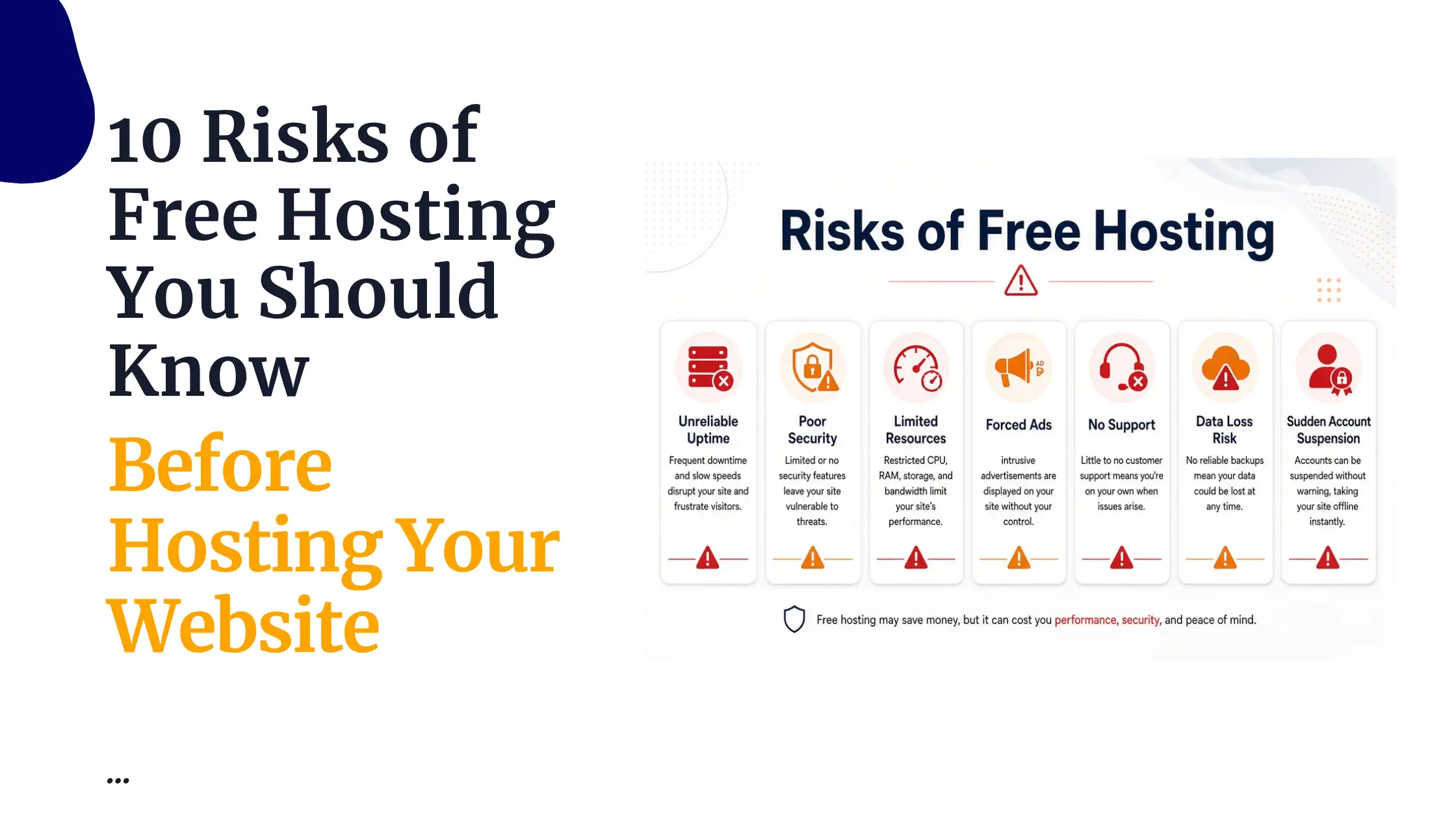
Free hosting however tends to come with real restrictions.
- Storage and bandwidth allowances are usually quite limited
- ads are sometimes displayed on your site without your control
- support is minimal to non-existent
- overall resources are thin
- customization options are restricted
- and reliability can be genuinely inconsistent, with more downtime than a paid host.
Free hosting can work fine for learning the basics, testing an idea before committing, or a genuinely temporary project you don’t need running long-term.
For business websites, professional portfolios, anything representing your brand publicly, ecommerce, or any site where reliability actually counts, paid hosting is the right call.
The cost difference is small relative to what a down or ad-cluttered site can cost you in lost trust.
How to Set Up Web Hosting for the First Time
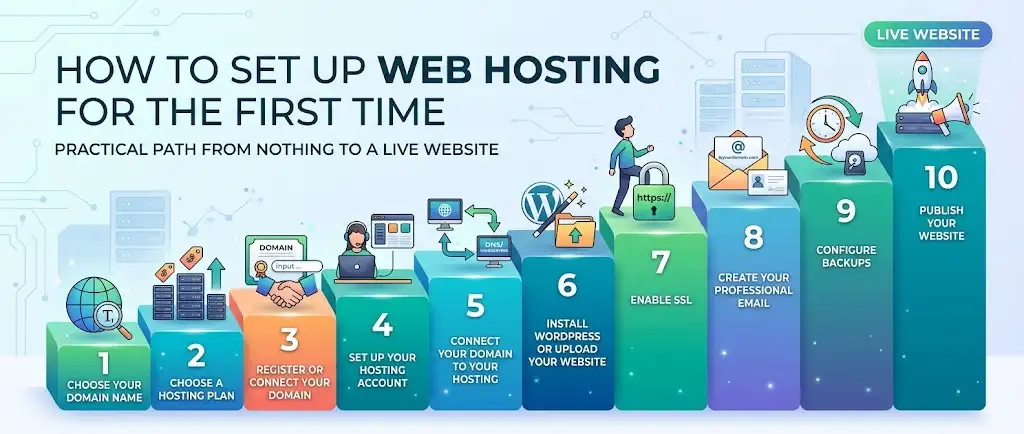
Here’s the practical path from nothing to a live website.
1. Choose your domain name. Pick something short, memorable, and reflective of your brand or purpose.
2. Choose a hosting plan. Match the plan to your website type using the guidance above.
3. Register or connect your domain. If you don’t already own a domain, register one through your hosting provider or a separate registrar.
4. Set up your hosting account. Complete signup and access your hosting control panel.
5. Connect your domain to your hosting. This usually means updating your domain’s nameservers to point to your hosting provider, or adding DNS records if you registered your domain elsewhere. Nameservers essentially tell the internet which server holds your site’s files.
6. Install WordPress or upload your website. Most control panels include a one-click WordPress installer, or you can upload your own site files manually via FTP or a file manager.
7. Enable SSL. Activate your free SSL certificate through your control panel so your site loads securely over HTTPS.
8. Create your professional email. Set up an address on your own domain rather than relying on a generic free provider.
9. Configure backups. Check your backup schedule and adjust it if needed, so you’re covered if something goes wrong later.
10. Publish your website. Once everything’s connected and tested, your site is live and ready for visitors.
How to Choose a Web Hosting Provider in Kenya
When comparing providers, look at the full picture rather than just the headline price.
That means comparing price alongside renewal price, server location relative to your audience, storage, bandwidth, SSL inclusion, backup policy, email hosting, support quality, control panel, WordPress support, migration assistance, and how straightforward upgrading is later.
Kenyan users have the option of both local and international hosting providers, and the right choice depends on your specific priorities, whether that’s local payment methods, server proximity for faster load times, or a particular feature set.
Truehost is a strong option worth considering here, with local Nairobi-based infrastructure, KES pricing with M-Pesa support, and hosting plans that scale from beginner-friendly shared hosting up through VPS as your site grows.