Domain SearchInstantly check and register your preferred domain name
 Web Hosting
 cPanel HostingHosting powered by cPanel (Most user friendly)
 WordPress HostingHost your WordPress website with fast, secure, and affordable WordPress hosting in Kenya.
 KE Domains
 Reseller HostingStart your own hosting business without tech hustles
 Windows HostingOptimized for Windows-based applications and sites.
 Free Domain
 Affiliate ProgramEarn commissions by referring customers to our platforms
 Free HostingTest our SSD Hosting for free, for life (1GB storage)
 Domain TransferMove your domain to us with zero downtime and full control
 All DomainsBrowse and register domain extensions from around the world
 .Com Domain
 WhoisLook up domain ownership, expiry dates, and registrar information
 VPS Hosting
 Managed VPSNon techy? Opt for fully managed VPS server
 Dedicated ServersEnjoy unmatched power and control with your own physical server.
 Website Builder
 Online Store BuilderLaunch a professional e-commerce store without writing code.
 Web Design ServiceGet a custom-designed website tailored to your brand and goals. From just KES 15,600
 BlogRead our guides on web hosting, online business, digital marketing, and more
 SupportOur support guides cover everything you need to know about our services
 ContactContact us via chat or email
Are you getting a lot of visitors to your website, but very few stick around or even move past the first blog or page?
Are your pages taking ages to reach page 1 in search results, even though you have great content and have optimized for SEO?
The problem could be bad web hosting performance.
A good web hosting service should offer strong support, high speeds, and reliability. You may already know this is important for your website to succeed, but do you know how to test web hosting performance?
In this article, we’ll go through:
- How to test web hosting performance: speed, support, and reliability
- Free tools for testing web hosting performance
But first, why is Good Web Hosting Performance Important?
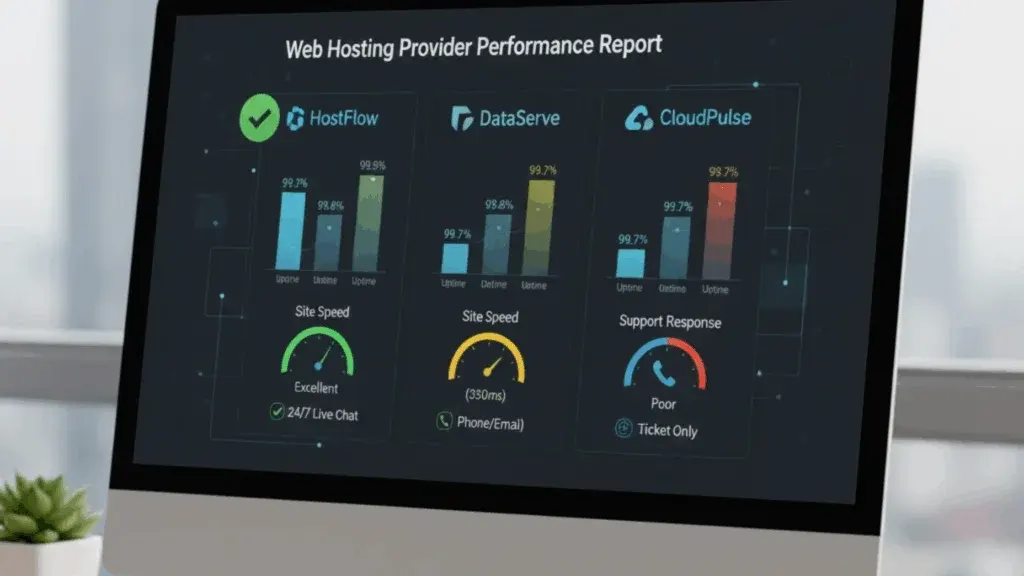
Have you ever experienced a slow-loading website? Did you wait for minutes as the pages loaded?
I bet your answer is NO.
The same thing would happen if people landed on your website pages only to encounter long page load times.
No one wants to wait around for your site to load, no matter how great your content is or how relevant your product is. People will always bounce off, go back to Google, and find another brand that does what you do, but with faster page loading.
So here’s why you want fast page loading speed:
- People stay and engage with fast websites
- Slow loading times frustrate users and cause them to leave,
- Site downtime can mean missed opportunities, lost revenue, and damage to your brand.
- Search engines, especially Google, favor fast and reliable websites in their rankings. So site performance is a very important factor for good SEO.
- Quick and helpful customer support can quickly fix problems with speed or reliability.
Now that you know why it’s important to have a fast-loading website, let’s dive into how to test speed, support, and reliability.
Testing Web Hosting Speed
Website speed is a very important factor that affects user experience, engagement, and search engine rankings.
Below are speed measures to look out for:
Server Speed
Server speed measures how long it takes for the website’s server to send information to the browser. A high server speed score means the hosting provider’s servers are responsive and efficient. If the server speed is slow, you will notice long loading times.
Time to First Byte (TTFB)
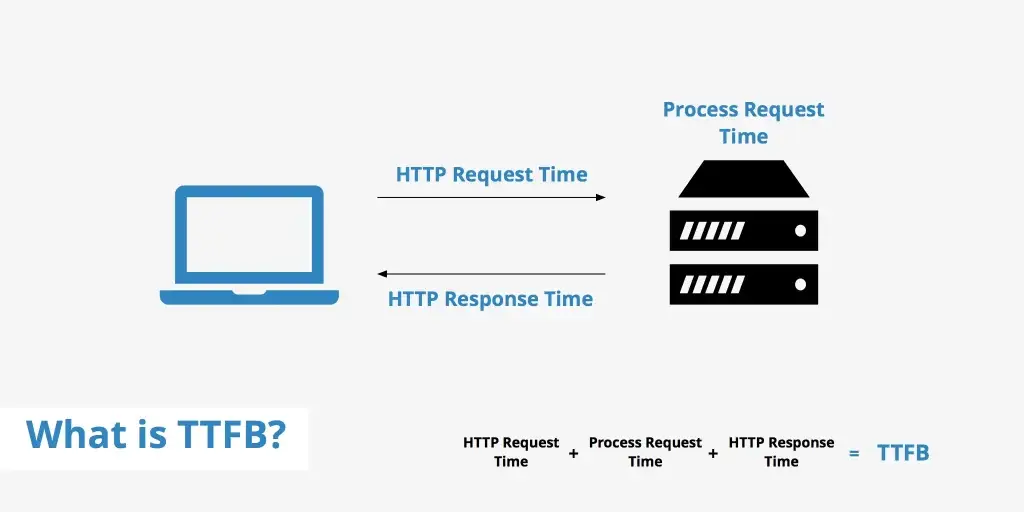
Time to First Byte (TTFB) tracks the time from when a search is made until the very first byte of the response starts to arrive from the server. It’s useful for gauging where a web server is slow to respond to requests.
A good TTFB value should be 0.8 seconds or less, while any value over 1.8 seconds is poor. So when measuring, aim for a low TTFB
Page load time
Page Load Time is a key metric that measures the total time it takes for a webpage to fully load and display all its content in a user’s browser. A faster page load time means a better user experience.
First Paint (FP)
This measure marks the exact moment, right after navigation, when the browser first shows any pixels on the screen. This is one of the most important measures because it lets the site visitor know that something is happening.
Other related measures include:
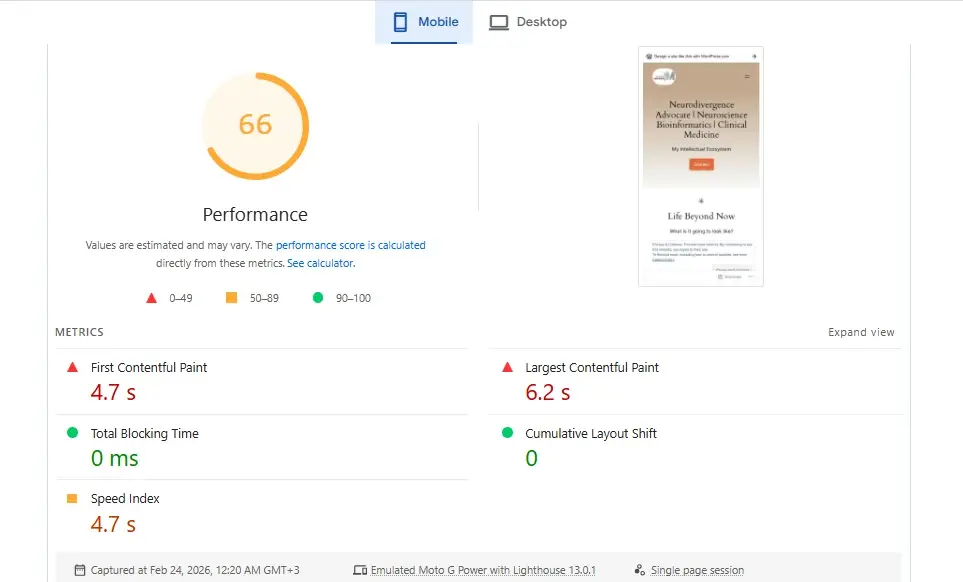
- First Contentful Paint (FCP) is a metric that measures the time it takes for the first piece of content, such as text or an image, to appear on the screen.
- Largest Contentful Paint (LCP), which measures how long it takes for the biggest visual part on the page (usually a text block or an image) to become visible in the user’s view. LCP is one of Google’s Core Web Vitals and greatly affects SEO performance.
Time to Interactive (TTI)
This measure indicates when the page is fully visible and can respond to visitor input. At this point, people can scroll, click links, and interact with page parts.
HTTP Requests
HTTP requests refer to the number of separate requests a webpage makes to the server to get all its content. A page with fewer HTTP requests loads faster, even if its total size is slightly larger, so it’s important to keep the total number of HTTP requests low.
Website Optimization is Just As Important As The Server Speed
As much as a fast server (shown by a low TTFB) provides a strong base for your website, if the website itself is not well-optimized (for example, it has very large images and many HTTP requests), the user experience KPIs (measured by FCP, LCP, TTI) will still be poor.
On the other hand, if your website is well-optimized, it can mitigate the impact of poor server performance.
This means when testing, consider both the server site and also how your website is built. You want to ensure that both the server and the website are optimized for speed and a great user experience.
Follow these best practices to optimize your website for better speeds:
- Make images smaller for the web
- Allow browser caching
- Make CSS and JavaScript files smaller
- Use a Content Delivery Network (CDN)
- Enable text compression
- Reduce the total number of HTTP requests a page makes
Factors Affecting Website Speed
Beyond the measures themselves, understanding the fundamentals that control website speed is very important for identifying problems, improving performance, and choosing a hosting provider.
Server Location and Latency
The physical distance between a user and the server hosting the website greatly affects delay and, as a result, load times. If data has to go a long distance, it will also take longer to arrive. It’s almost the same as sending a physical letter by mail.
Traffic congestion
Even with a perfectly placed server, heavy local internet traffic and congestion can significantly slow down data transfer. Things like busy periods and major local events can slow server speeds.
To reduce delays, choose a hosting provider with servers closer to you, such as Truehost. By storing website content across many global locations, we reduce the physical distance data needs to travel, which improves load times.
Server Hardware and Hosting Type
Server hardware quality, specs, and OS directly affect a website’s performance and security.
If you’re on a shared server, you’re likely to experience slow site speed, especially when there is a lot of traffic. You can improve performance by upgrading to a Virtual Private Server (VPS).
Type of Network
Fiber-optic connections, for example, offer higher speeds and greater reliability than older technologies.
Free Tools For Testing Web Hosting Speed
| Tool | What It Does | Key Features |
| Pingdom Website Speed Test | Tests page load time and identifies bottlenecks. | Content breakdown by type, server response codes, element load order, and global test locations. |
| Google PageSpeed Insights | Measures site speed for mobile and desktop. | Performance score based on Core Web Vitals, improvement tips. |
| Chrome DevTools | Developer toolkit built into Chrome. | Inspect network requests, measure Time to First Byte (TTFB), and analyze load timings. |
| WebPageTest | Advanced performance testing. | Waterfall charts, multiple test locations, network/device simulation, and deep TTFB analysis. |
| DebugBear | Speed testing with actionable fixes. | Lighthouse audits, improvement estimates, and prioritized suggestions. |
| Load Testing Tools (Apache JMeter, WebLOAD, LoadComplete) | Simulate high traffic to test the server under stress. | Identify slowdowns, connection limits, and resource constraints. |
| JavaScript APIs (Navigation Timing API, Resource Timing API) | Advanced, browser-native monitoring. | Real User Monitoring (RUM) with detailed resource timing metrics. |
Testing Web Hosting Support
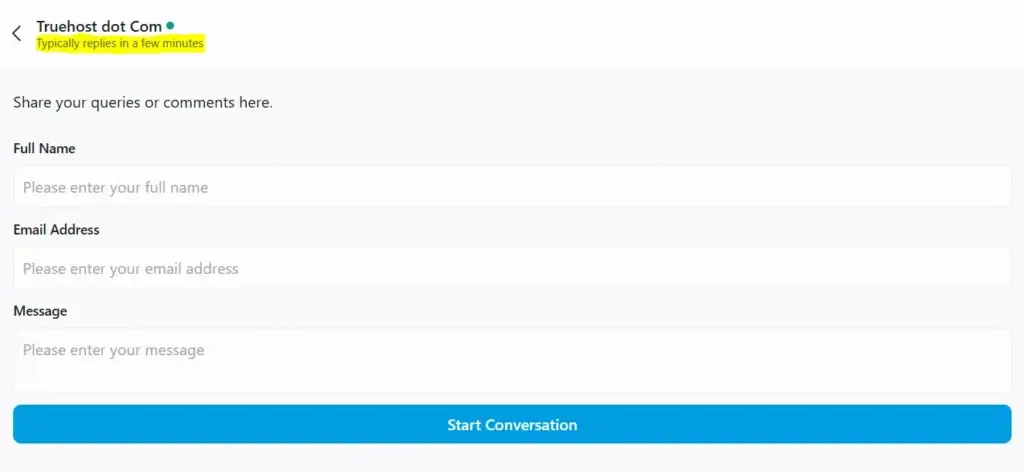
Having customer support reps to attend to customer queries is important, but are they efficient, skilled, and good at interacting with customers?
The following key performance indicators (KPIs) should help you gauge the kind of customer support to expect from your web host:
1) First Call Resolution (FCR)
What percentage of customer problems are fully solved during the first contact without needing more calls or transfers? A high FCR rate indicates that your web host resolves issues quickly.
2) Customer Waiting Time
This measures the average time customers typically wait on hold or for a response before speaking with a support representative. This time should be short.
3) Product Knowledge
Does the support team fully understand services, features, and technical details? If so, they can provide you with relevant assistance.
4) Customer Handover Rates
How often are customer issues passed between different departments or support levels? Lower handover rates usually mean more efficient internal processes and faster problem-solving.
5) Length of Call Time
Being thorough is important, but the goal is to balance thoroughness and speed so that all questions are fully answered without making the call too long.
6) Customer Complaints
How many customer complaints are there, and what are they about? This KPI helps you know the hosting provider’s weak areas.
7) Abandoned Calls
A high number of abandoned calls could mean that calls are dropped before customers can talk to an agent, and you are likely to experience the same.
8) Resolved Tickets / Success Rate of Calls
You want a hosting service with a high resolution rate because that means you will get solutions to any customer concerns you have.
9) Immediate Response Rate
Check how quickly the support team replies to customer questions across different contact methods.
10) Tone and Language
Customer support reps should remain positive and helpful even in tough situations.
11) Customer Satisfaction (CSAT)
Check out surveys or reviews on platforms like Trustpilot to see customer happiness levels about their support experience.
12) Customer Retention Rate
This measures the percentage of customers who are still using the service. A strong retention rate directly reflects customer satisfaction and loyalty, which are greatly influenced by the quality of ongoing support.
How to Test Web Hosting Support For Free
The only way to know if a web host lives up to their customer support promise is to test it out yourself.
Make a call to the web host and:
- Time the call to gauge how long they take to respond and resolve your problem
- Gauge their tone, friendliness, and overall willingness to help
- Present them with a problem to gauge if it’s resolved in one interaction and to test their knowledge levels
Beyond numbers, your hosting provider should be easy to reach.
- They should be available 24/7, regardless of time zone or business hours.
- They should be easy to contact via live chat, email, and phone support.
Lastly, check their reviews on platforms like TrustPilot. Dig into every review, especially the low-rated ones, because you should know why a customer gave them a low rating.
Testing Web Hosting Reliability
Web hosting reliability might sound vague, but it refers to performance factors like uptime/downtime, trust metrics (which you can often find in reviews on sites like Trustpilot), and money-back guarantees.
Uptime means the percentage of time a website is working and available to users. A higher uptime percentage ensures continuous access to your website.
Downtime measures how long a website is unavailable or not working correctly and can be caused by server problems, planned maintenance, or cyberattacks.
A good web host should offer between 99.9% to 99.99% uptime, with a money-back guarantee if they do not keep their uptime promise.
But to know if they’re making empty promises, look at the host’s past uptime records. How often did they happen, and how long did they last?
| Tool | What It Does | Key Features |
| UptimeRobot | Continuously monitors your website to ensure it’s available (Monitors up to 50 URLs for free) | Real-time alerts via email, SMS, voice calls, Slack, webhooks; SSL/domain monitoring; multi-location checks. |
| Pingdom | Tracks uptime and performance globally. | 70+ monitoring locations, instant downtime alerts. |
| Site24x7 | Uptime and downtime reporting. | Detailed availability reports, multi-location checks. |
| ServiceUptime | Website monitoring with quick alerts. | Email/SMS alerts, customizable frequency, multiple port monitoring, double-check verification, real-time & historical reports. |
| Evaluation Method | What to Look For | Why It Matters |
| Check the Provider’s Website | Website age, professional design, clear “About Us” info, easy-to-find contact details. | New or vague sites can signal inexperience or poor transparency. |
| Read Customer Reviews | Patterns of praise or complaints from different users | Reveals real-world support, speed, and reliability performance. |
| Check for SSL Certificate | Padlock icon + “HTTPS” in browser address bar. | Indicates basic security; absence of the padlock is a red flag. |
Frequently Asked Questions
Why does web hosting performance matter for my website?
Your web hosting controls how fast your pages load. It also affects how often your site stays online.
Slow pages push visitors away before they even read a word. Google also tracks page speed and uptime as ranking factors. So a sluggish host can quietly kill your search rankings, too.
What uptime percentage should I expect from a reliable web host?
A good web host should guarantee at least 99.9% uptime. Some premium providers go higher, reaching 99.99%. The difference may look small on paper, but the gap in actual downtime is noticeable.
How do I test a web host’s customer support before I sign up?
The simplest way is to contact them before you pay for anything. Reach out via live chat or phone and treat it like a real test.
Pay attention to how long it takes to reach a real person. A slow response at this stage usually means slow support later. Ask a technical question too, such as how to clear your server cache or configure PHP settings.
Does server location affect my website speed?
Yes, and more than most people expect. Data travels at a finite speed. The farther it has to go, the longer it takes to reach your visitor’s browser. This delay is called latency.
How often should I test my web hosting performance?
Testing once at setup is a start, but performance changes over time. New plugins, increased traffic, and code updates can all gradually slow a site down without any obvious trigger.
How to Ensure the Best Web Hosting Performance
Here’s a quick checklist to keep in mind when it comes to choosing a reliable host:
Pick a web host that offers reliable uptime, fast load times, and responsive support. Partnering with a trusted host like TrueHost ensures you get all these essentials, and we have a track record to prove it.
Monitor your hosting regularly with free tools to catch and fix issues early.
Optimize your site by:
- Compressing and resizing images
- Cleaning up unnecessary code
- Using a Content Delivery Network (CDN) for faster delivery to global visitors
Lastly, reassess your hosting periodically to ensure it continues to meet your business needs as they change.