 Domain SearchInstantly check and register your preferred domain name
 Web Hosting
 cPanel HostingHosting powered by cPanel (Most user friendly)
 WordPress HostingHost your WordPress website with fast, secure, and affordable WordPress hosting in Kenya.
 KE Domains
 Reseller HostingStart your own hosting business without tech hustles
 Windows HostingOptimized for Windows-based applications and sites.
 Free Domain
 Affiliate ProgramEarn commissions by referring customers to our platforms
 Free HostingTest our SSD Hosting for free, for life (1GB storage)
 Domain TransferMove your domain to us with zero downtime and full control
 All DomainsBrowse and register domain extensions from around the world
 .Com Domain
 WhoisLook up domain ownership, expiry dates, and registrar information
 VPS Hosting
 Managed VPSNon techy? Opt for fully managed VPS server
 Dedicated ServersEnjoy unmatched power and control with your own physical server.
 Website Builder
 Online Store BuilderLaunch a professional e-commerce store without writing code.
 Web Design ServiceGet a custom-designed website tailored to your brand and goals. From just KES 15,600
 BlogRead our guides on web hosting, online business, digital marketing, and more
 ContactContact us via chat or email

You have probably read that Oracle gives away a free 4-core server forever. You may also have heard that AWS hands you a free server for a full year. Both claims are out of date.
If you want a free VPS server in 2026, the rules have changed. Oracle cut its Always Free ARM allowance to 2 OCPUs and 12 GB of RAM on June 15, 2026. AWS dropped its 12-month free year for new accounts on July 15, 2025. It now offers up to $200 in credits instead.
Plenty of tutorials still describe the old deals. Follow them, and you may hit a shutdown or a surprise bill.
Free rarely means free in the way people hope. Providers use three different models, and mixing them up leads to surprise bills.
- Always-free allowance. A small server stays free as long as you stay within monthly limits. Google Cloud and Oracle both work this way.
- Credit-based plan. You get a pot of credits and a time limit. AWS works this way, and Azure adds credits on top of its free hours.
- Trial or refund window. You get about 30 days to test a paid plan. Some hosts refund you if you cancel.
Many hosts that advertise a free VPS really offer a money-back guarantee. You pay first and get a refund later. That isn’t free in the usual sense.
No provider gives away unlimited servers. Every real offer caps CPU, memory, storage, or time. Almost all of them also want a card on file.
Match the type to your goal. For learning Linux, an always-free server is ideal. For a short project, credits work well. To test one stack for a month, a trial fits.
This guide covers the free offers that still work today. You will find a comparison table, a step-by-step walkthrough of the claim, and the actual limits. We checked every offer in November 2026.
It suits students, hobbyists, and developers who want a real Linux server to practice on.
Best Free VPS Options You Can Still Claim
Here are the offers that still work in November 2026. Terms shift, so check each live page before you sign up.
| Provider | What you get | Duration | Card needed | Best for | Main catch |
|---|---|---|---|---|---|
| Google Cloud | 1 e2-micro, 30 GB disk, $300 credit | VM stays free; credit lasts 90 days | Yes | Small always-on server | Certain US regions only |
| Oracle Cloud | Ampere A1, up to 2 OCPUs and 12 GB | Continuing allowance | Yes | More RAM for free | Capacity errors, recent cut |
| AWS | $100 credits plus up to $100 more | 6 months at most | Yes | Trying many services | New accounts only, no extension |
| Azure | $200 credit plus B-series VM hours | Credit lasts 30 days | Yes | Windows or Linux practice | Check how long VM hours last |
| IONOS / Kamatera | Credit or trial, or refund window | About 30 days | Varies | Testing a specific setup | Short fixed clock |
1) Google Cloud e2-micro (Always Free) Plus the $300 Trial
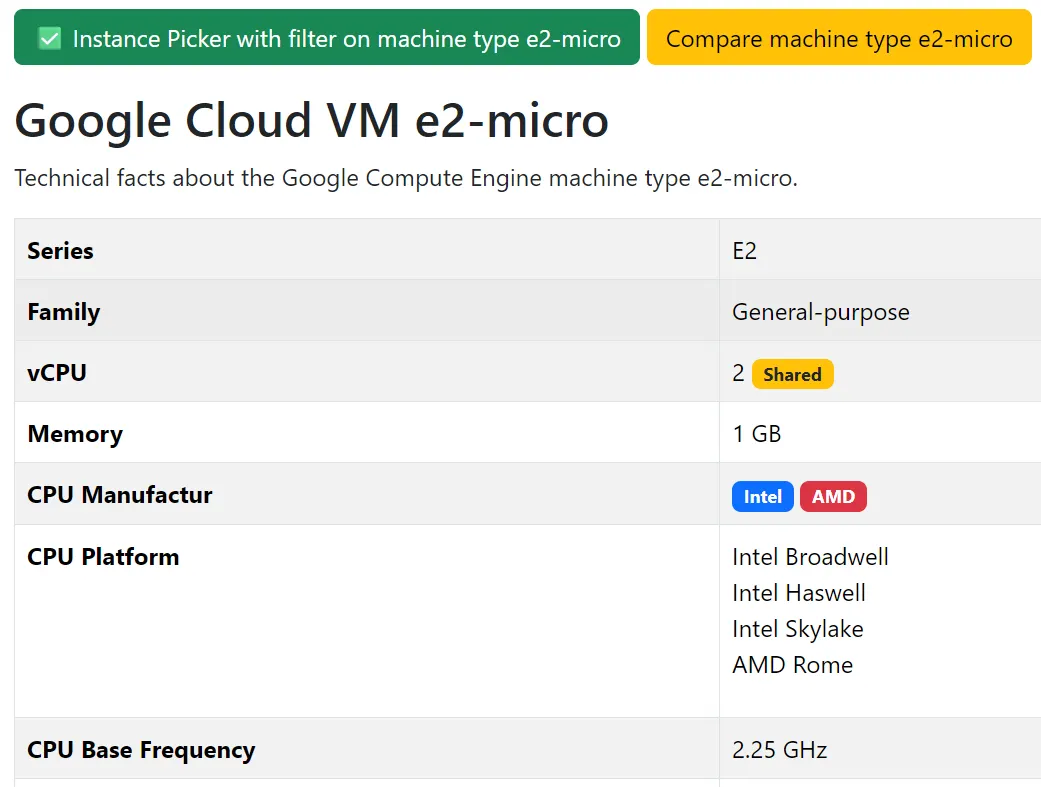
Google Cloud offers the most stable always-free server. The free tier covers one e2-micro VM. You also get 30 GB of standard disk and 1 GB of outbound traffic each month.
New accounts also get a $300 welcome credit. It lasts 90 days. After that, the trial account will close unless you upgrade to a paid billing plan. Upgrading keeps your always-free VM. You pay only for usage above the free limits.
The free VM works only in certain US regions. Check Google’s current free tier list before you pick a region.
Expect a small box. The e2-micro has shared CPU and about 1 GB of RAM. That is enough for a light site, a bot, or a Linux lab.
Best for: anyone who wants a small always-on server with the fewest surprises.
2) Oracle Cloud Always Free
Oracle’s free tier used to be the star. It gave you 4 ARM cores and 24 GB of RAM. That allowance is gone.
Since June 15, 2026, the Ampere A1 allowance is 2 OCPUs and 12 GB of RAM. Oracle updated its docs without a public announcement. Many tutorials still show the old numbers. Free-only accounts that exceeded the new limits saw instances shut down until they resized.
Capacity is the next problem. Oracle’s ARM instances are popular, so “out of host capacity” errors are common. Try again later, or start with a smaller configuration.
Grandfathering is murky. Oracle’s docs say the new limits apply to all tenancies. Some support replies say only free-tier accounts are affected. Check your own console, and save any support reply you receive.
Oracle also lists two small AMD micro VMs in its free tier. Confirm the current allowance in Oracle’s Always Free docs.
Best for: people who want more RAM and can wait for capacity to open up.
3) AWS Free Plan
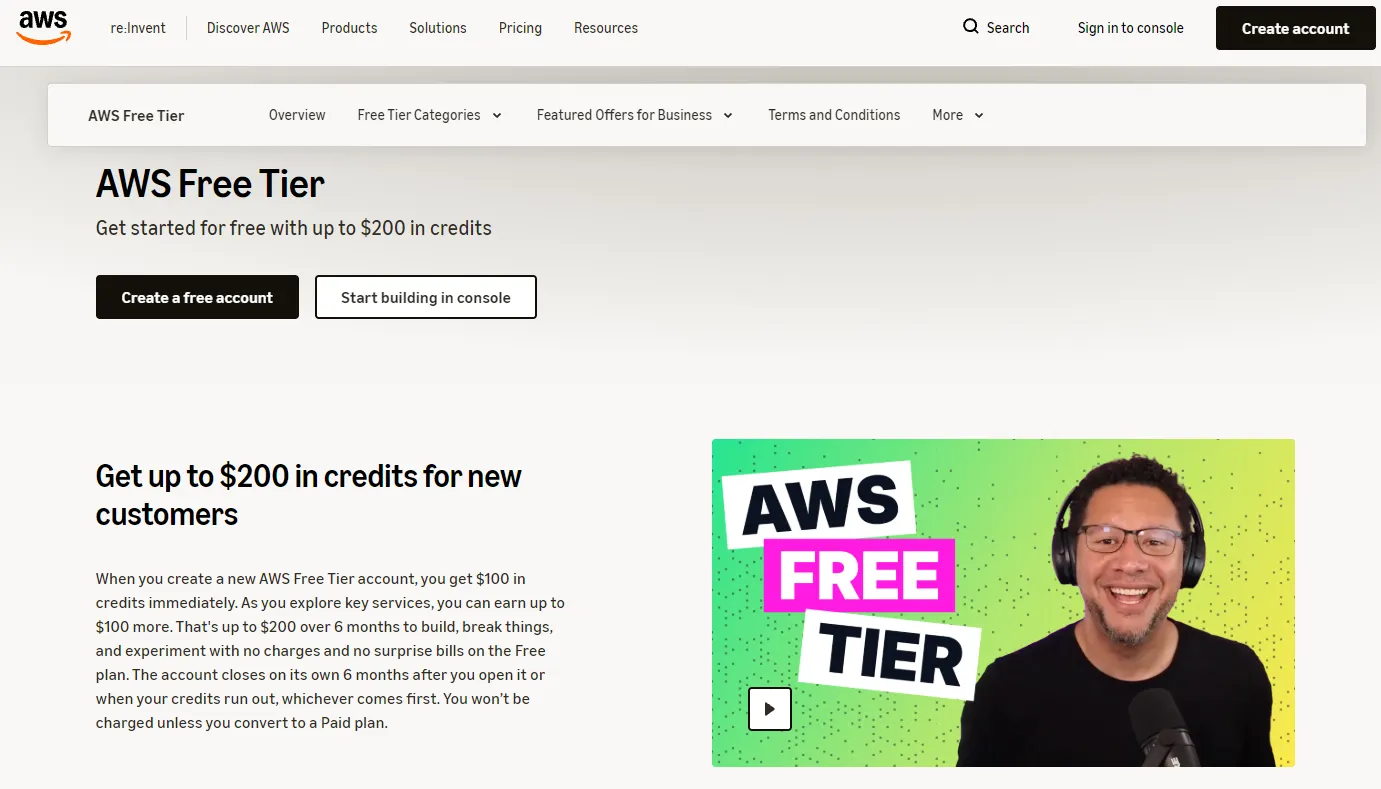
AWS changed its rules for new accounts on July 15, 2025. New customers get $100 in credits at sign-up. You can earn up to $100 more by trying services such as EC2.
The free plan ends after six months or when the credits run out. Whichever comes first wins. You can’t extend it. EC2 usage depletes your credits, so a larger instance drains them faster.
An older guide may promise 750 free hours a month of t2.micro for a year. That deal applies only to accounts created before July 15, 2025.
Anyone who has held an AWS account before is ineligible for the free plan. AWS also requires a payment method at sign-up. See the AWS Free Tier page for current terms.
Best for: trying many AWS services in a short window.
4) Microsoft Azure Free Account
Azure gives new accounts a $200 credit to use within 30 days. It also includes free monthly hours on small, burstable VMs. These are the B1s, B2pts v2, and B2ats v2 sizes, with up to 750 hours each month.
Microsoft’s pages describe how long those hours last in more than one way. Check the live Azure page for the current duration before you rely on them.
Azure is also the only major offering here, with a free Windows VM allowance.
Sign-up needs a phone number, a credit or debit card, and a Microsoft or GitHub account. You may see a temporary $1 verification hold.
Best for: Windows or Linux practice on a small VM.
5) Free Trials and Refund Windows (IONOS, Kamatera)
IONOS offers a $200 cloud credit for 30 days. It also sells VPS plans with a 30-day money-back guarantee. Kamatera offers a 30-day free trial.
A trial and a refund differ. With a trial, no money moves. With a refund, you pay first and wait for your money back.
Set a calendar reminder for day 25. These offers run on a fixed clock.
Best for: testing one specific setup for a month.
6) Student and Community Programs
Some providers give students extra credits through a school email. Terms change often, so check each provider’s student page.
Community programs also exist. Volunteers or small hosts donate servers, usually with strict abuse rules. Providers terminate VMs that break those rules. Treat these programs as low-reliability.
Some hosts trade a free VPS for a backlink or a blog mention. Skip those deals. You give up your site’s credibility for a small box.
Avoid “free RDP” tricks too. Guides that use browser tools to grab free servers often break provider terms. They can also put your data at risk.
can run it for as long as you stay inside the free limits.
How to Claim a Free VPS Step by Step (Google Cloud Example)
The flow is similar on Oracle and AWS. You create an account, launch an instance, add an SSH key, and connect. Here is the Google Cloud version.
- Set billing guardrails first. Create your Google Cloud account and verify it with a card. Then open Billing and create a budget alert. Do this before you launch anything.
- Create a project. Name it something simple, such as free-vps-lab.
- Create the VM. Go to Compute Engine, then VM instances, then Create instance. Choose the e2-micro size and an eligible US region. Keep the boot disk at the standard 30 GB. Pick Debian or Ubuntu LTS.
- Add your SSH key. On your computer, run ssh-keygen -t ed25519. Then paste the public key into the instance’s SSH key settings.
- Connect. Copy the external IP from the VM list. Then run the command below.
ssh -i ~/.ssh/id_ed25519 youruser@EXTERNAL_IP- Run the first updates. Patch the system before you install anything.
sudo apt update && sudo apt upgrade -y- Create a non-root user. Replace deploy with any name you like.
sudo adduser deploy

sudo usermod -aG sudo deploy- Turn on a firewall. Allow SSH first, or you will lock yourself out.
sudo ufw allow OpenSSH

sudo ufw enable
You now have a patched, firewalled Linux server. Next, install Nginx or a bot framework and start building.
Free VPS Limits, Risks, and Surprise Charges
Every free offer ends somehow. Know the exit before you start.
- Google Cloud. The trial account closes after 90 days or once you spend the $300. You then get a 30-day grace period to recover it. To keep your always-free VM, upgrade to a paid billing account.
- AWS. The free plan ends after six months or when credits run out. The account closes on its own unless you upgrade.
- Azure. Move to pay-as-you-go within 30 days or after you use the credit. If you don’t, Azure disables your account and services.
Billing guardrails keep a free server free:
- Set a budget and a billing alert on day one.
- Write down when the plan ends and when the credits expire.
- Stop or delete instances you no longer use.
- Pick the free size on purpose. Azure advises creating resources from its Free services page, since free sizes aren’t always preselected.
Safety needs a plain warning. Unknown “free forever” sites can expose your data or your domain to bad actors. Stick to named providers. Use SSH keys instead of passwords, and never reuse a password.
Performance has a ceiling too. Expect about 1 GB of RAM and burstable CPU on the common offers. A busy site will slow down under load.
What You Can and Can’t Run on a Free VPS
A small server handles small jobs well.
Good fits:
- A personal site or portfolio on Nginx
- A Discord or Telegram bot
- A small Git server
- A Linux practice lab
- Light automation and scheduled jobs
Poor fits:
- A busy WordPress site
- A database under heavy load
- A game server
- Anything that needs guaranteed uptime
Here is a quick rule of thumb. The operating system takes around 200 MB of RAM. A small service needs roughly 100-300 MB more. Keep your total under about 800 MB on a 1 GB box. Add swap space if you run close to the limit.
Provider terms ban abuse such as crypto mining and spam. Break them, and you risk a suspended account.
When Free Stops Being Enough
Free servers teach you a lot. Still, you will outgrow one. Watch for these signs:
- Your trial or credits are about to end.
- You need more than 1 GB of RAM.
- You want one fixed monthly bill.
- You need a server that stays up around the clock.
Paid entry-level plans cost less than most people expect. Truehost’s Linux VPS plans start from $4.47 per month on a triennial term. Prices vary by market, so check your regional Truehost site.
Managed plans cover updates, security, and backups. Unmanaged plans hand you the server and full control. Pick unmanaged if the walkthrough above felt easy. Pick managed if you want setup handled for you.
FAQs
Can I Get a Free VPS Without a Credit Card?
Usually not. AWS requires a payment method, even on the free plan. Google requires a card or similar method for its trial. Azure asks for a card and a phone number.
The card verifies that you are a real person. Azure, for example, may place a temporary $1 hold. A hold isn’t a charge.
Community programs sometimes skip the card, which is less reliable. If a card is a dealbreaker, a low-cost paid plan is the safer route.
Can I Get a Free Windows VPS or RDP?
Yes, with limits. Azure’s free account includes 750 hours a month of a B1s Windows VM. That is the clearest free route.
Other trial credits can also cover Windows. However, licensing may drain the credit sooner. Skip any site that offers “free RDP.” Those sites are risky.
Can I Run a Minecraft or Game Server on a Free VPS?
Usually not. A 1 GB server is too small for most game servers.
Oracle’s 12 GB allowance has more room. It runs on ARM, though. Check that your game server software supports ARM first. For a steady game server, pick a paid plan with more RAM.
Use the Free Tier to Learn, Then Move Your Project to a Server You Control
Free servers are great teachers. Use one to learn SSH, firewalls, and web servers. Break things there, and nobody gets hurt.
A real project needs a server that never expires. Free credits end, trials close, and allowances shrink. Oracle just proved the last point.
So follow a simple rule. Learn on a free server. Then move your project to one you control.
Ready to move? Start with an entry-level Truehost VPS. Choose unmanaged for full control. Choose managed if you want us to handle setup and updates.