 Domain SearchInstantly check and register your preferred domain name
 Web Hosting
 cPanel HostingHosting powered by cPanel (Most user friendly)
 WordPress HostingHost your WordPress website with fast, secure, and affordable WordPress hosting in Kenya.
 KE Domains
 Reseller HostingStart your own hosting business without tech hustles
 Windows HostingOptimized for Windows-based applications and sites.
 Free Domain
 Affiliate ProgramEarn commissions by referring customers to our platforms
 Free HostingTest our SSD Hosting for free, for life (1GB storage)
 Domain TransferMove your domain to us with zero downtime and full control
 All DomainsBrowse and register domain extensions from around the world
 .Com Domain
 WhoisLook up domain ownership, expiry dates, and registrar information
 VPS Hosting
 Managed VPSNon techy? Opt for fully managed VPS server
 Dedicated ServersEnjoy unmatched power and control with your own physical server.
 Website Builder
 Online Store BuilderLaunch a professional e-commerce store without writing code.
 Web Design ServiceGet a custom-designed website tailored to your brand and goals. From just KES 15,600
 BlogRead our guides on web hosting, online business, digital marketing, and more
 ContactContact us via chat or email

Your CPU count will not decide whether your mail reaches the inbox: the IP address and your provider’s port 25 policy will.
You have already chosen to run your own mail server. So this guide skips the sales pitch. It ranks each check by how much damage it prevents.
Start with policy and IP quality. Then size the server, pick a data location, and compare prices. Every section gives you something you can verify before you pay.
1) Check the Port 25 Policy Before You Pay
Port 25 carries mail between servers. Most VPS hosts block outbound port 25 by default to stop spam. As a result, a fresh server can receive mail but cannot send it directly.
Ask the provider two questions before you order. Is the port open by default, or only after a support ticket? And what do they need from you to approve the request? Expect questions about your business and your sending volume.
Providers screen these requests carefully. One compromised script can wreck an IP’s reputation for weeks. So a strict host is often a good sign.
Ports 587 and 465 work differently. They handle authenticated submission from your staff’s mail apps, and they usually work even when port 25 is blocked. However, they do not fix server-to-server delivery. Your server still needs port 25 to send mail straight to Gmail or Outlook.
Get the policy in writing. An email from support is enough. A vague “email is allowed” line on a sales page is not.
2) Test the IP Address and Take Control of Reverse DNS
New VPS addresses start with a handicap. Many sit on spam blocklists by default. A previous tenant may also have burned the address.
Before you move any DNS records, run the IP through a blocklist checker such as MXToolbox. If the IP is listed, ask the provider for a new one. A good host will swap it without a fight.
Reverse DNS comes next. A PTR record maps your IP back to your mail hostname. Receiving servers check that the forward and reverse records agree. Spamhaus follows the same logic. It asks for a static IP with matching forward and reverse DNS before it removes a listing.
Ask whether you can set the PTR record yourself in the control panel. Some hosts make you open a ticket each time. That delay hurts when you migrate in a hurry.
You also need SPF, DKIM, and DMARC records. They deserve their own guide, so this article skips the setup steps.
3) Size the VPS for Mailboxes, Not for a Website

Website sizing advice fails here. A mail server hits limits in memory, disk speed, and filtering load. Page views play a smaller role.
Spam and virus scanning take the biggest share of RAM. Mailu’s documentation lists a minimum of 1 GB RAM without ClamAV and 3 GB with it. Meanwhile, a light Postfix, Dovecot, and Rspamd setup runs smoothly on 2 GB.
Use the table below as a starting point. Load shifts with attachment size and filtering rules, so test before you commit.
| Mailboxes | Starting spec | Notes |
|---|---|---|
| Up to 10 | 1 to 2 vCPU, 2 GB RAM | Skip ClamAV or add RAM if you keep it. |
| 10 to 25 | 2 vCPU, 4 GB RAM, 60 to 120 GB SSD | Matches one published sizing guide for small businesses. |
| 25 to 100 | 4 vCPU, 8 GB RAM, NVMe | A starting guess. Load-test it first. |
| 100 or more | Price a dedicated server | One hosting guide recommends 10,000 mailboxes on 6 cores with 32 GB of RAM. |
Four more specs deserve a check:
- KVM virtualization. Container-based plans share the host kernel. That limits low-level tuning and security hardening.
- SSD or NVMe storage. Mail queues and Dovecot indexing hit the disk hard during spikes.
- Disk headroom. Every message is a file, so mailboxes fill quickly. As a rule of thumb, add 50 percent to your total quota for logs and queues.
- Dedicated CPU and RAM. Overselling hurts most during spam scans. Ask whether the resources are guaranteed.
4) Choose Between a Nairobi Server and an Offshore Server
Location affects two things: speed and law.
Speed comes first. A Nairobi data center keeps IMAP and webmail snappy for staff in Kenya. Still, do not trust a brochure number. Run a ping and a traceroute from your office before you commit.
The legal side is newer. On 8 September 2026, Kenya’s Office of the Data Protection Commissioner (ODPC) published its Guidance Notes for Cross-border Data Transfers. The notes confirm that storing personal data on cloud servers outside Kenya counts as a transfer. Business email almost always holds personal data, so this applies to you.
Two rules deserve a closer look:
- Section 49 of the Data Protection Act. Sensitive personal data needs explicit consent and confirmed safeguards before it leaves Kenya.
- Section 50 and Regulation 26. Data processed for the strategic interests of the State must run through a server in Kenya. Alternatively, you can keep one serving copy there.
Schools, clinics, and health or education technology firms should check this first. Contract safeguards do not override a localization rule.
Offshore hosting is not banned. The guidance even accepts that hosting offshore for efficiency can be a legitimate interest. Still, if your mail carries sensitive data, a Nairobi server removes the question. Check with a lawyer or the ODPC either way. The guidance is only a few months old.
5) Decide Between Managed and Unmanaged Honestly
Unmanaged means you run everything. You patch the operating system, watch blocklists, clear queue floods, and test restores.
Truehost’s own VPS guide estimates two to five hours of server admin a week for a business owner. It also says managed plans cost three to five times as much for equivalent specs. Both numbers deserve a hard look. Compare the extra monthly fee with the value of those hours.
Here is a simple rule. Choose managed if nobody on staff administers Linux. Choose “unmanaged” only if a single named person owns the mail server.
Also keep the mail server separate from your websites. One infected site on the same VPS can burn your sending IP. As a result, a hacked contact form could land every invoice in the spam folder.
6) Plan Backups, Security and Downtime
Mail is business memory. Losing it hurts more than losing a website.
- Backups. Store them off the server and use snapshots before big changes. Then test a restore at least once.
- Access control. Set up a firewall and fail2ban. Use key-only SSH and two-factor login on the admin panel.
- Outages. Sending servers retry for a while when yours is down. However, a long outage still results in mail loss. A secondary MX record adds a buffer.
- Uptime. Ask for a written commitment. Then ask what compensation looks like when the provider misses it.
7) Compare VPS Pricing in KES and Watch the Billing Term
Advertised prices usually assume a long billing term. So check the term behind the number.
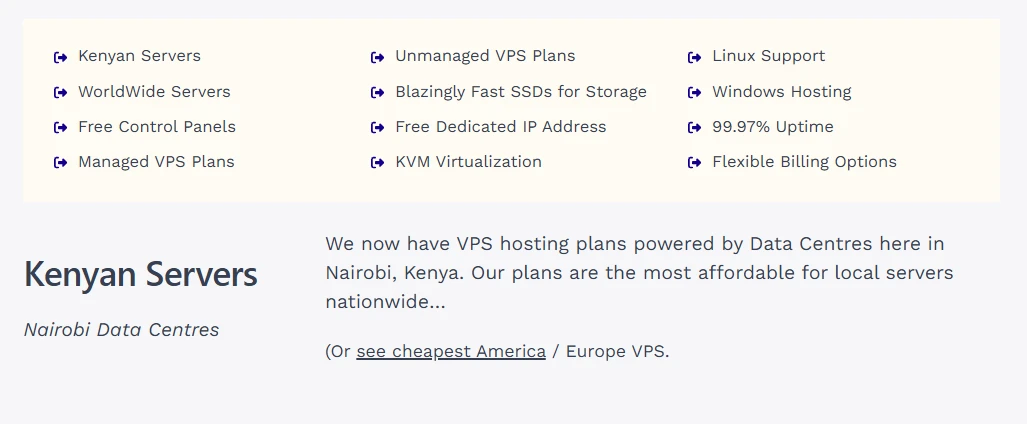
Truehost’s Kenya Cloud VPS Elite lists Kshs 585.58 per month for a three-year term. It offers 1 vCPU, 1 GB RAM, and 25 GB SSD. That plan is too small for filtered mail. Kenya Cloud VPS 2 adds 4 GB of RAM and a 100 GB SSD for Kshs 1,464.75 per month, unmanaged. That spec fits the 10-to-25 mailbox tier. Prices change, so confirm the term and total at checkout.
Then add the extras:
- Control panel licenses. cPanel/WHM counts as extra cost, you may remove that cost by opting for an opensource alternative.
- Backup storage. Off-server copies often cost extra.
- Relay fees. A transactional email service adds a small monthly bill.
- Payment method. Ask about M-Pesa and card billing for monthly plans. A missed renewal can take your mail offline.
When a VPS Alone Is Not Enough
A new VPS IP has no sending reputation. Mailbox providers assess your IP address, domain, reverse DNS, and sending behavior. So expect some spam-folder placement in the first weeks, even with perfect DNS.
Warm up slowly. Send low volumes to engaged contacts first. Then raise the volume as replies come in.
There is also a hybrid route. Receive mail on your VPS and relay outbound mail through a service like Amazon SES or Mailgun. Inbound mail is the easier half to self-host. Outbound mail is where reputation bites.
Hybrid wins for a new domain, low volume, or a team with no admin. Pure self-hosting wins when you need strict data control and have an owner who will maintain it.
Questions to Ask a VPS Provider Before You Buy
Copy these into a support ticket. Ask for the answers in writing.
- Is outbound port 25 open by default? If not, what do you need to approve it?
- Can I set reverse DNS (PTR) myself?
- Will you replace an IP that is already blocklisted?
- Is the VPS KVM, and are CPU and RAM dedicated?
- Do you offer off-server backups and snapshots?
- Where is the data center, and can I pick Nairobi?
- What does your uptime commitment cover?
- Does support handle mail server tickets, and during which hours?
FAQs
Can I host my own business email on a VPS?
Yes, and plenty of businesses do. You get unlimited addresses on your own domain and full control over your data. However, you also own deliverability, security, and backups. Pick this route only if someone will maintain it, or choose managed hosting to share the load.
Which operating system and mail software should I run?
Ubuntu LTS or Debian with Postfix and Dovecot is the standard manual setup. Packaged suites such as Mailcow, iRedMail, and Modoboa install and configure the pieces for you. Mailcow, for example, bundles Postfix, Dovecot, Rspamd, SOGo, and ClamAV in Docker containers. Check the suite’s published RAM minimum before you pick a plan size.
Pick the Provider That Answers the Port 25 Question First
Specs are easy to compare. Policy is harder, and it decides where your mail lands. So send the checklist above to your shortlist and ask for written answers.
Then match the plan to your team. If your mail carries sensitive data, start with a Kenya Cloud VPS in Nairobi. If no one on your team administers Linux, consider Truehost’s managed VPS plans.
Run the blocklist and port 25 tests in the first hour. Do that before you move a single mailbox.