Domain SearchInstantly check and register your preferred domain name
 Web Hosting
 cPanel HostingHosting powered by cPanel (Most user friendly)
 WordPress HostingHost your WordPress website with fast, secure, and affordable WordPress hosting in Kenya.
 KE Domains
 Reseller HostingStart your own hosting business without tech hustles
 Windows HostingOptimized for Windows-based applications and sites.
 Free Domain
 Affiliate ProgramEarn commissions by referring customers to our platforms
 Free HostingTest our SSD Hosting for free, for life (1GB storage)
 Domain TransferMove your domain to us with zero downtime and full control
 All DomainsBrowse and register domain extensions from around the world
 .Com Domain
 WhoisLook up domain ownership, expiry dates, and registrar information
 VPS Hosting
 Managed VPSNon techy? Opt for fully managed VPS server
 Dedicated ServersEnjoy unmatched power and control with your own physical server.
 Website Builder
 Online Store BuilderLaunch a professional e-commerce store without writing code.
 Web Design ServiceGet a custom-designed website tailored to your brand and goals. From just KES 15,600
 BlogRead our guides on web hosting, online business, digital marketing, and more
 SupportOur support guides cover everything you need to know about our services
 ContactContact us via chat or email
Are you still using a Gmail address for your business? That’s costing your business professionalism and trust.
Your clients expect something cleaner. Something like [email protected]. When they see a professional email address, they take you seriously.
That’s why you need a business email.
It gives you full control over your messages; no one is reading your data. Your own domain name on every email you send, which builds brand recognition with every reply.
You can also create separate addresses, such as sales@, support@, and billing@. Plus security features like anti-spam and anti-virus protection that free email accounts simply don’t offer.
A business email gives clients confidence in you. And it takes less than five minutes to set one up with the steps I’ll provide.
What Do You Need to Create a Business Email?
Just two things.
First, a domain name. That’s your website address, like yourbusiness.co.ke. If you don’t have one yet, you can buy any preferred TLD from Truehost at the best prices.
Second, a business email plan. That’s the service that hosts your email and lets you send and receive messages.
That’s it. Two items, and you can get them all at Truehost.
6 Steps to Create a Business Email in 5 Minutes or Less
Step 1: Pick Your Email Provider
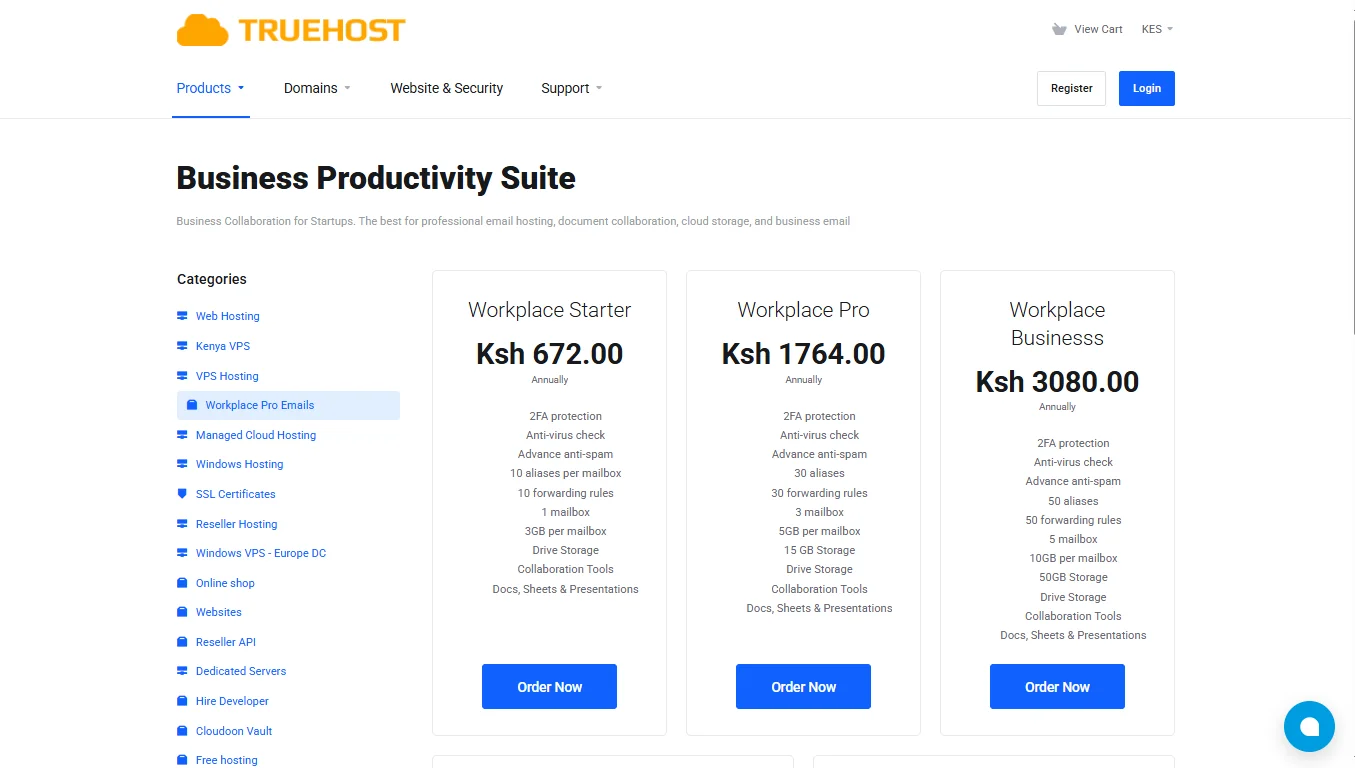
One thing you cannot compromise on is picking a provider that includes everything you need without hidden costs.
At Truehost, our Professional Email provides 2FA, antivirus checks, advanced anti-spam, aliases, forwarding rules, and collaboration tools such as Docs, Sheets, and Presentations.
You can pick any of these plans depending on what you need:
| Plan | Annual Price | Mailboxes | Storage per mail box | Aliases |
| Workplace Starter | Ksh 672 | 1 | 3GB | 10 |
| Workplace Pro | Ksh 1764 | 3 | 5GB | 30 |
| Workplace Business | Ksh 3080 | 5 | 10GB | 50 |
| Workplace Premium | Ksh 6000 | 10 | 10GB | 100 |
| Workplace Enterprise | Ksh 12000 | 20 | 200GB | 200 |
If you’re alone, Starter is enough. If you have a team, go Pro or higher.
Step 2: Choose an Appropriate Format
Your email address should look clean and professional. Examples of great formats include:
Avoid numbers, nicknames, or underscores. Keep it short and simple. If your name is John Mwangi, [email protected] is a good option.
Step 3: Sign Up & Verify Domain
Go to Truehost and select your plan. Enter your domain name during checkout. We will give you DNS records to add to your domain settings.
This is how we confirm you own the domain. Copy those records, paste them into your domain registrar’s DNS settings, and wait about one to two minutes for the system to update.
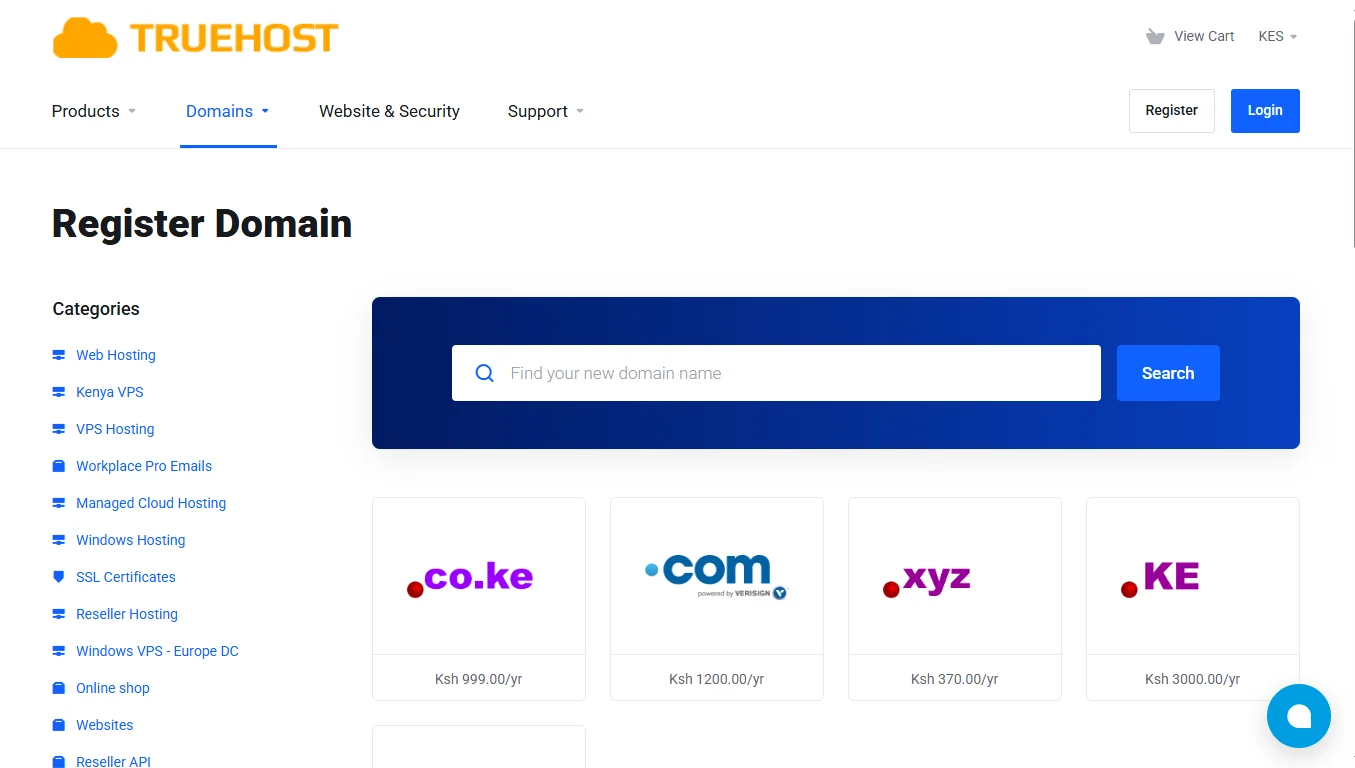
If you don’t have a domain name, you should register one with Truehost.
Step 4: Create Your First Mailbox
Once your order is active, log in to your Truehost Client Area or cPanel. Click to add a new mailbox.
Enter the name you chose in Step 2, for example, [email protected]. Set a strong password. Turn on 2FA protection right away. Click create. Your mailbox is now active.
Step 5: Access your email – Webmail or Any App
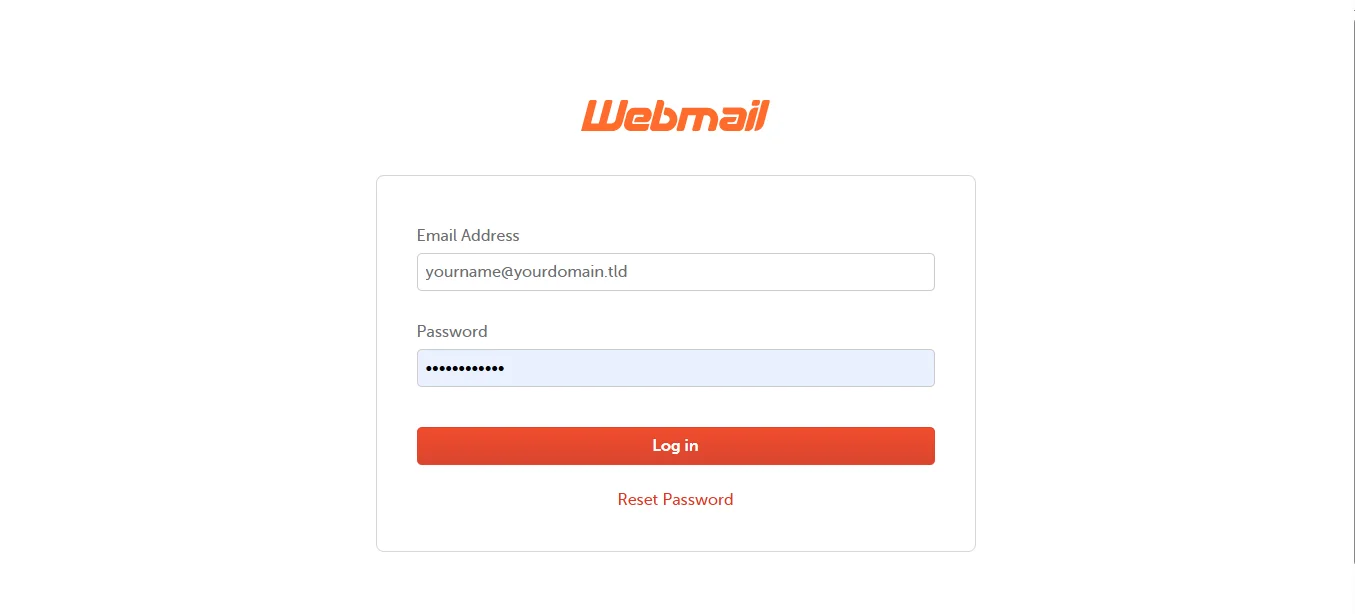
You can start sending emails immediately using our webmail. Just log in from your browser. Or if you prefer using Gmail, Outlook, or Apple Mail, add your new account there.
We give you the server settings, usually just your email address and password. The system auto-configures the rest.
Step 6: Testing
Send a test email to your personal Gmail or Yahoo account. Check that it arrives. Then reply from your personal account back to your new business email. Confirm you receive the reply.
Also, check your spam folder for the first few messages. If any end up there, mark them as “not spam” to train the filter.
Extra Tips For a Smooth Setup
- Set up 2FA immediately. We include it in all our plans. Use it before adding anyone else to your account.
- Start with one mailbox. Even if you bought a plan with multiple mailboxes, create just one first. Add the rest later.
- Save your DNS records as a screenshot. If verification takes longer than expected, you have the records ready to double-check.
- Test aliases before using them. Create one alias, send a test email, and confirm it lands in your primary inbox.
- Use a password manager. You’ll enter your password several times during setup. A manager saves you time.
- Skip the email client setup at first. Use our webmail initially. Add the account to Outlook or Gmail later, after you confirm everything works.
- Add your signature before sending anything. Just your name, title, and phone number. No logos or images until you test deliverability.
- Check your spam folder for the first five emails. Mark any false positives as not spam.
- Forward a copy to a free Gmail account for the first day. This helps you catch setup issues without having to log in to webmail constantly.
Create Business Email FAQs
Can you create a professional email for free?
Not really. Free providers don’t give you a custom domain. You can get a free trial from some companies, but a real business email with your own domain costs money.
Our plans start at Ksh 672 per year, that’s about Ksh 56 per month.
Do I need a website to have a business email?
No. You only need a domain name. You can buy a domain from us and set up email without ever building a website. The email works fine on its own.
How much is a professional email?
Our prices range from Ksh 672 to Ksh 12,000 per year, depending on how many mailboxes you need and the amount of storage. For a single person, our Starter plan at Ksh 672 annually is the most affordable option.
Can my email work if I switch providers?
Yes. You own your domain. If you switch email providers, you just update your DNS records to point to the new service. Your email address stays the same. No one knows you switched.
Is it okay to use Gmail as a professional email?
It depends. Gmail addresses can look amateur when clients expect a domain-based email. It costs very little to get one from us, and the trust you gain is worth far more than the small fee.
Ready to Create Your Business Email?
To create a business email, you’ll need to:
- Pick your plan at Truehost.
- Choose a professional format like
[email protected]. - Sign up and verify your domain.
- Log in to your Client Area or cPanel to create your mailbox.
- Access your email via webmail or your favorite app.
- Send a test email to confirm everything works.
You have your domain. You know the steps. We have plans starting at just Ksh 672 per year.
Go to Truehost now, pick your Workplace plan, and set up your business email in the next five minutes. Your clients will notice the difference immediately.