 Domain SearchInstantly check and register your preferred domain name
 Web Hosting
 cPanel HostingHosting powered by cPanel (Most user friendly)
 WordPress HostingHost your WordPress website with fast, secure, and affordable WordPress hosting in Kenya.
 KE Domains
 Reseller HostingStart your own hosting business without tech hustles
 Windows HostingOptimized for Windows-based applications and sites.
 Free Domain
 Affiliate ProgramEarn commissions by referring customers to our platforms
 Free HostingTest our SSD Hosting for free, for life (1GB storage)
 Domain TransferMove your domain to us with zero downtime and full control
 All DomainsBrowse and register domain extensions from around the world
 .Com Domain
 WhoisLook up domain ownership, expiry dates, and registrar information
 VPS Hosting
 Managed VPSNon techy? Opt for fully managed VPS server
 Dedicated ServersEnjoy unmatched power and control with your own physical server.
 Website Builder
 Online Store BuilderLaunch a professional e-commerce store without writing code.
 Web Design ServiceGet a custom-designed website tailored to your brand and goals. From just KES 15,600
 BlogRead our guides on web hosting, online business, digital marketing, and more
 ContactContact us via chat or email

Only two major cloud providers currently offer a free VPS with no end date. Those are Oracle Cloud and Google Cloud. Everything else labeled “free” is usually a trial or a credit that runs out.
Here is the odd part. Google’s free server has 1 GB of RAM. Some paid plans costing about $4 a month offer the same 1 GB. So the gap isn’t mostly about raw specs. The real gap lies in guarantees, rules, and risk.
This guide covers five differences that decide whether free is enough. You’ll also get a clear verdict by use case. It suits hobbyists, students, developers, and small site owners who feel tempted by a zero price tag.
What “Free VPS” Actually Means (and How Long It Lasts)
The phrase “free VPS” covers three very different offers. Knowing which one you’re looking at saves a lot of frustration.
- Always-free tiers. A small server stays free with no end date, within set limits. Oracle Cloud and Google Cloud are the two main examples.
- Time-limited trials. You get full access for a short window, often two weeks to a month. Afterward, the plan usually converts to a paid one.
- Credit-based offers. You receive a dollar amount to spend, like the credits AWS and Google Cloud give new accounts. When the credit or the time runs out, the free period ends.
So how long does a free VPS last? It depends on the type. An always-free tier has no end date. However, the provider can still stop an idle server or one that breaks the rules. Trials and credits end on a set date or when the money runs out.
Does a free VPS need a credit card? Usually, yes. Most providers ask for a card at signup to verify your identity and block fake accounts. A card on file doesn’t mean an automatic charge. Still, usage above the free limits can be billed.
Be careful with offers that promise a free VPS for life from unknown providers. The FAQ below explains why.
Specs change often, and sources disagree on some figures. Check each provider’s own page before you plan around any number here.
Free vs Paid VPS at a Glance
This table compares the three kinds of free offers with a typical paid plan.
| Feature | Always-free tier | Trial or credits | Typical paid VPS |
|---|---|---|---|
| CPU and RAM | Small, such as 1 GB RAM on Google’s tier | Can be larger, but only briefly | Reserved amounts, from about 1 GB upward |
| Storage and transfer | Capped, with charges past the limit | Limited by time or credit | Set by plan, with clear overage terms |
| Uptime guarantee | None | Rarely | Usually a stated SLA |
| Backups | Not included | Often extra | Snapshots or backups available |
| Support | Documentation and forums | Varies | Tickets, chat, or both |
| Usage rules | Strict, sometimes no production use | Test use only | Production use allowed |
| Card required | Usually | Usually | Yes |
| How it ends | No end date, but can be reclaimed | Set date, or credit runs out | Runs while you pay |
Short verdict: free suits learning and testing. Paid suits anything with users, revenue, or a deadline.
Resources and Performance: Guaranteed vs Limited
CPU and RAM
Free tiers give you a small slice of a server. Google’s always-free machine is an e2-micro with 1 GB of RAM and 30 GB of disk.
Oracle’s free allowance looks more generous on paper. However, sources disagree on the ARM figures. Some say 2 cores and 12 GB. Others say 4 cores and 24 GB. So check Oracle’s current documentation before you plan around it.
A paid plan near $4 a month can offer 1 vCPU and 1 GB of RAM. The difference is that those resources are reserved for you.
Storage and bandwidth
Free tiers cap disk space and monthly transfer. Go past those caps, and charges can apply. Paid plans list storage and bandwidth clearly, so you know the cost before you hit a limit.
Overselling and unstable speed
Some providers sell more capacity than they own. That practice is called overselling. When many users spike at once, everyone slows down.
Overselling happens on paid plans too. However, it plays a bigger role on free tiers. A short test won’t reveal the problem. A server that runs all day will.
Free tiers also leave out heavy hardware. Google, for example, excludes GPUs from its free tier.
Uptime, Reliability, and Support
Paid plans often include an uptime guarantee. Free offers almost never do. Providers can pause, throttle, or shut down a free service at any time.
Idle servers face another risk. Oracle may stop an instance when CPU use stays very low for a long stretch. So a quiet hobby server can get stopped without warning.
Smaller free providers add a third risk. Some suspend accounts for vague “fair use” violations. You can wake up to a dead server with short notice.
Support differs too. Paid plans usually include tickets or live chat. Free tiers usually point you to documentation and community forums. In practice, a 2 a.m. outage is yours to fix.
Security, Backups, and Data Risk
Is a free VPS safe?
A free VPS can be safe if you harden it yourself. However, that job is yours on any unmanaged plan. Free plans rarely include alerts for odd traffic or intrusion attempts. Problems often surface only after the damage is done.
Unknown free providers add a second risk. Their business model may not protect your data. Read the privacy policy and terms before you upload anything private.
Many paid plans add tools like firewalls, DDoS protection, and managed security. Features differ by host, so compare them. Whatever you choose, keep customer data and payment details off a free server.
Backups and recovery
Paid plans usually offer snapshots or automated backups, sometimes for a small fee. Free plans rarely do. So build your own by copying data to storage outside the server.
Then test a restore at least once. A backup you’ve never restored is only a guess.
Control, Restrictions, and Usage Rules
Free and paid unmanaged plans both usually give you root access. You can install software, pick an operating system, and set up a control panel. Control isn’t the main difference. The rules around that control are.
Free tiers often limit what you may run. Some ban production use or business sites outright. Paid plans allow it.
Paid plans also tend to include a dedicated IP address. That helps with email deliverability and SSL setup. Meanwhile, some providers restrict mail ports on free accounts. Read the terms before you plan a mail server.
Finally, check each provider’s terms page. Rules differ, and they change.
What Free and Paid VPS Really Cost
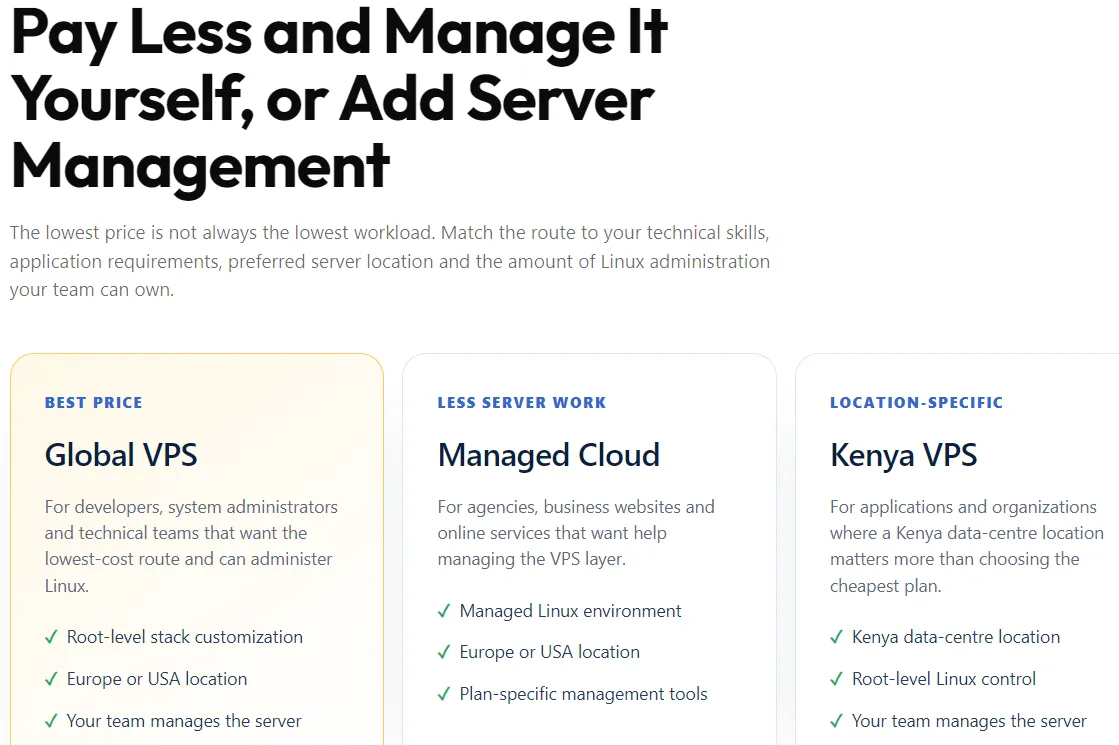
A cheap paid VPS usually costs about $3 to $6 a month. That buys reserved resources, a support channel, and clear terms.
Free has costs of its own:
- Your time. Sign-up checks, capacity errors, and setup quirks can eat hours.
- Downtime. An unreliable server costs you visitors and sales.
- Migration. Moving off a free tier later takes effort.
- Overage charges. Usage past the free limits can add surprise bills.
Try a simple example. Say your site earns $50 a day. A two-day outage costs $100 in lost sales. That is more than a full year of a cheap paid plan at $6 a month.
Free stops saving money when downtime, lost data, or your own hours cost more than a few dollars a month.
Free or Paid VPS: Which Should You Choose?
When a free VPS makes sense
- Learning Linux and server basics.
- Testing a deployment before it goes live.
- Running a scratch environment you can delete.
- Hosting a small cron job or lightweight bot.
- Trying a provider before you buy.
In each case, losing the server costs you very little.
When you need a paid VPS
- Customer data or payment details.
- Steady or growing traffic.
- Email you rely on.
- Anything tied to revenue, clients, or a deadline.
Signs It Is Time to Upgrade
- Pages slow down under load.
- Your server stopped without warning.
- Your trial or credit is about to end.
- You’re running more than one project on one box.
- You need backups and a support team.
Use one rule to decide. If losing the server would cost you money or trust, pay for it. If it would cost you an afternoon, free is fine.
FAQs
What is the difference between a free VPS and free web hosting?
Free web hosting puts your site on a shared server that the provider manages. It often shows ads. A free VPS gives you your own virtual server with root access. So you get more control, but you also carry more responsibility.
Can I host a website on a free VPS?
Yes, technically. A small personal site can run on an always-free tier. However, many free offers restrict production use, and most don’t promise uptime. For a business site, a cheap paid VPS is the safer choice.
Are “lifetime free VPS” offers legit?
Rarely. A server costs real money to run. One estimate puts the cost at $4 to $9 a month per instance. A provider with no revenue path has to recover that cost somehow.
Watch for these warning signs:
- No company details or physical address.
- Vague “fair use” limits.
- Sudden suspensions that push you toward a paid plan.
- Unclear terms or a missing privacy policy.
Before you sign up, check reviews and read the terms. For a free tier, the big cloud providers are the safer bet.
Pick the Right Server, Then Start Small
Use free for practice. Pay the moment a project has users or money attached.
Before you buy, run through this short checklist:
- How much RAM and CPU the project needs.
- Your backup plan.
- The operating system and control panel.
- A server region close to your visitors.
- The support channel you’ll want at 2 a.m.
Ready to move from testing to a real project? Start with an entry-level plan and upgrade as traffic grows. Browse our VPS plans and pick the region closest to your visitors.