Domain SearchInstantly check and register your preferred domain name
 Web Hosting
 cPanel HostingHosting powered by cPanel (Most user friendly)
 WordPress HostingHost your WordPress website with fast, secure, and affordable WordPress hosting in Kenya.
 KE Domains
 Reseller HostingStart your own hosting business without tech hustles
 Windows HostingOptimized for Windows-based applications and sites.
 Free Domain
 Affiliate ProgramEarn commissions by referring customers to our platforms
 Free HostingTest our SSD Hosting for free, for life (1GB storage)
 Domain TransferMove your domain to us with zero downtime and full control
 All DomainsBrowse and register domain extensions from around the world
 .Com Domain
 WhoisLook up domain ownership, expiry dates, and registrar information
 VPS Hosting
 Managed VPSNon techy? Opt for fully managed VPS server
 Dedicated ServersEnjoy unmatched power and control with your own physical server.
 Website Builder
 Online Store BuilderLaunch a professional e-commerce store without writing code.
 Web Design ServiceGet a custom-designed website tailored to your brand and goals. From just KES 15,600
 BlogRead our guides on web hosting, online business, digital marketing, and more
 SupportOur support guides cover everything you need to know about our services
 ContactContact us via chat or email
If your website or app runs on Microsoft technology, you probably already know this pain.
You sign up for a hosting plan. Everything looks fine. Then ASP.NET starts throwing errors, MSSQL won’t connect, and the control panel feels like it was designed for a completely different world.
Hours lost. Deadlines missed. And the support team? Not much help if they’ve never touched a Windows server in their life.
Windows hosting is a server environment built specifically for Microsoft’s stack, ASP.NET, .NET Core, MSSQL, IIS, and everything in between.
When your code lives on the right server, things just work.
The problem is finding the right provider. Some are running outdated Windows Server versions.
Others charge a premium for features that should come standard.
We’ve done the legwork, so you don’t have to.
To put this list together, we looked at each provider through five lenses:
- If they support current Windows Server versions (2019, 2022, and 2025)
- How well they handle ASP.NET, MSSQL, and the broader Microsoft ecosystem
- The quality and ease of their control panel (Plesk being the gold standard)
- Uptime reliability and the strength of their security setup
- Whether the pricing actually makes sense for what you’re getting
Let’s get into it.
Comparison Table: Best Windows Hosting Providers 2026
| Provider | Starting Price | Windows Server | Disk Space | Data Centers |
| Truehost Cloud | Ksh 175/mo | Windows Server 2019 | Up to 200MB | Kenya + global |
| GoDaddy | $8.99/mo (KSh 1160) | Windows Server ( 24/7 security monitoring) | 40 GB NVMe SSD Storage | Global (US, EU, Asia) |
| IONOS | $11/mo (KSh 1420) | Windows Server 2022 | 80GB NVMe (S) | US, EU, UK |
| InterServer | $10/mo (KSh 1290) | Windows Server | 80GB SSD (2 Slices) | US (NJ) |
| Nindohost | Ksh 640/mo | Windows Server + IIS | 50GB SSD (Atlas) | Europe |
1) Truehost Cloud
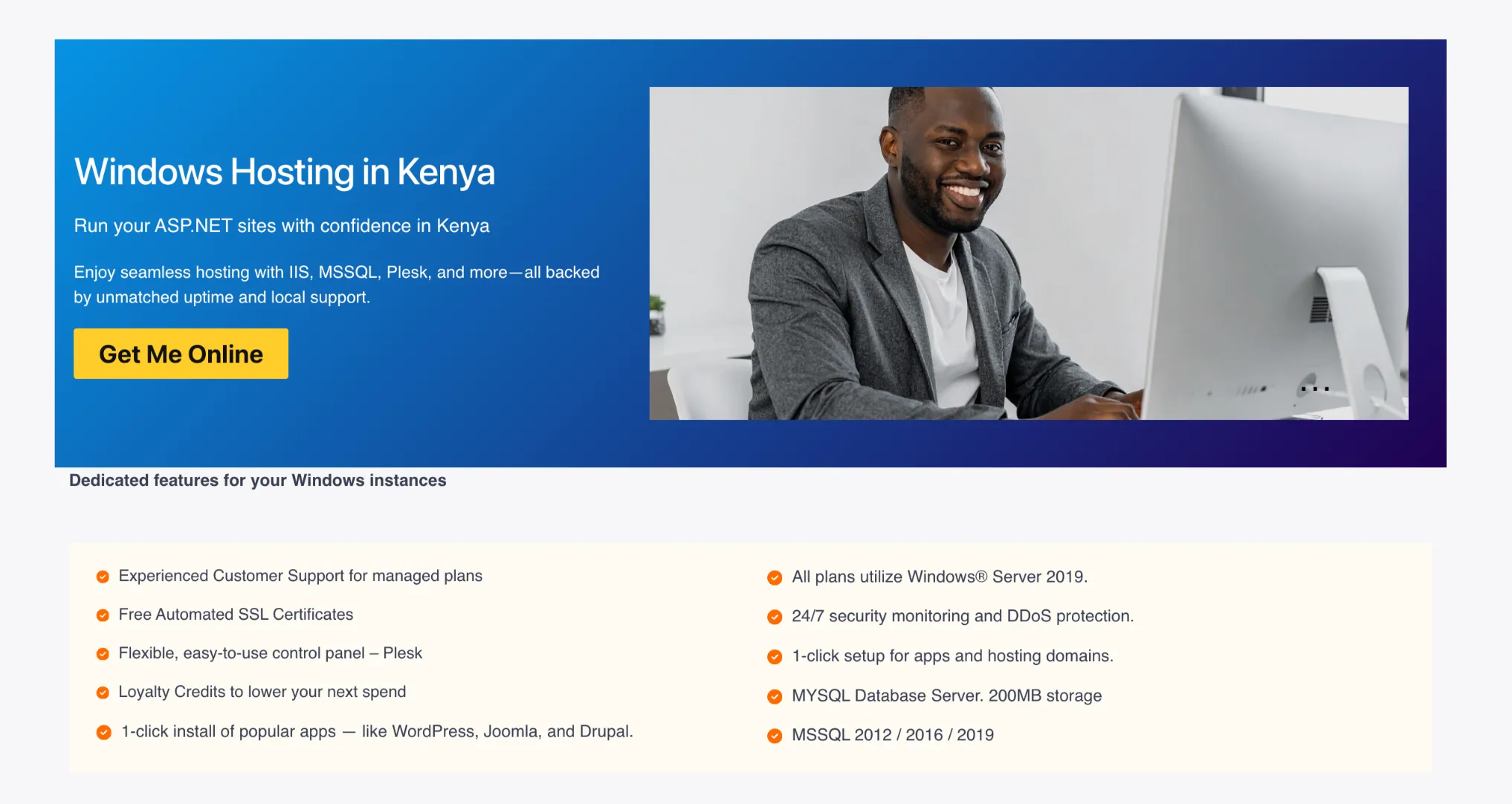
We’ve built our Windows hosting plans with one goal in mind: to give you everything you need to run Microsoft-based apps without the inflated pricing that comes with global providers who don’t understand the local market.
Key Features
a) Experienced Customer Support for Managed Plans
Our support team is available around the clock, and for managed plans, you get hands-on help from people who understand Windows environments.
b) Free Automated SSL Certificates
Every plan comes with SSL at no extra charge. Your site runs on HTTPS from day one no manual setup, no renewal headaches.
c) Flexible, Easy-to-Use Control Panel (Plesk)
Plesk is the industry standard for Windows hosting management. You get a clean, intuitive dashboard for managing domains, databases, email, and app deployments. It’s far more beginner-friendly than wrestling with IIS directly.
d) Loyalty Credits to Lower Your Next Spend
The longer you stay with us, the more you save. Our loyalty credit system rewards your continued business
e) 1-Click Install of Popular Apps
Install WordPress, Joomla, Drupal, and dozens of other popular apps in a single click.
f) Windows® Server 2019 on All Plans
Every plan runs on Windows Server 2019. That means modern compatibility, up-to-date security patches, and a stable environment for your applications.
g) 24/7 Security Monitoring and DDoS Protection
We watch your server around the clock. Suspicious traffic gets blocked before it reaches your site, and DDoS protection keeps you online even during attack spikes.
h) Database Support
- MySQL Database Server (200MB storage on Starter)
- MSSQL 2012 / 2016 / 2019
Plans
| Plan | Monthly Price | Billed Biennially |
| Windows Starter | Ksh 175/mo | Ksh 167/mo |
| Windows Pro | Ksh 375/mo | Ksh 375/mo |
| Windows Business | Ksh 6,911/mo | Ksh 6,910/mo (triennial) |
Why Choose Truehost Windows Hosting
Affordable Pricing: Our rates are among the most competitive you’ll find in Kenya, and the pricing is transparent.
Feature-Rich Plans: Even the Starter plan includes SSL, Plesk, 1-click installs, and MSSQL support. You’re not stripped-down at entry level.
Developer-Friendly Environment: ASP.NET, .NET Core, PHP, MySQL, MSSQL we support the tools developers actually use.
Strong Security: DDoS protection, automated SSL, and 24/7 monitoring aren’t add-ons. They’re standard.
Outstanding Customer Support: Expert assistance available whenever you need it, with a local knowledge of the Kenyan market.
2) GoDaddy
GoDaddy’s Windows hosting offering is solid, especially if you’re already using their domain registration services and want everything under one roof.
Their Windows hosting runs Plesk Obsidian and supports the full Microsoft stack: ASP.NET, .NET Core, and MSSQL databases. Multiple global data centers mean decent performance regardless of where your users are.
Key Features
- ASP.NET and .NET Core support
- MSSQL databases included
- Global data centers across multiple regions
- Automatic backups
- Plesk Obsidian control panel
- Integrated domain registration and email tools
GoDaddy’s Windows hosting is particularly useful if you’re managing multiple services through one provider. Domains, email, SSL, and hosting can all be managed from a single dashboard.
Key Strengths:
- User-friendly interface, good for beginners
- Strong for shared Windows hosting use cases
- Bundled tools: domains, email, and security in one place
- Affordable entry-level pricing for the first term
One thing to watch: GoDaddy’s pricing can jump significantly at renewal. The intro rates are attractive, but check the renewal price before you commit long-term.
Plans
| Plan | Price | Specs |
| 1 vCPU / 2GB RAM | $8.99/mo (KSh 1160) | First 3-yr term |
| 2 vCPU / 4GB RAM | $17.99/mo (KSh 2322) | First 3-yr term |
| 4 vCPU / 8GB RAM | $34.99/mo (KSh 4517) | First 3-yr term |
| 4 vCPU / 16GB RAM | $44.99/mo (KSh 5808) | First 3-yr term |
3) IONOS
IONOS has built a strong reputation for delivering Windows hosting that doesn’t cost a fortune.
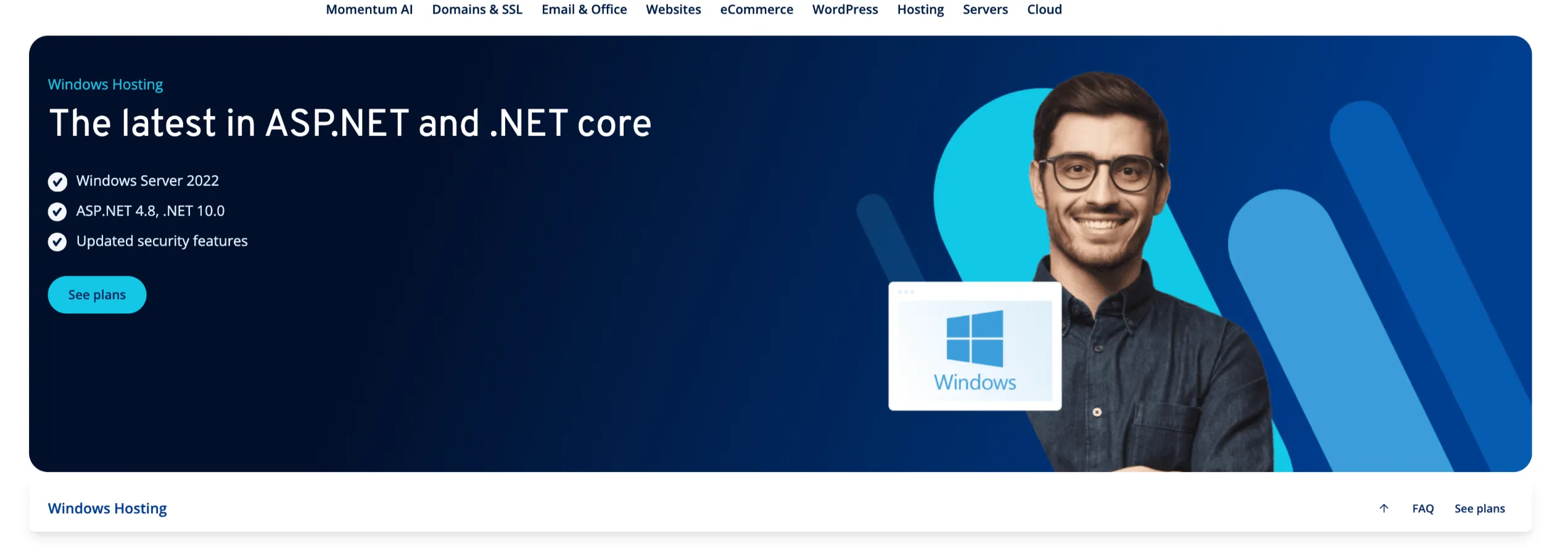
Their plans run on Windows Server 2022, the most current version available. Newer server versions bring better security, improved performance, and longer support lifecycles.
Key Features
- Windows Server 2022 (the latest available)
- Full support for ASP.NET 4.8 and .NET 8.0
- Free professional email included with every plan
- DDoS protection and free SSL certificates
- Cloudflare CDN for faster global content delivery
- NVMe SSD storage across all tiers
The Cloudflare CDN integration is a standout. It means your Windows-hosted site gets faster load times for visitors anywhere in the world.
Plans
| Plan | Price | CPU | RAM | Storage |
| Windows S | $11/mo (KSh 1420) (12-mo intro) | 2 vCores | 2 GB | 80 GB NVMe |
| Windows M | $13/mo (KSh 1678) (12-mo intro) | 2 vCores | 4 GB | 120 GB NVMe |
| Windows L | $26/mo (KSh 3357) (18-mo intro) | 4 vCores | 8 GB | 240 GB NVMe |
| Windows XL | $50/mo (KSh 6455) (18-mo intro) | 8 vCores | 16 GB | 480 GB NVMe |
| Windows XXL | $76/mo (KSh 9812) (18-mo intro) | 12 vCores | 24 GB | 720 GB NVMe |
Prices are intro rates for 3-year terms. Standard rates are a higher factor that in when budgeting.
4) InterServer
InterServer Windows VPS uses native Hyper-V virtualization.
This is the same technology Microsoft uses for its own enterprise workloads. That means stable, consistent performance for demanding applications.
Key Features
- Hyper-V Virtualization: native Windows VPS platform, the same tech that powers Microsoft’s own server infrastructure
- Remote Desktop (RDP) Access included: connect to your server remotely and keep applications running in the background even after you disconnect
- Full administrator-level control: you get root/admin access to configure the server exactly as your workload requires
- ASP.NET support: deploy .NET projects directly without compatibility workarounds
- Plesk available: add Plesk for familiar Windows hosting management if you prefer a control panel over direct RDP
- Windows-compatible software: run any Windows server application, from IIS to custom enterprise tools
- Managed support included on 8+ slices: once you scale to 8 slices or more, managed support is bundled in at no extra charge
Plans
InterServer uses a slice-based model where each slice adds a consistent block of resources. Here’s how it scales:
| Plan | Price | RAM | SSD Storage | Transfer | Managed Support |
| 2 Slices | $10/mo (KSh 1291) | 4 GB | 80 GB | 4 TB | Not included |
| 4 Slices | $20/mo (KSh 2582) | 8 GB | 160 GB | 8 TB | Not included |
| 8 Slices | $40/mo (KSh 5164) | 16 GB | 320 GB | 16 TB | Included |
| 16 Slices | $80/mo (KSh 10,328) | 32 GB | 640 GB | 32 TB | Included |
| 32 Slices | $160/mo (KSh 20,656) | 64 GB | 1,280 GB | 64 TB | Included |
Read also: 7 Types of Web Hosting
5) Nindohost
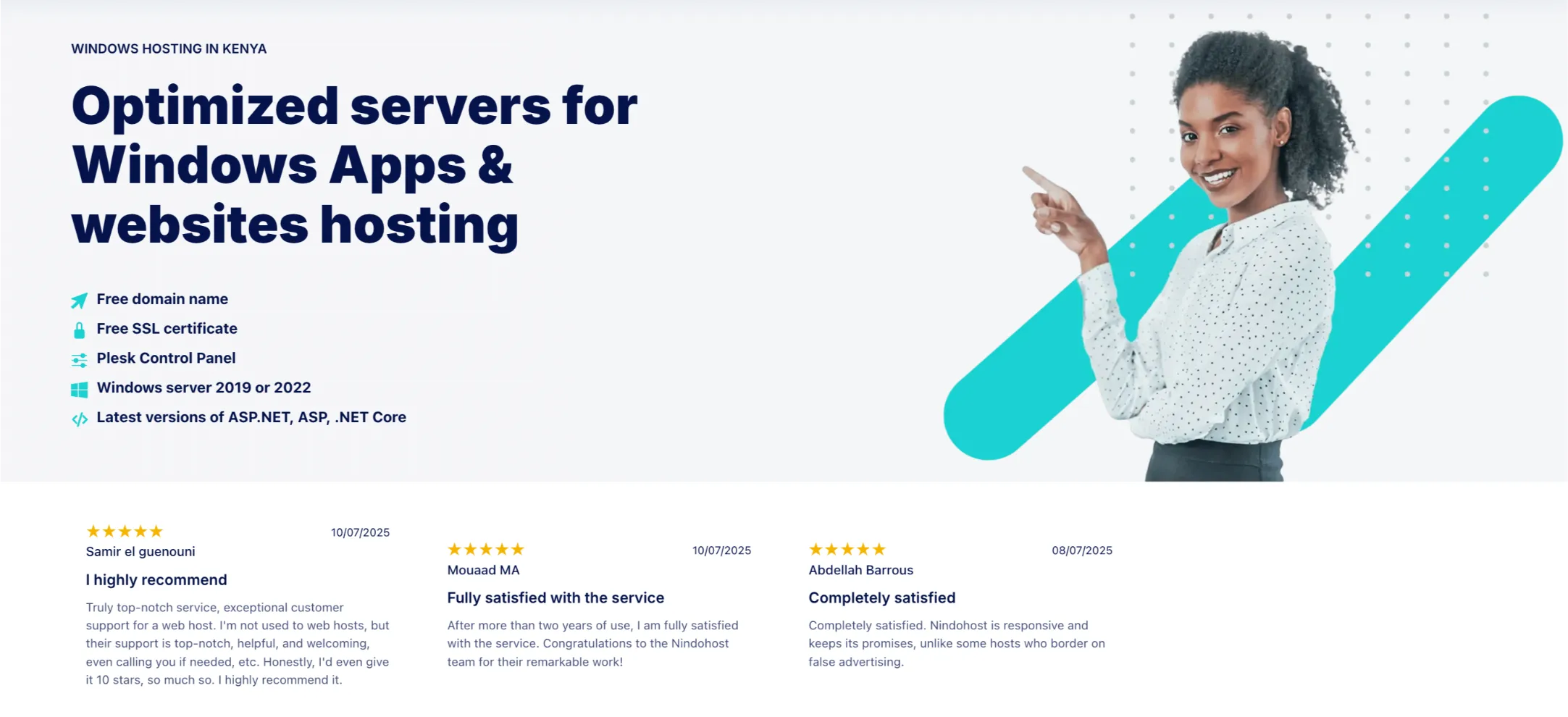
Nindohost rounds out this list as a solid option for developers who want a clean Windows hosting environment with SSD storage, Plesk, and modern .NET framework support.
Key Features
Hosting Environment
- Plesk Control Panel
- Windows Server with IIS
- ASP.NET 4.8, .NET 6.0, .NET Core support
- SQL Server databases
- 50–200 GB SSD storage depending on plan
- 1–3 websites supported
- Unlimited traffic
Perks
- Free domain name for the first year
- HTTP/2 support for faster page loads
Security
- Free SSL (HTTPS) certificate
- Anti-virus and anti-malware
- Daily backups
Plans
| Plan | Price | Best For |
| Atlas | Ksh 640/mo | Single website |
| Fusion | Ksh 1,290/mo | Growing small businesses |
| Falcon | Ksh 2,580/mo | High-demand websites |
Check out our article on the 3 cheapest VPS hosting providers in Kenya
What Features Should You Look For in Windows Hosting?
Before you sign up with any provider, run through this checklist. It’ll save you from picking a plan that looks great on paper but falls short in practice.
a) Support for Current Versions of Windows Server
Always check which Windows Server version the host is running. Windows Server 2019 and 2022 are the current standards.
At Truehost, all our Windows hosting plans run on Windows Server 2019, ensuring you’re on a stable, modern, and secure platform.
b) Compatibility with ASP.NET, MSSQL, and Other Microsoft Technologies
This is non-negotiable. Your provider needs to support the specific versions of ASP.NET and SQL Server your application uses. If you’re running a legacy app on ASP.NET 4.x, confirm that’s supported. If you’re building new on .NET 8.0 or .NET Core, check for that too.
c) Plesk or Another Easy-to-Use Control Panel
Plesk is the industry-standard control panel for Windows hosting. It makes managing domains, databases, email, and deployments straightforward even if you’re not a server admin.
Some hosts use proprietary dashboards, which can be hit or miss. Plesk is a reliable sign of a properly configured Windows environment.
d) Reliable Uptime and Strong Security Features
Look for a minimum 99.9% uptime guarantee. Anything less is a red flag. Security-wise, the baseline should include:
- Free SSL certificates
- DDoS protection
- Regular automated backups
- Malware scanning
e) 24/7 Customer Support
Windows server issues can be complex. You want a support team that actually knows Windows environments not a generic helpdesk reading from a script.
Check reviews for response time and technical depth before committing.
f) Enough Storage, Bandwidth, and Database Capacity
Match your plan’s resources to your actual needs. A portfolio site is fine on a starter plan.
An e-commerce store with an MSSQL database and regular traffic needs more storage, RAM, and database capacity.
Get Windows Hosting With Us
We’ve made it easy to get your Windows hosting up and running in minutes.
Getting started takes less than five minutes:
- Visit our windows hosting page.
- Choose the plan that fits your needs (Starter is a great entry point at just Ksh 175/mo)
- Complete your order using M-PESA, card, or bank transfer
- Access your Plesk dashboard and deploy your app
That’s it. Your Windows environment is ready to go.
Windows Hosting FAQs
Are there free Windows hosting services?
Free Windows hosting does exist, but it’s rarely worth using for anything serious. They come with severe resource limits, no MSSQL support, unreliable uptime, and zero customer support.
Who Needs Windows Hosting?
Windows hosting is the right choice if you’re:
- Building or running applications in ASP.NET, .NET Core, or Classic ASP
- Using MSSQL (Microsoft SQL Server) as your database
- Working with Microsoft Access or other Microsoft-specific database tools
- Developing in C# or VB.NET
- Running legacy enterprise applications that require a Windows Server environment
If your stack is PHP, MySQL, and Apache, Linux hosting will serve you better and cost less.
How Much Does a Windows VPS Cost?
Windows VPS pricing generally ranges from around $10 to $80+ per month, depending on the resources (CPU, RAM, storage) and whether the Windows Server license is included. Most reputable providers bundle the license into the plan price. Entry-level Windows VPS plans with 1–2 vCPUs and 2–4GB RAM typically start around $8–$15/mo with introductory pricing.
What Is the Cheapest Windows Hosting Provider?
For the Kenyan market, Truehost Cloud offers the most affordable entry point at Ksh 175/mo for the Windows Starter plan. That’s lower than almost any comparable provider while still including SSL, Plesk, MSSQL support, and Windows Server 2019.
What Is the Best Hosting Service for Windows?
The best Windows hosting provider depends on your use case:
- Best for value globally: IONOS: Windows Server 2022, NVMe storage, Cloudflare CDN
- Best for Kenya/East Africa: Truehost Cloud: local pricing, M-PESA support, KES billing, and Windows Server 2019
Can I Get Windows Hosting on a Cloud Server?
Yes. Cloud-based Windows hosting is now the standard for most modern providers. At Truehost, our Windows hosting runs on cloud infrastructure, meaning your resources are distributed, scalable, and more resilient than traditional single-server setups.
Should You Choose Windows or Linux Hosting?
The short answer: choose based on your tech stack, not preference.
Choose Windows hosting if:
- Your app uses ASP.NET, .NET Core, MSSQL, or Classic ASP
- You need IIS as your web server
- You’re working in a Microsoft development environment (Visual Studio, C#, VB.NET)
Choose Linux hosting if:
- You want lower costs (Linux doesn’t carry Windows licensing fees)
- Your site runs on PHP, Python, Node.js, or similar
- You’re using MySQL or MariaDB