 Domain SearchInstantly check and register your preferred domain name
 Web Hosting
 cPanel HostingHosting powered by cPanel (Most user friendly)
 WordPress HostingHost your WordPress website with fast, secure, and affordable WordPress hosting in Kenya.
 KE Domains
 Reseller HostingStart your own hosting business without tech hustles
 Windows HostingOptimized for Windows-based applications and sites.
 Free Domain
 Affiliate ProgramEarn commissions by referring customers to our platforms
 Free HostingTest our SSD Hosting for free, for life (1GB storage)
 Domain TransferMove your domain to us with zero downtime and full control
 All DomainsBrowse and register domain extensions from around the world
 .Com Domain
 WhoisLook up domain ownership, expiry dates, and registrar information
 VPS Hosting
 Managed VPSNon techy? Opt for fully managed VPS server
 Dedicated ServersEnjoy unmatched power and control with your own physical server.
 Website Builder
 Online Store BuilderLaunch a professional e-commerce store without writing code.
 Web Design ServiceGet a custom-designed website tailored to your brand and goals. From just KES 15,600
 BlogRead our guides on web hosting, online business, digital marketing, and more
 SupportOur support guides cover everything you need to know about our services
 ContactContact us via chat or email
Choosing the right web hosting can be daunting, especially if you’re new to web development.
Web hosting is a service that allows you to make your website accessible on the internet. As such, your choice of web hosting can significantly impact your website’s performance, security, and scalability.
There are several main types of web hosting, each with different strengths, costs, and features.
From shared and VPS hosting to dedicated servers and cloud-based environments, your decision can affect how fast your website loads, its security, and even your monthly fees.
What is Web Hosting?
Web hosting is a service that lets you store your website files, such as HTML pages, images, and videos, on a specialized computer called a web server.
This server connects to the internet and delivers your content to users who visit your website.
Your website must have reliable hosting so people can reach it at any time of day. Without hosting, your site is not accessible online.
You may want to think of web hosting as the land on which a building sits. The web host provides the hardware, such as storage drives and memory, and ensures your files are safe and load quickly.
There are different types of web hosting, including:
- Shared hosting: Many websites share the same physical server.
- VPS hosting: Your website is stored on a virtual server, with more control.
- Dedicated hosting: A single physical server is dedicated to your website.
- Cloud hosting: Your files are spread across several connected servers.
- Managed hosting: The hosting provider handles software updates and security.
Key Hosting Concepts
A few key ideas can help you better understand web hosting. The web server is the main computer that hosts your website.
This server is often located in a large building called a data center.
Server resources control your site’s speed and reliability.
- Storage capacity: How much space do you get for files and data?
- Bandwidth: How much data can be sent and received at a time.
- RAM and CPU: Memory and processing power that affect website speed.
The hosting environment includes the operating system, software, and security features offered by your provider. Most hosts use Linux servers, while others use Windows. Some offer both options.
Your IP address is the numerical address given to your website. This makes it easy for visitors to reach your site online.
Hosting packages and plans give different amounts of resources. Cheaper plans usually have lower storage or bandwidth limits. More advanced plans support bigger sites.
Proper hosting management keeps your site safe and online. This includes security updates, backups, and software patches.
How Hosting Providers Work
Hosting providers own and manage large amounts of hardware in secure locations called data centers. These companies use powerful computers and networks to host many websites simultaneously.
Your hosting provider gives you access to server resources based on your plan. With shared hosting, your website shares the same physical server with others, while dedicated or VPS hosting gives you more control and resources.
These companies monitor their infrastructure around the clock. They also offer customer support to help when things go wrong or when you need help managing your site.
Hosting providers use control panels, such as cPanel or Plesk, to let you upload files and manage your website. Some providers also handle software updates, backups, and security for you.
Security is a major part of their service. Hosts use firewalls, antivirus software, and regular updates to keep your website protected.
Main Types of Web Hosting
Choosing the right hosting solution shapes how your website performs, how much you pay, and how much control you have.
Some hosting types are designed for small websites and beginners, while others offer more power and flexibility for growing businesses.
Your ideal choice depends on site traffic, budget, and how much technical control you want. Each option balances website hosting cost, reliability, and performance in its own way.
1) Shared Hosting

Shared hosting is the most popular option for new website owners. Your website shares a single physical server with many others, and you all split resources like storage, RAM, and bandwidth.
Benefits:
- Low cost — it’s often the cheapest web hosting you can get.
- Easy setup — hosting providers handle most technical work so that you can focus on your site.
- Low maintenance — backups, updates, and security often come included.
Drawbacks:
- If a site on your server uses too many resources, your site might slow down.
- Shared web hosting can be less reliable during high traffic because the server is shared among so many users.
This hosting type is suitable for blogs, small business sites, and portfolios. If you need hosting for small websites on a tight budget, shared hosting is a good starting point.
2) Virtual Private Server (VPS) Hosting

VPS hosting gives you your own “virtual” slice of a server. You get dedicated resources — CPU, memory, and storage — while still sharing the underlying hardware with other users.
Key advantages:
- Better performance than shared hosting. Your site gets its own resources, so it’s less likely to slow down.
- Greater technical control with access to server configuration. You can install custom software and tweak settings.
Possible downsides:
- More expensive than shared hosting.
- You may need tech skills to manage your virtual private server.
VPS hosting suits businesses that have outgrown shared hosting or expect bigger traffic spikes. You get a good mix of value, reliability, and customization.
3) Dedicated Server Hosting

With dedicated hosting, you rent an entire physical server just for your website. No other sites will share your server’s resources, such as CPU, RAM, or storage.
What makes it stand out:
- Complete control over every aspect of the server, including security, configuration, and performance optimization.
- Maximum reliability and consistent high speed — ideal for large businesses or sites with heavy traffic.
Things to consider:
- The highest price among all common hosting types.
- Requires technical know-how or a managed plan in which the hosting provider handles server maintenance.
Dedicated server hosting is a solution for e-commerce stores, large organizations, or anyone needing top-tier performance.
4) Cloud Hosting
Cloud hosting is a type of web hosting that uses a network of virtual servers distributed across multiple physical servers in the cloud, rather than relying on a single physical server as in traditional hosting.
This setup allows applications and websites to run on virtual servers that pool computing resources from a network, providing flexibility, scalability, and improved performance.
As such, Cloud hosting uses multiple servers to host your website — not just one. If one server fails, another steps in, making your site more reliable.
Main benefits:
- Scalability — easily handle unexpected traffic spikes.
- High redundancy — your data sits on several machines, lowering the risk of downtime.
- Flexible resources — only pay for what you use.
Potential drawbacks:
- Pricing can be unpredictable when your site traffic spikes.
- May need some understanding of cloud services to use advanced features.
Cloud hosting fits fast-growing businesses, busy online stores, and projects where website traffic isn’t easy to predict.
Specialized Hosting Solutions
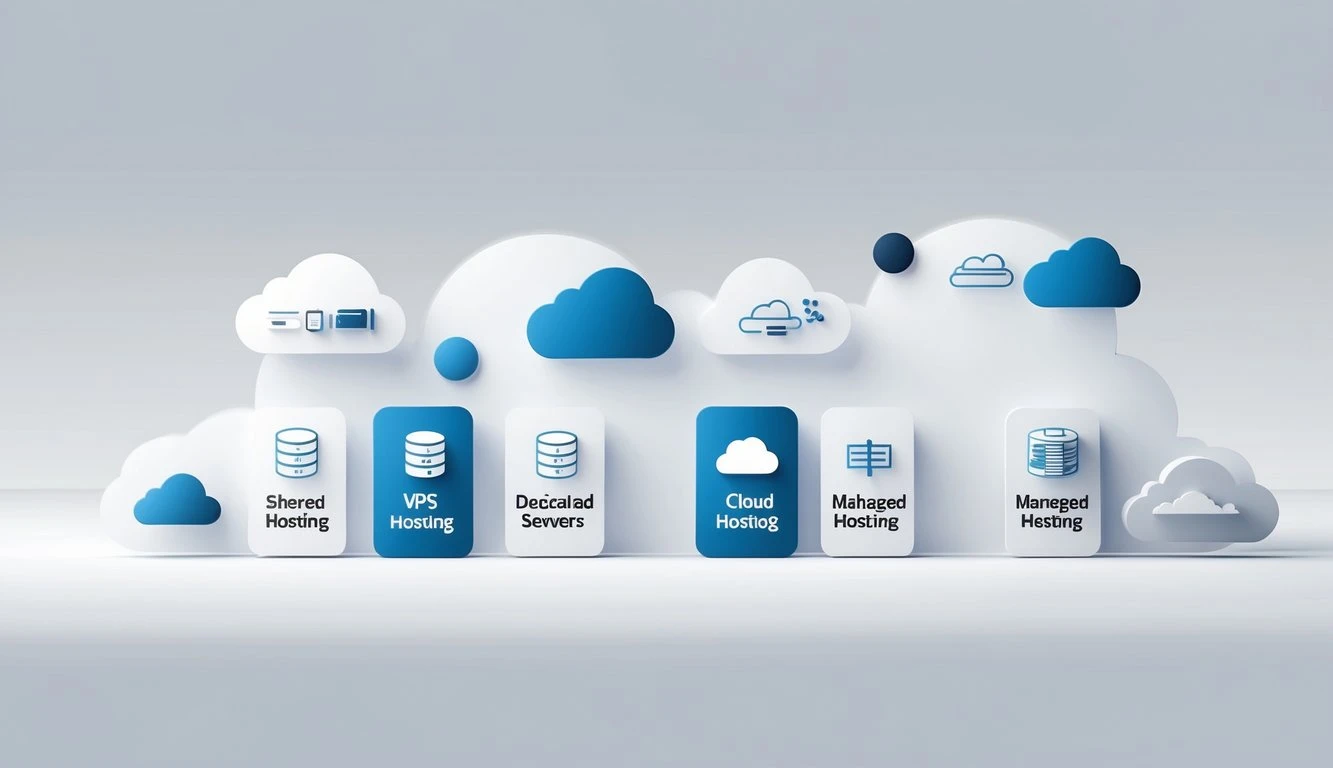
Some hosting solutions are made for popular platforms, while others let you manage hosting for clients or handle your own hardware.
Costs, support, and technical needs change depending on your pick.
5) WordPress Hosting
WordPress hosting is designed for WordPress websites. You get tools and support focused on this popular platform, making it much easier to manage updates, plugins, and security.
Many providers in this space offer managed WordPress hosting. This means technical support handles updates, security patches, and backups. You focus on your content while the host handles the technical work.
This helps prevent performance issues and hacking risks.
These hosting solutions often include:
- Fast servers with WordPress optimization
- Easy one-click installs
- Automatic updates
- Expert WordPress support
If your website runs on WordPress, you avoid manual updates and troubleshooting. This is ideal for bloggers, small businesses, and anyone who doesn’t have deep technical knowledge.
The main downside is cost. Managed plans tend to cost more than basic hosting, but you get peace of mind and time savings. For non-WordPress websites, choose a different hosting type.
6) Reseller Hosting
Reseller hosting lets you use web hosting management tools to run multiple websites or sell hosting under your own name.
With reseller hosting, you pay a monthly fee to a host for a large amount of space and bandwidth. You then split this into smaller packages and offer them to your own customers.
This is popular with web designers, agencies, and anyone who wants to start a small hosting business without running their own servers.
What you usually get:
- A control panel for account management
- Customer support from the main host
- Tools to track usage and set limits
Here’s a simple table showing typical uses:
| User | Why They Pick Reseller Hosting |
|---|---|
| Web designers | Offers hosting as a package for clients |
| Agencies | Manages websites for many businesses |
| Startups | Sells web hosting as a side business |
You don’t handle the hardware or major tech support. The main host’s team takes care of service issues while you focus on your clients.
If you want to start a hosting company or provide more value to your web clients, this hosting option fits your business model.
7) Colocation Hosting
Colocation hosting is for people or companies who own their own hardware but need a secure place to store it.
You rent space in a data center, bring your servers, and use their power, network, and security.
Colocation web hosting is popular with larger businesses that want total control over their hardware but don’t want the costs of running their own server rooms.
The data center keeps your equipment safe, cool, and connected 24/7.
Key benefits:
- High physical and digital security
- Fast internet connections
- Reliable power with backup systems
- 24/7 onsite monitoring
You handle your own server setup, updates, and repairs. The data center hosts your equipment and keeps it online.
This kind of hosting is not for most individuals or small businesses. It’s suited to larger companies or people with specialized hardware needs.
Free and Self-Service Hosting
Free hosting provides simple website hosting without monthly payments. Most free options come with strict limits on space, speed, and features.
You may see ads on your site and have little or no technical support.
These solutions work well for basic portfolios, student projects, or personal blogs. If you ever outgrow these limits, you will need to upgrade to a paid hosting plan for more control, speed, and support.
Self-service web hosting gives you more freedom. You rent a server (or use your own) and set up everything yourself, from websites to security settings. You fix any issues and manage software updates, backups, and customer support.
This option is best if you have technical skills and want to save costs, or if you want to customize every part of your hosting environment.
- Free Hosting: No cost, limited features, ads may appear
- Self-Service: More control, greater responsibility, no help desk
- Paid Hosting: Costs money, comes with support and better reliability
Essential Features & Considerations
Choosing the right web hosting type depends on your website’s needs, expected traffic, and management preferences.
You need to carefully evaluate how a host handles security, performance, and support. Each can affect your site’s success, costs, and ease of use.
Big brands or local providers may offer similar services, but the details matter, especially for businesses in Kenya.
I) Security and Reliability
Security is a top concern for any website.
Look for strong security measures, like SSL certificates, firewalls, malware scans, and DDoS protection. These features help guard your site against common attacks and keep your data safe.
Check what the hosting company offers for automatic backups. Daily or weekly backups make it much easier to recover your site if something goes wrong.
Uptime guarantees also play a big role. Most companies advertise 99.9% uptime but fail to deliver.
If you prefer handling your own security, choose a plan that gives you more technical control. This can be important if you run a store or handle sensitive customer information.
II) Performance and Scalability
Performance affects how fast your website loads and responds. Key factors to consider are bandwidth, server resources (RAM and CPU), and storage capacity.
High-traffic and large sites often need more powerful solutions, such as VPS or dedicated hosting.
Performance optimization options like SSD storage, caching, and content delivery networks (CDNs) help your site load quickly.
Fast loading also makes your visitors happy and can improve your search engine ranking. You do not want your site to slow down when many users visit at once.
Scalability lets you upgrade resources as your site grows. Good hosts make it simple to add bandwidth, more disk space, or extra RAM. This matters when your business expands or you get a sudden spike in traffic.
III) Management and Support
Effective website management saves you time and stress. If you are new to websites, choose a solution with a user-friendly control panel, such as cPanel or Plesk. These tools make daily tasks, like creating emails or managing files, much easier.
Strong customer support is a must. Check if help is available 24/7 and how you can reach them (live chat, phone, email).
Fast support matters when your site goes down or you run into trouble.
If you have technical expertise, you may want more control over settings and software. Advanced hosting plans, such as VPS hosting, give you access to more features and let you customize your environment.
Selecting the Right Hosting Type
Choosing the best web hosting can feel overwhelming with all the options. You want a website hosting plan that matches your needs, fits your budget, and keeps your site running smoothly.
Web hosting providers in Kenya offer many hosting packages, but not all will fit your goals. Your choice will affect how your website handles traffic, the user experience, and how much control you have.
Compare your needs, budget, and technical skills before picking a hosting provider. Small websites do not have the same needs as a big e-commerce platform.
Frequently Asked Questions
What are the main types of web hosting?
There are seven main types of web hosting you should know. These include shared, VPS, dedicated server, cloud, WordPress, reseller, and colocation hosting.
Which type of web hosting is best for beginners?
Shared hosting works best for anyone just starting online. It is affordable, easy to manage, and needs no technical background.
On top of that, most shared plans include one-click installs for apps like WordPress. So you can get your site live without touching any server settings.
What is the difference between shared hosting and VPS hosting?
With shared hosting, your site shares a server with many other websites. All those sites share the same storage, memory, and processing power.
VPS hosting, on the other hand, gives your site its own dedicated slice of resources. As a result, VPS performs better as traffic picks up.
When should I upgrade from shared hosting to VPS or dedicated hosting?
Shared hosting is a great starting point for small websites. However, busy online stores and sites with large databases need more power.
If your site loads slowly or crashes during traffic spikes, that is a clear sign. At that point, moving to VPS or dedicated hosting makes sense.
What is cloud hosting, and how is it different from traditional hosting?
Traditional hosting relies on a single physical server to keep your site running. Cloud hosting, by contrast, spreads your site across multiple connected servers.
So if one server goes down, another takes over right away. This setup improves your site’s uptime and handles sudden traffic surges more easily.
Matching Hosting to Website Needs
Each website has unique requirements, so matching the hosting type to your website’s purpose is key. For personal blogs, small business sites, or portfolios, shared hosting is often enough. It’s simple and affordable for low-traffic sites.
If you run an online store, community forum, or expect spikes in visitors, a VPS or dedicated hosting is better suited. You get more resources, better security, and stronger performance.
Consider how much customization or technical control you want. Some website owners need access to install custom scripts or manage server settings. In that case, shared hosting won’t work.
| Hosting Type | Best For | Cost | Control Level |
|---|---|---|---|
| Shared Hosting | Small websites, beginners | Low | Limited |
| VPS Hosting | Growing sites, web apps | Medium | Moderate |
| Dedicated Server | High-traffic, large sites | High | Full |
Pick the hosting plan that strikes the right balance of cost, freedom, and performance for your site. If your needs change, you can always upgrade your hosting plan as your website grows.
If you want reliable hosting in Kenya, compare hosting packages from Truehost for solutions tailored to local website owners.