Domain SearchInstantly check and register your preferred domain name
 Web Hosting
 cPanel HostingHosting powered by cPanel (Most user friendly)
 WordPress HostingHost your WordPress website with fast, secure, and affordable WordPress hosting in Kenya.
 KE Domains
 Reseller HostingStart your own hosting business without tech hustles
 Windows HostingOptimized for Windows-based applications and sites.
 Free Domain
 Affiliate ProgramEarn commissions by referring customers to our platforms
 Free HostingTest our SSD Hosting for free, for life (1GB storage)
 Domain TransferMove your domain to us with zero downtime and full control
 All DomainsBrowse and register domain extensions from around the world
 .Com Domain
 WhoisLook up domain ownership, expiry dates, and registrar information
 VPS Hosting
 Managed VPSNon techy? Opt for fully managed VPS server
 Dedicated ServersEnjoy unmatched power and control with your own physical server.
 Website Builder
 Online Store BuilderLaunch a professional e-commerce store without writing code.
 Web Design ServiceGet a custom-designed website tailored to your brand and goals. From just KES 15,600
 BlogRead our guides on web hosting, online business, digital marketing, and more
 SupportOur support guides cover everything you need to know about our services
 ContactContact us via chat or email
Managed WordPress is a hosting service in which the provider handles all the technical work required to run a WordPress site.
You just take care of your content and your business.
The host handles security, performance, updates, and backups.
What makes managed WordPress special is the peace of mind it gives you.
Traditional hosting puts server management on your shoulders, while managed WordPress removes that burden entirely.
You get a platform fine-tuned for WordPress, with tools you will not find on standard plans.
To put it simply, managed WordPress is not the same as unmanaged hosting. On an unmanaged or shared hosting plan, you get a server space, and that is it.
You install WordPress yourself. You update the core software, your plugins, and your themes. You figure out why your site slowed down or got hacked.
On managed WordPress, the hosting company does all of that for you. You pay them to handle the boring, stressful parts so you do not have to.
How Does Managed WordPress Work?
First, you pick a plan and sign up. The hosting company then installs WordPress for you on a server specifically configured to run it well.
Once you are live, their system takes over all the boring maintenance tasks. It checks for new WordPress updates, installs them safely so nothing breaks, and runs a full site backup every day.
It also clears your cache automatically, so your pages load fast for visitors.
If something does go wrong, you do not fix it. Their support team does.
If your site suddenly gets a flood of visitors, your server handles the extra load without you having to do anything.
All you have to do is log into your WordPress dashboard and run your site. Write posts, upload products, and change your design.
The technical side is completely handled for you.
Managed WordPress vs Unmanaged WordPress
The main difference is who does the work. Unmanaged gives you full control but full responsibility.
Managed gives you less control over server settings but removes almost all maintenance work.
| Feature | Managed WordPress | Unmanaged WordPress |
| Updates | Automatic WordPress core updates | You handle all updates manually |
| Backups | Daily automatic backups included | You pay extra or do it yourself |
| Speed | Built-in caching and CDN | You install your own caching plugins |
| Security | Host monitors and patches vulnerabilities | You install security plugins and hope |
| Support | WordPress-trained experts available | General hosting support |
| Best for | Business owners, agencies, high-traffic sites | Hobby sites, testing, technical users |
Features of Managed WordPress
a) Automatic Daily Backups
Your site gets backed up every 24 hours without you lifting a finger. You do not need to remember to run backups or install a backup plugin.
The host saves a complete copy of your site files and database every single day. If something goes wrong weeks from now, you have a backup from yesterday ready to go.
b) One-click Restore from Backup
If you break your site, you click one button to bring back a working version from yesterday. You do not need to download files or run database commands.
Just log in to your hosting dashboard, find the backup, and click Restore. Within a minute or two, your site is back exactly as it was when that backup was taken.
c) More Expensive Due to the Premium Features and Support
You pay more because you get more. Faster servers, dedicated support staff who know WordPress, staging environments, and proactive security monitoring.
When you add up what it would cost to pay a developer for a few hours of emergency work, the extra monthly fee starts to look very reasonable.
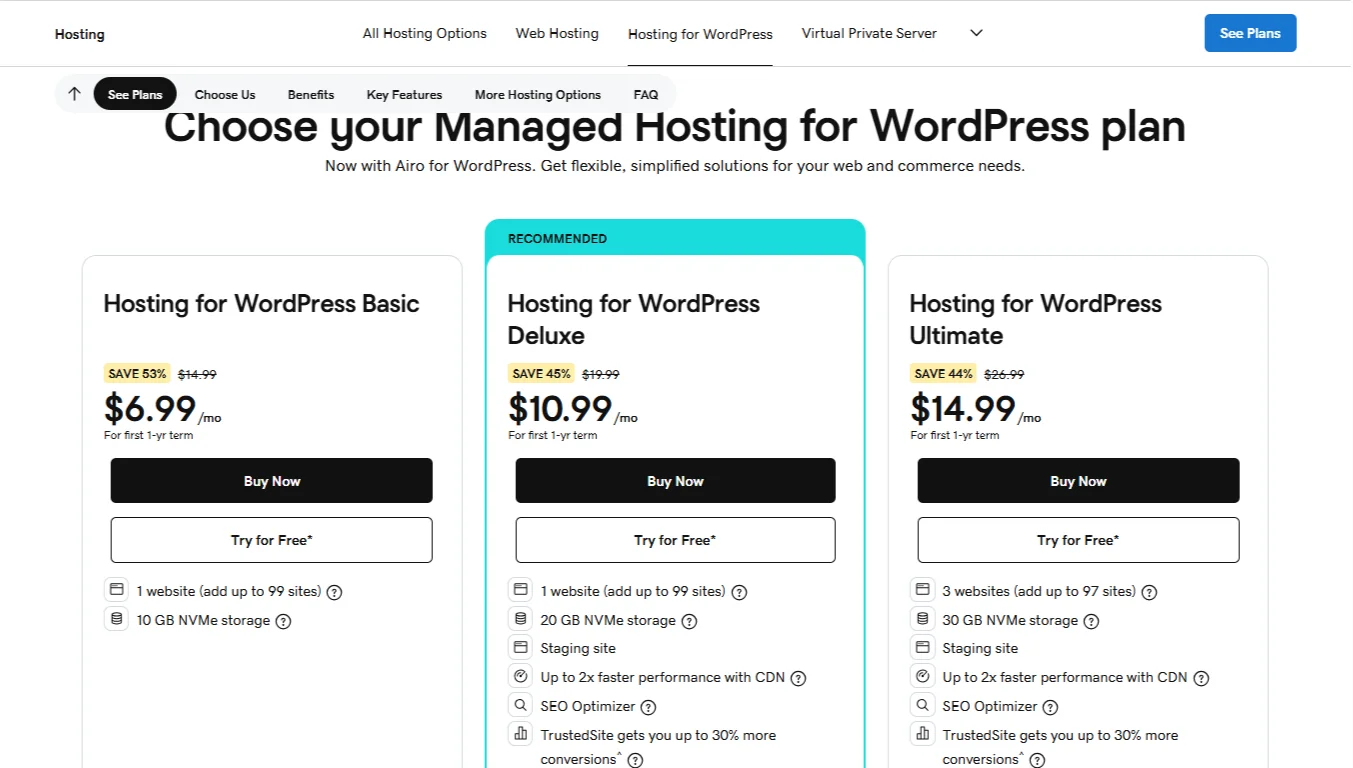
For example, GoDaddy charges $6.99 (discounted price) for managed WordPress on its basic plan, while the standard shared web hosting starter plan costs only $5.99.
d) Staging Environment
This is a private copy of your site for testing new plugins, themes, or code. Your live site stays completely unchanged while you work in staging.
If something breaks, nobody sees it except you. Once everything works, you push it live with one click. So you have no more broken sites on your main domain.
e) Built-in Caching for Speed
Your host configures server-level caching so pages load instantly for visitors. You do not need to install five different caching plugins.
The server saves a ready-to-send copy of each page and delivers it to the next visitor.
Your pages load faster, your visitors get a better experience, and Google ranks faster sites higher.
f) Automatic WordPress Core Updates
When WordPress releases a new version, your host tests and installs it for you. The host runs the update on a test copy of your site first.
If the update causes problems with your plugins or theme, they hold it back. Security patches get applied quickly.
Feature updates are delivered only when they are safe for your setup.
g) WordPress-specific Technical Support
When you contact support, they know WordPress. They understand plugin conflicts, database errors, and white screens.
They fix your WordPress problem, not just your server problem.
You do not get generic answers telling you to clear your browser cache. You get someone who can read your error log, identify the issue, and fix it.
Who Should Use Managed WordPress?
I) Small Business Owners
When you have a business to run, you do not have time to learn server management or fix hacked websites. When your site goes down, you lose customers.
Managed WordPress takes server work off your plate. The host handles security, updates, and backups, so you can concentrate on running your business.
II) Bloggers with No Technical Skills
If you are a blogger and want to write and publish without spending evenings updating plugins or troubleshooting error messages, get Managed WordPress.
Managed WordPress means you log in, write your post, and hit publish. The host keeps everything running behind the scenes.
III) E-commerce Store Owners
A broken store means lost sales. If your checkout page breaks, customers cannot complete their purchase.
Managed WordPress keeps your WooCommerce site online, secure, and fast. The host handles the technical side.
IV) Freelance Web Designers
If you build sites for clients and do not want to become their permanent IT support or get late-night calls about a white screen, use managed WordPress.
Hand the site over to the client, and let the host handle support calls for updates, backups, and technical issues.
V) Digital Agencies Managing Multiple Client Sites
When you have dozens or hundreds of WordPress sites to look after, doing manual updates on each site is impossible.
Managed WordPress gives you centralized updates, reporting, and security across all client sites. Your agency saves hours of work every week.
VI) Non-technical Website Owners
If you just want your site to work and have no interest in learning what a PHP error or an .htaccess file is.
Or maybe you do not want to watch tutorials about server management. Managed WordPress is ideal because it handles all the technical details.
VII) Anyone with a High-traffic WordPress Site
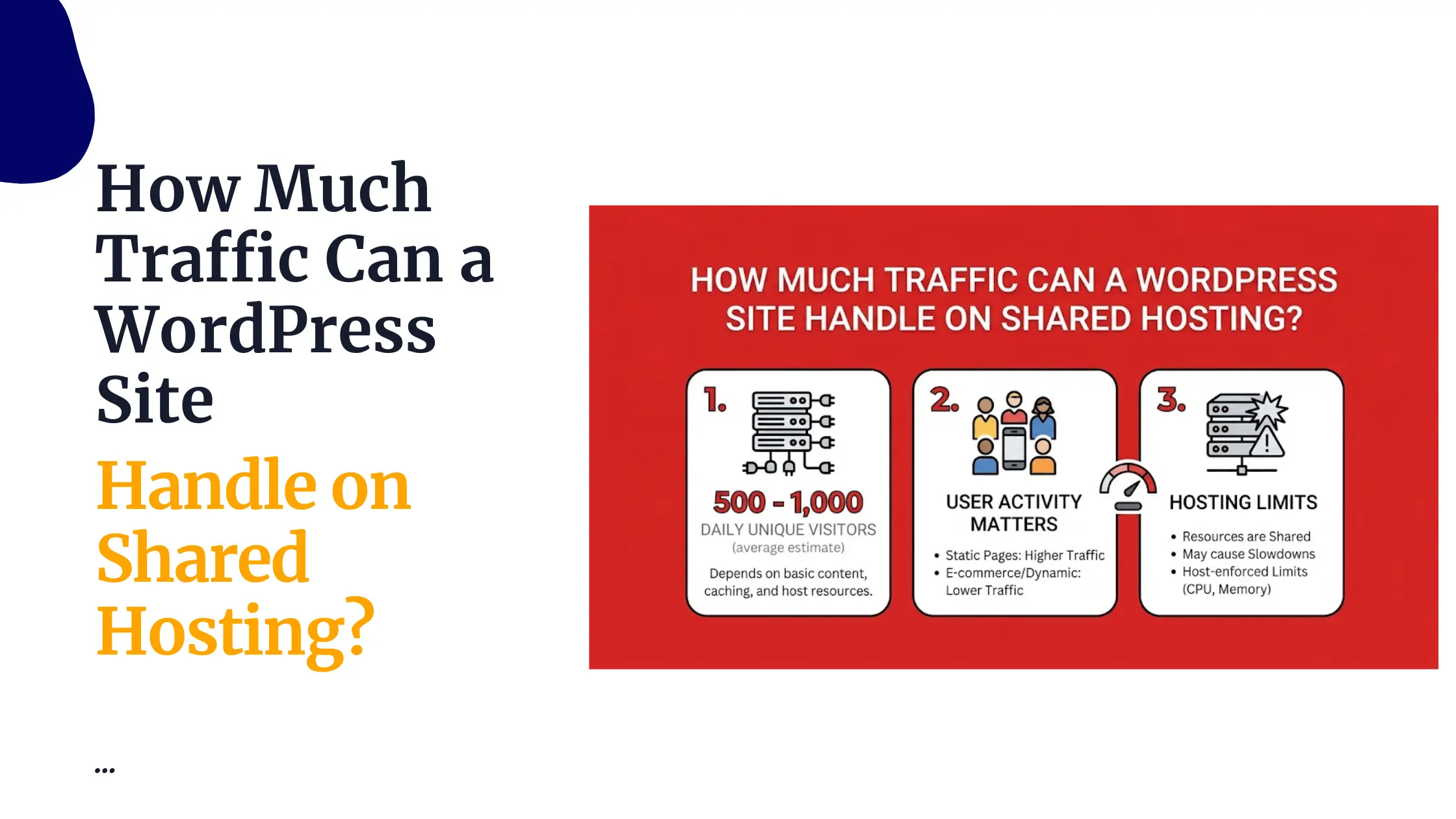
Once you get thousands of visitors per day, standard shared hosting will crash. Your site will slow down or stop loading.
Managed WordPress servers handle high traffic loads. If your site experiences a sudden spike in traffic, the host keeps it online.
Managed WordPress FAQs
Do I need managed WordPress hosting?
Yes, if you don’t want to handle the technical aspects of your website. If you have the technical skill and the hours to maintain your own server, you can stick with unmanaged hosting.
But most people should use managed WordPress because the cost is lower than paying a developer to fix problems every few months.
How much is managed WordPress hosting?
The cost depends on the provider and the package you choose. GoDaddy charges $6.99 to $14.99 for the discounted first year and $14.99 to $26.99 for the regular rate.
What are the benefits of managed WordPress hosting?
Faster loading times, better security, automatic backups, expert support, and zero maintenance work from you. Your site stays online and updates itself.
Is WordPress still worth it in 2026?
Yes. WordPress is one of the most flexible, well-supported, and cost-effective platforms for any type of website.
New builders are easier to get started with, but harder to scale. WordPress gives you full ownership and control.
Final Take on Managed WordPress
If you run a business, a serious blog, or any e-commerce store, managed WordPress is worth the cost. You avoid hacked sites, lost sales, and stressful weekends spent restoring broken backups.
However, if managed WordPress doesn’t sound like what you’re looking for, you have another option: shared hosting.
Yes. Shared hosting costs less. You get a functional server space, but you handle everything yourself. If you have the time and skill, shared hosting is a good option.

For most people, Truehost is a better fit. Our shared plans include free daily backups, free SSL certificates, a one-click installer, unlimited email accounts, and 24/7 live support.
Also, we got options for you:
- WebHosting Starter – Ksh 188/mo (triennially). Hosts 10 websites. 30 GiB SSD storage. Free daily backups. Unlimited bandwidth and email accounts.
- WebHosting Pro – Ksh 394/mo (triennially). Hosts 30 websites. 50 GB SSD storage.
- WebHosting Unlimited – Ksh 1,632/mo (triennially). Free .CO.KE domain (annual plan). Unlimited websites. Unmetered SSD storage.