 Domain SearchInstantly check and register your preferred domain name
 Web Hosting
 cPanel HostingHosting powered by cPanel (Most user friendly)
 WordPress HostingHost your WordPress website with fast, secure, and affordable WordPress hosting in Kenya.
 KE Domains
 Reseller HostingStart your own hosting business without tech hustles
 Windows HostingOptimized for Windows-based applications and sites.
 Free Domain
 Affiliate ProgramEarn commissions by referring customers to our platforms
 Free HostingTest our SSD Hosting for free, for life (1GB storage)
 Domain TransferMove your domain to us with zero downtime and full control
 All DomainsBrowse and register domain extensions from around the world
 .Com Domain
 WhoisLook up domain ownership, expiry dates, and registrar information
 VPS Hosting
 Managed VPSNon techy? Opt for fully managed VPS server
 Dedicated ServersEnjoy unmatched power and control with your own physical server.
 Website Builder
 Online Store BuilderLaunch a professional e-commerce store without writing code.
 Web Design ServiceGet a custom-designed website tailored to your brand and goals. From just KES 15,600
 BlogRead our guides on web hosting, online business, digital marketing, and more
 ContactContact us via chat or email

Looking for Truehost Black Friday promo codes in Kenya?
Truehost is running offers on two things this season: hosting upgrades and .co.ke domain registration.
You enter a short code at checkout, and the price drops.
Here’s what’s on offer.
Customers can save 20% when upgrading eligible hosting plans.
They can register a .co.ke domain for KSh 299.
And they can save KSh 100 on another listed .co.ke registration offer. Each one comes with its own code and its own conditions.
Whether you’re a first-time site owner or someone managing several client sites, the right code can lower your first payment.
The distinction is worth getting straight before you click anything.
The hosting upgrade offer is for existing customers moving to a higher plan.
The two domain offers are for registering a .co.ke domain. A code made for one product won’t work on the other.
This guide explains the available codes, the purchases they cover and how to apply each discount.
It also covers what to check before you pay and what to try if a code won’t work.
Offers change, so always confirm the final price on your own checkout screen.
Truehost Black Friday Promo Codes and Available Offers

Here are all three offers in one table.
| Promo code | Product | Offer | Regular price | Promotional price | Expiry |
| BF-UPGRADE-20 | Hosting upgrade | 20% off eligible upgrades | Kshs 2,500/year | KSh 4,200/year | 1 Dec 2026 |
| TLDBEEKE | .co.ke domain | 70% off registration | Kshs 299/year | KSh 299/year | 31 Dec 2026 |
| ZTEST700 | .co.ke domain | Save KSh 100 | Kshs 1,500/year | KSh 2,400/year | 31 Dec 2026 |
Black Friday falls on 27 November 2026.
The hosting code ends first, on 1 December, so anyone planning an upgrade has the least time.
The two domain codes run until the end of the year, which gives you more room.
Read the offers by product. If you’re upgrading, you only need BF-UPGRADE-20.
If you’re registering a .co.ke domain, you’re looking at TLDBEEKE or ZTEST700.
Don’t expect a domain code to reduce a hosting bill, or the reverse.
Here’s a quick way to choose.
If you’re a Starter customer ready to grow, use BF-UPGRADE-20.
If you’re registering a new Kenyan domain and want the biggest saving, look at TLDBEEKE first, since it takes KSh 700 off.
Keep ZTEST700 in mind if your order matches its listing instead.
In every case, the checkout page has the final say. Put the expiry dates in your calendar today so you don’t miss them.
a) BF-UPGRADE-20: Get 20% Off Hosting Upgrades
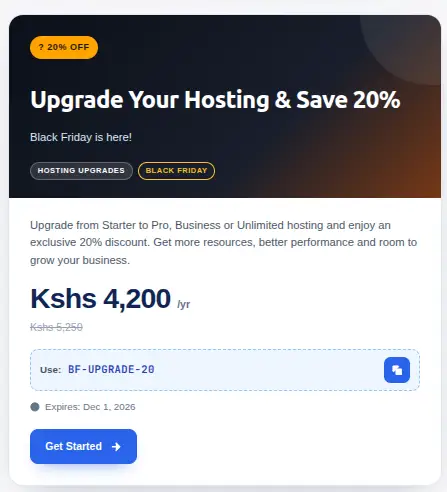
BF-UPGRADE-20 is for existing customers who upgrade from Starter to Pro, Business or Unlimited hosting.
The listed price falls from KSh 5,250 a year to KSh 4,200 a year. That’s a saving of KSh 1,050, which is the 20% the offer promises.
The promotion expires on 1 December 2026. If you’ve been thinking about moving up, set yourself a date to decide.
Be clear about what this offer isn’t. It’s specifically for eligible upgrades.
It isn’t a general 20% discount on every hosting purchase, so a brand new customer buying hosting for the first time shouldn’t expect it to apply.
Check that your account and your current plan qualify before you build a budget around it.
If you manage several websites, remember that a plan with a higher website allowance can cost less than buying separate accounts, so the upgrade may save you more than the discount alone suggests.
b) TLDBEEKE: Register a .co.ke Domain for KSh 299
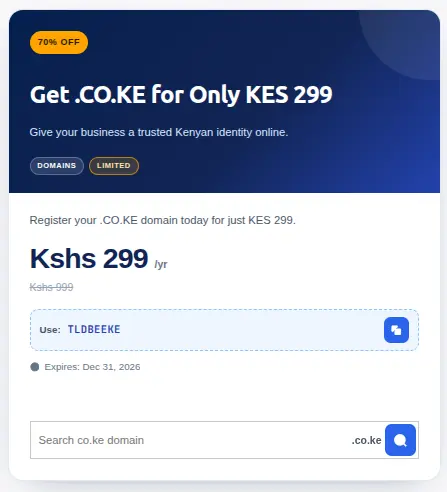
TLDBEEKE takes 70% off .co.ke registration. The price falls from KSh 999 a year to KSh 299 a year, which saves KSh 700.
The code expires on 31 December 2026. It suits anyone who wants a Kenyan domain for a business, a project or a personal site.
A .co.ke address tells Kenyan visitors the site is local, and a low first-year price keeps your launch cost down. Here’s the longer view.
If .co.ke renews at around KSh 1,500, a first year at KSh 299 plus one renewal comes to about KSh 1,799 over two years.
At the regular KSh 999 first-year price, the same two years would be about KSh 2,499.
c) ZTEST700: Save KSh 100 on .co.ke Registration
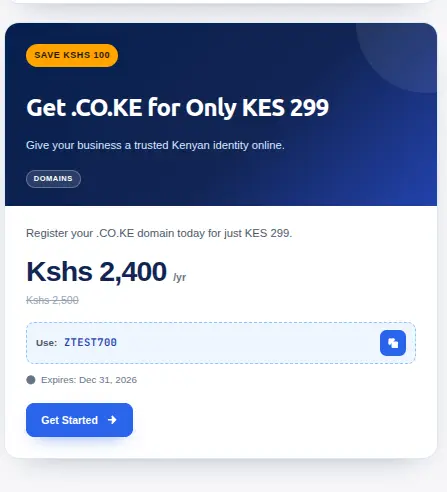
ZTEST700 reduces a listed .co.ke registration from KSh 2,500 a year to KSh 2,400 a year.
That’s a saving of KSh 100. It also expires on 31 December 2026.
The code applies to the listed .co.ke registration offer, subject to checkout eligibility.
Because the saving is small and the base price is different from TLDBEEKE’s, check the order summary before you pay and make sure the discount shows up.
If the checkout shows a different base price from the one listed here, trust the checkout.
How to Use Truehost Black Friday Promo Codes
The steps depend on what you’re doing. Upgrading an existing hosting account is one path.
Registering a domain is another.
How to Apply BF-UPGRADE-20 to Your Hosting Upgrade
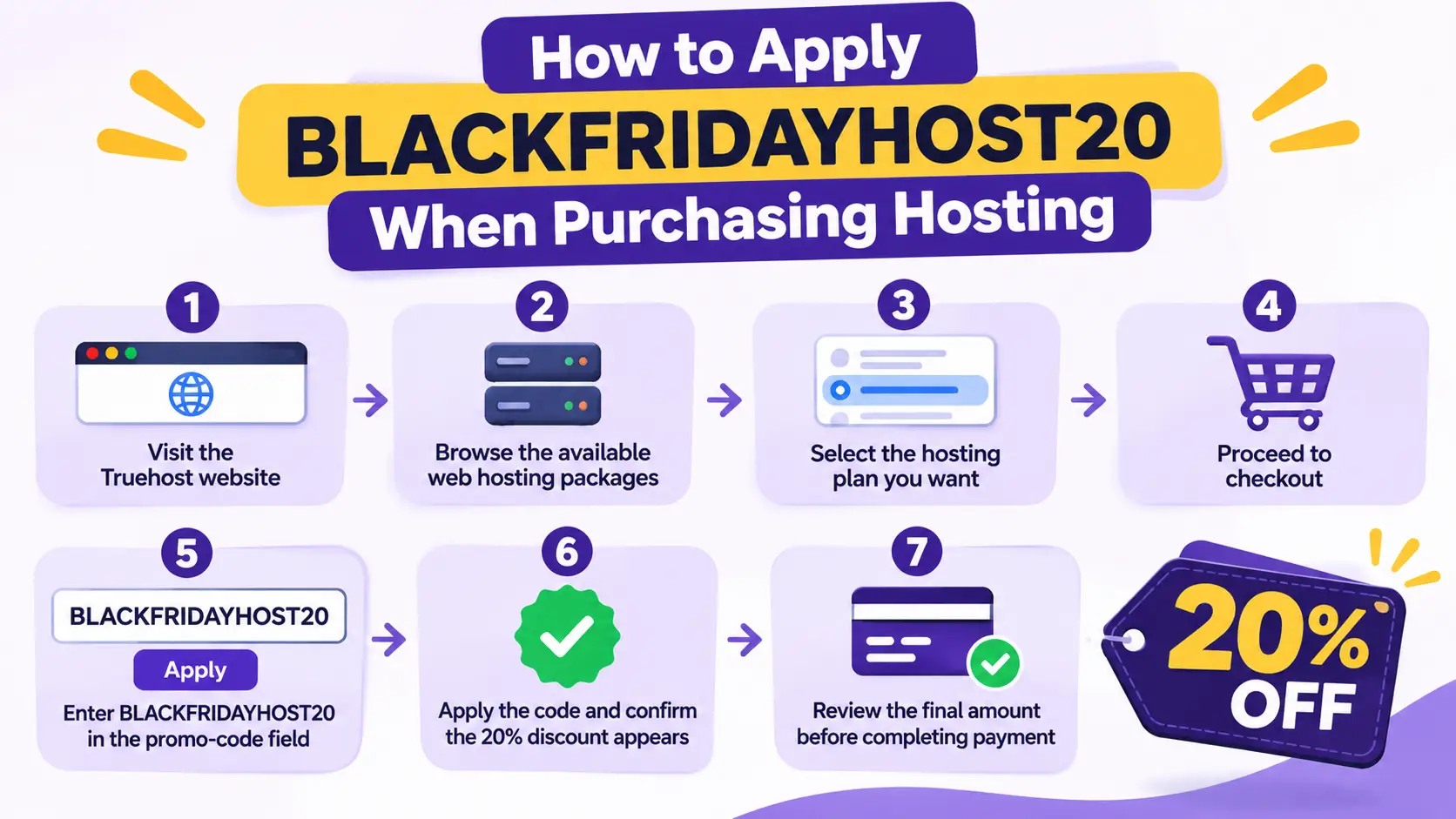
Follow these steps if you already host with Truehost on a Starter plan.
- Log in to your Truehost client account.
- Open the Starter hosting service you want to upgrade.
- Review the available upgrade options.
- Select Pro, Business or Unlimited.
- Enter BF-UPGRADE-20 in the promo-code field if it’s presented during checkout.
- Confirm that the 20% discount has been applied.
- Review the final amount before completing payment.
Before you start, take a backup of your website. Upgrades are normally smooth, but a backup gives you a safe way back.
It also helps to note your current usage, such as storage and the number of sites, so you can pick a plan with enough room.
After the upgrade, load your website and test pages like forms and checkout, then confirm the new limits in your control panel.
Pay attention to step five.
The promo-code field may not appear on every screen, and it may only show at a certain point in checkout.
If you can’t find it, check the order summary page, and contact support if it still doesn’t appear.
How to Use TLDBEEKE or ZTEST700 for Domain Registration
Follow these steps to register a .co.ke domain with a code.
- Visit the Truehost domain registration page.
- Search for your preferred .co.ke domain.
- Check that the domain is available.
- Add it to your cart.
- Enter the applicable promo code.
- Apply the code and confirm the discounted price.
- Complete payment after reviewing the order.
After you register, point the domain to your hosting so the website can use it, and keep the registration confirmation somewhere safe.
Choose your name carefully. Short, memorable names that match your business are easiest for customers to type.
If your first choice is taken, try a variation with your town or a word that describes what you do.
Only one of the two domain codes will fit a given order.
They list different base prices, so don’t assume you can pick whichever gives the lowest total on the same cart.
Enter one, check the price, and if it isn’t accepted, check the conditions before you try the other.
What to Check Before Using a Truehost Promo Code
A few checks take a minute and can save you from a surprise. Use this table.
| Detail | What to confirm |
| Eligible product | Hosting upgrade or .co.ke registration |
| Customer eligibility | Whether the offer applies to your account |
| Selected package | Whether the hosting upgrade qualifies |
| Discount amount | Whether the expected saving appears |
| Billing period | Whether the price covers one year |
| Expiry date | Whether the code is still valid |
| Renewal price | What you pay after the promotional period |
Promotional prices and renewal prices are different. A discount on your first payment doesn’t lower the amount you pay later.
Always check the final checkout total. Don’t assume the domain codes apply to renewals or transfers.
Don’t assume the hosting upgrade code applies to new hosting purchases.
If an offer doesn’t say it covers something, treat it as not covered until the checkout shows otherwise.
Take a screenshot of the order summary before you pay, so you have a record of the price and the code you used.
If you register domains for clients, check whose name and contact details go on the registration, and keep them accurate.
What to Do If Your Truehost Promo Code Is Not Working
Codes can fail for simple reasons. Start with this table.
| Problem | What to check |
| Invalid code | Check spelling and extra spaces |
| Hosting discount not appearing | Confirm you selected an eligible upgrade |
| Domain discount not appearing | Confirm the selected domain is eligible |
| Code has expired | Check the expiry date |
| Discounted price is incorrect | Review the selected product and billing period |
| Existing customer cannot apply the code | Confirm the offer’s account eligibility |
Most failures come down to typing. BF-UPGRADE-20 has two hyphens, and a missing one or an extra space will break it.
Copy the code without spaces, or type it again slowly. Uppercase letters are the safest, because that’s how the code is listed.
Next, check that you’re using the right code on the right product.
Using TLDBEEKE on a hosting upgrade, or BF-UPGRADE-20 on a domain, won’t work.
Make sure the cart holds the product the code is meant for. Check the billing period, since a code may be meant for a one-year term.
If you’re an existing customer and the upgrade code is rejected, confirm that your account qualifies.
The offer is for eligible upgrades from Starter, so a different plan may not be covered.
Try a private browser window, or clear the cart and start again, if the field seems stuck.
If the code still fails after you’ve checked the offer conditions, contact Truehost support.
Give them the code, the product in your cart and the message you saw, so they can check whether the offer is still active.
Reply times vary, so contact them early, well before the expiry date.
Upgrade Your Hosting With Truehost
Black Friday offers are a good moment to look at your hosting again.
A website that fit your needs a year ago may now need more resources or room for another project.
Existing Starter customers can review the Pro, Business and Unlimited packages to decide whether an upgrade makes sense.
Truehost lists Starter with up to 10 websites and 30 GiB of SSD storage.
Pro raises that to 30 websites and 50 GB, and Unlimited has no website cap and unmetered SSD storage.
Compare website allowances, storage and the other plan resources before you choose.
Ask a few questions. Are you close to your website limit? Is storage filling up?
Does your site slow down when visitors arrive in numbers?
Do you plan to launch another site this year? If you answer yes to any of these, a higher plan is worth a look.
Timing helps too. Moving up before a busy period, such as a sale or a launch, gives your site room to handle extra visitors.
You can compare the packages on the Truehost hosting plans page.
If your current hosting package no longer supports your website’s needs, take advantage of the Black Friday upgrade offer and move to a plan with more room to grow.
Visit Truehost hosting, compare the available packages and choose the one that suits your website.
Don’t wait until the last day, since the hosting code ends on 1 December. Write down what you paid and when each service renews. Keep it with invoices.
Visit Truehost hosting, compare the available packages and use BF-UPGRADE-20 to upgrade to a plan with room to grow.