 Domain SearchInstantly check and register your preferred domain name
 Web Hosting
 cPanel HostingHosting powered by cPanel (Most user friendly)
 WordPress HostingHost your WordPress website with fast, secure, and affordable WordPress hosting in Kenya.
 KE Domains
 Reseller HostingStart your own hosting business without tech hustles
 Windows HostingOptimized for Windows-based applications and sites.
 Free Domain
 Affiliate ProgramEarn commissions by referring customers to our platforms
 Free HostingTest our SSD Hosting for free, for life (1GB storage)
 Domain TransferMove your domain to us with zero downtime and full control
 All DomainsBrowse and register domain extensions from around the world
 .Com Domain
 WhoisLook up domain ownership, expiry dates, and registrar information
 VPS Hosting
 Managed VPSNon techy? Opt for fully managed VPS server
 Dedicated ServersEnjoy unmatched power and control with your own physical server.
 Website Builder
 Online Store BuilderLaunch a professional e-commerce store without writing code.
 Web Design ServiceGet a custom-designed website tailored to your brand and goals. From just KES 15,600
 BlogRead our guides on web hosting, online business, digital marketing, and more
 SupportOur support guides cover everything you need to know about our services
 ContactContact us via chat or email
You have a domain registered with Kenya Web Experts. You want to move it to Truehost.
Maybe you have heard that Kenya Web Experts is not the same as it used to be. Or probably, just want better service. Either way, you came to the right place.
Let me explain what happened.
Kenya Web Experts was a popular domain registrar and hosting company in Kenya. Many people registered their .co.ke domains with them. Many businesses hosted their websites there.
That was then.
Kenya Web Experts has since been acquired by Hosting.com, a foreign company.
So, if you want local support, better pricing, and a company that understands the Kenyan market, you’ve made the best decision for your domain: transferring to Truehost.
Why Go With Truehost?
You are probably wondering if moving your domain to Truehost is worth the trouble. Let me give you a few reasons.
We are fully accredited by KENIC, and we have over 70,000 customers in Kenya. Our support team speaks your language.
We accept M-Pesa payments. And when you transfer your domain to us, we add an extra year to your registration at no extra cost.
This is what you get when you transfer to Truehost:
- Cheapest domain renewal and transfer prices in Kenya
- Local support team that responds quickly
- Easy Mpesa payments
- Free extra year added to your domain
- No downtime during transfer
- Simple client area to manage everything
- Bulk transfer options if you have multiple domains
Quick Pre-transfer Checklist
Before you start the transfer process, make sure your domain meets these requirements. If you skip this, your transfer may fail or get delayed.
- Your domain must be at least 60 days old. If you just registered it recently, you have to wait.
- Your domain must be active. If it has expired or is in redemption period, renew it first.
- You must have access to your current registrar account. That means you can log in to
Hosting.com(Kenya Web Experts). - Your WHOIS admin email must be active. You will receive approval emails there.
How to Transfer From Kenya Web Experts to Truehost
One important thing you need to know before we start. Your files are now live on Hosting.com, not Kenya Web Experts anymore.
When Kenya Web Experts was acquired, everything moved to Hosting.com. So you are actually transferring your domain from Hosting.com to us.
Step 1: Unlock the Domain at Hosting.com (Kenya Web Experts)
Domains come with a security feature called registrar lock. This lock prevents anyone from transferring your domain without your permission. You need to turn it off before you can transfer by doing this:
- Log in to your
Hosting.comclient area. This is the same login you used for Kenya Web Experts. - Click on Domains or My Domains from the menu.
- Find the domain you want to transfer and select the checkbox next to it.
- Look for a dropdown menu labeled “With Selected.” Click on it.
- Select Registrar Lock Status or Domain Lock.
- Click Disable Registrar Lock or Turn Off Lock.
- Save your changes.
Once you do this, your domain status will change from locked to unlocked. You are now ready to get the transfer code.
Step 2: Obtain the EPP/Auth Code
The EPP code is like a password for your domain. Every domain has one. You need this code to prove you own the domain and authorize the transfer.
Without it, Truehost cannot pull the domain from Hosting.com.
This is how to get it:
- Still inside your
Hosting.comdashboard, go back to your domain list. - Click on the domain you want to transfer to open its settings.
- Look for an option called EPP Code, Auth Code, or Transfer Code.
- Click on it. Some registrars display the code on the screen immediately. Others send it to your email address.
- Copy the code exactly as it appears. It is case-sensitive, so write it down correctly or paste it into a text file.
Step 3: Initiate Transfer on Truehost
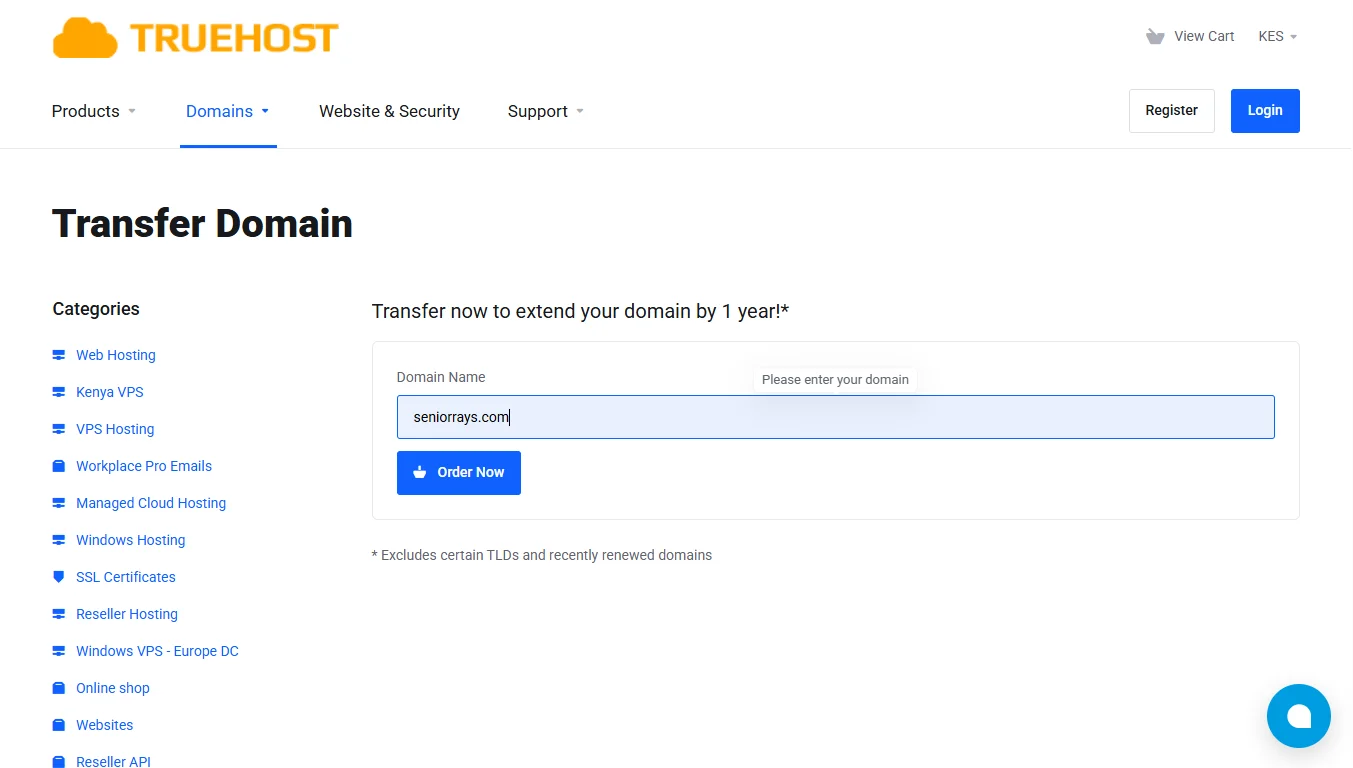
Now that your domain is unlocked and you have the EPP code, go to Truehost to start the transfer.
First, go to the Truehost website and open the Domain Transfer page.
Log in to your client area. If you do not have an account with us yet, create one. It only takes a minute.
Enter the domain name you want to transfer. For example, if your domain is yourbusiness.co.ke, type that exactly.
The system will check if your domain is eligible for transfer and prompt you to enter the authorization code.
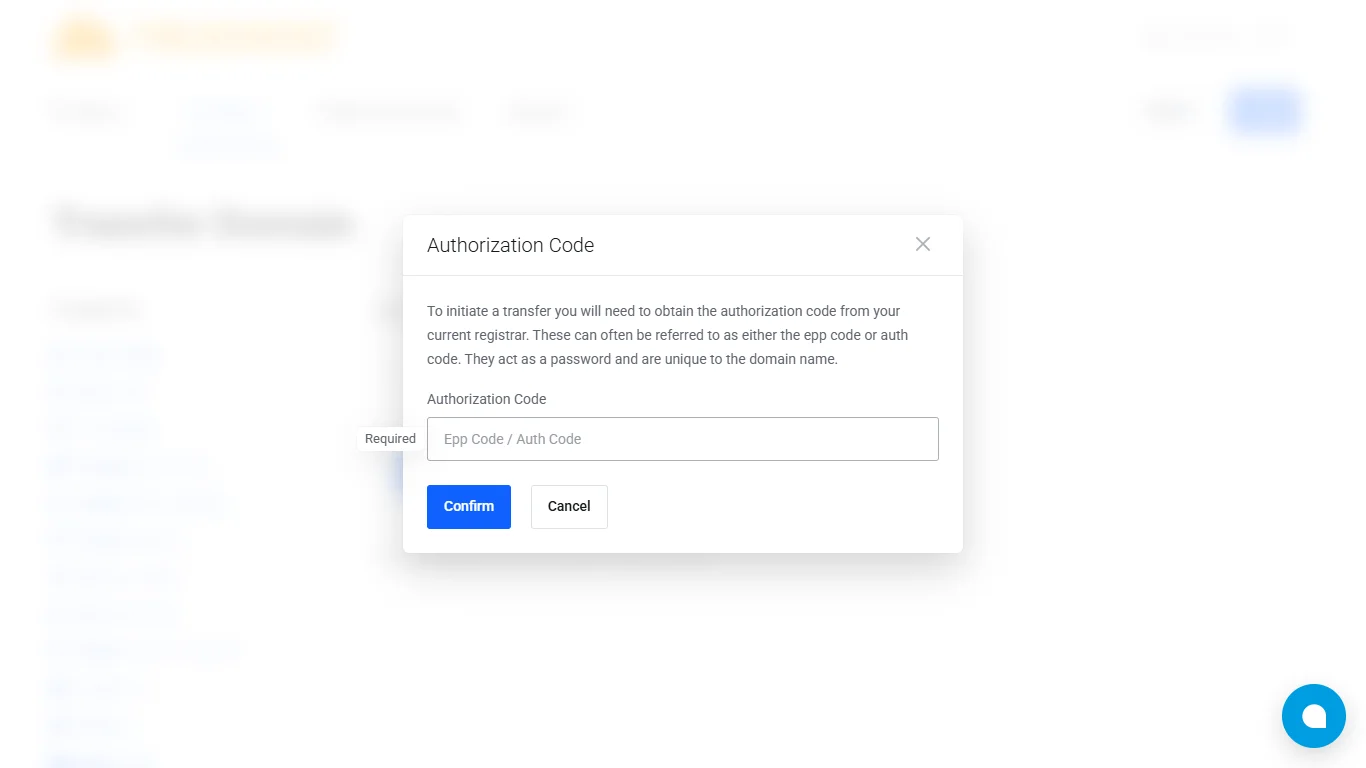
Step 4: Complete Checkout
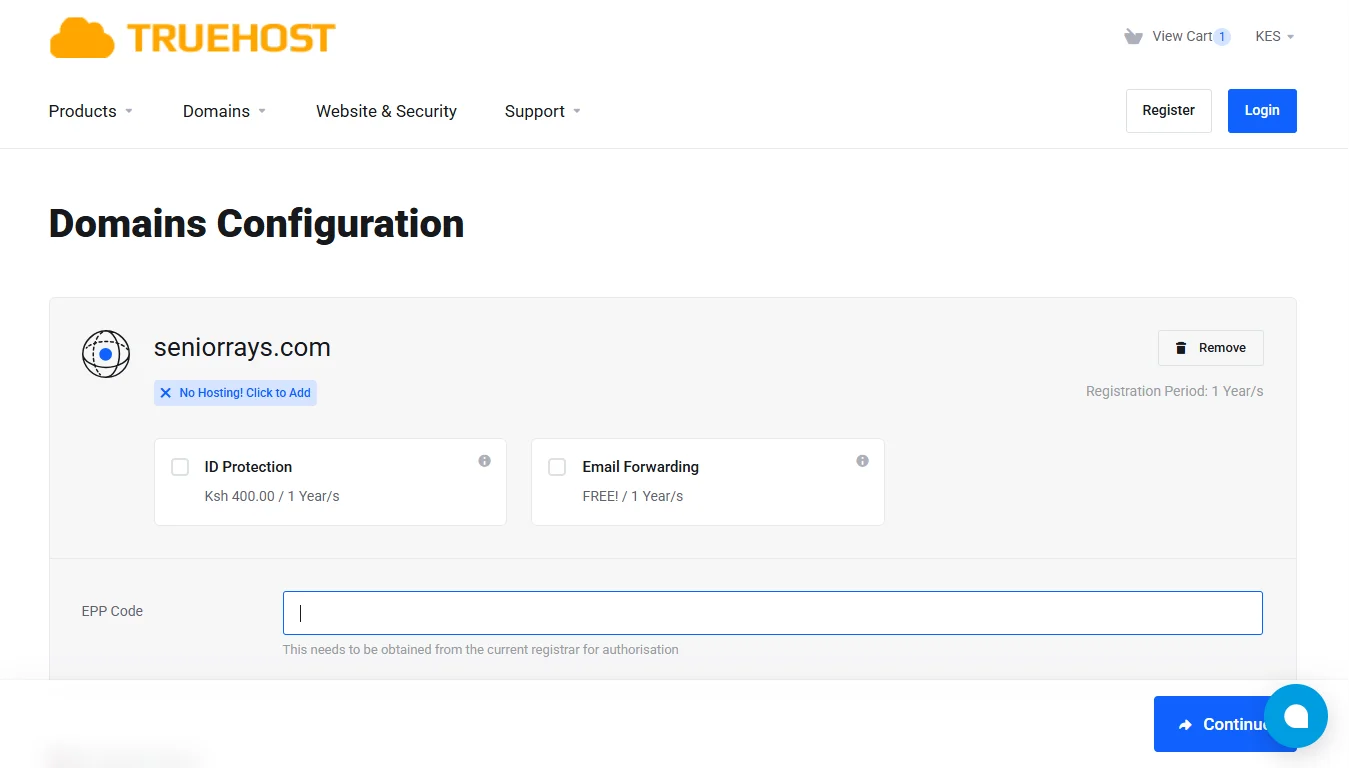
Once you paste the EPP code, you’ll have options to choose addons like Whois privacy protection and email forwarding.
Also, if you don’t have hosting, you can add it now.
Click continue, and you’ll be guided to the billing details. This includes your personal information as preferred.
You also get to choose your payment method among these options:
- Mastercard, Visa, ATM, Debit & Credit Card
- Pay via Mpesa
- Bank Transfer
- PayPal
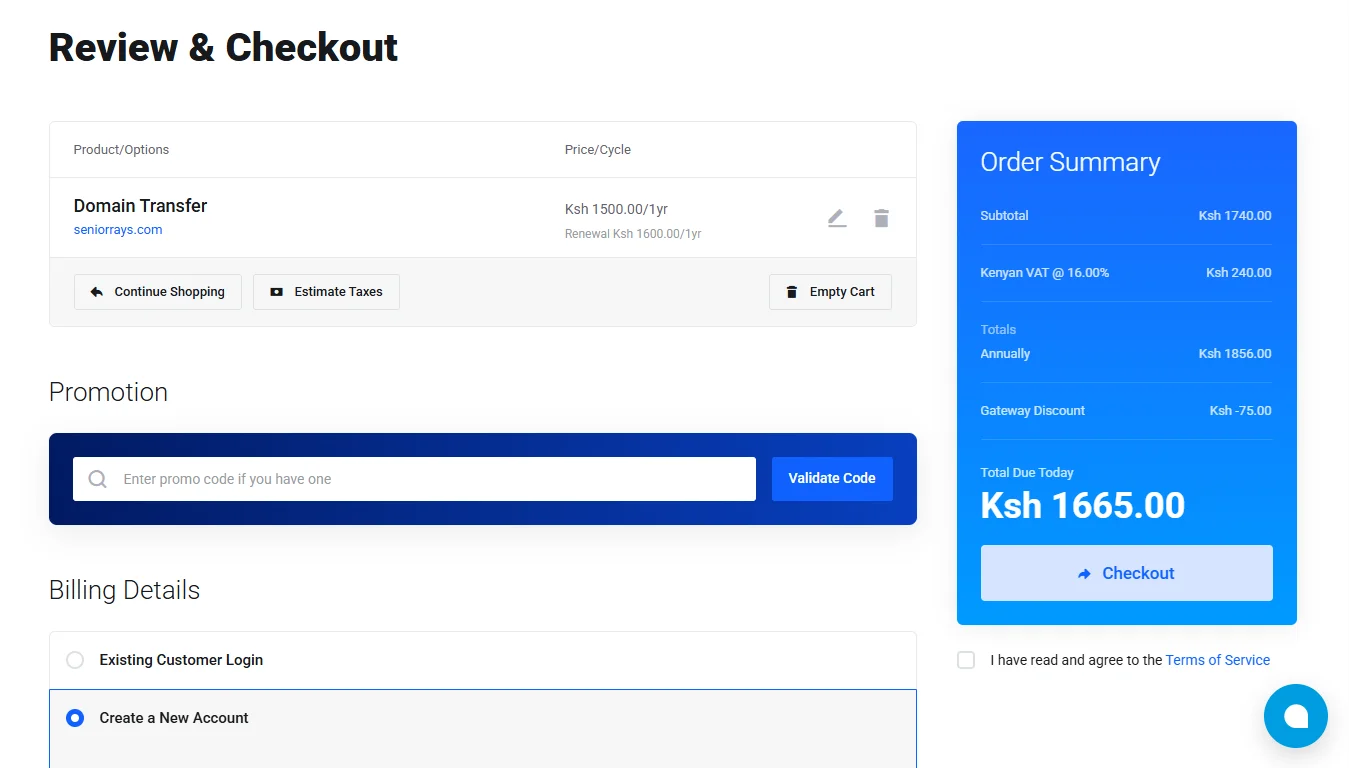
If you have a promo code, you can use it and get a total amount for the domain transfer.
After reviewing all the details, agree to the terms, then click checkout to complete.
Step 5: Approve the Transfer (Email Confirmation)
After you pay, the transfer does not start automatically. You must approve it by email. This is a security measure to prevent fraud.
Check the email inbox of the WHOIS admin email address for your domain. This is the email address listed as the domain owner.
You will receive an email from Truehost requesting your approval of the transfer. Open it and click the confirmation link.
In some cases, Hosting.com will also send you an email asking you to confirm the transfer out. If you get that email, click the approval link there as well.
Once you approve from both sides, the transfer officially begins.
Step 6: Wait for Completion
Now you wait. The time it takes depends on your domain extension.
For .ke and .co.ke domains, the transfer usually completes within 72 hours. Sometimes it happens instantly.
For global extensions like .com, .net, .org, and .info, the transfer takes 5 to 7 days. This is because of rules set by the global domain authorities.
Once the transfer finishes, Truehost automatically adds one extra year to your domain registration. You do not lose any time from your existing registration. That time is added on top.
Step 7: Post-Transfer Verification
The transfer is complete. Now take five minutes to make sure everything works.
Log in to your Truehost client area. Go to Domains or My Domains. Confirm that your domain appears there.
Check your nameservers. Sometimes DNS settings are reset during a transfer. If your website or email stopped working, update your nameservers back to their original settings.
Visit your website. Make sure it loads properly. Send a test email to confirm your email works.
If something is wrong, contact our support team. We will help you fix it.
Ready to Get Started?
You have the steps. You know what to do. Unlock your domain, get the EPP code, start the transfer on Truehost, paste the code, pay, approve the email, and wait.
At Truehost, we are eager to have you. You get local support that helps you. You pay with Mpesa, no cards or PayPal required. Your domain gets an extra year free after transfer.
Our prices are the lowest you will find. And you are dealing with a company that is fully accredited by KENIC.
With this button, you can initiate a domain transfer and have your domain with us in the simple steps that I explained.







