Domain SearchInstantly check and register your preferred domain name
 Web Hosting
 cPanel HostingHosting powered by cPanel (Most user friendly)
 WordPress HostingHost your WordPress website with fast, secure, and affordable WordPress hosting in Kenya.
 KE Domains
 Reseller HostingStart your own hosting business without tech hustles
 Windows HostingOptimized for Windows-based applications and sites.
 Free Domain
 Affiliate ProgramEarn commissions by referring customers to our platforms
 Free HostingTest our SSD Hosting for free, for life (1GB storage)
 Domain TransferMove your domain to us with zero downtime and full control
 All DomainsBrowse and register domain extensions from around the world
 .Com Domain
 WhoisLook up domain ownership, expiry dates, and registrar information
 VPS Hosting
 Managed VPSNon techy? Opt for fully managed VPS server
 Dedicated ServersEnjoy unmatched power and control with your own physical server.
 Website Builder
 Online Store BuilderLaunch a professional e-commerce store without writing code.
 Web Design ServiceGet a custom-designed website tailored to your brand and goals. From just KES 15,600
 BlogRead our guides on web hosting, online business, digital marketing, and more
 SupportOur support guides cover everything you need to know about our services
 ContactContact us via chat or email
Let’s start with the actual numbers, since that’s probably what you’re here for.
A well optimized WordPress site on shared hosting can often handle around 10,000 to 50,000 visitors per month.
A WordPress site on a properly configured VPS or cloud server can manage 100,000 visitors per month or more.
With caching, a CDN and genuinely scalable infrastructure behind it, WordPress can handle millions of visitors without breaking a sweat.
These aren’t hard limits built into WordPress itself though.
How much traffic can a WordPress site handle really comes down to the hosting resources behind it, how well caching is configured, which plugins are running, how much the database gets queried, and whether traffic arrives steadily or in sudden spikes.
WordPress is just software. What it can handle depends almost entirely on the environment it’s running in.
Two sites built on the exact same WordPress core, running the same version, can behave completely differently under identical traffic.
Simply because one is properly cached and running a lightweight theme while the other is dragging along a dozen heavy plugins and serving uncompressed images.
This is really the core idea worth carrying through the rest of this guide: the software isn’t the bottleneck, the setup around it usually is.
How Much Traffic Can a WordPress Site Handle?
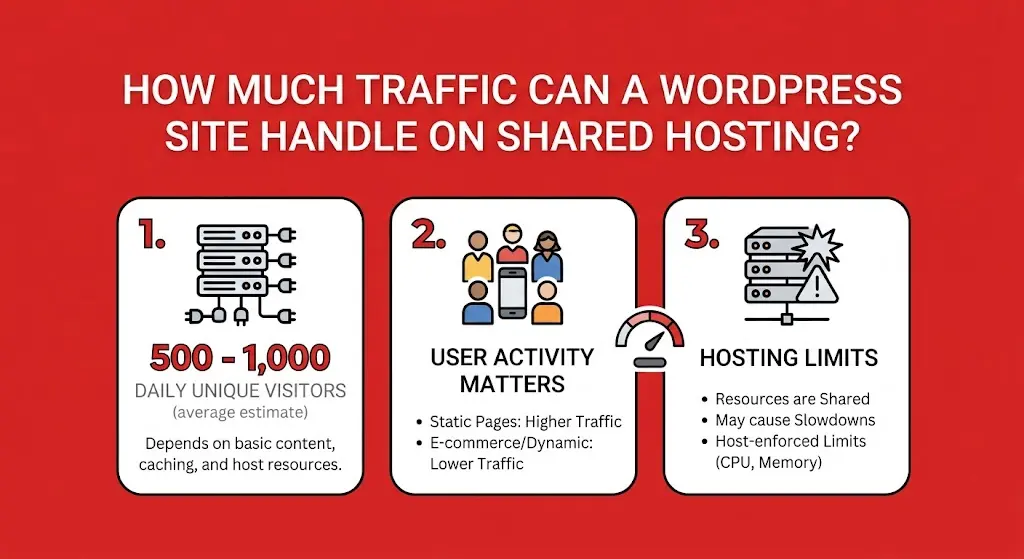
Here are the practical numbers across different setups, before we dig into what actually determines where a specific site lands.
| WordPress Setup | Approx. Monthly Traffic It Can Handle |
|---|---|
| Basic shared hosting | 5,000 to 10,000 visitors |
| Optimized shared hosting | 10,000 to 50,000 visitors |
| High resource WordPress hosting | 50,000 to 100,000+ visitors |
| VPS hosting | 100,000 to 500,000+ visitors |
| Scaled WordPress infrastructure | 1 million+ visitors |
It’s worth being clear that these are practical estimates rather than official WordPress limits.
A lightweight blog receiving 50,000 cached visits can genuinely put less strain on a server than a WooCommerce store receiving just 10,000 visitors, since the type of traffic counts for just as much as the raw number.
What Determines How Much Traffic a WordPress Site Can Handle?
A handful of specific factors shape where a given site’s actual ceiling sits, well beyond the simple numbers in the table above.
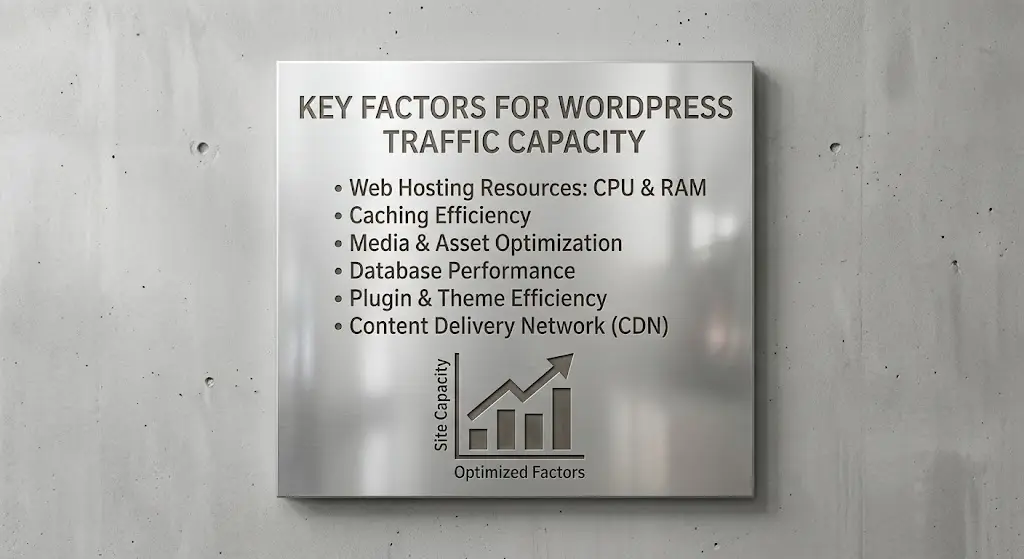
a) Hosting Resources
The underlying resources available to your site set the baseline for everything else.
This covers CPU, RAM, storage, disk I/O speed, the number of PHP workers available to process requests simultaneously, and the database resources backing your site.
A site with more CPU and RAM available can process more simultaneous requests before slowing down, regardless of how well optimized everything else is.
PHP workers specifically are worth knowing a little more about, since they’re one of the less obvious bottlenecks on shared hosting.
Each PHP worker can handle one request at a time, so if your plan only allocates a handful of workers, only that many visitors can be actively served at once, with everyone else queuing briefly behind them.
A site with plenty of CPU and RAM can still feel sluggish under concurrent load if it’s starved for PHP workers specifically.
b) Caching
Caching is one of the single biggest factors in how much traffic a WordPress site can realistically handle.
Without it, WordPress rebuilds each page dynamically for every single visitor, pulling data from the database and assembling the page from scratch each time.
Cached pages skip most of that work, serving a pre-built version instead, which dramatically reduces the load each visit places on the server.
The difference this makes in practice is significant.
A well cached site can often serve several times more visitors on the same hosting resources compared to an uncached equivalent, simply because most visitors are being handed a ready made page rather than triggering a full database query and page build each time.
For any site expecting meaningful traffic, caching is usually the single highest impact change available, and often the cheapest to implement.
c) Plugins
Heavy plugins, page builders, search tools, WooCommerce and membership systems can all increase server load considerably, sometimes far more than people expect.
Every active plugin adds processing overhead, and plugins that query the database frequently, like search functionality or dynamic product filtering, tend to be particularly demanding under real traffic.
It’s worth periodically auditing which plugins are actually in active use, rather than letting them accumulate indefinitely.
A plugin installed for a one time task months ago, then forgotten, still loads its code on every page request even if nobody is actively using the feature it provides.
Deactivating and removing genuinely unused plugins is a quick, low effort way to free up a bit more headroom under real traffic.
d) Website Size
Large images, unoptimized videos, bloated JavaScript files and generally heavy pages increase both bandwidth usage and loading requirements.
Every visitor’s browser has to download all of this content, and oversized files mean more data moving per visit, which adds up fast once traffic starts climbing.
This affects more than just bandwidth too.
Heavier pages generally take longer to generate on the server side as well, particularly if images are being resized or processed dynamically rather than served as pre-optimized files.
A page built from lean, compressed assets completes faster on both ends, the server generating it and the visitor’s browser rendering it, which counts for more as traffic volume increases.
e) Database Activity

A mostly static blog behaves very differently under load compared to a site constantly querying and updating a database.
WordPress is inherently dynamic and database driven, so sites doing a lot of database work, think ecommerce checkouts, membership logins, or frequently updated content, place considerably more strain on a server than a site mostly serving static, cached pages.
This is exactly why a WooCommerce store with real time inventory checks and personalized cart contents genuinely can’t rely on caching the same way a blog can.
Logged in users, active carts and live stock levels all need fresh database queries rather than a static cached page.
Which is a big part of why ecommerce sites generally need more server resources per visitor than content focused sites do.
f) Traffic Spikes
There’s a real difference between 50,000 visitors spread evenly across a month and 50,000 visitors arriving within a few hours.
The second scenario can cause real problems much sooner, since the server has to handle a huge concurrent load all at once rather than a steady, manageable trickle spread across weeks.
Marketing campaigns, viral content and seasonal spikes all create exactly this kind of sudden, unpredictable demand.
A hosting plan comfortably handling 30,000 visitors spread across a month might still struggle badly if even a quarter of that traffic lands in a single afternoon, since the concurrent load at any given moment is what actually determines whether requests queue up or fail outright.
Planning for predictable spikes, a product launch or a known seasonal rush, ahead of time with extra resources or a temporary upgrade is usually far less stressful than scrambling to react once a site is already struggling under load.
g) Server Software and Configuration
The actual web server software running behind the scenes makes a real difference too. LiteSpeed and NGINX generally outperform older Apache based setups under heavy load, and server level configuration.
Like how many concurrent connections or PHP workers are allowed, directly shapes how many simultaneous visitors a site can actually serve before requests start queuing up.
This is largely outside a site owner’s direct control on shared hosting, since the provider sets up the underlying server software and configuration for the whole environment.
It’s still worth knowing about though, since it explains part of why two hosting providers advertising similar prices and resource numbers can still deliver noticeably different real world performance under the same traffic.
h) Other Sites and Activity on the Same Server
On shared hosting specifically, your site isn’t the only one drawing from the server’s resources.
Other websites on the same machine, along with any abusive traffic like brute force login attempts, image hotlinking from other sites, or bot traffic hitting your site, can all eat into the resources actually available to your own site, regardless of how well optimized your own setup is.
This is sometimes called the noisy neighbor effect, where a resource hungry site sharing your server can quietly drag down performance for everyone else sitting on the same machine, even if your own site hasn’t changed at all.
It’s one of the genuine trade-offs of shared hosting’s lower price point, and part of why moving to a VPS, with resources allocated specifically to your own account, becomes attractive once a site’s traffic grows large enough to notice this kind of interference regularly.
How to Make WordPress Handle More Traffic
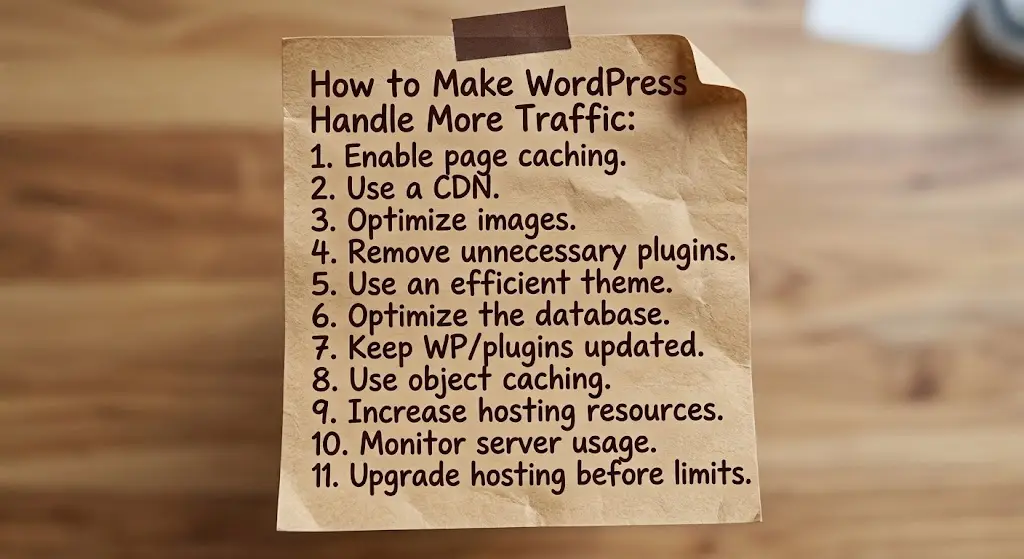
A handful of practical steps genuinely move the needle here, roughly in order of impact for most sites.
- Enable page caching so repeat visits serve a pre-built page rather than rebuilding it from scratch every time.
- Use a CDN to serve static content, like images and scripts, from servers closer to your visitors, reducing load on your main server.
- Optimize images, compressing file sizes and using modern formats to cut down on bandwidth and loading time.
- Remove unnecessary plugins, keeping only what your site genuinely needs running.
- Use an efficient WordPress theme, since lightweight, well coded themes place far less strain on the server than heavy, feature stuffed ones.
- Optimize the database, clearing out old revisions, spam comments and other clutter that accumulates over time.
- Keep WordPress and plugins updated, since updates often include performance improvements alongside security fixes.
- Use object caching where appropriate, reducing repeated trips to the database for data that doesn’t change often.
- Increase hosting resources once you’ve genuinely optimized everything else and traffic still calls for more.
- Monitor server usage regularly, so you catch resource limits being approached before visitors start noticing slowdowns.
- Upgrade hosting before consistently hitting resource limits, rather than waiting until the site is already struggling under real traffic.
Working through these roughly in order, starting with caching and a CDN before jumping straight to more expensive hosting, tends to get the most improvement for the least cost, especially for sites still comfortably within shared hosting’s realistic range.
It’s worth treating this as an ongoing process rather than a one time setup task too.
A site that was well optimized a year ago can quietly drift as new plugins get added, content grows, and traffic patterns shift.
So revisiting these steps periodically keeps performance from slowly slipping without anyone noticing until traffic actually tests it.
Handle More Traffic With WordPress Hosting
This guide has established that 10,000 to 50,000 monthly visitors is a reasonable working range for optimized shared hosting.
While traffic beyond that usually calls for more resources, whether that’s higher tier WordPress hosting or a move to VPS.
Truehost’s WordPress hosting is built around exactly this kind of growth path, giving sites room to scale their resources as traffic increases rather than hitting a hard wall unexpectedly.
There’s no single universal number guaranteed for every plan, since actual capacity always depends on your specific site’s caching, plugins, theme and database activity alongside the hosting resources themselves.
But choosing a hosting tier that matches your site’s actual traffic and growth trajectory makes a genuine difference.
If your WordPress site is approaching the upper end of what shared hosting can comfortably handle, Truehost’s WordPress hosting plans are worth exploring as the next step.