Domain SearchInstantly check and register your preferred domain name
 Web Hosting
 cPanel HostingHosting powered by cPanel (Most user friendly)
 WordPress HostingHost your WordPress website with fast, secure, and affordable WordPress hosting in Kenya.
 KE Domains
 Reseller HostingStart your own hosting business without tech hustles
 Windows HostingOptimized for Windows-based applications and sites.
 Free Domain
 Affiliate ProgramEarn commissions by referring customers to our platforms
 Free HostingTest our SSD Hosting for free, for life (1GB storage)
 Domain TransferMove your domain to us with zero downtime and full control
 All DomainsBrowse and register domain extensions from around the world
 .Com Domain
 WhoisLook up domain ownership, expiry dates, and registrar information
 VPS Hosting
 Managed VPSNon techy? Opt for fully managed VPS server
 Dedicated ServersEnjoy unmatched power and control with your own physical server.
 Website Builder
 Online Store BuilderLaunch a professional e-commerce store without writing code.
 Web Design ServiceGet a custom-designed website tailored to your brand and goals. From just KES 15,600
 BlogRead our guides on web hosting, online business, digital marketing, and more
 SupportOur support guides cover everything you need to know about our services
 ContactContact us via chat or email
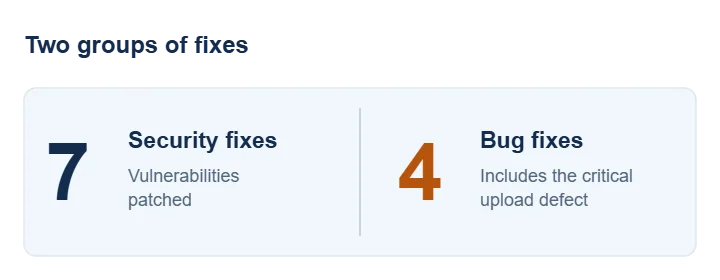
WordPress released version 7.1.3 on 6 October 2026, delivering seven security fixes and four bug fixes. The WordPress security team recommends an immediate update.
The critical image upload flaw is one of the four bug fixes, separate from the seven security fixes. It can leave you unable to add images to your site.
Why image uploads could fail
In ticket #66221, a site owner reported this error:
Class "DOMDocument" not found
WordPress tried to read alternative text embedded in an image using PHP’s DOM library. That library supplies the DOMDocument and DOMXPath classes for reading structured documents.
The upload code tried to use those classes without checking whether the server had the library. On servers without it, image processing could stop with a fatal error.
The ticket rates the defect as critical. The reporter encountered it after updating to 7.1.2, but a core contributor traced the code back to WordPress 7.0.
WordPress 7.1.3 adds the missing check. If the classes do not exist, WordPress skips that attempt to extract embedded alternative text instead of trying to use an unavailable library.
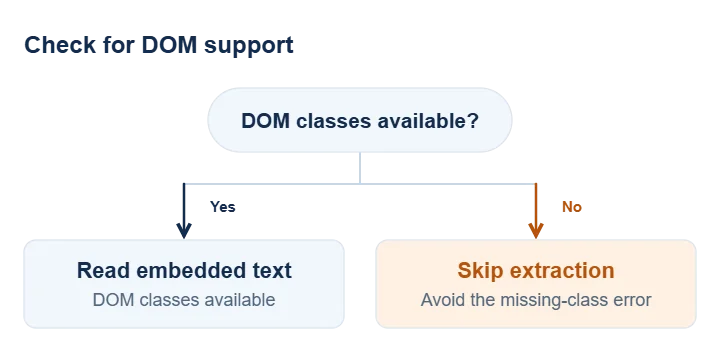
This fix addresses the missing-class error above. If your uploads fail for another reason, such as a file-size limit, the update may not resolve that problem.
What the seven security fixes address
The release documentation lists seven security fixes. They affect different parts of WordPress, from comment moderation to content exports. Some involve a visitor without an account; others require access to a publishing account.
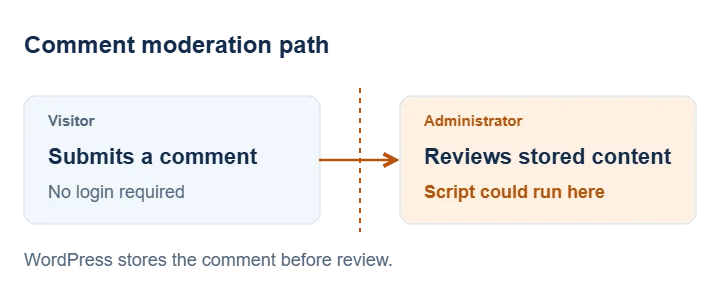
1) Malicious comments could run code during moderation
An attacker could leave a malicious comment without logging in. When an administrator reviewed it, WordPress could run the attacker’s JavaScript in the administrator’s browser.
The comment-moderation advisory describes stored cross-site scripting, or stored XSS. WordPress saves harmful content and exposes someone to it later. Incomplete sanitisation and escaping allowed malformed comment content to become executable browser code.
Holding comments for approval does not prevent this attack: the administrator encounters the harmful content while reviewing it. WordPress 7.1.3 addresses the flaw on the moderation screen.
2) URL processing could tie up server resources
WordPress uses make_absolute_url() to turn a relative address into a complete URL. For example, it can resolve an image path against the address of the page containing it. The release fixes a denial-of-service issue in this processing.
A denial-of-service attack targets availability. It makes software spend work on a request that disrupts normal use. WPScan’s records identify this issue through the block editor’s URL-details feature and list Contributor-level access or higher as a requirement.
3) Stored post data could interfere with an export query
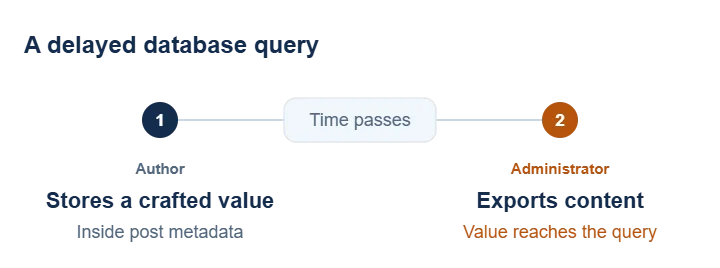
WordPress WXR exports let you move content between sites. The export process queries the database to gather that content. In this flaw, WordPress did not properly validate some post metadata before using it in a query.
The export advisory describes an attacker with Author access or higher storing a crafted value that triggers SQL injection when an administrator later exports content. SQL injection lets input interfere with the instructions an application sends to its database.
The delay explains the term second-order: the harmful value enters the site first, then reaches an unsafe database operation later. A routine export can trigger the problem even though the administrator did not create the malicious value.
4) Authors could pin posts without the required permission
A sticky post stays prominent in a blog listing rather than following its usual date order. Its exact placement depends on the theme. WordPress identified a permission weakness that allowed Author accounts to make posts sticky.
The REST API lets applications exchange content with WordPress and includes a sticky setting for posts. WPScan identifies this API as the route Authors could use to bypass the permission check.
On a site with several writers, an Author could use this weakness to give their own article prominence without editorial approval.
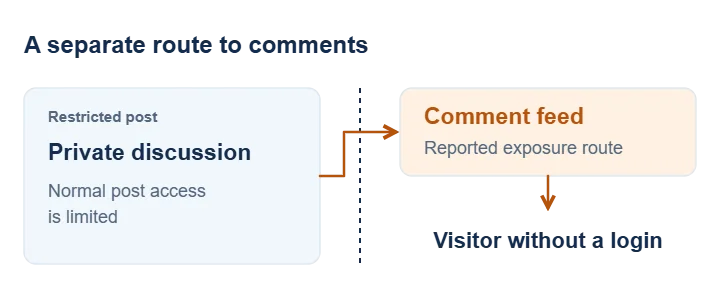
5) Comments on private or unpublished posts could leak
A private post may contain a discussion that you intend to keep within a team. An unpublished post may also have comments that should not reach visitors. WordPress identified a flaw that could disclose comments on those posts to someone without a login.
WPScan lists the exposure through an RSS feed, a machine-readable stream that feed readers and other applications can retrieve. That creates a separate route to the comments even when the normal post page does not show them publicly.
If you use comments to discuss an upcoming announcement or review a draft internally, those comments may contain information you have not agreed to publish. The fix addresses that exposure.
6) Imgur embeds could introduce malicious browser code
An embed displays content from another service inside your page. WordPress’s oEmbed system handles the exchange between a supported URL and the HTML used to display it. The release addresses an XSS flaw involving Imgur embeds.
WPScan lists Contributor access or higher as a requirement. Here, malicious content enters through a publishing account rather than the public comment form.
If your articles contain Imgur embeds, include those articles in your post-update checks. Check the content your visitors actually see, alongside the ordinary image uploads covered by the separate maintenance fix.
7) Forged hook parameters could trigger the wrong action
WordPress’s post-status hooks let plugins respond to publishing events. Some hook names combine a status and post type, such as publish_post. Plugins can attach functions to those names.
The vulnerability involved forged parameters passed to the {status}_{type} hook. Those values could create an action-name collision: a constructed name could match another action instead of the intended event.
The consequence depends on which functions the site attaches to the matching action. That makes the site’s plugins and custom code relevant to the risk; the announcement does not establish remote code execution on every affected site.
WordPress does not give severity scores for these seven flaws or report active attacks in the announcement. It still recommends updating immediately.
Who will update your site?
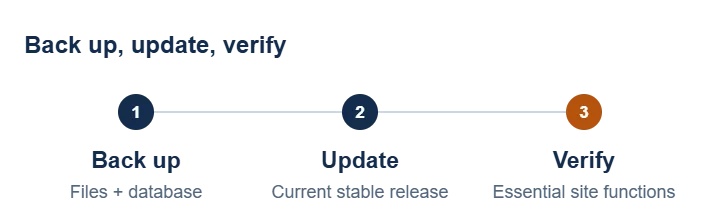
If you maintain WordPress yourself, back up the files and database before updating. Our WordPress backup guide explains what to include. Keep a copy outside the website so you can reach it if the site stops responding.
Follow the official update instructions and install the current stable release. If WordPress has released a newer version by the time you read this, use that version rather than seeking out 7.1.3.
If a developer or maintenance provider manages your site, ask them to confirm the backup and installed version after the update. Check whether your agreement includes core updates; paying for hosting alone does not tell you who handles WordPress maintenance.
Your site may already have installed 7.1.3 through automatic background updates. Check the installed version before starting a manual update.
Test publishing, enquiries and orders after updating
After updating, check the functions you rely on. For a shop, follow a product through the cart and checkout using your payment provider’s test mode where available. For a service website, submit an enquiry and confirm that it reaches the right inbox.
For publishing, save a draft and upload an image. If you use DocsToBlogs in your publishing workflow, check a draft with images through that workflow too.
If an upload still fails, give your developer or hosting support team the exact error, WordPress version and time of the attempt.
For a repeated DOMDocument error, ask them to check the completed update and PHP’s DOM library. For other upload errors, include the file type and size to help them investigate.