Domain SearchInstantly check and register your preferred domain name
 Web Hosting
 cPanel HostingHosting powered by cPanel (Most user friendly)
 WordPress HostingHost your WordPress website with fast, secure, and affordable WordPress hosting in Kenya.
 KE Domains
 Reseller HostingStart your own hosting business without tech hustles
 Windows HostingOptimized for Windows-based applications and sites.
 Free Domain
 Affiliate ProgramEarn commissions by referring customers to our platforms
 Free HostingTest our SSD Hosting for free, for life (1GB storage)
 Domain TransferMove your domain to us with zero downtime and full control
 All DomainsBrowse and register domain extensions from around the world
 .Com Domain
 WhoisLook up domain ownership, expiry dates, and registrar information
 VPS Hosting
 Managed VPSNon techy? Opt for fully managed VPS server
 Dedicated ServersEnjoy unmatched power and control with your own physical server.
 Website Builder
 Online Store BuilderLaunch a professional e-commerce store without writing code.
 Web Design ServiceGet a custom-designed website tailored to your brand and goals. From just KES 15,600
 BlogRead our guides on web hosting, online business, digital marketing, and more
 SupportOur support guides cover everything you need to know about our services
 ContactContact us via chat or email
Did you pick WordPress to build your website? Smart choice. But now you’re looking at hosting options, and you see “WordPress hosting” sitting right next to “regular hosting,” and you’re thinking, wait, aren’t these the same thing? They are not. And knowing the difference before you pick one could save you a lot of headaches later, especially if you’re building your site on WordPress.
So let’s start from the very beginning and break this down together.
WordPress hosting is a type of web hosting that is built just for WordPress websites. Think of it this way. Regular hosting is like a general store that sells everything. WordPress hosting is like a specialist shop that only sells exactly what WordPress needs to run well. The server is already set up, already tuned, and already ready to make your WordPress site load fast, stay safe, and be easy for you to manage.
It also usually comes with some very helpful features right out of the box.
- You get a one-click WordPress installation, which means you do not have to figure out how to set things up manually.
- You get server settings that are already optimized, meaning the server is already configured to work best with WordPress.
- You get security that is built around WordPress specifically.
- You get automatic updates and backups, so your site stays current, and your content is always protected.
In short, WordPress hosting removes most of the technical stuff so you can spend your time actually building your website instead of figuring out how servers work.
Now let’s go through what you get when you sign up for WordPress hosting.
Key Features of WordPress Hosting
These features are what make WordPress hosting different from just any regular hosting plan.
a) One-Click WordPress Installation
Getting WordPress set up with regular hosting involves a lot of steps. You download files, you configure a database, and you go through a setup process that can feel like learning a new language.
WordPress hosting removes all of that. You just click one button, and WordPress is installed and ready for you in seconds.
b) Enhanced Security
WordPress faces about 90,000 attacks every single minute. That is not a typo. Because WordPress powers so much of the internet, hackers target it constantly with automated tools.
WordPress hosting fights back by configuring the server to protect against the most common WordPress attacks right from the start. So instead of you having to figure out security on your own, the hosting environment already has it covered.
c) Faster Performance
WordPress hosting uses something called caching. Caching is when your server saves a ready-made copy of your page so that the next time someone visits, it loads instantly instead of being built from scratch all over again.
On top of that, the server settings are already dialed in for WordPress specifically, which makes your site load faster than it would on a general hosting plan.
d) Easy Management
WordPress hosting comes with a control panel that is simplified just for WordPress users. A control panel is your dashboard where you manage everything about your website, like your files, your database, and your domain name.
Instead of a confusing technical interface, you get something that makes sense even if this is your very first website.
e) Staging Environments
A staging environment is a private copy of your website that nobody else can see. It is like a practice version of your site. So if you want to try a new design, test a plugin, or make big changes, you do it on the staging site first.
If something breaks or looks wrong, your real website is completely fine. Once you are happy with how everything looks, you push it live to your real site. Easy and safe.
Types of WordPress Hosting
There are three main types of WordPress hosting. Each one suits a different kind of website and a different stage of growth.
1) Shared WordPress Hosting
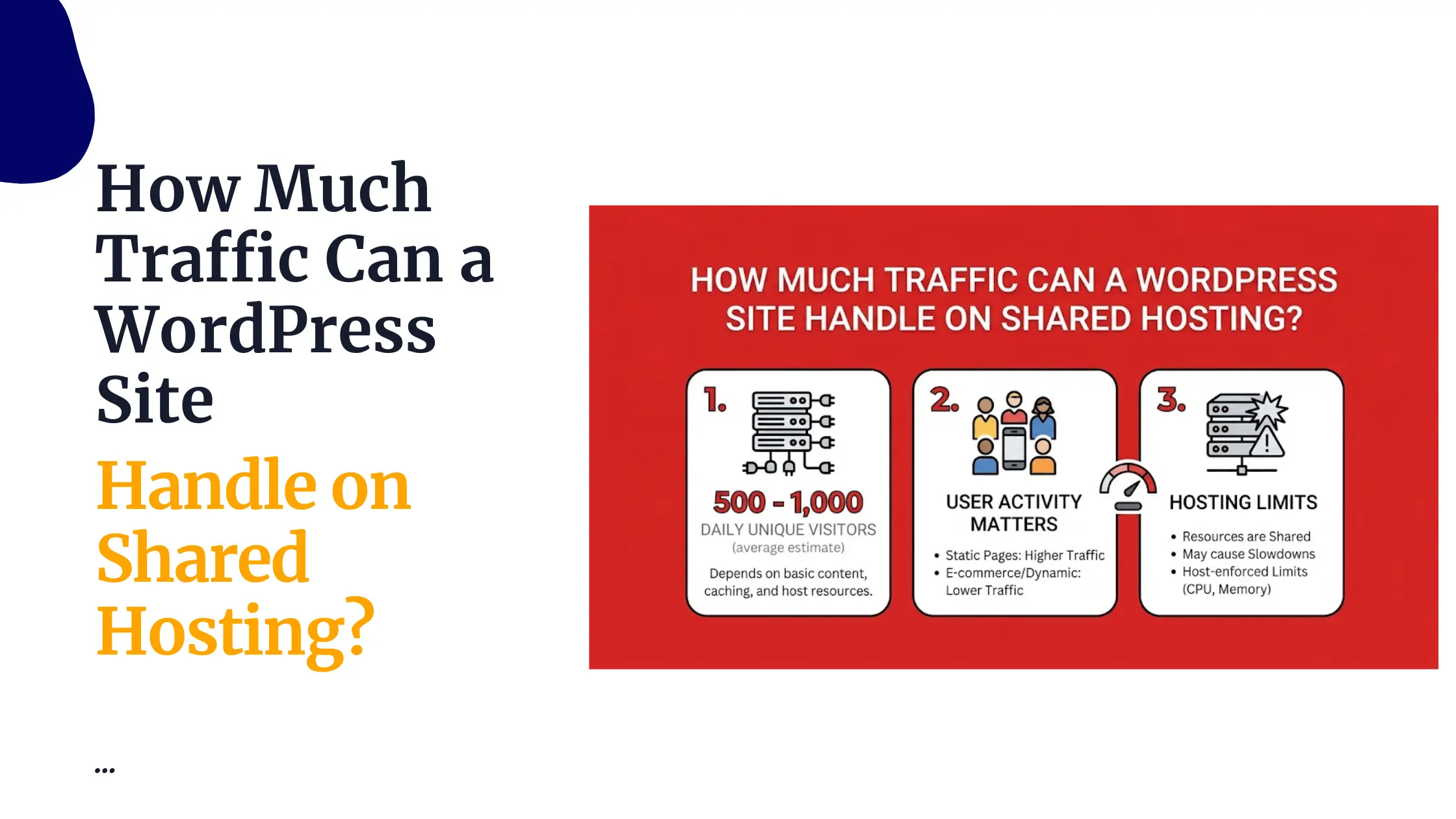
This is where your website shares a server with other websites. Because many people are splitting the cost, it is the cheapest option. It is perfect for beginners who are just starting and do not yet have thousands of visitors coming to their site every day.
2) Managed WordPress Hosting
This is where the hosting company takes care of almost everything for you. They handle your updates, your performance, your security, and your backups. You do not have to touch any of it.
The result is a faster, more secure website with very little effort on your part. It costs more than shared hosting, but for people who want a hands-off experience where everything just works, it is absolutely worth it.
3) VPS WordPress Hosting
This gives you your own dedicated resources on a server. VPS stands for Virtual Private Server, which means you get your own section of a server that no other website shares. You get more control, more power, and much better performance.
VPS WordPress hosting is the best choice for websites that get a lot of traffic or run complex features that need reliable resources all the time.
WordPress Hosting vs Regular Web Hosting
Here is a simple side-by-side comparison so you can see exactly how WordPress and Regular web hosting stack up.
| Feature | WordPress Hosting | Regular Hosting |
| Setup | Pre-configured and ready for WordPress | Manual setup needed |
| Speed | Optimized for WordPress specifically | General performance |
| Security | WordPress focused protection built in | Basic protection only |
| Maintenance | Easier updates, often handled for you | You manage everything yourself |
The takeaway is simple. WordPress hosting is built around WordPress. Regular hosting is built around everything, which means it is not built around anything in particular.
WordPress hosting removes the technical work and improves performance in ways that regular hosting just cannot match.
Benefits of WordPress Hosting
So what do you actually gain from choosing WordPress hosting?
- Your website loads faster because the server is already set up to handle WordPress well.
- Setup and management are easier because the tools are simplified for WordPress users from the start.
- Your site is better protected because the security is designed around the exact threats that WordPress websites face.
- You deal with less technical work because updates, backups, and performance are largely handled for you.
- Your site stays more stable during busy periods because WordPress hosting is built to handle the kind of traffic WordPress websites attract.
All of that together means less time worrying about technical problems and more time focused on building a great website.
WordPress Hosting FAQs
Some providers offer free WordPress hosting, but free plans come with big limitations. You usually get very little storage space, you cannot use a custom domain name, and in many cases, the provider puts their own ads on your website.
WordPress hosting is a great fit for a lot of different people.
- Bloggers
- Business owners
- People building portfolio sites
- store owners running WooCommerce
- Complete beginners building their very first website
WordPress hosting is not enough if:
- Your site has grown so big that your current shared plan can no longer keep up with your traffic.
- Running heavy plugins like complex page builders, large membership systems, or a big WooCommerce store.
- Need full server control to run custom configurations or manage multiple large applications, basic WordPress hosting will not give you that level of access.
Shared WordPress hosting is the best starting point. It is affordable, simple to manage, and comes with everything a beginner needs to get their first site online quickly.
Shared WordPress hosting is the most budget-friendly option available. You can find solid plans at very low monthly costs, which makes it easy to get started without spending a lot upfront.
Getting Started with WordPress Hosting
WordPress hosting is built to make creating a website easier, faster, and more reliable without needing any deep technical knowledge. Here is how you get started;
- Choose a hosting provider like Truehost.
- Pick a WordPress hosting plan that fits your needs.
- Install WordPress with one click.
- Choose a theme and start building your site.
WordPress hosting takes the stress out of running a WordPress website. It gives you faster loading speeds, stronger security, easier management, and a setup that is ready for WordPress from day one.
Head over to Truehost today, pick a WordPress hosting plan, and get your website built on a foundation that is ready to grow with you.