 Domain SearchInstantly check and register your preferred domain name
 Web Hosting
 cPanel HostingHosting powered by cPanel (Most user friendly)
 WordPress HostingHost your WordPress website with fast, secure, and affordable WordPress hosting in Kenya.
 KE Domains
 Reseller HostingStart your own hosting business without tech hustles
 Windows HostingOptimized for Windows-based applications and sites.
 Free Domain
 Affiliate ProgramEarn commissions by referring customers to our platforms
 Free HostingTest our SSD Hosting for free, for life (1GB storage)
 Domain TransferMove your domain to us with zero downtime and full control
 All DomainsBrowse and register domain extensions from around the world
 .Com Domain
 WhoisLook up domain ownership, expiry dates, and registrar information
 VPS Hosting
 Managed VPSNon techy? Opt for fully managed VPS server
 Dedicated ServersEnjoy unmatched power and control with your own physical server.
 Website Builder
 Online Store BuilderLaunch a professional e-commerce store without writing code.
 Web Design ServiceGet a custom-designed website tailored to your brand and goals. From just KES 15,600
 BlogRead our guides on web hosting, online business, digital marketing, and more
 SupportOur support guides cover everything you need to know about our services
 ContactContact us via chat or email
Domain registration status shows if a domain name, such as mybusiness.co.ke or example.com is already registered or still available for purchase.
When a domain is registered, you can view several important details. These include the creation date, expiry date, and last update date.
You can also see the current status, such as active, locked, or expired.
In addition, the record shows the registrar managing the domain, the registrant or owner information (which may be hidden for privacy), and the name servers.
Checking a domain’s registration status is free. It only takes a few minutes and does not require any technical skills.
In this guide, you’ll learn the simplest methods to check domain registration status.
We’ll use reliable tools designed for this purpose, including Truehost’s WHOIS lookup, which is especially useful for Kenyan users.
Simple Step-by-Step Guide to Check Any Domain
Here are four practical methods you can use right now, ranked from easiest to more advanced.
Method 1: Using Truehost’s Free WHOIS Tool
This is our top recommendation for Kenyan users and for good reason. It’s very fast, works perfectly with .ke domains and other ccTLDs. On top of that, it requires no login.
Here’s exactly what to do:
- Head straight to Truehost’s WHOIS tool
- Type the full domain name (for example,
mybrand.co.keorexample.com) - Click ‘Check’
Within seconds, you’ll see the complete registration details.
Below is a screenshot from a domain I checked. As you can see, the domain is already taken, meaning it is registered.
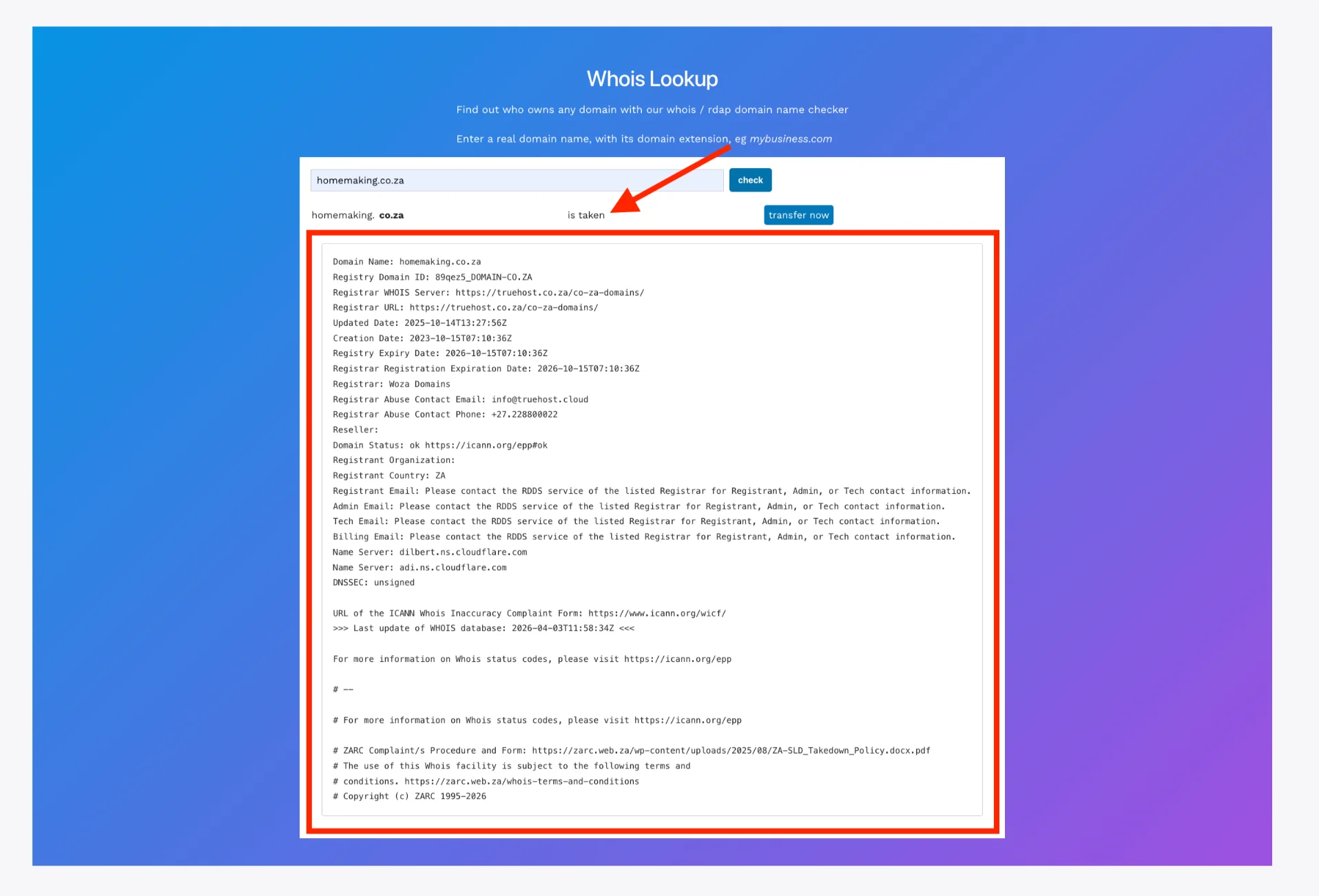
We built this tool specifically so you can check domain registration status without any barriers.
Thousands of Kenyans use it every month to verify availability before buying or to monitor their own domains.
Check out our guide on what to do after buying a domain.
Method 2: Using the Official ICANN Lookup Tool
When you want the most authoritative source, go straight to the global regulator.
- Open ICANN Lookup
- Enter the domain name
- Click Lookup
You’ll receive real-time data pulled directly from the registry. It’s especially useful for international domains or when you want to double-check what another registrar shows.
Below is a screenshot i took while checking amazon.com through ICANN Lookup. You can also see the domain status details there.
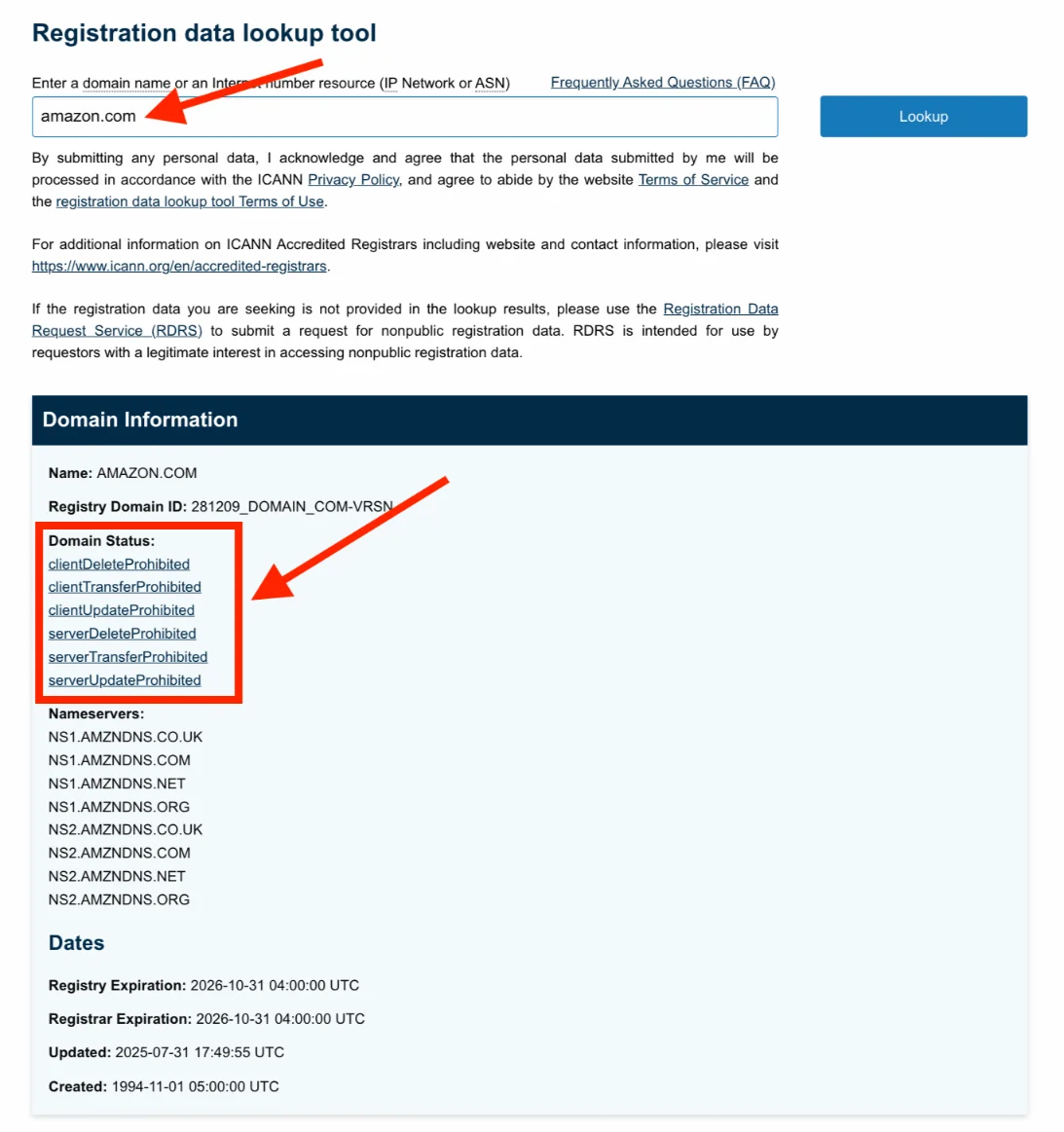
Note: You cannot use ICANN’s lookup tool to check the registration status of most country-code top-level domains (ccTLDs). These include .ke, .uk, .au, etc. ccTLDs are managed by individual country-code managers, not directly by ICANN, so you need to check the specific national registry’s WHOIS or lookup tool instead.
Method 3: Check Your Own Registered Domain With Your Domain Registrar
For Truehost clients, this is the fastest way to see everything in one dashboard.
- Log in to Truehost Client Area
- Go to Domains → My Domains
- Click on any domain to view status, expiry date, lock settings, renewal options, and name servers
Here is a screenshot of a domain on Truehost client area. From the image, you can tell the domain is active. You can also see the next renewal date.
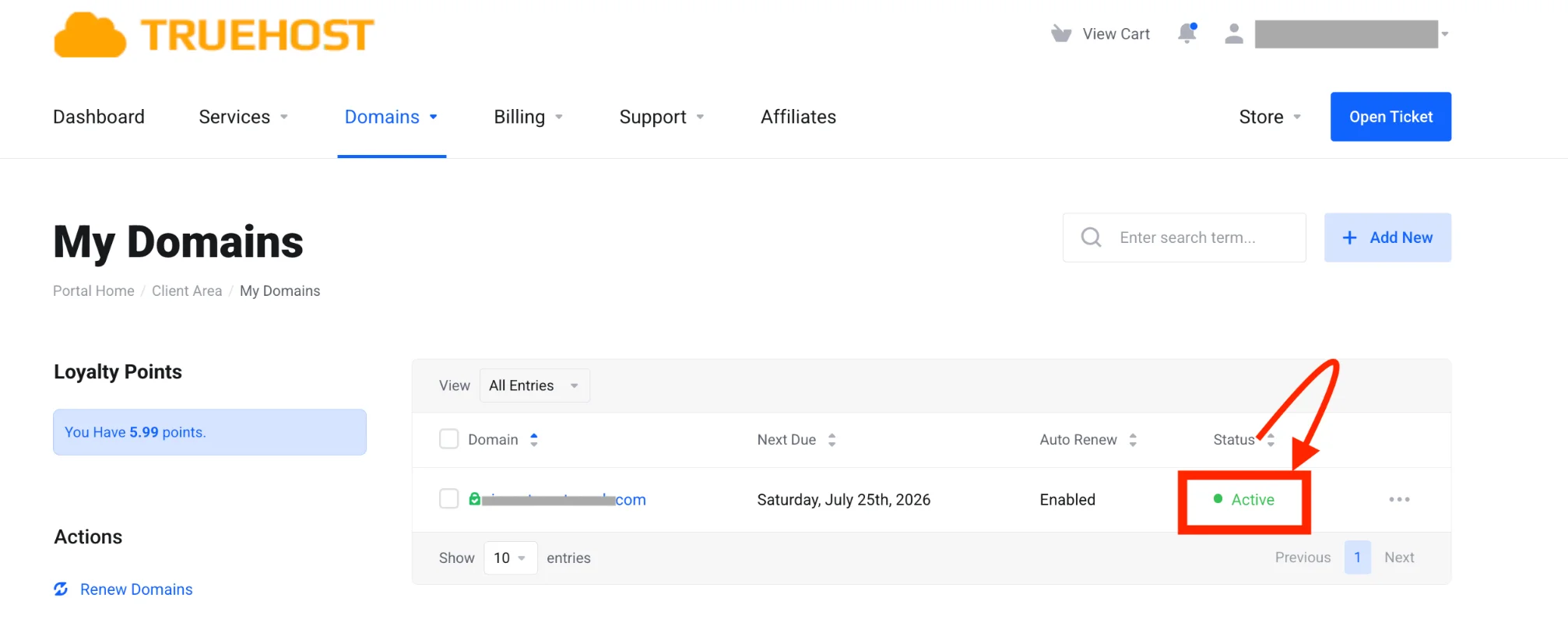
Everything lives in one clean place. You can even enable auto-renewal or add our affordable ID Protection right there.
Check out our guide on how to create an addon domain.
Method 4: Quick Bonus Methods
Sometimes you just need a super-fast hint.
- Visit the domain URL directly in your browser. If the site loads normally, the domain is almost certainly registered and active.
- Use the command-line WHOIS (great for power users): On Mac or Linux, open Terminal and type whois
example.com. On Windows, use PowerShell or install the WHOIS tool first.
Below are the results I got using the Mac Terminal app:
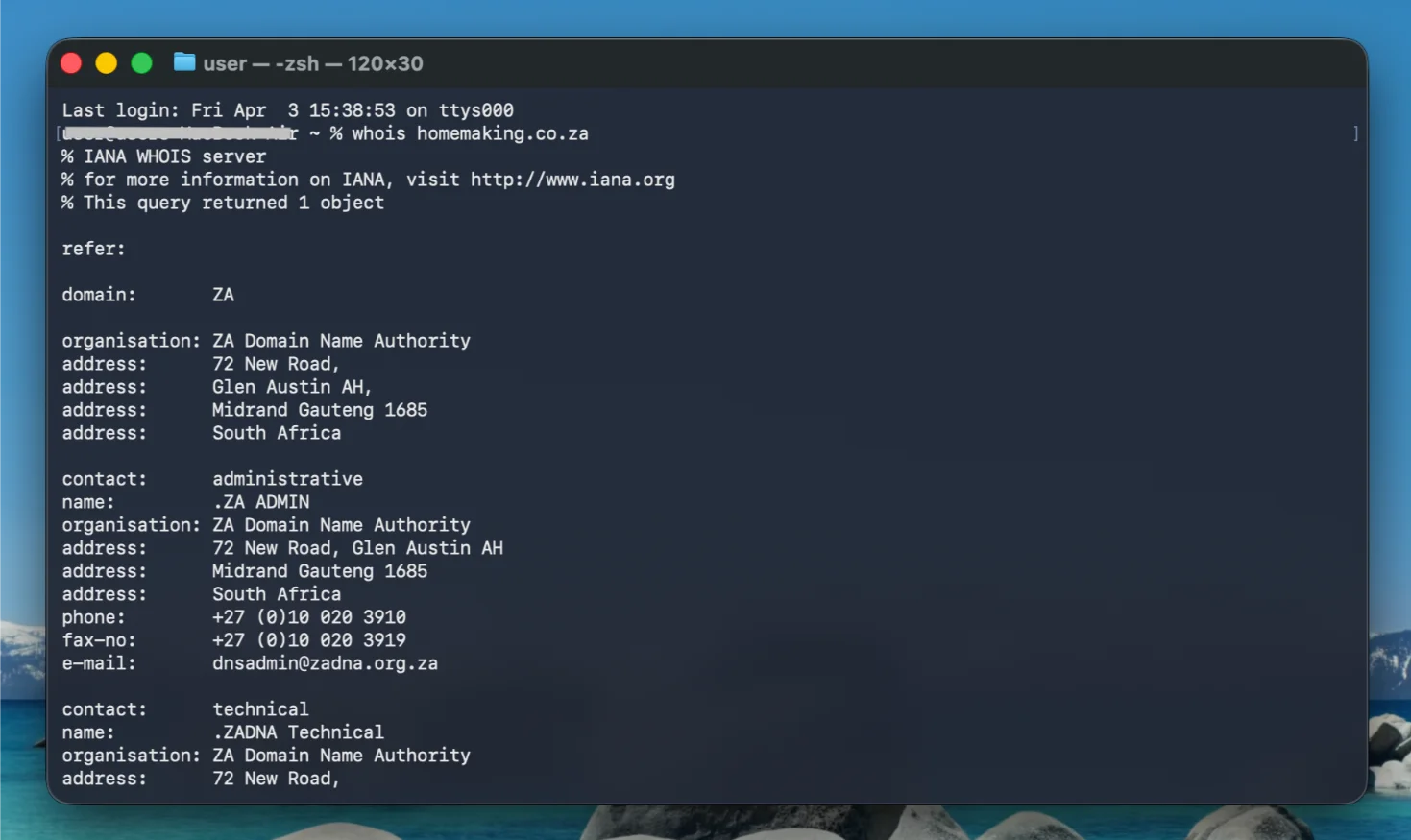
These methods give you a quick confirmation, but won’t show the full details you get from Truehost WHOIS Lookup tool or ICANN Lookup.
How to Read and Understand Your Results
You’ve run the check, now what do all those fields actually mean? Here’s a clear breakdown so you can act fast.
| Field | What It Means | How it Benefits You | Example / Warning sign |
| Domain Status | Current state (OK/active, locked, expired, etc.) | Tells you if the domain can be transferred or renewed | ‘clientTransferProhibited’ = locked for safety (good). ‘clientHold’ = not resolving in DNS (needs fixing). |
| Creation Date | When the domain was first registered | Shows how established it is | Registered 2018 = more trustworthy than one created yesterday. |
| Expiry Date | When it will stop working unless renewed | Critical for renewal planning | Expiring in 30 days? Renew now to avoid losing it. |
| Updated Date | Last time any change was made | Spot recent ownership changes | Sudden update yesterday? Could be a warning sign. |
| Registrar | Company managing the domain | Know who to contact for issues | Shows ‘Truehost’ = you’re already with us! |
| Registrant Info | Owner name and contact (often REDACTED) | Privacy is now standard | If fully visible, consider adding ID Protection. |
| Name Servers | DNS servers the domain points to | Confirms where your website and email live | Wrong name servers = site down. |
Common warning signs and what to do next:
- Expiring soon or expired: Renew immediately. Domains can be snatched within hours of expiry.
- clientHold: The domain won’t load. Contact your registrar to remove the hold.
- Locked status (clientTransferProhibited): This is actually good, it stops hackers from stealing your domain.
- Recent update with unknown owner: Double-check if you sold or transferred it.
At Truehost, we offer Domain ID Protection for just KES 400 per year. It keeps your personal details hidden and reduces spam while giving you full control.
Register Domain Today
Checking domain registration status is fast, free, and one of the smartest moves you can make for your online presence.
Ready to register a new domain, transfer, or renew? We at Truehost make the entire process simple, affordable, and local.
Our domain search tool shows real-time availability, supports M-PESA and all major payments, and includes WHOIS privacy on our plans.
Click the above button to go to our domain registration page and grab your domain name before someone else does.







