 Domain SearchInstantly check and register your preferred domain name
 Web Hosting
 cPanel HostingHosting powered by cPanel (Most user friendly)
 WordPress HostingHost your WordPress website with fast, secure, and affordable WordPress hosting in Kenya.
 KE Domains
 Reseller HostingStart your own hosting business without tech hustles
 Windows HostingOptimized for Windows-based applications and sites.
 Free Domain
 Affiliate ProgramEarn commissions by referring customers to our platforms
 Free HostingTest our SSD Hosting for free, for life (1GB storage)
 Domain TransferMove your domain to us with zero downtime and full control
 All DomainsBrowse and register domain extensions from around the world
 .Com Domain
 WhoisLook up domain ownership, expiry dates, and registrar information
 VPS Hosting
 Managed VPSNon techy? Opt for fully managed VPS server
 Dedicated ServersEnjoy unmatched power and control with your own physical server.
 Website Builder
 Online Store BuilderLaunch a professional e-commerce store without writing code.
 Web Design ServiceGet a custom-designed website tailored to your brand and goals. From just KES 15,600
 BlogRead our guides on web hosting, online business, digital marketing, and more
 SupportOur support guides cover everything you need to know about our services
 ContactContact us via chat or email
Congratulations on securing your domain with Truehost.
Buying a domain is an exciting first step, but it’s only the beginning of your online journey.
It’s normal to feel unsure about what comes next after purchase.
You now own the perfect address, yet nothing shows up when people type it in.
In this guide, you’ll get a clear, beginner-friendly roadmap to follow.
I will walk you through the essential guide on what to do after buying a domain. I will help you build a professional online presence without getting overwhelmed.
Step 1: Sync Your Domain and Hosting
Your domain name is like the street address of your house.
Hosting is the actual building where you store all your website files, images, and data.
Without connecting the two, visitors see nothing when they type your domain. That’s why syncing them comes first.
At Truehost, the process stays simple and happens inside your client area.
Many of our shared hosting plans even include a free domain or free SSL to get you started faster.
How to Sync Your Domain with Truehost Hosting
Follow these exact steps inside your Truehost account:
1. Log in to your Truehost Client Area using your email and password.
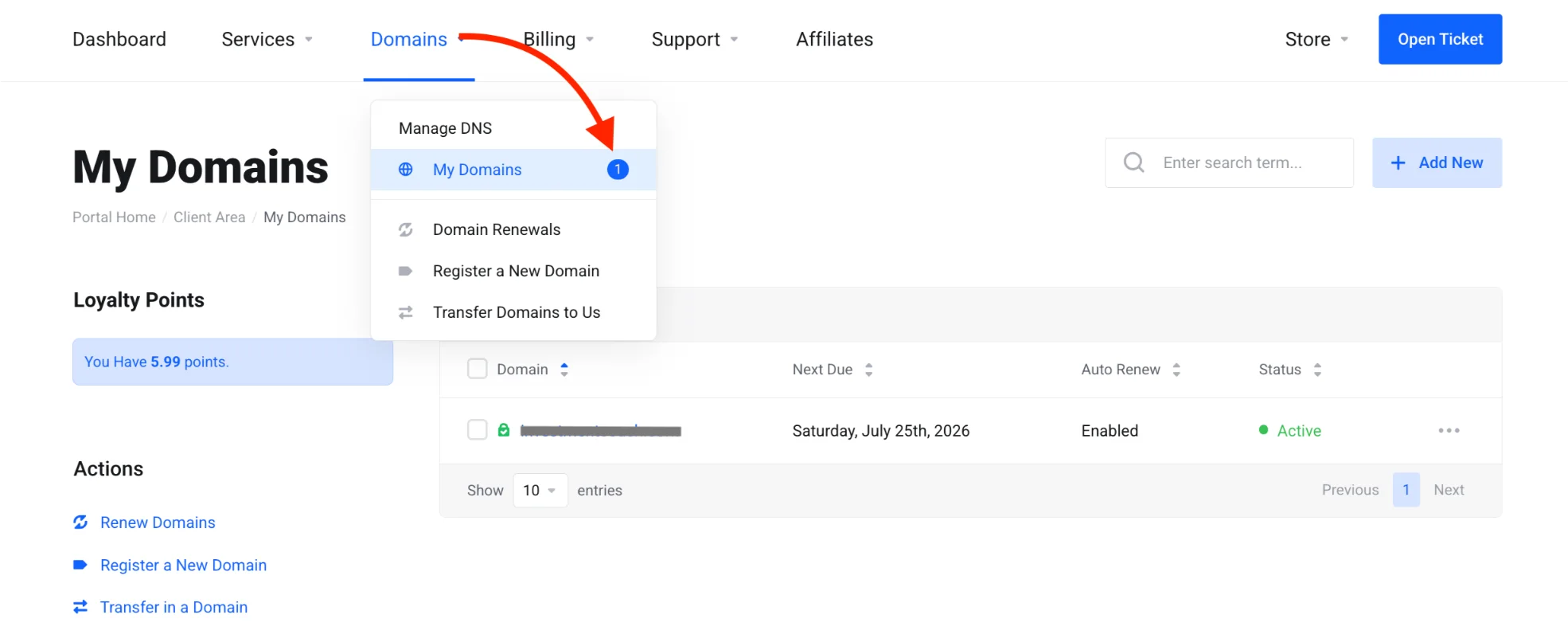
2. Click on Domains > My Domains in the left menu or navigation. You will see the full list of domains registered under your account.
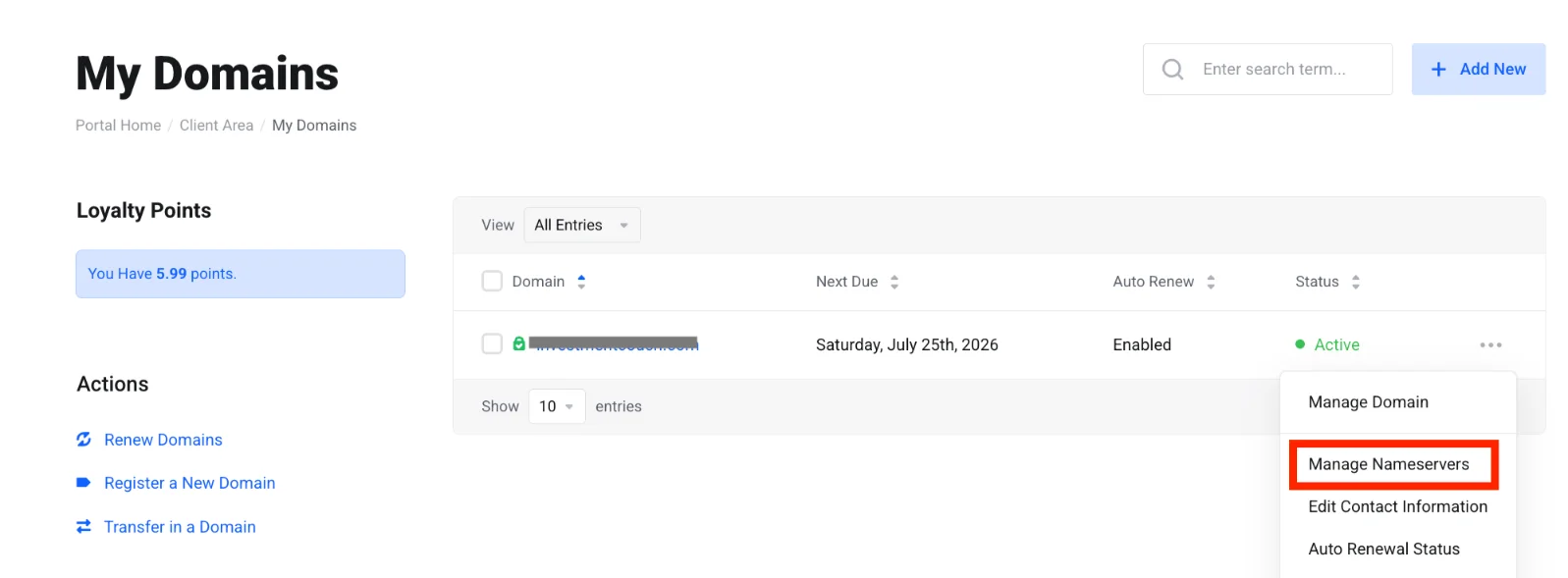
3. Find the domain you just bought, click the dropdown arrow (three dots) next to it, and select Manage Nameservers.
4. On the left side of the new page, click the Nameservers option.
5. Enter Truehost’s nameservers exactly as follows:
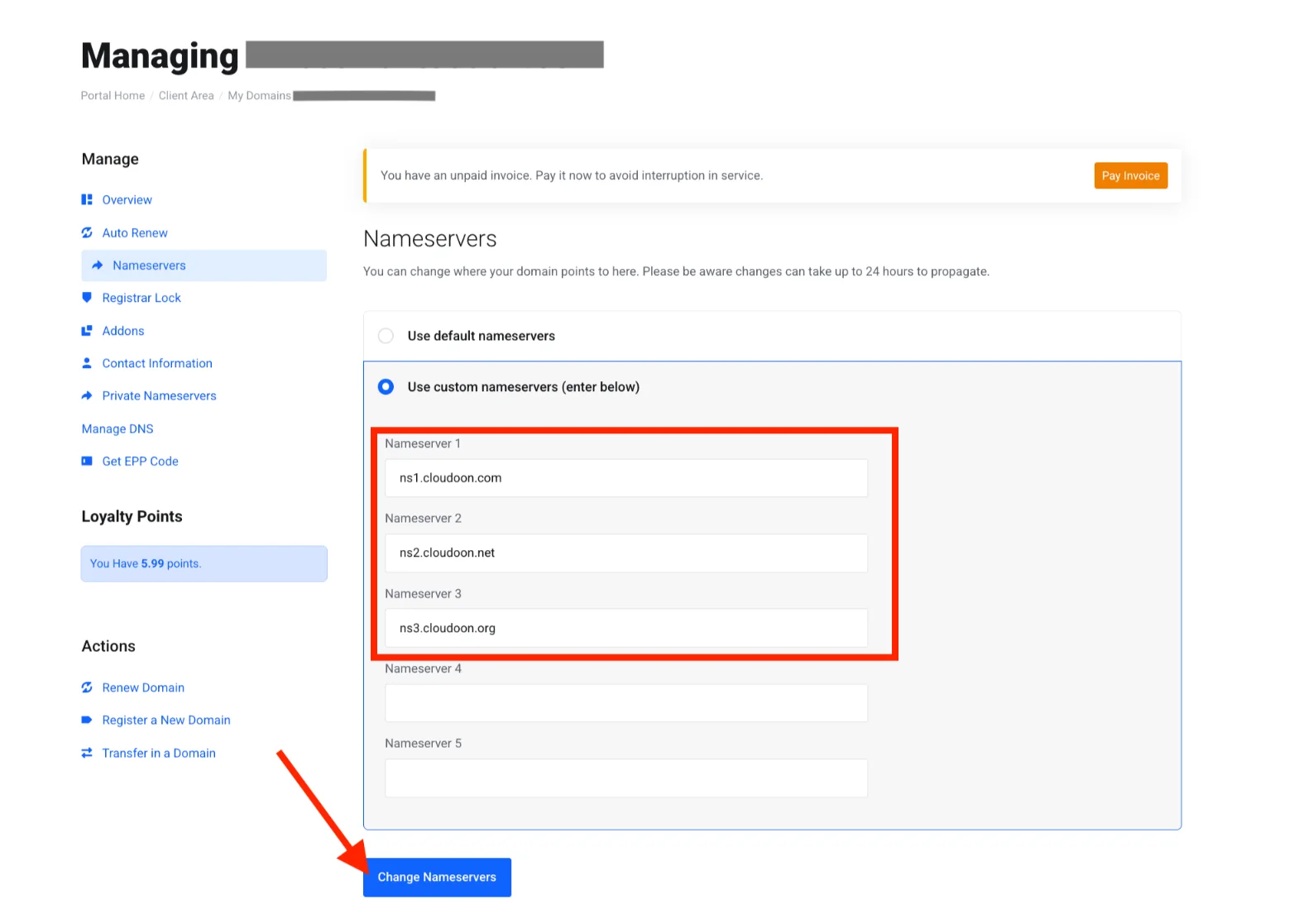
ns1.cloudoon.comns2.cloudoon.netns3.cloudoon.org
6. Click Change Nameservers to save.
That’s it. Your domain now points toward Truehost hosting.
You can also point specific A or AAAA records if you want more control.
What Happens During DNS Propagation
After you change the nameservers, DNS propagation begins. This is the time it takes for servers worldwide to update their records with your new settings.
In most cases, it takes between 4 and 48 hours. In rare situations, it can stretch up to 72 hours.
During this window, some visitors might still see your old setup while others see the new one. Be patient, it’s completely normal.
How to Check If Propagation Is Complete
You don’t have to guess. Use these free tools to monitor progress:
whatsmydns.netDNSChecker.org
Simply enter your domain name and watch the results refresh across different global locations. When most locations show Truehost’s servers, you’re good to go.
Best Recommendation: Pair Your Domain with Truehost Shared Hosting
We at Truehost make the whole experience smoother when you host with us.
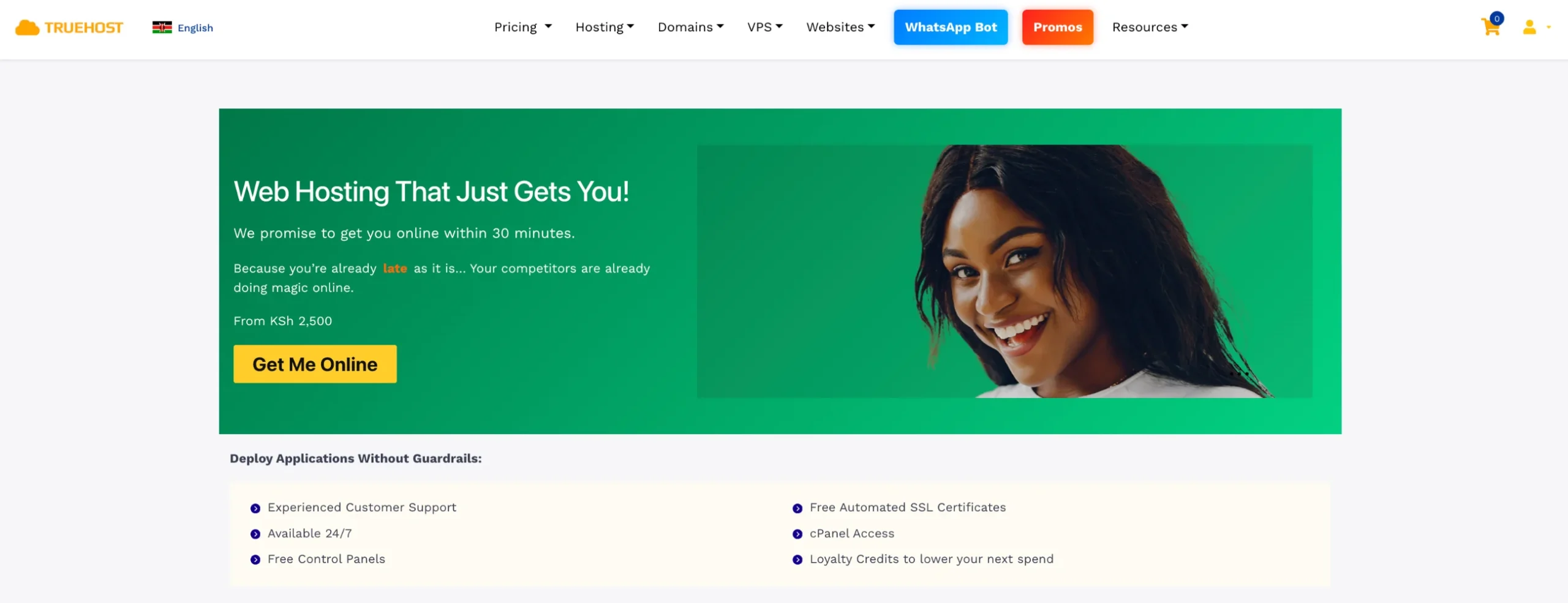
Our affordable shared hosting plans come with experienced customer support, free SSL certificate, Free Website Migrations, and Unlimited Email Accounts, among others.
If you haven’t bought your domain yet, get both the domain and hosting in one smooth process.
Step 2: Use Your Domain for a Custom Email Address
Nothing screams professionalism louder than an email address that matches your domain.
Go for [email protected] instead of [email protected].
Customers trust businesses that look established. A custom email makes you appear more credible and serious right from the first contact.
Truehost makes this simple and affordable. Professional email hosting starts from around KES 670 per year.
Many of our shared hosting plans even include unlimited email accounts at no extra cost.
Here’s exactly how you set it up:
1. Log into your Truehost cPanel.
2. Go to the Email section.
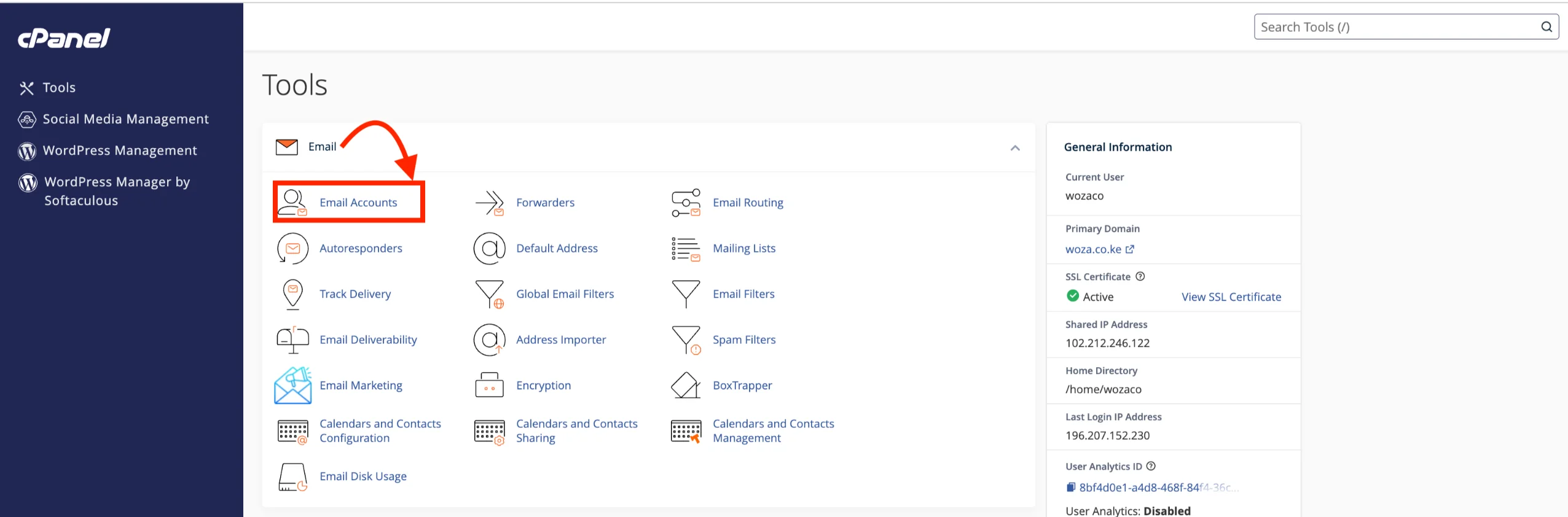
3. Create accounts like info@, sales@, or [email protected].
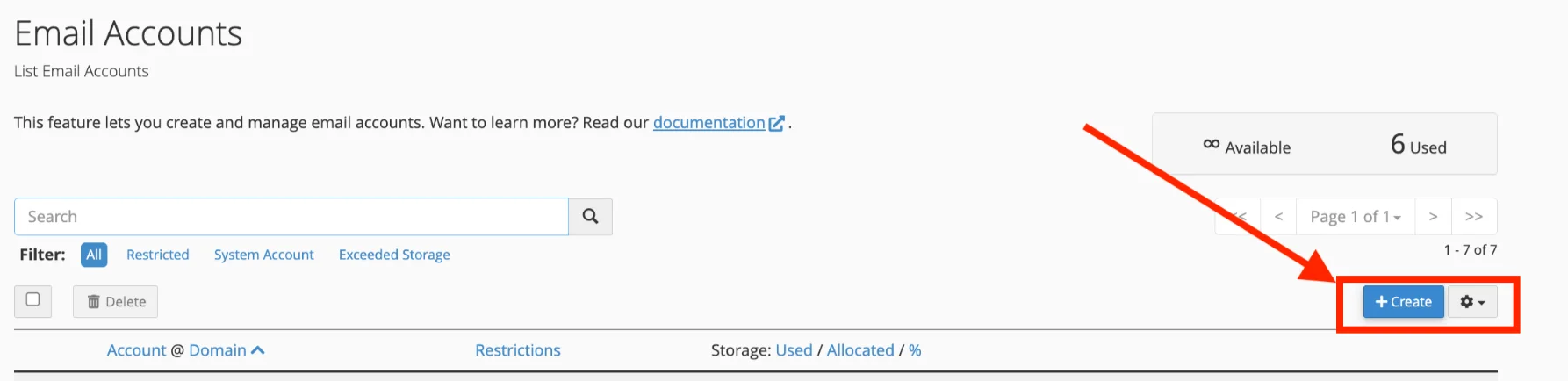
4. Add autoresponders, signatures, and forwarders as needed.
5. Connect the emails to your phone, Outlook, or even Gmail.
For 2026 best practice, add SPF, DKIM, and DMARC records in your DNS settings.
These help your emails land in inboxes instead of spam folders. Truehost’s DNS management tools make it straightforward.
Compare that to Google Workspace, which can cost far more per user each month.
With Truehost, you save money while getting reliable service and local Kenyan support.
Take a moment right now to create those first few email addresses.
It’s one of the quickest ways to make your new domain work for you professionally.
Step 3: Create a Website That’s Attached to Your Domain
Once your domain syncs with hosting, it’s time to build the actual site.
Truehost gives you a 1-click installer right inside cPanel for WordPress, Joomla, or other popular platforms. You’ll be up and running in minutes.
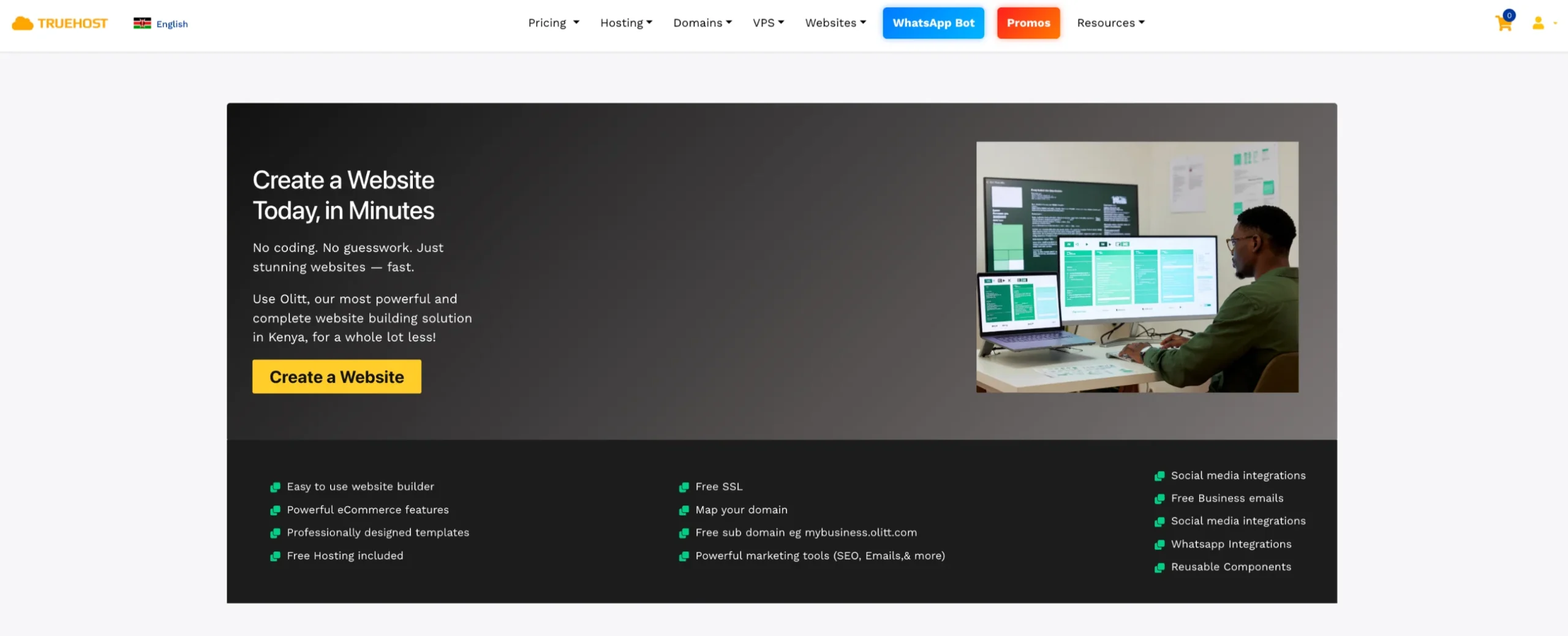
You can also use our simple website builder if you want something even faster.
We automatically install a free SSL certificate on every plan, so your site runs securely on HTTPS from day one.
While you build, add a clean ‘Coming Soon’ page. It keeps visitors informed and shows you’re serious.
Our data centers in Kenya and South Africa mean your site loads quickly for local customers no frustrating delays.
Start small, add your essential pages, and watch your online home come to life.
Step 4: Match Your Social Media Account Names to Your Domain
Consistent branding builds instant trust.
When your social handles match your domain, customers find and remember you easily.
Claim @yourdomain or your brand name on Instagram, X (Twitter), Facebook, LinkedIn, TikTok, and YouTube right away.
If the exact handle is taken, add “KE”, “HQ”, “official”, or your city.
For example, @yourbrandke.
Then link every profile back to your Truehost-hosted website. This creates a smooth path for visitors.
Do this early so no one else grabs your name. It’s a small step that protects your brand long-term.
Step 5: Maintain and Protect Your Domain
Protect your domain immediately so you never lose it.
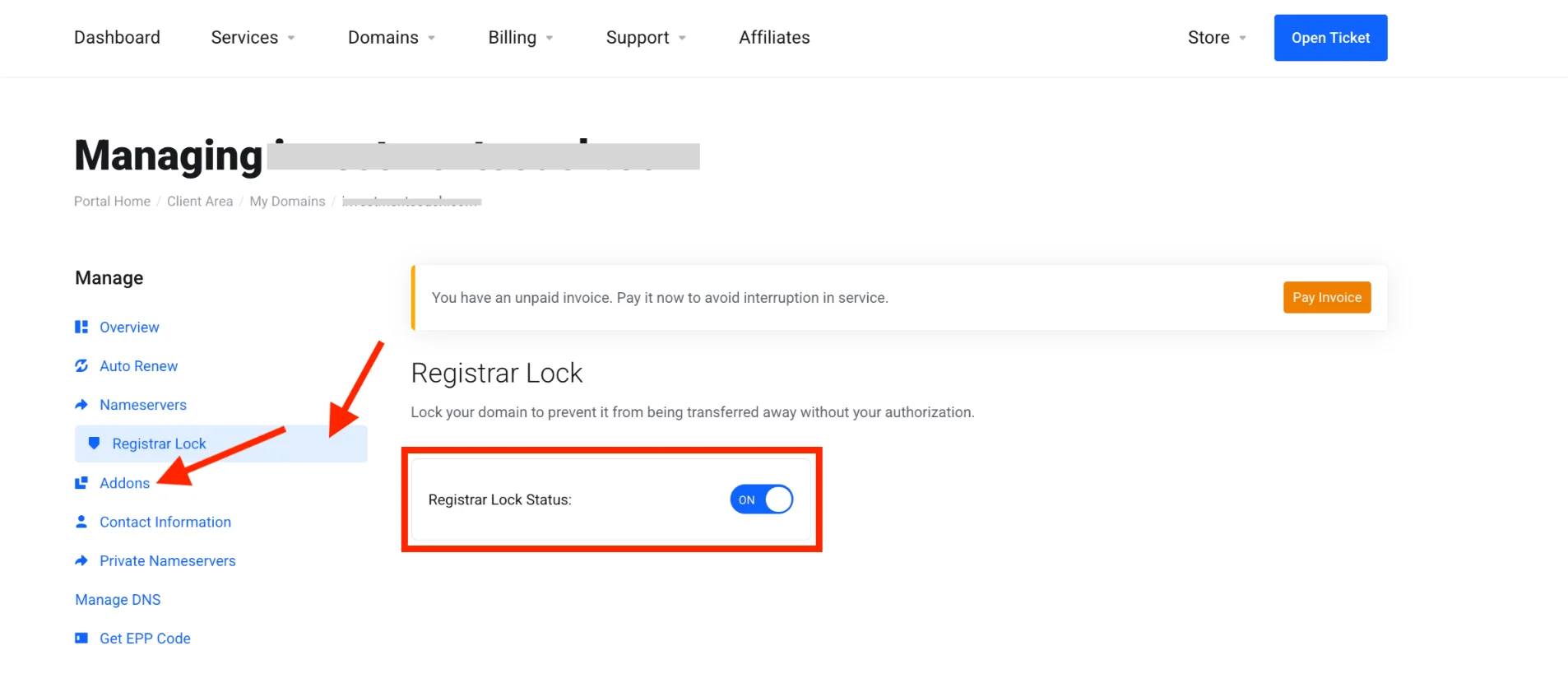
In your Truehost client area, get WHOIS privacy, enable domain locking, and set auto-renewal.
Activate 2FA on your account for extra security.
We also offer Domain Defender Protection and free DNS management tools to keep threats away.
Monitor your expiration date and set reminders. Watch for any suspicious activity.
Truehost stays fully accredited by KeNIC and ICANN, with strong local support ready to help if anything comes up. You’re in safe hands.
Step 6: Get Dedicated Phone and Fax Numbers
A fax number is a phone number used to send and receive documents electronically via a fax machine or online fax service.
A separate business phone number adds another layer of professionalism.
You no longer mix personal calls with customer inquiries.
Modern options popular in Kenya include VoIP and cloud PBX services or virtual +254 numbers.
These work perfectly on your phone without extra hardware.
For fax, skip the old machine. Use online email-to-fax services instead.
They’re cheaper and more reliable in 2026.
This step is important for service businesses, e-commerce stores, or anyone handling legal or compliance work.
Truehost support can guide you on easy integrations that fit your setup. You’ll look even more established.
Step 7: Design and Develop Your Website
Now go beyond the basics and create a site that reflects your Kenyan brand.
Choose clean, mobile-friendly designs. Use professional WordPress themes or builders like Elementor.
Focus on fast loading, clear calls-to-action, and easy navigation. Make it accessible so everyone can use it.
You can DIY with our tools, or hire a designer or developer from the Truehost community or partners.
Keep branding consistent across your domain, email, and social handles. Customers will notice and remember you.
Step 8: Develop a Content and Marketing Strategy
Content drives growth once your site goes live.
Start by defining your audience, then build a simple content calendar with blog posts, social updates, and email newsletters.
In Kenya, SEO for local search works wonders. Use tools like Semrush for keyword research, Screaming Frog for SEO audits, and Localforce to improve your local online visibility.
Combine it with social media, WhatsApp marketing, and targeted email campaigns.
Your fast Truehost hosting helps here, too. Better speeds improve user experience and SEO rankings.
Post regularly, engage with your audience, and watch your traffic grow steadily.
Read our article on the domain name influence on SEO
Step 9: Set Up Analytics and Monitoring Tools
You can’t improve what you don’t measure.
Add free tools like Google Analytics and Google Search Console. Verify your Truehost site in seconds.
Submit your sitemap and start tracking traffic, user behavior, and conversions.
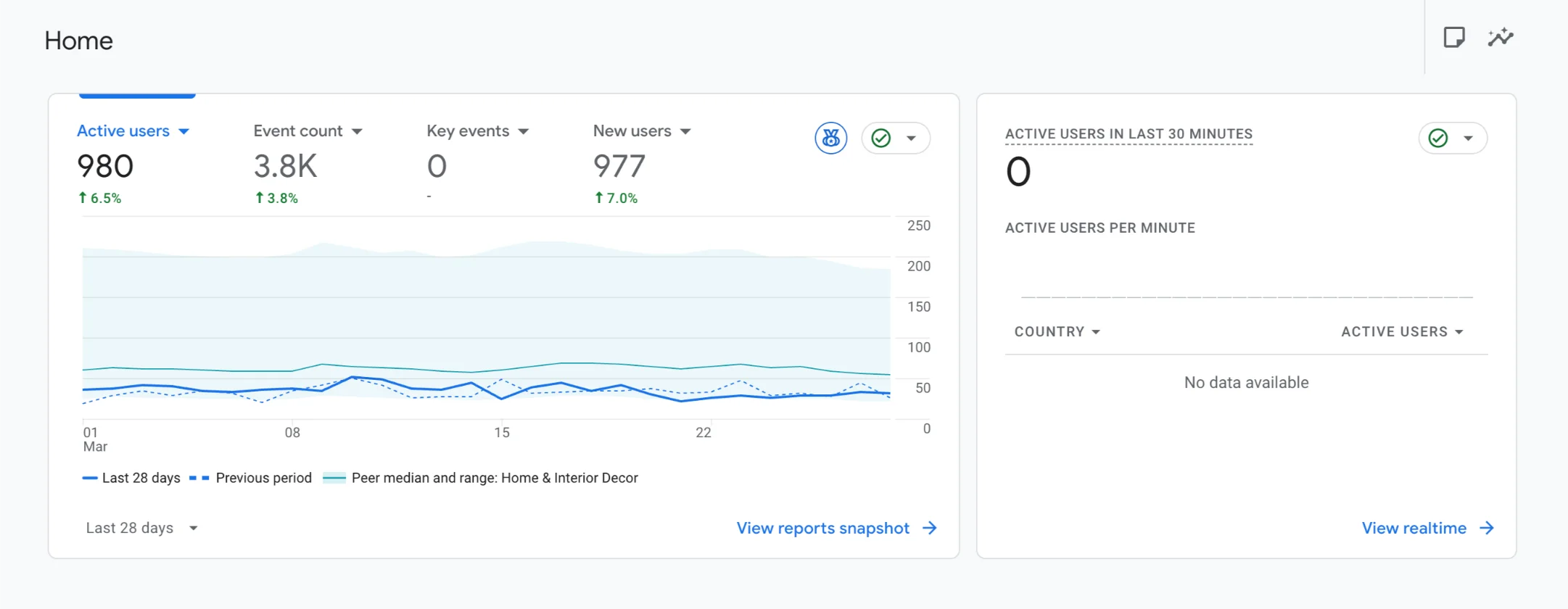
Below is a screenshot of Google Analytics reports (new site):
Throw in basic uptime monitoring and security scanning.
Use the insights to refine your site, content, and marketing over time.
Our 99.99% uptime means you get fewer false alerts and more reliable performance.
Quick Truehost Checklist
Here’s a simple 10-step checklist to keep you on track:
- Sync domain to hosting via nameservers.
- Set up professional custom email addresses.
- Install your website with 1-click tools and free SSL.
- Claim matching social media handles.
- Enable WHOIS privacy, domain lock, and auto-renewal.
- Activate 2FA and Domain Defender.
- Get a dedicated business phone number.
- Design a mobile-friendly, branded website.
- Create a content calendar and launch marketing.
- Set up Google Analytics and Search Console.
Keep this list handy. Tick each item as you go.
Check out our article on buying a domain for your portfolio website.
Start Perfecting Your Domain
You now have the complete roadmap on what to do after buying a domain.
Follow these steps, and your Truehost domain becomes a professional, secure, and growing online presence.
With Truehost’s affordable tools, fast local performance, and real support, you’re well-equipped to succeed.
Take the next step today. If you have not bought your domain yet, register your domain with us and get started right away.
The best time to protect and build on your domain is the day you buy it. Start strong, stay consistent, and watch your business grow.
We at Truehost are here to help every step of the way. Let’s build something great together.







