Domain SearchInstantly check and register your preferred domain name
 Web Hosting
 cPanel HostingHosting powered by cPanel (Most user friendly)
 KE Domains
 Reseller HostingStart your own hosting business without tech hustles
 Windows HostingOptimized for Windows-based applications and sites.
 Free Domain
 Affiliate ProgramEarn commissions by referring customers to our platforms
 Free HostingTest our SSD Hosting for free, for life (1GB storage)
 Domain TransferMove your domain to us with zero downtime and full control
 All DomainsBrowse and register domain extensions from around the world
 .Com Domain
 WhoisLook up domain ownership, expiry dates, and registrar information
 VPS Hosting
 Managed VPSNon techy? Opt for fully managed VPS server
 Dedicated ServersEnjoy unmatched power and control with your own physical server.
 Website Builder
 Online Store BuilderLaunch a professional e-commerce store without writing code.
 Web Design ServiceGet a custom-designed website tailored to your brand and goals. From just KES 15,600
 BlogRead our guides on web hosting, online business, digital marketing, and more
 SupportOur support guides cover everything you need to know about our services
 ContactContact us via chat or email
Zoho Mail is affordable, ad-free and far more capable than a basic web-hosting inbox. But it is not the automatic choice for every business.
Your team may need local billing and support, a familiar Gmail or Outlook workflow, stronger privacy, simpler administration, or an office suite priced for a few shared mailboxes rather than every user.
This guide compares seven Zoho Mail alternatives by the things that affect daily work: custom-domain email, storage, office tools, security, support, billing and migration. If you want the short answer, start with the table below.
The best Zoho Mail alternatives at a glance
Alternative | Best for | Entry storage | Published starting price* | Main trade-off |
|---|---|---|---|---|
Truehost Workplace | Kenyan SMEs that want email and office tools with local support | 3 GB for one Starter mailbox | KSh 672/year | Smaller entry mailbox than large global suites |
Google Workspace | Teams already working in Gmail, Drive and Meet | 30 GB pooled storage per user | US$7/user/month on Google’s annual plan | Per-user cost grows with the team |
Microsoft 365 | Outlook, Teams and Office-based businesses | 50 GB mailbox plus 1 TB OneDrive on Business Basic | US$7/user/month on Microsoft’s annual plan | Entry plan has web and mobile Office apps, not desktop apps |
Proton Workspace | Privacy-sensitive teams | 1 TB encrypted storage per user | US$12.99/user/month, billed annually | Costs more than mail-only services |
Fastmail | Teams that want a polished, focused email service | 50 GB mail, calendar and contacts on Standard | US$5/user/month, billed annually | No full document-editing suite |
Namecheap Private Email | Small teams seeking low-cost international email hosting | 5 GB on Launch | US$14.88/year for one Launch mailbox | Lighter collaboration tools than office suites |
mailbox.org | Teams that want German-hosted email and office tools | 10 GB mail on Standard | €3/user/month, excluding the business service package | Business accounts add a monthly service-package fee |
*Prices are the providers’ standard published rates checked on 14 July 2026, before Kenyan taxes, exchange-rate costs or temporary discounts. Truehost pricing uses a live shortcode so it stays current.
If you mainly need a few professional mailboxes and practical office tools, compare our Truehost Workplace plans first.
If your employees spend most of their day in Google or Microsoft applications, choose the matching platform even when its headline price is higher.
Why look beyond Zoho Mail?
Zoho still deserves a place on a business-email shortlist. Its free plan supports one custom domain and up to five users in selected data centres, with 5 GB of mail storage per user. However, the free tier excludes IMAP, POP and ActiveSync.
Paid Mail Lite adds desktop-client access and either 5 GB or 10 GB per user. Zoho Workplace goes further with files, online documents, chat and meetings.
The question is therefore not whether Zoho is good. It is whether another provider fits your operating model better.
Consider switching when:
you want to pay in KES and get help from a local support team;
your staff already understand Gmail or Outlook and training on another interface adds friction;
you need a privacy-first platform with end-to-end encrypted services;
you want a focused email product without a large application bundle;
the cost of a separate licence for every address is becoming difficult to justify;
you need different retention, storage or administrator controls; or
you want your domain, DNS and business email managed through one provider.
Do not move only because another provider advertises a lower first-year price. Compare the renewal cost, number of paid users, aliases, migration work and applications the new plan replaces.
1) Truehost Workplace: the best Zoho Mail alternative for many Kenyan SMEs
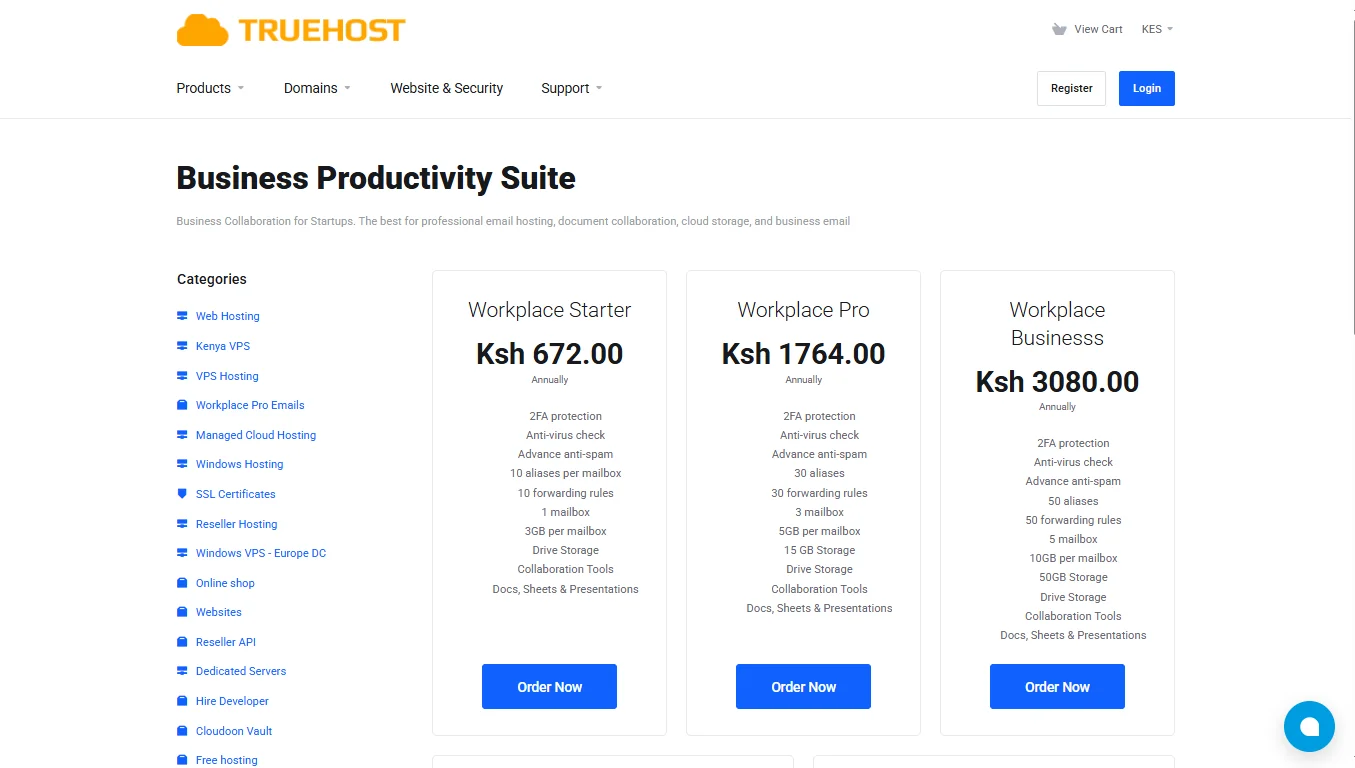
Truehost Workplace combines business email on your domain with cloud storage, calendars, documents, spreadsheets, presentations and collaboration tools.
That combination is important if your goal is not simply to replace the Zoho inbox. You can replace the email-and-office workflow while keeping support, billing and domain configuration closer to home.
What you get with Truehost Workplace
Every published Workplace tier includes:
email addresses using your business domain;
webmail and access across computers and mobile devices;
two-factor authentication;
antivirus and advanced anti-spam checks;
aliases and forwarding rules;
drive storage;
collaboration tools;
calendars; and
tools for documents, spreadsheets and presentations.
Administrators get a control panel for creating accounts and managing aliases, forwarding, signatures, autoresponders and mail policies.
This is useful when a business hires someone, changes responsibilities or needs an address such as [email protected] to reach the right person.
Which Workplace plan fits your team?
Plan | Mailboxes | Mailbox or total storage shown | Aliases | Best fit |
|---|---|---|---|---|
Workplace Starter | 1 | 3 GB mailbox | 10 | Founder, freelancer or one shared company inbox |
Workplace Pro | 3 | 5 GB per mailbox; 15 GB total | 30 | Small team with separate sales, accounts and admin inboxes |
Workplace Business | 5 | 10 GB per mailbox; 50 GB total | 50 | Growing SME with role-based accounts |
Workplace Premium | 10 | 100 GB total | 100 | Departmental team with more users and mail history |
Workplace Enterprise | 20 | 200 GB total | 200 | Larger organisation that wants one managed email package |
Starter costs KSh 672 per year on the annual billing cycle.
That works out to KSh 56 per month for comparison, but the monthly equivalent is not a monthly payment plan.
Workplace Pro costs KSh 1,764 per year. Its comparison-only monthly equivalent is KSh 147.
Where Workplace can cost less than per-user email
Suppose a Nairobi consultancy needs three real inboxes:
[email protected]
[email protected]
[email protected]
Workplace Pro packages three mailboxes together. Zoho Mail, Google Workspace, Microsoft 365, Proton and Fastmail generally price their business services per user.
Package pricing can therefore suit a small team with a known number of inboxes.
Per-user pricing may make more sense when every employee needs a large personal mailbox and a broad set of individual applications.
Aliases also affect the calculation. If [email protected] only needs to deliver messages to Ann, an alias may be enough.
If another employee must sign in, send independently and keep a separate message history, create a mailbox.
Workplace versus Zoho Mail
Choose Workplace over Zoho Mail when you value:
local help with setup, DNS and account issues;
packages designed around a fixed number of mailboxes;
office tools beside the inbox; and
one provider for the domain, website hosting and professional email.
Zoho may remain the stronger fit when your business already uses Zoho CRM, Books, Projects or other Zoho applications and depends on their native integrations.
Moving email while leaving the rest of that system behind can create more work than value.
For a Kenyan business starting from scratch, we can also help you register the domain that appears after the @ sign.
You do not need to host your website and email on the same server, but managing the domain and DNS in one place can make the first setup easier.
2) Google Workspace: best for teams that want Gmail and Google apps
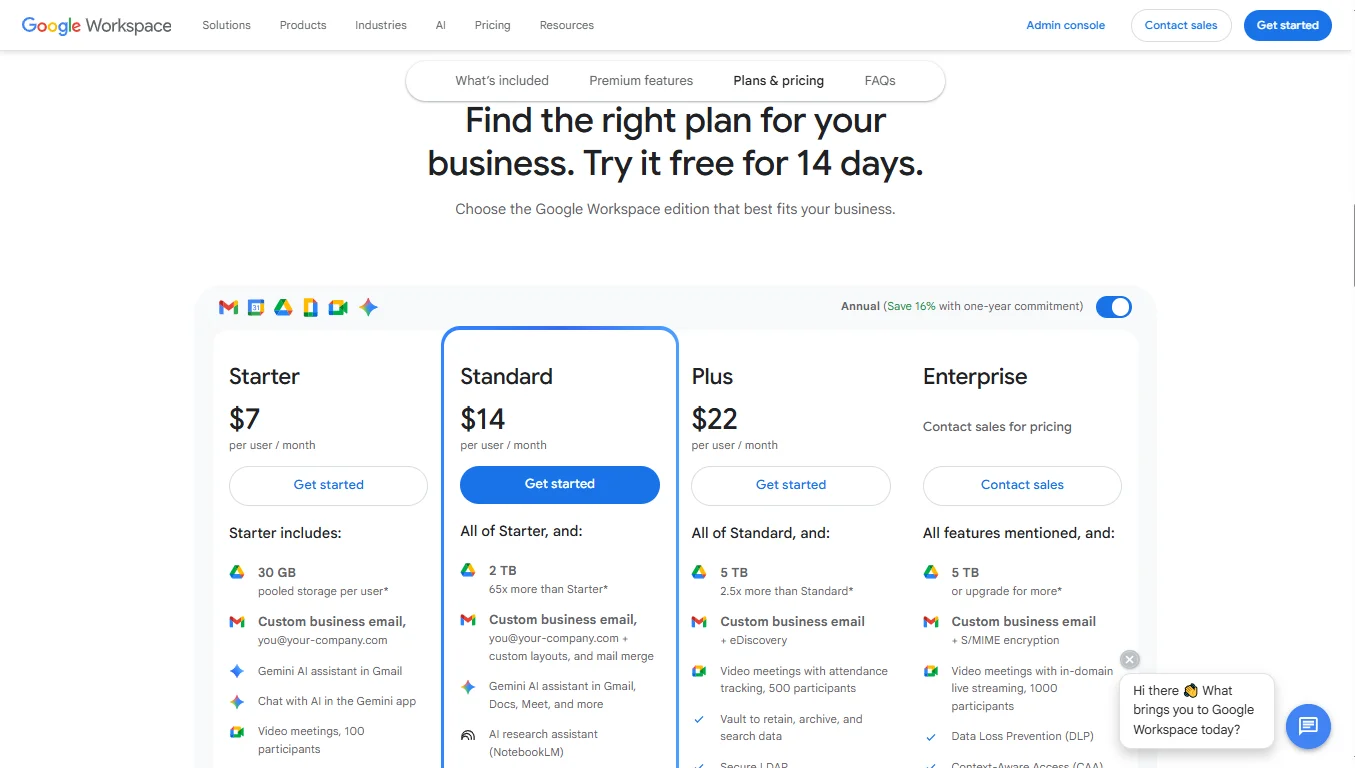
Google Workspace is the clearest Zoho Mail alternative for a team already comfortable with Gmail.
Business Starter includes custom-domain Gmail, 30 GB of pooled storage per user, Calendar, Drive, Docs, Sheets, Slides, Chat, Meet and administrator controls. Google also includes Gemini features in its current business editions.
Google lists Business Starter at US$7 per user per month on an annual or fixed-term plan.
The flexible plan is US$8.40 per user per month. Business editions support up to 300 users before you move to an Enterprise plan.
Choose Google Workspace when
clients and employees already use Google Docs and Drive;
browser-based collaboration is central to the business;
your team holds regular meetings in Google Meet;
employees want Gmail’s interface and search; or
you rely on applications from the Google Workspace Marketplace.
Watch the licence count
Five employees on Business Starter at the standard annual-plan rate cost US$35 per month before tax and currency conversion. Ten employees cost US$70.
Do not automatically buy another licence for every role address. Google Groups and aliases may handle addresses such as info@, jobs@ or accounts@ when they do not require independent sign-in credentials.
Buy with Truehost
Kenyan businesses can buy Google Workspace through Truehost for KES billing and local setup support.
Our Starter listing is KSh 1,149 per user per year, equal to KSh 1,069 per user per month for comparison.
3) Microsoft 365: best for Outlook and Office-based companies
Microsoft 365 fits businesses whose documents, meetings and internal communication already centre on Outlook, Word, Excel, PowerPoint, Teams and OneDrive.
Microsoft 365 Business Basic includes:
- Custom business email through Exchange,
- 50 GB mailbox,
- 1 TB of OneDrive storage and
- Web and mobile versions of its office applications.
Microsoft lists it at US$7 per user per month with an annual commitment.
Business Basic does not include the installed desktop versions of Word, Excel, PowerPoint and Outlook. Compare Business Standard or another tier if desktop Office is a requirement.
Choose Microsoft 365 when
staff live in Outlook and Teams;
Excel or Office file compatibility is important;
you want Exchange calendars and shared business mailboxes;
SharePoint or OneDrive already stores company files; or
you expect to manage Windows devices and Microsoft identities together.
You can now buy Microsoft 365 through Truehost and get local help. Our Business Basic listing is KSh 699 per user per month.
4) Proton Workspace: best for privacy-sensitive organisations
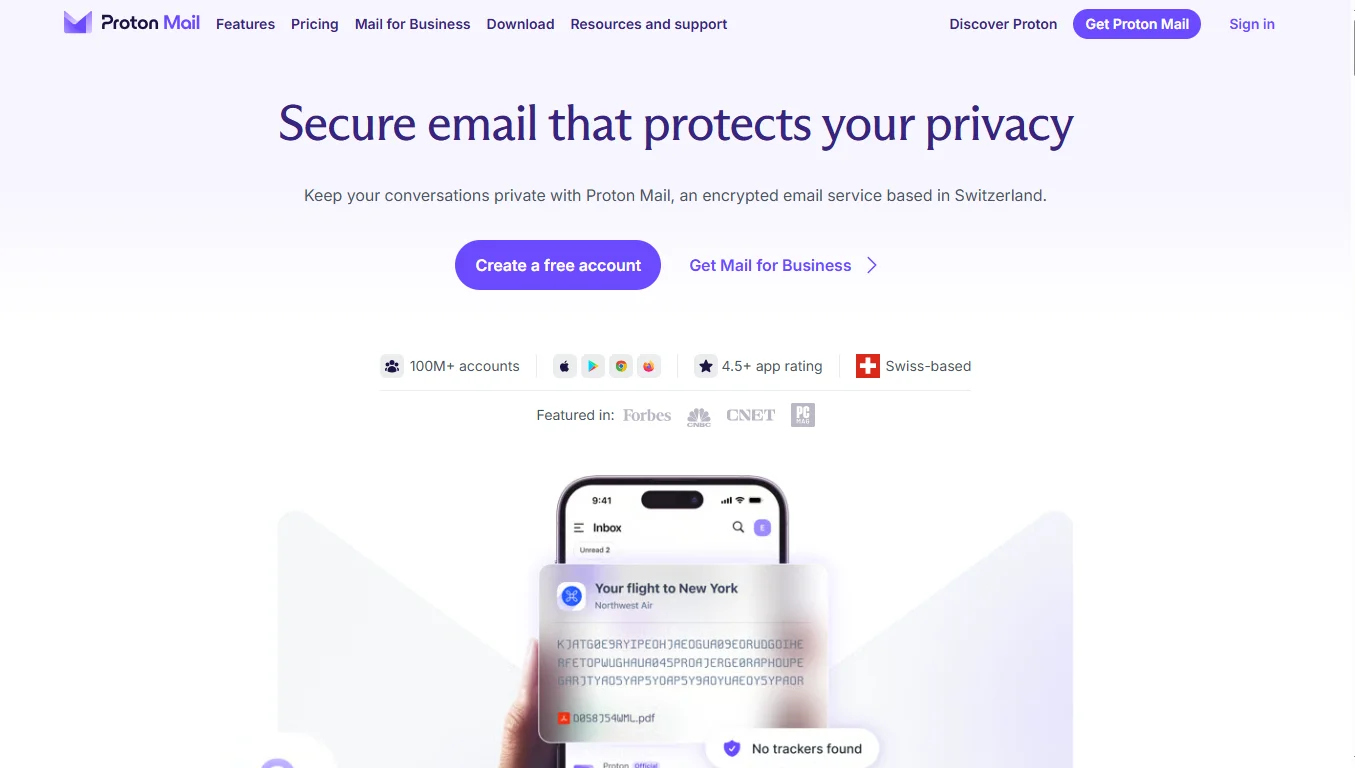
Proton Workspace is the strongest option in this list when privacy is the main buying criterion rather than the lowest mailbox price.
Workspace Standard combines Proton Mail, Calendar, Drive, Docs, Sheets, Meet, VPN and Proton Pass.
Proton’s March 2026 launch information lists the annual plan at US$12.99 per user per month and the monthly plan at US$14.99.
Each Standard user gets 1 TB of encrypted storage. The plan supports up to 15 custom email domains and includes password-protected email, email groups, catch-all addresses and access from Outlook, Thunderbird and Apple Mail.
Choose Proton Workspace when
your organisation handles sensitive client, legal, research or advocacy information;
encrypted mail, files, passwords and VPN access should sit in one suite;
you want a provider based in Switzerland;
privacy is worth paying more than a basic mail-only plan; or
you want alternatives to Google and Microsoft for documents and meetings.
Encryption does not remove the need for good account practices. Administrators should still enforce multi-factor authentication, review recovery methods and train staff to recognise phishing attempts.
Proton is less compelling when your users need deep Microsoft Office compatibility, a large selection of third-party applications or local Kenyan billing and support.
5) Fastmail: best for a clean, focused email experience
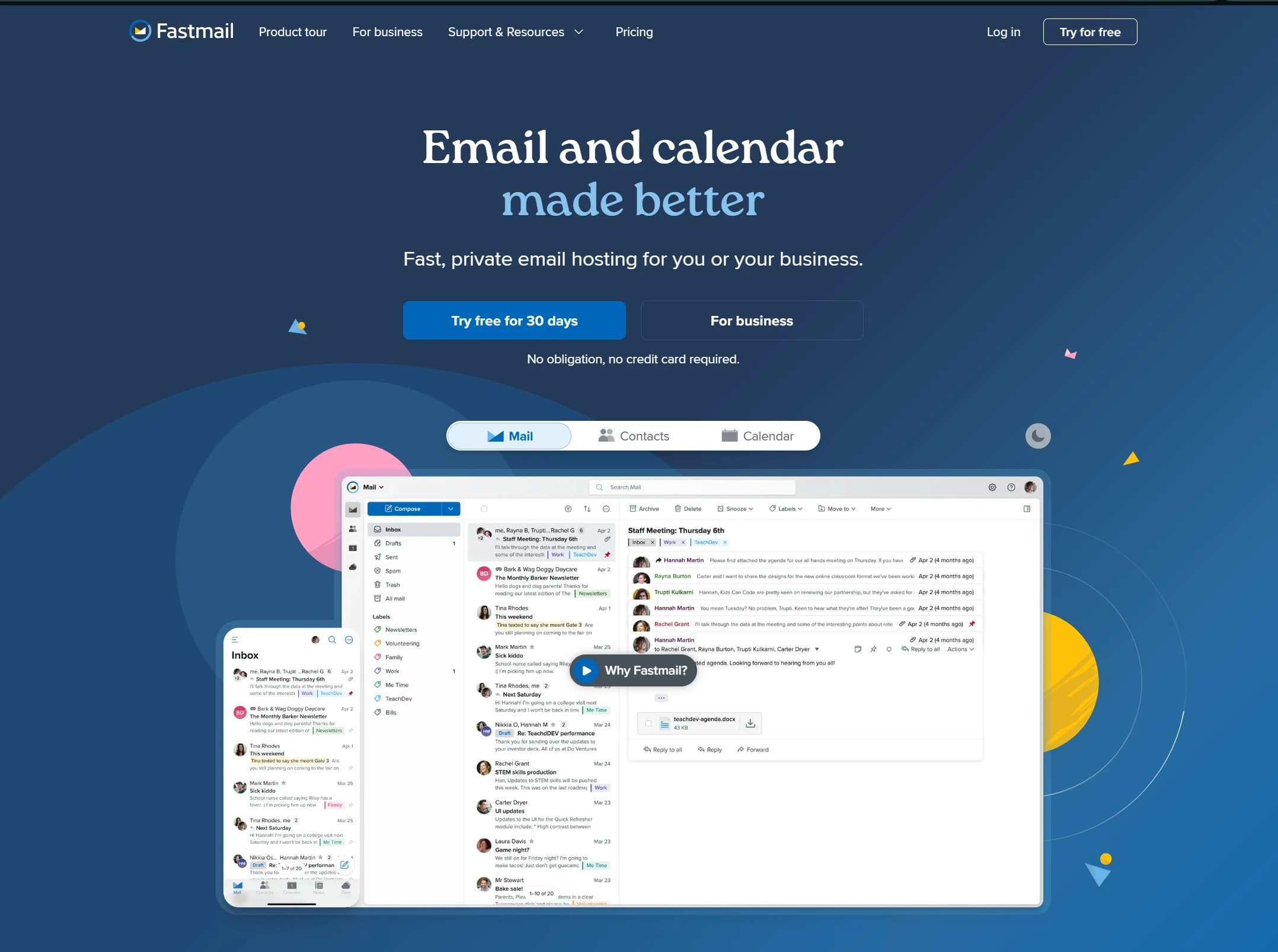
Fastmail is for teams that want email, calendars and contacts to work well without buying a full office suite.
Fastmail Standard costs US$5 per user per month when paid yearly, or US$6 on monthly billing. It includes 50 GB for mail, calendars and contacts plus 10 GB of file storage per user.
Standard supports custom domains, shared addresses, shared calendars, a company address book, scheduled sending, snooze and third-party clients such as Outlook, Apple Mail and Thunderbird.
Choose Fastmail when
a fast, uncluttered inbox matters more than bundled document tools;
you manage several custom domains or addresses;
shared addresses such as
[email protected]are important;your team wants standard email-client access; or
you prefer an email company that does not serve ads.
Fastmail’s Professional plan adds email-retention archiving and more storage. Compare its retention controls with your legal requirements instead of assuming any archive automatically meets them.
6) Namecheap Private Email: best low-cost international option
Namecheap Private Email competes directly with Zoho Mail on low-cost, custom-domain email.
For subscriptions purchased from 2 June 2026:
- Launch plan costs US$14.88 per year and includes one 5 GB mailbox.
- Expand costs US$41.88 per year for three 10 GB mailboxes, while
- Scale costs US$71.88 per year for five 15 GB mailboxes.
All three plans include aliases, catch-all delivery, forwarding, calendars, auto-replies, IMAP, SMTP, POP3, spam protection and two-factor authentication.
Namecheap also lists an AI email assistant on the updated platform.
Choose Namecheap Private Email when
you want a low annual price for one or a few mailboxes;
you already manage domains in a Namecheap account;
IMAP and ordinary email-client compatibility are enough;
you need email rather than a full productivity suite; or
USD billing and overseas support are acceptable.
The main compromise is the surrounding toolkit.
Google, Microsoft, Proton, mailbox.org and Truehost Workplace provide broader document or collaboration features.
Namecheap is easier to justify when the inbox itself is the product you need.
Namecheap introduced a new Private Email platform for new subscriptions in June 2026 and plans to move older subscriptions gradually.
7) Mailbox.org: best for German data hosting and flexible office tools
Mailbox.org combines email with calendars, contacts, online office tools, file storage and video meetings.
It operates its business services from data centres in Berlin and positions the service around German data-protection rules and GDPR.
The Standard mailbox costs €3 per user per month for business customers and includes 10 GB of mail storage, 5 GB of drive storage, Office and Meet.
Premium costs €9 per user per month and increases mail storage to 25 GB and drive storage to 50 GB.
Business customers also select a service package.
- Silver costs €25 per month and supports up to 50 mailboxes;
- Gold costs €75 for up to 250;
- Platinum costs €250 and allows unlimited mailboxes.
Published business prices are net, so tax may apply.
Choose mailbox.org when
German or EU data location is important to your organisation;
you need PGP or S/MIME options in webmail;
a small office suite and video meetings should accompany email;
you want central administration and an API; or
you need a provider outside the largest US platforms.
The service-package fee makes it difficult to recommend for a one-person Kenyan business.
It becomes more interesting when a larger team values its data location, administration and support model.
Which Zoho Mail alternative should you choose?
Start with the reason you are considering a move.
Your priority | Best starting point |
|---|---|
Affordable packages, KES purchasing and local help | |
Gmail plus browser-based collaboration | |
Outlook, Teams and Microsoft Office workflows | Microsoft 365 |
Encrypted business services and privacy | Proton Workspace |
Focused email, calendars and contacts | Fastmail |
Low-cost international mailboxes | Namecheap Private Email |
German hosting and office tools | mailbox.org |
Then calculate the real first-year and renewal cost:
Total annual cost
= mailbox or user licences
+ required service package
+ migration help
+ extra storage
+ tax and currency conversion
+ tools you still need to buy separately
A US$1 mailbox is not cheaper if you must add a separate document suite, video-meeting service and paid migration. A larger suite is not better if your team only sends quotations, invoices and customer replies.
How to move from Zoho Mail without losing messages
Changing email providers is mostly a data and DNS project. Plan the move before editing the domain’s MX records.
List every mailbox, alias, group, forwarding rule, shared calendar and catch-all address in Zoho.
Check how much mail each account stores and whether the new plan has enough space.
Create all users and role addresses at the new provider before the cutover.
Use the destination provider’s migration or IMAP import tool to copy existing email. Confirm separately whether it also moves contacts, calendars, filters and shared resources.
Lower the DNS time-to-live before the planned change if your DNS provider allows it.
Add the new provider’s MX, SPF and DKIM records. Do not copy sample values from another company or provider.
Test incoming and outgoing mail with an external address. Check the message headers for SPF and DKIM results.
Keep the Zoho subscription active during the verification period. Run a final migration pass for messages received during DNS propagation.
Add or update DMARC after SPF and DKIM pass consistently. Start with monitoring when you do not yet know every legitimate sender.
Export or retain a final backup before cancelling Zoho.
If your domain is registered at one company and the email is hosted elsewhere, that is fine. You only need access to the authoritative DNS settings. Our guide to email hosting and web hosting explains why the two services can be separated.
Mistakes to avoid when replacing Zoho Mail
Buying licences for aliases: An alias receives mail inside another mailbox. It does not always need its own paid account.
Changing MX records too early: Create users and copy old data first.
Ignoring old devices: Phones, scanners, websites and accounting systems may still use Zoho SMTP settings.
Assuming everything migrates: Mail importers do not always copy calendars, contacts, filters, signatures or shared folders.
Publishing several SPF records: A domain should normally have one SPF TXT record that includes every authorised sender.
Cancelling on cutover day: Keep the old service available until message flow and the final data copy are confirmed.
Using business email for bulk campaigns: A normal mailbox is not a newsletter platform. Use a compliant email-marketing or transactional-mail service for bulk sending.
Choosing only by storage: Support, recovery, identity controls, application fit and renewal cost often matter more.
The practical recommendation
For many Kenyan SMEs, Truehost Workplace is the most practical place to begin. It gives you custom-domain email, office and collaboration tools, KES purchasing and local help without forcing a separate global-suite licence onto every small team by default.
Choose Google Workspace when Gmail and Google collaboration already run the company. Choose Microsoft 365 when Outlook, Teams and Office compatibility shape the workday. Choose Proton for privacy, Fastmail for focused email, Namecheap for a low-cost international mailbox, and mailbox.org for German-hosted business collaboration.
Before moving, price the exact number of real inboxes, test the interface and confirm what the migration tool copies. The best Zoho Mail alternative is the one your team can operate reliably after the launch-day excitement is over.
Compare Truehost Workplace plans and choose the mailbox package that fits your team.
Zoho Mail Alternatives FAQs
What is the best alternative to Zoho Mail?
Truehost Workplace is a strong starting point for Kenyan SMEs that want custom-domain email, office tools, KES purchasing and local support. Google Workspace is better for Gmail-based teams, while Microsoft 365 fits businesses built around Outlook, Teams and Office.
Is there a cheaper alternative to Zoho Mail?
There can be, but compare the same number of independent mailboxes. Truehost Workplace sells packages with a fixed mailbox count, while Namecheap Private Email publishes low-cost annual plans. Zoho and many global suites price each user separately.
Include renewal charges, tax, currency conversion, storage and any separate office tools before deciding which option is cheaper.
Can I keep my email address when moving away from Zoho Mail?
Yes, if you use your own domain. Create the same address at the new provider, migrate the mailbox data and then replace Zoho’s MX records with the new provider’s records.
You cannot carry an address on a provider-owned domain to another service because you do not control that domain.
Is Truehost Workplace only an email service?
No. Workplace includes business email plus drive storage, calendars, collaboration tools and applications for documents, spreadsheets and presentations. The exact mailbox count, storage and aliases depend on the plan.
Compare Workplace plansIs Google Workspace better than Zoho Mail?
Google Workspace is usually the better fit when employees prefer Gmail and collaborate in Drive, Docs and Meet. Zoho may be better when cost matters more or the company already relies on Zoho CRM, Books and other Zoho applications.
How long does a Zoho Mail migration take?
A small mailbox may copy within hours, while a business with many users and years of mail can take days. The duration depends on data volume, provider limits, internet conditions and whether contacts, calendars and files also need to move.
Keep Zoho active until the new provider receives mail correctly and the final migration pass is complete.
The Bottom Line: Truehost Is Your Best Deal
All seven options are good. Google Workspace has the best AI and Microsoft 365 has best office tools.
But for most Kenyan businesses, Truehost is the best deal. You get a whole lot more for as low as just Ksh 672 per year.
That is less than what some providers charge for one month.
- You get real security. 2FA protection. Anti-virus checking. Advanced anti-spam. Your business email stays safe.
- You get collaboration tools. Docs, Sheets, and Presentations built right in. Real-time editing at a fraction of the cost.
- You can grow with us. Start with one mailbox on Starter. Move to Pro when you hire two more people. Go all the way to Enterprise with 20 mailboxes and 200GB of storage. You never have to switch providers.
The other options have their place. But if you want professional email, real security, collaboration tools, and predictable pricing, Truehost is the answer.
Check out our Workplace plans. Your business email should work for you, not against you. We make sure it does.