 Domain SearchInstantly check and register your preferred domain name
 Web Hosting
 cPanel HostingHosting powered by cPanel (Most user friendly)
 WordPress HostingHost your WordPress website with fast, secure, and affordable WordPress hosting in Kenya.
 KE Domains
 Reseller HostingStart your own hosting business without tech hustles
 Windows HostingOptimized for Windows-based applications and sites.
 Free Domain
 Affiliate ProgramEarn commissions by referring customers to our platforms
 Free HostingTest our SSD Hosting for free, for life (1GB storage)
 Domain TransferMove your domain to us with zero downtime and full control
 All DomainsBrowse and register domain extensions from around the world
 .Com Domain
 WhoisLook up domain ownership, expiry dates, and registrar information
 VPS Hosting
 Managed VPSNon techy? Opt for fully managed VPS server
 Dedicated ServersEnjoy unmatched power and control with your own physical server.
 Website Builder
 Online Store BuilderLaunch a professional e-commerce store without writing code.
 Web Design ServiceGet a custom-designed website tailored to your brand and goals. From just KES 15,600
 BlogRead our guides on web hosting, online business, digital marketing, and more
 SupportOur support guides cover everything you need to know about our services
 ContactContact us via chat or email
Buying a domain name sounds easy. But before you hit that purchase button, there’s one thing you must not skip; checking its history.
You’re not just buying a web address. You’re buying a digital identity with a past. And that past more often than not becomes your present.
That past could be clean. Or it could be hiding spam, scams, or a bad rep with Google.
If you skip this step, you could end up with a domain that tanks your SEO, kills your email outreach, or drags your brand into legal messes.
6 Reasons Why You Need to Check the History of a Domain
It is easy to imagine your future success on a fresh domain. But that domain may come with baggage you can’t see, that is until you look. Here are six reasons to uncover its past before you commit.
1) The domain might already be banned from Google
You’d never know it just by looking at the name. But some domains carry a hidden penalty from Google that kills any chance of ranking. A domain may have been penalized by Google in the past due to:
- Spammy backlinks: Other low-quality websites linking to it even if the current owner didn’t ask for them.
- Keyword stuffing: The old site crammed keywords unnaturally just to try to trick search engines.
- Low-quality content farms: The domain was once home to hundreds of thin, low‑value pages that Google deindexed.
- Fake link schemes: They paid for links or traded them in bulk, which is against Google’s rules.
These are serious offenses in the eyes of search engines. And once a domain is marked, it can take months, sometimes years, to recover.
“I once bought a domain that looked great on the surface. Six months later, and hundreds of published content, I was still struggling to rank. Turned out Google had deindexed it years ago.”
How to check:
- Use tools like Ahrefs Site Explorer or Moz Link Explorer to analyze backlinks.
- Look out for low-quality referring domains or a spammy anchor text profile.
2) That domain might already have a criminal record
It is not fair, but it is true: visitors and even search engines remember how a domain was used in the past. Even if you start fresh, the memory of scams, spam, or adult content can linger.
I am talking of scenarios like:
- Adult content
- Fake giveaways
- Cryptocurrency scams
- Illegal downloads
These can scare off visitors, trigger negative reviews, and make people distrust you, even if you are completely legit.
To find out what you’re really buying, simply:
- Use the Wayback Machine to see how the site looked over the years.
- Scan for any mention of the domain on forums, Reddit, or scam alert sites.
- Google the domain with phrases like scam, review, or fraud and see what pops up.
3) Email deliverability may drop to zero
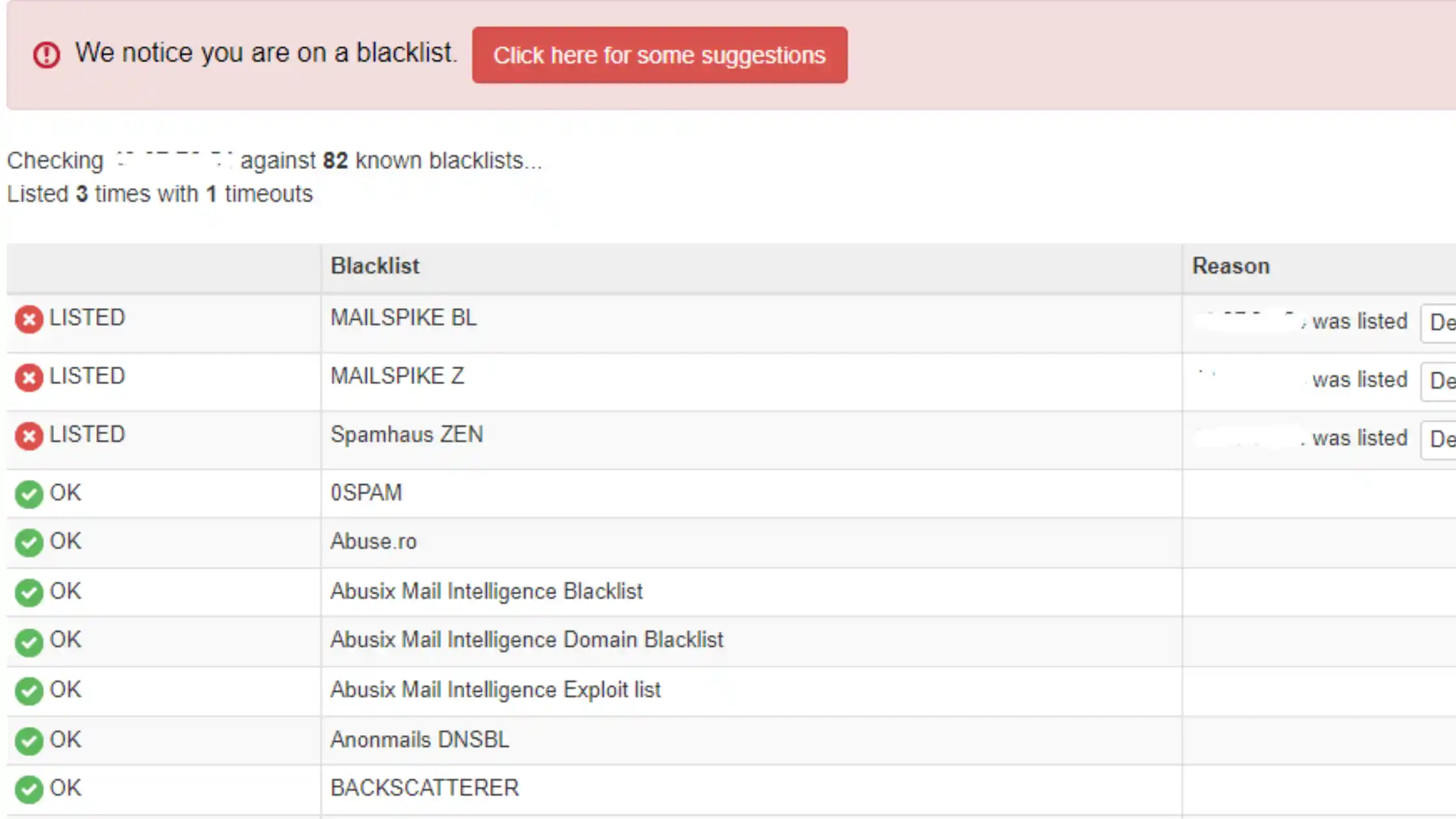
Even if you use clean content and verified email servers, none of that matters if the domain is blacklisted by spam filters.
Previous owners might have used the domain for:
- Bulk email blasts
- Phishing attempts
- Email spoofing
As a result, it lands on global blocklists like SpamHaus, SORBS, Barracuda, and DNSBL. Once a domain is there, your emails are automatically rejected, even if you are sending legitimate content.
To see if the domain is already flagged you can run a quick scan using MXToolbox or Talos Intelligence. Both will show you if the domain appears on any major blacklist.
4) The domain could be tied to cybercrime
Domains sometimes get used for shady purposes and then dumped. You don’t want to pick one of those up by accident.
Common traces of cybercrime include:
- Phishing kits designed to harvest login credentials
- Malware downloads that infected users
- Botnet control panels that coordinated attacks
- Fake login pages mimicking banks, PayPal, or other trusted services
Security companies maintain permanent records. If the domain appears in their databases, browsers may show red warnings, antivirus software may block your site, and search engines may deindex you entirely.
Protect your brand with two simple checks:
- Enter the domain to VirusTotal for threat analysis.
- Use URLVoid to assess its online reputation.
Don’t have a domain yet? Click the button below to get one!
5) Unstable DNS and WHOIS history
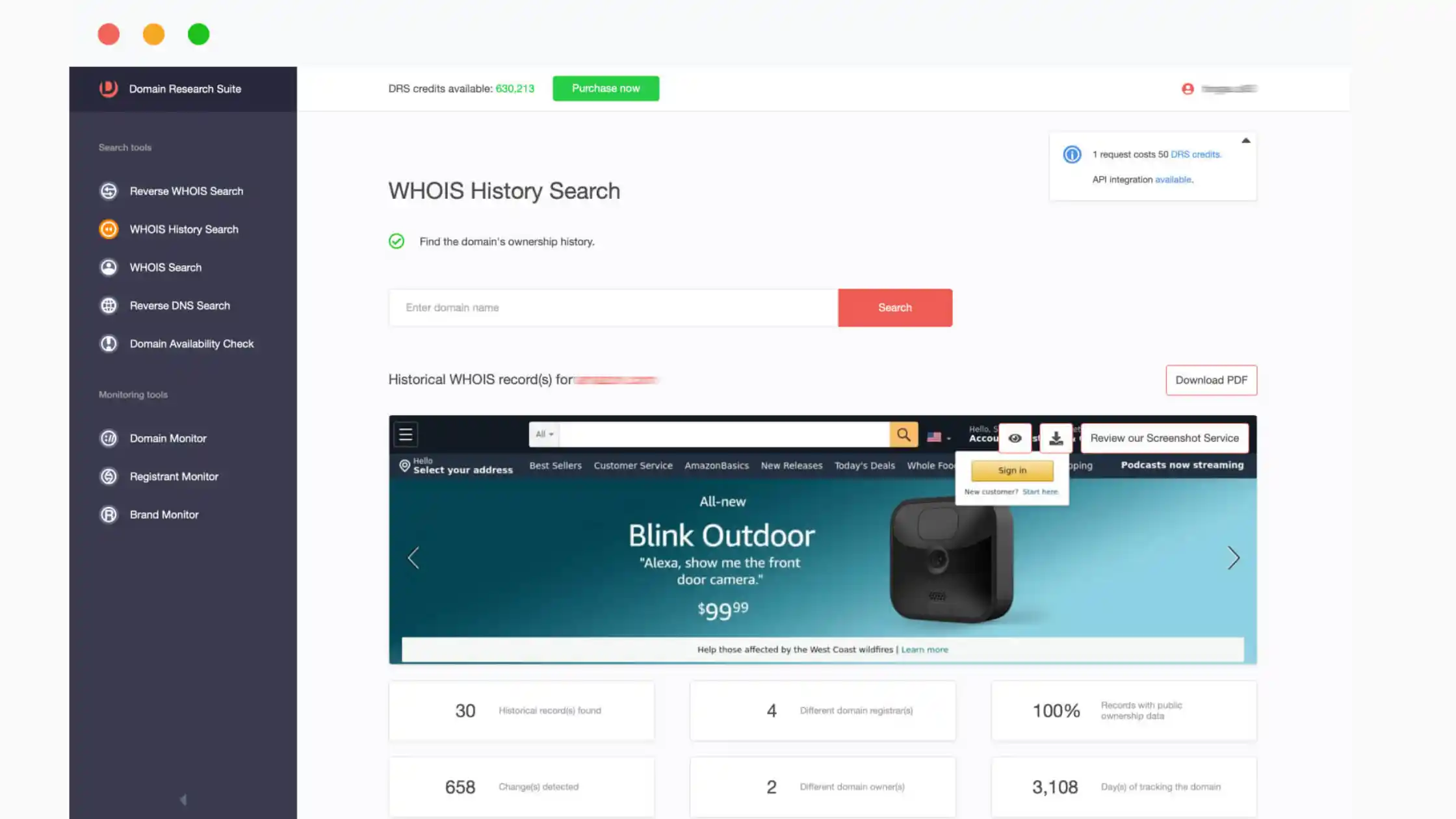
A legitimate domain usually stays with the same owner and on the same servers for a long time. If you see a history of constant changes, something’s off.
Here is what you should watch out for:
- Frequent IP address changes: The previous owner may have switched hosting providers to avoid blacklists or shutdowns.
- Shifting DNS records: Could indicate the domain was used for redirects, spam landing pages, or rotating content.
- Rapid nameserver changes: Often associated with bulletproof hosting, services that tolerate spam and fraud.
- Ownership flipping every few months: A hallmark of domain flipping, but also of domains used for short‑term scams before being dumped.
These patterns point to bulletproof hosting, domain flipping, or shady affiliate use.
Spot the instability fast by using tools like:
You’ll see a full record of:
| Detail | Why this is important |
|---|---|
| Registrar history | Shows if it changed hands too often |
| DNS records | Unusual changes suggest dodgy activity |
| WHOIS ownership | Helps confirm legitimacy |
| IP addresses | Can expose past use of shady hosts |
6) The domain might still be tied to trademarks
Just because a domain is expired and available for purchase doesn’t mean it is legally yours to use. The name might be protected by a registered trademark, and using it could cost you dearly.
Using it could:
- Trigger a legal battle
- Get your site taken down
- Kill your brand before it starts
How to verify trademark status:
- Search Kenya’s KIPI trademark registry
- Use WIPO Global Brand Database for international trademarks
- Avoid names that match big companies or known products, even if slightly altered
Summary: What to check before buying a domain
Here’s a quick checklist:
| Item to check | Tool to use |
|---|---|
| Indexed on Google | Just type your domain e.g site:domain.com on Google |
| Backlink profile | Ahrefs, Moz |
| Historical content | Wayback Machine |
| Email blacklist status | MXToolbox |
| Malware or spam flags | VirusTotal, URLVoid |
| WHOIS & DNS history | DomainTools, SecurityTrails |
| Trademark conflicts | KIPI, WIPO |
Final Thought
You wouldn’t buy a house without checking if it had fire damage or unpaid taxes, right?
Domains are no different.
A bad history can follow your brand for years, hurting your SEO, scaring away customers, and wasting your investment.
You only get one chance to build trust. Start from a clean place.
Do the research now so you don’t pay for it later.
Want a free domain health checklist or a domain vetting spreadsheet? I can create one for you…







