Domain SearchInstantly check and register your preferred domain name
 Web Hosting
 cPanel HostingHosting powered by cPanel (Most user friendly)
 WordPress HostingHost your WordPress website with fast, secure, and affordable WordPress hosting in Kenya.
 KE Domains
 Reseller HostingStart your own hosting business without tech hustles
 Windows HostingOptimized for Windows-based applications and sites.
 Free Domain
 Affiliate ProgramEarn commissions by referring customers to our platforms
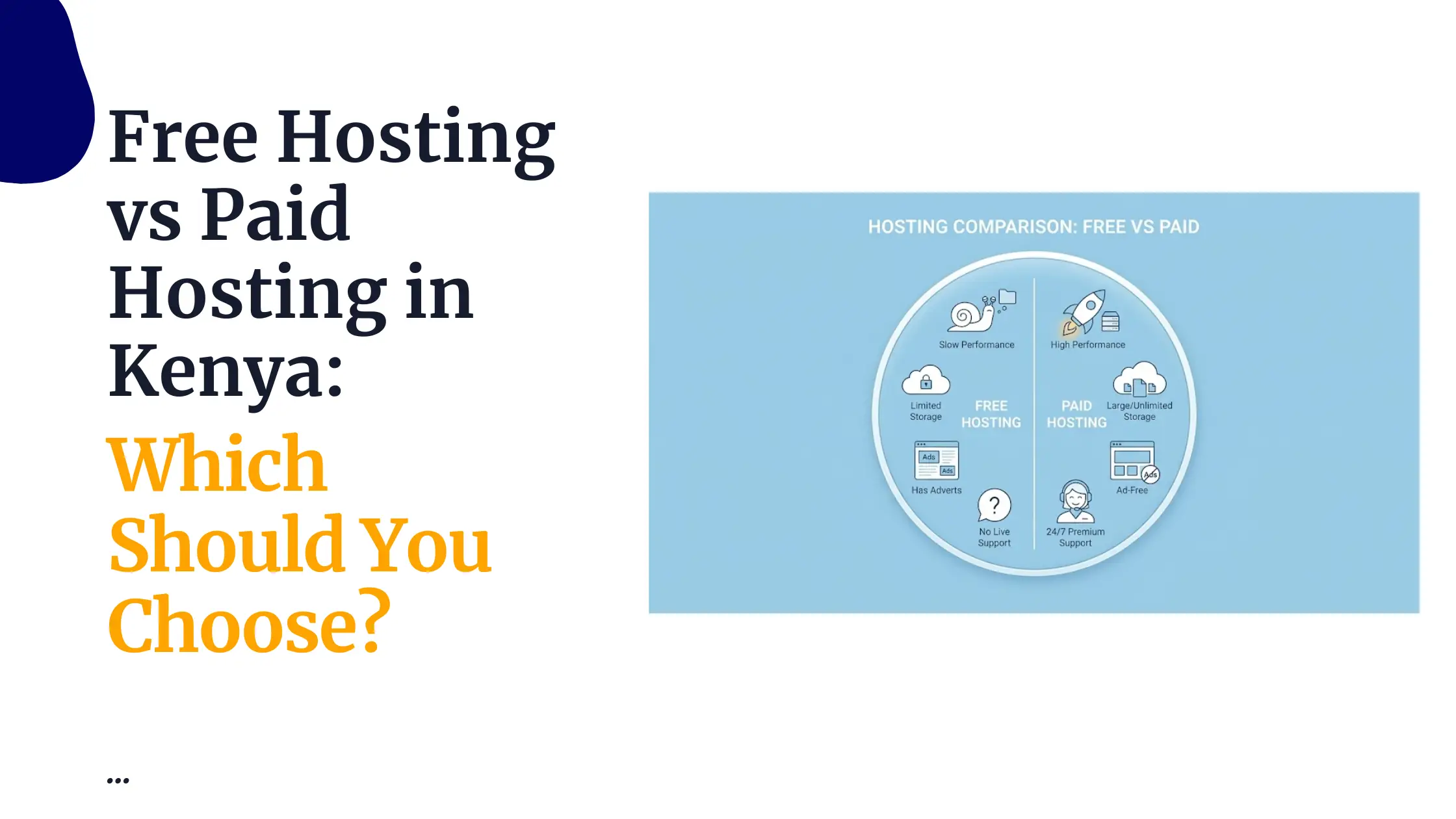
 Free HostingTest our SSD Hosting for free, for life (1GB storage)
 Domain TransferMove your domain to us with zero downtime and full control
 All DomainsBrowse and register domain extensions from around the world
 .Com Domain
 WhoisLook up domain ownership, expiry dates, and registrar information
 VPS Hosting
 Managed VPSNon techy? Opt for fully managed VPS server
 Dedicated ServersEnjoy unmatched power and control with your own physical server.
 Website Builder
 Online Store BuilderLaunch a professional e-commerce store without writing code.
 Web Design ServiceGet a custom-designed website tailored to your brand and goals. From just KES 15,600
 BlogRead our guides on web hosting, online business, digital marketing, and more
 SupportOur support guides cover everything you need to know about our services
 ContactContact us via chat or email
If your website crashes, you have a lot to lose.
You lose sales. You lose trust. You lose customers who were ready to buy but could not complete payment.
When your site goes down during a promo, a busy hour, or a payment step like M-PESA checkout, people don’t wait. They leave.
A site can crash because of traffic, bad updates, weak hosting, or simple errors running quietly in the background.
The worst part is that crashes often happen at the worst time, when visitors are many and expectations are high.
In this guide, you’ll learn:
- The reasons why your website keeps crashing
- What usually causes repeat crashes
- How to spot problems before your site goes down
- Simple fixes you can apply without tech stress
- When your hosting is the main issue, not your website
By the end, you’ll clearly know why your website keeps crashing and what to do to keep it online, fast, and ready when customers show up.
What It Really Means When a Website Crashes
When your website crashes, it does not always go completely offline.
Sometimes the homepage opens, but the shop page does not. Other times, the site loads halfway, then freezes. You may see error messages like:
- Page not found
- Server error
- This site can’t be reached
To visitors, all these mean the same thing. Your site is broken.
At the core, a crash happens when your website cannot respond to users. The server fails to deliver pages fast enough or stops responding completely. This can happen for a few reasons:
- Too many visitors at once
- Not enough server power
- Broken updates or code errors
- Security attacks running in the background
Your website lives on a server. That server has limits. When those limits are pushed too hard or mismanaged, the site falls apart.
For many local users, the problem feels worse. Slow connections, mobile devices, and international servers make delays more noticeable.
A site that struggles for a few seconds can feel completely dead to someone on mobile data.
This is why crashes hurt more than they seem. Visitors don’t see the technical issue. They only see a site that does not work.
1) Server Overload or Weak Hosting Resources
One of the top reasons why your website keeps crashing is that the server cannot handle the load.
Every website lives on a server, and every server has limits on CPU, RAM, and storage space.
When too many people visit at once, the server struggles. Shared hosting, especially cheap plans, packs hundreds of websites onto one server.
If one site hogs resources, yours slows down or crashes completely.
Signs your server is overloaded:
- Pages start slow and then freeze
- Checkout or payment pages fail
- Crashes happen mostly during busy hours or promos
How to fix it:
- Check your hosting dashboard for CPU or memory spikes
- Upgrade to a plan with more resources or dedicated hosting
- Choose a reliable local host with fast servers and low latency for Kenyan users
At Truehost Kenya, servers use SSD drives, LiteSpeed technology, and 99.97% uptime.
That means faster load times and fewer crashes, even when visitors spike. Local servers also reduce delays for M-PESA payments and mobile users.
If server overload is why your website keeps crashing, a small upgrade or switch to stronger hosting like Truehost can stop crashes before they start.
2) Update Problems (Plugins, Themes, and Software)
Sometimes your website crashes right after an update. You hit “update” on WordPress, a plugin, or a theme, and suddenly nothing works.
Why? Updates can clash with old code. One small mismatch in a plugin or theme can break your site.
Even incomplete updates can corrupt files. If your PHP version doesn’t match the software, pages fail.
In Kenya, this happens a lot. A small online shop updates a plugin on a busy weekend.
The checkout stops working. Customers abandon carts. Lost sales. Frustration.
Signs this is happening:
- Crashes appear right after installing or updating something
- Some pages work, others don’t
- Error messages mentioning plugins, themes, or database issues
Simple fixes:
- Always back up your site first. Truehost Kenya offers free daily backups you can restore in a click.
- Use a staging site to test updates before going live.
- Update one plugin or theme at a time.
- Stick to trusted, well-supported plugins and themes.
- If you have managed hosting, let professionals handle updates for you.
Many sites that kept crashing after updates were fixed overnight just by moving to a safe, conflict-free setup.
3) Poor Website Hosting
Sometimes the problem isn’t your website, it’s where it lives. Cheap or low-quality hosting can silently ruin your site’s performance.
Weak hosting shows up in different ways:
- Limited bandwidth that chokes traffic
- Old servers that crash often
- No CDN, so pages load slowly for visitors far away
- Weak security, making your site vulnerable to hacks that can take it offline
In Kenya, using an overseas host might feel cheap, but the delays hurt your local customers.
Every extra second for a page to load is a frustrated user who might leave.
Even worse, some hosts don’t support M-PESA properly, making payments fail and costing sales.
Signs your hosting is the problem:
- Your site crashes randomly, even with a few visitors
- Pages take too long to load for local users
- Support is slow or non-existent
How to fix it:
- Check your host’s uptime guarantee. Anything below 99.9% can cost you hours offline every year.
- Make sure they have servers close to your users. Nairobi-based servers are faster for local traffic.
- Look for scalable plans your site should grow without crashing.
- Pick a host with strong security, daily backups, and support you can reach anytime.
At Truehost Kenya, most plans include unlimited bandwidth, free SSL, daily backups, and 24/7 support.
Local servers mean faster loads for Kenyan users and smooth M-PESA payments.
4) Sudden Traffic Spikes
When too many people show up at once your website can crash.
Maybe a WhatsApp post goes viral, an Instagram Reel blows up, or Black Friday deals hit. Traffic jumps 5x, 10x, even more overnight. If your server isn’t ready, it collapses.
Signs traffic spikes are the cause:
- Your site works fine most days, but crashes during big events
- Load times suddenly slow before freezing
- Errors appear only when many visitors are online
How to prevent crashes from traffic surges:
- Use caching to lighten the load. LiteSpeed Cache works well and is free on many hosting plans.
- Use a CDN (Content Delivery Network) to spread traffic globally.
- Monitor visitor numbers with Google Analytics or host alerts.
- Upgrade to VPS or cloud hosting that scales automatically when traffic spikes.
- Choose hosting plans with unmetered bandwidth so you don’t get hit with surprise limits.
With proper setup, even a viral post or a busy promotion won’t take your site down.
Shops in Nairobi have survived traffic floods from social media forwards without losing a sale, just because their hosting was ready.
5) Coding Errors, Bugs, or Security Problems
Bad code can slow everything down. Inefficient database queries, custom themes, or plugins with mistakes can make your pages freeze.
Malware or hackers can inject harmful scripts that overload your server.
Outdated software makes your site vulnerable, and even small errors can crash the site when traffic rises.
In Kenya, this happens often with small shops or blogs that rely on plugins for payments or bookings.
One tiny bug in a payment plugin can stop M-PESA from processing orders. Customers try to pay, the page hangs, and the sale is lost.
Signs coding or security issues are the cause:
- Random crashes with no clear trigger
- Pages fail under load even with low traffic
- Security warnings or suspicious activity in logs
How to fix it:
- Regularly audit your code using tools like Query Monitor for WordPress
- Use security plugins such as Wordfence or Sucuri
- Keep all themes, plugins, and core files updated
- Scan for malware often
- If coding isn’t your strength, hire a developer or use managed hosting
At Truehost Kenya, hosting plans come with strong security layers and optimized servers, reducing the impact of bugs and keeping your site running even when small issues arise.
See later: Does Hosting Affect SEO? The Truth About Your Website’s Performance
What to Do Right Now If Your Website Crashes
Site down? Don’t panic. Quick action can save sales, trust, and stress.
Here’s what you can do immediately:
- Check your hosting dashboard or status page
Look for server alerts, CPU spikes, or downtime notices. Some hosts show exactly what went wrong. - Contact support
Reach out right away. 24/7 support can spot and fix problems faster than waiting for it to resolve itself. - Roll back recent updates
If the crash followed a plugin, theme, or CMS update, restore the previous version from backup. - Communicate with your customers
Post on social media or WhatsApp: “Our website is down briefly fixing it now. Thanks for your patience.” People appreciate transparency. - Set a temporary landing page
Something simple like: “We’re working on updates. Check back in an hour.” This keeps your brand visible even during downtime. - Restore from backup if needed
If nothing else works, restore the last working version of your site. With daily backups, this can be done in minutes.
Acting fast prevents frustration and loss. Every minute counts when customers can’t access your site.
Wrapping It Up
Most of the time, why your website keeps crashing comes down to just a few things:
- Overloaded servers
- Updates gone wrong
- Weak hosting
- Sudden traffic spikes
- Coding and security issues.
If crashes keep happening, it may be time to upgrade. We at Truehost Kenya understand the M-PESA hustle, local traffic patterns, and the frustration of lost sales.
Our hosting plans are built to stay online, fast, and secure even when your site suddenly goes viral.
Stop guessing why your website keeps crashing. Make the switch to hosting that actually works for your business. Fast load times, strong uptime, daily backups, and local support make a difference customers notice.
Your site stays online. Your customers pay. Your sales grow. That’s the goal.
Check our reliable hosting plans today.