Domain SearchInstantly check and register your preferred domain name
 Web Hosting
 cPanel HostingHosting powered by cPanel (Most user friendly)
 WordPress HostingHost your WordPress website with fast, secure, and affordable WordPress hosting in Kenya.
 KE Domains
 Reseller HostingStart your own hosting business without tech hustles
 Windows HostingOptimized for Windows-based applications and sites.
 Free Domain
 Affiliate ProgramEarn commissions by referring customers to our platforms
 Free HostingTest our SSD Hosting for free, for life (1GB storage)
 Domain TransferMove your domain to us with zero downtime and full control
 All DomainsBrowse and register domain extensions from around the world
 .Com Domain
 WhoisLook up domain ownership, expiry dates, and registrar information
 VPS Hosting
 Managed VPSNon techy? Opt for fully managed VPS server
 Dedicated ServersEnjoy unmatched power and control with your own physical server.
 Website Builder
 Online Store BuilderLaunch a professional e-commerce store without writing code.
 Web Design ServiceGet a custom-designed website tailored to your brand and goals. From just KES 15,600
 BlogRead our guides on web hosting, online business, digital marketing, and more
 SupportOur support guides cover everything you need to know about our services
 ContactContact us via chat or email

If you want a smart and surprisingly simple way to organize your website like a pro, start by learning how to create subdomains.
Good for you, cPanel makes the entire process a few clicks easy.
And once you learn how to do this, it becomes one of those practical skills that quietly changes how you manage your website.
If you already have a site, a subdomain is exactly what you need to give you room to grow without paying for extra domains or another hosting plan.
Let’s say your main site is something like yourbusiness.co.ke. Then, you decide you want a proper blog section or maybe a separate shop or even a customer support area that feels structured and professional.
In this case, you only need a clean way to separate things.
And that’s what brings us to a subdomain like blog.yourbusiness.co.ke or shop.yourbusiness.co.ke.
In this simple guide, I’ll walk you through the exact steps on how to create subdomains using the modern cPanel interface.
You’ll see:
- What a subdomain is
- What it really does
- Why it’s useful for growing websites in Kenya
- How to create subdomains and set up properly so your site stays organized and fast
Let’s get started.
What Is a Subdomain?
A subdomain is just an extra part added to the front of your main domain name. If your website is example.co.ke, you can create something like;
blog.example.co.kesupport.example.co.keshop.example.co.ke
That extra word in front (blog, support, shop) is the subdomain.
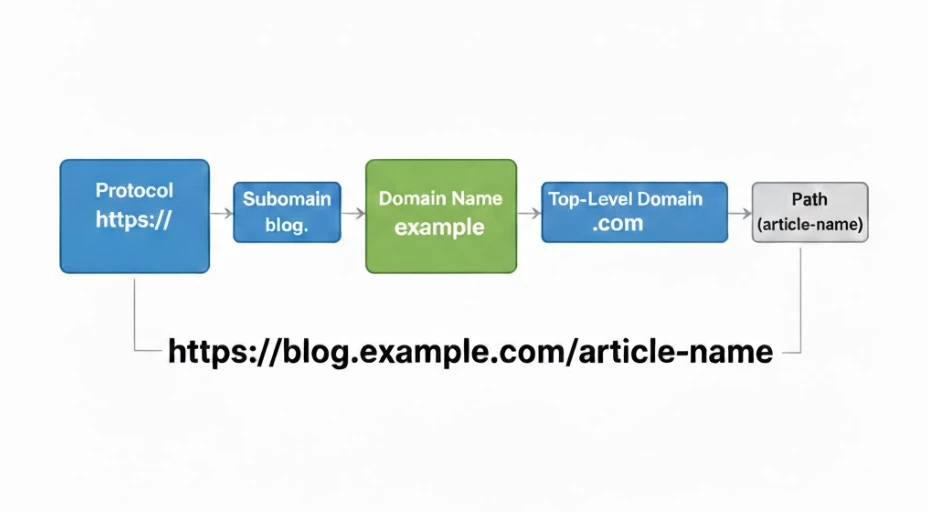
When you create one, cPanel automatically gives it its own folder on your server.
That means you can install WordPress there, upload completely different files, or even use a totally different design from your main site.
And the best part is, whatever you do inside that subdomain doesn’t interfere with your main website.
Now, it’s important not to confuse subdomains with other similar setups:
- A folder (like
example.co.ke/blog) sits inside your main website and shares the same structure. - An add-on domain requires you to buy and register a completely separate domain name.
A subdomain sits comfortably in between. It’s separate but still connected.
You can create subdomains for free, depending on your hosting plan. For example, our Unlimited plan allows unlimited websites and subdomains. That gives you a lot of freedom to grow without extra costs.
Why Do You Need to Learn How to Create Subdomains?
If you’re running a business in Kenya today, speed and flexibility are important. Most of your visitors are likely browsing on mobile. They want to find what they need quickly, without digging through pages.
Subdomains help you deliver that experience.
Here’s how:
1. Cost savings
You don’t need to purchase multiple domain names or separate hosting plans. One Truehost plan can handle your main site and all your subdomains.
2. Better user experience
If someone wants your products, they can go straight to shop.yourbusiness.co.ke.
If you offer location-based services, you could have something like nairobi.yourbusiness.co.ke. It’s direct and clear.
3. Cleaner organization
You can separate your blog, forums, staging sites, or even a private client portal.
Backups become easier, management becomes simpler, and everything feels structured instead of crowded.
4. SEO opportunities
Subdomains can rank independently in search engines.
For example, a Nairobi-specific subdomain can target keywords like “best Nairobi plumbing services” without mixing that focus into your main site.
5. A safe testing space
Want to try a new theme or plugin? Create test.yourbusiness.co.ke and experiment there first. Your live website stays safe while you test ideas.
Many businesses start small. A simple blog subdomain. Later, they add a shop. Then maybe a support center.
In short, subdomains grow with you, without having to upgrade or spend unnecessarily.
What You Need Before Starting
Before you start creating a subdomain, let’s quickly make sure everything is in place.
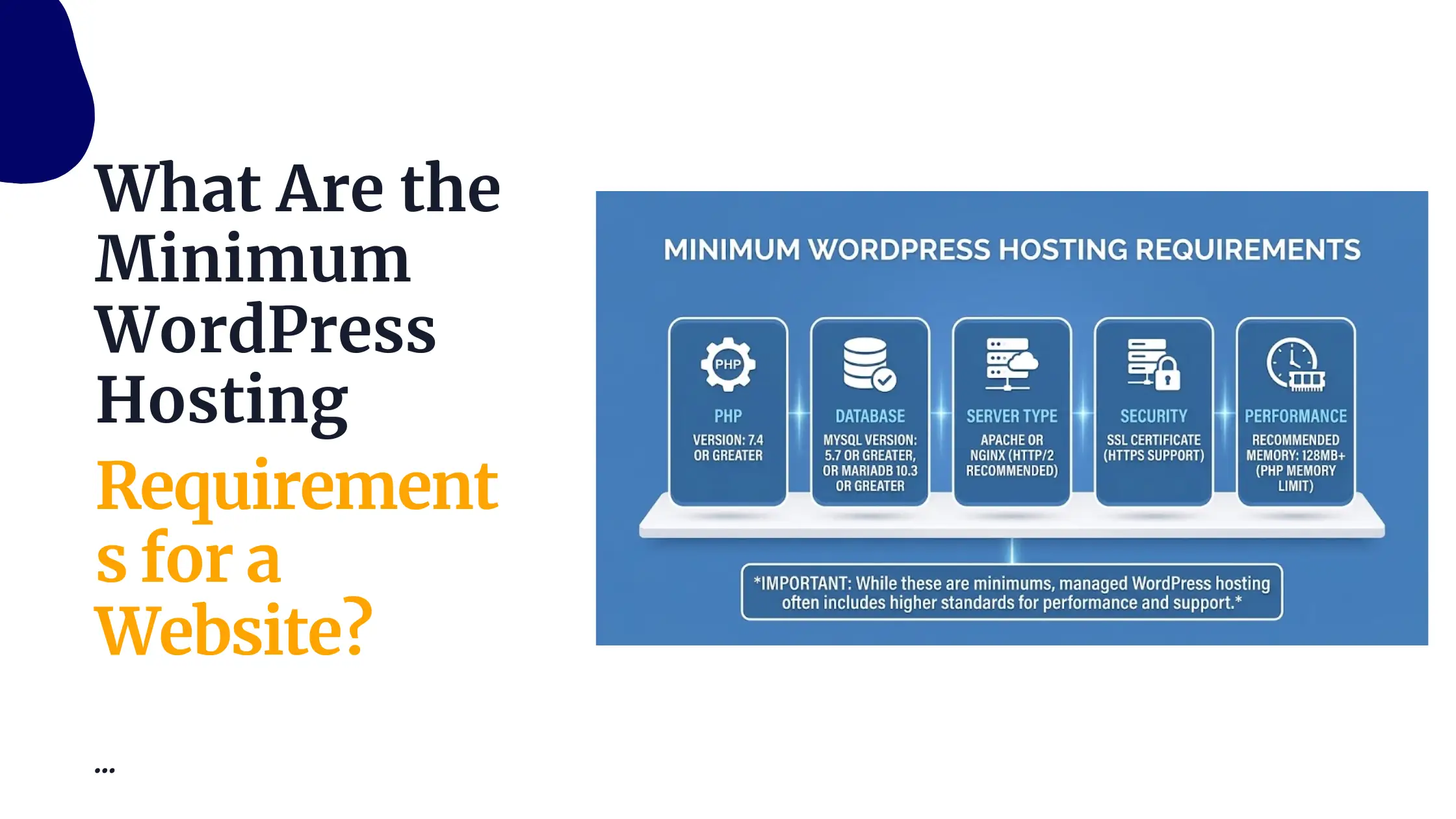
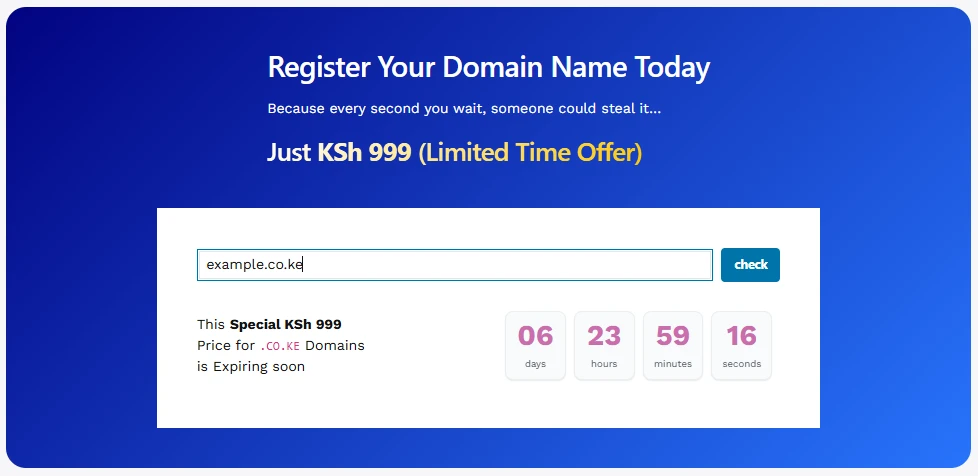
First, you need an active domain that’s already pointed to Truehost nameservers. If you registered your domain with us, this is usually handled automatically during signup, so you don’t have to stress about it.
Second, you need a Truehost cPanel hosting account. Our hosting plans, starting at around Ksh 188/month when billed triennially, include a free cPanel.
Next, your cPanel account login credentials. You can access cPanel through yourdomain.co.ke/cpanel or use the direct link we emailed to you after signup. With your username and password, you’re ready.
If this is your first time with cPanel, don’t worry.
Our support team is available 24/7 via WhatsApp or live chat to walk you through anything that feels confusing.
Steps on How to Create Subdomains in cPanel
Truehost uses the latest cPanel interface, and subdomains are created using the unified Domains tool.
Step 1: Log in to your cPanel account using the details you received after signing up.
Step 2: Scroll until you find the Domains section on the dashboard.
Step 3: Click on Domains.
Step 4: On the next page, click the Create A New Domain button. It’s easy to spot.
Step 5: In the Domain field, type the full subdomain name. For example:
blog.yourbusiness.co.keshop.example.co.ke
Make sure you enter the complete subdomain, not just “blog” or “shop.”
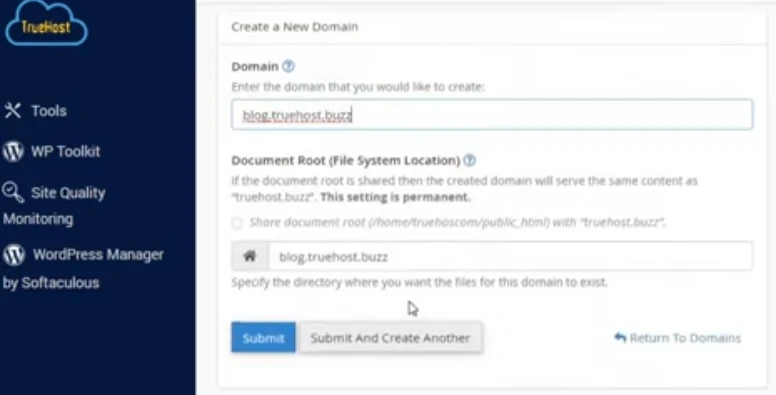
Step 6: Now here’s the part that matters.
You’ll see a checkbox that says:“Share document root (/home/username/public_html) with ‘domain.tld’.”
Uncheck that box.
If you leave it selected, your subdomain will share the same folder as your main website.
That means both addresses would display the same content.
Unchecking it gives your subdomain its own separate folder, which is usually what you want.
Step 7: Click Submit.
You’ll see a green success message confirming everything worked.
On Truehost, the subdomain becomes active almost instantly thanks to our DNS setup.
If you open your browser and type in the new subdomain address, it may show a blank page or a default directory page at first. That’s normal. It simply means the space is ready and waiting for your content.
Examples many Kenyan businesses use:
blog.yourbusiness.co.kefor publishing articlesshop.yourbusiness.co.kefor WooCommerce storessupport.yourbusiness.co.kefor a help centertest.yourbusiness.co.kefor trying out new themes or plugins
Once you’ve created your first one, you’ll realize how simple the process is. From there, expanding your site becomes much easier and far more organized.
Managing Your Subdomains After Creation
Once your subdomain is created, head back to the Domains list inside cPanel. You’ll see it listed there alongside your main domain.
Next to it, there’s a Manage option. That’s where you control everything.
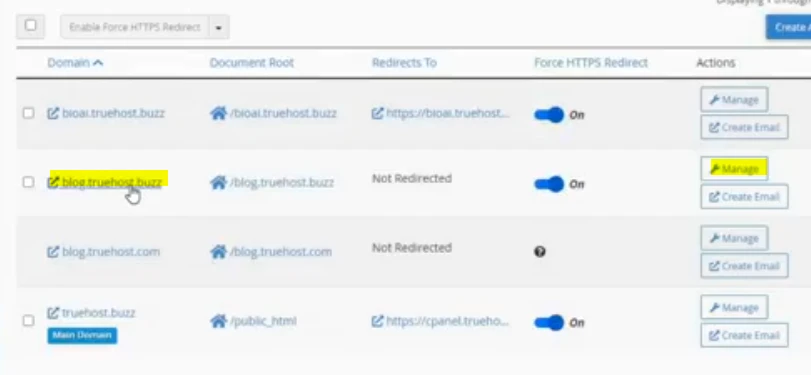
From there, you can:
- Change the document root if you decide to reorganize your folders later.
- Set up redirects (for example, sending visitors from one subdomain to another page).
- Delete the subdomain if you no longer need it. Just be careful, since deleting it also removes the associated folder and files.
If you’re planning to build something on that subdomain, you don’t need to upload files manually unless you want to.
You can use Softaculous, our 1-click installer, to install WordPress or other apps directly into the subdomain folder. It takes just a few minutes, and you’re ready to start building.
Common Issues and Quick Fixes
Most of the time, everything works instantly. But if something looks off, here’s what to check.
1. Seeing a “Not Found” error or a blank page?
Give it a few minutes. DNS usually settles within 5–30 minutes on Truehost. After that, refresh your browser or clear your cache.
2. Folder permission errors?
The folder should automatically be set to 755, which is the correct permission level. cPanel handles this by default. If anything changes, you can adjust it inside File Manager.
3. SSL not working yet?
Our free AutoSSL activates quickly, but sometimes it needs a few minutes. If HTTPS isn’t loading, you can force HTTPS from the Domains tool in cPanel.
And if you’re stuck at any point, our Kenyan support team is available 24/7 via WhatsApp, phone, or support ticket. We usually respond within minutes.
A Few Advanced Tips
Once you’re comfortable creating subdomains, you can explore a few extra options.
If you’d like any prefix to work automatically
For example, anything.yourbusiness.co.ke, ask support about setting up a wildcard subdomain. This is available on higher-tier plans.
If you plan to run multiple blog sections, WordPress Multisite is a powerful option. It lets you manage several subdomain blogs from one WordPress dashboard.
And don’t forget security. Every new subdomain should have SSL enabled. With Truehost, that’s just one click inside cPanel.
Conclusion
Creating subdomains opens up real flexibility for your business or blog.
You can separate content clearly, target local searches more effectively, test new ideas safely, and keep your website organized—all without paying for extra domains.
If you’re ready to expand or need more space for unlimited sites and subdomains, visit our hosting page and choose a cPanel plan that fits your goals.
We’ll get you online quickly.
And if you run into any challenges along the way, just reach out. We’re here to help you grow.