 Domain SearchInstantly check and register your preferred domain name
 Web Hosting
 cPanel HostingHosting powered by cPanel (Most user friendly)
 WordPress HostingHost your WordPress website with fast, secure, and affordable WordPress hosting in Kenya.
 KE Domains
 Reseller HostingStart your own hosting business without tech hustles
 Windows HostingOptimized for Windows-based applications and sites.
 Free Domain
 Affiliate ProgramEarn commissions by referring customers to our platforms
 Free HostingTest our SSD Hosting for free, for life (1GB storage)
 Domain TransferMove your domain to us with zero downtime and full control
 All DomainsBrowse and register domain extensions from around the world
 .Com Domain
 WhoisLook up domain ownership, expiry dates, and registrar information
 VPS Hosting
 Managed VPSNon techy? Opt for fully managed VPS server
 Dedicated ServersEnjoy unmatched power and control with your own physical server.
 Website Builder
 Online Store BuilderLaunch a professional e-commerce store without writing code.
 Web Design ServiceGet a custom-designed website tailored to your brand and goals. From just KES 15,600
 BlogRead our guides on web hosting, online business, digital marketing, and more
 SupportOur support guides cover everything you need to know about our services
 ContactContact us via chat or email
A domain name is one of the most important digital assets for any business, organization, or individual.
It powers your website, handles your emails, and represents your brand online. Despite this, many domain owners overlook a critical step that can put their domain at serious risk: WHOIS data verification.
WHOIS verification confirms that the contact information linked to your domain, such as your name, email, and business details, is accurate and up to date. Failing to complete this verification is more than just an administrative issue.
Every year, thousands of domains are suspended or even deleted because owners ignore verification emails or fail to update their information.
If your domain goes unverified, it can be suspended in as little as 15 days, causing your website to go offline and emails to bounce. For businesses, this means lost revenue, frustrated customers, and in some cases, the permanent loss of a valuable online asset.
In this guide, you’ll learn how missing a simple WHOIS verification can put your domain at risk, and how to quickly verify it to avoid downtime and protect your online presence.
The 15-Day Rule and What Triggers It
Under ICANN policy, registrars must validate (check format) and verify (get an affirmative response via email or phone) your contact details within 15 days of key events.
Common triggers include:
- Registering a new domain (especially if the email isn’t immediately verified)
- Updating registrant contact information (name, email, or organization)
- Inbound domain transfers (in some cases)
Reminders are often sent around 10 and 5 days before the deadline, but the 15-day window is strict, with no automatic extensions.
Example of a Verification Email (Sent for New Domain Registrations):
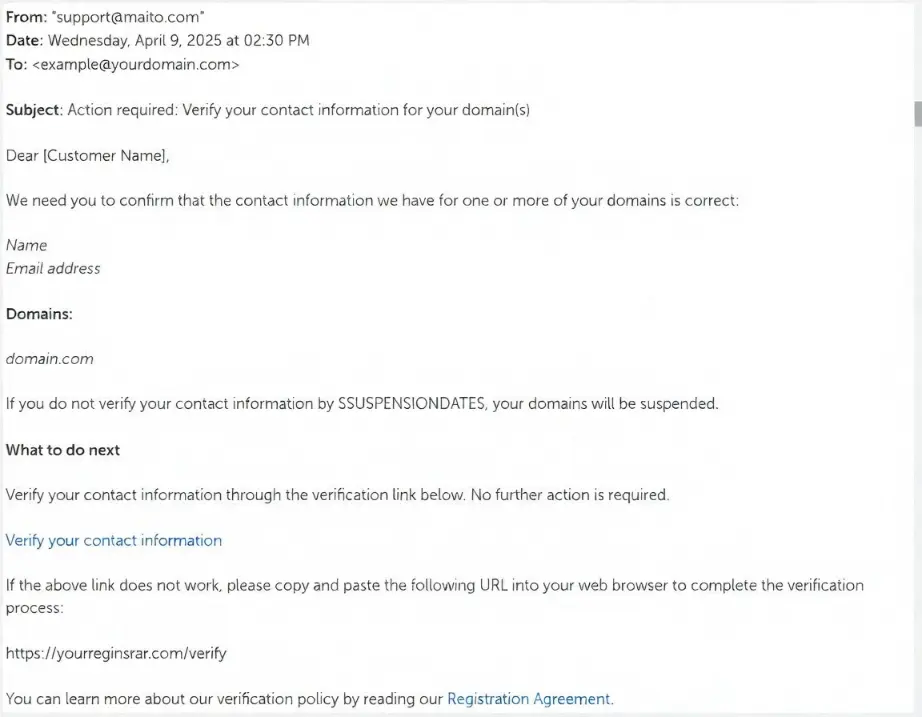
For .ke domains managed by KeNIC, there isn’t always an identical automatic 15-day ICANN-style rule for gTLDs. However, KeNIC mandates accurate registrant data and supporting documents (like ID or business certificates) at registration. Inaccurate information can still lead to suspension or disputes, so treating .ke domains with the same care is essential for Kenyan users.
Many registrars, including international ones handling .com, .net, .org, and others, enforce the 15-day suspension actively to comply with ICANN
What Happens If You Ignore WHOIS Verification for 15 Days?
Ignoring the email sets off a predictable and painful chain of events:
Timeline of Suspension Process
| Day | Action by Registrar | Impact on You |
|---|---|---|
| Day 0 | Verification email sent | Normal operation |
| Day 5–10 | Reminder emails (varies by registrar) | Still online, but the risk is increasing |
| Day 15+ | Domain suspended (ClientHold status) | Website offline, email bounces or stops |
| Beyond 15 days | Possible lock, cancellation, or deletion | Full loss of access, redemption fees, or permanent loss |
Once suspended:
- Your website stops resolving (visitors see an error or a parking page)
- Email services tied to the domain fail
- You lose control over DNS settings until verification is completed
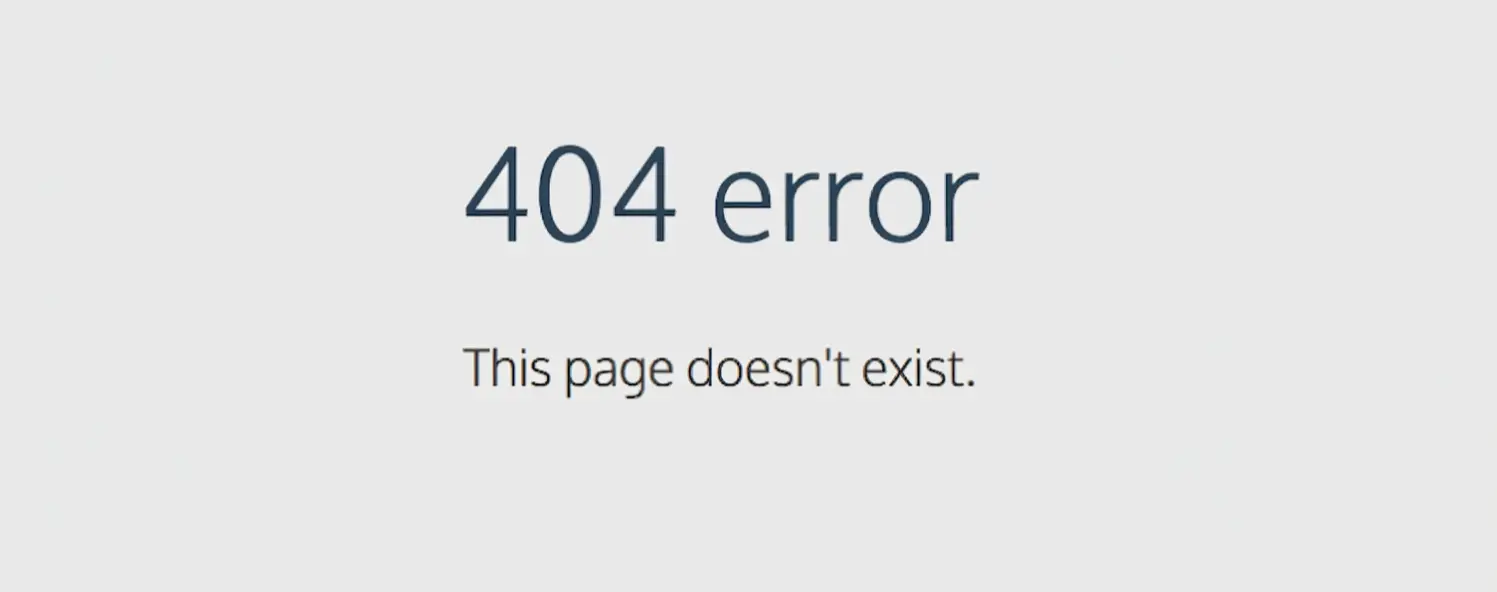
For businesses, this means lost sales, damaged customer trust, and branding harm, especially if you rely on the domain for e-commerce, bookings, or professional communication.
Recovery is often possible by logging into your registrar’s client area and verifying, but delays can incur extra fees or complications. Prolonged inaction risks the domain entering redemption periods or being deleted.
How to Complete WHOIS Verification (Step-by-Step Guide)
Don’t panic if you’ve received the email. Verification is quick and straightforward, especially with a reliable registrar like Truehost.
1) Check your inbox and spam/junk folder
Look for an email from your registrar with a subject like “Verify Your Domain Contact Information” or similar urgent wording about domain ownership verification.
2) Click the secure verification link
Only use the link from the official email. It will direct you to confirm your details.
3) Log in to your client area
If needed, go to the domain management section, review the registrant contact information, and save any confirmations.
4) Complete and confirm
Follow the on-screen instructions to affirm the data. Take a screenshot of the success message for your records.
Tips for Kenyan domain owners:
- Use a reliable, frequently checked email address for registration.
- Add common registrar domains to your contacts or safe sender list.
- Enable auto-renewal to avoid compounded issues near expiry.
- For .ke domains, double-check that your supporting documents (national ID, business certificate, etc.) match the registered details exactly.
If the email doesn’t arrive, log in to your account and request a resend through the domain management tools.
Best Practices to Avoid Losing Your Domain
Losing a domain usually doesn’t happen out of nowhere; it’s often the result of small things being ignored over time. The good news? A few simple habits can save you from the stress (and cost) of trying to recover it later.
a) Keep your WHOIS details accurate and up to date
Your domain registration is tied to the contact information you provide. If your email, phone number, or organization name changes, update it immediately.
Registrars and regulators may require verification within a short window, sometimes as little as 7 days, so outdated details can quickly put your domain at risk.
b) Stay on top of emails and your registrar dashboard
Most domain issues start with a missed email. Renewal notices, verification requests, and policy updates are all sent there.
Make it a habit to check both your inbox (including spam/junk folders) and your registrar account regularly so nothing slips through unnoticed.
c) Set reminders before it becomes urgent
Don’t rely on memory alone. Add a yearly reminder to review your domain details and renewal dates. This aligns with periodic checks required by ICANN, which ensures your information stays accurate over time.
d) Choose a registrar that actually supports you
Not all registrars are equal. A reliable provider, especially one that understands your local market, can make a big difference when you need help fast.
For example, a provider like Truehost offers clearer processes and localized support, which is especially helpful when dealing with .ke domains or regional requirements.
e) Use domain privacy, but don’t rely on it blindly
Privacy protection helps keep your personal details out of public WHOIS databases, which is great for reducing spam and unwanted contact. But it doesn’t remove your responsibility.
You still need to respond to verification requests from your registrar behind the scenes; ignoring those can still lead to suspension or loss of your domain.
WHOIS Privacy vs. Verification: They Are Not the Same
Many people confuse the two:
- WHOIS Privacy
Hides your personal info from public WHOIS lookups (replaced with proxy data).
- WHOIS Verification
An internal confirmation that the registrar can reach and confirm you as the legitimate owner.
Enabling privacy does not remove the need for verification. You must still respond to the registrar’s email to avoid suspension.
Don’t Risk Your Domain, Act Now
WHOIS data verification is a small step, but ignoring it carries big consequences. The 15-day window is strict, with no guaranteed extensions, and suspension can hit your business hard.
Verifying early eliminates the risk. If you’ve received a verification email, or even if you haven’t checked lately, log into your registrar account today and confirm your details.







