Domain SearchInstantly check and register your preferred domain name
 Web Hosting
 cPanel HostingHosting powered by cPanel (Most user friendly)
 WordPress HostingHost your WordPress website with fast, secure, and affordable WordPress hosting in Kenya.
 KE Domains
 Reseller HostingStart your own hosting business without tech hustles
 Windows HostingOptimized for Windows-based applications and sites.
 Free Domain
 Affiliate ProgramEarn commissions by referring customers to our platforms
 Free HostingTest our SSD Hosting for free, for life (1GB storage)
 Domain TransferMove your domain to us with zero downtime and full control
 All DomainsBrowse and register domain extensions from around the world
 .Com Domain
 WhoisLook up domain ownership, expiry dates, and registrar information
 VPS Hosting
 Managed VPSNon techy? Opt for fully managed VPS server
 Dedicated ServersEnjoy unmatched power and control with your own physical server.
 Website Builder
 Online Store BuilderLaunch a professional e-commerce store without writing code.
 Web Design ServiceGet a custom-designed website tailored to your brand and goals. From just KES 15,600
 BlogRead our guides on web hosting, online business, digital marketing, and more
 SupportOur support guides cover everything you need to know about our services
 ContactContact us via chat or email
Are you looking for strategies on how to start a tech blog in 2026 if you want real income from it?
Well, it’s about time.
You can’t always just be that friend everyone calls when their phone won’t connect to Wi-Fi. Or that person who always has an opinion about the latest iPhone, AI tool, or startup trend.
Or maybe just love gadgets, follow AI trends, and experiment with new apps, code, or review software for friends.
If you’re one of those, then it’s time you turn your interest in tech into something bigger, a side gig, or even a full business.
And you don’t even need thousands of followers or to know everything about tech.
What you need is clarity, strategy, and consistency.
Now, starting a tech blog that earns is completely possible, but only if you treat it like a business from the beginning.
With the right steps, you can launch a professional blog that loads fast, ranks on Google, and earns through affiliate marketing, ads, sponsored content, and digital products.
In this roadmap, I will walk you through the entire process:
- Choosing your niche
- Setting up your site
- Creating content that attracts search traffic
- Building income streams that grow over time
If you’re ready to move from “I’ve been thinking about it” to “My blog is live and earning,” let’s begin.
Phase 1: Foundation and Setup
This is the stage where many people lose momentum. The ideas are exciting, the motivation is high… then the technical decisions start piling up, and everything feels heavier than it should.
Don’t stop here.
If you get this phase right, you’ll own your platform, control your content, and monetize without restrictions.
That freedom is the breakthrough we’re looking for.
1) Choose Your Specific Niche and Target Audience
Let’s start with a hard truth: trying to cover “everything tech” is the fastest way to blend in.
But readers trust specialists, Google ranks specialists, and income follows focus. Instead of running a broad “tech news” blog, narrow it down to something you can own.
For example:
- AI tools for Kenyan creators or freelancers
- No-code/low-code development guides
- Cybersecurity tips for small businesses in East Africa
- Reviews of affordable SaaS tools for startups
See the difference? Each one speaks to a clear group of people with specific needs.
When you narrow your niche:
- You face less competition in search results
- You attract readers who actually care
- Your recommendations convert better
If you’re based in Mombasa or Nairobi, use that to your advantage. Write about how certain tools perform on local internet speeds. Compare pricing in KES. Share payment options that work in Kenya.
That local layer instantly makes your content more relevant than generic global posts.
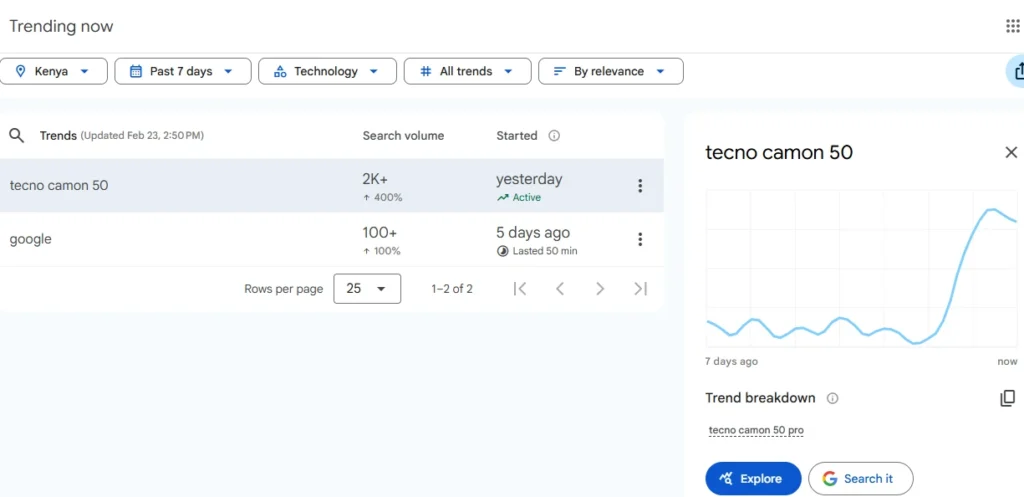
Before settling on a niche, check if people are actually searching for those topics.
Free tools like Google Keyword Planner can show you search volume. Look for topics that have demand but aren’t flooded with detailed, high-quality content.
Clarity at this stage saves you months of frustration later.
2) Pick a Name and Secure Your Domain
Now when it comes to naming your blog, keep it short, clear, and tech-focused.
If someone hears the name once, they should remember it.
You can check availability using platforms like Namecheap or a local provider like Truehost. If possible, go for a .com. If your audience is mainly Kenyan, a .co.ke can build local trust.
A name like KenyaAITools.co.ke immediately tells people what your site is about. That helps with branding and even SEO.
Once you find a name you like and it’s available, register it immediately, especially if you’re setting up hosting at the same time.
Good domain names don’t stay free for long.
At this point, if everything is done right, it sets your foundation properly. After this, you’re no longer “planning to start a blog.” You’re building one.
3) Set Up Self-Hosted WordPress (Your Real Foundation for Earning)
If your goal is income, you need control, and I mean full control.
Free platforms like Blogger or WordPress.com may look convenient at first, but they limit ads, restrict certain affiliate links, and can suspend monetization features.
That’s not a risk you want when you’re building something serious.
Instead, go with self-hosted WordPress (WordPress.org). The software itself is free, you just need a domain and hosting.
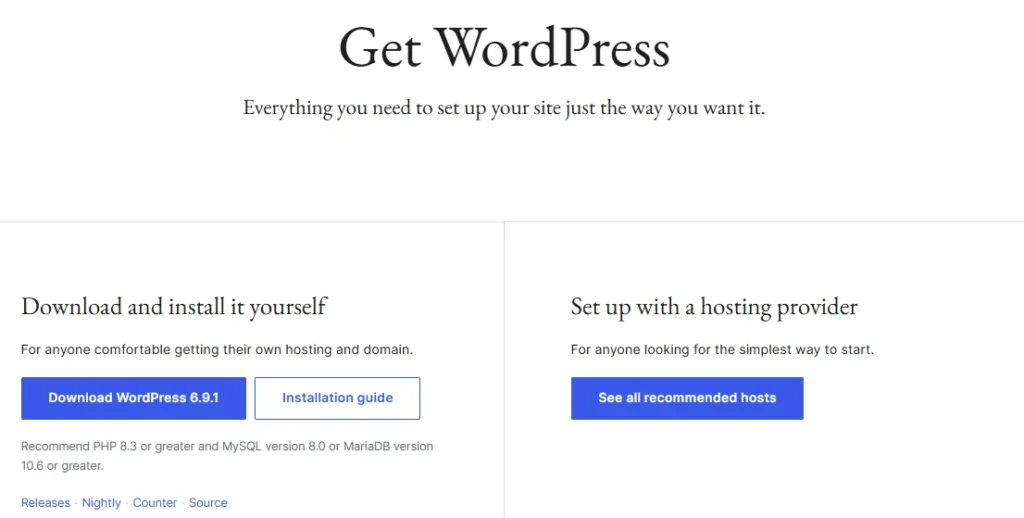
Once it’s installed, the site is yours.
You decide how it looks, what plugins you install, which affiliate programs you join, and how you monetize.
At Truehost, there is no need for all this since our web hosting plans come with WordPress. You just need to log into your cPanel and install your WordPress with a single click using Softaculous.
4) Choose Fast, Reliable Web Hosting
In 2026, Google pays close attention to performance metrics like loading time.
If your blog is slow, visitors leave quickly, and rankings suffer.
For Kenyan readers, server location makes a noticeable difference. When your hosting is optimized for local traffic, pages load faster, bounce rates drop, and the overall experience feels smoother.
That’s why many bloggers choose Truehost. Our hosting is built with speed in mind:
- LiteSpeed servers
- SSD storage
- Free SSL certificate
- One-click WordPress installation
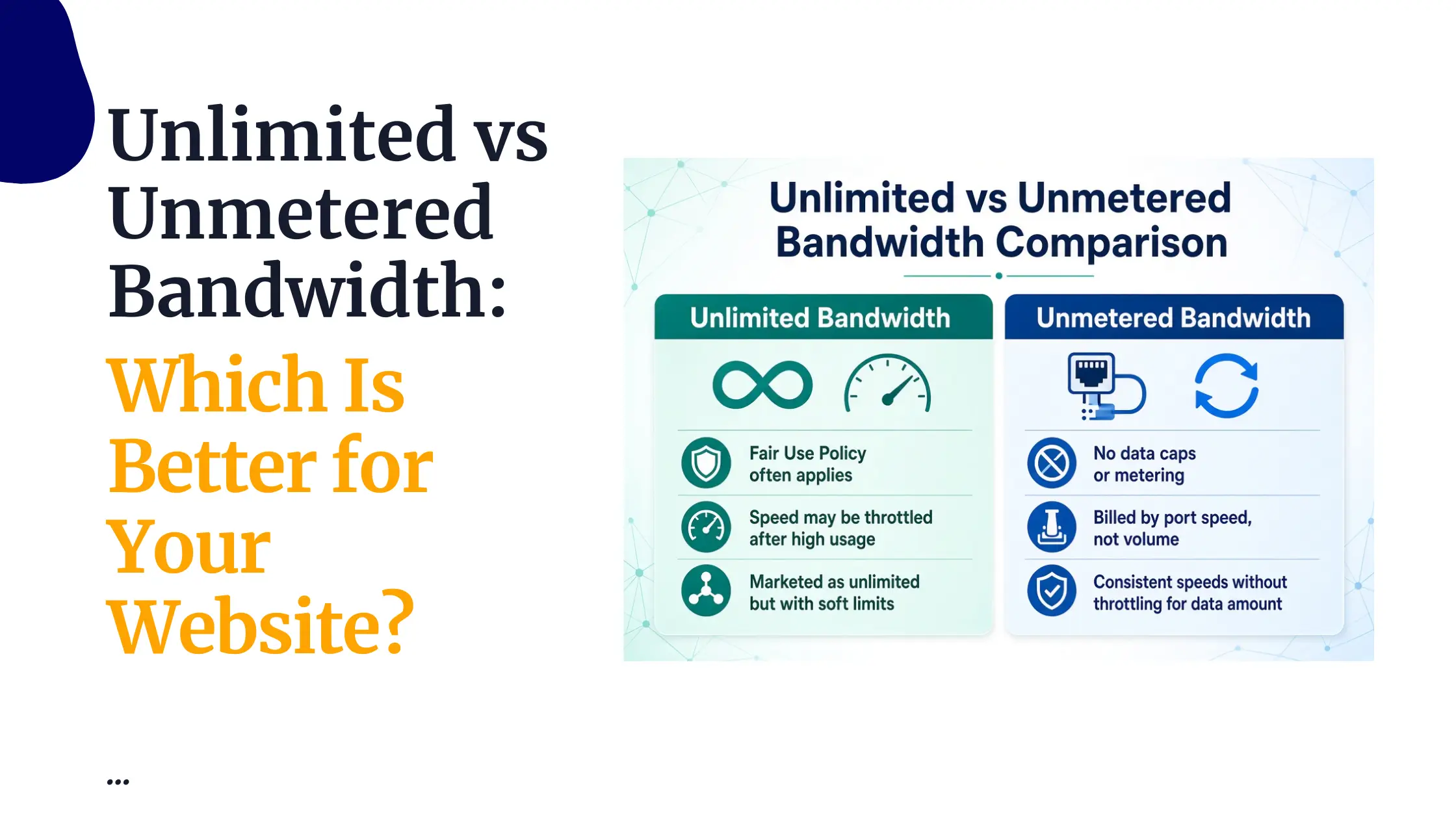
- Unlimited bandwidth on most plans
- Daily backups
- Kenyan data centers for lower latency
- Local payment options
Here’s a quick look at common options:
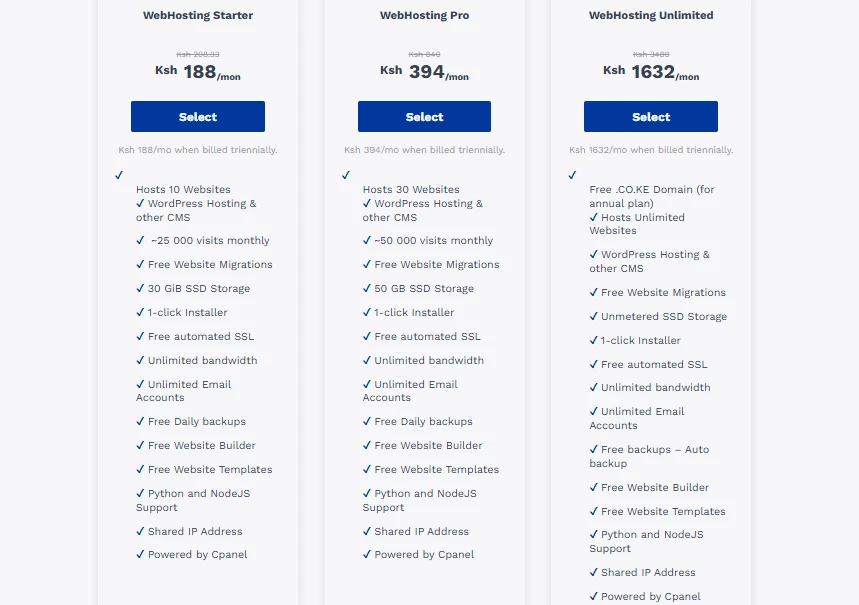
- WebHosting Starter – Around Ksh 188/month (triennial billing). Good for beginners, supports roughly 25,000 visits per month, includes 30 GB SSD, unlimited bandwidth, free SSL, and one-click WordPress install.
- WebHosting Pro – Around Ksh 394/month (triennial). 50GB SSD and can handle up to about 50,000 visits.
- WebHosting Unlimited – Ideal if you plan to run multiple sites or scale quickly.
We also offer free migrations if you’re moving from another host, plus 24/7 support.
Many Kenyan bloggers prefer local hosting because some international providers can feel slower here and make payments more complicated.
To get started, choose a plan, connect your domain, and install WordPress in minutes.
This is one of the smartest early investments you’ll make if you’re serious about building a profitable tech blog.
5) Install WordPress and Customize for Tech Readers
Once your hosting is active, it’s time to bring your blog to life.
- Log into your hosting dashboard (cPanel access is provided).
- Use the one-click WordPress installer.
- Choose a fast, lightweight theme like Astra or Kadence. Both are clean, mobile-responsive, and perfect for tech content.
Then add the essentials:
- Yoast SEO or Rank Math for search optimization
- LiteSpeed Cache (usually pre-optimized with compatible hosting)
- A security plugin like Wordfence
Keep your design simple. Tech readers appreciate clarity. Also, make tutorials easy to follow, structure reviews clearly, and ensure navigation is intuitive.
And now the real growth begins.
Phase 2: Build Your Content Strategy for Authority and Traffic
Now that your blog is live, the real work begins, that is, content, and not just any content.
In 2026, Google rewards depth, clarity, and real expertise. So, publishing five shallow posts a week won’t move the needle. One strong, genuinely helpful article will.
Start by defining 3–5 core pillars. These are the main themes your blog will be known for. For example:
- AI tool reviews
- SaaS guides for startups
- Coding tutorials
- Cybersecurity for small businesses
- Productivity tech for creators
These pillars keep you focused. Plus, when someone lands on your site, it should be obvious what you’re great at.
Next, do proper keyword research, and go after long-tail searches like:
- “best AI writing tools Kenya 2026”
- “affordable CRM for Kenyan startups”
- “how to build an app without coding”
Long-tail keywords may have lower search volume, but they bring targeted readers who are ready to act.
Create “Money” Content
Here, focus on formats that convert:
- In-depth reviews of tools you’ve actually used
- “Top 10” or comparison lists
- Step-by-step tutorials solving real problems
Aim for 1,500–2,500 words per post and break content into clear sections. You can use headers, add bullet points, and include images and optimize them with descriptive alt text.
A realistic publishing rhythm would be one strong post per week. Consistency beats bursts of motivation.
You can use AI tools like ChatGPT to outline or draft sections, but your experience is what makes the article valuable.
Also, add screenshots, share mistakes you made, and mention what didn’t work. That personal layer builds trust, and trust drives clicks.
Phase 3: Drive Traffic to Grow Readers
Publishing is only half the job, since traffic doesn’t just appear.
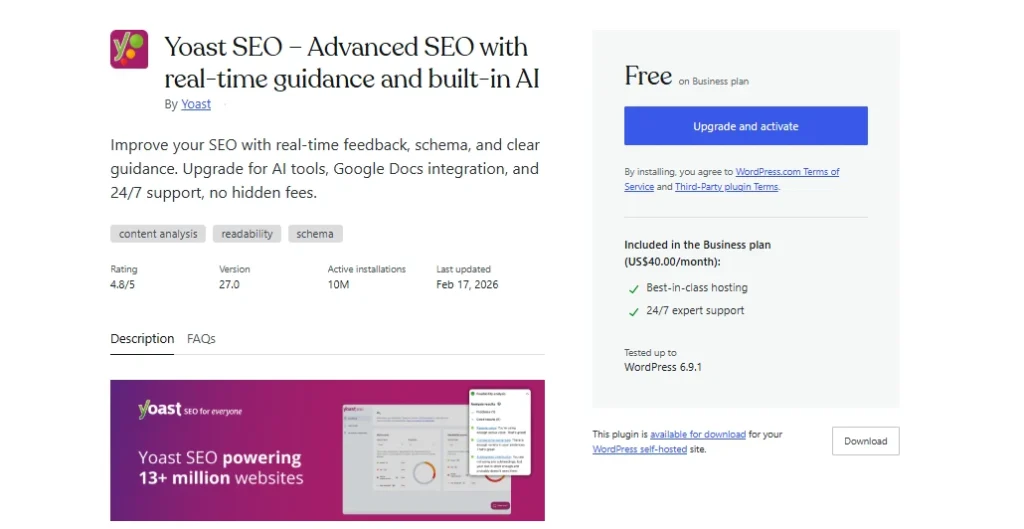
Start with on-page SEO by using Yoast or Rank Math to refine your titles and meta descriptions and adding internal links between related posts to help Google understand your structure.
Then distribute your content:
- Share posts on LinkedIn and X (Twitter).
- Engage in Reddit tech communities.
- Contribute meaningfully in Kenyan Facebook groups.
Don’t just drop links and disappear. Answer questions and offer help to build your name.
Also, start building your email list early. Free tools like Kit make this simple. Social platforms can change policies overnight, but your email list is something you own.
Install Google Analytics and review your data regularly.
You can update older posts once a year, refresh stats, improve formatting, and add new insights.
Small improvements compound over time.
Phase 4: Monetization – How to Make Money with Your Tech Blog
Monetization works best once traffic starts flowing. You don’t need millions of visitors, but you do need targeted readers.
Your main options include:
1) Affiliate Marketing
Promote tools and platforms you genuinely recommend. Join programs like:
- Truehost Affiliate
- Amazon Associates
- ClickBank
- Semrush
- HubSpot
- Shopify
SaaS affiliate programs are powerful because many pay recurring commissions, sometimes 20–75%. That means one referral can generate income month after month.
Kenyan bloggers often succeed by promoting tools that solve local problems like productivity apps, payment integrations, or startup software relevant to this market.
2) Display Ads
Start with Google AdSense. It’s relatively easy to get approved.
Once you hit 25,000–50,000 monthly sessions, consider upgrading to networks like Mediavine or Raptive for higher RPMs.
3) Sponsored Posts and Brand Partnerships
As your authority grows, tech brands may approach you for reviews or collaborations. Always disclose partnerships.
Transparency builds long-term credibility.
4) Digital Products
This is high-margin and scalable. You could create an ebook, templates, or a course.
Once built, these can generate income repeatedly with minimal additional cost.
5) Services
Your blog doubles as a portfolio. Many bloggers land freelance tech writing, consulting, or training opportunities directly from their site.
Realistically, established Kenyan tech blogs can earn between KES 30,000 and 80,000+ per month through a mix of affiliates and ads.
It usually takes 6–22 months to see steady income, and the blogs that succeed are the most consistent.
Final Steps: Launch and Keep Going
You now have the roadmap for how to start a tech blog and make money:
- Choose a focused niche
- Set up reliable hosting (like Truehost)
- Publish high-value content consistently
- Drive traffic strategically
- Monetize with intention
The next move is yours.
Set up your hosting, install WordPress, and publish your first article. The Kenyan tech space is expanding rapidly, and there’s room for strong, locally relevant voices.
Your tech blog won’t grow by waiting, but it can grow steadily once you start.