Domain SearchInstantly check and register your preferred domain name
 Web Hosting
 cPanel HostingHosting powered by cPanel (Most user friendly)
 WordPress HostingHost your WordPress website with fast, secure, and affordable WordPress hosting in Kenya.
 KE Domains
 Reseller HostingStart your own hosting business without tech hustles
 Windows HostingOptimized for Windows-based applications and sites.
 Free Domain
 Affiliate ProgramEarn commissions by referring customers to our platforms
 Free HostingTest our SSD Hosting for free, for life (1GB storage)
 Domain TransferMove your domain to us with zero downtime and full control
 All DomainsBrowse and register domain extensions from around the world
 .Com Domain
 WhoisLook up domain ownership, expiry dates, and registrar information
 VPS Hosting
 Managed VPSNon techy? Opt for fully managed VPS server
 Dedicated ServersEnjoy unmatched power and control with your own physical server.
 Website Builder
 Online Store BuilderLaunch a professional e-commerce store without writing code.
 Web Design ServiceGet a custom-designed website tailored to your brand and goals. From just KES 15,600
 BlogRead our guides on web hosting, online business, digital marketing, and more
 SupportOur support guides cover everything you need to know about our services
 ContactContact us via chat or email
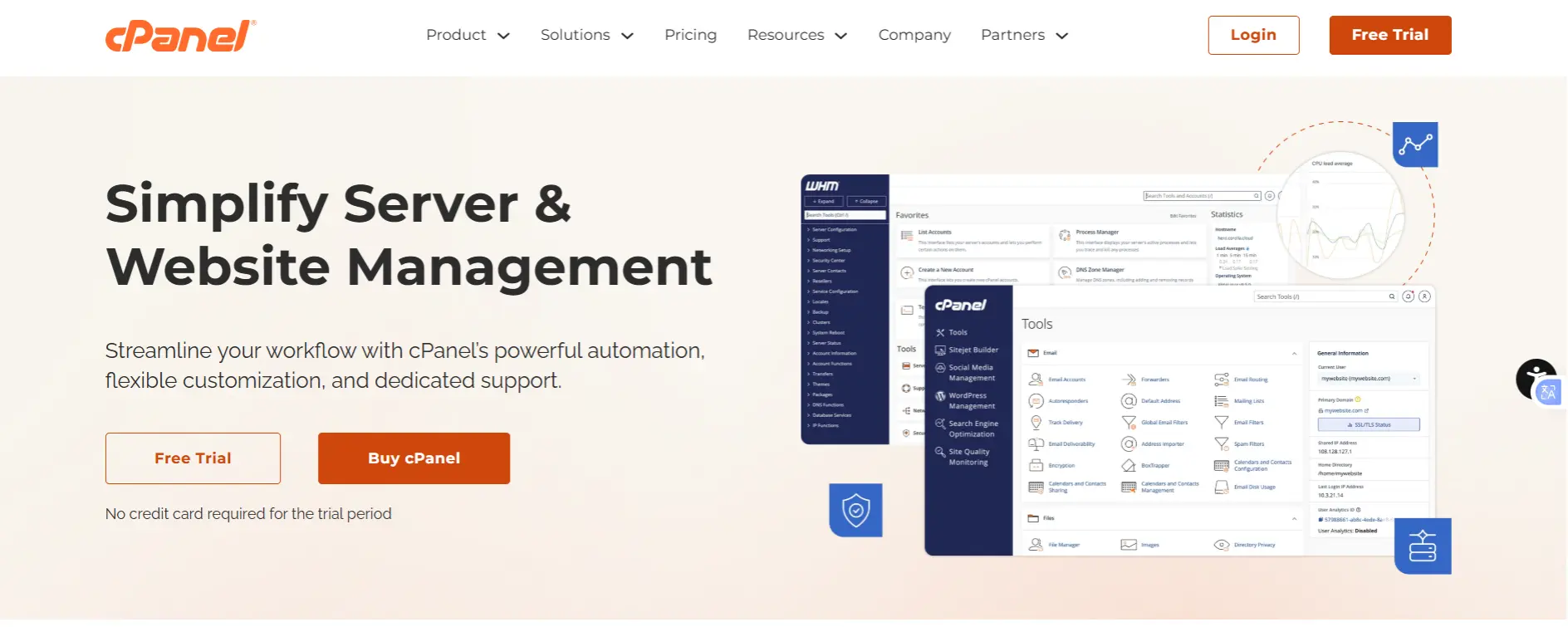
If you’ve spent any time managing websites or servers, you’ve probably come across cPanel. For decades, it has been the go-to control panel for web hosting, giving users an easy graphical interface to manage websites, domains, email accounts, databases, backups, security settings, and more without relying heavily on the command line.
When installed on a VPS alongside WHM (WebHost Manager), cPanel transforms server administration into a point-and-click experience.
Launching websites, creating email accounts, configuring SSL certificates, managing DNS records, monitoring server resources, and hosting multiple client accounts can all be handled from a single, centralized cPanel dashboard.
Its popularity is hard to ignore. Millions of websites run on servers managed through cPanel, and it remains the control panel of choice for many hosting providers, agencies, freelancers, and businesses.
However, popularity doesn’t automatically make it the best option for everyone. Rising licensing costs, growing resource requirements, and the emergence of faster, lighter, and often free alternatives have prompted many VPS owners to reconsider whether cPanel is still the right fit.
In this guide, we’ll look at what cPanel brings to a VPS, where it excels, where it falls short, how it compares to competing control panels, and whether it’s the best choice for your specific hosting needs.
Benefits of Using cPanel on a VPS
1) A User-Friendly Interface
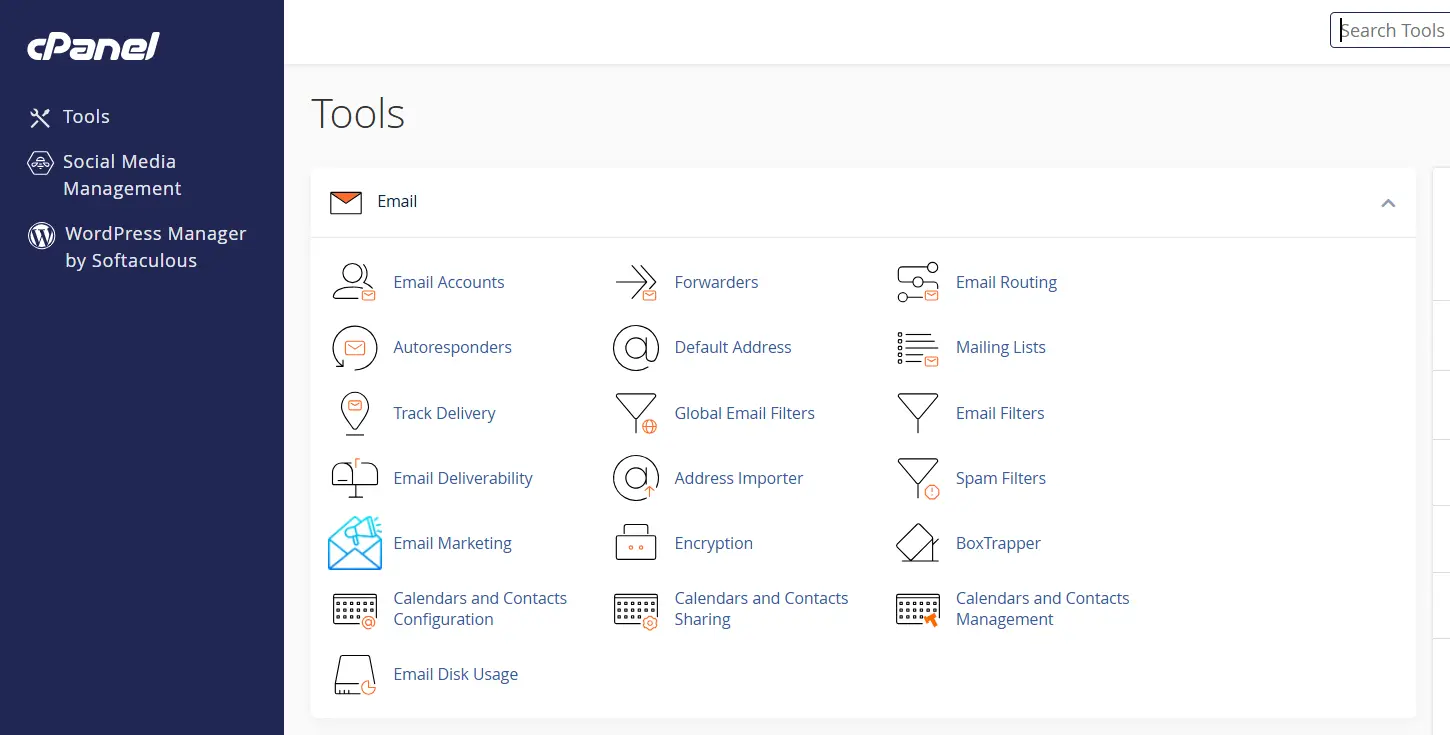
The biggest advantage of cPanel is its simplicity. It lets you manage websites, email, databases, and server settings through an intuitive graphical interface, eliminating the need for advanced Linux skills.
Even beginners can get a hosting environment up and running quickly, while teams benefit from a familiar, standardized platform that requires little training.
2) Comprehensive Features
cPanel is arguably the most feature-complete control panel on the market. Out of the box, with no additional plugins, you get:
• Full domain and DNS management through the Zone Editor
• Email hosting with spam filtering (SpamAssassin), virus scanning (ClamAV), and DKIM/SPF configuration
• AutoSSL for automatic certificate provisioning and renewal
• Database management for MySQL and PostgreSQL
• One-click application installation via Softaculous (supporting 450+ scripts)
• Security tools including IP blocker, hotlink protection, directory password protection, and two-factor authentication for the panel itself
• Cron job scheduler with a point-and-click interface
• Resource monitoring dashboards in WHM
For a busy agency or developer managing client sites, having all of this in one place, without integrating separate tools, delivers real operational efficiency.
3) Multi-Site and Reseller Support:
WHM turns a single VPS into a complete hosting platform. You can create multiple isolated cPanel accounts, each with its own websites, email, databases, and resource limits. Clients manage their own accounts, while you retain full server control through WHM.
For agencies and resellers, this makes client management simple. New accounts can be created in minutes, resource limits enforced, and backups or suspensions handled with just a few clicks.
4) Security and Reliability
cPanel’s biggest advantage is its maturity. Since launching in 1996, it has built a massive ecosystem of tutorials, community resources, and third-party integrations, making it easy to find help when needed.
Most major hosting providers offer one-click cPanel installation and support, simplifying setup and migrations.
It also works smoothly with popular web hosting technologies, including Apache, LiteSpeed, MySQL, PHP, and WordPress, ensuring broad compatibility across websites and applications.
5) Scalability
cPanel makes scaling simple. As your VPS needs more CPU, RAM, or storage, you can upgrade resources without rebuilding your server.
It also supports growth with caching tools, CDN integrations, and Cloudflare connectivity, while WHM helps you monitor and manage resource-heavy accounts before they impact performance.
6) Time Efficiency for Common Tasks
For routine hosting management tasks, setting up a new WordPress site, adding an email account, installing an SSL certificate, creating a staging subdomain, cPanel genuinely compresses what could be 20–30 minutes of command-line work into 2–3 minutes of clicking.
For teams managing dozens of client environments, that compounding time savings is significant.
Cons and Limitations
i) Cost
This is the elephant in the room for cPanel in 2026. Since Oakley Capital acquired cPanel in 2019 and subsequently acquired Plesk, its main competitor, in 2020, prices have increased every single year. In 2026, the trend continued:
• The Solo license (single cPanel account) rose from $16 to $18/month, a 12.5% increase for just one account.
• The Admin tier (up to 5 accounts) moved from $19.75 to $21/month.
• The Pro tier (up to 30 accounts) jumped from $27.25 to $32/month, nearly 17% in a single year.
• The Premier tier (up to 100 accounts) moved from $39.25 to $42/month, with bulk per-account overages increasing from $0.30 to $0.35.
• Retail-facing prices at hosting providers are higher: the Premier tier retails at approximately $65.99–$69.99/month before VPS costs.
This is now the seventh consecutive year of price increases, and industry observers don’t expect the trend to reverse.
For a solo developer or small business hosting just one or two websites, paying $18–$30/month for the license alone, on top of VPS costs, is difficult to justify when capable free alternatives exist.
ii) Resource Overhead
cPanel is relatively resource-intensive. While it may install on a 1 GB VPS, performance is often poor because of the many background services it runs. In practice, 2 GB RAM is the minimum for stable operation, while 4 GB is recommended for hosting multiple websites.
This can increase your overall hosting costs, whereas lighter alternatives like CyberPanel can run comfortably on smaller VPS plans.
iii) Vendor Lock-In
cPanel uses proprietary account formats, backup structures, and configuration methods. Migrating away from cPanel to a different panel or to a raw Linux environment involves exporting accounts, converting database formats, and remapping configurations. It’s manageable, but not trivial.
The longer you rely on cPanel, the more embedded it becomes in your workflows, your clients’ expectations, and your team’s institutional knowledge.
Combined with the pricing power that comes from owning both cPanel and Plesk, WebPros (the current parent company) is in an unusually strong position to continue raising prices indefinitely.
There are no realistic pricing pressures from direct competitors of comparable scale.
iv) Learning Curve for Advanced Users
For experienced Linux administrators, cPanel often adds unnecessary overhead. Most server tasks can be performed faster and with greater flexibility from the command line, while cPanel consumes additional resources and may overwrite manual configuration changes.
Developers comfortable with tools like Nginx, Certbot, Postfix, and MySQL may find it more restrictive than helpful.
v) Software Conflicts and Limited Customization
cPanel installs and manages its own versions of Apache (or LiteSpeed), PHP, MySQL, and Exim.
If your applications require non-standard configurations, custom Nginx setups, alternative database engines, unusual PHP extensions, or non-standard port configurations, cPanel can be difficult to work around.
It’s engineered for a specific, well-defined hosting model, and deviating from that model takes effort.
vi) Performance on Resource-Constrained VPS
If your VPS has fewer than 2 GB of RAM, cPanel will underperform. Background daemons compete for memory with your actual web traffic, causing slower response times, frequent swap usage, and potential instability.
A cPanel server at the minimum specifications is a server perpetually operating under stress.
Who Should Use cPanel on a VPS?
The honest answer is that cPanel is excellent for a specific kind of user, and genuinely overkill (or cost-prohibitive) for others. Here’s a clear breakdown:
cPanel Is Likely Right for You If…
- You manage multiple websites or client accounts; cPanel’s WHM architecture is purpose-built for this.
- You or your team have limited Linux/server administration experience; the GUI eliminates the need for command-line expertise.
- You prioritize a familiar, industry-standard interface that clients already know how to use.
- Your business generates revenue from the sites you host, making the licensing cost a justifiable operational expense.
- You need strong out-of-the-box tools for WordPress, email hosting, and database management without configuration complexity.
- You’re running a hosting reseller business; WHM’s account provisioning and management tools are unmatched for this use case.
- Your VPS has at least 2–4 GB of RAM to support cPanel’s resource requirements comfortably.
Consider Alternatives If…
- You’re a solo developer comfortable with SSH and Linux system administration.
- Budget is a primary concern and recurring licensing fees erode your margins.
- You need maximum performance from a low-cost VPS with 1 GB or less of RAM.
- You prefer modern, lightweight, or open-source control panels with no vendor lock-in.
- You host only one or two personal or small business websites with no reseller needs.
- You require custom server configurations that conflict with cPanel’s opinionated defaults.
- You’re concerned about long-term pricing stability and want to avoid dependence on a proprietary platform.
cPanel vs. The Alternatives: How Does It Stack Up?
The competitive landscape for VPS control panels has become significantly richer. Here’s how the leading options compare in 2026:
| Panel | Starting Price | OS Support | Best For |
| cPanel + WHM | ~$65.99+/mo* | Linux only | Agencies, resellers, multi-site mgmt |
| Plesk | From ~$14.20/mo | Linux & Windows | Windows hosting, developers |
| DirectAdmin | From ~$5/mo | Linux only | Budget-conscious, lightweight setups |
| CyberPanel | Free (base) | Linux only | LiteSpeed-optimized environments |
| Webmin/Virtualmin | Free | Linux only | Experienced Linux sysadmins |
| 1Panel | Free | Linux only | Modern, lightweight, growing ecosystems |
Is cPanel on a VPS Worth It?
cPanel remains one of the easiest and most powerful ways to manage a VPS. Its intuitive interface, extensive feature set, and strong industry support make it an excellent choice for agencies, hosting resellers, businesses, and anyone who prefers managing servers without spending hours in the command line.
That said, cPanel’s licensing costs continue to rise, making it less appealing for users with simple hosting needs or tight budgets. If you’re only running a few websites, alternatives such as CyberPanel, DirectAdmin, or 1Panel may deliver everything you need at a much lower cost.
Ultimately, the best choice comes down to balancing convenience, features, and budget. If you value reliability, broad compatibility, and a proven management platform, cPanel is still a strong investment.
For most users looking for an affordable and dependable cPanel VPS, Truehost stands out as the top recommendation thanks to its competitive pricing, managed options, and solid performance.
Before committing, it’s worth comparing a few control panels to find the one that best matches your workflow and future growth plans.