 Domain SearchInstantly check and register your preferred domain name
 Web Hosting
 cPanel HostingHosting powered by cPanel (Most user friendly)
 WordPress HostingHost your WordPress website with fast, secure, and affordable WordPress hosting in Kenya.
 KE Domains
 Reseller HostingStart your own hosting business without tech hustles
 Windows HostingOptimized for Windows-based applications and sites.
 Free Domain
 Affiliate ProgramEarn commissions by referring customers to our platforms
 Free HostingTest our SSD Hosting for free, for life (1GB storage)
 Domain TransferMove your domain to us with zero downtime and full control
 All DomainsBrowse and register domain extensions from around the world
 .Com Domain
 WhoisLook up domain ownership, expiry dates, and registrar information
 VPS Hosting
 Managed VPSNon techy? Opt for fully managed VPS server
 Dedicated ServersEnjoy unmatched power and control with your own physical server.
 Website Builder
 Online Store BuilderLaunch a professional e-commerce store without writing code.
 Web Design ServiceGet a custom-designed website tailored to your brand and goals. From just KES 15,600
 BlogRead our guides on web hosting, online business, digital marketing, and more
 SupportOur support guides cover everything you need to know about our services
 ContactContact us via chat or email
A domain name is your website’s address on the internet, like truehost.co.ke or yourbusiness.co.ke, and it’s what people use to find and remember you.
In Kenya, having a custom domain is essential for building credibility, strengthening your brand, and improving local SEO, especially with a .co.ke extension.
In this guide, you’ll learn how to buy a domain in Kenya, how to choose the right one, and the exact steps to register and set it up.
Where to Buy a Domain in Kenya
When it comes to buying a domain in Kenya, you have several accredited registrars to choose from.
They offer both local (.ke family) and global domains. In many cases, local providers stand out.
They provide better support, accept M-Pesa payments, and integrate seamlessly with hosting services.
Some of the popular choices include:
- Truehost (we handle the largest volume of Kenyan domains with strong local support)
- Safaricom Web Services
- HostPinnacle Kenya
What sets us apart is that we’re a KENIC-accredited registrar, offering competitive pricing alongside 24/7 Kenyan-based support via phone, WhatsApp, and email.
Add to that the convenience of easy M-Pesa payments, and the process becomes even more accessible.
7-Step Guide to Buying Your Domain
Now that you know where to go, let’s walk through the steps to secure your domain.
This will help you move quickly and avoid common pitfalls along the way.
1) Decide on Your Domain Name
Choose a name that clearly reflects your brand, business, or website purpose.
For instance, if you run a Nairobi bakery, a name like nairobibakes.co.ke fits perfectly. You can get help from ChatGPT to brainstorm these names.
For example, if you like “Nairobi”, it can suggest several similar names that go well with Nairobi Bakery.
These variations make it easier to check availability and pick the one that feels just right.
Make sure to keep the name short, memorable, and easy to spell and pronounce. Avoid numbers, hyphens, or complicated words, as they often lead to typos and lost visitors.
You can check our guide on how to choose a domain name for more details.
2) Pick the Right Domain Extension
Once you have a name in mind, the next step is choosing the right extension.
In Kenya, you’ll find both strong local and global options.
Local Kenyan domains (.KE family) are managed by the Kenya Network Information Centre (KENIC):
- .co.ke → most popular for businesses and commercial sites (best local trust & SEO)
- .ke → shorter premium version
- .or.ke → NGOs and non-profits
- .me.ke → personal brands / individuals
- .ac.ke → academic institutions
- .sc.ke → schools
These extensions help boost local SEO, signal Kenyan authenticity, and build trust with local customers.
On the global side, you have:
- .com → worldwide recognition (ideal for international reach)
- .org → non-profits / organizations
- .net → tech/network-related sites
A helpful tip here: start your search with
.co.ke. It offers the strongest local credibility and visibility in Kenya.If you’re targeting a global audience, then .com makes sense but otherwise,
.co.keshould be your priority.
3) Choose a Trusted Domain Registrar
With your name and extension in mind, it’s time to pick a registrar.
Go for an accredited Kenyan provider that values transparency, reputation, fair renewal costs, and reliable local support.
Always compare first-year pricing with renewal rates some providers attract users with low initial costs but double the price later.
Also, look for features like M-Pesa payments, responsive customer support, and official KENIC accreditation (you can verify this at kenic.or.ke).
At Truehost, we’re KENIC-accredited and consistently recognized in areas like Customer Retention, Domain Registration volume, and Registrar of the Year (as seen in the 2024 .KE Awards).
We manage a large share of Kenyan domains, with over 31,000 active registrations.
Our .co.ke promo starts at KSh 999 for the first year (limited-time offer), renewing at around KSh 1,200, with clear, transparent pricing, M-Pesa payments, and 24/7 local support.
4) Check Domain Availability
Next comes the moment of truth, checking if your desired domain is available.
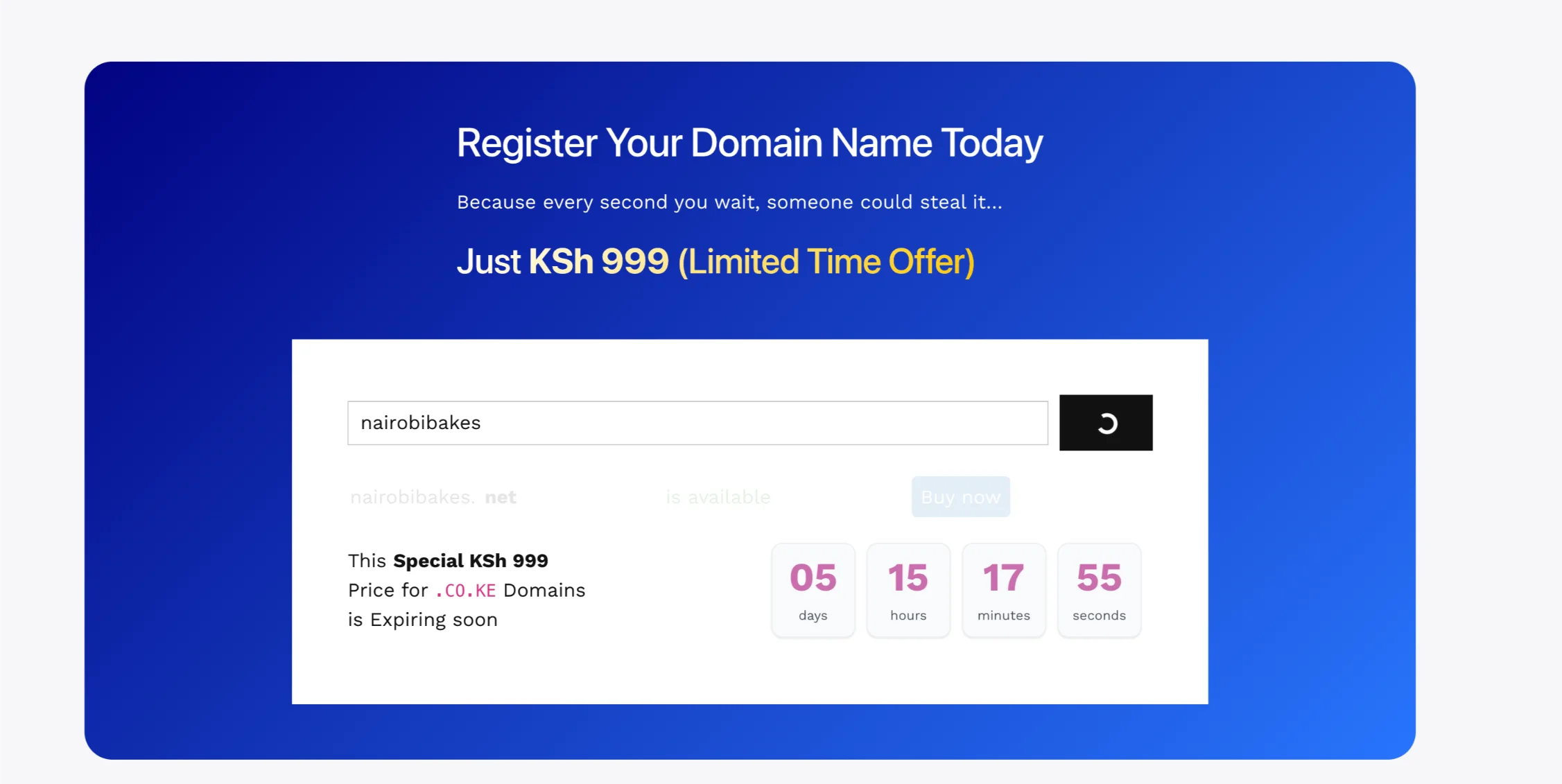
Head over to our domain search tool (or your preferred registrar’s platform) and enter your chosen name, like nairobibakes.
You’ll get instant feedback showing if it’s available or already taken, along with suggested alternatives.
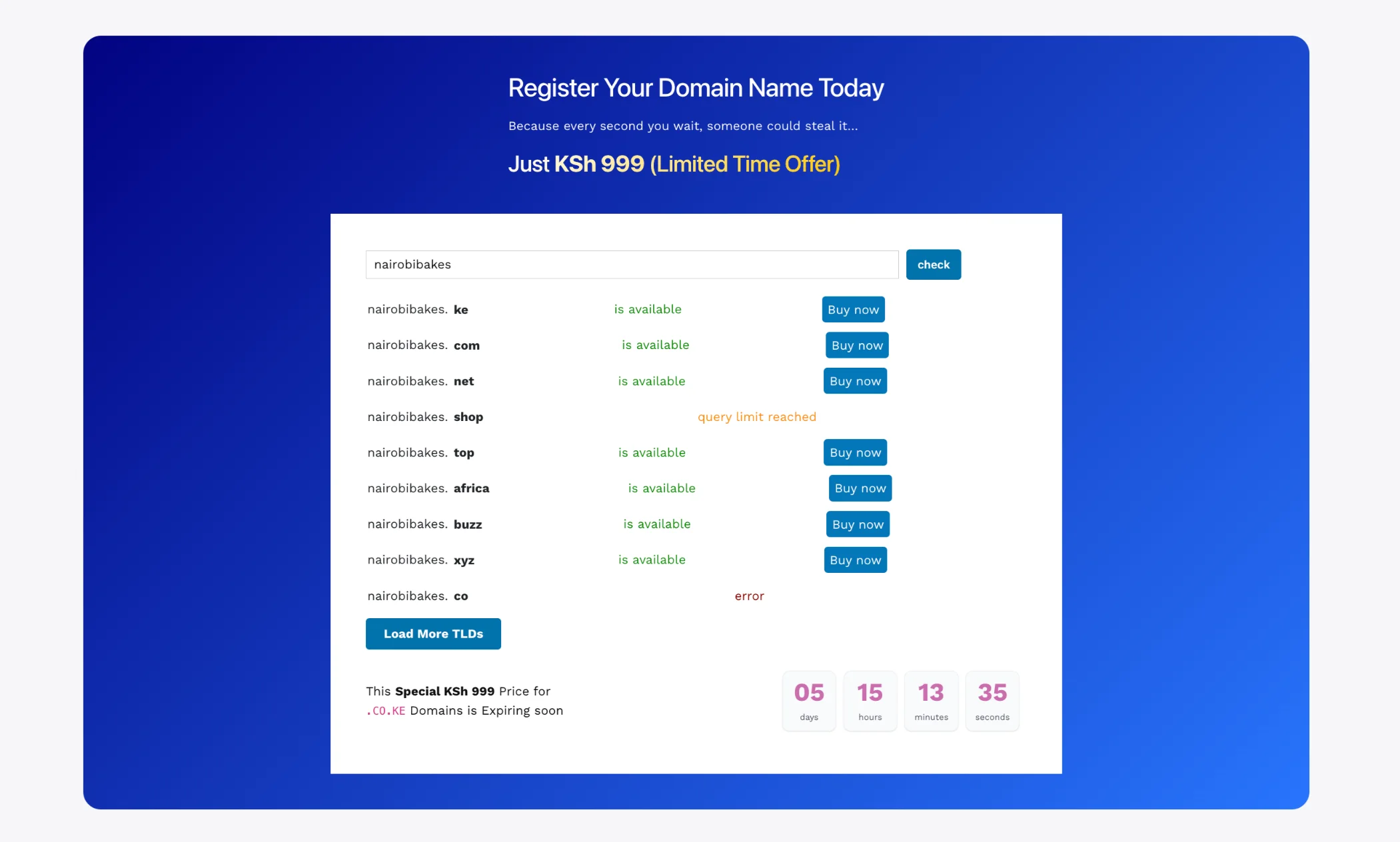
If your first choice isn’t available, don’t worry, try close variations or different extensions such as .ke, .or.ke, or even .xyz.
Just remember: good names don’t stay available for long, so act quickly.
5) Register the Domain and Complete Payment
Once you find an available name, add it to your cart and proceed.
After adding to cart, you will move to the domain configuration page where you can:
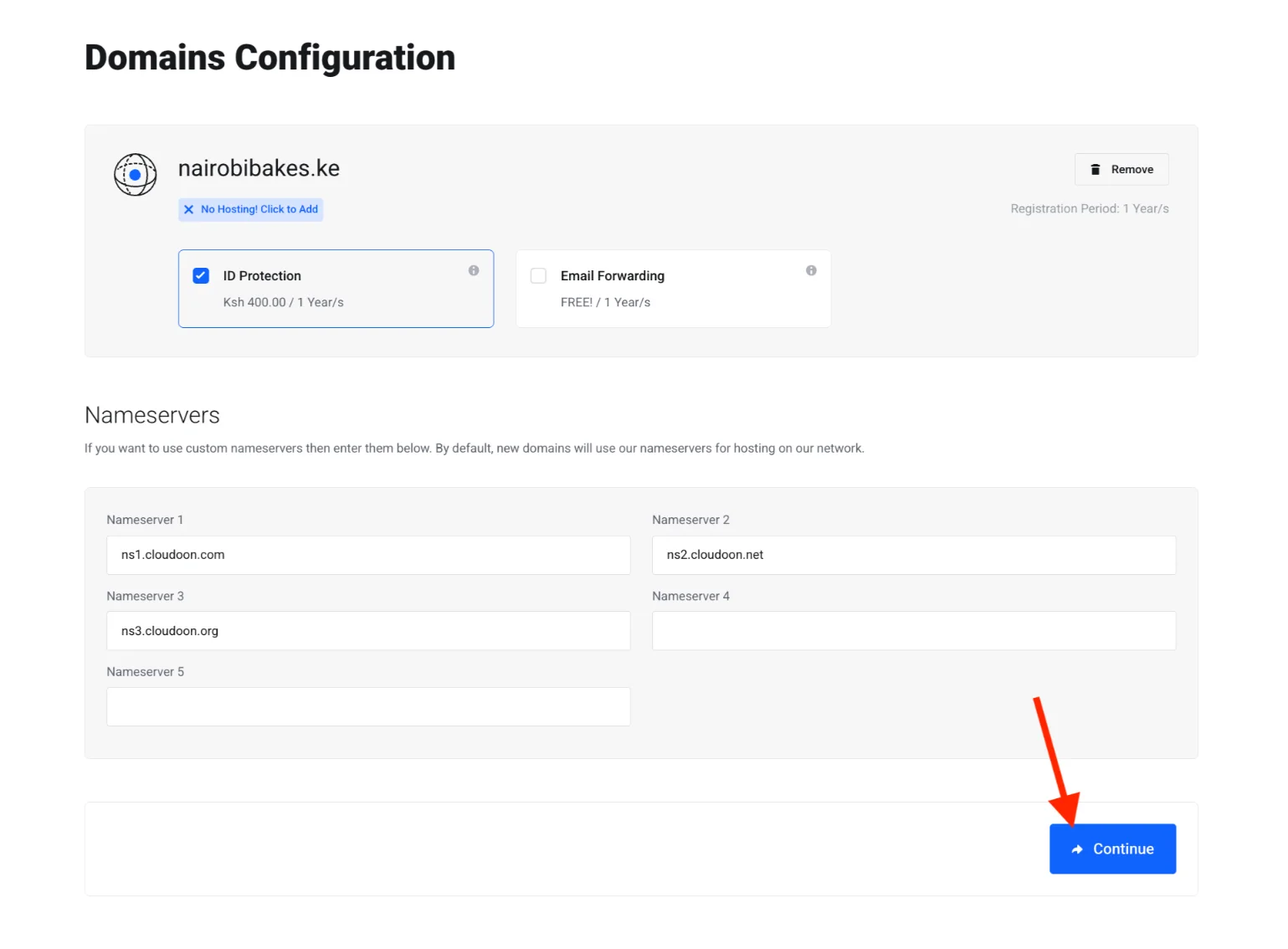
- Buy ID protection for KES 400
- Get free email forwarding for the first year
Below that, you will find your nameservers (you can keep the default ones or change to custom nameservers if you prefer). Click Continue when ready.
You will then reach the review and checkout page, where you can:
- View your order summary
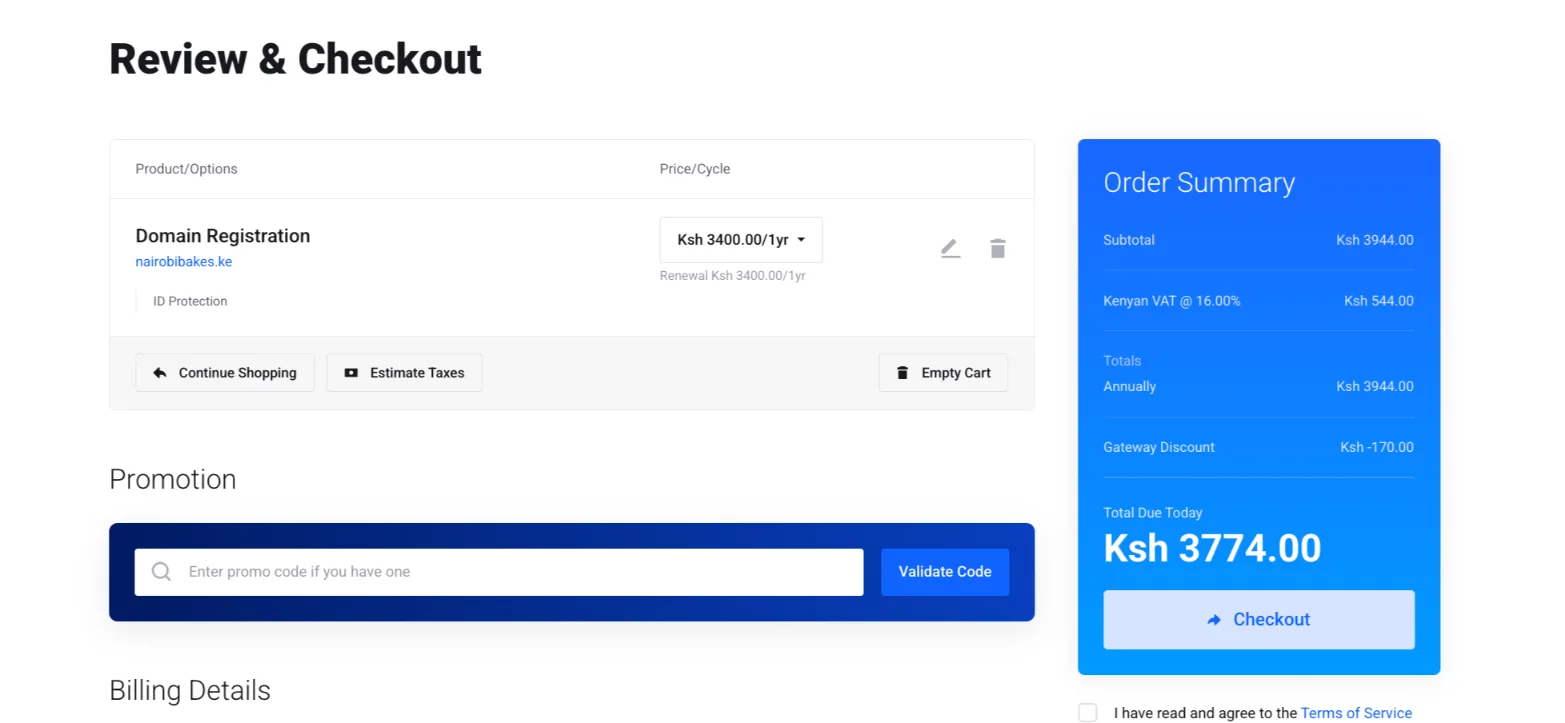
- Enter a promo code (we run promotions from time to time)
- Fill in your billing details
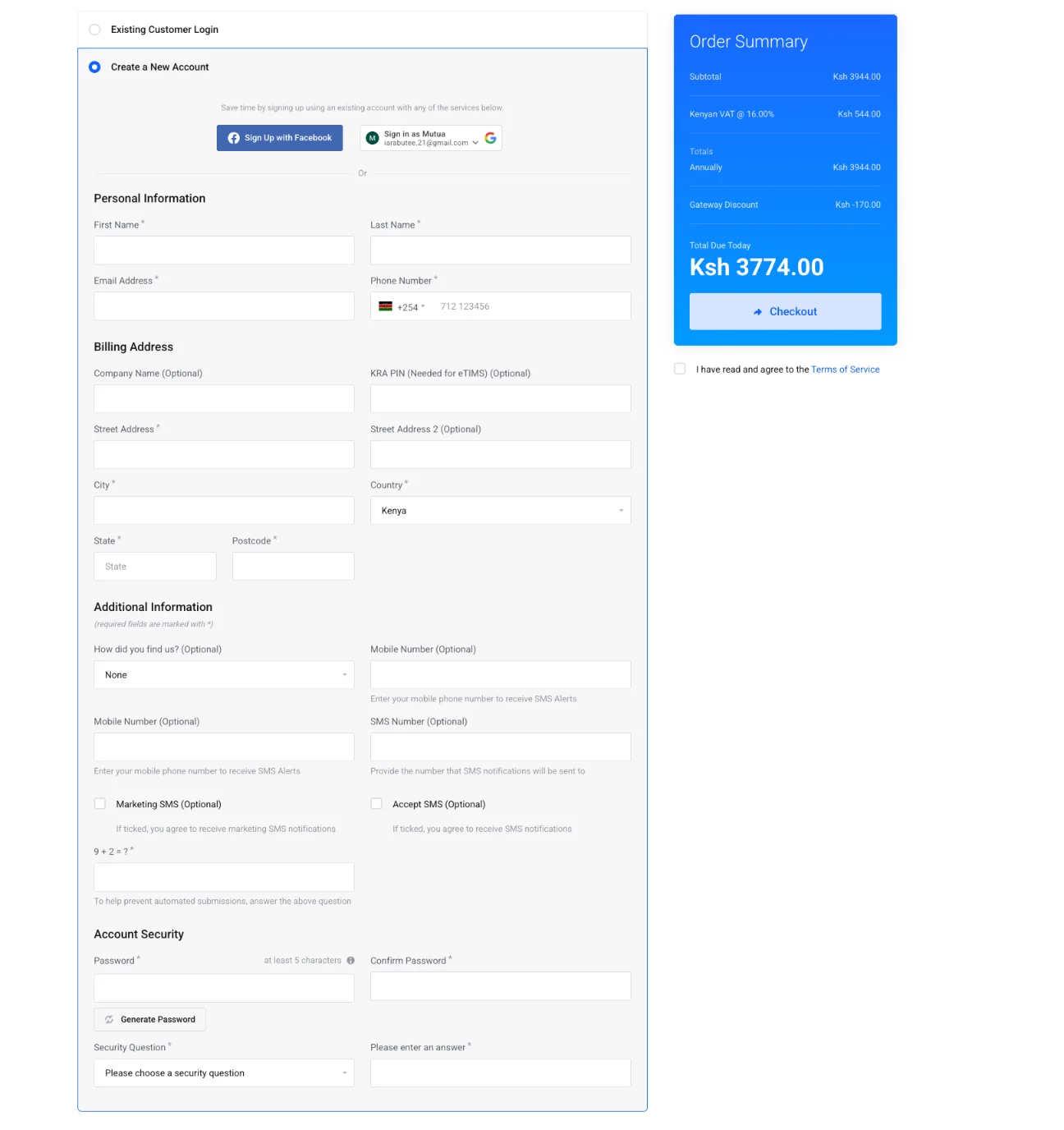
- Choose your payment method (M-Pesa, card, PayPal, or bank transfer)
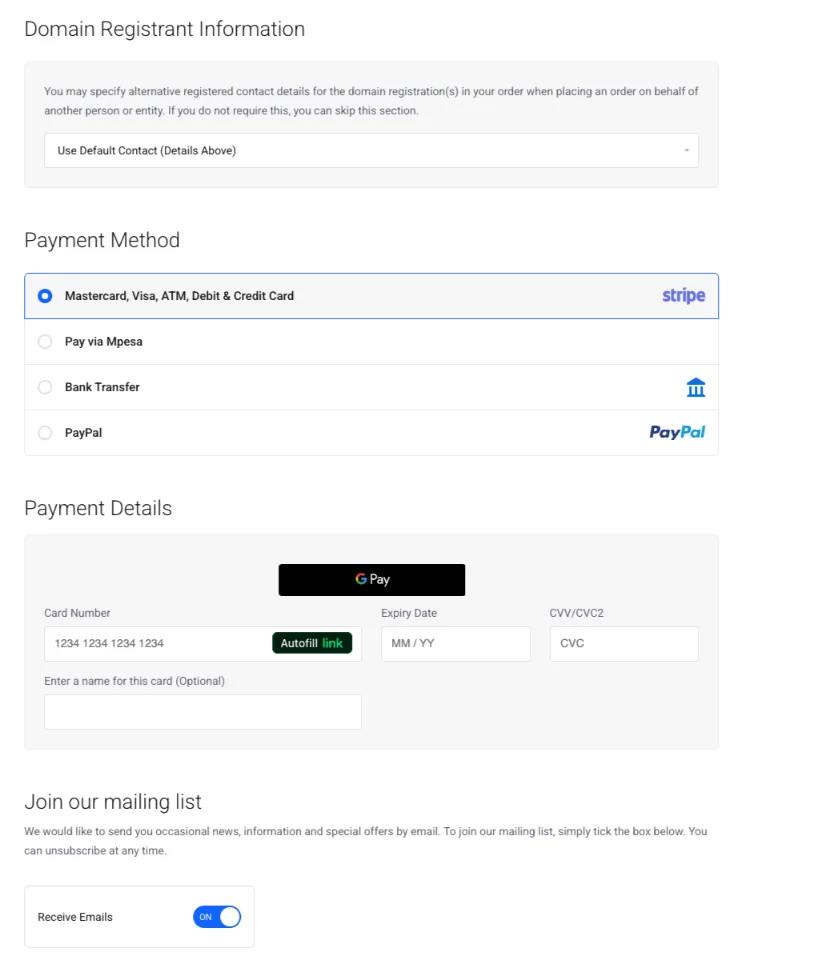
- Complete the checkout
In most cases, your domain will be activated within minutes to a few hours after successful payment.
6) Set Up Your Domain
After registration, it’s time to bring your domain to life.
Point it to your hosting by updating nameservers or adding A records in your control panel.
This step is especially easy if you bundle it with our hosting.
You can also create branded email addresses like [email protected] and install a free SSL certificate for HTTPS security, improved SEO, and added visitor trust.
Don’t forget to confirm ownership through the email verification link sent during registration.
Once everything is set, your dashboard should show the domain as active.
7) Maintain Your Domain Ownership
Finally, keeping your domain is just as important as getting it.
Make sure to renew it annually or opt for multi-year renewals for convenience.
Enabling auto-renewal is a smart move, as it prevents expiration.
Domains that expire can enter grace or redemption periods and may eventually be lost for good.
Keep an eye on your expiry date in your dashboard and set reminders so nothing slips through the cracks.
Get Your Domain Now
At this point, you’re all set. Ready to claim your online identity? Register your .co.ke domain with us at Truehost right now.
Pay only KSh 999 for the first year (limited-time promo expires soon).
With fast, easy M-Pesa payments, you can have everything set up in minutes.
Secure your brand name before someone else takes it. Head to our domain registration page and, using this guide, buy your domain.
Don’t wait, your perfect domain is just a few clicks away. Let’s build your professional online presence together!







