Domain SearchInstantly check and register your preferred domain name
 Web Hosting
 cPanel HostingHosting powered by cPanel (Most user friendly)
 WordPress HostingHost your WordPress website with fast, secure, and affordable WordPress hosting in Kenya.
 KE Domains
 Reseller HostingStart your own hosting business without tech hustles
 Windows HostingOptimized for Windows-based applications and sites.
 Free Domain
 Affiliate ProgramEarn commissions by referring customers to our platforms
 Free HostingTest our SSD Hosting for free, for life (1GB storage)
 Domain TransferMove your domain to us with zero downtime and full control
 All DomainsBrowse and register domain extensions from around the world
 .Com Domain
 WhoisLook up domain ownership, expiry dates, and registrar information
 VPS Hosting
 Managed VPSNon techy? Opt for fully managed VPS server
 Dedicated ServersEnjoy unmatched power and control with your own physical server.
 Website Builder
 Online Store BuilderLaunch a professional e-commerce store without writing code.
 Web Design ServiceGet a custom-designed website tailored to your brand and goals. From just KES 15,600
 BlogRead our guides on web hosting, online business, digital marketing, and more
 SupportOur support guides cover everything you need to know about our services
 ContactContact us via chat or email
Have you been trying to pick the right control panel for your server and keep going back and forth between CyberPanel and CloudPanel? We’ve got you covered. CyberPanel and CloudPanel are both control panels used to manage websites, applications, and server tasks from one dashboard.
CyberPanel is built on LiteSpeed, a web server technology that is well known for delivering website pages to visitors at very high speed, especially for WordPress sites. The whole idea is that you install CyberPanel and you have pretty much everything you need without having to look anywhere else.
CloudPanel takes the opposite approach. It is built on NGINX, a web server technology known for being extremely light and efficient, especially when handling large amounts of traffic without using too much server power.
Both control panels look similar on the surface. But once you dig in, the differences are significant enough to change everything about how you run your website.
If you are new to all of this, think of a control panel like the dashboard of a car. You do not pop the hood every time you want to adjust the air conditioning or check your fuel. Everything is right there on the dashboard, easy to see and easy to use.
A server control panel works the same way. Instead of typing complicated technical commands every time you want to do something on your server, you get a visual dashboard where you can manage your websites, files, emails, databases, and more, all from one screen.
Both are genuinely good choices. The one that is right for you just depends on what you are trying to do. But before you settle on one, let’s get to know what differentiates them.
CyberPanel vs CloudPanel: Overall Features Comparison
To make the differences completely clear, here is a detailed side-by-side comparison of CyberPanel and CloudPanel across all the key features and costs.
| Feature | CyberPanel | CloudPanel |
| Core Approach | Full hosting control panel. Handles websites, email, DNS, security, and caching all from one dashboard | Lightweight cloud control panel. Handles only what is needed to run web apps fast, nothing extra |
| Web Server | OpenLiteSpeed (free) or LiteSpeed Enterprise (paid). LiteSpeed is the software that receives visitor requests and delivers your website pages to them; known for being very fast, especially with WordPress | NGINX (pronounced “engine-x”). Another web server software that delivers website pages to visitors, known for using very little server power even under heavy traffic |
| Performance Handling | Very strong for WordPress and dynamic PHP apps because of built-in caching. Caching means saving ready-made copies of your pages so they load faster without being rebuilt from scratch every visit | High efficiency with low overhead. NGINX handles lots of visitors smoothly without eating up your server resources, though it does not have caching built in |
| Built-in Caching | LiteSpeed Cache is included; this is one of the most powerful WordPress speed tools available and works automatically without extra setup. | No built-in caching.Uses NGINX FastCGI (a method for processing PHP pages quickly), plus external tools if you want caching, meaning you set it up yourself |
| Email Hosting | Fully included. You can create professional email addresses like [email protected] straight from the dashboard without using any third-party service | Not included. If you need an email, you must set it up through an external email service separately |
| DNS Management | Built-in DNS server. DNS (Domain Name System) is basically the internet’s address book that connects your domain name to your server; CyberPanel manages this for you from inside the dashboard | External DNS required. You manage your DNS through a separate service like Cloudflare or your domain registrar; it is not handled inside CloudPanel |
| Database Support | MySQL and MariaDB. These are database systems that store all your website data, like posts, users, products, and settings | MySQL and MariaDB. Same database support as CyberPanel |
| PHP Management | Multiple PHP versions are supported with easy switching. PHP is the programming language most websites run on; different sites may need different versions, and CyberPanel lets you switch easily | Multiple PHP versions are supported with an optimized PHP stack. It has a clean and well-tuned PHP environment |
| Application Support | WordPress, Joomla, Magento, and a full hosting stack. Suitable for running anything a standard web host would run | PHP apps, including Laravel, WordPress, and custom-built applications. Focused on modern PHP development rather than traditional hosting |
| User Interface | Feature-heavy dashboard. Lots of tools, menus, and options are visible because there is a lot to manage | Clean and minimal UI. Less on the screen because there is less to manage; easier to navigate for simple setups |
| Resource Usage | Moderate. Because CyberPanel runs many services at once (email, DNS, caching, firewall), it uses more server memory and processing power | Low. Because CloudPanel removes all the extra services, it uses very little server memory and processing power |
| Ease of Setup | Slightly more complex to set up because there are more components involved, but once running, it manages a lot for you automatically | Very fast and simple to install. One of the quickest control panels to get from a blank server to a live website |
| Security Features | Built-in firewall (blocks unauthorized access), ModSecurity (actively blocks common web attacks), and SSL management. SSL is what gives your site the padlock icon and “https” in the address bar, showing visitors your site is secure | Basic security features are included, but it relies more on your cloud infrastructure and external tools for deeper protection |
| Cost (Panel) | Free with OpenLiteSpeed. But if you upgrade to LiteSpeed Enterprise for maximum performance, that costs around KSh 1,500+ on top of your server cost | Completely free with no paid tiers whatsoever. You never pay for the panel itself, no matter what |
| Best Use Case | Full hosting environments. When you want email, DNS, websites, and security all managed from one place | Cloud apps, developer projects, and lean deployments. When you want speed and simplicity without the extras |
Both CyberPanel and CloudPanel are free to download and install. That part is true. But neither panel floats in the air on its own. Both panels need a VPS to run on, and a VPS costs money every month.
A Virtual Private Server (VPS) is your own private slice of a powerful server computer sitting in a data center.
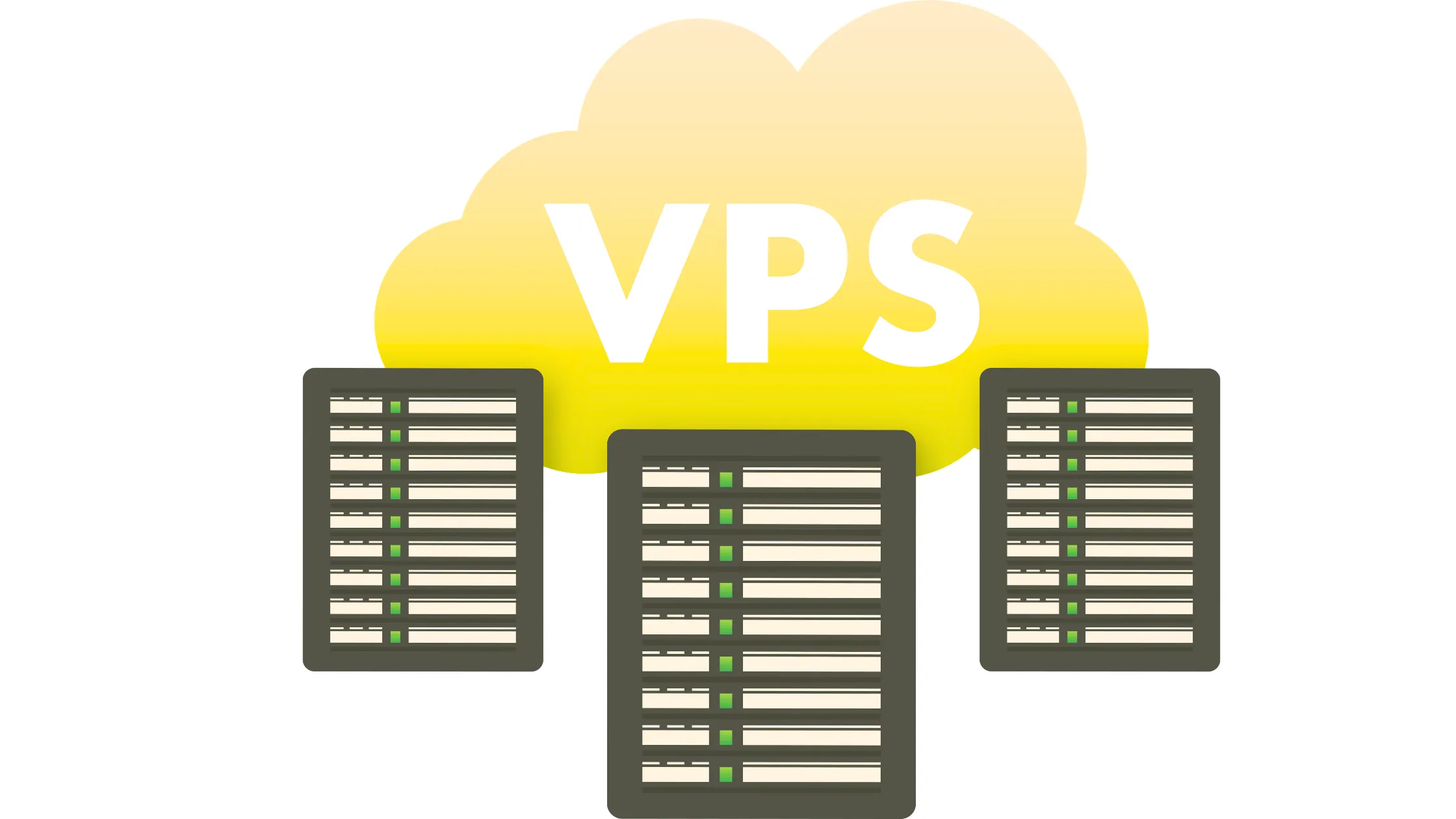
Think of it like renting your own room in a large building. You have your own space, your own resources, and you are not sharing anything with the hundreds of other websites the way you would on cheap shared hosting. The VPS is what your control panel and your websites actually live on, and it is what you pay for monthly.
So, transitioning from the feature comparison to the cost side of things, here is how Cyberpanel vs Cloudpanel plays out on your wallet:
CyberPanel runs a lot of services at the same time: email, DNS, caching, firewall, and more. All of those services need server resources to keep running. Because of that, CyberPanel performs best on a VPS with at least 2GB to 4GB of RAM. RAM is your server’s working memory. The more you have, the more tasks your server can handle simultaneously without slowing down or crashing.
CloudPanel is much lighter. Because it removes all those extra services, it runs smoothly on a VPS with just 1GB to 2GB of RAM. That means you can start on a significantly cheaper plan and still get excellent performance.
Then there is the licensing cost to consider.
If you decide to upgrade CyberPanel from OpenLiteSpeed to LiteSpeed Enterprise for better speed and more advanced features, that adds around roughly KSh 1,500 or more, on top of whatever your VPS costs.
CloudPanel has no extra licensing cost at all. It is free today, free tomorrow, and free no matter how long you use it.
Now let’s connect this to real server costs.
Here are the Truehost VPS plans that both panels can run on.
Truehost VPS Pricing 2026

Now, let us connect all of this to actual numbers. Here are the Truehost VPS plans that both panels can comfortably run on. You can now see exactly what your monthly bill looks like, depending on which panel you choose.
| Plan | CPU | RAM | Storage | Price (KES/month billed triennially) |
| Cloud VPS 1 | 1 Core | 2GB | 50GB SSD | KSh 1400 |
| Cloud VPS 2 | 2 Cores | 4GB | 100GB SSD | KSh 2800 |
| Cloud VPS 3 | 4 Cores | 8GB | 200GB SSD | KSh 5,600 |
Both CyberPanel and CloudPanel can run on these Truehost VPS plans. CyberPanel may need slightly higher resources, while CloudPanel can run smoothly even on the lower plans.
So putting that together practically. If you go with CloudPanel, Cloud VPS 1 at KSh 1,400 per month is a comfortable starting point. Add zero for licensing, and your total is KSh 1,400 per month. Clean and simple.
If you go with CyberPanel, Cloud VPS 2 at KSh 2,800 per month gives all those built-in services the breathing room they need. And if you later upgrade to LiteSpeed Enterprise, add another KSh 1,500 or more on top of that.
Ultimately, CyberPanel gives you more tools in one place, but it comes with higher resource usage and possible licensing costs. CloudPanel removes everything extra and focuses only on speed, making it cheaper to run and easier to manage, especially when you are just getting started.
When to Choose CyberPanel
So, after going through all of that, when does CyberPanel win the CyberPanel vs CloudPanel decision? Here is exactly when it makes the most sense:
- You want everything in one place
- You run WordPress or content sites
- You want less setup work
When to Choose CloudPanel
On the other side of the cyberpanel vs cloudpanel comparison, here is exactly when CloudPanel is the smarter pick:
- You want a lightweight system
- You run cloud apps or APIs
- You prefer minimal setup
CyberPanel vs CloudPanel: Final Verdict
So, after going through everything, where does the cyberpanel vs cloudpanel debate finally land?
CyberPanel gives you more built-in features and an easier all-in-one setup. Choose CyberPanel if you want a full hosting environment where email, DNS, caching, and security are all managed from one dashboard without touching anything external.
CloudPanel gives you a faster, cleaner system with fewer extras. Choose CloudPanel if you want a lean, cloud-focused setup that uses fewer resources, costs less to run, and keeps things simple.
Neither panel is the universal winner. The right answer in the cyberpanel vs cloudpanel comparison simply depends on what you are building and how you prefer to work.
CyberPanel vs CloudPanel FAQs
CyberPanel is not really better than Cloudpanel, but it depends on whether you want features or simplicity. CyberPanel wins on built-in tools. CloudPanel wins on lightness and zero ongoing cost.
Both control panels are fast, but CloudPanel uses fewer resources overall, which gives it an edge, particularly on smaller and cheaper VPS plans.
No, CloudPanel does not support email. You need to set up email through an external service if you go with CloudPanel.
Between CyberPanel vs CloudPanel, CloudPanel is simpler to set up and manage day to day. It’s more complete but has more moving parts to get familiar with.
Both panels are free, but extra tools and LiteSpeed Enterprise licensing can add to CyberPanel’s monthly running cost. CloudPanel stays completely free, no matter what.
Start with the Right Control Panel
At the end of the day, the cyberpanel vs cloudpanel decision comes down to one honest question: What do you actually need your server to do?
Choose based on what you need to run. If you want a full hosting system with email, DNS, caching, and security all in one place, CyberPanel fits better. Pair it with Truehost Cloud VPS 2 or higher, and you have a powerful, complete environment ready to go from day one.
If you want something lean, fast, and straightforward, CloudPanel on a Truehost Cloud VPS 1 gets you there at the lowest possible monthly cost.
Pick the panel that matches your needs, get on the right Truehost VPS plan, and you’re set.