Domain SearchInstantly check and register your preferred domain name
 Web Hosting
 cPanel HostingHosting powered by cPanel (Most user friendly)
 WordPress HostingHost your WordPress website with fast, secure, and affordable WordPress hosting in Kenya.
 KE Domains
 Reseller HostingStart your own hosting business without tech hustles
 Windows HostingOptimized for Windows-based applications and sites.
 Free Domain
 Affiliate ProgramEarn commissions by referring customers to our platforms
 Free HostingTest our SSD Hosting for free, for life (1GB storage)
 Domain TransferMove your domain to us with zero downtime and full control
 All DomainsBrowse and register domain extensions from around the world
 .Com Domain
 WhoisLook up domain ownership, expiry dates, and registrar information
 VPS Hosting
 Managed VPSNon techy? Opt for fully managed VPS server
 Dedicated ServersEnjoy unmatched power and control with your own physical server.
 Website Builder
 Online Store BuilderLaunch a professional e-commerce store without writing code.
 Web Design ServiceGet a custom-designed website tailored to your brand and goals. From just KES 15,600
 BlogRead our guides on web hosting, online business, digital marketing, and more
 SupportOur support guides cover everything you need to know about our services
 ContactContact us via chat or email
You registered your business a few weeks ago, and every client email still lands in a Gmail inbox.
That works for now, but it will not carry your brand once your customer list grows.
You are searching for the best free email services for small business in Kenya because you want something that looks professional without a monthly bill attached.
Here is the honest part upfront: a truly free business email with your own domain name is rare. Most “free” options fall into one of three buckets.
Some are genuinely free forever, some are freemium with real limits, and some are bundled into hosting you would pay for anyway.
This list sorts all ten into the right bucket, so you know exactly what you are signing up for before you commit a single client address to it.
What “Free” Actually Means for a Small Business in Kenya
Before you pick a provider, understand what each type of free plan actually gives you.
This context will save you from switching providers three months from now, once your team or your storage needs have grown.
- Genuinely free: no card required, no trial clock, and a custom domain included. Zoho Mail is the only entry on this list that clears that bar.
- Freemium: free forever, but locked to a generic address like @gmail.com or @outlook.com, with no way to add your business name.
- Bundled: not free at all, but the mailbox comes attached to hosting you were likely going to buy regardless.
Your choice depends on one question: does your business need to look credible in a client’s inbox today, or can that wait a little longer?
A retail shop selling directly through WhatsApp can survive on Gmail for a while yet. A consultancy sending invoices and signed proposals usually cannot.
Quick Comparison: Free Email Services for Small Business in Kenya
| Provider | Free Tier Limit | Custom Domain on Free Plan | Storage | Best For |
| Zoho Mail | 5 users | Yes | 5GB per user | Small teams wanting a real business domain |
| Truehost Kenya | N/A (paid, from KSh 56/mo) | Yes | Up to 200GB | Businesses ready to go fully professional |
| Gmail | Unlimited accounts | No | 15GB (shared) | Solo founders needing zero setup |
| Outlook.com | Unlimited accounts | No | 15GB (dedicated) | Businesses already using Microsoft tools |
| Yahoo Mail | Unlimited accounts | No | 20GB | Simple, storage-heavy personal-style use |
| Proton Mail | 1 account | No | 1GB | Businesses handling sensitive information |
| Tuta (Tutanota) | 1 account | No | ~1GB | Privacy-first solo operators |
| Mailfence | 1 account | No | 500MB | Users wanting OpenPGP encryption |
| mail.com | Unlimited accounts | Partial (200+ preset domains) | Generous, flexible | A distinctive domain ending |
| Mozilla Thunderbird | N/A (email client) | N/A | N/A | Managing several of the above in one place |
1) Zoho Mail
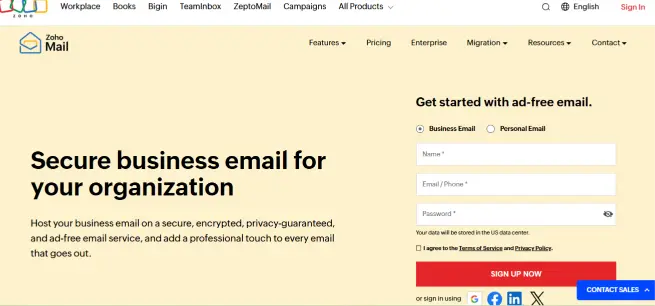
Zoho Mail is the only provider on this list that gives you a genuinely free custom domain email address, and that alone earns it the top spot.
Pricing: The Forever Free plan supports up to 5 users, 5GB of storage per user, and one custom domain, with a 25MB attachment cap and no credit card required at signup.
Features
- Look credible from day one. Every account uses your own domain, so client emails arrive from [email protected] instead of a generic address.
- Manage your whole team from one dashboard. Add users, remove them, and set group addresses like info@ or sales@ without touching DNS twice.
- Skip the paid ecosystem trap. Basic security, a shared calendar, and mobile apps all come included at no extra cost.
Pros
- Real custom domain support at zero cost
- No trial clock and no card required at signup
- A straightforward upgrade path to Mail Lite at roughly $1 per user monthly
Cons
- No IMAP or POP access on the free tier, so you are limited to Zoho’s own webmail and app
- The 5-user cap forces a full plan upgrade the moment your sixth hire needs an inbox
Best For: A founder or small team of five or fewer who want a real business address without any upfront cost.
2) Truehost Email Hosting
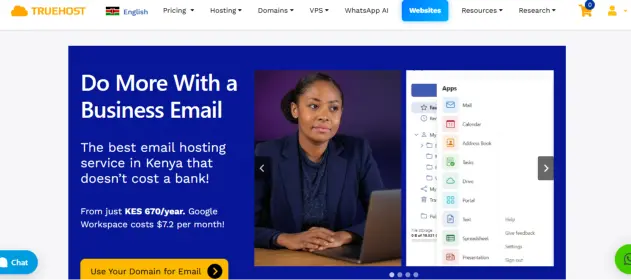
Once your team outgrows Zoho’s five-user ceiling, or the free tier’s limits start costing you more time than they save, Truehost’s email hosting is the natural next step.
Pricing: Plans start from KSh 56 a month (KSh 672 billed annually) and scale up to KSh 1,000 a month for 200GB of storage on the top enterprise tier.
Features
- Grow past five users without a full migration. Higher tiers support unlimited mailboxes on a single domain, so hiring never means re-platforming.
- Get support in the language you actually use. The 24/7 team responds in both English and Swahili.
- Keep your inbox clean automatically. Every plan includes anti-spam and anti-virus scanning, plus SPF, DKIM, and DMARC authentication.
Pros
- Local Kenyan pricing and support, not a currency conversion from a foreign provider
- Storage scales up to 200GB, far beyond what any free tier on this list offers
- Ad-free and fully encrypted across every plan tier
Cons
- Not a free option, so it only makes sense once you have genuinely outgrown a free tier
Best For: Businesses that have outgrown a 5-user free plan and want local, Swahili-speaking support with real room to keep growing.
3) Gmail

Gmail remains the fastest way to get a working inbox, and most Kenyan business owners already know how to use it without a single tutorial.
Pricing/Limits: Free, with unlimited accounts and 15GB of storage shared across Gmail, Drive, and Photos.
Features
- Start sending emails in minutes. There is no setup, no domain purchase, and no learning curve for a tool most people already use daily.
- Filter and organize without extra software. Labels, filters, and a strong built-in spam filter come standard.
- Access it anywhere. The mobile app stays usable even on a patchy connection.
Pros
- Zero setup time and near-universal familiarity
- Reliable spam filtering and consistent uptime
- Works well on low-bandwidth mobile connections
Cons
- No custom domain on the free tier, so your address ends in @gmail.com regardless of your brand
- Storage is shared with Drive and Photos, so it fills up faster than a dedicated mailbox
Best For: A solo founder or side hustle that needs an inbox today and can add a custom domain later.
4) Outlook.com
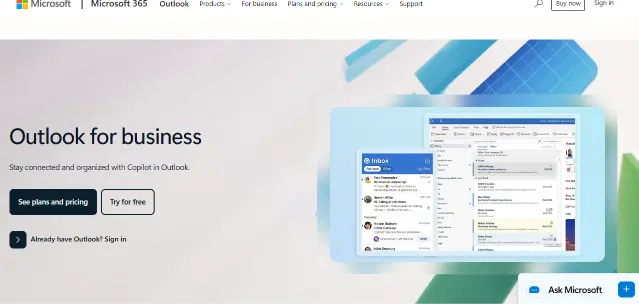
If your business already runs on Word, Excel, or Teams, Outlook.com keeps everything under one login without forcing you to learn a new interface.
Pricing/Limits: Free, with unlimited accounts and 15GB of dedicated mailbox storage kept separate from OneDrive.
Features
- Sync your calendar and contacts in one place. Outlook.com connects natively to the Microsoft apps that many Kenyan offices already use.
- Keep a dedicated mailbox quota. Your 15GB of email storage does not compete with file storage the way some competitors do.
- Move to Microsoft 365 later without switching providers. Upgrading raises your same mailbox to 100GB.
Pros
- A dedicated 15GB mailbox that is not shared with other Microsoft services
- A clean, familiar interface for anyone who has used Word or Excel
- A clear upgrade path to Microsoft 365 without changing your address
Cons
- No custom domain support on the free tier
- Fewer third-party integrations than Gmail across the Kenyan app ecosystem
Best For: Businesses already standardized on Microsoft tools who want their email to match.
5) Yahoo Mail
Yahoo Mail used to be the storage champion of free email, and while that changed recently, it still holds its own for straightforward business use.
Pricing/Limits: Free, with unlimited accounts and 20GB of storage, following a 2025 reduction from the previous 1TB allowance.
Features
- Manage large volumes without constant cleanup. 20GB still comfortably outlasts Gmail’s shared 15GB for email-only use.
- Sort a busy inbox fast. Smart Views and one-tap unsubscribe cut down on manual filing.
- Sync existing accounts easily. Built-in third-party email syncing pulls other inboxes into a single view.
Pros
- More dedicated email storage than Gmail or Outlook.com
- Smart Views and unsubscribe tools that speed up inbox management
- A long-standing platform with predictable uptime
Cons
- No custom domain support on the free tier
- The recent storage cut from 1TB means far less headroom than Yahoo’s reputation suggests
Best For: A business that wants generous storage without paying, and does not need a branded domain immediately.
6) Proton Mail
If your business handles sensitive client information, such as legal documents or medical records.
Proton Mail’s security-first design earns its place on this list despite the smaller free tier.
Pricing/Limits: Free, limited to one account, with 1GB of storage and end-to-end encryption applied by default.
Features
- Protect sensitive client data automatically. Every message is encrypted end-to-end without any configuration required on your part.
- Avoid ad-driven scanning entirely. Proton does not scan message content for advertising purposes.
- Add anonymous aliases for free. Hide-my-email aliases let you separate signups from your main business address.
Pros
- Genuine end-to-end encryption at no cost
- A strong reputation among privacy-conscious professionals like lawyers and consultants
- No advertising or content scanning of any kind
Cons
- 1GB of storage fills up quickly for a business with regular attachments
- No custom domain support without moving to a paid plan
Best For: Consultants, lawyers, or healthcare businesses that prioritize confidentiality over storage space.
7) Tuta (Tutanota)
Tuta takes the same privacy-first approach as Proton, built by a small European team that treats encryption as the default rather than an add-on.
Pricing/Limits: Free, limited to one account, with roughly 1GB of storage and an encrypted calendar and contacts included.
Features
- Encrypt your entire mailbox, not just the messages. Subject lines, contacts, and calendar entries are encrypted alongside your email content.
- Skip the tracking entirely. Tuta blocks external trackers embedded in incoming messages by default.
- Access it from any device. Native apps exist for desktop, Android, and iOS at no extra cost.
Pros
- Encryption that extends to metadata, most competitors leave it exposed
- Built-in tracker blocking applied to incoming mail
- A transparent, open-source codebase
Cons
- The smallest ecosystem on this list, so fewer contacts already use it
- No custom domain support on the free tier
Best For: A privacy-first solo operator who wants real encryption without paying for it.
8) Mailfence
Mailfence sits between Proton and Tuta on the privacy spectrum, and it adds OpenPGP support that appeals to technically confident business owners.
Pricing/Limits: Free, limited to one account, with 500MB of storage plus OpenPGP encryption and digital signature support.
Features
- Sign and encrypt using open standards. OpenPGP support means you are not locked into one company’s proprietary encryption format.
- Keep documents alongside your inbox. Built-in document storage saves you from a separate cloud subscription.
- Manage your own encryption keys. Full key control suits a business that wants no third party holding them.
Pros
- OpenPGP support instead of a closed encryption standard
- Built-in document storage bundled with the mailbox
- Belgium-based, with strong data protection commitments
Cons
- 500MB is the smallest free storage allowance on this entire list
- The interface feels dated next to Gmail or Zoho
Best For: A technically confident owner who wants direct control over their own encryption keys.
9) mail.com
mail.com takes a different approach to the domain problem: instead of your own business name, you pick from more than 200 preset domain endings.
Pricing/Limits: Free, with unlimited accounts, generous storage, and over 200 domain extensions to choose from at signup.
Features
- Stand out from the usual @gmail.com crowd. Choose an ending like @consultant.com or @accountant.com that hints at what your business does.
- Send larger attachments without complaints. mail.com allows bigger file sizes than several competitors on this list.
- Keep multiple identities under one login. Create several addresses across different domain endings from a single account.
Pros
- A wider domain-ending choice than any other free provider here
- Generous attachment size limits for a free tier
- One login that manages multiple addresses at once
Cons
- Still not your actual business domain, just a themed preset ending
- Fewer security certifications than Proton or Tuta
Best For: A founder who wants an address that hints at their industry without paying for a real domain yet.
10) Mozilla Thunderbird
Thunderbird is not an email provider at all, but it earns a spot here because it is how you actually manage several of the accounts above without living in nine browser tabs.
Pricing/Limits: A free desktop and mobile client that connects to any IMAP or POP account, open-source, and free of ads.
Features
- Manage every inbox from one screen. Connect Gmail, Yahoo, mail.com, or a Truehost mailbox into a single unified view.
- Keep your data on your own machine. Thunderbird stores mail locally, so you are not dependent on a browser tab staying open.
- Extend it as you grow. Add-ons cover calendar sync, encryption, and task management at no extra cost.
Pros
- Free, open-source, and genuinely ad-free
- Manages multiple providers from one interface
- A strong plugin ecosystem for calendar and encryption needs
Cons
- Requires a desktop install, so it suits desktop-first users more than phone-only ones
- Needs IMAP switched on first for some accounts, which takes a quick settings change
Best For: Anyone juggling more than one email account from this list who wants them in a single window.
Free Email vs. a Real Business Email: When to Make the Switch
Every option above works fine until the moment a client asks why your invoice comes from a Gmail address instead of your company name.
That single moment is usually what pushes a Kenyan small business to make the switch finally.
Watch for three signs specifically.
You start losing emails to a client’s spam filter, because free providers carry a weaker sender reputation than a properly configured business domain.
You outgrow Zoho’s 5-user cap the moment your team hires a sixth person.
You need more than 1 to 5GB of storage because invoices, contracts, or product photos keep bouncing back as too large.
None of the free services on this list is a wrong choice. They are starting points.
The real advantage of moving to a paid, domain-based option like Truehost is that your email address becomes an extension of your brand, instead of a placeholder you keep meaning to fix later.
Get Free Email Service For Your Business
If you need something running in the next five minutes, Gmail or Outlook.com will not let you down.
If your team is five people or fewer and you want a real business domain at zero cost, Zoho Mail is the clear pick on this list.
If privacy matters more than storage, Proton Mail or Tuta covers that ground properly.
And once you outgrow the free tier’s limits, Truehost’s Kenyan email hosting plans start from KSh 56 a month, a small price for an inbox that finally matches your business name.
Whichever you choose today, match the provider to what your business actually needs right now, not to whichever list ranks first on Google.
Grab your business email today and start building the kind of inbox your customers already expect to see.