Domain SearchInstantly check and register your preferred domain name
 Web Hosting
 cPanel HostingHosting powered by cPanel (Most user friendly)
 WordPress HostingHost your WordPress website with fast, secure, and affordable WordPress hosting in Kenya.
 KE Domains
 Reseller HostingStart your own hosting business without tech hustles
 Windows HostingOptimized for Windows-based applications and sites.
 Free Domain
 Affiliate ProgramEarn commissions by referring customers to our platforms
 Free HostingTest our SSD Hosting for free, for life (1GB storage)
 Domain TransferMove your domain to us with zero downtime and full control
 All DomainsBrowse and register domain extensions from around the world
 .Com Domain
 WhoisLook up domain ownership, expiry dates, and registrar information
 VPS Hosting
 Managed VPSNon techy? Opt for fully managed VPS server
 Dedicated ServersEnjoy unmatched power and control with your own physical server.
 Website Builder
 Online Store BuilderLaunch a professional e-commerce store without writing code.
 Web Design ServiceGet a custom-designed website tailored to your brand and goals. From just KES 15,600
 BlogRead our guides on web hosting, online business, digital marketing, and more
 SupportOur support guides cover everything you need to know about our services
 ContactContact us via chat or email
If you’ve ever wished your AI agent would just know what to do without you explaining it from scratch every single time, then you’re going to love this. That’s exactly the problem that a custom OpenClaw skill solves. The best part is that you don’t need to be a programmer to create one.
But wait a minute, what is a custom OpenClaw skill?
This is a set of instructions written inside a simple file. It helps your AI agent handle specific tasks like writing content, fetching data, or managing servers. Instead of repeating yourself every single session, you create a reusable system the agent follows automatically.
Think of it like training a new employee. Instead of giving them the same instructions every morning, you write it all down once in a clear guide, hand it to them, and from that point on, they just follow it.
That’s what a skill does for your AI agent. It tells the agent what to do, when to do it, and how to do it. Automatically, every time.
So let’s walk through the whole thing together, step by step. By the end of this guide, you’ll know exactly how to create and implement your own custom OpenClaw skill, even if this is your very first time.
Step 1: Create the Skill Folder

The very first thing you need to do is create a folder where your skill will live. OpenClaw has one specific place it looks for skills, and if your folder isn’t in that exact location, nothing will work, so this step counts more than it might seem.
Here’s the exact path your folder needs to go:
~/.openclaw/workspace/skills/my-custom-skill/
You can name the folder whatever makes sense for your skill. Just make sure it’s sitting inside the skills directory. That’s the folder OpenClaw scans when it starts up. If your skill folder ends up anywhere else on your computer, OpenClaw will ignore it completely, and it won’t even tell you that. It’ll just act like the skill doesn’t exist.
So create the folder, put it in the right place, and then move forward.
Step 2: Create the SKILL.md File
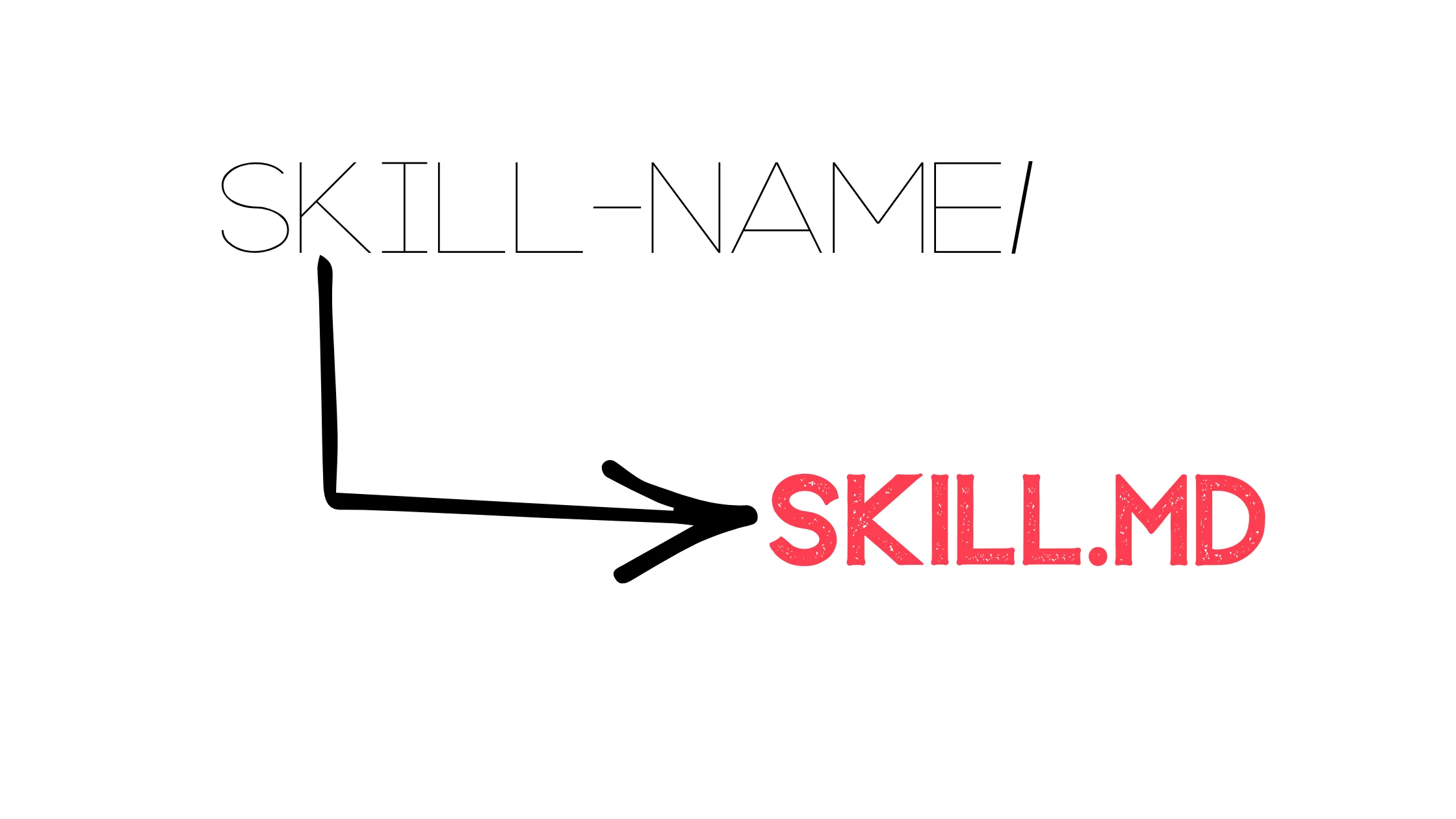
Now that your folder is ready, you need to create a file inside it. This file is the actual heart of your custom OpenClaw skill. It’s where everything gets defined.
The file must be named exactly:
SKILL.md
Capital letters, no spaces, .md extension. The .md just means Markdown, which is a simple way of writing formatted text. You don’t need to know anything fancy about it; plain sentences work just fine inside this file.
Everything about how your agent behaves for this skill gets written right here. Think of it as a job description for your AI, one it will actually follow.
Step 3: Add Skill Metadata
Open your SKILL.md file and start at the very top with some basic information. This section is called metadata. It’s just background info that helps OpenClaw understand what your skill is and what it’s supposed to do.
Here’s a simple example:
name: content-writer

description: helps generate blog posts and articles
The name is what you’re calling the skill. The description gives OpenClaw a quick summary of its purpose. Together, those two things help the system figure out when to use your skill based on what the user is asking.
Keep both the name and description clear and relevant to the actual task your skill handles. Vague names and descriptions will cause problems later. The agent won’t match your skill to the right requests.
Step 4: Write the Instructions
This is the most important part of building a custom OpenClaw skill, so it’s worth slowing down here and getting it right.
Below the metadata, you write the actual instructions that guide your agent’s behavior. Here’s an example of what that looks like:
When the user asks for a blog post, generate a structured article with headings, short paragraphs, and simple language. Focus on clarity and readability.

If needed, use available tools to gather information before writing.
Notice how that’s written: direct, specific, focused on one clear task. That’s exactly the tone you want to aim for.
Write your instructions like you’re guiding a real person. Be clear about what you want done. Be direct about how it should be done. And focus on one task so the agent doesn’t get pulled in multiple directions.
The better your instructions, the better your results. This is where the quality of your custom OpenClaw skill really gets decided.
Step 5: Confirm the Skill Location
Before you get excited and jump to testing, take a moment to verify your setup. This is honestly where most setups fail, not because the instructions are wrong, but because the folder is in the wrong place.
Check three things:
Make sure your skill folder is inside ~/.openclaw/workspace/skills/, not nearby, not one level up, but exactly inside it.
Make sure your file is named SKILL.md, all caps, correct extension, nothing extra.
Make sure there are no extra nested folders between your skill folder and the file. Your SKILL.md should be directly inside your skill folder, not buried deeper.
Small details, but they count a lot here.
Step 6: Implement the Skill
Your folder is in the right place, your file is correctly named, and your instructions are written. Now it’s time to make the skill actually work.
Here’s something important to know: Your skill doesn’t activate just because the file exists. OpenClaw needs to reload so it can scan the skills folder and pick up anything new.
To do that, run one of these:
openclaw gateway restartOr simply:
/newEither command tells OpenClaw to restart and re-scan for skills. Once that’s done, your custom OpenClaw skill is loaded and ready. And you don’t have to manually select it. OpenClaw matches skills to user requests automatically based on the name and description you wrote earlier.
Step 7: Test the Skill
Now try it out with a prompt that matches what your skill is designed to handle. For example:
Write a blog post about OpenClaw VPS hosting
If your setup is correct, the agent will follow your instructions using the format, tone, and structure you defined. If the output doesn’t look right, don’t stress. Just check your instructions, reload OpenClaw, and test again.
Testing is how you improve your skill over time.
Every prompt tells you something. Every output shows you where your instructions need to be sharper. That feedback loop is how a decent custom OpenClaw skill becomes a genuinely reliable one.
How Custom OpenClaw Skills Work Behind the Scenes
You might be wondering, what’s actually happening when the agent uses a skill? Is it running code? Doing something complicated in the background?
Not exactly.
A skill doesn’t execute code directly. Instead, it guides the agent’s behavior, suggests which actions to take, and helps it select the right tools for the job. It makes responses more predictable and consistent because the agent isn’t guessing anymore.
It’s following a defined playbook.
That’s the real value of a custom OpenClaw skill. It takes an agent that improvises and turns it into one that follows a reliable system.
Custom OpenClaw Skill Best Practices
This is where skills either become reliable or break completely. Follow these, and your skill will hold up. Skip them, and you’ll keep getting inconsistent, frustrating results.
1) Split One Skill Into Two
If your skill is trying to handle different types of tasks, say, writing blog posts, editing content, and creating SEO titles, split it into separate skills. Each task needs different instructions and a different approach.
Combining them into one skill leads to confused, inconsistent output. One skill, one focus. That’s the rule.
2)Write Instructions That Do Not Conflict
Conflicting rules produce bad output, and it’s easier to create conflicts than you’d think. For example, if one part of your instructions says “use simple language” and another part says “use advanced terminology,” the agent doesn’t know which to follow. It’ll pick randomly. Choose one clear direction and stay consistent all the way through.
3) Skill Is Too Broad
A broad skill like “help with content” gives the agent no real structure to follow. So it guesses. And guesses lead to random, unpredictable outputs that don’t actually serve anyone.
Your custom OpenClaw skill needs real direction. A defined format, a clear tone, a specific focus area.
4) Skill Is Too Narrow
Being too strict is also a problem. If your instructions say “write exactly 500 words with exactly 5 headings,” the conditions become so rigid that the agent may fail to trigger at all.
Give direction, but leave room for the agent to work. Flexibility within structure is the goal.
5) The Right Balance
A strong skill gives direction but allows flexibility. Something like “write structured articles with clear headings and simple language.” That is specific enough to guide the agent but flexible enough for it to perform well across different prompts. That’s the sweet spot.
6) Name Skills So OpenClaw Matches Them Correctly
Names like test-skill or my-tool mean nothing to OpenClaw when it’s trying to match a skill to a user request. Names like blog-writer, email-responder, or vps-explainer tell the system exactly what the skill does.
Always name your skill based on how users will actually phrase their requests. That’s what determines whether it gets used or ignored.
7) Keep Instructions Action-Based
Vague language doesn’t help the agent. Instead of writing “make it engaging and helpful,” write “use short sentences and keep paragraphs under three lines.” Concrete instructions produce concrete, consistent results.
8) Safety and Control
If your skill involves commands or server actions, be careful. Don’t pass raw user input directly into commands. Keep actions controlled and predictable.
Safety might not be the exciting part of building a custom OpenClaw skill, but it’s what keeps things from going sideways.
Troubleshooting Common OpenClaw Skill Issues
Even when you follow every step correctly, things sometimes don’t work on the first try. Here’s how to fix the most common problems.
a) Skill Is Not Detected
Check your folder location first. Then check your file name (SKILL.md). Those two things cause the vast majority of detection issues.
After fixing either one, restart OpenClaw and check again.
b) Skill Does Not Trigger
If OpenClaw loads the skill but doesn’t use it, the problem is usually your name or description. They don’t match how users are phrasing their requests.
Try renaming the skill or rewriting the description to be more specific and closer to natural user language.
c) Output Is Inconsistent
Your instructions are probably too broad or conflicting somewhere. Go back through them, simplify, and make sure everything points in the same direction. Focus tightly on one task.
d) Changes Are Not Applying
You didn’t reload OpenClaw after editing the file. Run the restart command and try again. This one catches a lot of people off guard.
e) Skill Works but Output Is Weak
Your instructions lack enough structure. Go back and define the format you want, define the tone, and be more specific about what a good output looks like. Then test again and see how it improves.
Custom OpenClaw Skills FAQs
You know your skill is working when the agent follows your instructions without you needing to repeat them in every prompt.
Your skill not showing up is almost always a folder path or file name issue. Double-check both, then restart OpenClaw.
To improve a weak skill, tighten your instructions and narrow the focus to one specific task.
One skill can handle multiple tasks, but it shouldn’t. Multiple tasks in one skill lead to inconsistent, unreliable results.
You should update your OpenClaw skill whenever results start becoming inconsistent or your needs change.
No, you don’t need coding skills to create a skill. You just need clear instructions and structured thinking.
Your OpenClaw skill gets ignored because the name or description doesn’t match how users are phrasing their requests. Fix those first.
A high-quality custom OpenClaw skill is clear, focused, and produces consistent results every single time.
Turn Your Agent Into a Reliable System
Here’s what it all comes down to. Creating a custom OpenClaw skill only requires three things:
- A folder
- A
SKILL.mdfile - Clear instructions.
That’s it. No code. No complicated setup. Just structured thinking written out in plain text.
Once it’s implemented, your agent stops guessing and starts following. Responses become predictable, tasks get handled consistently, and you stop spending time rewriting the same prompts over and over again.
Start small.
Build one skill, test it, see how it performs, and sharpen the instructions based on what you observe. Then build the next one. That’s the whole process, and it works every time you do it right.
If you are serious about making your agent work for you, not against you, then the setup behind it is just as important as the skills you write.
That is where reliable hosting comes in.
With Truehost, you get a simple, stable environment to store, manage, and scale your OpenClaw skills without friction.
Build your first skill. Host it somewhere solid. Then keep going.