Domain SearchInstantly check and register your preferred domain name
 Web Hosting
 cPanel HostingHosting powered by cPanel (Most user friendly)
 WordPress HostingHost your WordPress website with fast, secure, and affordable WordPress hosting in Kenya.
 KE Domains
 Reseller HostingStart your own hosting business without tech hustles
 Windows HostingOptimized for Windows-based applications and sites.
 Free Domain
 Affiliate ProgramEarn commissions by referring customers to our platforms
 Free HostingTest our SSD Hosting for free, for life (1GB storage)
 Domain TransferMove your domain to us with zero downtime and full control
 All DomainsBrowse and register domain extensions from around the world
 .Com Domain
 WhoisLook up domain ownership, expiry dates, and registrar information
 VPS Hosting
 Managed VPSNon techy? Opt for fully managed VPS server
 Dedicated ServersEnjoy unmatched power and control with your own physical server.
 Website Builder
 Online Store BuilderLaunch a professional e-commerce store without writing code.
 Web Design ServiceGet a custom-designed website tailored to your brand and goals. From just KES 15,600
 BlogRead our guides on web hosting, online business, digital marketing, and more
 SupportOur support guides cover everything you need to know about our services
 ContactContact us via chat or email
Managing websites, emails, domains, and server settings can get overwhelming fast.
And honestly, having to jump into the command line just to do something small? Not ideal.
So if you’ve been looking for an easier way to handle all that, you’ve probably come across CyberPanel and Virtualmin.
They’re both free, but they feel very different once you start using them.
CyberPanel is the simpler one. Clean interface, easy to move around, and it runs on OpenLiteSpeed, so it’s pretty fast, especially if you’re working with WordPress.
You get things like one-click installs and built-in caching without doing much.
Virtualmin is a bit more hands-on. It sits on top of Webmin and gives you a lot more control over your server.
You can use Apache or Nginx, manage multiple sites, and tweak things the way you want. It’s the kind of tool people go for when they like having full control.
So yeah, same price (free), but very different vibe. CyberPanel keeps things simple and fast. Virtualmin gives you depth and flexibility.
Let me walk you through how they compare features, performance, ease of use, all of it, so you can figure out which one actually fits what you need in 2026.
Key Features Comparison
a) Performance & Web Server
CyberPanel runs exclusively on OpenLiteSpeed. This gives you excellent speed and low resource usage right out of the box.
OpenLiteSpeed often handles 10x more requests per second than Apache and uses far less memory.
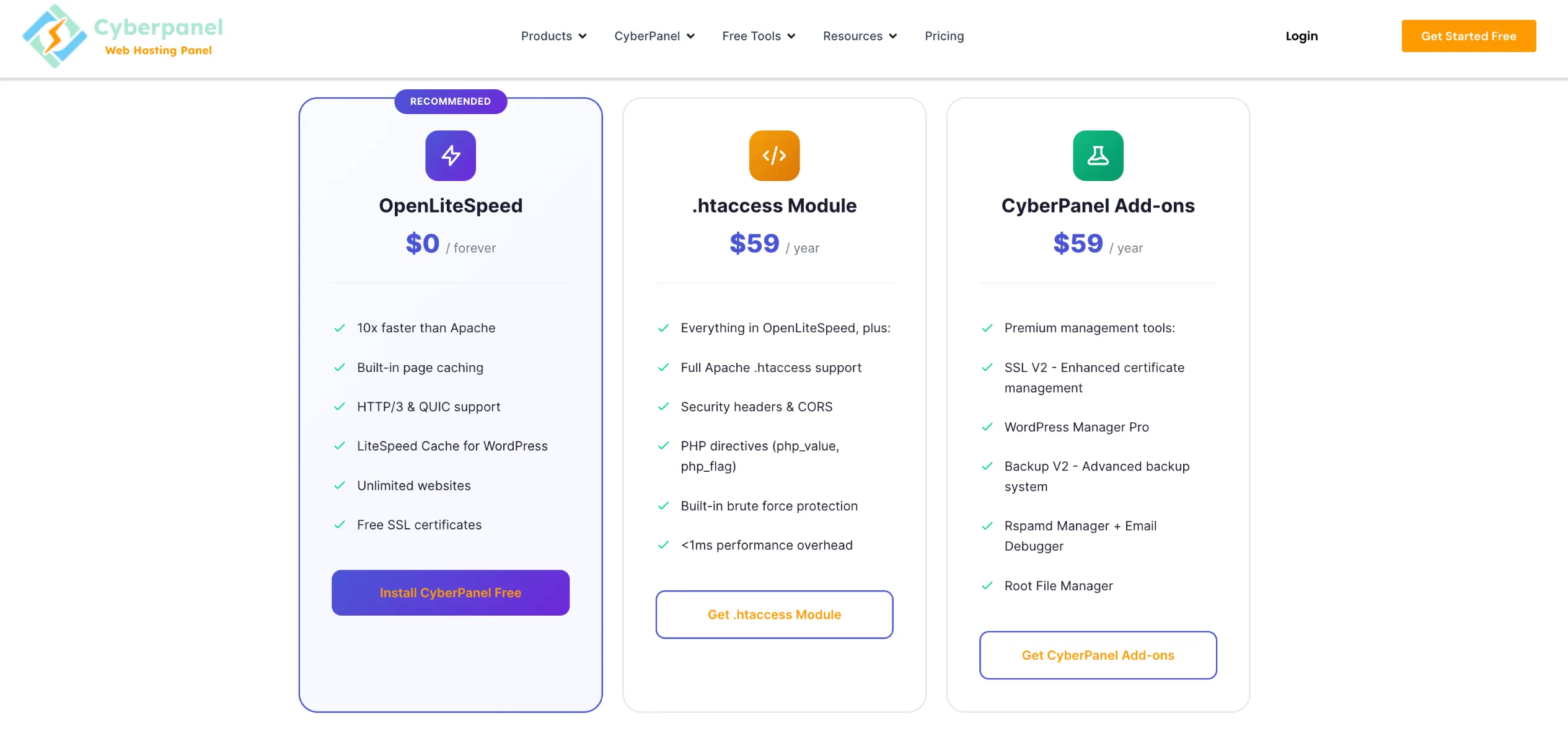
It includes built-in caching and HTTP/3 support, making it ideal for high-traffic WordPress sites.
Virtualmin works with Apache or Nginx. You choose during setup (LEMP stack for Nginx). Both are solid, but they usually need extra tuning for top performance. Nginx generally uses fewer resources than Apache, yet it lacks some Apache features like .htaccess support.
Example: A WordPress site on CyberPanel often loads noticeably faster with less CPU usage compared to a standard Apache setup on Virtualmin.
b) Website/Domain Management
CyberPanel excels with one-click installs for WordPress, Joomla, and other apps. It includes strong WordPress tools like staging, LSCache, and Docker support for containerized applications.
Virtualmin uses virtual servers (top-level domains and sub-servers). It offers templates and strong multi-site management, which works great when you host many client sites.
c) Email, DNS, Database, and FTP
Both panels handle these tasks well. Virtualmin stands out with more advanced email configuration options, spam filtering, and mailing list tools. It gives you finer control over DNS and databases.
CyberPanel provides solid email (with RainLoop webmail) and easy Let’s Encrypt SSL. It keeps things simpler for most users.
d) Ease of Use
CyberPanel offers a clean, modern interface designed for quick setup. You can get a site live in minutes.
Virtualmin is more comprehensive but has a steeper learning curve. Its interface feels dated to some users, though it rewards those who invest time learning it.
e) Target Audience
- CyberPanel: Beginners, agencies, WordPress users, and anyone who wants fast results with minimal hassle.
- Virtualmin: Sysadmins, developers, and users who need detailed control over server services and multiple virtual hosts.
f) Security
Both provide strong tools like SSL, firewalls, and automatic updates. Virtualmin often edges out with more flexibility for custom security setups and advanced configurations. CyberPanel makes basic security (SSL, basic firewall) very easy to apply.
g) Pricing and Total Cost of Ownership
CyberPanel’s core is completely free with OpenLiteSpeed. You pay only if you need LiteSpeed Enterprise for more domains or advanced features (add-ons start around $59/year).
Virtualmin GPL is free. The Professional version adds extra features and support. Pricing starts at about $7.50/month or $75/year for 10 domains, scaling up for more.
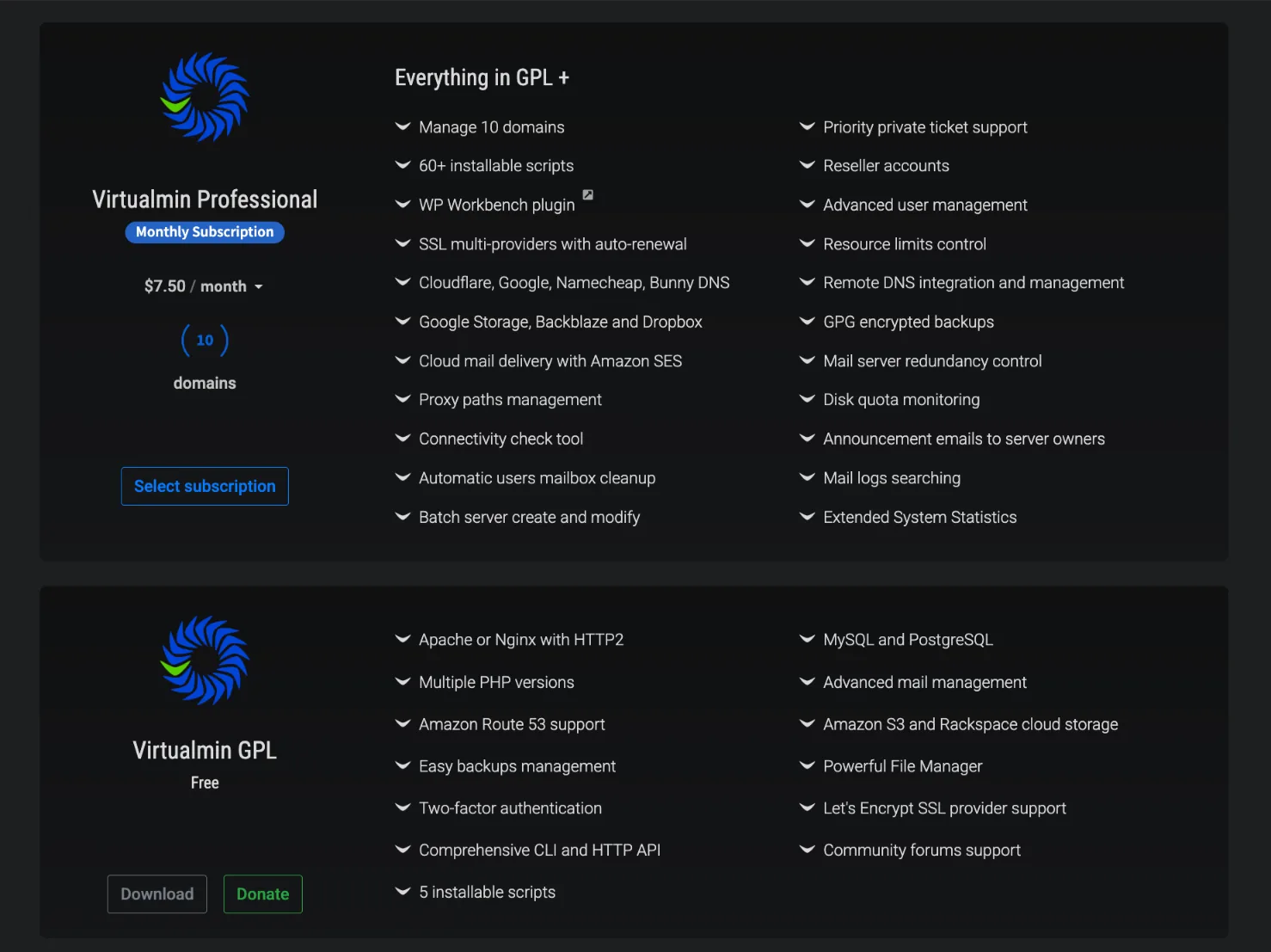
Your total cost depends on your server resources, traffic, and whether you need premium support or features.
Read our guide on CyberPanel VPS hosting
When to Choose CyberPanel
You should pick CyberPanel in these situations:
- You host WordPress websites or Docker-based applications and want easy management.
- You prefer a simple, minimalistic, and modern control panel.
- You want to avoid paying for the control panel itself.
- You like a graphical interface that lets you manage everything quickly without deep Linux knowledge.
- You need a lightweight, fast solution optimized for performance.
Example: A freelance developer running five WordPress client sites will appreciate CyberPanel’s one-click installs and built-in speed optimizations.
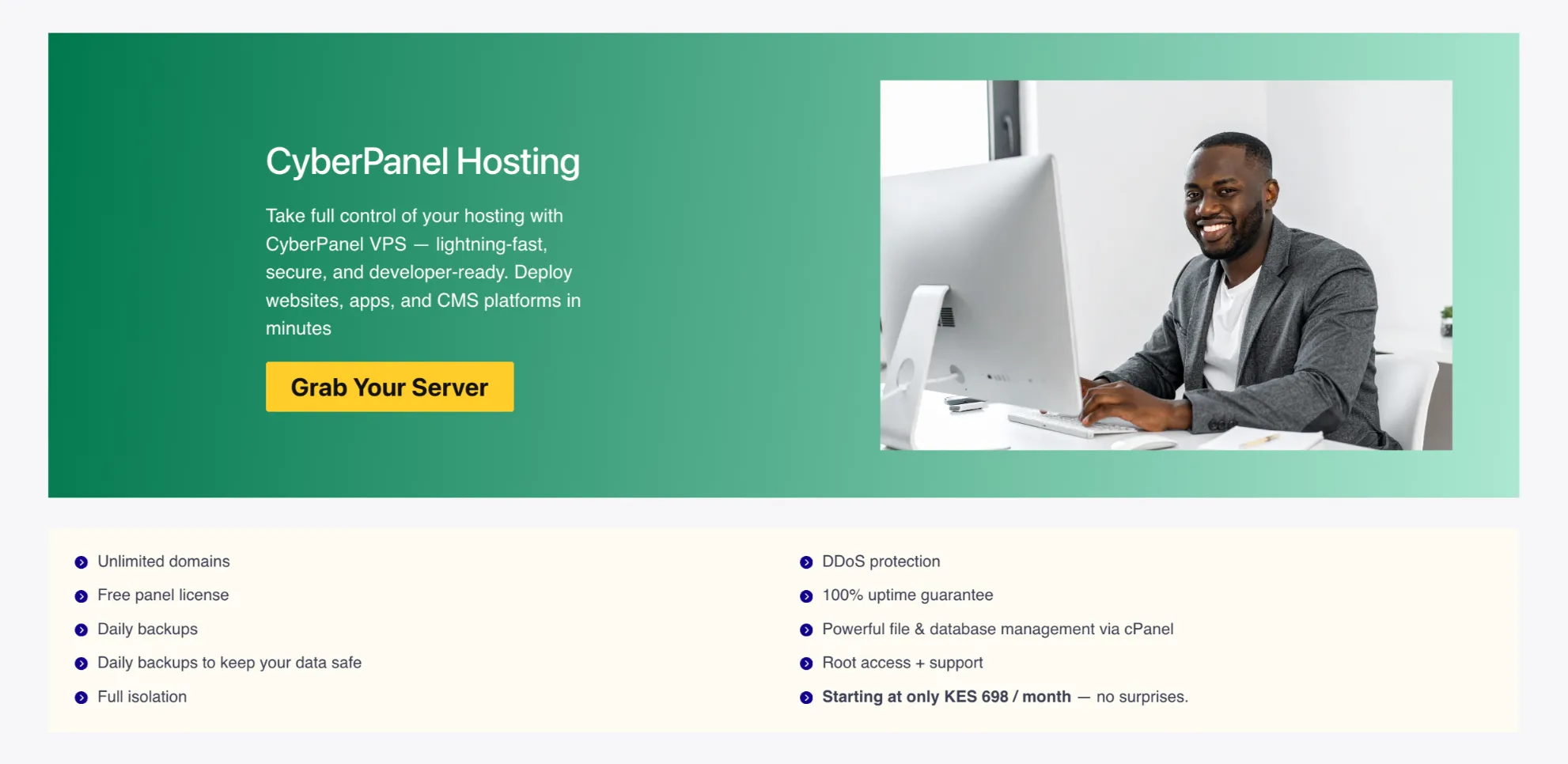
At Truehost, we offer optimized CyberPanel hosting plans that come pre-configured for great performance.
When to Choose Virtualmin
Choose Virtualmin when:
- You are relatively new to VPS hosting but want guided configuration.
- You manage many websites or need multiple virtual servers.
- You want a control panel with deep customization options.
- You prefer maximum flexibility over simplicity.
Example: An agency managing 20+ client sites with custom email setups and specific server requirements will feel more at home with Virtualmin’s power.
Which Control Panel Reigns Supreme
There is no single winner. It depends on your needs.
Choose CyberPanel if speed, ease, and WordPress performance matter most to you. Its modern approach and OpenLiteSpeed integration make it feel like the future for many users.
Go for Virtualmin if you need advanced control, flexibility, and are comfortable with a more traditional (but powerful) system.
For most individuals, small businesses, and WordPress-focused users in 2026, CyberPanel delivers the best balance of performance and usability.
CyberPanel vs Virtualmin FAQs
Is CyberPanel fast?
Yes. Thanks to OpenLiteSpeed, it often outperforms traditional Apache or even Nginx setups, especially with caching enabled. Many users report significantly better loading times and lower resource usage.
How much does Virtualmin Pro cost?
It starts at around $7.50 per month or $75 per year for 10 domains. Higher tiers support more domains.
Is CyberPanel free or paid?
The core with OpenLiteSpeed is completely free for unlimited domains. Premium add-ons and LiteSpeed Enterprise are optional.
Is the free version of either good enough, or do I need the paid tier?
For most users, the free versions work very well. Upgrade only when you need priority support, extra features, or higher performance limits.
What are the system requirements for Virtualmin?
Minimum around 1GB RAM (2GB+ recommended for comfort). It runs on modern Ubuntu, Debian, AlmaLinux, and Rocky Linux distributions.
How to create a virtual server in Virtualmin?
- Log into Virtualmin.
- Click Create Virtual Server.
- Enter the domain name, description, and password.
- Choose features and click Create Server.
How to create a database in Virtualmin?
Go to your virtual server → Edit Databases → Create a new database. You can also create database users with specific privileges.