Domain SearchInstantly check and register your preferred domain name
 Web Hosting
 cPanel HostingHosting powered by cPanel (Most user friendly)
 WordPress HostingHost your WordPress website with fast, secure, and affordable WordPress hosting in Kenya.
 KE Domains
 Reseller HostingStart your own hosting business without tech hustles
 Windows HostingOptimized for Windows-based applications and sites.
 Free Domain
 Affiliate ProgramEarn commissions by referring customers to our platforms
 Free HostingTest our SSD Hosting for free, for life (1GB storage)
 Domain TransferMove your domain to us with zero downtime and full control
 All DomainsBrowse and register domain extensions from around the world
 .Com Domain
 WhoisLook up domain ownership, expiry dates, and registrar information
 VPS Hosting
 Managed VPSNon techy? Opt for fully managed VPS server
 Dedicated ServersEnjoy unmatched power and control with your own physical server.
 Website Builder
 Online Store BuilderLaunch a professional e-commerce store without writing code.
 Web Design ServiceGet a custom-designed website tailored to your brand and goals. From just KES 15,600
 BlogRead our guides on web hosting, online business, digital marketing, and more
 SupportOur support guides cover everything you need to know about our services
 ContactContact us via chat or email
Managing a web server without a control panel is like trying to drive a car with no steering wheel. You have the engine, but good luck going anywhere.
That is exactly why tools like CyberPanel, ISPConfig, and Webmin exist. They give you a proper dashboard so you can control everything on your server without typing hundreds of commands all day long.
CyberPanel is a modern, clean control panel that runs on something called LiteSpeed. LiteSpeed is a web server that is known for being very fast, especially for WordPress sites.
ISPConfig is the older, more experienced option. It has been around for a long time, and it is built for people running big hosting setups, like multiple websites, multiple clients, or even multiple servers, all from one place.
Webmin is a bit different from the other two. It is not really a hosting panel at all. It is more like a tool for managing the deeper parts of your server, like users, services, and system settings. It is very powerful, but it is built more for people who already know servers well, not for first-time website owners.
But the big question is this. When it comes to CyberPanel vs ISPConfig vs Webmin, which one comes out on top? The honest answer is that it depends on what you need. So in this guide, we are going to compare all three across features, ease of use, performance, security, pricing, and the best times to use each one.
Let us get into it.
CyberPanel vs ISPConfig vs Webmin: Full Feature Comparison
Now that you know what each one is, let us look at how they compare side by side.
Here is a full breakdown of CyberPanel vs ISPConfig vs Webmin features. It will help you see exactly where each one is strong and where it falls short.
| Category | CyberPanel | ISPConfig | Webmin |
| Web Server Support | OpenLiteSpeed and LiteSpeed Enterprise | Apache and Nginx | Apache, Nginx, or anything you configure manually |
| Email Management | Built-in via RainLoop webmail | Full mail stack with quotas, filters, and multiple domains | Via plugins using Postfix and Dovecot |
| DNS Management | PowerDNS integration, mostly automated | BIND integration with full zone control | BIND or fully manual configuration |
| Database Management | MariaDB and MySQL with phpMyAdmin included | MySQL and MariaDB with phpMyAdmin included | MySQL and PostgreSQL with phpMyAdmin via module |
| File Manager | Built-in file manager included | Built-in via Ajaxplorer | Available through the File Manager module |
| One-Click Installer | WordPress, Joomla, and more via optional Softaculous | Apps available via the ISPConfig plugin | None, you install everything manually using scripts |
| Multi-Server Support | Limited, only through the CyberPanel cluster setup | Native multi-server hierarchy out of the box | No built-in support, fully manual setup required |
| API and CLI Access | Yes, API and CLI are both available | Yes, full remote API available | Yes, Webmin API is available |
| Backup and Restore | Built-in remote backup support | Built-in backup system included | Built-in scheduled backups via the module |
| SSL and Let’s Encrypt | Fully integrated with automatic renewal | Fully integrated with automatic renewal | Available via plugins or manual setup |
| Firewall | CSF firewall integration built in | Firewall module with fail2ban integration | Module-based, depends heavily on manual configuration |
| Two-Factor Authentication | Yes, supported | Yes, supported | Yes, supported |
| ModSecurity | Yes, included with rulesets | Available but requires manual setup | Manual setup only |
| User and Reseller Management | Basic user management | Granular user, client, and reseller permission system | Module-level access control per user |
| WordPress Optimization | Excellent, LiteSpeed cache built for WordPress | Good, but no LiteSpeed advantage | Depends entirely on your manual server stack |
| Interface Design | Modern, clean, beginner-friendly | Functional but dated, steeper learning curve | Traditional layout, overwhelming for beginners |
| Resource Usage | Low memory footprint thanks to LiteSpeed | Depends on the web server chosen; Apache is heavier | Extremely lightweight, Perl-based panel |
| Pricing | Free with OpenLiteSpeed, paid for LiteSpeed Enterprise | Completely free, no paid version | Free and open source, Virtualmin Pro available as a paid add-on |
| Best For | WordPress hosting, beginners, fast, simple setups | Hosting resellers, multi-server environments, complex setups | System administrators needing deep Linux server control |
That table gives you a really clear picture of what each panel brings to the table. But features are only one part of the story. The next thing most people want to know is how much it is going to cost them.
So let us break that down, too.
CyberPanel vs ISPConfig vs Webmin: Pricing and Licensing
Good news. CyberPanel vs ISPConfig vs Webmin control panels are free to start with.
But if you want extra features, here is exactly what you will pay for CyberPanel and Webmin control panels, since ISPConfig is free.
| Plan | CyberPanel (LiteSpeed Enterprise) | ISPConfig | Virtualmin Pro (Webmin Add-on) |
| Free Version | Yes, OpenLiteSpeed is completely free | Yes, fully free, no paid version | Yes, Virtualmin GPL is completely free |
| Entry Paid Plan | KSh 1,293/month (Site Owner, 5 domains, under 8GB RAM) | No paid plan exists | KSh 969/month or KSh 9,698/year (10 domains) |
| Mid Tier | KSh 3,362/month (Web Host Lite, unlimited domains, under 8GB RAM) | No paid plan exists | KSh 1,616/month or KSh 16,163/year (50 domains) |
| Most Popular Plan | KSh 5,948/month (Web Host Professional, unlimited domains, 2 workers, unlimited RAM) | No paid plan exists | KSh 2,909/month or KSh 29,093/year (100 domains) |
| Enterprise Plan | KSh 8,405/month (Web Host Enterprise, unlimited domains, 4 workers, unlimited RAM) | No paid plan exists | KSh 4,848/month or KSh 48,488/year (250 domains) |
| Top Tier Plan | KSh 11,896/month (Web Host Elite, unlimited workers, anti-DDoS included) | No paid plan exists | KSh 9,698/month or KSh 96,975/year (unlimited domains) |
| One-Time License | From KSh 103,290 one-time (Web Host Professional) | Not applicable | Not available |
| Paid Support | Optional premium support plans available | Community forums and documentation only | Priority private ticket support included with Pro |
Price alone does not tell you whether something is easy or hard to use. So let us look at that next.
Ease of Use
This is where CyberPanel vs ISPConfig vs Webmin really starts to pull apart.
CyberPanel is the easiest of the three, no question about it. The screen looks clean, everything is laid out clearly, and most tasks happen on their own. Even as a total beginner, you can get a website running through CyberPanel without knowing much about servers at all. Things like WordPress staging, which means making a test copy of your site before making changes, are built right in and take just one click.
ISPConfig works well, but the screen looks like it has not been updated in a while. It is not bad to look at, but it is not easy to pick up either. Getting used to it takes some time, especially if you have never touched a server before. That said, once you learn it, it is very powerful, and there is lots of help and guides to walk you through it.
Webmin is honestly the hardest to get used to.
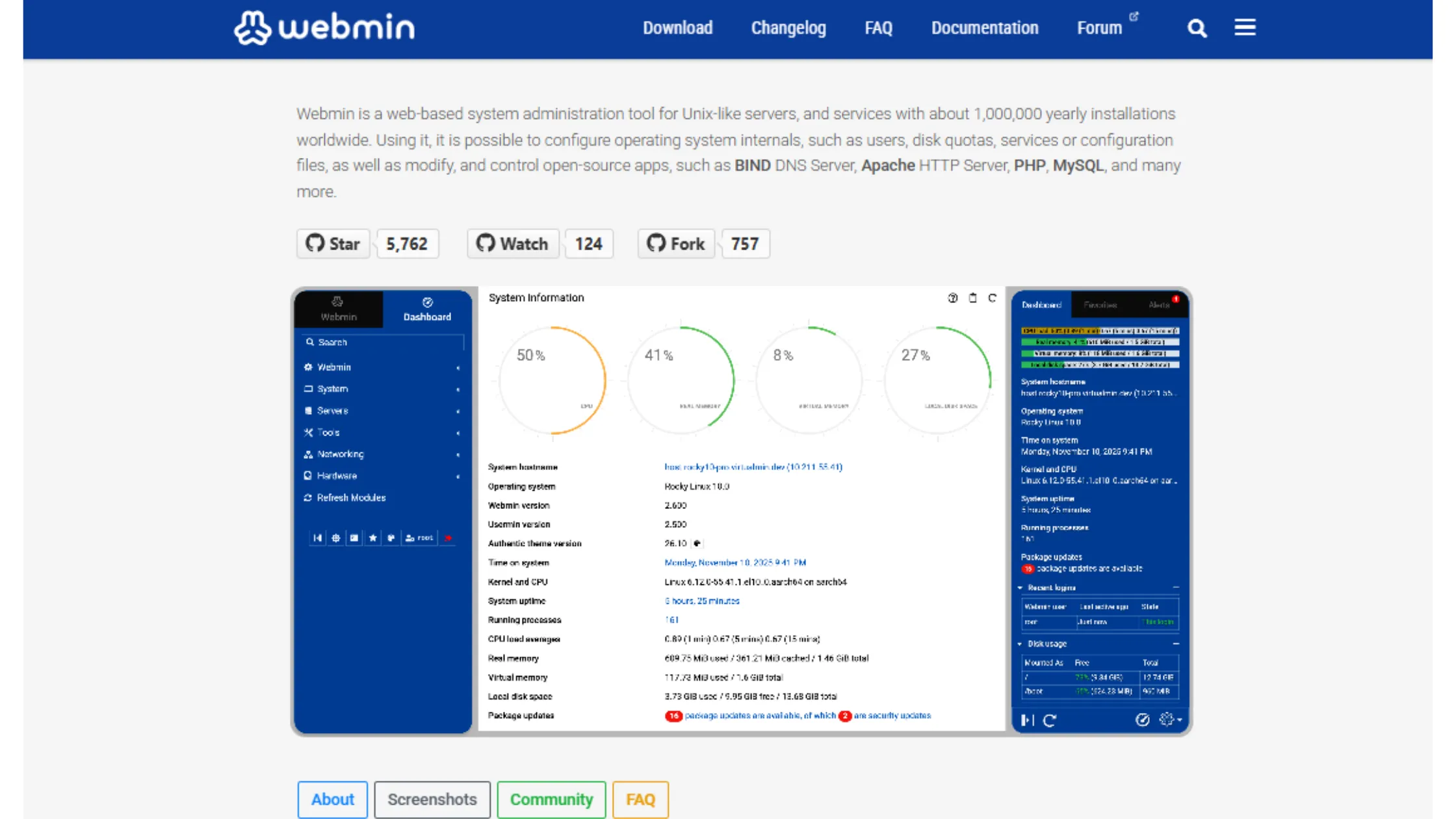
The screen can feel like too much the first time you open it because there are so many buttons and settings everywhere. It is built for people who manage servers for a living, not for people just starting a website. So if you are brand new, Webmin might feel like someone handing you a pilot’s handbook when all you wanted to do was book a flight.
Performance and Resource Usage
Performance and resource usage are another area where CyberPanel vs ISPConfig vs Webmin shows some clear differences.
CyberPanel wins this one by a good margin. Because it runs on LiteSpeed, it uses less memory than most other setups and handles lots of website visitors really well. WordPress sites in particular load much faster on LiteSpeed than they do on Apache.
ISPConfig itself does not use much power, but the web server you pair it with changes everything. If you go with Apache, the old-school option, it can eat up more memory when traffic picks up. If you use Nginx, things stay leaner. So ISPConfig gives you the choice, but the speed depends on what you pick.
Webmin uses almost no server resources on its own because it is built in something called Perl, which is a very light coding language. The panel itself is basically invisible in terms of how much power it uses. But just like with ISPConfig, the speed you get really depends on the web server setup you build under it.
Security and Access Control
Security is something you should never ignore as a website owner. So now let us look at how CyberPanel vs ISPConfig vs Webmin handles keeping your server safe.
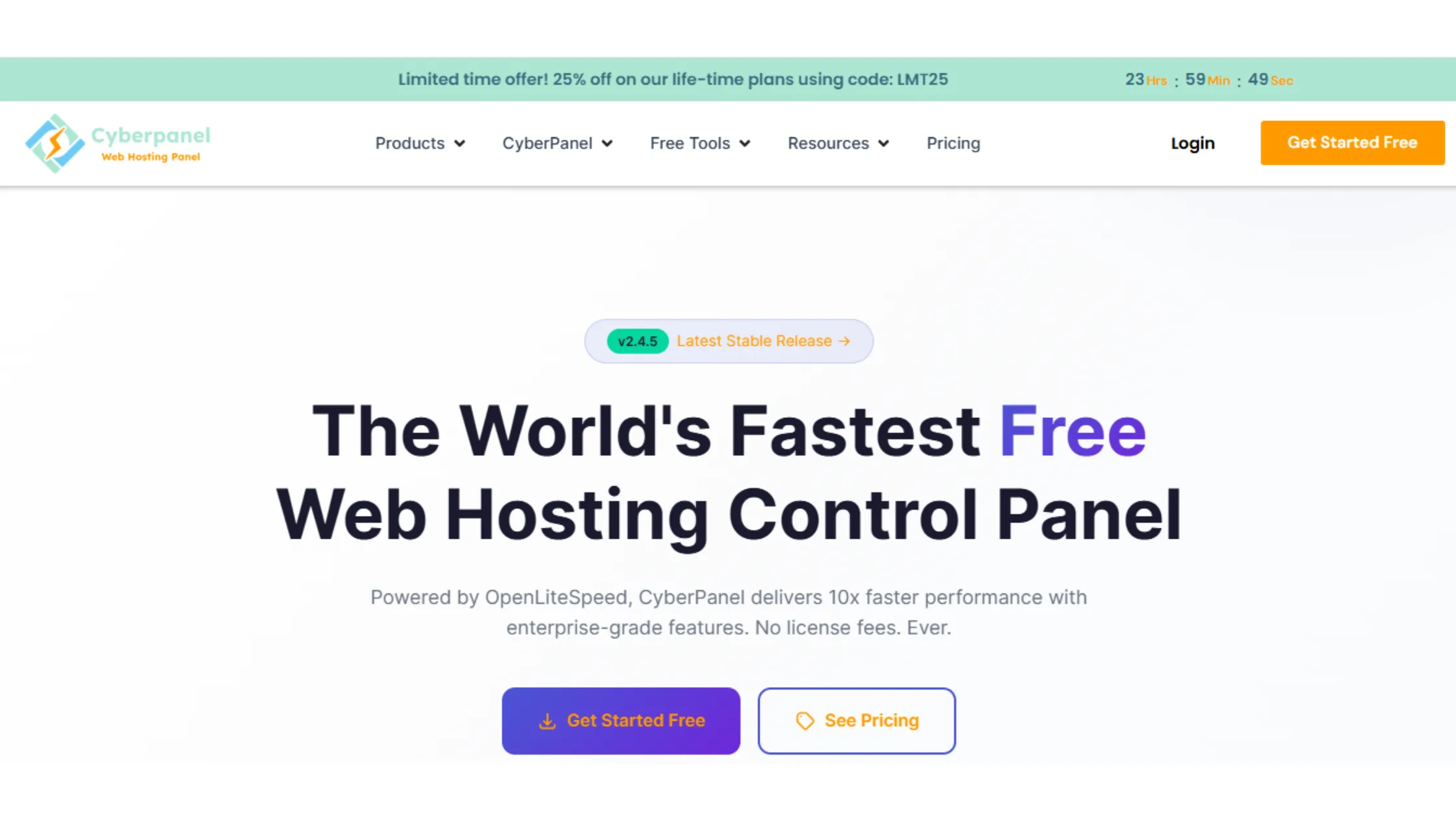
CyberPanel comes with a firewall tool called CSF already built in. It also blocks common attacks using ModSecurity rules, handles SSL on its own, and supports two-factor authentication. Two-factor authentication means that when you log in, you need both your password and a second check, like a code sent to your phone. That makes it much harder for anyone to break in.
ISPConfig goes a step further when it comes to controlling who can do what. You can set very detailed rules for different users and resellers, which is really helpful when more than one person needs access to different parts of the server. It also works with a tool called fail2ban, which automatically blocks anyone who tries to log in too many times with the wrong password.
Webmin lets you control access on a module-by-module basis, meaning you can decide exactly what each user is allowed to see and do. It supports two-factor authentication, too. The tricky part is that Webmin’s safety really depends on how well you have set up the rest of your server. If the system underneath is not set up right, the panel can only do so much to protect you.
Ideal Use Cases
So when should you actually pick each one? Here is the simple version.
Go with CyberPanel if you want something modern, fast, and easy to handle, especially if most of what you are hosting is WordPress sites. It is the best pick for people who want good speed without a lot of hard setup work.
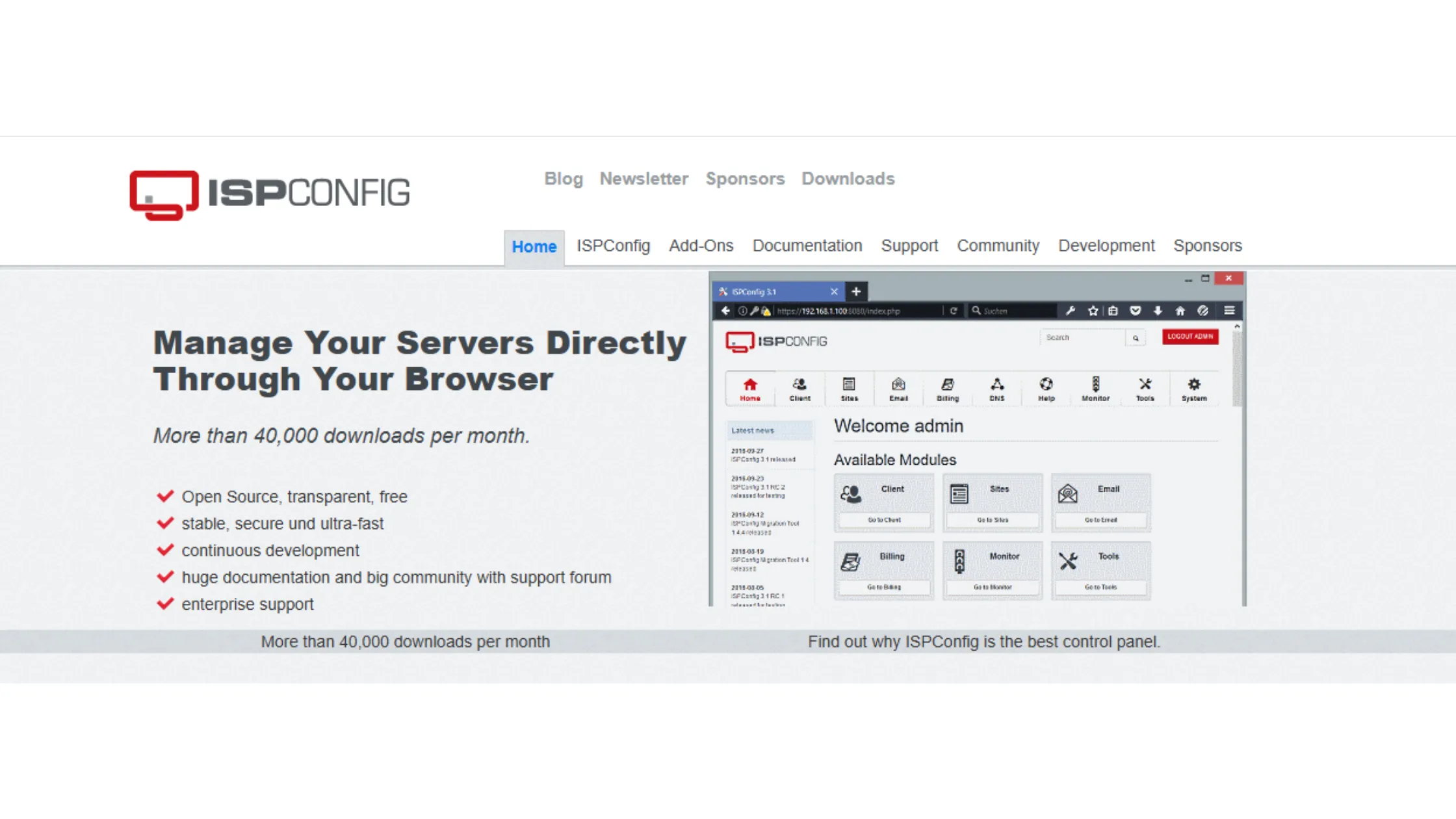
Go with ISPConfig if you are running a hosting business or looking after websites for many clients across different servers. It has been tried and tested for years, and it is built exactly for that kind of big setup.
Go with Webmin if you are someone who manages servers, and you want full hands-on control over a Linux server. You just want a visual screen to make the routine tasks a little quicker.
CyberPanel vs ISPConfig vs Webmin: Which One Wins?
Honestly, there is no single winner in the CyberPanel vs ISPConfig vs Webmin debate. Each one is built for a totally different job. CyberPanel wins when it comes to speed and keeping things simple. ISPConfig wins for big hosting setups with lots of servers and clients. Webmin wins when you need deep hands-on control over every part of a Linux server.
The right choice really comes down to what you are building, how much experience you have, and how much control you actually need over your server.
If you want a fast and simple way to get started without stress, hosting plays a big role just as much as the panel you choose. That is where Truehost comes in.
We give you:
- Fast VPS and cloud servers
- Easy setup for CyberPanel, ISPConfig, or Webmin
- Strong uptime and support when you need help
- Plans that grow with your project
You can get your server live in minutes and focus on building your website instead of fixing server issues.
Get started with Truehost today.
CyberPanel vs ISPConfig vs Webmin FAQs
CyberPanel is better if you want something quick and easy to use. ISPConfig is better if you need more control over multiple servers and clients. They solve different problems.
No. Webmin is not a hosting panel. It is a Linux system administration tool used to manage servers at a deeper level.
CyberPanel is the best choice for WordPress hosting. It runs on OpenLiteSpeed, which is optimized for WordPress performance and caching.
Yes. That is one of its main strengths. It is designed for managing multiple servers from a single control panel, which is why hosting companies use it.
Yes. It is one of the easiest panels to use. Most setups are automated, so beginners can launch websites without deep server knowledge.
Yes, but not directly through Webmin itself. You must install and configure a web stack manually (like Apache or Nginx) before hosting anything.
Security depends on configuration, not just the panel. However, ISPConfig offers stronger built-in role management, which helps in multi-user environments. CyberPanel includes basic security tools, while Webmin depends heavily on manual setup.
Yes, but it works best on servers that support or are optimized for LiteSpeed. Performance is not the same in every environment.
There is no single right answer because each control panel is built for a different job. Pick CyberPanel for simple, fast hosting. Pick ISPConfig for big multi-server setups. Pick Webmin for deep Linux server control.