Domain SearchInstantly check and register your preferred domain name
 Web Hosting
 cPanel HostingHosting powered by cPanel (Most user friendly)
 WordPress HostingHost your WordPress website with fast, secure, and affordable WordPress hosting in Kenya.
 KE Domains
 Reseller HostingStart your own hosting business without tech hustles
 Windows HostingOptimized for Windows-based applications and sites.
 Free Domain
 Affiliate ProgramEarn commissions by referring customers to our platforms
 Free HostingTest our SSD Hosting for free, for life (1GB storage)
 Domain TransferMove your domain to us with zero downtime and full control
 All DomainsBrowse and register domain extensions from around the world
 .Com Domain
 WhoisLook up domain ownership, expiry dates, and registrar information
 VPS Hosting
 Managed VPSNon techy? Opt for fully managed VPS server
 Dedicated ServersEnjoy unmatched power and control with your own physical server.
 Website Builder
 Online Store BuilderLaunch a professional e-commerce store without writing code.
 Web Design ServiceGet a custom-designed website tailored to your brand and goals. From just KES 15,600
 BlogRead our guides on web hosting, online business, digital marketing, and more
 SupportOur support guides cover everything you need to know about our services
 ContactContact us via chat or email

Your website’s security plays a big role in how your site performs and how people trust it, and that starts with an SSL certificate. To understand this better, we’ll have to look at multi-domain vs wildcard SSL certificates.
Now, if you’re managing multiple domains or subdomains, it’s very easy to find yourself dealing with dozens of certificates, tracking different expiry dates, and paying renewal fees in KES that keep adding up.
On top of that, browsers like Google have become stricter, clearly warning visitors when a site isn’t secure.
That alone can cost you traffic, sales, and credibility.
This is where the choice between multi-domain and wildcard SSL certificates becomes important.
The decision directly affects how easy your domains are to manage, how much you spend over time, and how smoothly your websites scale as you grow.
In this guide, I’ll walk you through the differences in a clear, practical way.
You’ll see what each option does, where it works best, and how to choose the right one for your setup without overcomplicating things.
What is a Wildcard SSL Certificate?
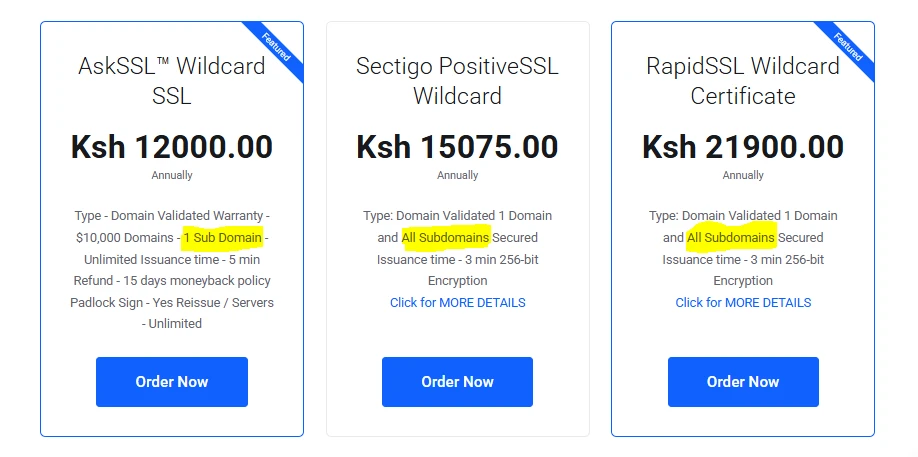
A wildcard SSL certificate is designed to secure one main domain and all its first-level subdomains under a single setup.
Instead of buying separate certificates for each subdomain, you use one certificate that covers them all.
It works using an asterisk (*). For example, *.yourbusiness.co.ke would secure:
yourbusiness.co.keblog.yourbusiness.co.keshop.yourbusiness.co.keportal.yourbusiness.co.ke
As long as the subdomains sit directly under your main domain, they’re automatically protected.
That means when you create a new subdomain later, you don’t need to go back and purchase or install another SSL certificate; it’s already covered.
For example:
- A business website with a blog, shop, and client portal all under the same domain
- A SaaS platform using subdomains for different users or services
- A growing brand that keeps adding new sections like careers, support, or dashboards
In these cases, a wildcard SSL keeps everything secure without increasing your costs or adding extra work every time you expand.
This is what makes wildcard SSL certificates so practical.
You install it once, and it continues working quietly in the background as your setup grows.
What is a Multi-Domain SSL Certificate?
A multi-domain SSL certificate, often called a SAN (Subject Alternative Name) certificate, lets you secure several completely different domains using one certificate.
This option is built for situations where you’re managing multiple separate websites.
Each domain is added to the certificate as a SAN entry, so they’re all protected under one setup.
For example, a single certificate can cover:
yourbusiness.co.keyourshop.comclientproject.or.keblog.yourbusiness.co.ke
You choose exactly which domains to include when setting it up, and depending on the plan, you can add quite a large number, sometimes even hundreds.
This makes multi-domain SSL certificates a strong fit when your online presence is spread across different brands, businesses, or client projects.
Instead of managing a separate certificate for each one, everything is handled in one place, which keeps things simpler and often more cost-effective over time.
Key Differences of Multi-Domain vs Wildcard SSL
When you place these two side by side, the differences become much clearer.
Each one solves a different kind of problem, so the better choice depends on how your websites are structured.
Here’s a simple side-by-side table to make the differences easier to scan:
| Feature | Wildcard SSL | Multi-Domain SSL |
| Coverage | One main domain + unlimited subdomains | Multiple unrelated domains (and their subdomains) |
| New Subdomains | Automatically covered | Must reissue certificate to add new ones |
| Flexibility | Best when everything is under one domain | Multi-domain SSL gives you more freedom. You can mix different domains, add or remove them as needed, and support completely separate websites without being tied to one structure. |
| Validation Levels | Usually DV (Domain Validation) or OV (Organization Validation) | DV, OV, and EV (Extended Validation) available |
| Security Scope | One certificate covers all subdomains (shared risk) | Easier to isolate issues to specific domains |
| Management | Simple and centralised for one domain | Centralised control across multiple domains |
| Cost Efficiency | More cost-effective for many subdomains | Better value for multiple different domains, but costs can increase as you add more domains. |
If your websites all live under one domain, wildcard SSL keeps things simple and cost-efficient.
If you’re managing multiple independent websites, brands, or client domains, multi-domain SSL gives you the flexibility to handle everything in one place.
And if you need a mix of both, Truehost also offers a multi-domain wildcard option, which allows you to secure multiple base domains, each with their own subdomains, all under a single solution.
Difference in Uses – When to Choose Wildcard vs Multi-Domain SSL
At this point, the real question is simple: which one fits your setup better? The answer comes down to how your websites are structured and how you plan to grow them.
When a Wildcard SSL Makes More Sense
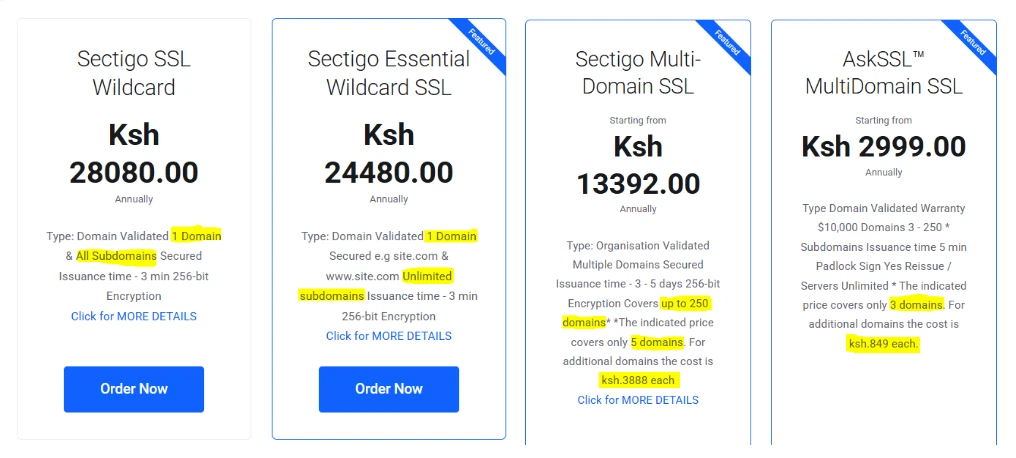
A wildcard SSL works best when everything revolves around one main domain and its subdomains. It keeps things clean, centralized, and easy to manage as you expand.
Here are a few common scenarios:
- E-commerce businesses
If your store runs on one domain but has different sections like blog.shop.co.ke or payments.shop.co.ke, a wildcard SSL covers everything without needing separate certificates.
- Schools and institutions
Many schools use subdomains for different departments like admissions.yourschool.ac.ke, elearning.yourschool.ac.ke, or portal.yourschool.ac.ke.
A wildcard SSL keeps all of these secure under one setup.
- Growing platforms
If you regularly create new subdomains for features, users, or services, a wildcard SSL saves you from repeating the same setup process every time.
In short, if your digital presence stays under one “roof,” this option keeps things simple and cost-effective.
When a Multi-Domain SSL is the Better Fit
A multi-domain SSL is ideal when you’re dealing with completely separate websites that don’t share the same domain.
Some practical examples include:
- Web agencies and developers
If you manage multiple client websites, each with its own .co.ke or .or.ke domain, a multi-domain SSL lets you secure them all in one place instead of juggling separate certificates.
- NGOs and organisations
You might have a main site like yourorg.or.ke and a separate donation platform on another domain. A multi-domain SSL keeps both secure under one certificate.
- Businesses with local and international presence
Many companies use both a .co.ke domain for local audiences and a .com version for global reach. A multi-domain SSL allows you to protect both without splitting your setup.
This option gives you flexibility when your websites operate independently but still need to be managed efficiently.
When You Need Both: The Hybrid Approach
There are situations where neither option alone feels complete.
You might have multiple domains, and each of those domains has its own subdomains.
That’s where a hybrid solution comes in. Providers like Truehost offer multi-domain wildcard SSL certificates, which combine both approaches.
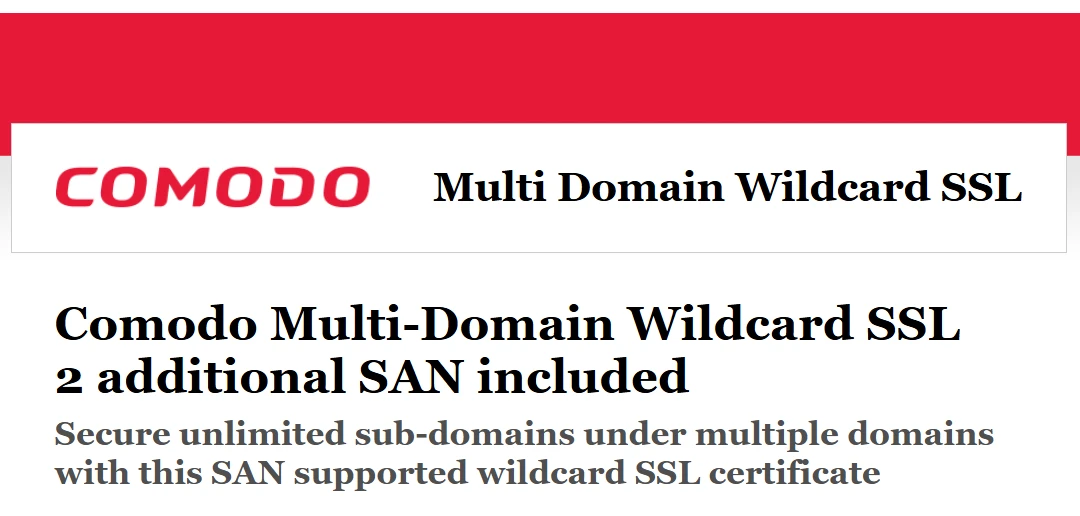
With this setup, you can:
- Secure multiple main domains
- Cover unlimited subdomains under each one
It’s a practical solution for agencies, SaaS platforms, or businesses running complex setups that don’t fit into a single structure.
The choice becomes much easier when you look at how your websites are organized.
One domain with many subdomains points to wildcard SSL. Multiple independent domains point to multi-domain SSL.
And if you’re dealing with both, the hybrid option ties everything together without adding complexity.
FAQs about Multi-Domain vs Wildcard SSL
Which one is better for security?
Both options use the same level of encryption, so your data is equally protected. The difference comes in flexibility. Multi-domain SSL can include higher validation levels like EV, which adds extra trust indicators for visitors.
Can I use both at the same time?
Yes, and many businesses do. You might use a wildcard SSL for your main domain and a multi-domain SSL for other independent sites. There’s also a hybrid option that combines both approaches.
Do they work with Kenyan hosting and M-PESA sites?
Yes. Both types of SSL certificates work smoothly with local hosting environments and integrate well with payment systems, including M-PESA.
What happens if the certificate expires?
Once an SSL certificate expires, browsers will start showing security warnings to visitors. This can affect trust and traffic almost immediately. Most providers send reminders before expiry so you can renew in time and avoid disruptions.
Conclusion
So now, choosing multi-domain vs wildcard SSL should feel much clearer.
One is built for managing many subdomains under a single domain, while the other is designed for handling multiple separate websites in one place.
The right choice comes down to how your online presence is structured.
If you’re ready to secure your domain properly, Truehost makes the process simple and locally accessible.
You can register your .ke or .com domain and choose the right SSL solution in one place.
Your website’s security isn’t something to delay.
Getting the right SSL in place protects your visitors, builds trust, and keeps everything running smoothly as you grow.