 Domain SearchInstantly check and register your preferred domain name
 Web Hosting
 cPanel HostingHosting powered by cPanel (Most user friendly)
 WordPress HostingHost your WordPress website with fast, secure, and affordable WordPress hosting in Kenya.
 KE Domains
 Reseller HostingStart your own hosting business without tech hustles
 Windows HostingOptimized for Windows-based applications and sites.
 Free Domain
 Affiliate ProgramEarn commissions by referring customers to our platforms
 Free HostingTest our SSD Hosting for free, for life (1GB storage)
 Domain TransferMove your domain to us with zero downtime and full control
 All DomainsBrowse and register domain extensions from around the world
 .Com Domain
 WhoisLook up domain ownership, expiry dates, and registrar information
 VPS Hosting
 Managed VPSNon techy? Opt for fully managed VPS server
 Dedicated ServersEnjoy unmatched power and control with your own physical server.
 Website Builder
 Online Store BuilderLaunch a professional e-commerce store without writing code.
 Web Design ServiceGet a custom-designed website tailored to your brand and goals. From just KES 15,600
 BlogRead our guides on web hosting, online business, digital marketing, and more
 SupportOur support guides cover everything you need to know about our services
 ContactContact us via chat or email
When you visit a website like www.google.com, you’re using something called a domain name.
It’s that easy-to-remember address that helps you get to a specific place on the internet without typing a string of confusing numbers.
But a domain name isn’t just one thing , it’s made up of different parts, and each plays a role in telling your browser exactly where to go.
In this guide, you’ll learn how to break down a domain name into smaller chunks so it’s easier to understand.
You’ll also see how each piece works, what it’s called, and why it matters. If you’re building a website, starting a blog, or buying a domain, this will make the process feel a whole lot simpler.
Let’s dive right into the parts of a domain you should know.
What is a domain name?
Before you look at the different parts, let’s define what a domain name actually is.
A domain name is a text-based address that lets people visit your website. It replaces the need to memorize a long series of numbers called an IP address.
You type the domain into a browser — like Chrome or Safari — and you’re directed to the right server where your site lives.
The 5 key parts of a domain
Here’s how a domain is structured from start to end:
www.blog.example.co.ke
Now let’s break down each part.
1) Subdomain
This is the first part of the domain that comes before the main domain name. Think of it like a room in a house.
- Example: In
blog.example.com, the word blog is the subdomain. - It helps you organize or separate sections of your website.
Common subdomains include:
www– the standard one most people knowshop– for e-commerce areassupport– for help desksapp– for web apps
You can skip the subdomain entirely, or create multiple for different parts of your site.
Tip: Subdomains can help when you want a different design, login, or layout without needing to buy a new domain.
2) Second-level domain (SLD)
This is the main word in your domain — the part you actually pick and register.
- In
example.com, the word example is the second-level domain. - This is your brand name, and it’s what people will remember and search for.
It’s called “second-level” because it sits just before the top-level domain, which we’ll get to in a moment.
Pick an SLD that’s short, easy to type, and reflects your brand or idea. Avoid numbers, dashes, or hard-to-spell words.
3) Top-level domain (TLD)
This is the extension at the end of the domain name.
- In
example.com, the .com is the top-level domain.
There are different kinds of TLDs:
| Type | Examples | Description |
|---|---|---|
| Generic (gTLD) | .com, .org, .net, .info | Commonly used everywhere |
| Sponsored | .gov, .edu, .mil | Restricted to specific organizations |
| Country-code | .ke, .uk, .ng, .de | Used for country-specific websites |
If you’re in Kenya, using .co.ke or .ke can help your website rank better locally. That’s called geo-targeting.
4) Root domain
When you combine the SLD and the TLD, you get what’s called the root domain.
- So,
example.comis the root domain. - This is what you actually register and own.
You can build your website, set up emails, or add subdomains based on the root.
5) Fully qualified domain name (FQDN)
This is the complete version of your domain.
- Example:
www.blog.example.co.ke - It includes everything — from the subdomain all the way to the TLD.
You’ll often see this used in technical documentation, SSL certificates, or hosting dashboards.
The FQDN is the most specific way to identify your domain. It helps servers know exactly which part of your site someone is requesting.
Extra: The domain path
This part is not part of the domain itself, but it’s still useful to understand.
When you see something like this:
example.com/about-us
- The
/about-usis called the URL path. - It points to a specific page or section inside your site.
You don’t need to register this part — you create it when you build pages on your site.
Quick visual breakdown
Here’s a simple visual to help you make sense of everything:
www.blog.example.co.ke
│    │       │       └── TLD (.co.ke)
│    │       └────────── SLD (example)
│    └────────────────── Subdomain (blog)
└─────────────────────── Subdomain (www)
Recap: The parts of a domain
| Part | Example | What it does |
|---|---|---|
| Subdomain | www. or blog. | Organizes sections of your website |
| Second-level domain | example | Your brand name—what people remember |
| Top-level domain | .com, .co.ke | Extension that adds context (global or local) |
| Root domain | example.com | SLD + TLD = The domain you register |
| FQDN | www.blog.example.com | The complete version used in systems |
Where to buy and manage your domain
You can register a domain name through a domain registrar. These are companies that sell and manage domain names.
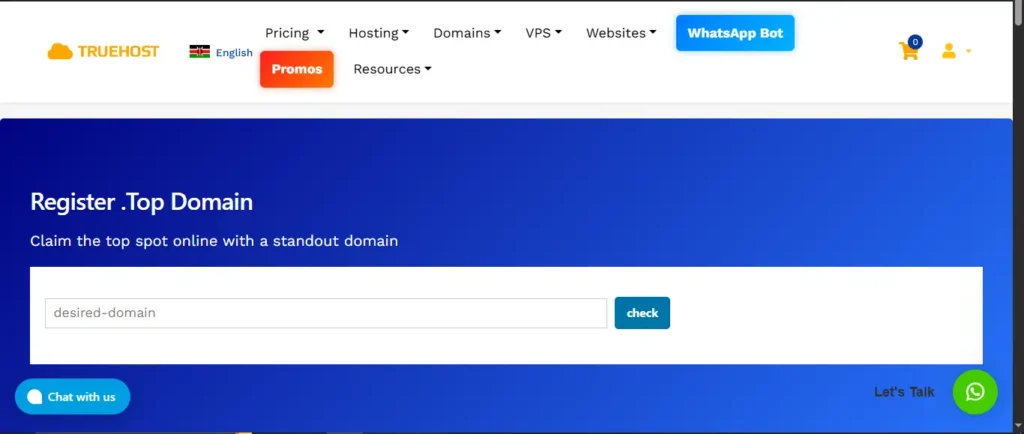
Some popular options include:
- Truehost – great for
.co.kedomains - Namecheap
- GoDaddy
- Google Domains
Most registrars let you search, buy, renew, and manage everything from one dashboard.
Why Truehost Kenya is a great choice for your domain
If you’re building a brand with local roots, Truehost is one of the best domain registrars to consider.
We specialize in top level domains, and country level domains, offer fast support, and provide everything you need under one roof — from domain registration to hosting, email, and SSL certificates.
More reasons to choose us:
- Affordable Kenyan domains – Get
.co.ke,.or.ke,.sc.kedomains at competitive prices - Free DNS management – Update your records without extra fees
- Instant domain activation – Your domain goes live within minutes
- Full control panel access – Manage domains, hosting, and emails from one dashboard
- Bulk registration support – Ideal for agencies and resellers
Whether you’re launching a blog, e-commerce site, or business portal, Truehost makes it easy to get started.
We also offer web hosting packages, VPS, and cloud servers tailored for Kenyan websites.
Looking for a local registrar that understands your needs and offers instant support? Go with Truehost—trusted by thousands of Kenyan businesses.
Over 30,000 .ke domains registered
Final thoughts
Understanding the different parts of a domain gives you a major advantage when building your online presence.
You are now better equipped to make smart decisions that will protect your brand and help your business grow.
Knowing the difference between a subdomain, SLD, and TLD allows you to set up your website structure more clearly.
This clarity helps both your visitors and search engines navigate your content without any confusion.
Choosing the right domain name extension is essential for reaching your specific target audience. A local extension like .co.ke can instantly build trust with Kenyan customers and improve your local search rankings.
Mastering these terms also helps you avoid expensive mistakes when buying or transferring domains between different providers.
You will be able to communicate effectively with technical support teams and manage your digital assets with confidence.
If you want to take your technical skills even further, the next step is looking into DNS (Domain Name System) settings.
Learning how records like A, CNAME, and MX work will give you full control over your website and professional email services.
Building a strong foundation now ensures that your website remains secure and accessible as your project expands.
Taking the time to learn these basics is one of the best investments you can make for your digital future.