Domain SearchInstantly check and register your preferred domain name
 Web Hosting
 cPanel HostingHosting powered by cPanel (Most user friendly)
 WordPress HostingHost your WordPress website with fast, secure, and affordable WordPress hosting in Kenya.
 KE Domains
 Reseller HostingStart your own hosting business without tech hustles
 Windows HostingOptimized for Windows-based applications and sites.
 Free Domain
 Affiliate ProgramEarn commissions by referring customers to our platforms
 Free HostingTest our SSD Hosting for free, for life (1GB storage)
 Domain TransferMove your domain to us with zero downtime and full control
 All DomainsBrowse and register domain extensions from around the world
 .Com Domain
 WhoisLook up domain ownership, expiry dates, and registrar information
 VPS Hosting
 Managed VPSNon techy? Opt for fully managed VPS server
 Dedicated ServersEnjoy unmatched power and control with your own physical server.
 Website Builder
 Online Store BuilderLaunch a professional e-commerce store without writing code.
 Web Design ServiceGet a custom-designed website tailored to your brand and goals. From just KES 15,600
 BlogRead our guides on web hosting, online business, digital marketing, and more
 SupportOur support guides cover everything you need to know about our services
 ContactContact us via chat or email
What if you could know what your customers are searching for right now, before they even finish typing it?
While your competitors are still guessing based on old sales reports or gut feelings, you could already be preparing the exact product or content they are about to look for.
That is exactly what Google Trends helps you do. It is a free tool from Google that shows how often specific search terms are entered over time, relative to the platform’s total search volume.
It does not give you exact numbers, but it shows you what people are interested in, when they are interested, and where that interest is coming from.
In this article, I am going to show you how to use Google Trends to identify real insights that help you outsmart your competitors and grow your business.
More importantly, I will show you how to turn those insights into local visibility so you can attract customers in your area before anyone else does.
How Do Google Trends Work?
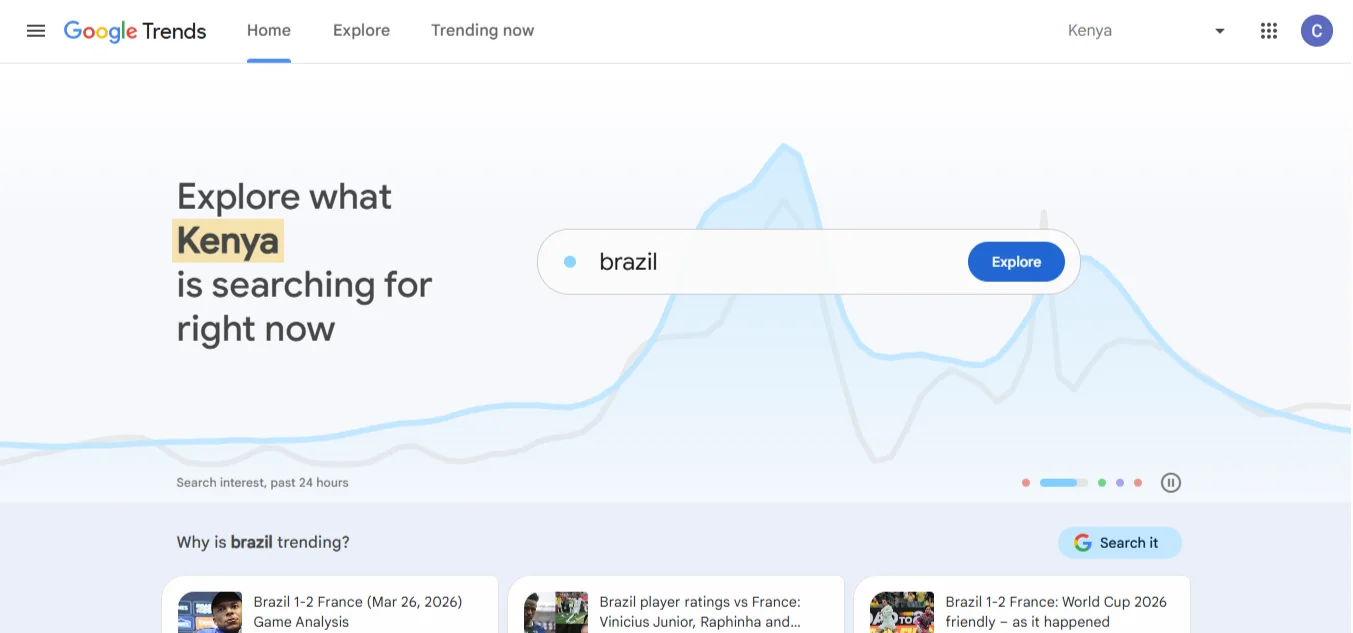
Before we jump into the steps, it helps to understand the basics. Google Trends isn’t complicated, but knowing how it processes data will help you use it correctly.
It tracks search interest over time on a scale:
Google Trends doesn’t show you raw numbers. Instead, it normalizes the data. It takes the highest point of interest for a given term and sets it to 100. Everything else is indexed relative to that peak. This makes it easy to see when something is popular, not just how popular.
Shows data by region, time range, category, and search type:
You can zoom in to see the interest in Nairobi versus Kisumu. You can filter results to show only searches from the last hour or the past five years. You can also narrow it down to specific categories, such as Business, Health, or Sports.
Google Trends compares multiple search terms:
This is one of its best features. You can enter up to five search terms and see which one is consistently more popular.
It identifies rising vs. trending searches:
Google Trends not only shows you what is popular, but also what is gaining popularity. This is crucial for catching trends early.
It pulls from anonymized, aggregated data:
Google isn’t showing you your individual search history. It groups data to show overall patterns, giving you a reliable snapshot of public interest.
How to Use Google Trends for Research and Stay Ahead of Your Competitors
Now, let’s see how you can use Google Trends to become the best. Follow these steps:
Step 1: Identify Keywords and Topics
Start with a broad topic that relates to your business. Go to Google Trends and type it in. You will see a chart showing its performance over the last 12 months.
To really refine your strategy, use the Compare feature. This lets you pit different keywords against each other to see which has more potential.
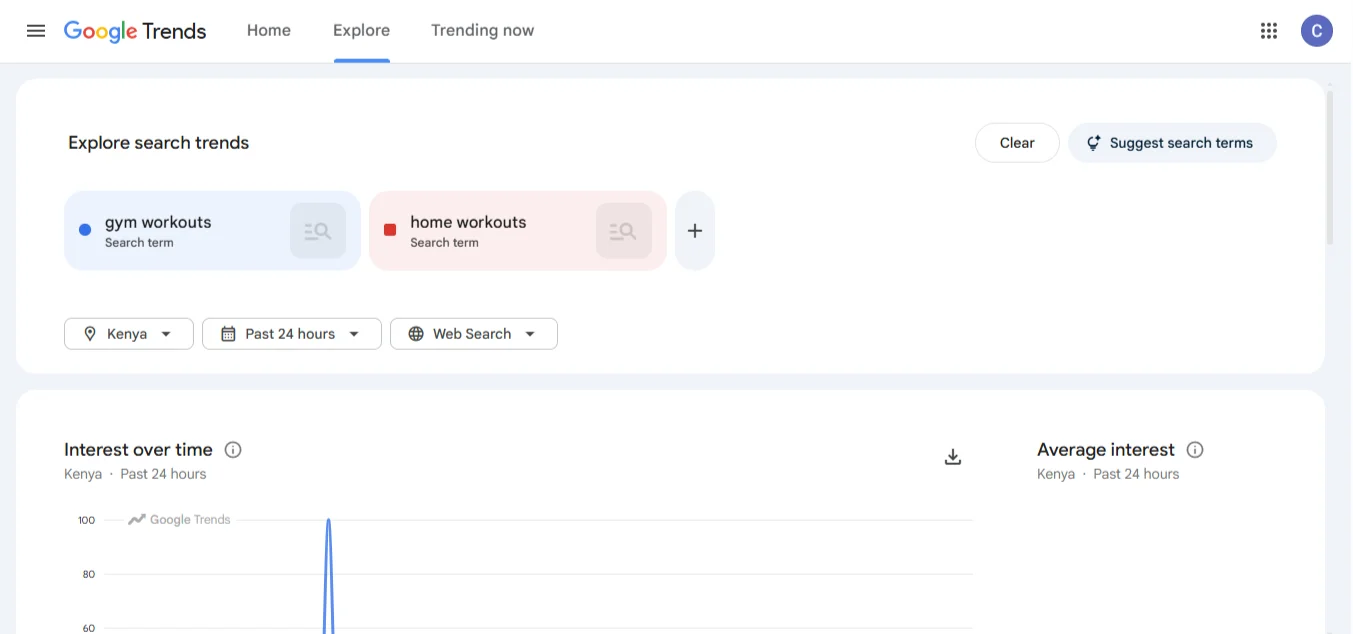
Example: Let’s say you sell fitness gear in Kenya. You might be unsure whether to stock equipment for home workouts or gym workouts.
Enter both into the Compare field. If you see that home workouts have been consistently higher since 2020, you now have data to support stocking more resistance bands and mats rather than heavy barbells.
Step 2: Analyze Seasonal Patterns
Some searches are predictable. They spike at the same time every year. Google Trends helps you spot recurring peaks so you can plan your campaigns months in advance.
Look at the Interest Over Time chart. If you see a consistent peak every November or December, you know that’s the time to push your offers.
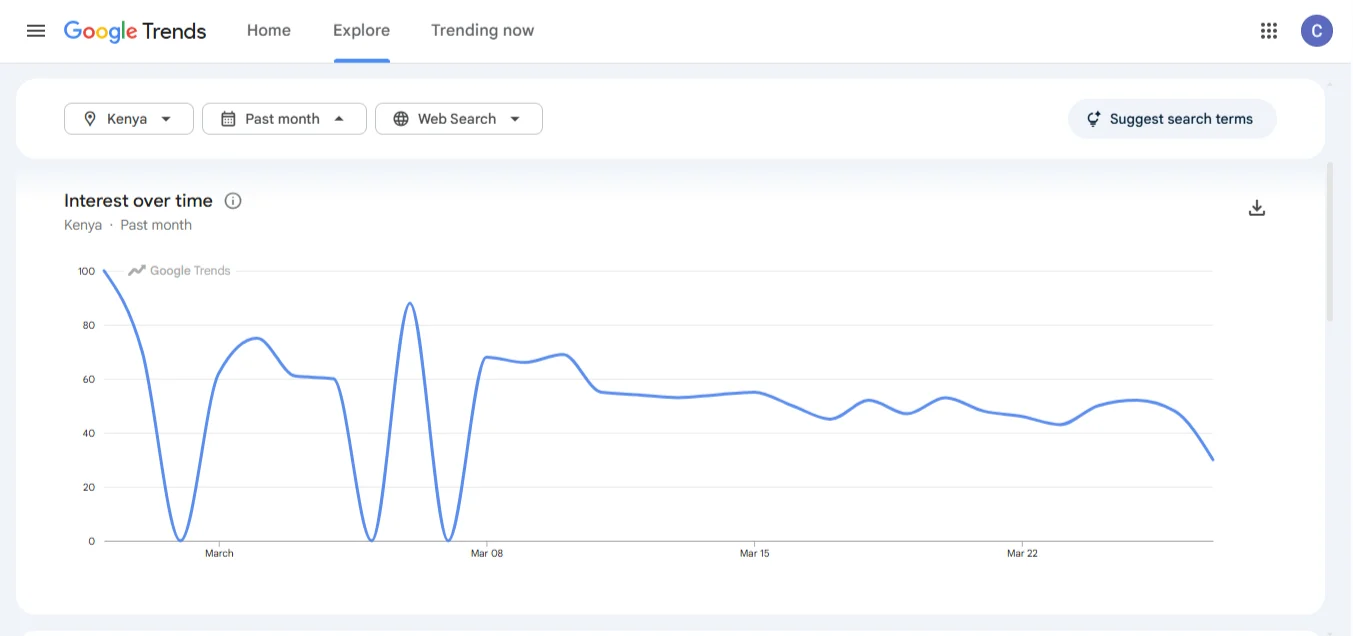
Example: If you run a dairy business or a cafe in Nairobi, you know that ice cream-related searches peak during the dry, hot months of January, February, and June.
Running a campaign for new flavors or discounts in late May ensures you are at the front of the queue when customers start searching in June.
Step 3: Explore Regional Demand
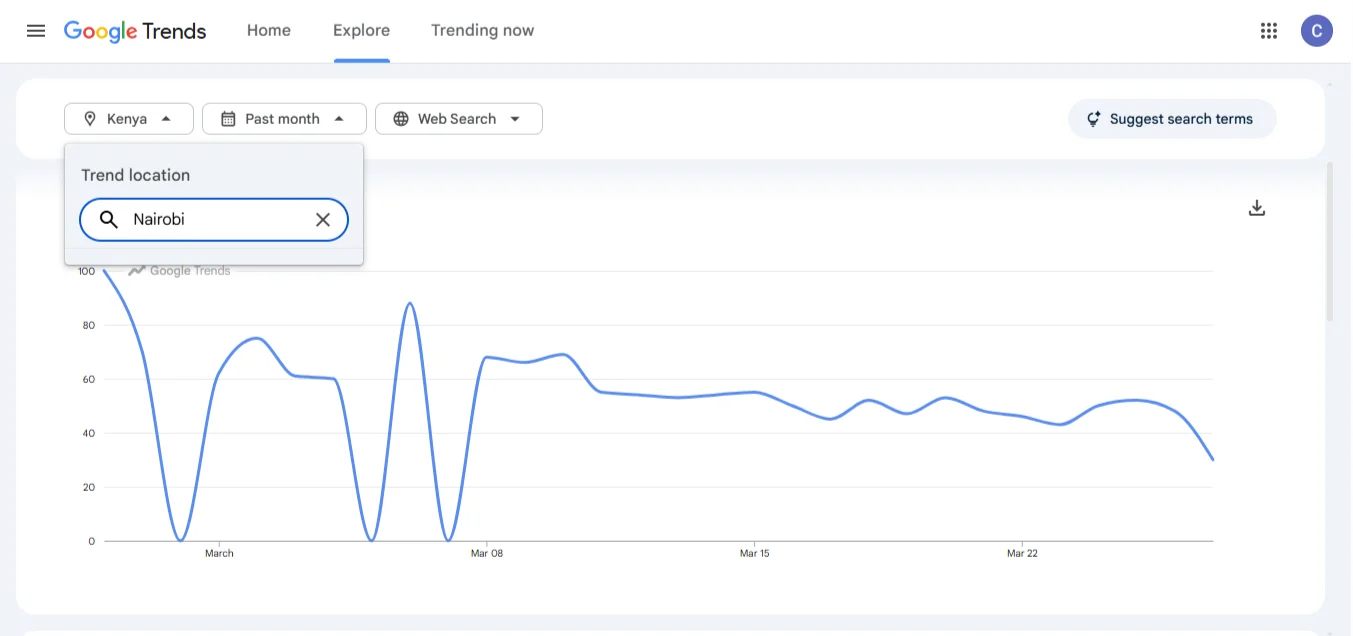
Kenya is a diverse market. What works in Nairobi might not work in Eldoret or Mombasa. The Interest by Region feature solves this problem.
This feature shows you a heat map of where your search term is most popular. You can use this to focus your marketing budget and inventory on the regions that actually want your product.
Example: If you run a restaurant chain and you are considering launching a vegan restaurant menu, don’t guess where to market it. Check Google Trends.
If the data shows that vegan restaurants are trending in Nairobi and Kiambu but have low interest in Mombasa, you can prioritize your ad spend and launch events in Nairobi first.
Step 4: Discover Related Queries
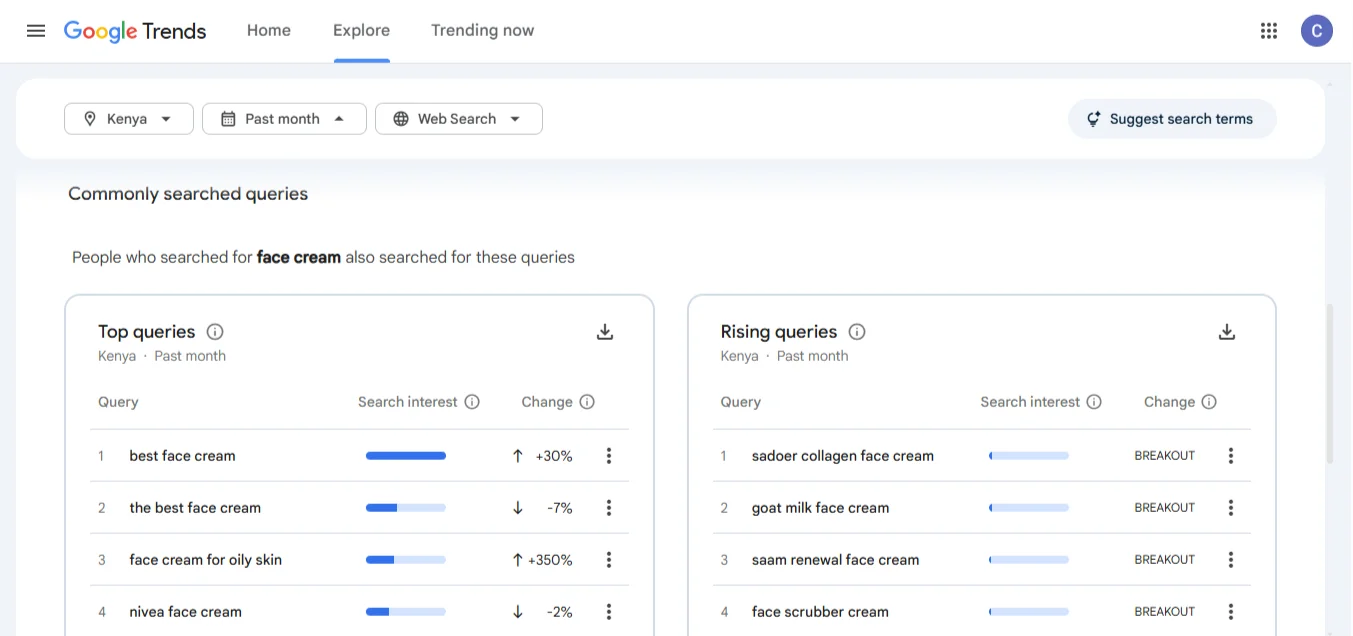
At the bottom of the results page, you will find a goldmine: Related Queries. This section is sometimes overlooked, but it is where you find exactly what your customers are typing.
You will see two filters:
- Top: These are the most frequently searched variations of your topic.
- Rising: These are search terms that have seen the biggest increase in popularity recently. This is where you find long-tail keywords and new content ideas.
If you sell skincare products and your main keyword is “face cream,” look at the rising queries. You might see “face cream for dark spots” or “organic face cream Kenya.” Those are instant content ideas for your blog or products you should consider stocking.
Step 5: Track Competitors
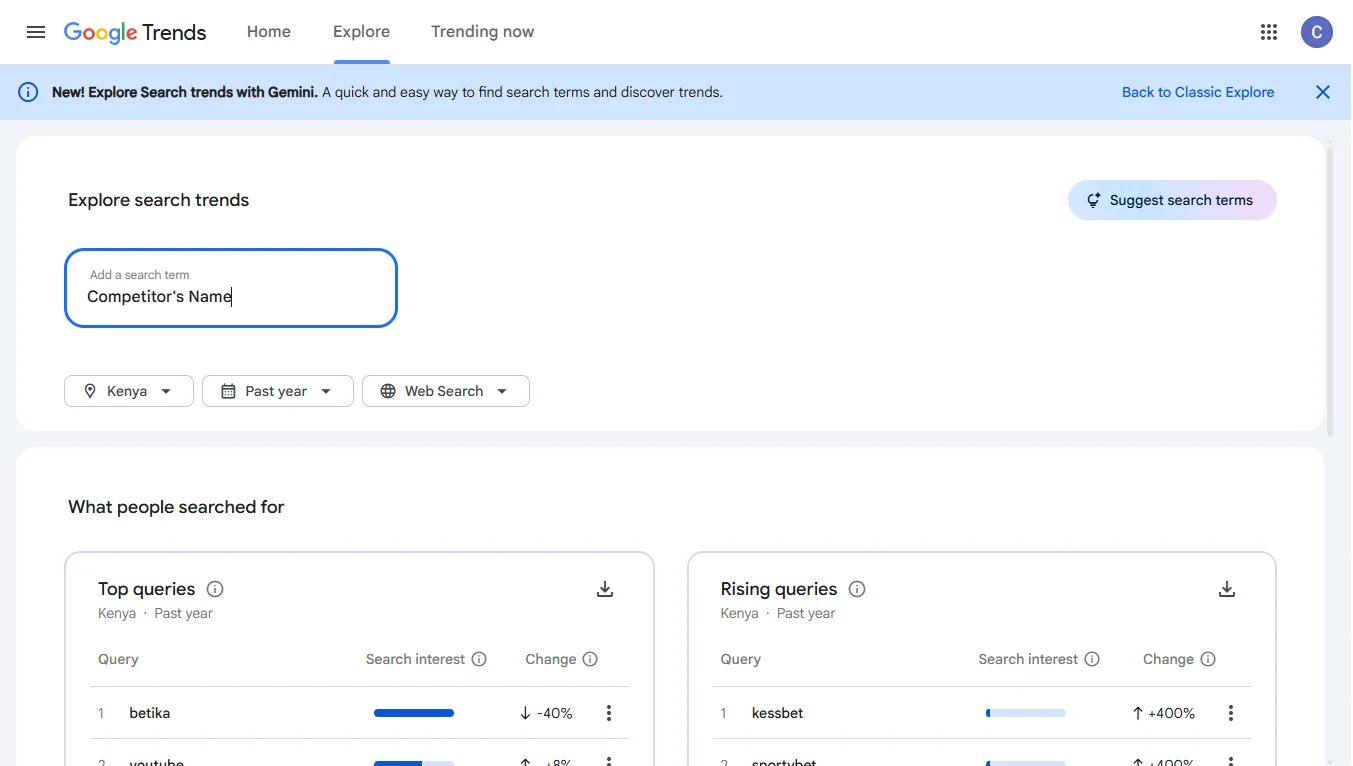
You can use Google Trends to ethically spy on your competition.
Enter your competitor’s brand name into Google Trends. Then use the Compare feature to add a second or third competitor. You will see a line chart showing interest in those brands over time.
If you notice that a competitor’s brand interest spikes in a particular month, you can look back at what they did. Did they launch a sale?
Did they run a marketing campaign? You can then plan your campaigns to either ride the wave of that increased industry interest or offer a counter-campaign when their interest starts to dip.
Step 6: Spot Emerging Trends
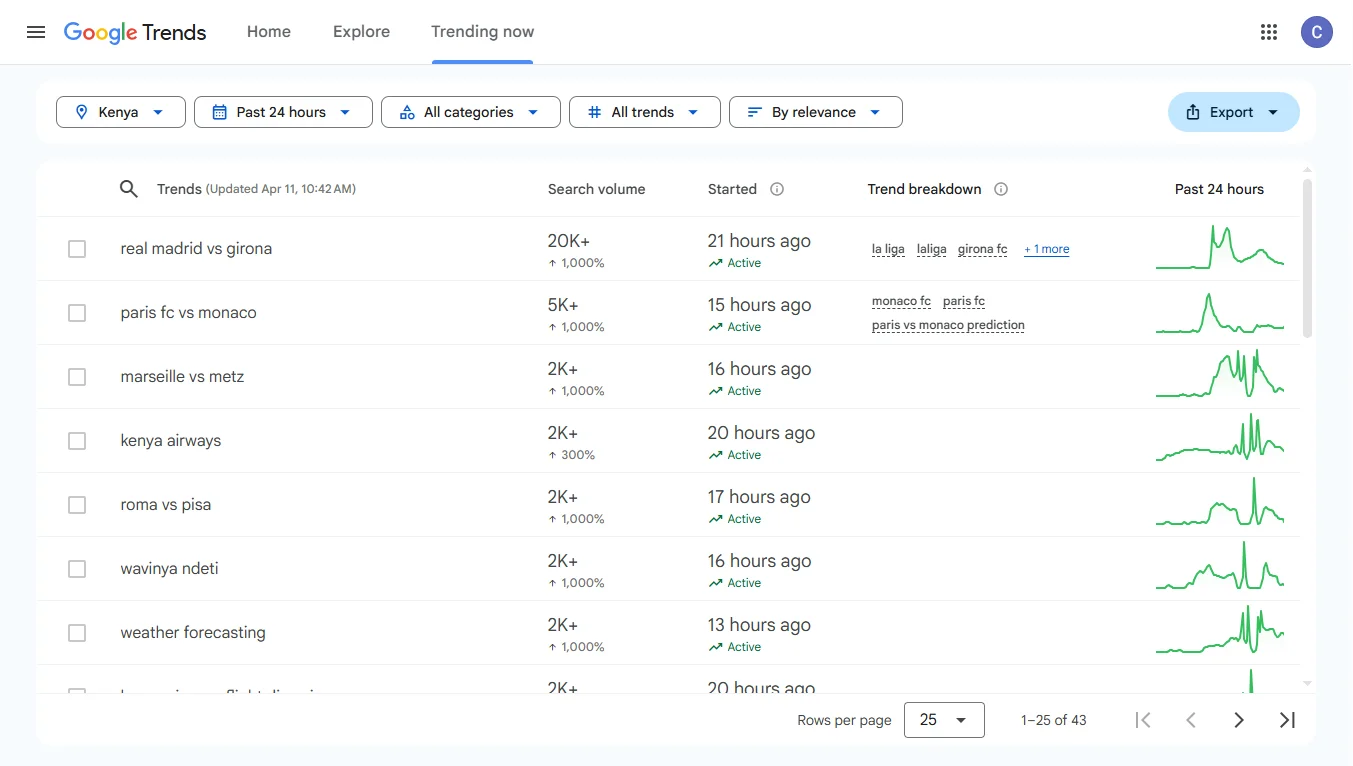
Make it a habit to regularly check the Trending Searches section for your country. This shows you what topics are currently “breakout”, meaning they have grown by over 5000%.
To automate this, set up Google Alerts for your industry keywords. This way, you get real-time notifications about new topics.
When you spot an emerging trend, be the first to create content, launch a campaign, or release a product around it.
Step 7: Integrate Findings Into Marketing Strategy
Data is useless if it just sits on your screen. You need to integrate these insights into your workflow.
- Optimize SEO and PPC: Use the keywords and regions you discovered to refine your website copy and Google Ads targeting.
- Create a Content Calendar: Align your blog posts and social media content with the seasonal peaks you identified.
- Plan Product Launches: Don’t launch a winter coat line in December. If your data shows searches for jackets peak in July (when it’s coldest in some parts of Kenya), schedule your launch for June.
Pro Tips
To get the most out of Google Trends, keep these tips in mind:
- Combine with Google Keyword Planner. Google Trends tells you the direction and trend. Keyword Planner tells you the actual search volume. Use them together for the full picture. You can also try Truehost’s local SEO services to help you strategize.
- Check the time range. Use the last 12 months for short-term campaign planning. Use the last 5 years to understand long-term shifts in your industry.
- Compare search types. Don’t just look at “Web Search.” Click on the dropdown and compare “YouTube Search” or “Shopping” trends. If people are searching for your product on YouTube but not Google Web, you might want to create a video tutorial instead of a blog post.
- Remember, trends are relative. A score of 100 does not mean millions of searches. It means the term was at its peak relative to its average.
- Watch some YouTube videos. If you are a visual learner, there are plenty of tutorials like the one linked at the end of this article that walk you through the interface step by step.
By consistently using Google Trends, you gain the ability to:
- Predict shifts in demand before they happen.
- Find untapped markets in specific Kenyan counties.
- Create content that your audience actually wants.
- Stay ahead of competitors with timely, relevant campaigns.
For a practical walkthrough, you can watch this guide:
Final Word
You no longer have to rely on guesswork to know what your customers want. Google Trends gives you a direct look at the search behavior of millions of Kenyans, allowing you to plan your business moves with confidence.
With Google Trends, you can identify rising keywords to track competitors and spot regional demand. This free tool is one of the most valuable assets in your marketing toolkit.
If you need help implementing these insights and getting your business to rank for these trending topics, we are here to help.
Our local SEO services can put your business on the map.