 Domain SearchInstantly check and register your preferred domain name
 Web Hosting
 cPanel HostingHosting powered by cPanel (Most user friendly)
 WordPress HostingHost your WordPress website with fast, secure, and affordable WordPress hosting in Kenya.
 KE Domains
 Reseller HostingStart your own hosting business without tech hustles
 Windows HostingOptimized for Windows-based applications and sites.
 Free Domain
 Affiliate ProgramEarn commissions by referring customers to our platforms
 Free HostingTest our SSD Hosting for free, for life (1GB storage)
 Domain TransferMove your domain to us with zero downtime and full control
 All DomainsBrowse and register domain extensions from around the world
 .Com Domain
 WhoisLook up domain ownership, expiry dates, and registrar information
 VPS Hosting
 Managed VPSNon techy? Opt for fully managed VPS server
 Dedicated ServersEnjoy unmatched power and control with your own physical server.
 Website Builder
 Online Store BuilderLaunch a professional e-commerce store without writing code.
 Web Design ServiceGet a custom-designed website tailored to your brand and goals. From just KES 15,600
 BlogRead our guides on web hosting, online business, digital marketing, and more
 SupportOur support guides cover everything you need to know about our services
 ContactContact us via chat or email
Many businesses own multiple domains for branding, regional markets, marketing campaigns, product websites, and brand protection.
Managing multiple domains requires planning, organization, and a clear strategy.
Without structure, multiple domains can create SEO problems, duplicate content issues, brand confusion, and unnecessary costs.
When you manage multiple domains properly, you improve operational efficiency, strengthen your brand presence, and make it easier to scale your business into new markets or products.
Create a domain strategy first
Before you connect domains, set up hosting, or configure redirects, create a domain strategy.
Every domain must have a clear purpose. Randomly adding names without a plan leads to wasted money, SEO headaches, and brand confusion down the line.
You can classify your multiple domains into clear categories right from the start.
This simple step turns a messy collection into a focused portfolio that actually supports your business goals.
Here’s how most smart brands do it:
| Domain Type | Purpose | Example |
| Main domain | Primary website | brand.com |
| Country domain | Regional targeting | brand.co.ke |
| Redirect domain | Brand protection | brand.net |
| Campaign domain | Marketing campaigns | trybrand.com |
| Microsite domain | Product or service site | brandhosting.com |
Real-life example
Take StoryBrand, the marketing framework company founded by Donald Miller.
They run these domains:
StoryBrand.comas their main authority site.

BuildingAStoryBrand.comas a dedicated blog for educational content.

FiveMinuteMarketingMakeover.com(plus its short version5MinuteMarketingMakeover.com) purely for lead-generation campaigns.

This setup lets them capture different audience needs, deep learning in one domain, and quick wins in another.
This happens while keeping their core brand clean and authoritative.
The result? Stronger funnels, better engagement, and marketing that actually converts without confusing visitors.
Start by listing every domain you own or plan to register. Ask yourself: What stage is my business in right now, startup, growth, or expansion?
Does this domain reinforce my brand, support a campaign, or educate customers?
Use a quick checklist like this:
- Does it position my authority?
- Does it reinforce my brand?
- Can it create new opportunities or pivots?
- Is it easy to remember and find?
- Does it capture real customer intent?
- Is the trademark clear?
- Is it simple to manage?
Answer those questions honestly for each domain, and you’ll immediately spot gaps or extras.
Today, businesses that get this right early scale faster because every domain works together instead of competing against each other.
Managing multiple domains
1) Centralize domain portfolio management
Always manage your domains from one place if possible. Centralized management reduces mistakes and saves time.
Best practices include:
- Use one registrar account for all domains
- Enable bulk domain management
- Synchronize renewal dates
- Turn on auto-renew
- Consolidate billing and invoices
- Enable WHOIS privacy for all domains
- Maintain a domain management spreadsheet
- Document the purpose of each domain
Centralization makes it easier to manage renewals, DNS records, and security settings.
You avoid the nightmare of logging into five different registrar dashboards when one renewal slips through the cracks.
We at Truehost make this straightforward: register or transfer all your domains with us in one account and handle everything from a single dashboard.
2) Use multi-domain management tools
If you manage many domains, use bulk management tools to simplify operations.
These tools help you:
- Search and register domains in bulk
- Update DNS records across many domains
- Renew multiple domains at once
- Manage nameservers centrally
- Monitor domain status and expiry dates
- Maintain consistent settings across domains
This reduces manual work and improves consistency across your domain portfolio.
Modern registrars offer built-in bulk features, and you can add simple spreadsheets or dedicated monitoring tools for extra visibility.
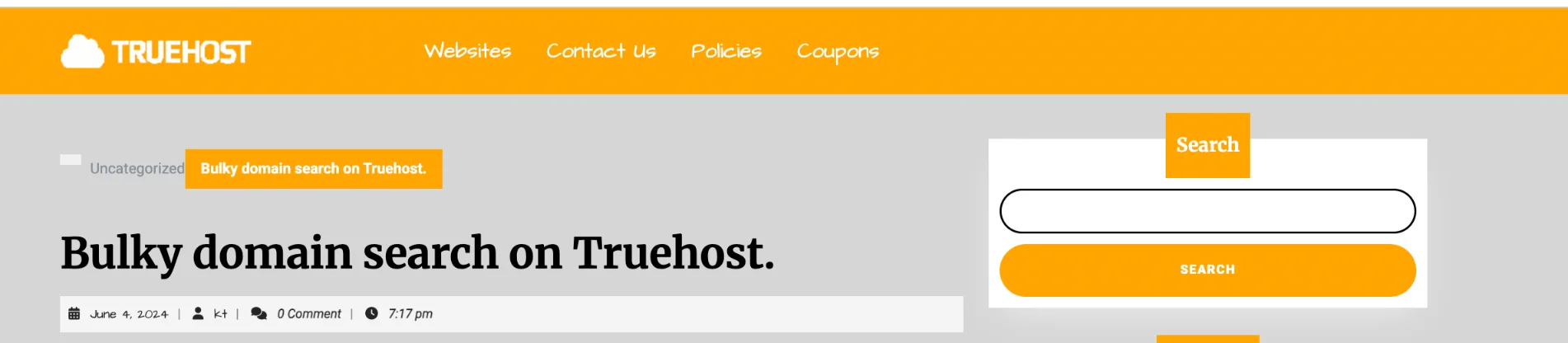
We make bulk management straightforward with our bulk domain search and centralized dashboard.
This is perfect when you’re scaling your multiple domains.
The payoff? Fewer errors and more time to focus on growing your business.
3) Configure DNS and hosting properly
Standardize DNS and hosting settings across domains to avoid configuration issues.
Standard DNS records include:
- A records
- CNAME records
- MX records
- TXT records
Best practices:
- Use consistent nameservers
- Enable DNSSEC for security
- Use multi-domain hosting for related websites
- Use separate hosting for high-traffic or critical sites
- Create DNS templates for faster setup
Proper DNS management prevents downtime, email issues, and website errors. Set up templates once and apply them everywhere.
For instance, point your campaign domain’s A record to the right landing page and your MX records to the same email provider.
This keeps everything reliable as your portfolio grows.
4) Deploy SSL certificates across all domains
Every domain should use HTTPS. SSL certificates protect data, improve SEO, and increase user trust.
You can use:
- Multi-domain SSL certificates
- Wildcard SSL certificates
- Individual SSL certificates per domain
Best practices:
- Install SSL on all active domains
- Redirect HTTP to HTTPS
- Automate SSL renewal
- Monitor SSL expiry dates
- Use centralized SSL management
You can check Truehost’s SSL certificate options.
This is important when managing many domains because manually handling SSL per domain becomes difficult as your portfolio grows.
Automated renewal keeps you secure without constant babysitting.
5) Implement security and monitoring
Managing multiple domains increases security risks if they are not properly monitored.
Security best practices:
- Apply domain locks to prevent unauthorized transfers
- Enable two-factor authentication on registrar accounts
- Maintain consistent security settings across domains
- Set up uptime monitoring for all websites
- Conduct regular security audits
- Use automated alerts for:
- Downtime
- Security threats
- Domain expiry
- SSL expiry
Security and monitoring are very important when managing multiple domains.
A single unlocked domain can become a weak link. Turn on registry locks and 2FA everywhere, then set alerts so you catch problems early.
Using subdomains vs separate domains
You must decide if to use subdomains or separate domains.
Subdomain
A subdomain is an extension of your main domain. It sits ‘under’ the main domain and shares the same root. It keeps everything neatly organized under one strong brand (brand.com) with less effort and cost.
examples:
blog.brand.comshop.brand.comsupport.brand.com
Separate domain
This is a completely independent domain with its own unique name and Top-Level Domain (TLD). It has no technical connection to your main domain.
It gives maximum independence but at the expense of brand cohesion, higher costs, and more work.
examples:
brandblog.combrandshop.com
General rule:
- Use subdomains for sections of the same business
- Use separate domains for different brands, markets, or products
- Use country domains for regional targeting
- Use campaign domains for marketing campaigns
Choosing the right structure helps SEO, branding, and management.
Subdomains inherit authority from your main domain and stay simple to maintain.
Separate domains give you full branding flexibility (great for a new product line) but require their own SEO effort.
In Kenya, for example, brand.co.ke as a separate country domain feels more local and trustworthy than shop.brand.com.
Tracking analytics across multiple domains
If you manage multiple domains, track performance for each domain and for the entire portfolio.
You should track:
- Traffic per domain
- Bounce rate
- Conversion rate
- Top pages
- Traffic sources
- User journeys across domains
You should also set up cross-domain tracking so you can track users moving between domains, for example:
- Campaign domain → Main website → Checkout domain
Cross-domain tracking is important for marketing campaigns and conversion tracking.
In GA4 you configure it once by adding your domains to the data stream settings.
Then you see the full customer journey instead of fragmented sessions. This data shows you exactly which domains drive real results.
Final implementation guidance
When managing multiple domains, follow these principles:
- Treat each domain as a business asset
- Manage all domains under one strategy
- Centralize domain management
- Use redirects where necessary
- Avoid duplicate content across domains
- Track performance per domain
- Maintain brand consistency
- Automate renewals, SSL, and monitoring
- Review your domain portfolio regularly
- Align domains with business goals
The goal is not to own many domains. The goal is to manage multiple domains strategically to support your brand, marketing, SEO, and long-term growth.
Put your multiple domains to work today
As the number registrar in Kenya, we make the whole process simple and local.
Register or transfer domains with us using M-PESA, get bulk tools, reliable DNS, and SSL options all in one place.
Open your domain portfolio with us here and lock in your strategy today.
Take the first step this week. Your brand will thank you.







