Domain SearchInstantly check and register your preferred domain name
 Web Hosting
 cPanel HostingHosting powered by cPanel (Most user friendly)
 WordPress HostingHost your WordPress website with fast, secure, and affordable WordPress hosting in Kenya.
 KE Domains
 Reseller HostingStart your own hosting business without tech hustles
 Windows HostingOptimized for Windows-based applications and sites.
 Free Domain
 Affiliate ProgramEarn commissions by referring customers to our platforms
 Free HostingTest our SSD Hosting for free, for life (1GB storage)
 Domain TransferMove your domain to us with zero downtime and full control
 All DomainsBrowse and register domain extensions from around the world
 .Com Domain
 WhoisLook up domain ownership, expiry dates, and registrar information
 VPS Hosting
 Managed VPSNon techy? Opt for fully managed VPS server
 Dedicated ServersEnjoy unmatched power and control with your own physical server.
 Website Builder
 Online Store BuilderLaunch a professional e-commerce store without writing code.
 Web Design ServiceGet a custom-designed website tailored to your brand and goals. From just KES 15,600
 BlogRead our guides on web hosting, online business, digital marketing, and more
 SupportOur support guides cover everything you need to know about our services
 ContactContact us via chat or email
Are you frustrated that your website isn’t bringing in enough customers? Or are you in the process of building a new website and wondering how to make it perform well from the start?
You’re not alone.
Many businesses spend time and money on sleek-looking websites, only to realize they just built digital brochures that don’t bring in leads, don’t convert, and therefore don’t generate any ROI.
A website that doesn’t generate leads isn’t doing its job.
If your site can’t capture visitor attention, turn it into trust, and convert that trust into a purchase, you’re leaving money on the table for your competitors to take.
But here’s the good news: building a website that generates leads isn’t rocket science. It’s a systematic process. And once you understand it, you turn your website from being a static page into a powerful sales engine.
To build a lead generation website that increases sales, you need to ask yourself these questions:
- Do you know who your ideal customer is, and what makes them click “submit”?
- Does your website guide visitors step by step toward giving you their email, booking a call, or making a purchase?
- Are you using social proof, trust signals, and the right CTAs in the right places?
- Do you test and tweak your site until it performs better every week?
If your answer to any of these is “no” (or “not sure”), this guide is for you. Even if you’ve answered “yes” to some or all of them, keep reading anyway, as you might pick up some tips.
In this article, we’ll walk you through six clear steps for building a lead-generation website that actually increases sales. Each step is practical and cites examples from companies that have mastered lead-gen at scale.
Here’s what we’ll cover:
- Define your goal and audience, because without clarity, your site will try to speak to everyone and convert no one.
- Craft a high-converting website design – how to build a layout that guides visitors like a roadmap.
- Create compelling content that captures leads – why your words (and visuals) either build trust or break it.
- Optimize forms, CTAs, and lead magnets – the nuts and bolts of turning interest into leads
- Build trust with social proof & credibility signals – because people only buy from brands they trust.
- Test, analyze, and optimize continuously – how to make sure your site gets better over time, not stale.
Step 1: Define Your Goal and Audience
Your website might fail at lead generation, not because it doesn’t have a fancy design or powerful tools, but because you haven’t stated your goal clearly.
If you don’t know who you’re talking to and what action you want them to take, every other effort is wasted.
Here’s an example,
Let’s say you’re a lawyer, and you have a website that tries to attract everyone. Chances are that it will look generic and ignored.
But a lawyer who says, “We help small businesses in Kenya handle tax disputes,” speaks directly to a clear audience with a clear goal, and is very likely to get leads.
That’s the difference between a digital brochure and a lead-generation website.
Basecamp, the project management tool, is a great real-world example of a website with clear goals. Instead of marketing itself as “software for everyone,” it zeroed in on small businesses (“underdogs”) that want simplicity, not complexity.
Jason Fried, its CEO & Founder, highlights on the website’s home page that it’s designed for smaller, hungrier businesses, and they have this nice visual to illustrate the kinds of problems that such businesses deal with:
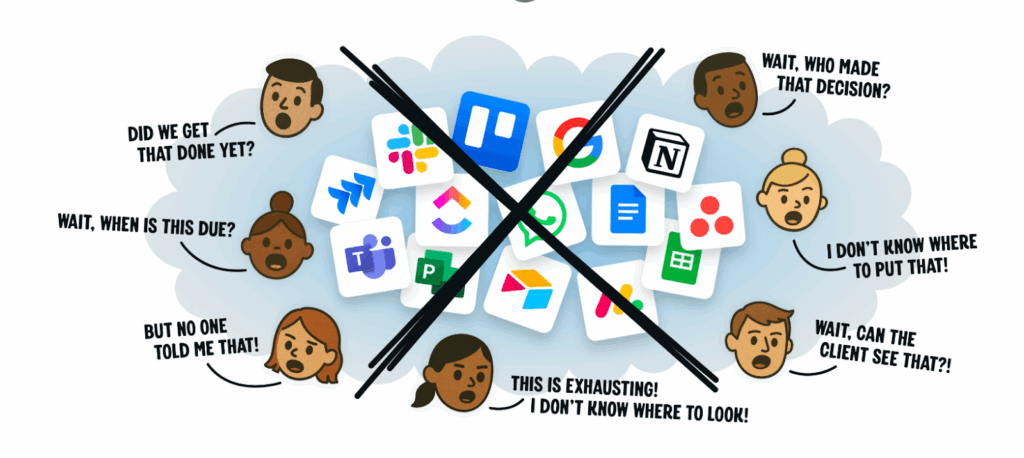
The result? They attract exactly the audience they want, and convert them faster.
How to define your Website’s Goals
Your goal is the foundation of your website. Without it, you risk confusing visitors or distracting them with too many options.
If you haven’t figured out your website’s goal, you can do so now by asking yourself: What do I actually want my visitors to do?
Here are some possible actions (answers). Do you want them to:
- Book a consultation call?
- Sign up for a newsletter?
- Request a quote?
- Or is your main goal to make direct online sales?
It’s okay to have multiple goals, but there must be one primary goal that drives your website’s structure.
For example:
- HubSpot’s goal is to capture emails for its free CRM and marketing tools. Everything on their site funnels you toward trying their free product.
- Shopify’s goal is to get visitors to start a free trial, and every page on Shopify’s site, from blogs to features, pushes that one action.
- A small real estate agency might have a primary goal of getting visitors to schedule a viewing, and every call-to-action should support that.
When your goal is clear, your site design, content, and CTAs naturally align to achieve it.
How to Define Your Audience
Once you know your goal, you need to know who you’re aiming at. Otherwise, you’ll end up passing a vague message that might not connect with anyone.
Here are four practical steps to define your audience:
- Build Buyer Personas
Imagine your ideal customer as a real person. Give them a name, job title, goals, and pain points. For instance:
“Grace, 32, runs a small bakery in Nairobi CBD. She wants more local customers to walk in and place orders, but struggles with marketing.”
“John, 45, is a software engineer looking for reliable hosting for his side project.”
This helps you write content that feels like a direct conversation.
- Identify Their Pain Points
Ask yourself: What keeps your customers up at night?
Grace, the bakery owner, might want affordable advertising.
John, the software startup founder, might want fast website speed and a managed service.
When you highlight these pain points on your site, visitors immediately feel understood and identify with what you offer.
- Map Their Buyer’s Journey
Not every visitor is ready to make a purchase. Some are just researching, some are comparing, and some are ready to act. Your website should meet them where they are:
- Awareness stage: blog posts, guides, and checklists.
- Consideration stage: comparison charts, case studies, and webinars.
- Decision stage: demos, free trials, consultations.
- Speak Their Language
Avoid using jargon unless your audience uses it on a daily basis. A website targeting lawyers can use legal terms, but a site for small bakery owners should use everyday, friendly language.
Step 2: Build a High-Converting Website Design
A good-looking website is the same as a high-converting website. Right?
Wrong.
Plenty of sites are visually appealing, but fail to generate leads because they confuse visitors or bury the call-to-action (CTA).
On the other hand, some basic-looking websites bring in leads daily because they’re designed for conversion, not just aesthetics.
So the question is, how do you design a site that looks professional but also pushes visitors toward taking action?
Here’s how:
a) Keep It Simple and Focused
The most effective lead-generation websites strip away distractions and guide the visitor toward your main goal, whether that’s filling out a form, booking a call, or starting a free trial.
Ask yourself: If a visitor landed on my homepage right now, would they instantly know what I do and what I want them to do next?
If the answer is no, simplify by doing the following:
- Limit navigation. Stick to the essentials (e.g., Home, Services, About, Contact).
- Use white space wisely. Instead of cramming everything above the fold, use white spaces to make your content easier to digest.
- Highlight one CTA on every page. This should be the one primary action you want people to take.
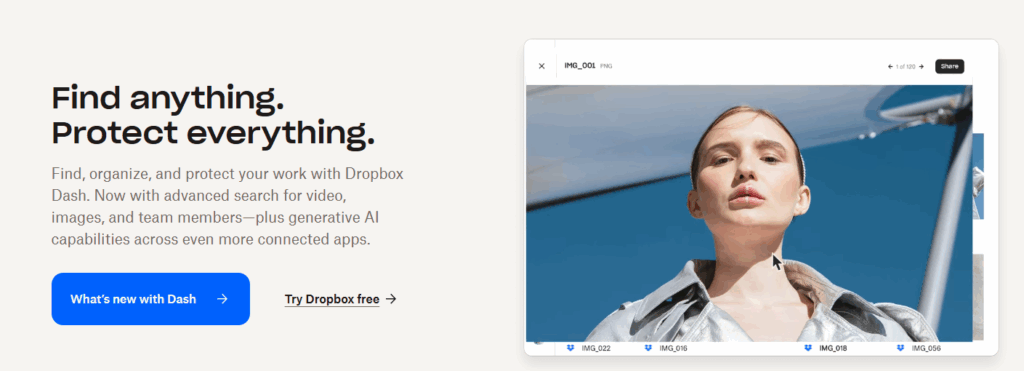
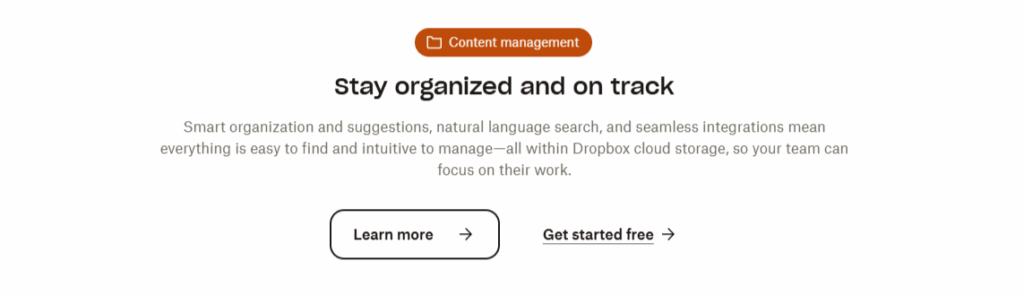
For example, Dropbox built its entire homepage around one message: “Sign up for free.”
b) Use a Visual Hierarchy
Good design tells a story through layout. Visitors naturally scan pages in an “F-pattern” (across the top, down the left, across again). Your site should take advantage of that flow.
- Headlines: Make them bold and benefit-driven.
- Supporting copy: Short, persuasive sentences explain what’s in it for the visitor.
- Primary CTA button: Make it stand out with color contrast (but don’t go crazy—just ensure it pops).
- Trust signals: Place testimonials, logos, or certifications nearby to reduce friction.
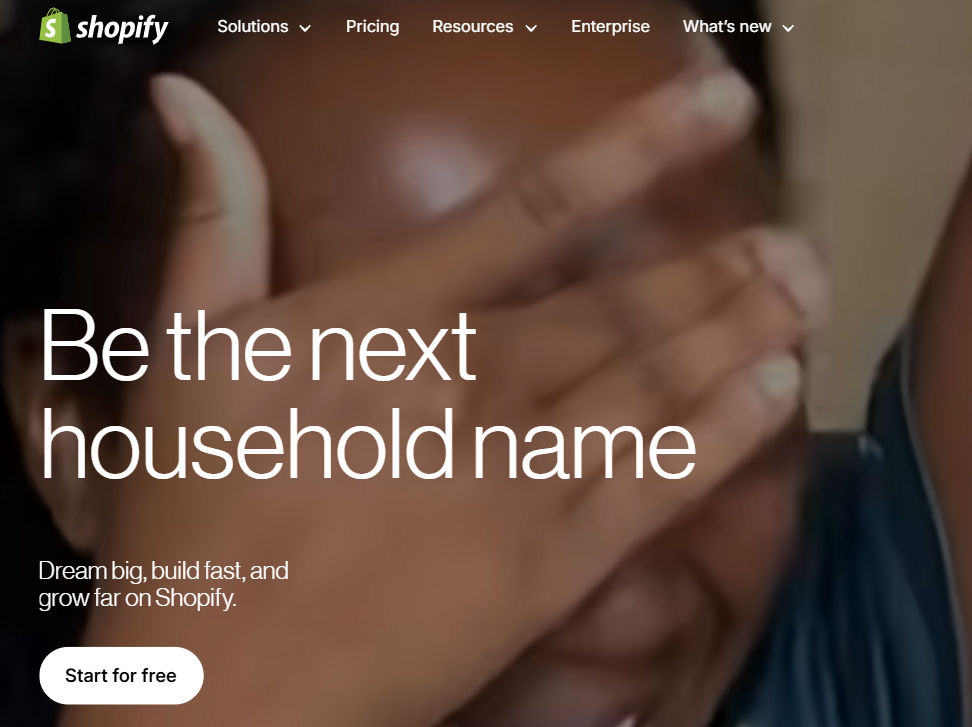
Shopify’s homepage headline, “be the next big household name”, immediately tells you how the service will benefit you. Beneath it, a CTA button “Start for free” grabs your attention before you scroll.
c) Make Pages Mobile-Friendly
More than 60% of web traffic now comes from mobile devices. If your website isn’t mobile-friendly, you’re leaking leads.
That doesn’t just mean your site “shrinks” on mobile. It means:
- Buttons are large enough to tap with a thumb.
- Forms are short and easy to fill out.
- Pages load fast even on slower networks.
d) Design for Speed and Performance
A beautiful site that takes 10 seconds to load is a conversion killer.
Here’s how to keep your site fast:
- Compress images before uploading.
- Use modern hosting with SSD storage.
- Limit heavy scripts and unnecessary plugins.
- Use caching and a content delivery network (CDN).
You can use web applications like GTmetrix and Google PageSpeed Insights to see exactly what’s slowing your site down.
e) Make CTAs Impossible to Miss
Your CTA is what turns a visitor from a casual browser into a qualified lead. If people can’t find it, nothing else matters.
A high-converting CTA should:
- Use action words: “Get My Free Quote” beats “Submit.”
- Show value: “Download Free Guide” is stronger than “Download.”
- Repeat strategically: Place CTAs at the top, middle, and bottom of long pages.
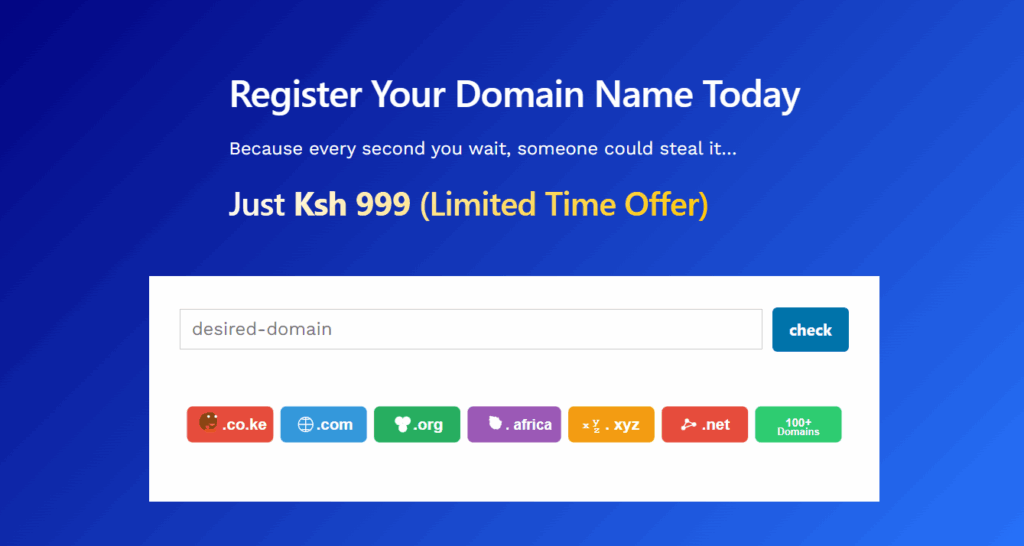
For example, Truehost’s domain registration page leads with a very clear CTA that’s also the page’s hero. The same message is repeated throughout the page, but in text format to avoid being intrusive.
Step 3: Create Compelling Content That Attracts and Converts
Design gets people to stay on your site.
Content gets them to trust you.
And trust is what turns casual browsers into qualified leads.
If you fill a website with fluff or jargon that only insiders understand, this approach won’t work.
To generate leads, your content must answer real questions, solve real problems, and nudge readers toward taking the next step.
So how do you create content that does all of that?
Start With Your Audience’s Pain Points
People don’t land on your website to admire your brand story. They come because they want a solution. If your content doesn’t acknowledge that upfront, you’ll lose them.
Ask yourself these questions to create copy that keeps them on your site:
- What’s frustrating my ideal customer right now?
- What questions are they typing into Google before finding me?
- What hesitations might they have about working with me?
For example, say you’re a solar company founded in 2010.
Your copy shouldn’t lead with “We were founded in 2010.” Instead, it should open with “Are your electricity bills eating into your monthly budget? Solar can cut them by half.”
This approach flips the focus from you to them, which builds immediate relevance.
Use Benefit-Driven Website Copy
Your homepage, service pages, and landing pages should highlight benefits, not just features.
Feature: “Our CRM has email automation.”
Benefit: “Save 10 hours a week by letting our CRM automatically follow up with leads.”
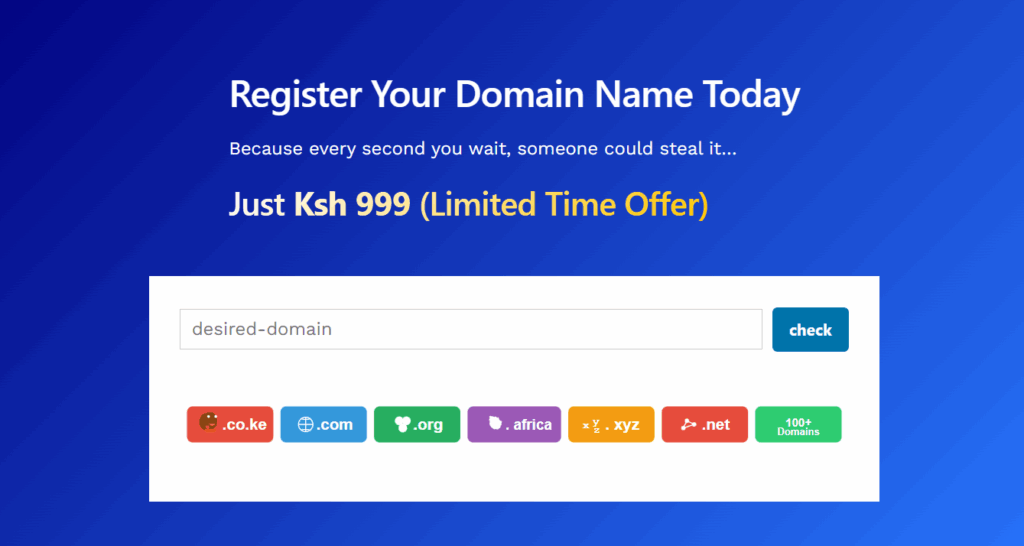
For example, Truehost, provides the cheapest domains in the market. But the benefit is to get you online faster. We go as far as reminding you that “every second you wait, someone could still your domain”.
Ask yourself: What’s the result my customer cares about? Then put that front and center.
Create Valuable Blog Content
Your blog is one of the strongest lead-generation tools you have. Done right, it positions you as the go-to expert in your space and keeps your site visible in search engines.
Tips for blog content that converts:
- Answer long-tail questions
- How to file taxes in Kenya as a self-employed person instead of just “tax tips”.
- Use internal links to guide readers toward your services or lead magnets.
- End posts with a CTA, e.g., Download our free checklist” or “Book a free consultation”.
For example, HubSpot’s blog generates millions of visitors a month. Why? Because they design every article to solve a problem first and then guide readers into their tools second.
Add Lead Magnets to Supercharge Conversion
Most visitors won’t buy right away. But if you can capture their email, you have a chance to nurture them over time. That’s where lead magnets come in.
Types of lead magnets that work well:
- Free guides or eBooks (e.g., “10 Mistakes to Avoid When Building a Website”)
- Checklists and templates
- Free trials or demos
- Exclusive webinars
The key to succeeding with lead magnets is relevance. Don’t offer a generic “free newsletter.” Offer something your audience actually wants. Something simple, valuable, and directly tied to their product.
Use Storytelling to Build Connection
Stories sell. If you want your content to convert, weave in stories that show you understand your audience’s journey.
- Share customer success stories (before-and-after results).
- Show behind-the-scenes moments from your brand.
- Use testimonials that highlight transformation (“We cut our marketing costs in half with this tool”).
Slack uses brand storytelling to grow its brand. It grew rapidly not just because of its product or because it’s owned by Salesforce, but because of the way it tells customer stories, by showing real teams using Slack to solve their collaboration headaches.

Make Your Content Easy to Consume
Even the best content won’t convert if it’s hard to read. Keep things simple:
- Use short paragraphs and bullet points.
- Break up text with visuals (infographics, charts, images).
- Write in a conversational tone, like you’re explaining to a friend.
Align Content With the Buyer’s Journey
Not all visitors are on the same stage in their shopping journey. Your content should meet every buyer where they are:
- Awareness stage: Blog posts, guides, and checklists that answer questions.
- Consideration stage: Comparison pages, case studies, webinars.
- Decision stage: Free trials, demos, consultations, strong CTAs.
By mapping content to each stage, you can guide visitors step by step toward becoming paying customers.
Step 4: Optimize for SEO to Drive Consistent Traffic
So far, we’ve tackled website goals, design, and content.
But you can have the best-designed website and the most compelling content, but if nobody can find it, it won’t generate leads.
That’s where SEO (Search Engine Optimization) comes in. SEO is what makes your site show up when people search for the problems you solve.
Here’s how to approach SEO in a way that drives consistent, qualified traffic to your lead-generation website.
1) Start With Keyword Research
Think of keywords as the bridge between what your audience is searching for and the solutions you provide. Without them, you’re just guessing.
Do the following to find the right keywords:
- Use free tools like Google Keyword Planner, Ubersuggest, SEMrush, or AnswerThePublic.
- Focus on long-tail keywords (e.g., “affordable web design hosting in Kenya” vs. “web design”). Long-tail keywords are less competitive and attract visitors with clear intent.
- Group keywords by buyer’s journey (awareness, consideration, decision).
2) Optimize On-Page SEO
Once you’ve chosen the right keywords, you need to optimize your pages so search engines can understand them.
Key areas to optimize:
- Title tags & meta descriptions, Include your main keyword naturally (e.g., “Affordable Solar Installation in Uganda | CompanyName”).
- Headings (H1, H2, H3), Break content into clear sections with descriptive headers.
- URL structure. Keep URLs short and keyword-rich (e.g., https://truehost.co.ke/hosting/)
- Content. Use keywords naturally in the text, but avoid stuffing. Write for people first, search engines second.
- Images. Add descriptive alt text with keywords to help with SEO and accessibility.
Note: Search engines reward clarity and relevance. If your content clearly answers a searcher’s question, you’ll rank better, even against bigger competitors.
3) Improve Technical SEO
Technical SEO is the behind-the-scenes work that makes your site fast, secure, and easy to crawl. Without it, even the best content won’t rank.
Take the following steps to improve technical SEO:
- Improve site speed. Compress images, use caching, and choose a reliable host. Google reports that 53% of users abandon a site if it takes longer than 3 seconds to load.
- Make you website mobile friendly. More than half of all searches happen on mobile. Use responsive design.
- SSL certificate (HTTPS). Builds trust and is a ranking factor.
- XML sitemap. Helps search engines index your site efficiently.
- Fix broken links & errors. A site with 404 errors hurts SEO and user experience.
4) Build an Internal Linking Strategy
Internal links (links between pages on your own site) help guide users and search engines through your site.
- Link blog posts to service pages (e.g., a blog about “how to save on energy bills” linking to your solar installation page).
- Use descriptive anchor text (not “click here,” but “solar panel installation services”).
- Keep your most important pages (like landing pages) well-linked from other areas of your site.
This not only helps SEO but also nudges visitors toward lead-generation pages.
5) Don’t Forget Local SE
If your business targets customers in a specific country, state, or city, local SEO is critical.
What to do:
- Register your business on Google Business Profile.
- Use location-specific keywords (e.g., “best bakery in Nairobi”).
- Get listed on local directories and review sites.
- Collect reviews from happy customers, because Google rewards businesses with positive reviews.
You should also create SEO-optimized lead magnets. SEO isn’t just about blog posts or landing pages. You can create lead magnets designed for search.
So, if you want to offer tax filing advice to Ugandans, for instance, title your download as “Uganda Tax Filing Checklist (Free Download)” and optimize it for “how to file taxes in Uganda”.
Step 5: Design Conversion-Focused Landing Pages
The steps we’ve covered up to this point should help to drive traffic to your site.
But traffic alone doesn’t equal sales. You could get hundreds of visitors every day, but if your landing pages aren’t designed to convert, all that effort will go to waste.
A landing page is where visitors turn into leads.
What Makes a Landing Page Different From a Regular Website Page?
A regular web page (like your homepage or about page) is meant for brand storytelling, navigating your products, features, and resources, or showcasing different services.
A landing page, on the other hand, has one single goal: To capture leads or drive a specific action. It’s focused, distraction-free, and laser-targeted around one offer.
For example, A “Download Our Free Guide” page should only focus on convincing people to download the guide. No extra menus, unrelated offers, or clutter.
Here’s how to design landing pages that drive conversions.
I) Start With a Clear and Compelling Headline
Your headline is the first thing visitors see. If it doesn’t grab attention and make the value clear, they’ll bounce.
Use the following tips to create strong headlines:
- Focus on benefits, not features. “Save 30% on Energy Bills With Solar” is better than “Affordable Solar Installation.”
- Keep it short and specific.
- Use power words that spark emotion (e.g., save, free, proven, guaranteed).
II) Use Persuasive Copy That Addresses Pain Points
The body of your landing page should build on the headline by answering key visitor questions:
- What’s in it for me?
- Why should I trust you?
- What do I get if I act now?
Keep the language conversational and customer-focused. Use “you” more than “we.” Instead of saying “We offer advanced accounting services,” say “You’ll never have to stress about bookkeeping again.”
III) Build Trust With Social Proof
Visitors hesitate to give their email or money if they don’t trust you. That’s where social proof comes in.
Types of social proof to add:
- Customer testimonials with photos or logos.
- Case studies or success stories.
- Trust badges (SSL secure, payment guarantees).
- Media mentions or certifications.
Even a few short quotes from happy clients can make a massive difference.
IV) Add Visuals That Support the Message
Images and videos aren’t just for decoration. They should reinforce your offer.
- Show the product or service in action.
- Use short testimonial videos for social proof.
- Keep the design clean with plenty of white space so the offer stands out.
V) Create an Irresistible Call-to-Action (CTA)
The CTA is the tipping point between someone leaving and someone converting.
Here’s how to create effective CTAs:
- Use action-oriented language. E.g., “Download Free Guide,” “Start Saving Today,” “Book Your Free Consultation.”
- Make the button stand out with contrasting colors.
- Place CTAs in multiple spots on the page (above the fold, mid-page, and at the end).
- Remove Distractions. Every extra link or option is a chance for visitors to leave without converting.
- Keep your landing page focused on one single action.
- Remove the main website navigation bar.
- Avoid links to social media or unrelated pages.
- Keep content concise instead of overwhelming with walls of text. The goal is clarity: one offer, one action, one path forward.
VI) Test and Optimize
The best landing pages are never “done.” They’re tested, tweaked, and improved over time.
A/B test different elements like:
- Headlines
- Button colors and placements
- Short vs. long-form copy
- Images vs. videos
Step 6: The final Step – Nurture and Convert Leads With Automation
Congratulations! You just got your first lead!
But the battle is only half won, so don’t celebrate just yet.
You need to first build real growth by nurturing leads until they’re ready to buy.
Now imagine doing that manually: you’d have to email every prospect one by one, keeping track of who opened what, send follow up emails, etc. it’s a tedious process which could lead to burn out fast.
That’s where automation comes in. And by automation, I mean:
Build an Automated Email Funnel
Here’s how to structure an effective automated sequence:
The Welcome Email. Send this immediately after someone signs up. Thank them, deliver the promised lead magnet, and set expectations for what’s next.
The Value Email or emails. Provide helpful tips, industry insights, or quick wins related to your product/service. Show that you understand their pain points.
The Trust Builder. Share testimonials, case studies, or social proof that shows how others like them succeeded with your help.
The Soft Offer. Invite them to take a small step, like booking a free consultation, starting a free trial, or joining a webinar.
The Hard Offer. Present your core offer clearly, with urgency or a limited-time bonus.
You can build and automate such an email sequence using tools like HubSpot, ActiveCampaign, and Mailchimp. These tools make it easy to create automated email flows with drag-and-drop builders.
Tips for Effective Email Nurturing
a) Use Lead Scoring to Prioritize Hot Leads
Not all leads are equal. Some are just browsing, while others are actively looking for a solution.
Lead scoring assigns points to leads based on actions they take (e.g., opening emails, visiting pricing pages, downloading guides).
- A lead that opens every email and clicks on pricing gets a high score → pass to sales.
- A lead that downloaded one ebook months ago and never engaged again → low score, keep nurturing.
b) Segment and Personalize
Generic “newsletter blasts” will not get you leads. Segment your leads and send them content tailored to their interests.
Segment by:
- Industry or job role
- Pages visited on your site
- Lead magnet downloaded
- Stage of the buyer’s journey
For example: If you run an online shop you could segment your list by purchase behavior. Customers who have only browsed could get a “First Purchase” coupon. Repeat buyers could get loyalty rewards.
c) Automate the Handoff to Sales
Eventually, nurtured leads reach a point where they’re ready to talk to a real person. Your automation should flag these leads and pass them seamlessly to sales.
Email Nurturing Best practices:
- Use CRM tools (like HubSpot or Zoho) to track when a lead’s score hits a threshold.
- Notify the sales rep instantly with lead details.
- Keep all communication history in one place so sales knows exactly what the lead has seen and done.
- Avoid over-emailing. Don’t blast daily messages; it leads to unsubscribes.
- Only send personalized content. Automation is about personalization at scale, not sending the same thing to everyone.
- “Set it and forget it” mindset. Review and update your sequences regularly. Your market changes, and so should your emails.
Beyond Email – Multichannel Nurturing
Email is powerful, but it shouldn’t be your only channel. Today’s buyers need multiple touchpoints.
Consider nurturing leads through these additional channels:
Retargeting Ads. Show ads to leads who visited your landing page but didn’t convert.
SMS Nurturing. Short, timely messages like “Don’t forget to confirm your free demo tomorrow!”
Chatbots. Use AI-driven bots on your site to answer questions instantly and push leads toward conversion.
Social Media Engagement. Retarget leads on LinkedIn or Facebook with relevant content.
The key is consistency. You want to meet leads where they are, without overwhelming them.
Final Words: Turn Your Website Into a Lead-Generation Machine
Building a lead-generation website is about following a clear, structured process.
Your next step? Don’t just read this guide.
Pick one area and implement it today. Add a new lead magnet, improve a form, or set up an email sequence.
Small actions compound quickly, and before long, your website won’t just attract visitors, it’ll generate the leads and sales you need to grow.
Need help building a lead generation website?
Contact the Truehost team via chat, phone or email to get started.
Related: